Table of Contents
- 1 Navigating the Deluge: Architecting Resilience Against 216M Security Findings
- 2 High-Level Concepts & Core Architecture for Risk Aggregation
- 3 Practical Implementation – Building the Automated Gate
- 4 Senior-Level Best Practices & Advanced Remediation
- 5 Conclusion: From Data Deluge to Actionable Intelligence
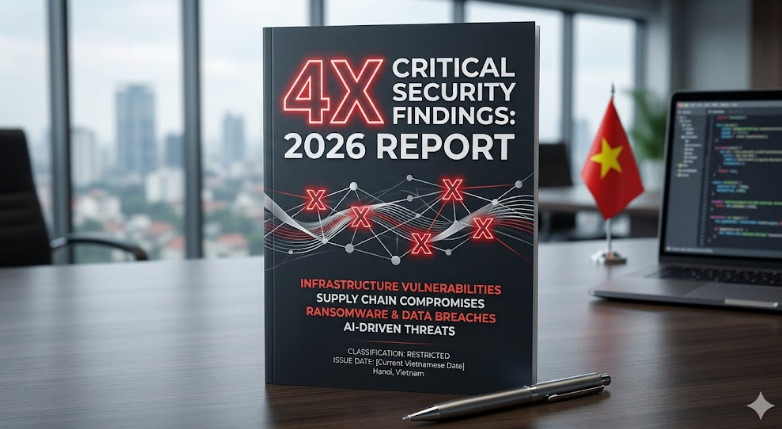
The sheer volume of modern security findings is no longer a manageable concern; it is an architectural crisis. Recent industry reports, such as the analysis of 216 million security findings, paint a stark picture: a staggering 4x increase in critical risk indicators. For senior DevOps, MLOps, and SecOps engineers, this data point is more than just a number—it represents a fundamental failure point in traditional security tooling and process.
We are moving beyond the era of simple vulnerability scanning. The challenge now is not finding vulnerabilities, but prioritizing and automating the remediation of critical risk signals at scale.
This deep-dive guide will walk you through the advanced architectural patterns required to ingest, correlate, and act upon massive streams of security findings. We will build a resilient, automated risk management pipeline capable of handling the complexity and velocity of the modern cloud-native landscape.

High-Level Concepts & Core Architecture for Risk Aggregation
When dealing with hundreds of millions of security findings, the traditional approach of simply running SAST, DAST, and SCA tools sequentially is insufficient. The resulting data silo is unactionable. We must adopt a unified, graph-based risk modeling approach.
The Shift from Scanning to Correlation
The core architectural shift is moving from a “scan-and-report” model to a “model-and-predict” model. We must treat every security finding not as an isolated vulnerability, but as a node in a complex risk graph.
Key Architectural Components:
- Software Bill of Materials (SBOM) Generation: Every artifact, container image, and microservice must be accompanied by a comprehensive SBOM. This provides the foundational inventory necessary to scope the blast radius instantly. Tools like Syft and CycloneDX are essential here.
- Policy-as-Code (PaC) Enforcement: Security rules must be codified and enforced at the earliest possible stage (the commit/PR level). This prevents the introduction of known critical risks before they ever reach a build environment.
- Centralized Risk Graph Database: A specialized database (like Neo4j) is required to ingest disparate security findings (from SAST, DAST, SCA, and IaC scanners) and map the relationships between them. This allows you to answer questions like: “If this critical vulnerability in Library X is combined with this misconfigured IAM role in Service Y, what is the resulting blast radius?”
- Risk Scoring Engine (RSE): The RSE is the brain. It consumes the data from the graph database and applies context (e.g., Is the affected service internet-facing? Does it handle PII? Is it in a production environment?). This generates a single, actionable Critical Risk Score, replacing dozens of raw CVSS scores.
💡 Pro Tip: Do not rely solely on CVSS scores. Implement a custom risk scoring model that weights the following factors: Exploitability (CVSS) $\times$ Asset Criticality (Business Impact) $\times$ Exposure (Network Reachability). This provides a far more accurate prioritization signal.
Practical Implementation – Building the Automated Gate
The goal of Phase 2 is to operationalize this architecture. We must integrate the risk scoring engine into the CI/CD pipeline, making it a mandatory, non-bypassable gate.
Step 1: Defining the Policy (Policy-as-Code)
We start by defining the acceptable risk threshold using a declarative language like OPA (Open Policy Agent) Rego. This policy dictates what constitutes a “critical fail” before deployment.
For example, we might enforce that no image containing a critical vulnerability (CVSS $\ge 9.0$) in a high-risk dependency can proceed.
# OPA Rego Example Policy for CI/CD Gate
package devops.security
# Define the required minimum acceptable risk score
default allow = false

# Rule: Fail if any critical finding is detected in the artifact
allow {
    input.security_findings[_].severity == "CRITICAL"
    input.security_findings[_].cvss_score >= 9.0
}
Step 2: Integrating the Gate into the Pipeline
The CI/CD runner must execute the scanning tools, aggregate the raw security findings, and then pass the structured JSON payload to the Policy Engine for evaluation.
Here is a conceptual snippet of how the pipeline step would look, assuming the scanner output is normalized into a JSON array:
#!/bin/bash
# 1. Run all scanners and normalize output to JSON
scan_results=$(./run_saast_dast --target $BUILD_IMAGE --output json)

# 2. Pass the aggregated findings to the Policy Engine
echo "$scan_results" | opa eval --policy devops.security --input '{"security_findings": [...] }' --query allow

# 3. Check the exit code (0 = pass, 1 = fail)
if [ $? -ne 0 ]; then
    echo "🚨 CRITICAL RISK DETECTED. Deployment blocked."
    exit 1
fi
This process ensures that the pipeline fails fast, preventing the deployment of code that introduces unacceptable security findings.
💡 Pro Tip: Implement “remediation debt tracking.” When a critical finding is detected, the pipeline should automatically create a Jira ticket, assign it to the owning microservice team, and track the ticket ID within the deployment metadata. This closes the loop between detection and remediation.
Senior-Level Best Practices & Advanced Remediation
Handling 216 million findings requires thinking beyond the CI/CD pipeline. We must build systems that predict, automate, and adapt.
1. Automated Remediation Workflows (The “Self-Healing” System)
The ultimate goal is to minimize human intervention. When a critical finding is identified, the system should attempt to fix it automatically, rather than just flagging it.
- Dependency Patching: If SCA detects a vulnerable library version, the system should automatically create a Pull Request (PR) bumping the dependency to the minimum safe version and assign it for review.
- Infrastructure Drift Correction: For IaC findings (e.g., S3 bucket lacking encryption), the system should trigger a GitOps workflow that applies the necessary security patch (e.g., adding
aws:s3:PutBucketEncryption).
2. Predictive Risk Modeling with AI/ML
The most advanced approach involves using Machine Learning to predict future vulnerabilities based on historical data.
Instead of just scoring a finding based on CVSS, an ML model can analyze:
- The complexity of the code block where the finding exists.
- The historical rate of change (churn) in that specific module.
- The developer’s past contribution patterns.
If a high-severity finding appears in a module that has undergone rapid, unreviewed changes, the model increases the risk score exponentially, flagging it for immediate human review. This is the shift from reactive auditing to proactive risk prediction.
3. The Importance of Contextualizing Security Findings
A critical security finding in a test environment is fundamentally different from the same finding in a production, high-traffic, payment-processing microservice.
Always ensure your risk graph database links the finding to the operational context:
- Data Classification: Does this service handle PCI, HIPAA, or PII data?
- Blast Radius: What is the maximum impact if this vulnerability is exploited?
- Mitigation Layer: Are there compensating controls (e.g., WAF rules, network segmentation) that already reduce the risk?
This deep contextualization is what separates a basic vulnerability scanner report from a true enterprise risk management platform.
For more detailed insights into the operational roles required to manage these complex systems, check out our guide on DevOps Roles.
Conclusion: From Data Deluge to Actionable Intelligence
The 4x increase in critical risk signals that the security landscape is accelerating faster than our tooling and processes. Dealing with 216 million security findings is not a technical hurdle; it is a strategic architectural challenge.
By adopting a Policy-as-Code approach, centralizing risk into a graph database, and leveraging predictive ML models, you can transform a crippling data deluge into a streamlined, actionable intelligence stream. This level of automation is no longer optional—it is the baseline requirement for operating in the modern, high-risk cloud environment.