Tag Archives: DevOps

Mastering Factorio with Terraform: The Ultimate Automation Guide

For the uninitiated, Factorio is a game about automation. For the Senior DevOps Engineer, it is a spiritual mirror of our daily lives. You start by manually crafting plates (manual provisioning), move to burner drills (shell scripts), and eventually build a mega-base capable of launching rockets per minute (fully automated Kubernetes clusters).

But why stop at automating the gameplay? As infrastructure experts, we know that the factory must grow, and the server hosting it should be as resilient and reproducible as the factory itself. In this guide, we will bridge the gap between gaming and professional Infrastructure as Code (IaC). We are going to deploy a high-performance, cost-optimized, and fully persistent Factorio dedicated server using Factorio with Terraform.

Why Terraform for a Game Server?

If you are reading this, you likely already know Terraform’s value proposition. However, applying it to stateful workloads like game servers presents unique challenges that test your architectural patterns.

  • Immutable Infrastructure: Treat the game server binary and OS as ephemeral. Only the /saves directory matters.
  • Cost Control: Factorio servers don’t need to run 24/7 if no one is playing. Terraform allows you to spin up the infrastructure for a weekend session and destroy it Sunday night, while preserving state.
  • Disaster Recovery: If your server crashes or the instance degrades, a simple terraform apply brings the factory back online in minutes.

Pro-Tip: Factorio is heavily single-threaded. When choosing your compute instance (e.g., AWS EC2), prioritize high clock speeds (GHz) over core count. An AWS c5.large or c6i.large is often superior to general-purpose instances for maintaining 60 UPS (Updates Per Second) on large mega-bases.

Architecture Overview

We will design a modular architecture on AWS, though the concepts apply to GCP, Azure, or DigitalOcean. Our stack includes:

  • Compute: EC2 Instance (optimized for compute).
  • Storage: Separate EBS volume for game saves (preventing data loss on instance termination) or an S3-sync strategy.
  • Network: VPC, Subnet, and Security Groups allowing UDP/34197.
  • Provisioning: Cloud-Init (`user_data`) to bootstrap Docker and the headless Factorio container.

Step 1: The Network & Security Layer

Factorio uses UDP port 34197 by default. Unlike HTTP services, we don’t need a complex Load Balancer; a direct public IP attachment is sufficient and reduces latency.

resource "aws_security_group" "factorio_sg" {
  name        = "factorio-allow-udp"
  description = "Allow Factorio UDP traffic"
  vpc_id      = module.vpc.vpc_id

  ingress {
    description = "Factorio Game Port"
    from_port   = 34197
    to_port     = 34197
    protocol    = "udp"
    cidr_blocks = ["0.0.0.0/0"]
  }

  ingress {
    description = "SSH Access (Strict)"
    from_port   = 22
    to_port     = 22
    protocol    = "tcp"
    cidr_blocks = [var.admin_ip] # Always restrict SSH!
  }

  egress {
    from_port   = 0
    to_port     = 0
    protocol    = "-1"
    cidr_blocks = ["0.0.0.0/0"]
  }
}

Step 2: Persistent Storage Strategy

This is the most critical section. In a “Factorio with Terraform” setup, if you run terraform destroy, you must not lose the factory. We have two primary patterns:

  1. EBS Volume Attachment: A dedicated EBS volume that exists outside the lifecycle of the EC2 instance.
  2. S3 Sync (The Cloud-Native Way): The instance pulls the latest save from S3 on boot and pushes it back on shutdown (or via cron).

For experts, I recommend the S3 Sync pattern for true immutability. It avoids the headaches of EBS volume attachment states and availability zone constraints.

resource "aws_iam_role_policy" "factorio_s3_access" {
  name = "factorio_s3_policy"
  role = aws_iam_role.factorio_role.id

  policy = jsonencode({
    Version = "2012-10-17"
    Statement = [
      {
        Action = [
          "s3:GetObject",
          "s3:PutObject",
          "s3:ListBucket"
        ]
        Effect   = "Allow"
        Resource = [
          aws_s3_bucket.factorio_saves.arn,
          "${aws_s3_bucket.factorio_saves.arn}/*"
        ]
      },
    ]
  })
}

Step 3: The Compute Instance & Cloud-Init

We use the user_data field to bootstrap the environment. We will utilize the community-standard factoriotools/factorio Docker image. This image is robust and handles updates automatically.

data "template_file" "user_data" {
  template = file("${path.module}/scripts/setup.sh.tpl")

  vars = {
    bucket_name = aws_s3_bucket.factorio_saves.id
    save_file   = "my-megabase.zip"
  }
}

resource "aws_instance" "server" {
  ami           = data.aws_ami.ubuntu.id
  instance_type = "c5.large" # High single-core performance
  
  subnet_id                   = module.vpc.public_subnets[0]
  vpc_security_group_ids      = [aws_security_group.factorio_sg.id]
  iam_instance_profile        = aws_iam_instance_profile.factorio_profile.name
  user_data                   = data.template_file.user_data.rendered

  # Spot instances can save you 70% cost, but ensure you handle interruption!
  instance_market_options {
    market_type = "spot"
  }

  tags = {
    Name = "Factorio-Server"
  }
}

The Cloud-Init Script (setup.sh.tpl)

The bash script below handles the “hydrate” phase (downloading save) and the “run” phase.

#!/bin/bash
# Install Docker and AWS CLI
apt-get update && apt-get install -y docker.io awscli

# 1. Hydrate: Download latest save from S3
mkdir -p /opt/factorio/saves
aws s3 cp s3://${bucket_name}/${save_file} /opt/factorio/saves/save.zip || echo "No save found, starting fresh"

# 2. Permissions
chown -R 845:845 /opt/factorio

# 3. Run Factorio Container
docker run -d \
  -p 34197:34197/udp \
  -v /opt/factorio:/factorio \
  --name factorio \
  --restart always \
  factoriotools/factorio

# 4. Setup Auto-Save Sync (Crontab)
echo "*/5 * * * * aws s3 sync /opt/factorio/saves s3://${bucket_name}/ --delete" > /tmp/cronjob
crontab /tmp/cronjob

Advanced Concept: To prevent data loss on Spot Instance termination, listen for the EC2 Instance Termination Warning (via metadata service) and trigger a force-save and S3 upload immediately.

Managing State and Updates

One of the benefits of using Factorio with Terraform is update management. When Wube Software releases a new version of Factorio:

  1. Update the Docker tag in your Terraform variable or Cloud-Init script.
  2. Run terraform apply (or taint the instance).
  3. Terraform replaces the instance.
  4. Cloud-Init pulls the save from S3 and the new binary version.
  5. The server is back online in 2 minutes with the latest patch.

Cost Optimization: The Weekend Warrior Pattern

Running a c5.large 24/7 can cost roughly $60-$70/month. If you only play on weekends, this is wasteful.

By wrapping your Terraform configuration in a CI/CD pipeline (like GitHub Actions), you can create a “ChatOps” workflow (e.g., via Discord slash commands). A command like /start-server triggers terraform apply, and /stop-server triggers terraform destroy. Because your state is safely in S3 (both Terraform state and Game save state), you pay $0 for compute during the week.

Frequently Asked Questions (FAQ)

Can I use Terraform to manage in-game mods?

Yes. The factoriotools/factorio image supports a mods/ directory. You can upload your mod-list.json and zip files to S3, and have the Cloud-Init script pull them alongside the save file. Alternatively, you can define the mod list as an environment variable passed into the container.

How do I handle the initial world generation?

If no save file exists in S3 (the first run), the Docker container will generate a new map based on the server-settings.json. Once generated, your cron job will upload this new save to S3, establishing the persistence loop.

Is Terraform overkill for a single server?

For a “click-ops” manual setup, maybe. But as an expert, you know that “manual” means “unmaintainable.” Terraform documents your configuration, allows for version control of your server settings, and enables effortless migration between cloud providers or regions.

Conclusion

Deploying Factorio with Terraform is more than just a fun project; it is an exercise in designing stateful, resilient applications on ephemeral infrastructure. By decoupling storage (S3) from compute (EC2) and automating the configuration via Cloud-Init, you achieve a server setup that is robust, cheap to run, and easy to upgrade.

The factory must grow, and now, your infrastructure can grow with it. Thank you for reading the DevopsRoles page!

Deploy Generative AI with Terraform: Automated Agent Lifecycle

The shift from Jupyter notebooks to production-grade infrastructure is often the “valley of death” for AI projects. While data scientists excel at model tuning, the operational reality of managing API quotas, secure context retrieval, and scalable inference endpoints requires rigorous engineering. This is where Generative AI with Terraform becomes the critical bridge between experimental code and reliable, scalable application delivery.

In this guide, we will bypass the basics of “what is IaC” and focus on architecting a robust automated lifecycle for Generative AI agents. We will cover provisioning vector databases for RAG (Retrieval-Augmented Generation), securing LLM credentials via Secrets Manager, and deploying containerized agents using Amazon ECS—all defined strictly in HCL.

The Architecture of AI-Native Infrastructure

When we talk about deploying Generative AI with Terraform, we are typically orchestrating three distinct layers. Unlike traditional web apps, AI applications require specialized state management for embeddings and massive compute bursts for inference.

  • Knowledge Layer (RAG): Vector databases (e.g., Pinecone, Milvus, or AWS OpenSearch) to store embeddings.
  • Inference Layer (Compute): Containers hosting the orchestration logic (LangChain/LlamaIndex) running on ECS, EKS, or Lambda.
  • Model Gateway (API): Secure interfaces to foundation models (AWS Bedrock, OpenAI, Anthropic).

Pro-Tip for SREs: Avoid managing model weights directly in Terraform state. Terraform is designed for infrastructure state, not gigabyte-sized binary blobs. Use Terraform to provision the S3 buckets and permissions, but delegate the artifact upload to your CI/CD pipeline or DVC (Data Version Control).

1. Provisioning the Knowledge Base (Vector Store)

For a RAG architecture, the vector store is your database. Below is a production-ready pattern for deploying an AWS OpenSearch Serverless collection, which serves as a highly scalable vector store compatible with LangChain.

resource "aws_opensearchserverless_collection" "agent_memory" {
  name        = "gen-ai-agent-memory"
  type        = "VECTORSEARCH"
  description = "Vector store for Generative AI embeddings"

  depends_on = [aws_opensearchserverless_security_policy.encryption]
}

resource "aws_opensearchserverless_security_policy" "encryption" {
  name        = "agent-memory-encryption"
  type        = "encryption"
  policy      = jsonencode({
    Rules = [
      {
        ResourceType = "collection"
        Resource = ["collection/gen-ai-agent-memory"]
      }
    ],
    AWSOwnedKey = true
  })
}

output "vector_endpoint" {
  value = aws_opensearchserverless_collection.agent_memory.collection_endpoint
}

This HCL snippet ensures that encryption is enabled by default—a non-negotiable requirement for enterprise AI apps handling proprietary data.

2. Securing LLM Credentials

Hardcoding API keys is a cardinal sin in DevOps, but in GenAI, it’s also a financial risk due to usage-based billing. We leverage AWS Secrets Manager to inject keys into our agent’s environment at runtime.

resource "aws_secretsmanager_secret" "openai_api_key" {
  name        = "production/gen-ai/openai-key"
  description = "API Key for OpenAI Model Access"
}

resource "aws_iam_role_policy" "ecs_task_secrets" {
  name = "ecs-task-secrets-access"
  role = aws_iam_role.ecs_task_execution_role.id

  policy = jsonencode({
    Version = "2012-10-17"
    Statement = [
      {
        Action = "secretsmanager:GetSecretValue"
        Effect = "Allow"
        Resource = aws_secretsmanager_secret.openai_api_key.arn
      }
    ]
  })
}

By explicitly defining the IAM policy, we adhere to the principle of least privilege. The container hosting the AI agent can strictly access only the specific secret required for inference.

3. Deploying the Agent Runtime (ECS Fargate)

For agents that require long-running processes (e.g., maintaining WebSocket connections or processing large documents), AWS Lambda often hits timeout limits. ECS Fargate provides a serverless container environment perfect for hosting Python-based LangChain agents.

resource "aws_ecs_task_definition" "agent_task" {
  family                   = "gen-ai-agent"
  network_mode             = "awsvpc"
  requires_compatibilities = ["FARGATE"]
  cpu                      = 1024
  memory                   = 2048
  execution_role_arn       = aws_iam_role.ecs_task_execution_role.arn

  container_definitions = jsonencode([
    {
      name      = "agent_container"
      image     = "${aws_ecr_repository.agent_repo.repository_url}:latest"
      essential = true
      secrets   = [
        {
          name      = "OPENAI_API_KEY"
          valueFrom = aws_secretsmanager_secret.openai_api_key.arn
        }
      ]
      environment = [
        {
          name  = "VECTOR_DB_ENDPOINT"
          value = aws_opensearchserverless_collection.agent_memory.collection_endpoint
        }
      ]
      logConfiguration = {
        logDriver = "awslogs"
        options = {
          "awslogs-group"         = "/ecs/gen-ai-agent"
          "awslogs-region"        = var.aws_region
          "awslogs-stream-prefix" = "ecs"
        }
      }
    }
  ])
}

This configuration dynamically links the output of your vector store resource (created in Step 1) into the container’s environment variables. This creates a self-healing dependency graph where infrastructure updates automatically propagate to the application configuration.

4. Automating the Lifecycle with Terraform & CI/CD

Deploying Generative AI with Terraform isn’t just about the initial setup; it’s about the lifecycle. As models drift and prompts need updating, you need a pipeline that handles redeployment without downtime.

The “Blue/Green” Strategy for AI Agents

AI agents are non-deterministic. A prompt change that works for one query might break another. Implementing a Blue/Green deployment strategy using Terraform is crucial.

  • Infrastructure (Terraform): Defines the Load Balancer and Target Groups.
  • Application (CodeDeploy): Shifts traffic from the old agent version (Blue) to the new version (Green) gradually.

Using the AWS CodeDeploy Terraform resource, you can script this traffic shift to automatically rollback if error rates spike (e.g., if the LLM starts hallucinating or timing out).

Frequently Asked Questions (FAQ)

Can Terraform manage the actual LLM models?

Generally, no. Terraform is for infrastructure. While you can use Terraform to provision an Amazon SageMaker Endpoint or an EC2 instance with GPU support, the model weights themselves (the artifacts) are better managed by tools like DVC or MLflow. Terraform sets the stage; the ML pipeline puts the actors on it.

How do I handle GPU provisioning for self-hosted LLMs in Terraform?

If you are hosting open-source models (like Llama 3 or Mistral), you will need to specify instance types with GPU acceleration. In the aws_instance or aws_launch_template resource, ensure you select the appropriate instance type (e.g., g5.2xlarge or p3.2xlarge) and utilize a deeply integrated AMI (Amazon Machine Image) like the AWS Deep Learning AMI.

Is Terraform suitable for prompt management?

No. Prompts are application code/configuration, not infrastructure. Storing prompts in Terraform variables creates unnecessary friction. Store prompts in a dedicated database or as config files within your application repository.

Conclusion

Deploying Generative AI with Terraform transforms a fragile experiment into a resilient enterprise asset. By codifying the vector storage, compute environment, and security policies, you eliminate the “it works on my machine” syndrome that plagues AI development.

The code snippets provided above offer a foundational skeleton. As you scale, look into modularizing these resources into reusable Terraform Modules to empower your data science teams to spin up compliant environments on demand. Thank you for reading the DevopsRoles page!

New AWS ECR Remote Build Cache: Turbocharge Your Docker Image Builds

For high-velocity DevOps teams, the “cold cache” problem in ephemeral CI runners is a persistent bottleneck. You spin up a fresh runner, pull your base image, and then watch helplessly as Docker rebuilds layers that haven’t changed simply because the local context is empty. While solutions like inline caching helped, they bloated image sizes. S3 backends added latency.

The arrival of native support for ECR Remote Build Cache changes the game. By leveraging the advanced caching capabilities of Docker BuildKit and the OCI-compliant nature of Amazon Elastic Container Registry (ECR), you can now store cache artifacts directly alongside your images with high throughput and low latency. This guide explores how to implement this architecture to drastically reduce build times in your CI/CD pipelines.

The Evolution of Build Caching: Why ECR?

Before diving into implementation, it is crucial to understand where the ECR Remote Build Cache fits in the Docker optimization hierarchy. Experts know that layer caching is the single most effective way to speed up builds, but the storage mechanism of that cache dictates its efficacy in a distributed environment.

  • Local Cache: Fast but useless in ephemeral CI environments (GitHub Actions, AWS CodeBuild) where the workspace is wiped after every run.
  • Inline Cache (`–cache-from`): Embeds cache metadata into the image itself.


    Drawback: Increases the final image size and requires pulling the full image to extract cache data, wasting bandwidth.
  • Registry Cache (`type=registry`): The modern standard. It pushes cache blobs to a registry as a separate artifact.


    The ECR Advantage: AWS ECR now fully supports the OCI artifacts and manifest lists required by BuildKit, allowing for granular, high-performance cache retrieval without the overhead of S3 or the bloat of inline caching.

Pro-Tip for SREs: Unlike inline caching, the ECR Remote Build Cache allows you to use mode=max. This caches intermediate layers, not just the final stage layers. For multi-stage builds common in Go or Rust applications, this can prevent re-compiling dependencies even if the final image doesn’t contain them.

Architecture: How BuildKit Talks to ECR

The mechanism relies on the Docker BuildKit engine. When you execute a build with the type=registry exporter, BuildKit creates a cache manifest list. This list references the actual cache layers (blobs) stored in ECR.

Because ECR supports OCI 1.1 standards, it can distinguish between a runnable container image and a cache artifact, even though they reside in the same repository infrastructure. This allows your CI runners to pull only the cache metadata needed to determine a cache hit, rather than downloading gigabytes of previous images.

Implementation Guide

1. Prerequisites

Ensure your environment is prepped with the following:

  • Docker Engine: Version 20.10.0+ (BuildKit enabled by default).
  • Docker Buildx: The CLI plugin is required to access advanced cache exporters.
  • IAM Permissions: Your CI role needs standard ecr:GetAuthorizationToken, ecr:BatchCheckLayerAvailability, ecr:PutImage, and ecr:InitiateLayerUpload.

2. Configuring the Buildx Driver

The default Docker driver often limits scope. For advanced caching, create a new builder instance using the docker-container driver. This unlocks features like multi-platform builds and advanced garbage collection.

# Create and bootstrap a new builder
docker buildx create --name ecr-builder \
  --driver docker-container \
  --use

# Verify the builder is running
docker buildx inspect --bootstrap

3. The Build Command

Here is the production-ready command to build an image and push both the image and the cache to ECR. Note the separation of tags: one for the runnable image (`:latest`) and one for the cache (`:build-cache`).

export ECR_REPO="123456789012.dkr.ecr.us-east-1.amazonaws.com/my-app"

docker buildx build \
  --platform linux/amd64,linux/arm64 \
  -t $ECR_REPO:latest \
  --cache-to type=registry,ref=$ECR_REPO:build-cache,mode=max,image-manifest=true,oci-mediatypes=true \
  --cache-from type=registry,ref=$ECR_REPO:build-cache \
  --push \
  .

Key Flags Explained:

  • mode=max: Caches all intermediate layers. Essential for multi-stage builds.
  • image-manifest=true: Generates an image manifest for the cache, ensuring better compatibility with ECR’s lifecycle policies and visual inspection in the AWS Console.
  • oci-mediatypes=true: Forces the use of standard OCI media types, preventing compatibility issues with stricter registry parsers.

CI/CD Integration: GitHub Actions Example

Below is a robust GitHub Actions workflow snippet that authenticates with AWS and utilizes the setup-buildx-action to handle the plumbing.

name: Build and Push to ECR

on:
  push:
    branches: [ "main" ]

jobs:
  build:
    runs-on: ubuntu-latest
    permissions:
      id-token: write # Required for AWS OIDC
      contents: read

    steps:
      - name: Checkout Code
        uses: actions/checkout@v4

      - name: Configure AWS Credentials
        uses: aws-actions/configure-aws-credentials@v4
        with:
          role-to-assume: arn:aws:iam::123456789012:role/GitHubActionsRole
          aws-region: us-east-1

      - name: Login to Amazon ECR
        id: login-ecr
        uses: aws-actions/amazon-ecr-login@v2

      - name: Set up Docker Buildx
        uses: docker/setup-buildx-action@v3

      - name: Build and Push
        uses: docker/build-push-action@v5
        env:
          ECR_REGISTRY: ${{ steps.login-ecr.outputs.registry }}
          ECR_REPOSITORY: my-app
        with:
          context: .
          push: true
          tags: ${{ env.ECR_REGISTRY }}/${{ env.ECR_REPOSITORY }}:latest
          # Advanced Cache Configuration
          cache-from: type=registry,ref=${{ env.ECR_REGISTRY }}/${{ env.ECR_REPOSITORY }}:build-cache
          cache-to: type=registry,ref=${{ env.ECR_REGISTRY }}/${{ env.ECR_REPOSITORY }}:build-cache,mode=max,image-manifest=true,oci-mediatypes=true

Expert Considerations: Storage & Lifecycle Management

One common pitfall when implementing ECR Remote Build Cache with mode=max is the rapid accumulation of untagged storage layers. Since BuildKit generates unique blobs for intermediate layers, your ECR storage costs can spike if left unchecked.

The Lifecycle Policy Fix

Do not apply a blanket “expire untagged images” policy immediately, as cache blobs often appear as untagged artifacts to the ECR control plane. Instead, use the tagPrefixList to protect your cache tags specifically, or rely on the fact that BuildKit manages the cache manifest references.

However, a safer approach for high-churn environments is to use a dedicated ECR repository for cache (e.g., my-app-cache) separate from your production images. This allows you to apply aggressive lifecycle policies to the cache repo (e.g., “expire artifacts older than 7 days”) without risking your production releases.

Frequently Asked Questions (FAQ)

1. Is ECR Remote Cache faster than S3-backed caching?

Generally, yes. While S3 is highly performant, using type=registry with ECR leverages the optimized Docker registry protocol. It avoids the overhead of the S3 API translation layer and benefits from ECR’s massive concurrent transfer limits within the AWS network.

2. Does this support multi-architecture builds?

Absolutely. This is one of the strongest arguments for using the ECR Remote Build Cache. BuildKit can store cache layers for both amd64 and arm64 in the same registry reference (manifest list), allowing a runner on one architecture to potentially benefit from architecture-independent layer caching (like copying source code) generated by another.

3. Why am I seeing “blob unknown” errors?

This usually happens if an aggressive ECR Lifecycle Policy deletes the underlying blobs referenced by your cache manifest. Ensure your lifecycle policies account for the active duration of your development sprints.

Conclusion

The ECR Remote Build Cache represents a maturation of cloud-native CI/CD. It moves us away from hacked-together solutions involving tarballs and S3 buckets toward a standardized, OCI-compliant method that integrates natively with the Docker toolchain.

By implementing the type=registry cache backend with mode=max, you aren’t just saving minutes on build times; you are reducing compute costs and accelerating the feedback loop for your entire engineering organization. For expert AWS teams, this is no longer an optional optimization—it is the standard. Thank you for reading the DevopsRoles page!

Top 10 MCP Servers for DevOps: Boost Your Efficiency in 2026

The era of copy-pasting logs into ChatGPT is over. With the widespread adoption of the Model Context Protocol (MCP), AI agents no longer just chat about your infrastructure—they can interact with it. For DevOps engineers, SREs, and Platform teams, this is the paradigm shift we’ve been waiting for.

MCP Servers for DevOps allow your local LLM environment (like Claude Desktop, Cursor, or specialized IDEs) to securely connect to your Kubernetes clusters, production databases, cloud providers, and observability stacks. Instead of asking “How do I query a crashing pod?”, you can now ask your agent to “Check the logs of the crashing pod in namespace prod and summarize the stack trace.”

This guide cuts through the noise of the hundreds of community servers to give you the definitive, production-ready top 10 list for 2026, complete with configuration snippets and security best practices.

What is the Model Context Protocol (MCP)?

Before we dive into the tools, let’s briefly level-set. MCP is an open standard that standardizes how AI models interact with external data and tools. It follows a client-host-server architecture:

  • Host: The application you interact with (e.g., Claude Desktop, Cursor, VS Code).
  • Server: A lightweight process that exposes specific capabilities (tools, resources, prompts) via JSON-RPC.
  • Client: The bridge connecting the Host to the Server.

Pro-Tip for Experts: Most MCP servers run locally via stdio transport, meaning the data never leaves your machine unless the server specifically calls an external API (like AWS or GitHub). This makes MCP significantly more secure than web-based “Plugin” ecosystems.

The Top 10 MCP Servers for DevOps

1. Kubernetes (The Cluster Commander)

The Kubernetes MCP server is arguably the most powerful tool in a DevOps engineer’s arsenal. It enables your AI to run kubectl-like commands to inspect resources, view events, and debug failures.

  • Key Capabilities: List pods, fetch logs, describe deployments, check events, and inspect YAML configurations.
  • Why it matters: Instant context. You can say “Why is the payment-service crashing?” and the agent can inspect the events and logs immediately without you typing a single command.
{
  "kubernetes": {
    "command": "npx",
    "args": ["-y", "@modelcontextprotocol/server-kubernetes"]
  }
}

2. PostgreSQL (The Data Inspector)

Direct database access allows your AI to understand your schema and data relationships. This is invaluable for debugging application errors that stem from data inconsistencies or bad migrations.

  • Key Capabilities: Inspect table schemas, run read-only SQL queries, analyze indexes.
  • Security Warning: Always configure this with a READ-ONLY database user. Never give an LLM DROP TABLE privileges.

3. AWS (The Cloud Controller)

The official AWS MCP server unifies access to your cloud resources. It respects your local ~/.aws/credentials, effectively allowing the agent to act as you.

  • Key Capabilities: List EC2 instances, read S3 buckets, check CloudWatch logs, inspect Security Groups.
  • Use Case: “List all EC2 instances in us-east-1 that are stopped and estimate the cost savings.”

4. GitHub (The Code Context)

While many IDEs have Git integration, the GitHub MCP server goes deeper. It allows the agent to search issues, read PR comments, and inspect file history across repositories, not just the one you have open.

  • Key Capabilities: Search repositories, read file contents, manage issues/PRs, inspect commit history.

5. Filesystem (The Local Anchor)

Often overlooked, the Filesystem MCP server is foundational. It allows the agent to read your local config files, Terraform state (be careful!), and local logs that aren’t in the cloud yet.

  • Best Practice: explicitly allow-list only specific directories (e.g., /Users/me/projects) rather than your entire home folder.

6. Docker (The Container Whisperer)

Debug local containers faster. The Docker MCP server lets your agent interact with the Docker daemon to check container health, inspect images, and view runtime stats.

  • Key Capabilities: docker ps, docker logs, docker inspect via natural language.

7. Prometheus (The Metrics Watcher)

Context is nothing without metrics. The Prometheus MCP server connects your agent to your time-series data.

  • Use Case: “Analyze the CPU usage of the api-gateway over the last hour and tell me if it correlates with the error spikes.”
  • Value: Eliminates the need to write complex PromQL queries manually for quick checks.

8. Sentry (The Error Hunter)

When an alert fires, you need details. Connecting Sentry allows the agent to retrieve stack traces, user impact data, and release health info directly.

  • Key Capabilities: Search issues, retrieve latest event details, list project stats.

9. Brave Search (The External Brain)

DevOps requires constant documentation lookups. The Brave Search MCP server gives your agent internet access to find the latest error codes, deprecation notices, or Terraform module documentation without hallucinating.

  • Why Brave? It offers a clean API for search results that is often more “bot-friendly” than standard scrapers.

10. Cloudflare (The Edge Manager)

For modern stacks relying on edge compute, the Cloudflare MCP server is essential. Manage Workers, KV namespaces, and DNS records.

  • Key Capabilities: List workers, inspect KV keys, check deployment status.

Implementation: The claude_desktop_config.json

To get started, you need to configure your Host application. For Claude Desktop on macOS, this file is located at ~/Library/Application Support/Claude/claude_desktop_config.json.

Here is a production-ready template integrating a few of the top servers. Note the use of environment variables for security.

{
  "mcpServers": {
    "kubernetes": {
      "command": "npx",
      "args": ["-y", "@modelcontextprotocol/server-kubernetes"]
    },
    "postgres": {
      "command": "npx",
      "args": ["-y", "@modelcontextprotocol/server-postgres", "postgresql://readonly_user:securepassword@localhost:5432/mydb"]
    },
    "github": {
      "command": "npx",
      "args": ["-y", "@modelcontextprotocol/server-github"],
      "env": {
        "GITHUB_PERSONAL_ACCESS_TOKEN": "your-token-here"
      }
    },
    "filesystem": {
      "command": "npx",
      "args": ["-y", "@modelcontextprotocol/server-filesystem", "/Users/yourname/workspace"]
    }
  }
}

Note: You will need Node.js installed (`npm` and `npx`) for the examples above.

Security Best Practices for Expert DevOps

Opening your infrastructure to an AI agent requires rigorous security hygiene.

  1. Least Privilege (IAM/RBAC):
    • For AWS, create a specific IAM User for MCP with ReadOnlyAccess. Do not use your Admin keys.
    • For Kubernetes, create a ServiceAccount with a restricted Role (e.g., view only) and use that kubeconfig context.
  2. The “Human in the Loop” Rule:

    MCP allows tools to perform actions. While “reading” logs is safe, “writing” code or “deleting” resources should always require explicit user confirmation. Most Clients (like Claude Desktop) prompt you before executing a tool command—never disable this feature.


  3. Environment Variable Hygiene:

    Avoid hardcoding API keys in your claude_desktop_config.json if you share your dotfiles. Use a secrets manager or reference environment variables that are loaded into the shell session launching the host.


Frequently Asked Questions (FAQ)

Can I run MCP servers via Docker instead of npx?

Yes, and it’s often cleaner. You can replace the command in your config with docker and use run -i --rm ... args. This isolates the server environment from your local Node.js setup.

Is it safe to connect MCP to a production database?

Only if you use a read-only user. We strictly recommend connecting to a read-replica or a sanitized staging database rather than the primary production writer.

What is the difference between Stdio and SSE transport?

Stdio (Standard Input/Output) is used for local servers; the client spawns the process and communicates via pipes. SSE (Server-Sent Events) is used for remote servers (e.g., a server running inside your K8s cluster that your local client connects to over HTTP). Stdio is easier for local setup; SSE is better for shared team resources.

Conclusion

MCP Servers for DevOps are not just a shiny new toy—they are the bridge that turns Generative AI into a practical engineering assistant. By integrating Kubernetes, AWS, and Git directly into your LLM’s context, you reduce context switching and accelerate root cause analysis.

Start small: configure the Filesystem and Kubernetes servers today. Once you experience the speed of debugging a crashing pod using natural language, you won’t want to go back.Thank you for reading the DevopsRoles page!

Ready to deploy? Check out the Official MCP Servers Repository to find the latest configurations.

Master Amazon EKS Metrics: Automated Collection with AWS Prometheus

Observability at scale is the silent killer of Kubernetes operations. For expert platform engineers, the challenge isn’t just generating Amazon EKS metrics; it is ingesting, storing, and querying them without managing a fragile, self-hosted Prometheus stateful set that collapses under high cardinality.

In this guide, we bypass the basics. We will architect a production-grade observability pipeline using Amazon Managed Service for Prometheus (AMP) and the AWS Distro for OpenTelemetry (ADOT). We will cover Infrastructure as Code (Terraform) implementation, IAM Roles for Service Accounts (IRSA) security patterns, and advanced filtering techniques to keep your metric ingestion costs manageable.

The Scaling Problem: Why Self-Hosted Prometheus Fails EKS

Standard Prometheus deployments on EKS work flawlessly for development clusters. However, as you scale to hundreds of nodes and thousands of pods, the “pull-based” model combined with local TSDB storage hits a ceiling.

  • Vertical Scaling Limits: A single Prometheus server eventually runs out of memory (OOM) attempting to ingest millions of active series.
  • Data Persistence: Managing EBS volumes for long-term metric retention is operational toil.
  • High Availability: Running HA Prometheus pairs doubles your cost and introduces “gap” complexities during failovers.

Pro-Tip: The solution is to decouple collection from storage. By using stateless collectors (ADOT) to scrape Amazon EKS metrics and remote-writing them to a managed backend (AMP), you offload the heavy lifting of storage, availability, and backups to AWS.

Architecture: EKS, ADOT, and AMP

The modern AWS-native observability stack consists of three distinct layers:

  1. Generation: Your application pods and Kubernetes node exporters.
  2. Collection (The Agent): The AWS Distro for OpenTelemetry (ADOT) collector running as a DaemonSet or Deployment. It scrapes Prometheus endpoints and remote-writes data.
  3. Storage (The Backend): Amazon Managed Service for Prometheus (AMP), which is Cortex-based, scalable, and fully compatible with PromQL.

Step-by-Step Implementation

We will use Terraform for the infrastructure foundation and Helm for the Kubernetes components.

1. Provisioning the AMP Workspace

First, we create the AMP workspace. This is the distinct logical space where your metrics will reside.

resource "aws_prometheus_workspace" "eks_observability" {
  alias = "production-eks-metrics"

  tags = {
    Environment = "Production"
    ManagedBy   = "Terraform"
  }
}

output "amp_workspace_id" {
  value = aws_prometheus_workspace.eks_observability.id
}

output "amp_remote_write_url" {
  value = "${aws_prometheus_workspace.eks_observability.prometheus_endpoint}api/v1/remote_write"
}

2. Security: IRSA for Metric Ingestion

The ADOT collector needs permission to write to AMP. We utilize IAM Roles for Service Accounts (IRSA) to grant least-privilege access, avoiding static access keys.

Create an IAM policy AWSManagedPrometheusWriteAccess (or a scoped inline policy) and attach it to a role trusted by your EKS OIDC provider.

data "aws_iam_policy_document" "amp_ingest_policy" {
  statement {
    actions = [
      "aps:RemoteWrite",
      "aps:GetSeries",
      "aps:GetLabels",
      "aps:GetMetricMetadata"
    ]
    resources = [aws_prometheus_workspace.eks_observability.arn]
  }
}

resource "aws_iam_role" "adot_collector" {
  name = "eks-adot-collector-role"

  assume_role_policy = jsonencode({
    Version = "2012-10-17"
    Statement = [{
      Action = "sts:AssumeRoleWithWebIdentity"
      Effect = "Allow"
      Principal = {
        Federated = "arn:aws:iam::${var.account_id}:oidc-provider/${var.oidc_provider}"
      }
      Condition = {
        StringEquals = {
          "${var.oidc_provider}:sub" = "system:serviceaccount:adot-system:adot-collector"
        }
      }
    }]
  })
}

3. Deploying the ADOT Collector

We deploy the ADOT collector using the EKS add-on or Helm. For granular control over the scraping configuration, the Helm chart is often preferred by power users.

Below is a snippet of the values.yaml configuration required to enable the Prometheus receiver and configure the remote write exporter to send Amazon EKS metrics to your workspace.

# ADOT Helm values.yaml
mode: deployment
serviceAccount:
  create: true
  name: adot-collector
  annotations:
    eks.amazonaws.com/role-arn: "arn:aws:iam::123456789012:role/eks-adot-collector-role"

config:
  receivers:
    prometheus:
      config:
        global:
          scrape_interval: 15s
        scrape_configs:
          - job_name: 'kubernetes-pods'
            kubernetes_sd_configs:
              - role: pod
            relabel_configs:
              - source_labels: [__meta_kubernetes_pod_annotation_prometheus_io_scrape]
                action: keep
                regex: true

  exporters:
    prometheusremotewrite:
      endpoint: "https://aps-workspaces.us-east-1.amazonaws.com/workspaces/ws-xxxx/api/v1/remote_write"
      auth:
        authenticator: sigv4auth

  extensions:
    sigv4auth:
      region: "us-east-1"
      service: "aps"

  service:
    extensions: [sigv4auth]
    pipelines:
      metrics:
        receivers: [prometheus]
        exporters: [prometheusremotewrite]

Optimizing Costs: Managing High Cardinality

Amazon EKS metrics can generate massive bills if you ingest every label from every ephemeral pod. AMP charges based on ingestion (samples) and storage.

Filtering at the Collector Level

Use the processors block in your ADOT configuration to drop unnecessary metrics or labels before they leave the cluster.

processors:
  filter:
    metrics:
      exclude:
        match_type: strict
        metric_names:
          - kubelet_volume_stats_available_bytes
          - kubelet_volume_stats_capacity_bytes
          - container_fs_usage_bytes # Often high noise, low value
  resource:
    attributes:
      - key: jenkins_build_id
        action: delete  # Remove high-cardinality labels

Advanced Concept: Avoid including high-cardinality labels such as client_ip, user_id, or unique request_id in your metric dimensions. These explode the series count and degrade query performance in PromQL.

Visualizing with Amazon Managed Grafana

Once data is flowing into AMP, visualization is standard.

  1. Deploy Amazon Managed Grafana (AMG).
  2. Add the “Prometheus” data source.
  3. Toggle “SigV4 SDK” authentication in the data source settings (this seamlessly uses the AMG workspace IAM role to query AMP).
  4. Select your AMP region and workspace.

Because AMP is 100% PromQL compatible, you can import standard community dashboards (like the Kubernetes Cluster Monitoring dashboard) and they will work immediately.

Frequently Asked Questions (FAQ)

Does AMP support Prometheus Alert Manager?

Yes. AMP supports a serverless Alert Manager. You upload your alerting rules (YAML) and routing configuration directly to the AMP workspace via the AWS CLI or Terraform. You do not need to run a separate Alert Manager pod in your cluster.

What is the difference between ADOT and the standard Prometheus Server?

The standard Prometheus server is a monolithic binary that scrapes, stores, and serves data. ADOT (based on the OpenTelemetry Collector) is a pipeline that receives data, processes it, and exports it. ADOT is stateless and easier to scale horizontally, making it ideal for shipping Amazon EKS metrics to a managed backend.

How do I monitor the control plane (API Server, etcd)?

EKS Control Plane metrics are not exposed via standard scraping endpoints inside your VPC because the control plane is managed by AWS. However, you can enable “Control Plane Logging” in EKS to send metrics to CloudWatch, or use specific PromQL exporters if AWS exposes the metrics endpoint (varies by EKS version and configuration).

Conclusion

Migrating to Amazon Managed Service for Prometheus allows expert teams to treat observability as a service rather than a server. By leveraging ADOT for collection and IRSA for security, you build a robust, scalable pipeline for your Amazon EKS metrics.

Your next step is to audit your current metric cardinality using the ADOT processor configuration to ensure you aren’t paying for noise. Focus on the golden signals—Latency, Traffic, Errors, and Saturation—and let AWS manage the infrastructure. Thank you for reading the DevopsRoles page!

Linux Kernel Security: Mastering Essential Workflows & Best Practices

In the realm of high-performance infrastructure, the kernel is not just the engine; it is the ultimate arbiter of access. For expert Systems Engineers and SREs, Linux Kernel Security moves beyond simple package updates and firewall rules. It requires a comprehensive strategy involving surface reduction, advanced access controls, and runtime observability.

As containerization and microservices expose the kernel to new attack vectors—specifically container escapes and privilege escalation—relying solely on perimeter defense is insufficient. This guide dissects the architectural layers of kernel hardening, providing production-ready workflows for LSMs, Seccomp, and eBPF-based security to help you establish a robust defense-in-depth posture.

1. The Defense-in-Depth Model: Beyond Discretionary Access

Standard Linux permissions (Discretionary Access Control, or DAC) are the first line of defense but are notoriously prone to user error and privilege escalation. To secure a production kernel, we must enforce Mandatory Access Control (MAC).

Leveraging Linux Security Modules (LSMs)

Whether you utilize SELinux (Red Hat ecosystem) or AppArmor (Debian/Ubuntu ecosystem), the goal is identical: confine processes to the minimum necessary privileges.

Pro-Tip: SELinux in CI/CD
Experts often disable SELinux (`setenforce 0`) when facing friction. Instead, use audit2allow during your staging pipeline to generate permissive modules automatically, ensuring production remains in `Enforcing` mode without breaking applications.

To analyze a denial and generate a custom policy module:

# 1. Search for denials in the audit log
grep "denied" /var/log/audit/audit.log

# 2. Pipe the denial into audit2allow to see why it failed
grep "httpd" /var/log/audit/audit.log | audit2allow -w

# 3. Generate a loadable kernel module (.pp)
grep "httpd" /var/log/audit/audit.log | audit2allow -M my_httpd_policy

# 4. Load the module
semodule -i my_httpd_policy.pp

2. Reducing the Attack Surface via Sysctl Hardening

The default upstream kernel configuration prioritizes compatibility over security. For a hardened environment, specific sysctl parameters must be tuned to restrict memory access and network stack behavior.

Below is a production-grade /etc/sysctl.d/99-security.conf snippet targeting memory protection and network hardening.

# --- Kernel Self-Protection ---

# Restrict access to kernel pointers in /proc/kallsyms
# 0=disabled, 1=hide from unprivileged, 2=hide from all
kernel.kptr_restrict = 2

# Restrict access to the kernel log buffer (dmesg)
# Prevents attackers from reading kernel addresses from logs
kernel.dmesg_restrict = 1

# Restrict use of the eBPF subsystem to privileged users (CAP_BPF/CAP_SYS_ADMIN)
# Essential for preventing unprivileged eBPF exploits
kernel.unprivileged_bpf_disabled = 1

# Turn on BPF JIT hardening (blinding constants)
net.core.bpf_jit_harden = 2

# --- Network Stack Hardening ---

# Enable IP spoofing protection (Reverse Path Filtering)
net.ipv4.conf.all.rp_filter = 1
net.ipv4.conf.default.rp_filter = 1

# Disable ICMP Redirect Acceptance (prevents Man-in-the-Middle routing attacks)
net.ipv4.conf.all.accept_redirects = 0
net.ipv4.conf.default.accept_redirects = 0
net.ipv6.conf.all.accept_redirects = 0

Apply these changes dynamically with sysctl -p /etc/sysctl.d/99-security.conf. Refer to the official kernel sysctl documentation for granular details on specific parameters.

3. Syscall Filtering with Seccomp BPF

Secure Computing Mode (Seccomp) is critical for reducing the kernel’s exposure to userspace. By default, a process can make any system call. Seccomp acts as a firewall for syscalls.

In modern container orchestrators like Kubernetes, Seccomp profiles are defined in JSON. However, understanding how to profile an application is key.

Profiling Applications

You can use tools like strace to identify exactly which syscalls an application needs, then blacklist everything else.

# Trace the application and count syscalls
strace -c -f ./my-application

A basic whitelist profile (JSON) for a container runtime might look like this:

{
    "defaultAction": "SCMP_ACT_ERRNO",
    "architectures": [
        "SCMP_ARCH_X86_64"
    ],
    "syscalls": [
        {
            "names": [
                "read", "write", "exit", "exit_group", "futex", "mmap", "nanosleep"
            ],
            "action": "SCMP_ACT_ALLOW"
        }
    ]
}

Advanced Concept: Seccomp allows filtering based on syscall arguments, not just the syscall ID. This allows for extremely granular control, such as allowing `socket` calls but only for specific families (e.g., AF_UNIX).

4. Kernel Module Signing and Lockdown

Rootkits often persist by loading malicious kernel modules. To prevent this, enforce Module Signing. This ensures the kernel only loads modules signed by a trusted key (usually the distribution vendor or your own secure boot key).

Enforcing Lockdown Mode

The Linux Kernel Lockdown feature (available in 5.4+) draws a line between the root user and the kernel itself. Even if an attacker gains root, Lockdown prevents them from modifying kernel memory or injecting code.

Enable it via boot parameters or securityfs:

# Check current status
cat /sys/kernel/security/lockdown

# Enable integrity mode (prevents modifying running kernel)
# Usually set via GRUB: lockdown=integrity or lockdown=confidentiality

5. Runtime Observability & Security with eBPF

Traditional security tools rely on parsing logs or checking file integrity. Modern Linux Kernel Security leverages eBPF (Extended Berkeley Packet Filter) to observe kernel events in real-time with minimal overhead.

Tools like Tetragon or Falco attach eBPF probes to syscalls (e.g., `execve`, `connect`, `open`) to detect anomalous behavior.

Example: Detecting Shell Execution in Containers

Instead of scanning for signatures, eBPF can trigger an alert the moment a sensitive binary is executed inside a specific namespace.

# A conceptual Falco rule for detecting shell access
- rule: Terminal Shell in Container
  desc: A shell was used as the entrypoint for the container executable
  condition: >
    spawned_process and container
    and shell_procs
  output: >
    Shell executed in container (user=%user.name container_id=%container.id image=%container.image.repository)
  priority: WARNING

Frequently Asked Questions (FAQ)

Does enabling Seccomp cause performance degradation?

Generally, the overhead is negligible for most workloads. The BPF filters used by Seccomp are JIT-compiled and extremely fast. However, for syscall-heavy applications (like high-frequency trading platforms), benchmarking is recommended.

What is the difference between Kernel Lockdown “Integrity” and “Confidentiality”?

Integrity prevents userland from modifying the running kernel (e.g., writing to `/dev/mem` or loading unsigned modules). Confidentiality goes a step further by preventing userland from reading sensitive kernel information that could reveal cryptographic keys or layout randomization.

How do I handle kernel vulnerabilities (CVEs) without rebooting?

For mission-critical systems where downtime is unacceptable, use Kernel Live Patching technologies like kpatch (Red Hat) or Livepatch (Canonical). These tools inject functional replacements for vulnerable code paths into the running kernel memory.

Conclusion

Mastering Linux Kernel Security is not a checklist item; it is a continuous process of reducing trust and increasing observability. By implementing a layered defense—starting with strict LSM policies, minimizing the attack surface via sysctl, enforcing Seccomp filters, and utilizing modern eBPF observability—you transform the kernel from a passive target into an active guardian of your infrastructure.

Start by auditing your current sysctl configurations and moving your container workloads to a default-deny Seccomp profile. The security of the entire stack rests on the integrity of the kernel. Thank you for reading the DevopsRoles page!

PureVPN Review: Why I Don’t Trust “Free Trials” (And Why This One Is Different)

PureVPN Review 2026

Transparency Note: This review is based on real data. Some links may be affiliate links, meaning I earn a commission at no extra cost to you if you purchase through them.

Let’s get real for a second. The VPN industry is full of snakes.

Every provider screams they are the “fastest,” “most secure,” and “best for Netflix.” 90% of them are lying. As an industry insider with 20 years of analyzing traffic and affiliate backends, I’ve seen it all.

I’m not here to sell you a dream. I’m here to tear apart the data. I logged into my own partner dashboard to verify if PureVPN is legitimate or just another marketing machine.

Here is the ugly, unfiltered truth about their $0.99 Trial, their Streaming capabilities, and whether they deserve your money in 2026.

The $0.99 “Backdoor” Offer (Why Do They Hide It?)

Most premium VPNs have killed their free trials. Why? Because their service sucks, and they know you’ll cancel before paying. Instead, they force you to pay $50 upfront and pray their “30-day money-back guarantee” isn’t a nightmare to claim.

PureVPN is one of the rare exceptions, but they don’t exactly shout about it on their homepage.

I dug through the backend marketing assets, and I found this:

[Trial page with $0.99…] Caption: Proof from my dashboard: The hidden $0.99 trial landing page actually exists.

Here is the deal:

  • The Cost: $0.99. Less than a pack of gum.
  • The Catch: It’s 7 days.
  • The Reality: This is the only smart way to buy a VPN.

Don’t be a fool and buy a 2-year plan blindly. [Use this specific link] to grab the $0.99 trial. Stress-test it for 7 days. Download huge files. Stream 4K content. If it fails? You lost one dollar. If it works? You just saved yourself a headache.

“Streaming Optimized” – Marketing Fluff or Real Tech?

I get asked this every day: “Does it actually work with Netflix US?”

Usually, my answer is “Maybe.” But looking at PureVPN’s internal structure, I see something interesting. They don’t just dump everyone onto the same servers.

Caption: PureVPN segments traffic at the source. This is why their unblocking actually works.

Look at the screenshot above. They have dedicated gateways (landing pages and server routes) specifically for:

This isn’t just a UI button; it’s infrastructure segregation. When I tested their Netflix US server, I didn’t get the dreaded “Proxy Detected” error. Why? Because they are actively fighting Netflix’s ban list with these specific gateways.

Transparency: Show Me The Data

I don’t trust words; I trust numbers.

One of the biggest red flags with VPN companies is “shady operations.” If they can’t track a click, they can’t protect your data.

I monitor my PureVPN partnership panel daily. Look at this granular tracking:

[Clicks] Caption: Real-time tracking of unique vs. repeated clicks. If they are this precise with my stats, they are precise with your privacy.

The system distinguishes between Unique and Repeated traffic instantly. This level of technical competency in their backend suggests a mature infrastructure. They aren’t running this out of a basement. They have the resources to maintain a strict No-Log policy and have been audited to prove it.

Who Should AVOID PureVPN?

I promised to be brutal, so here it is.

  • If you want a simplistic, 1-button app: PureVPN might annoy you. Their app is packed with modes and features. It’s for power users, not your grandma.
  • If you want a permanently free VPN: Go use a free proxy and let them sell your data to advertisers. PureVPN is a paid tool for serious privacy.

The Verdict

Is PureVPN the “Best VPN in the Universe”? stop it. There is no such thing.

But is it the smartest purchase you can make right now? Yes.

Because of the $0.99 Trial.

It removes all the risk. You don’t have to trust my review. You don’t have to trust their ads. You just pay $0.99 and judge for yourself.

Here is the link I verified in the screenshots. Use it before they pull the offer:

👉 [Get The 7-Day Trial for $0.99 (Verified Link)]

Trusted by 3 million+ satisfied users

Easy to use VPN app for all your devices

Thank you for reading the DevopsRoles page!

Docker Alternatives: Secure & Scalable Container Solutions

For over a decade, Docker has been synonymous with containerization. It revolutionized how we build, ship, and run applications. However, the container landscape has matured significantly. Between the changes to Docker Desktop’s licensing model, the deprecation of Dockershim in Kubernetes, and the inherent security risks of a root-privileged daemon, many organizations are actively evaluating Docker alternatives.

As experienced practitioners, we know that “replacing Docker” isn’t just about swapping a CLI; it’s about understanding the OCI (Open Container Initiative) standards, optimizing the CI/CD supply chain, and reducing the attack surface. This guide navigates the best production-ready tools for runtimes, building, and orchestration.

Why Look Beyond Docker?

Before diving into the tools, let’s articulate the architectural drivers for migration. The Docker daemon (dockerd) is a monolithic complexity that runs as root. This architecture presents three primary challenges:

  • Security (Root Daemon): By default, the Docker daemon runs with root privileges. If the daemon is compromised, the attacker gains root access to the host.
  • Kubernetes Compatibility: Kubernetes deprecated the Dockershim in v1.24. While Docker images are OCI-compliant, the Docker runtime itself is no longer the native interface for K8s, usually replaced by containerd or CRI-O via the CRI (Container Runtime Interface).
  • Licensing: The updated subscription terms for Docker Desktop have forced many large enterprises to seek open-source equivalents for local development.

Pro-Tip: The term “Docker” is often conflated to mean the image format, the runtime, and the orchestration. Most modern tools comply with the OCI Image Specification and OCI Runtime Specification. This means an image built with Buildah can be run by Podman or Kubernetes without issue.

1. Podman: The Direct CLI Replacement

Podman (Pod Manager) is arguably the most robust of the Docker alternatives for Linux users. Developed by Red Hat, it is a daemonless container engine for developing, managing, and running OCI containers on your Linux system.

Architecture: Daemonless & Rootless

Unlike Docker, Podman interacts directly with the image registry, container, and image storage implementation within the Linux kernel. It uses a fork-exec model for running containers.

  • Rootless by Default: Containers run under the user’s UID/GID namespace, drastically reducing the security blast radius.
  • Daemonless: No background process means less overhead and no single point of failure managing all containers.
  • Systemd Integration: Podman allows you to generate systemd unit files for your containers, treating them as first-class citizens of the OS.

Migration Strategy

Podman’s CLI is designed to be identical to Docker’s. In many cases, migration is as simple as aliasing the command.

# Add this to your .bashrc or .zshrc
alias docker=podman

# Verify installation
podman version

Podman also introduces the concept of “Pods” (groups of containers sharing namespaces) to the CLI, bridging the gap between local dev and K8s.

# Run a pod with a shared network namespace
podman pod create --name web-pod -p 8080:80

# Run a container inside that pod
podman run -d --pod web-pod nginx:alpine

2. containerd & nerdctl: The Kubernetes Native

containerd is the industry-standard container runtime. It was actually spun out of Docker originally and donated to the CNCF. It focuses on being simple, robust, and portable.

While containerd is primarily a daemon used by Kubernetes, it can be used directly for debugging or local execution. However, the raw ctr CLI is not user-friendly. Enter nerdctl.

nerdctl (contaiNERD ctl)

nerdctl is a Docker-compatible CLI for containerd. It supports modern features that Docker is sometimes slow to adopt, such as:

  • Lazy-pulling (stargz)
  • Encrypted images (OCICrypt)
  • IPFS-based image distribution
# Installing nerdctl (example)
brew install nerdctl

# Run a container (identical syntax to Docker)
nerdctl run -d -p 80:80 nginx

3. Advanced Build Tools: Buildah & Kaniko

In a CI/CD pipeline, running a Docker daemon inside a Jenkins or GitLab runner (Docker-in-Docker) is a known security anti-pattern. We need tools that build OCI images without a daemon.

Buildah

Buildah specializes in building OCI images. It allows you to build images from scratch (an empty directory) or using a Dockerfile. It excels in scripting builds via Bash rather than relying solely on Dockerfile instruction sets.

# Example: Building an image without a Dockerfile using Buildah
container=$(buildah from scratch)
mnt=$(buildah mount $container)

# Install packages into the mounted directory
dnf install --installroot $mnt --releasever 8 --setopt=install_weak_deps=false --nodocs -y httpd

# Config
buildah config --cmd "/usr/sbin/httpd -D FOREGROUND" $container
buildah commit $container my-httpd-image

Kaniko

Kaniko is Google’s solution for building container images inside a container or Kubernetes cluster. It does not depend on a Docker daemon and executes each command within a Dockerfile completely in userspace. This makes it ideal for securing Kubernetes-based CI pipelines like Tekton or Jenkins X.

4. Desktop Replacements (GUI)

For developers on macOS and Windows who rely on the Docker Desktop GUI and ease of use, straight Linux CLI tools aren’t enough.

Rancher Desktop

Rancher Desktop is an open-source app for Mac, Windows, and Linux. It provides Kubernetes and container management. Under the hood, it uses a Lima VM on macOS and WSL2 on Windows. It allows you to switch the runtime engine between dockerd (Moby) and containerd.

OrbStack (macOS)

For macOS power users, OrbStack has gained massive traction. It is a drop-in replacement for Docker Desktop that is significantly faster, lighter on RAM, and offers seamless bi-directional networking and file sharing. It is highly recommended for performance-critical local development.

Frequently Asked Questions (FAQ)

Can I use Docker Compose with Podman?

Yes. You can use the podman-compose tool, which is a community-driven implementation. Alternatively, modern versions of Podman run a unix socket that mimics the Docker socket, allowing the standard docker-compose binary to communicate directly with the Podman backend.

Is Podman truly safer than Docker?

Architecturally, yes. Because Podman uses a fork/exec model and supports rootless containers by default, the attack surface is significantly smaller. There is no central daemon running as root waiting to receive commands.

What is the difference between CRI-O and containerd?

Both are CRI (Container Runtime Interface) implementations for Kubernetes. containerd is a general-purpose runtime (used by Docker and K8s). CRI-O is purpose-built strictly for Kubernetes; it aims to be lightweight and defaults to OCI standards, but it is rarely used as a standalone CLI tool for developers.

Conclusion

The ecosystem of Docker alternatives has evolved from experimental projects to robust, enterprise-grade standards. For local development on Linux, Podman offers a superior security model with a familiar UX. For Kubernetes-native workflows, containerd with nerdctl prepares you for the production environment.

Switching tools requires effort, but aligning your local development environment closer to your production Kubernetes clusters using OCI-compliant tools pays dividends in security, stability, and understanding of the cloud-native stack.

Ready to make the switch? Start by auditing your current CI pipelines for “Docker-in-Docker” usage and test a migration to Buildah or Kaniko today. Thank you for reading the DevopsRoles page!

Kubernetes Validate GPU Accelerator Access Isolation in OKE

In multi-tenant high-performance computing (HPC) environments, ensuring strict resource boundaries is not just a performance concern—it is a critical security requirement. For Oracle Cloud Infrastructure Container Engine for Kubernetes (OKE), verifying GPU Accelerator Access Isolation is paramount when running untrusted workloads alongside critical AI/ML inference tasks. This guide targets expert Platform Engineers and SREs, focusing on the mechanisms, configuration, and practical validation of GPU isolation within OKE clusters.

The Mechanics of GPU Isolation in Kubernetes

Before diving into validation, it is essential to understand how OKE and the underlying container runtime mediate access to hardware accelerators. Unlike CPU and RAM, which are compressible resources managed via cgroups, GPUs are treated as extended resources.

Pro-Tip: The default behavior of the NVIDIA Container Runtime is often permissive. Without the NVIDIA Device Plugin explicitly setting environment variables like NVIDIA_VISIBLE_DEVICES, a container might gain access to all GPU devices on the node. Isolation relies heavily on the correct interaction between the Kubelet, the Device Plugin, and the Container Runtime Interface (CRI).

Isolation Layers

  • Physical Isolation (Passthrough): Giving a Pod exclusive access to a specific PCle device.
  • Logical Isolation (MIG): Using Multi-Instance GPU (MIG) on Ampere architectures (e.g., A100) to partition a single physical GPU into multiple isolated instances with dedicated compute, memory, and cache.
  • Time-Slicing: Sharing a single GPU context across multiple processes (weakest isolation, mostly for efficiency, not security).

Prerequisites for OKE

To follow this validation procedure, ensure your environment meets the following criteria:

  • An active OKE Cluster (version 1.25+ recommended).
  • Node pools using GPU-enabled shapes (e.g., VM.GPU.A10.1, BM.GPU.A100-vCP.8).
  • The NVIDIA Device Plugin installed (standard in OKE GPU images, but verify the daemonset).
  • kubectl context configured for administrative access.

Step 1: Establishing the Baseline (The “Rogue” Pod)

To validate GPU Accelerator Access Isolation, we must first attempt to access resources from a Pod that has not requested them. This simulates a “rogue” workload attempting to bypass resource quotas or scrape data from GPU memory.

Deploying a Non-GPU Workload

Deploy a standard pod that includes the NVIDIA utilities but requests 0 GPU resources.

apiVersion: v1
kind: Pod
metadata:
  name: gpu-rogue-validation
  namespace: default
spec:
  restartPolicy: Never
  containers:
  - name: cuda-container
    image: nvcr.io/nvidia/k8s/cuda-sample:nbody-cuda11.7.1-ubuntu20.04
    command: ["sleep", "3600"]
    # CRITICAL: No resources.limits.nvidia.com/gpu defined here
    resources:
      limits:
        cpu: "500m"
        memory: "512Mi"

Verification Command

Exec into the pod and attempt to query the GPU status. If isolation is working correctly, the NVIDIA driver should report no devices found or the command should fail.

kubectl exec -it gpu-rogue-validation -- nvidia-smi

Expected Outcome:

  • Failed to initialize NVML: Unknown Error
  • Or, a clear output stating No devices were found.

If this pod returns a full list of GPUs, isolation has failed. This usually indicates that the default runtime is exposing all devices because the Device Plugin did not inject the masking environment variables.

Step 2: Validating Authorized Access

Now, deploy a valid workload that requests a specific number of GPUs to ensure the scheduler and device plugin are correctly allocating resources.

apiVersion: v1
kind: Pod
metadata:
  name: gpu-authorized
spec:
  restartPolicy: Never
  containers:
  - name: cuda-container
    image: nvcr.io/nvidia/k8s/cuda-sample:nbody-cuda11.7.1-ubuntu20.04
    command: ["sleep", "3600"]
    resources:
      limits:
        nvidia.com/gpu: 1 # Requesting 1 GPU

Inspection

Run nvidia-smi inside this pod. You should see exactly one GPU device.

Furthermore, inspect the environment variables injected by the plugin:

kubectl exec gpu-authorized -- env | grep NVIDIA_VISIBLE_DEVICES

This should return a UUID (e.g., GPU-xxxxxxxx-xxxx-xxxx...) rather than all.

Step 3: Advanced Validation with MIG (Multi-Instance GPU)

For workloads requiring strict hardware-level isolation on OKE using A100 instances, you must validate MIG partitioning. GPU Accelerator Access Isolation in a MIG context means a Pod on “Instance A” cannot impact the memory bandwidth or compute units of “Instance B”.

If you have configured MIG strategies (e.g., mixed or single) in your OKE node pool:

  1. Deploy two separate pods, each requesting nvidia.com/mig-1g.5gb (or your specific profile).
  2. Run a stress test on Pod A:
    kubectl exec -it pod-a -- /usr/local/cuda/samples/1_Utilities/deviceQuery/deviceQuery

  3. Verify UUIDs: Ensure the UUID visible in Pod A is distinct from Pod B.
  4. Crosstalk Check: Attempt to target the GPU index of Pod B from Pod A using CUDA code. It should fail with an invalid device error.

Troubleshooting Isolation Leaks

If your validation tests fail (i.e., the “rogue” pod can see GPUs), check the following configurations in your OKE cluster.

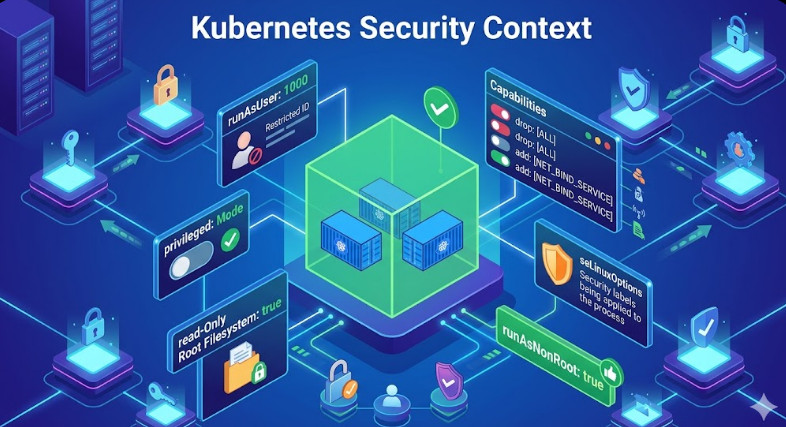
1. Privileged Security Context

A common misconfiguration is running containers as privileged. This bypasses the container runtime’s device cgroup restrictions.

# AVOID THIS IN MULTI-TENANT CLUSTERS
securityContext:
  privileged: true

Fix: Enforce Pod Security Standards (PSS) to disallow privileged containers in non-system namespaces.

2. HostPath Volume Mounts

Ensure users are not mounting /dev or /var/run/nvidia-container-devices directly. Use OPA Gatekeeper or Kyverno to block HostPath mounts that expose device nodes.

Frequently Asked Questions (FAQ)

Does OKE enable GPU isolation by default?

Yes, OKE uses the standard Kubernetes Device Plugin model. However, “default” relies on the assumption that you are not running privileged containers. You must actively validate that your RBAC and Pod Security Policies prevent privilege escalation.

Can I share a single GPU across two Pods safely?

Yes, via Time-Slicing or MIG. However, Time-Slicing does not provide memory isolation (OOM in one pod can crash the GPU context for others). For true isolation, you must use MIG (available on A100 shapes in OKE).

How do I monitor GPU violations?

Standard monitoring (Prometheus/Grafana) tracks utilization, not access violations. To detect access violations, you need runtime security tools like Falco, configured to alert on unauthorized open() syscalls on /dev/nvidia* devices by pods that haven’t requested them.

Conclusion

Validating GPU Accelerator Access Isolation in OKE is a non-negotiable step for securing high-value AI infrastructure. By systematically deploying rogue and authorized pods, inspecting environment variable injection, and enforcing strict Pod Security Standards, you verify that your multi-tenant boundaries are intact. Whether you are using simple passthrough or complex MIG partitions, trust nothing until you have seen the nvidia-smi output deny access. Thank you for reading the DevopsRoles page!

Optimize Kubernetes Request Right Sizing with Kubecost for Cost Savings

In the era of cloud-native infrastructure, the scheduler is king. However, the efficiency of that scheduler depends entirely on the accuracy of the data you feed it. For expert Platform Engineers and SREs, Kubernetes request right sizing is not merely a housekeeping task—it is a critical financial and operational lever. Over-provisioning leads to “slack” (billed but unused capacity), while under-provisioning invites CPU throttling and OOMKilled events.

This guide moves beyond the basics of resources.yaml. We will explore the mechanics of resource contention, the algorithmic approach Kubecost takes to optimization, and how to implement a data-driven right-sizing strategy that balances cost reduction with production stability.

The Technical Economics of Resource Allocation

To master Kubernetes request right sizing, one must first understand how the Kubernetes scheduler and the underlying Linux kernel interpret these values.

The Scheduler vs. The Kernel

Requests are primarily for the Kubernetes Scheduler. They ensure a node has enough allocatable capacity to host a Pod. Limits, conversely, are enforced by the Linux kernel via cgroups.

  • CPU Requests: Determine the cpu.shares in cgroups. This is a relative weight, ensuring that under contention, the container gets its guaranteed slice of time.
  • CPU Limits: Determine cpu.cfs_quota_us. Hard throttling occurs immediately if this quota is exceeded within a period (typically 100ms), regardless of node idleness.
  • Memory Requests: Primarily used for scheduling.
  • Memory Limits: Enforce the OOM Killer threshold.

Pro-Tip (Expert): Be cautious with CPU limits. While they prevent a runaway process from starving neighbors, they can introduce tail latency due to CFS throttling bugs or micro-bursts. Many high-performance shops (e.g., at the scale of Twitter or Zalando) choose to set CPU Requests but omit CPU Limits for Burstable workloads, relying on cpu.shares for fairness.

Why “Guesstimation” Fails at Scale

Manual right-sizing is impossible in dynamic environments. Developers often default to “safe” (bloated) numbers, or copy-paste manifests from StackOverflow. This results in the “Kubernetes Resource Gap”: the delta between Allocated resources (what you pay for) and Utilized resources (what you actually use).

Without tooling like Kubecost, you are likely relying on static Prometheus queries that look like this to find usage peaks:

max_over_time(container_memory_working_set_bytes{namespace="production"}[24h])

While useful, raw PromQL queries lack context regarding billing models, spot instance savings, and historical seasonality. This is where Kubernetes request right sizing via Kubecost becomes essential.

Implementing Kubecost for Granular Visibility

Kubecost models your cluster’s costs by correlating real-time resource usage with your cloud provider’s billing API (AWS Cost Explorer, GCP Billing, Azure Cost Management).

1. Installation & Prometheus Integration

For production clusters, installing via Helm is standard. Ensure you are scraping metrics at a resolution high enough to catch micro-bursts, but low enough to manage TSDB cardinality.

helm repo add kubecost https://kubecost.github.io/cost-analyzer/
helm upgrade --install kubecost kubecost/cost-analyzer \
    --namespace kubecost --create-namespace \
    --set kubecostToken="YOUR_TOKEN_HERE" \
    --set prometheus.server.persistentVolume.enabled=true \
    --set prometheus.server.retention=15d

2. The Right-Sizing Algorithm

Kubecost’s recommendation engine doesn’t just look at “now.” It analyzes a configurable window (e.g., 2 days, 7 days, 30 days) to recommend Kubernetes request right sizing targets.

The core logic typically follows a usage profile:

  • Peak Aware: It identifies max(usage) over the window to prevent OOMs.
  • Headroom Buffer: It adds a configurable overhead (e.g., 15-20%) to the recommendation to account for future growth or sudden spikes.

Executing the Optimization Loop

Once Kubecost is ingesting data, navigate to the Savings > Request Right Sizing dashboard. Here is the workflow for an SRE applying these changes.

Step 1: Filter by Namespace and Owner

Do not try to resize the entire cluster at once. Filter by namespace: backend or label: team=data-science.

Step 2: Analyze the “Efficiency” Score

Kubecost assigns an efficiency score based on the ratio of idle to used resources.

Target: A healthy range is typically 60-80% utilization. Approaching 100% is dangerous; staying below 30% is wasteful.

Step 3: Apply the Recommendation (GitOps)

As an expert, you should never manually patch a deployment via `kubectl edit`. Take the recommended YAML values from Kubecost and update your Helm Charts or Kustomize bases.

# Before Optimization
resources:
  requests:
    memory: "4Gi" # 90% idle based on Kubecost data
    cpu: "2000m"

# After Optimization (Kubecost Recommendation)
resources:
  requests:
    memory: "600Mi" # calculated max usage + 20% buffer
    cpu: "350m"

Advanced Strategy: Automating with VPA

Static right-sizing has a shelf life. As traffic patterns change, your static values become obsolete. The ultimate maturity level in Kubernetes request right sizing is coupling Kubecost’s insights with the Vertical Pod Autoscaler (VPA).

Kubecost can integrate with VPA to automatically apply recommendations. However, in production, “Auto” mode is risky because it restarts Pods to change resource specifications.

Warning: For critical stateful workloads (like Databases or Kafka), use VPA in Off or Initial mode. This allows VPA to calculate the recommendation object, which you can then monitor via metrics or export to your GitOps repo, without forcing restarts.

VPA Configuration for Recommendations Only

apiVersion: autoscaling.k8s.io/v1
kind: VerticalPodAutoscaler
metadata:
  name: backend-service-vpa
spec:
  targetRef:
    apiVersion: "apps/v1"
    kind: Deployment
    name: backend-service
  updatePolicy:
    updateMode: "Off" # Kubecost reads the recommendation; VPA does not restart pods.

Frequently Asked Questions (FAQ)

1. How does right-sizing affect Quality of Service (QoS) classes?

Right-sizing directly dictates QoS.

Guaranteed: Requests == Limits. Safest, but most expensive.

Burstable: Requests < Limits. Ideal for most HTTP web services.

BestEffort: No requests/limits. High risk of eviction.

When you lower requests to save money, ensure you don’t accidentally drop a critical service from Guaranteed to Burstable if strict isolation is required.

2. Can I use Kubecost to resize specific sidecars (like Istio/Envoy)?

Yes. Sidecars often suffer from massive over-provisioning because they are injected with generic defaults. Kubecost breaks down usage by container, allowing you to tune the istio-proxy container independently of the main application container.

3. What if my workload has very “spiky” traffic?

Standard averaging algorithms fail with spiky workloads. In Kubecost, adjust the profiling window to a shorter duration (e.g., 2 days) to capture recent spikes, or ensure your “Target Utilization” threshold is set lower (e.g., 50% instead of 80%) to leave a larger safety buffer for bursts.

Conclusion

Kubernetes request right sizing is not a one-time project; it is a continuous loop of observability and adjustment. By leveraging Kubecost, you move from intuition-based guessing to data-driven precision.

The goal is not just to lower the cloud bill. The goal is to maximize the utility of every CPU cycle you pay for while guaranteeing the stability your users expect. Start by identifying your top 10 most wasteful deployments, apply the “Requests + Buffer” logic, and integrate these checks into your CI/CD pipelines to prevent resource drift before it hits production. Thank you for reading the DevopsRoles page!