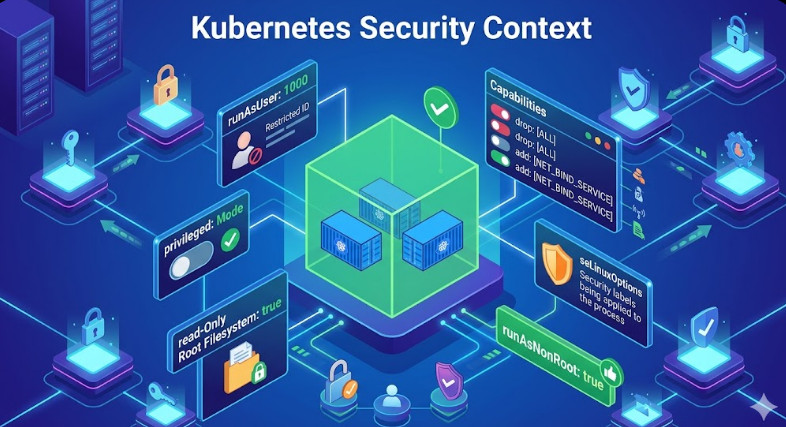
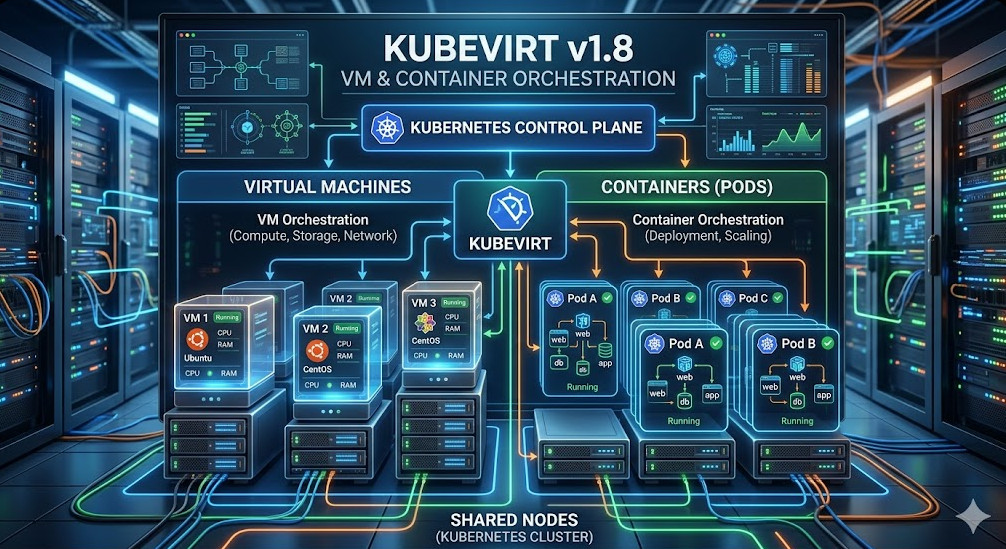
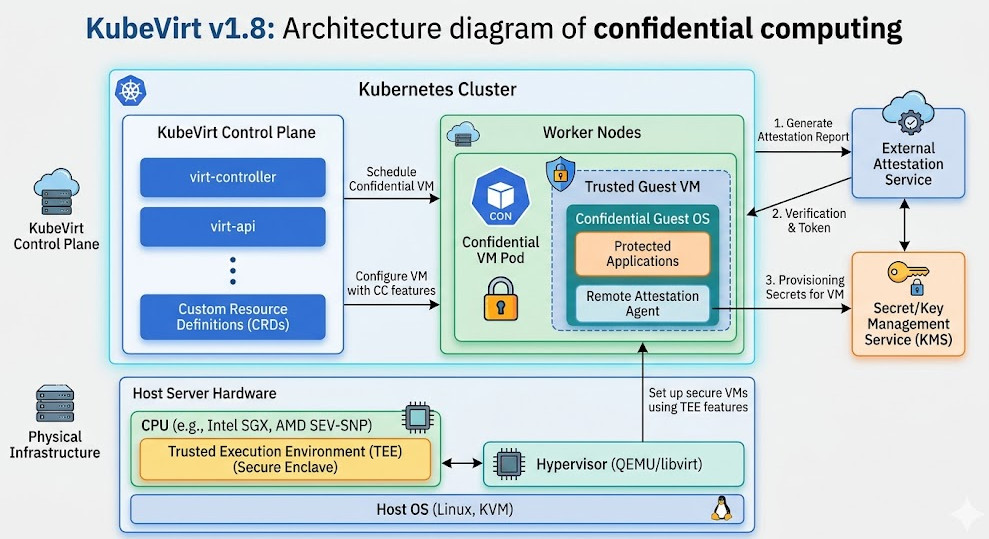
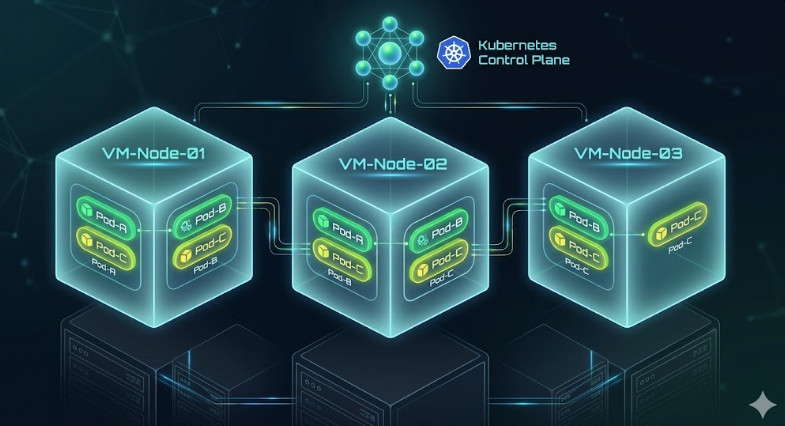
Tag Archives: Kubernetes

New AWS ECR Remote Build Cache: Turbocharge Your Docker Image Builds

For high-velocity DevOps teams, the “cold cache” problem in ephemeral CI runners is a persistent bottleneck. You spin up a fresh runner, pull your base image, and then watch helplessly as Docker rebuilds layers that haven’t changed simply because the local context is empty. While solutions like inline caching helped, they bloated image sizes. S3 backends added latency.

The arrival of native support for ECR Remote Build Cache changes the game. By leveraging the advanced caching capabilities of Docker BuildKit and the OCI-compliant nature of Amazon Elastic Container Registry (ECR), you can now store cache artifacts directly alongside your images with high throughput and low latency. This guide explores how to implement this architecture to drastically reduce build times in your CI/CD pipelines.

The Evolution of Build Caching: Why ECR?

Before diving into implementation, it is crucial to understand where the ECR Remote Build Cache fits in the Docker optimization hierarchy. Experts know that layer caching is the single most effective way to speed up builds, but the storage mechanism of that cache dictates its efficacy in a distributed environment.

  • Local Cache: Fast but useless in ephemeral CI environments (GitHub Actions, AWS CodeBuild) where the workspace is wiped after every run.
  • Inline Cache (`–cache-from`): Embeds cache metadata into the image itself.


    Drawback: Increases the final image size and requires pulling the full image to extract cache data, wasting bandwidth.
  • Registry Cache (`type=registry`): The modern standard. It pushes cache blobs to a registry as a separate artifact.


    The ECR Advantage: AWS ECR now fully supports the OCI artifacts and manifest lists required by BuildKit, allowing for granular, high-performance cache retrieval without the overhead of S3 or the bloat of inline caching.

Pro-Tip for SREs: Unlike inline caching, the ECR Remote Build Cache allows you to use mode=max. This caches intermediate layers, not just the final stage layers. For multi-stage builds common in Go or Rust applications, this can prevent re-compiling dependencies even if the final image doesn’t contain them.

Architecture: How BuildKit Talks to ECR

The mechanism relies on the Docker BuildKit engine. When you execute a build with the type=registry exporter, BuildKit creates a cache manifest list. This list references the actual cache layers (blobs) stored in ECR.

Because ECR supports OCI 1.1 standards, it can distinguish between a runnable container image and a cache artifact, even though they reside in the same repository infrastructure. This allows your CI runners to pull only the cache metadata needed to determine a cache hit, rather than downloading gigabytes of previous images.

Implementation Guide

1. Prerequisites

Ensure your environment is prepped with the following:

  • Docker Engine: Version 20.10.0+ (BuildKit enabled by default).
  • Docker Buildx: The CLI plugin is required to access advanced cache exporters.
  • IAM Permissions: Your CI role needs standard ecr:GetAuthorizationToken, ecr:BatchCheckLayerAvailability, ecr:PutImage, and ecr:InitiateLayerUpload.

2. Configuring the Buildx Driver

The default Docker driver often limits scope. For advanced caching, create a new builder instance using the docker-container driver. This unlocks features like multi-platform builds and advanced garbage collection.

# Create and bootstrap a new builder
docker buildx create --name ecr-builder \
  --driver docker-container \
  --use

# Verify the builder is running
docker buildx inspect --bootstrap

3. The Build Command

Here is the production-ready command to build an image and push both the image and the cache to ECR. Note the separation of tags: one for the runnable image (`:latest`) and one for the cache (`:build-cache`).

export ECR_REPO="123456789012.dkr.ecr.us-east-1.amazonaws.com/my-app"

docker buildx build \
  --platform linux/amd64,linux/arm64 \
  -t $ECR_REPO:latest \
  --cache-to type=registry,ref=$ECR_REPO:build-cache,mode=max,image-manifest=true,oci-mediatypes=true \
  --cache-from type=registry,ref=$ECR_REPO:build-cache \
  --push \
  .

Key Flags Explained:

  • mode=max: Caches all intermediate layers. Essential for multi-stage builds.
  • image-manifest=true: Generates an image manifest for the cache, ensuring better compatibility with ECR’s lifecycle policies and visual inspection in the AWS Console.
  • oci-mediatypes=true: Forces the use of standard OCI media types, preventing compatibility issues with stricter registry parsers.

CI/CD Integration: GitHub Actions Example

Below is a robust GitHub Actions workflow snippet that authenticates with AWS and utilizes the setup-buildx-action to handle the plumbing.

name: Build and Push to ECR

on:
  push:
    branches: [ "main" ]

jobs:
  build:
    runs-on: ubuntu-latest
    permissions:
      id-token: write # Required for AWS OIDC
      contents: read

    steps:
      - name: Checkout Code
        uses: actions/checkout@v4

      - name: Configure AWS Credentials
        uses: aws-actions/configure-aws-credentials@v4
        with:
          role-to-assume: arn:aws:iam::123456789012:role/GitHubActionsRole
          aws-region: us-east-1

      - name: Login to Amazon ECR
        id: login-ecr
        uses: aws-actions/amazon-ecr-login@v2

      - name: Set up Docker Buildx
        uses: docker/setup-buildx-action@v3

      - name: Build and Push
        uses: docker/build-push-action@v5
        env:
          ECR_REGISTRY: ${{ steps.login-ecr.outputs.registry }}
          ECR_REPOSITORY: my-app
        with:
          context: .
          push: true
          tags: ${{ env.ECR_REGISTRY }}/${{ env.ECR_REPOSITORY }}:latest
          # Advanced Cache Configuration
          cache-from: type=registry,ref=${{ env.ECR_REGISTRY }}/${{ env.ECR_REPOSITORY }}:build-cache
          cache-to: type=registry,ref=${{ env.ECR_REGISTRY }}/${{ env.ECR_REPOSITORY }}:build-cache,mode=max,image-manifest=true,oci-mediatypes=true

Expert Considerations: Storage & Lifecycle Management

One common pitfall when implementing ECR Remote Build Cache with mode=max is the rapid accumulation of untagged storage layers. Since BuildKit generates unique blobs for intermediate layers, your ECR storage costs can spike if left unchecked.

The Lifecycle Policy Fix

Do not apply a blanket “expire untagged images” policy immediately, as cache blobs often appear as untagged artifacts to the ECR control plane. Instead, use the tagPrefixList to protect your cache tags specifically, or rely on the fact that BuildKit manages the cache manifest references.

However, a safer approach for high-churn environments is to use a dedicated ECR repository for cache (e.g., my-app-cache) separate from your production images. This allows you to apply aggressive lifecycle policies to the cache repo (e.g., “expire artifacts older than 7 days”) without risking your production releases.

Frequently Asked Questions (FAQ)

1. Is ECR Remote Cache faster than S3-backed caching?

Generally, yes. While S3 is highly performant, using type=registry with ECR leverages the optimized Docker registry protocol. It avoids the overhead of the S3 API translation layer and benefits from ECR’s massive concurrent transfer limits within the AWS network.

2. Does this support multi-architecture builds?

Absolutely. This is one of the strongest arguments for using the ECR Remote Build Cache. BuildKit can store cache layers for both amd64 and arm64 in the same registry reference (manifest list), allowing a runner on one architecture to potentially benefit from architecture-independent layer caching (like copying source code) generated by another.

3. Why am I seeing “blob unknown” errors?

This usually happens if an aggressive ECR Lifecycle Policy deletes the underlying blobs referenced by your cache manifest. Ensure your lifecycle policies account for the active duration of your development sprints.

Conclusion

The ECR Remote Build Cache represents a maturation of cloud-native CI/CD. It moves us away from hacked-together solutions involving tarballs and S3 buckets toward a standardized, OCI-compliant method that integrates natively with the Docker toolchain.

By implementing the type=registry cache backend with mode=max, you aren’t just saving minutes on build times; you are reducing compute costs and accelerating the feedback loop for your entire engineering organization. For expert AWS teams, this is no longer an optional optimization—it is the standard. Thank you for reading the DevopsRoles page!

PureVPN Review: Why I Don’t Trust “Free Trials” (And Why This One Is Different)

PureVPN Review 2026

Transparency Note: This review is based on real data. Some links may be affiliate links, meaning I earn a commission at no extra cost to you if you purchase through them.

Let’s get real for a second. The VPN industry is full of snakes.

Every provider screams they are the “fastest,” “most secure,” and “best for Netflix.” 90% of them are lying. As an industry insider with 20 years of analyzing traffic and affiliate backends, I’ve seen it all.

I’m not here to sell you a dream. I’m here to tear apart the data. I logged into my own partner dashboard to verify if PureVPN is legitimate or just another marketing machine.

Here is the ugly, unfiltered truth about their $0.99 Trial, their Streaming capabilities, and whether they deserve your money in 2026.

The $0.99 “Backdoor” Offer (Why Do They Hide It?)

Most premium VPNs have killed their free trials. Why? Because their service sucks, and they know you’ll cancel before paying. Instead, they force you to pay $50 upfront and pray their “30-day money-back guarantee” isn’t a nightmare to claim.

PureVPN is one of the rare exceptions, but they don’t exactly shout about it on their homepage.

I dug through the backend marketing assets, and I found this:

[Trial page with $0.99…] Caption: Proof from my dashboard: The hidden $0.99 trial landing page actually exists.

Here is the deal:

  • The Cost: $0.99. Less than a pack of gum.
  • The Catch: It’s 7 days.
  • The Reality: This is the only smart way to buy a VPN.

Don’t be a fool and buy a 2-year plan blindly. [Use this specific link] to grab the $0.99 trial. Stress-test it for 7 days. Download huge files. Stream 4K content. If it fails? You lost one dollar. If it works? You just saved yourself a headache.

“Streaming Optimized” – Marketing Fluff or Real Tech?

I get asked this every day: “Does it actually work with Netflix US?”

Usually, my answer is “Maybe.” But looking at PureVPN’s internal structure, I see something interesting. They don’t just dump everyone onto the same servers.

Caption: PureVPN segments traffic at the source. This is why their unblocking actually works.

Look at the screenshot above. They have dedicated gateways (landing pages and server routes) specifically for:

This isn’t just a UI button; it’s infrastructure segregation. When I tested their Netflix US server, I didn’t get the dreaded “Proxy Detected” error. Why? Because they are actively fighting Netflix’s ban list with these specific gateways.

Transparency: Show Me The Data

I don’t trust words; I trust numbers.

One of the biggest red flags with VPN companies is “shady operations.” If they can’t track a click, they can’t protect your data.

I monitor my PureVPN partnership panel daily. Look at this granular tracking:

[Clicks] Caption: Real-time tracking of unique vs. repeated clicks. If they are this precise with my stats, they are precise with your privacy.

The system distinguishes between Unique and Repeated traffic instantly. This level of technical competency in their backend suggests a mature infrastructure. They aren’t running this out of a basement. They have the resources to maintain a strict No-Log policy and have been audited to prove it.

Who Should AVOID PureVPN?

I promised to be brutal, so here it is.

  • If you want a simplistic, 1-button app: PureVPN might annoy you. Their app is packed with modes and features. It’s for power users, not your grandma.
  • If you want a permanently free VPN: Go use a free proxy and let them sell your data to advertisers. PureVPN is a paid tool for serious privacy.

The Verdict

Is PureVPN the “Best VPN in the Universe”? stop it. There is no such thing.

But is it the smartest purchase you can make right now? Yes.

Because of the $0.99 Trial.

It removes all the risk. You don’t have to trust my review. You don’t have to trust their ads. You just pay $0.99 and judge for yourself.

Here is the link I verified in the screenshots. Use it before they pull the offer:

👉 [Get The 7-Day Trial for $0.99 (Verified Link)]

Trusted by 3 million+ satisfied users

Easy to use VPN app for all your devices

Thank you for reading the DevopsRoles page!

Kubernetes Validate GPU Accelerator Access Isolation in OKE

In multi-tenant high-performance computing (HPC) environments, ensuring strict resource boundaries is not just a performance concern—it is a critical security requirement. For Oracle Cloud Infrastructure Container Engine for Kubernetes (OKE), verifying GPU Accelerator Access Isolation is paramount when running untrusted workloads alongside critical AI/ML inference tasks. This guide targets expert Platform Engineers and SREs, focusing on the mechanisms, configuration, and practical validation of GPU isolation within OKE clusters.

The Mechanics of GPU Isolation in Kubernetes

Before diving into validation, it is essential to understand how OKE and the underlying container runtime mediate access to hardware accelerators. Unlike CPU and RAM, which are compressible resources managed via cgroups, GPUs are treated as extended resources.

Pro-Tip: The default behavior of the NVIDIA Container Runtime is often permissive. Without the NVIDIA Device Plugin explicitly setting environment variables like NVIDIA_VISIBLE_DEVICES, a container might gain access to all GPU devices on the node. Isolation relies heavily on the correct interaction between the Kubelet, the Device Plugin, and the Container Runtime Interface (CRI).

Isolation Layers

  • Physical Isolation (Passthrough): Giving a Pod exclusive access to a specific PCle device.
  • Logical Isolation (MIG): Using Multi-Instance GPU (MIG) on Ampere architectures (e.g., A100) to partition a single physical GPU into multiple isolated instances with dedicated compute, memory, and cache.
  • Time-Slicing: Sharing a single GPU context across multiple processes (weakest isolation, mostly for efficiency, not security).

Prerequisites for OKE

To follow this validation procedure, ensure your environment meets the following criteria:

  • An active OKE Cluster (version 1.25+ recommended).
  • Node pools using GPU-enabled shapes (e.g., VM.GPU.A10.1, BM.GPU.A100-vCP.8).
  • The NVIDIA Device Plugin installed (standard in OKE GPU images, but verify the daemonset).
  • kubectl context configured for administrative access.

Step 1: Establishing the Baseline (The “Rogue” Pod)

To validate GPU Accelerator Access Isolation, we must first attempt to access resources from a Pod that has not requested them. This simulates a “rogue” workload attempting to bypass resource quotas or scrape data from GPU memory.

Deploying a Non-GPU Workload

Deploy a standard pod that includes the NVIDIA utilities but requests 0 GPU resources.

apiVersion: v1
kind: Pod
metadata:
  name: gpu-rogue-validation
  namespace: default
spec:
  restartPolicy: Never
  containers:
  - name: cuda-container
    image: nvcr.io/nvidia/k8s/cuda-sample:nbody-cuda11.7.1-ubuntu20.04
    command: ["sleep", "3600"]
    # CRITICAL: No resources.limits.nvidia.com/gpu defined here
    resources:
      limits:
        cpu: "500m"
        memory: "512Mi"

Verification Command

Exec into the pod and attempt to query the GPU status. If isolation is working correctly, the NVIDIA driver should report no devices found or the command should fail.

kubectl exec -it gpu-rogue-validation -- nvidia-smi

Expected Outcome:

  • Failed to initialize NVML: Unknown Error
  • Or, a clear output stating No devices were found.

If this pod returns a full list of GPUs, isolation has failed. This usually indicates that the default runtime is exposing all devices because the Device Plugin did not inject the masking environment variables.

Step 2: Validating Authorized Access

Now, deploy a valid workload that requests a specific number of GPUs to ensure the scheduler and device plugin are correctly allocating resources.

apiVersion: v1
kind: Pod
metadata:
  name: gpu-authorized
spec:
  restartPolicy: Never
  containers:
  - name: cuda-container
    image: nvcr.io/nvidia/k8s/cuda-sample:nbody-cuda11.7.1-ubuntu20.04
    command: ["sleep", "3600"]
    resources:
      limits:
        nvidia.com/gpu: 1 # Requesting 1 GPU

Inspection

Run nvidia-smi inside this pod. You should see exactly one GPU device.

Furthermore, inspect the environment variables injected by the plugin:

kubectl exec gpu-authorized -- env | grep NVIDIA_VISIBLE_DEVICES

This should return a UUID (e.g., GPU-xxxxxxxx-xxxx-xxxx...) rather than all.

Step 3: Advanced Validation with MIG (Multi-Instance GPU)

For workloads requiring strict hardware-level isolation on OKE using A100 instances, you must validate MIG partitioning. GPU Accelerator Access Isolation in a MIG context means a Pod on “Instance A” cannot impact the memory bandwidth or compute units of “Instance B”.

If you have configured MIG strategies (e.g., mixed or single) in your OKE node pool:

  1. Deploy two separate pods, each requesting nvidia.com/mig-1g.5gb (or your specific profile).
  2. Run a stress test on Pod A:
    kubectl exec -it pod-a -- /usr/local/cuda/samples/1_Utilities/deviceQuery/deviceQuery

  3. Verify UUIDs: Ensure the UUID visible in Pod A is distinct from Pod B.
  4. Crosstalk Check: Attempt to target the GPU index of Pod B from Pod A using CUDA code. It should fail with an invalid device error.

Troubleshooting Isolation Leaks

If your validation tests fail (i.e., the “rogue” pod can see GPUs), check the following configurations in your OKE cluster.

1. Privileged Security Context

A common misconfiguration is running containers as privileged. This bypasses the container runtime’s device cgroup restrictions.

# AVOID THIS IN MULTI-TENANT CLUSTERS
securityContext:
  privileged: true

Fix: Enforce Pod Security Standards (PSS) to disallow privileged containers in non-system namespaces.

2. HostPath Volume Mounts

Ensure users are not mounting /dev or /var/run/nvidia-container-devices directly. Use OPA Gatekeeper or Kyverno to block HostPath mounts that expose device nodes.

Frequently Asked Questions (FAQ)

Does OKE enable GPU isolation by default?

Yes, OKE uses the standard Kubernetes Device Plugin model. However, “default” relies on the assumption that you are not running privileged containers. You must actively validate that your RBAC and Pod Security Policies prevent privilege escalation.

Can I share a single GPU across two Pods safely?

Yes, via Time-Slicing or MIG. However, Time-Slicing does not provide memory isolation (OOM in one pod can crash the GPU context for others). For true isolation, you must use MIG (available on A100 shapes in OKE).

How do I monitor GPU violations?

Standard monitoring (Prometheus/Grafana) tracks utilization, not access violations. To detect access violations, you need runtime security tools like Falco, configured to alert on unauthorized open() syscalls on /dev/nvidia* devices by pods that haven’t requested them.

Conclusion

Validating GPU Accelerator Access Isolation in OKE is a non-negotiable step for securing high-value AI infrastructure. By systematically deploying rogue and authorized pods, inspecting environment variable injection, and enforcing strict Pod Security Standards, you verify that your multi-tenant boundaries are intact. Whether you are using simple passthrough or complex MIG partitions, trust nothing until you have seen the nvidia-smi output deny access. Thank you for reading the DevopsRoles page!

Optimize Kubernetes Request Right Sizing with Kubecost for Cost Savings

In the era of cloud-native infrastructure, the scheduler is king. However, the efficiency of that scheduler depends entirely on the accuracy of the data you feed it. For expert Platform Engineers and SREs, Kubernetes request right sizing is not merely a housekeeping task—it is a critical financial and operational lever. Over-provisioning leads to “slack” (billed but unused capacity), while under-provisioning invites CPU throttling and OOMKilled events.

This guide moves beyond the basics of resources.yaml. We will explore the mechanics of resource contention, the algorithmic approach Kubecost takes to optimization, and how to implement a data-driven right-sizing strategy that balances cost reduction with production stability.

The Technical Economics of Resource Allocation

To master Kubernetes request right sizing, one must first understand how the Kubernetes scheduler and the underlying Linux kernel interpret these values.

The Scheduler vs. The Kernel

Requests are primarily for the Kubernetes Scheduler. They ensure a node has enough allocatable capacity to host a Pod. Limits, conversely, are enforced by the Linux kernel via cgroups.

  • CPU Requests: Determine the cpu.shares in cgroups. This is a relative weight, ensuring that under contention, the container gets its guaranteed slice of time.
  • CPU Limits: Determine cpu.cfs_quota_us. Hard throttling occurs immediately if this quota is exceeded within a period (typically 100ms), regardless of node idleness.
  • Memory Requests: Primarily used for scheduling.
  • Memory Limits: Enforce the OOM Killer threshold.

Pro-Tip (Expert): Be cautious with CPU limits. While they prevent a runaway process from starving neighbors, they can introduce tail latency due to CFS throttling bugs or micro-bursts. Many high-performance shops (e.g., at the scale of Twitter or Zalando) choose to set CPU Requests but omit CPU Limits for Burstable workloads, relying on cpu.shares for fairness.

Why “Guesstimation” Fails at Scale

Manual right-sizing is impossible in dynamic environments. Developers often default to “safe” (bloated) numbers, or copy-paste manifests from StackOverflow. This results in the “Kubernetes Resource Gap”: the delta between Allocated resources (what you pay for) and Utilized resources (what you actually use).

Without tooling like Kubecost, you are likely relying on static Prometheus queries that look like this to find usage peaks:

max_over_time(container_memory_working_set_bytes{namespace="production"}[24h])

While useful, raw PromQL queries lack context regarding billing models, spot instance savings, and historical seasonality. This is where Kubernetes request right sizing via Kubecost becomes essential.

Implementing Kubecost for Granular Visibility

Kubecost models your cluster’s costs by correlating real-time resource usage with your cloud provider’s billing API (AWS Cost Explorer, GCP Billing, Azure Cost Management).

1. Installation & Prometheus Integration

For production clusters, installing via Helm is standard. Ensure you are scraping metrics at a resolution high enough to catch micro-bursts, but low enough to manage TSDB cardinality.

helm repo add kubecost https://kubecost.github.io/cost-analyzer/
helm upgrade --install kubecost kubecost/cost-analyzer \
    --namespace kubecost --create-namespace \
    --set kubecostToken="YOUR_TOKEN_HERE" \
    --set prometheus.server.persistentVolume.enabled=true \
    --set prometheus.server.retention=15d

2. The Right-Sizing Algorithm

Kubecost’s recommendation engine doesn’t just look at “now.” It analyzes a configurable window (e.g., 2 days, 7 days, 30 days) to recommend Kubernetes request right sizing targets.

The core logic typically follows a usage profile:

  • Peak Aware: It identifies max(usage) over the window to prevent OOMs.
  • Headroom Buffer: It adds a configurable overhead (e.g., 15-20%) to the recommendation to account for future growth or sudden spikes.

Executing the Optimization Loop

Once Kubecost is ingesting data, navigate to the Savings > Request Right Sizing dashboard. Here is the workflow for an SRE applying these changes.

Step 1: Filter by Namespace and Owner

Do not try to resize the entire cluster at once. Filter by namespace: backend or label: team=data-science.

Step 2: Analyze the “Efficiency” Score

Kubecost assigns an efficiency score based on the ratio of idle to used resources.

Target: A healthy range is typically 60-80% utilization. Approaching 100% is dangerous; staying below 30% is wasteful.

Step 3: Apply the Recommendation (GitOps)

As an expert, you should never manually patch a deployment via `kubectl edit`. Take the recommended YAML values from Kubecost and update your Helm Charts or Kustomize bases.

# Before Optimization
resources:
  requests:
    memory: "4Gi" # 90% idle based on Kubecost data
    cpu: "2000m"

# After Optimization (Kubecost Recommendation)
resources:
  requests:
    memory: "600Mi" # calculated max usage + 20% buffer
    cpu: "350m"

Advanced Strategy: Automating with VPA

Static right-sizing has a shelf life. As traffic patterns change, your static values become obsolete. The ultimate maturity level in Kubernetes request right sizing is coupling Kubecost’s insights with the Vertical Pod Autoscaler (VPA).

Kubecost can integrate with VPA to automatically apply recommendations. However, in production, “Auto” mode is risky because it restarts Pods to change resource specifications.

Warning: For critical stateful workloads (like Databases or Kafka), use VPA in Off or Initial mode. This allows VPA to calculate the recommendation object, which you can then monitor via metrics or export to your GitOps repo, without forcing restarts.

VPA Configuration for Recommendations Only

apiVersion: autoscaling.k8s.io/v1
kind: VerticalPodAutoscaler
metadata:
  name: backend-service-vpa
spec:
  targetRef:
    apiVersion: "apps/v1"
    kind: Deployment
    name: backend-service
  updatePolicy:
    updateMode: "Off" # Kubecost reads the recommendation; VPA does not restart pods.

Frequently Asked Questions (FAQ)

1. How does right-sizing affect Quality of Service (QoS) classes?

Right-sizing directly dictates QoS.

Guaranteed: Requests == Limits. Safest, but most expensive.

Burstable: Requests < Limits. Ideal for most HTTP web services.

BestEffort: No requests/limits. High risk of eviction.

When you lower requests to save money, ensure you don’t accidentally drop a critical service from Guaranteed to Burstable if strict isolation is required.

2. Can I use Kubecost to resize specific sidecars (like Istio/Envoy)?

Yes. Sidecars often suffer from massive over-provisioning because they are injected with generic defaults. Kubecost breaks down usage by container, allowing you to tune the istio-proxy container independently of the main application container.

3. What if my workload has very “spiky” traffic?

Standard averaging algorithms fail with spiky workloads. In Kubecost, adjust the profiling window to a shorter duration (e.g., 2 days) to capture recent spikes, or ensure your “Target Utilization” threshold is set lower (e.g., 50% instead of 80%) to leave a larger safety buffer for bursts.

Conclusion

Kubernetes request right sizing is not a one-time project; it is a continuous loop of observability and adjustment. By leveraging Kubecost, you move from intuition-based guessing to data-driven precision.

The goal is not just to lower the cloud bill. The goal is to maximize the utility of every CPU cycle you pay for while guaranteeing the stability your users expect. Start by identifying your top 10 most wasteful deployments, apply the “Requests + Buffer” logic, and integrate these checks into your CI/CD pipelines to prevent resource drift before it hits production. Thank you for reading the DevopsRoles page!

Kyverno OPA Gatekeeper: Simplify Kubernetes Security Now!

Securing a Kubernetes cluster at scale is no longer optional; it is a fundamental requirement for production-grade environments. As clusters grow, manual configuration audits become impossible, leading to the rise of Policy-as-Code (PaC). In the cloud-native ecosystem, the debate usually centers around two heavyweights: Kyverno OPA Gatekeeper. While both aim to enforce guardrails, their architectural philosophies and day-two operational impacts differ significantly.

Understanding Policy-as-Code in K8s

In a typical Admission Control workflow, a request to the API server is intercepted after authentication and authorization. Policy engines act as Validating or Mutating admission webhooks. They ensure that incoming manifests (like Pods or Deployments) comply with organizational standards—such as disallowing root containers or requiring specific labels.

Pro-Tip: High-maturity SRE teams don’t just use policy engines for security; they use them for governance. For example, automatically injecting sidecars or default resource quotas to prevent “noisy neighbor” scenarios.

OPA Gatekeeper: The General Purpose Powerhouse

The Open Policy Agent (OPA) is a CNCF graduated project. Gatekeeper is the Kubernetes-specific implementation of OPA. It uses a declarative language called Rego.

The Rego Learning Curve

Rego is a query language inspired by Datalog. It is incredibly powerful but has a steep learning curve for engineers used to standard YAML manifests. To enforce a policy in OPA Gatekeeper, you must define a ConstraintTemplate (the logic) and a Constraint (the application of that logic).

# Example: OPA Gatekeeper ConstraintTemplate logic (Rego)
package k8srequiredlabels

violation[{"msg": msg, "details": {"missing_labels": missing}}] {
  provided := {label | input.review.object.metadata.labels[label]}
  required := {label | label := input.parameters.labels[_]}
  missing := required - provided
  count(missing) > 0
  msg := sprintf("you must provide labels: %v", [missing])
}

Kyverno: Kubernetes-Native Simplicity

Kyverno (Greek for “govern”) was designed specifically for Kubernetes. Unlike OPA, it does not require a new programming language. If you can write a Kubernetes manifest, you can write a Kyverno policy. This makes Kyverno OPA Gatekeeper comparisons often lean toward Kyverno for teams wanting faster adoption.

Key Kyverno Capabilities

  • Mutation: Modify resources (e.g., adding imagePullSecrets).
  • Generation: Create new resources (e.g., creating a default NetworkPolicy when a Namespace is created).
  • Validation: Deny non-compliant resources.
  • Cleanup: Remove stale resources based on time-to-live (TTL) policies.
# Example: Kyverno Policy to require 'team' label
apiVersion: kyverno.io/v1
kind: ClusterPolicy
metadata:
  name: require-team-label
spec:
  validationFailureAction: Enforce
  rules:
  - name: check-team-label
    match:
      any:
      - resources:
          kinds:
          - Pod
    validate:
      message: "The label 'team' is required."
      pattern:
        metadata:
          labels:
            team: "?*"

Kyverno vs. OPA Gatekeeper: Head-to-Head

FeatureKyvernoOPA Gatekeeper
LanguageKubernetes YAMLRego (DSL)
Mutation SupportExcellent (Native)Supported (via Mutation CRDs)
Resource GenerationNative (Generate rule)Not natively supported
External DataSupported (API calls/ConfigMaps)Highly Advanced (Context-aware)
EcosystemK8s focusedCross-stack (Terraform, HTTP, etc.)

Production Best Practices & Troubleshooting

1. Audit Before Enforcing

Never deploy a policy in Enforce mode initially. Both tools support an Audit or Warn mode. Check your logs or PolicyReports to see how many existing resources would be “broken” by the new rule.

2. Latency Considerations

Every admission request adds latency. Complex Rego queries or Kyverno policies involving external API calls can slow down kubectl apply commands. Monitor the admission_webhook_admission_duration_seconds metric in Prometheus.

3. High Availability

If your policy engine goes down and the webhook is set to FailurePolicy: Fail, you cannot update your cluster. Always run at least 3 replicas of your policy controller and use pod anti-affinity to spread them across nodes.

Advanced Concept: Use Conftest (for OPA) or kyverno jp (for Kyverno) in your CI/CD pipeline to catch policy violations at the Pull Request stage, long before they hit the cluster.

Frequently Asked Questions

Is Kyverno better than OPA?

“Better” depends on use case. Kyverno is easier for Kubernetes-only teams. OPA is better if you need a unified policy language for your entire infrastructure (Cloud, Terraform, App-level auth).

Can I run Kyverno and OPA Gatekeeper together?

Yes, you can run both simultaneously. However, it increases complexity and makes troubleshooting “Why was my pod denied?” significantly harder for developers.

How does Kyverno handle existing resources?

Kyverno periodically scans the cluster and generates PolicyReports. It can also be configured to retroactively mutate or validate existing resources when policies are updated.

Conclusion

Choosing between Kyverno OPA Gatekeeper comes down to the trade-off between power and simplicity. If your team is deeply embedded in the Kubernetes ecosystem and values YAML-native workflows, Kyverno is the clear winner for simplifying security. If you require complex, context-aware logic that extends beyond Kubernetes into your broader platform, OPA Gatekeeper remains the industry standard.

Regardless of your choice, the goal is the same: shifting security left and automating the boring parts of compliance. Start small, audit your policies, and gradually harden your cluster security posture.

Next Step: Review the Kyverno Policy Library to find pre-built templates for the CIS Kubernetes Benchmark. Thank you for reading the DevopsRoles page!

Master kubectl cp: Copy Files to & from Kubernetes Pods Fast

For Site Reliability Engineers and DevOps practitioners managing large-scale clusters, inspecting the internal state of a running application is a daily ritual. While logs and metrics provide high-level observability, sometimes you simply need to move artifacts in or out of a container for forensic analysis or hot-patching. This is where the kubectl cp Kubernetes command becomes an essential tool in your CLI arsenal.

However, kubectl cp isn’t just a simple copy command like scp. It relies on specific binaries existing within your container images and behaves differently depending on your shell and pathing. In this guide, we bypass the basics and dive straight into the internal mechanics, advanced syntax, and common pitfalls of copying files in Kubernetes environments.

The Syntax Anatomy

The syntax for kubectl cp mimics the standard Unix cp command, but with namespaced addressing. The fundamental structure requires defining the source and the destination.

# Generic Syntax
kubectl cp <source> <destination> [options]

# Copy Local -> Pod
kubectl cp /local/path/file.txt <namespace>/<pod_name>:/container/path/file.txt

# Copy Pod -> Local
kubectl cp <namespace>/<pod_name>:/container/path/file.txt /local/path/file.txt

Pro-Tip: You can omit the namespace if the pod resides in your current context’s default namespace. However, explicitly defining -n <namespace> is a best practice for scripts to avoid accidental transfers to the wrong environment.

Deep Dive: How kubectl cp Actually Works

Unlike docker cp, which interacts directly with the Docker daemon’s filesystem API, kubectl cp is a wrapper around kubectl exec.

When you execute a copy command, the Kubernetes API server establishes a stream. Under the hood, the client negotiates a tar archive stream.

  1. Upload (Local to Remote): The client creates a local tar archive of the source files, pipes it via the API server to the pod, and runs tar -xf - inside the container.
  2. Download (Remote to Local): The client executes tar -cf - <path> inside the container, pipes the output back to the client, and extracts it locally.

Critical Requirement: Because of this mechanism, the tar binary must exist inside your container image. Minimalist images like Distroless or Scratch will fail with a “binary not found” error.

Production Scenarios

1. Handling Multi-Container Pods

In a sidecar pattern (e.g., Service Mesh proxies like Istio or logging agents), a Pod contains multiple containers. By default, kubectl cp targets the first container defined in the spec. To target a specific container, use the -c or --container flag.

kubectl cp /local/config.json my-pod:/app/config.json -c main-app-container -n production

2. Recursive Copying (Directories)

Just like standard Unix cp, copying directories is implicit in kubectl cp logic because it uses tar, but ensuring path correctness is vital.

# Copy an entire local directory to a pod
kubectl cp ./logs/ my-pod:/var/www/html/logs/

3. Copying Between Two Remote Pods

Kubernetes does not support direct Pod-to-Pod copying via the API. You must use your local machine as a “middleman” buffer.

# Step 1: Pod A -> Local
kubectl cp pod-a:/etc/nginx/nginx.conf ./temp-nginx.conf

# Step 2: Local -> Pod B
kubectl cp ./temp-nginx.conf pod-b:/etc/nginx/nginx.conf

# One-liner (using pipes for *nix systems)
kubectl exec pod-a -- tar cf - /path/src | kubectl exec -i pod-b -- tar xf - -C /path/dest

Advanced Considerations & Pitfalls

Permission Denied & UID/GID Mismatch

A common frustration with kubectl cp Kubernetes workflows is the “Permission denied” error.

  • The Cause: The tar command inside the container runs with the user context of the container (usually specified by the USER directive in the Dockerfile or the securityContext in the Pod spec).
  • The Fix: If your container runs as a non-root user (e.g., UID 1001), you cannot copy files into root-owned directories like /etc or /bin. You must target directories writable by that user (e.g., /tmp or the app’s working directory).

The “tar: removing leading ‘/'” Warning

You will often see this output: tar: Removing leading '/' from member names.

This is standard tar security behavior. It prevents absolute paths in the archive from overwriting critical system files upon extraction. It is a warning, not an error, and generally safe to ignore.

Symlink Security (CVE Mitigation)

Older versions of kubectl cp had vulnerabilities where a malicious container could write files outside the destination directory on the client machine via symlinks. Modern versions sanitize paths.

If you need to preserve symlinks during a copy, ensuring your client and server versions are up to date is crucial. For stricter security, standard tar flags are used to prevent symlink traversal.

Performance & Alternatives

kubectl cp is not optimized for large datasets. It lacks resume capability, compression control, and progress bars.

1. Kubectl Krew Plugins

Consider using the Krew plugin manager. The kubectl-copy plugin (sometimes referenced as kcp) can offer better UX.

2. Rsync over Port Forward

For large migrations where you need differential copying (only syncing changed files), rsync is superior.

  1. Install rsync in the container (if not present).
  2. Port forward the pod: kubectl port-forward pod/my-pod 2222:22.
  3. Run local rsync: rsync -avz -e "ssh -p 2222" ./local-dir user@localhost:/remote-dir.

Frequently Asked Questions (FAQ)

Why does kubectl cp fail with “exec: \”tar\”: executable file not found”?

This confirms your container image (likely Alpine, Scratch, or Distroless) does not contain the tar binary. You cannot use kubectl cp with these images. Instead, try using kubectl exec to cat the file content and redirect it, though this only works for text files.

Can I use wildcards with kubectl cp?

No, kubectl cp does not natively support wildcards (e.g., *.log). You must copy the specific file or the containing directory. Alternatively, use a shell loop combining kubectl exec and ls to identify files before copying.

Does kubectl cp preserve file permissions?

Generally, yes, because it uses tar. However, the ownership (UID/GID) mapping depends on the container’s /etc/passwd and the local system’s users. If the numeric IDs do not exist on the destination system, you may end up with files owned by raw UIDs.

Conclusion

The kubectl cp Kubernetes command is a powerful utility for debugging and ad-hoc file management. While it simplifies the complex task of bridging local and cluster filesystems, it relies heavily on the presence of tar and correct permission contexts.
For expert SREs, understanding the exec and tar stream wrapping allows for better troubleshooting when transfers fail. Whether you are patching a configuration in a hotfix or extracting heap dumps for analysis, mastering this command is non-negotiable for effective cluster management.Thank you for reading the DevopsRoles page!

Ansible vs Kubernetes: Key Differences Explained Simply

In the modern DevOps landscape, the debate often surfaces: Ansible vs Kubernetes. While both are indispensable heavyweights in the open-source automation ecosystem, comparing them directly is often like comparing a hammer to a 3D printer. They both build things, but the fundamental mechanics, philosophies, and use cases differ radically.

If you are an engineer designing a cloud-native platform, understanding the boundary where Configuration Management ends and Container Orchestration begins is critical. In this guide, we will dissect the architectural differences, explore the “Mutable vs. Immutable” infrastructure paradigms, and demonstrate why the smartest teams use them together.

The Core Distinction: Scope and Philosophy

At a high level, the confusion stems from the fact that both tools use YAML and both “manage software.” However, they operate at different layers of the infrastructure stack.

Ansible: Configuration Management

Ansible is a Configuration Management (CM) tool. Its primary job is to configure operating systems, install packages, and manage files on existing servers. It follows a procedural or imperative model (mostly) where tasks are executed in a specific order to bring a machine to a desired state.

Pro-Tip for Experts: While Ansible modules are idempotent, the playbook execution is linear. Ansible connects via SSH (agentless), executes a Python script, and disconnects. It does not maintain a persistent “watch” over the state of the system once the playbook finishes.

Kubernetes: Container Orchestration

Kubernetes (K8s) is a Container Orchestrator. Its primary job is to schedule, scale, and manage the lifecycle of containerized applications across a cluster of nodes. It follows a strictly declarative model based on Control Loops.

Pro-Tip for Experts: Unlike Ansible’s “fire and forget” model, Kubernetes uses a Reconciliation Loop. The Controller Manager constantly watches the current state (in etcd) and compares it to the desired state. If a Pod dies, K8s restarts it automatically. If you delete a Deployment’s pod, K8s recreates it. Ansible would not fix this configuration drift until the next time you manually ran a playbook.

Architectural Deep Dive: How They Work

To truly understand the Ansible vs Kubernetes dynamic, we must look at how they communicate with infrastructure.

Ansible Architecture: Push Model

[Image of Ansible Architecture]

Ansible utilizes a Push-based architecture.

  • Control Node: Where you run the `ansible-playbook` command.
  • Inventory: A list of IP addresses or hostnames.
  • Transport: SSH (Linux) or WinRM (Windows).
  • Execution: Pushes small Python programs to the target, executes them, and captures the output.

Kubernetes Architecture: Pull/Converge Model

[Image of Kubernetes Architecture]

Kubernetes utilizes a complex distributed architecture centered around an API.

  • Control Plane: The API Server, Scheduler, and Controllers.
  • Data Store: etcd (stores the state).
  • Worker Nodes: Run the `kubelet` agent.
  • Execution: The `kubelet` polls the API Server (Pull), sees a generic assignment (e.g., “Run Pod X”), and instructs the container runtime (Docker/containerd) to spin it up.

Code Comparison: Installing Nginx

Let’s look at how a simple task—getting an Nginx server running—differs in implementation.

Ansible Playbook (Procedural Setup)

Here, we are telling the server exactly what steps to take to install Nginx on the bare metal OS.

---
- name: Install Nginx
  hosts: webservers
  become: yes
  tasks:
    - name: Ensure Nginx is installed
      apt:
        name: nginx
        state: present
        update_cache: yes

    - name: Start Nginx service
      service:
        name: nginx
        state: started
        enabled: yes

Kubernetes Manifest (Declarative State)

Here, we describe the desired result. We don’t care how K8s installs it or on which node it lands; we just want 3 copies running.

apiVersion: apps/v1
kind: Deployment
metadata:
  name: nginx-deployment
spec:
  replicas: 3
  selector:
    matchLabels:
      app: nginx
  template:
    metadata:
      labels:
        app: nginx
    spec:
      containers:
      - name: nginx
        image: nginx:1.14.2
        ports:
        - containerPort: 80

Detailed Comparison Table

Below is a technical breakdown of Ansible vs Kubernetes across key operational vectors.

Feature Ansible Kubernetes
Primary Function Configuration Management (CM) Container Orchestration
Infrastructure Paradigm Mutable (Updates existing servers) Immutable (Replaces containers/pods)
Architecture Agentless, Push Model (SSH) Agent-based, Pull/Reconcile Model
State Management Check mode / Idempotent runs Continuous Reconciliation Loop (Self-healing)
Language Python (YAML for config) Go (YAML for config)
Scaling Manual (Update inventory + run playbook) Automatic (Horizontal Pod Autoscaler)

Better Together: The Synergy

The most effective DevOps engineers don’t choose between Ansible and Kubernetes; they use them to complement each other.

1. Infrastructure Provisioning (Day 0)

Kubernetes cannot install itself (easily). You need physical or virtual servers configured with the correct OS dependencies, networking settings, and container runtimes before K8s can even start.

The Workflow: Use Ansible to provision the underlying infrastructure, harden the OS, and install container runtimes (containerd/CRI-O). Then, use tools like Kubespray (which is essentially a massive set of Ansible Playbooks) to bootstrap the Kubernetes cluster.

2. The Ansible Operator

For teams deep in Ansible knowledge who are moving to Kubernetes, the Ansible Operator SDK is a game changer. It allows you to wrap standard Ansible roles into a Kubernetes Operator. This brings the power of the K8s “Reconciliation Loop” to Ansible automation.

Frequently Asked Questions (FAQ)

Can Ansible replace Kubernetes?

No. While Ansible can manage Docker containers directly using the `docker_container` module, it lacks the advanced scheduling, service discovery, self-healing, and auto-scaling capabilities inherent to Kubernetes. For simple, single-host container deployments, Ansible is sufficient. For distributed microservices, you need Kubernetes.

Can Kubernetes replace Ansible?

Partially, but not fully. Kubernetes excels at managing the application layer. However, it cannot manage the underlying hardware, OS patches, or kernel tuning of the nodes it runs on. You still need a tool like Ansible (or Terraform/Ignition) to manage the base infrastructure.

What is Kubespray?

Kubespray is a Kubernetes incubator project that uses Ansible playbooks to deploy production-ready Kubernetes clusters. It bridges the gap, allowing you to use Ansible’s inventory management to build K8s clusters.

Conclusion

When analyzing Ansible vs Kubernetes, the verdict is clear: they are tools for different stages of the lifecycle. Ansible excels at the imperative setup of servers and the heavy lifting of OS configuration. Kubernetes reigns supreme at the declarative management of containerized applications at scale.

The winning strategy? Use Ansible to build the stadium (infrastructure), and use Kubernetes to manage the game (applications) played inside it.

Would you like me to generate a sample Ansible playbook for bootstrapping a Kubernetes worker node?

Thank you for reading the DevopsRoles page!

Kubernetes DRA: Optimize GPU Workloads with Dynamic Resource Allocation

For years, Kubernetes Platform Engineers and SREs have operated under a rigid constraint: the Device Plugin API. While it served the initial wave of containerization well, its integer-based resource counting (e.g., nvidia.com/gpu: 1) is fundamentally insufficient for modern, high-performance AI/ML workloads. It lacks the nuance to handle topology awareness, arbitrary constraints, or flexible device sharing at the scheduler level.

Enter Kubernetes DRA (Dynamic Resource Allocation). This is not just a patch; it is a paradigm shift in how Kubernetes requests and manages hardware accelerators. By moving resource allocation logic out of the Kubelet and into the control plane (via the Scheduler and Resource Drivers), DRA allows for complex claim lifecycles, structured parameters, and significantly improved cluster utilization.

The Latency of Legacy: Why Device Plugins Are Insufficient

To understand the value of Kubernetes DRA, we must first acknowledge the limitations of the standard Device Plugin framework. In the “classic” model, the Scheduler is essentially blind. It sees nodes as bags of counters (Capacity/Allocatable). It does not know which specific GPU it is assigning, nor its topology (PCIe switch locality, NVLink capabilities) relative to other requested devices.

Pro-Tip: In the classic model, the actual device assignment happens at the Kubelet level, long after scheduling. If a Pod lands on a node that has free GPUs but lacks the specific topology required for efficient distributed training, you incur a silent performance penalty or a runtime failure.

The Core Limitations

  • Opaque Integers: You cannot request “A GPU with 24GB VRAM.” You can only request “1 Unit” of a device, requiring complex node labeling schemes to separate hardware tiers.
  • Late Binding: Allocation happens at container creation time (StartContainer), making it impossible for the scheduler to make globally optimal decisions based on device attributes.
  • No Cross-Pod Sharing: Device Plugins generally assume exclusive access or rigid time-slicing, lacking native API support for dynamic sharing of a specific device instance across Pods.

Architectural Deep Dive: How Kubernetes DRA Works

Kubernetes DRA decouples the resource definition from the Pod spec. It introduces a new API group, resource.k8s.io, and a set of Custom Resource Definitions (CRDs) that treat hardware requests similarly to Persistent Volume Claims (PVCs).

1. The Shift to Control Plane Allocation

Unlike Device Plugins, DRA involves the Scheduler directly. When utilizing the new Structured Parameters model (promoted in K8s 1.30+), the scheduler can make decisions based on the actual attributes of the devices without needing to call out to an external driver for every Pod decision, dramatically reducing scheduling latency compared to early alpha DRA implementations.

2. Core API Objects

If you are familiar with PVCs and StorageClasses, the DRA mental model will feel intuitive.

API Object Role Analogy
ResourceClass Defines the driver and common parameters for a type of hardware. StorageClass
ResourceClaim A request for a specific device instance satisfying certain constraints. PVC (Persistent Volume Claim)
ResourceSlice Published by the driver; advertises available resources and their attributes to the cluster. PV (but dynamic and granular)
DeviceClass (New in Structured Parameters) Defines a set of configuration presets or hardware selectors. Hardware Profile

Implementing DRA: A Practical Workflow

Let’s look at how to implement Kubernetes DRA for a GPU workload. We assume a cluster running Kubernetes 1.30+ with the DynamicResourceAllocation feature gate enabled.

Step 1: The ResourceClass

First, the administrator defines a class that points to the specific DRA driver (e.g., the NVIDIA DRA driver).

apiVersion: resource.k8s.io/v1alpha2
kind: ResourceClass
metadata:
  name: nvidia-gpu
driverName: dra.nvidia.com
structuredParameters: true  # Enabling the high-performance scheduler path

Step 2: The ResourceClaimTemplate

Instead of embedding requests in the Pod spec, we create a template. This allows the Pod to generate a unique ResourceClaim upon creation. Notice how we can now specify arbitrary selectors, not just counts.

apiVersion: resource.k8s.io/v1alpha2
kind: ResourceClaimTemplate
metadata:
  name: gpu-claim-template
spec:
  metadata:
    labels:
      app: deep-learning
  spec:
    resourceClassName: nvidia-gpu
    parametersRef:
      kind: GpuConfig
      name: v100-high-mem
      apiGroup: dra.nvidia.com

Step 3: The Pod Specification

The Pod references the claim template. The Kubelet ensures the container is not started until the claim is “Allocated” and “Reserved.”

apiVersion: v1
kind: Pod
metadata:
  name: model-training-pod
spec:
  containers:
  - name: trainer
    image: nvidia/cuda:12.0-base
    command: ["/bin/sh", "-c", "nvidia-smi; sleep 3600"]
    resources:
      claims:
      - name: gpu-access
  resourceClaims:
  - name: gpu-access
    source:
      resourceClaimTemplateName: gpu-claim-template

Advanced Concept: Unlike PVCs, ResourceClaims have a allocationMode. Setting this to WaitForFirstConsumer (similar to storage) ensures that the GPU is not locked to a node until the Pod is actually scheduled, preventing resource fragmentation.

Structured Parameters: The “Game Changer” for Scheduler Performance

Early iterations of DRA had a major flaw: the Scheduler had to communicate with a sidecar controller via gRPC for every pod to check if a claim could be satisfied. This was too slow for large clusters.

Structured Parameters (introduced in KEP-3063) solves this.

  • How it works: The Driver publishes ResourceSlice objects containing the device inventory and opaque parameters. However, the constraints are defined in a standardized format that the Scheduler understands natively.
  • The Result: The generic Kubernetes Scheduler can calculate which node satisfies a ResourceClaim entirely in-memory, without network round-trips to external drivers. It only calls the driver for the final “Allocation” confirmation.

Best Practices for Production DRA

As you migrate from Device Plugins to DRA, keep these architectural constraints in mind:

  1. Namespace Isolation: Unlike device plugins which are node-global, ResourceClaims are namespaced. This provides better multi-tenancy security but requires stricter RBAC management for the resource.k8s.io API group.
  2. CDI Integration: DRA relies heavily on the Container Device Interface (CDI) for the actual injection of device nodes into containers. Ensure your container runtime (containerd/CRI-O) is updated to a version that supports CDI injection fully.
  3. Monitoring: The old metric kubelet_device_plugin_allocations will no longer tell the full story. You must monitor `ResourceClaim` statuses. A claim stuck in Pending often indicates that no `ResourceSlice` satisfies the topology constraints.

Frequently Asked Questions (FAQ)

Is Kubernetes DRA ready for production?

As of Kubernetes 1.30, DRA is in Beta. While the API is stabilizing, the ecosystem of drivers (Intel, NVIDIA, AMD) is still maturing. For critical, high-uptime production clusters, a hybrid approach is recommended: keep critical workloads on Device Plugins and experiment with DRA for batch AI jobs.

Can I use DRA and Device Plugins simultaneously?

Yes. You can run the NVIDIA Device Plugin and the NVIDIA DRA Driver on the same node. However, you must ensure they do not manage the same physical devices to avoid conflicts. Typically, this is done by using node labels to segregate “Legacy Nodes” from “DRA Nodes.”

Does DRA support GPU sharing (MIG/Time-Slicing)?

Yes, and arguably better than before. DRA allows drivers to expose “Shared” claims where multiple Pods reference the same `ResourceClaim` object, or where the driver creates multiple slices representing fractions of a physical GPU (e.g., MIG instances) with distinct attributes.

Conclusion

Kubernetes DRA represents the maturation of Kubernetes as a platform for high-performance computing. By treating devices as first-class schedulable resources rather than opaque counters, we unlock the ability to manage complex topologies, improve cluster density, and standardize how we consume hardware.

While the migration requires learning new API objects like ResourceClaim and ResourceSlice, the control it offers over GPU workloads makes it an essential upgrade for any serious AI/ML platform team. Thank you for reading the DevopsRoles page!

Kubernetes Migration: Strategies & Best Practices

For the modern enterprise, the question is no longer if you will adopt cloud-native orchestration, but how you will manage the transition. Kubernetes migration is rarely a linear process; it is a complex architectural shift that demands a rigorous understanding of distributed systems, state persistence, and networking primitives. Whether you are moving legacy monoliths from bare metal to K8s, or orchestrating a multi-cloud cluster-to-cluster shift, the margin for error is nonexistent.

This guide is designed for Senior DevOps Engineers and SREs. We will bypass the introductory concepts and dive straight into the strategic patterns, technical hurdles of stateful workloads, and zero-downtime cutover techniques required for a successful production migration.

The Architectural Landscape of Migration

A successful Kubernetes migration is 20% infrastructure provisioning and 80% application refactoring and data gravity management. Before a single YAML manifest is applied, the migration path must be categorized based on the source and destination architectures.

Types of Migration Contexts

  • V2C (VM to Container): The classic modernization path. Requires containerization (Dockerfiles), defining resource limits, and decoupling configuration from code (12-Factor App adherence).
  • C2C (Cluster to Cluster): Moving from on-prem OpenShift to EKS, or GKE to EKS. This involves handling API version discrepancies, CNI (Container Network Interface) translation, and Ingress controller mapping.
  • Hybrid/Multi-Cloud: Spanning workloads across clusters. Complexity lies in service mesh implementation (Istio/Linkerd) and consistent security policies.

GigaCode Pro-Tip: In C2C migrations, strictly audit your API versions using tools like kubent (Kube No Trouble) before migration. Deprecated APIs in the source cluster (e.g., v1beta1 Ingress) will cause immediate deployment failures in a newer destination cluster version.

Strategic Patterns: The 6 Rs in a K8s Context

While the “6 Rs” of cloud migration are standard, their application in a Kubernetes migration is distinct.

1. Rehost (Lift and Shift)

Wrapping a legacy binary in a container without code changes. While fast, this often results in “fat containers” that behave like VMs (using SupervisorD, lacking liveness probes, local logging).

Best for: Low-criticality internal apps or immediate datacenter exits.

2. Replatform (Tweak and Shift)

Moving to containers while replacing backend services with cloud-native equivalents. For example, migrating a local MySQL instance inside a VM to Amazon RDS or Google Cloud SQL, while the application moves to Kubernetes.

3. Refactor (Re-architect)

Breaking a monolith into microservices to fully leverage Kubernetes primitives like scaling, self-healing, and distinct release cycles.

Technical Deep Dive: Migrating Stateful Workloads

Stateless apps are trivial to migrate. The true challenge in any Kubernetes migration is Data Gravity. Handling StatefulSets and PersistentVolumeClaims (PVCs) requires ensuring data integrity and minimizing Return to Operation (RTO) time.

CSI and Volume Snapshots

Modern migrations rely heavily on the Container Storage Interface (CSI). If you are migrating between clusters (C2C), you cannot simply “move” a PV. You must replicate the data.

Migration Strategy: Velero with Restic/Kopia

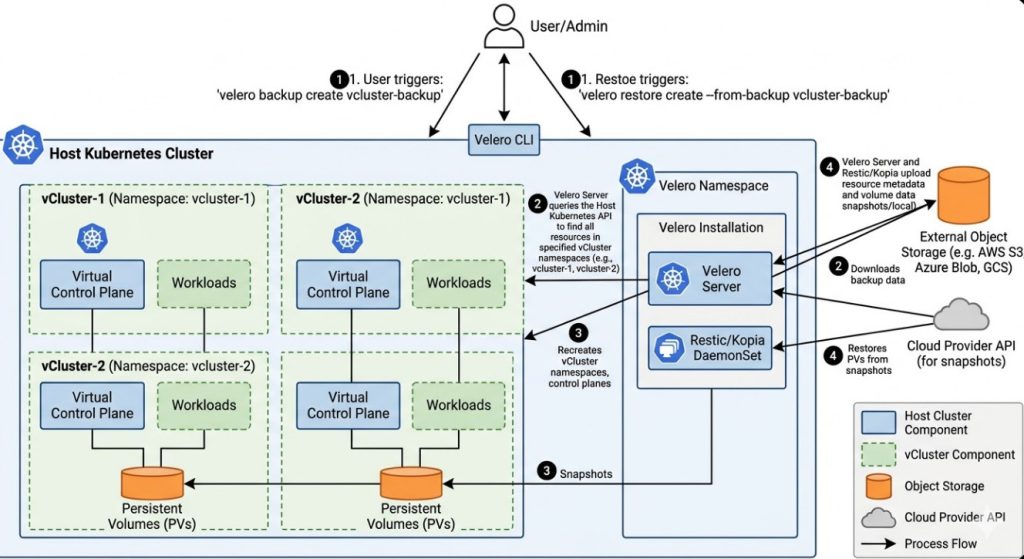
Velero is the industry standard for backing up and restoring Kubernetes cluster resources and persistent volumes. For storage backends that do not support native snapshots across different providers, Velero integrates with Restic (or Kopia in newer versions) to perform file-level backups of PVC data.

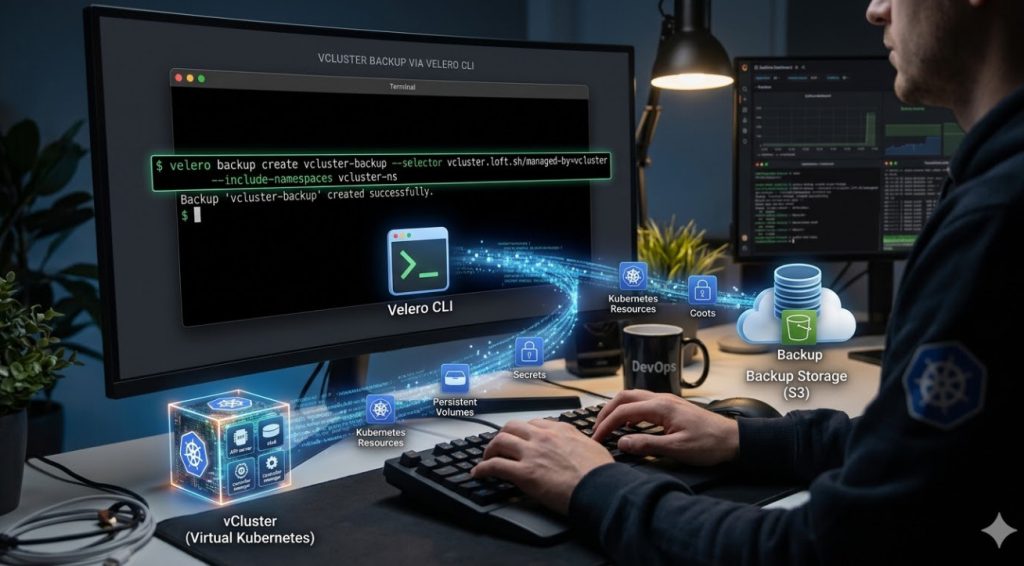
# Example: Creating a backup including PVCs using Velero
velero backup create migration-backup \
  --include-namespaces production-app \
  --default-volumes-to-fs-backup \
  --wait

Upon restoration in the target cluster, Velero reconstructs the Kubernetes objects (Deployments, Services, PVCs) and hydrates the data into the new StorageClass defined in the destination.

Database Migration Patterns

For high-throughput databases, file-level backup/restore is often too slow (high downtime). Instead, utilize replication:

  1. Setup a Replica: Configure a read-replica in the destination Kubernetes cluster (or managed DB service) pointing to the source master.
  2. Sync: Allow replication lag to drop to near zero.
  3. Promote: During the maintenance window, stop writes to the source, wait for the final sync, and promote the destination replica to master.

Zero-Downtime Cutover Strategies

Once the workload is running in the destination environment, switching traffic is the highest-risk phase. A “Big Bang” DNS switch is rarely advisable for high-traffic systems.

1. DNS Weighted Routing (Canary Cutover)

Utilize DNS providers (like AWS Route53 or Cloudflare) to shift traffic gradually. Start with a 5% weight to the new cluster’s Ingress IP.

2. Ingress Shadowing (Dark Traffic)

Before the actual cutover, mirror production traffic to the new cluster to validate performance without affecting real users. This can be achieved using Service Mesh capabilities (like Istio) or Nginx ingress annotations.

# Example: Nginx Ingress Mirroring Annotation
apiVersion: networking.k8s.io/v1
kind: Ingress
metadata:
  name: production-ingress
  annotations:
    nginx.ingress.kubernetes.io/mirror-target-service: "new-cluster-endpoint"
spec:
  rules:
  - host: api.example.com
    http:
      paths:
      - path: /
        pathType: Prefix
        backend:
          service:
            name: legacy-service
            port:
              number: 80

CI/CD and GitOps Adaptation

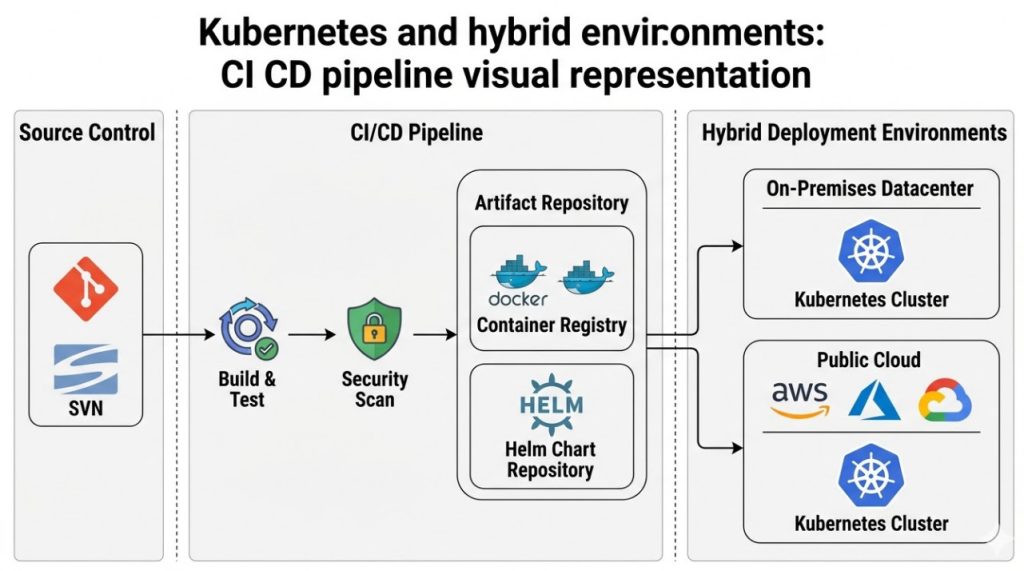
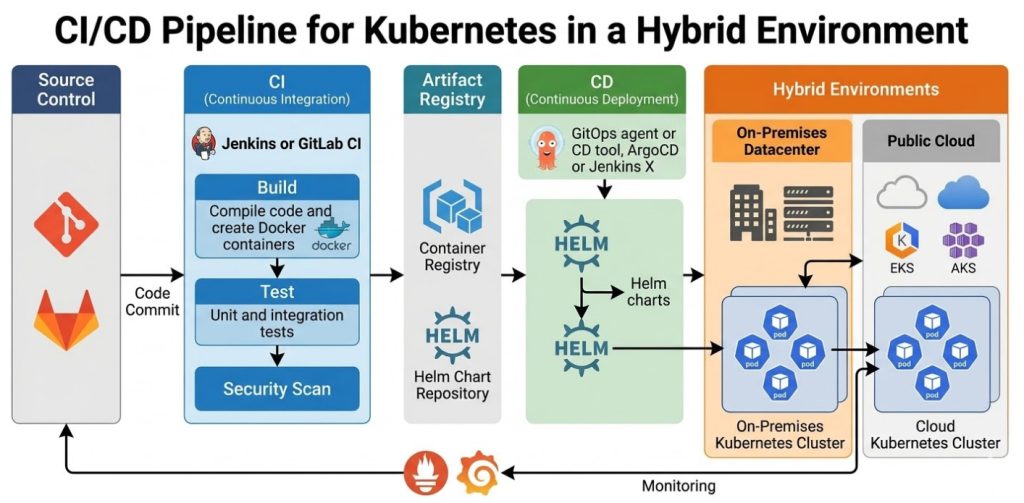
A Kubernetes migration is the perfect opportunity to enforce GitOps. Migrating pipeline logic (Jenkins, GitLab CI) directly to Kubernetes manifests managed by ArgoCD or Flux ensures that the “source of truth” for your infrastructure is version controlled.

When migrating pipelines:

  • Abstraction: Replace complex imperative deployment scripts (kubectl apply -f ...) with Helm Charts or Kustomize overlays.
  • Secret Management: Move away from environment variables stored in CI tools. Adopt Secrets Store CSI Driver (Vault/AWS Secrets Manager) or Sealed Secrets.

Frequently Asked Questions (FAQ)

How do I handle disparate Ingress Controllers during migration?

If moving from AWS ALB Ingress to Nginx Ingress, the annotations will differ significantly. Use a “Translation Layer” approach: Use Helm to template your Ingress resources. Define values files for the source (ALB) and destination (Nginx) that render the correct annotations dynamically, allowing you to deploy to both environments from the same codebase during the transition.

What is the biggest risk in Kubernetes migration?

Network connectivity and latency. Often, migrated services in the new cluster need to communicate with legacy services left behind on-prem or in a different VPC. Ensure you have established robust peering, VPNs, or Transit Gateways before moving applications to prevent timeouts.

Should I migrate stateful workloads to Kubernetes at all?

This is a contentious topic. For experts, the answer is: “Yes, if you have the operational maturity.” Operators (like the Prometheus Operator or Postgres Operator) make managing stateful apps easier, but if your team lacks deep K8s storage knowledge, offloading state to managed services (RDS, Cloud SQL) lowers the migration risk profile significantly.

Conclusion

Kubernetes migration is a multifaceted engineering challenge that extends far beyond simple containerization. It requires a holistic strategy encompassing data persistence, traffic shaping, and observability.

By leveraging tools like Velero for state transfer, adopting GitOps for configuration consistency, and utilizing weighted DNS for traffic cutovers, you can execute a migration that not only modernizes your stack but does so with minimal risk to the business. The goal is not just to be on Kubernetes, but to operate a platform that is resilient, scalable, and easier to manage than the legacy system it replaces. Thank you for reading the DevopsRoles page!

Boost Kubernetes: Fast & Secure with AKS Automatic

For years, the “Promise of Kubernetes” has been somewhat at odds with the “Reality of Kubernetes.” While K8s offers unparalleled orchestration capabilities, the operational overhead for Platform Engineering teams is immense. You are constantly balancing node pool sizing, OS patching, upgrade cadences, and security baselining. Enter Kubernetes AKS Automatic.

This is not just another SKU; it is Microsoft’s answer to the “NoOps” paradigm, structurally similar to GKE Autopilot but deeply integrated into the Azure ecosystem. For expert practitioners, AKS Automatic represents a shift from managing infrastructure to managing workload definitions.

In this guide, we will dissect the architecture of Kubernetes AKS Automatic, evaluate the trade-offs regarding control vs. convenience, and provide Terraform implementation strategies for production-grade environments.

The Architectural Shift: Why AKS Automatic Matters

In a Standard AKS deployment, the responsibility model is split. Microsoft manages the Control Plane, but you own the Data Plane (Worker Nodes). If a node runs out of memory, or if an OS patch fails, that is your pager going off.

Kubernetes AKS Automatic changes this ownership model. It applies an opinionated configuration that enforces best practices by default.

1. Node Autoprovisioning (NAP)

Forget about calculating the perfect VM size for your node pools. AKS Automatic utilizes Node Autoprovisioning. Instead of static Virtual Machine Scale Sets (VMSS) that you define, NAP analyzes the pending pods in the scheduler. It looks at CPU/Memory requests, taints, and tolerations, and then spins up the exact compute resources required to fit those pods.

Pro-Tip: Under the Hood
NAP functions similarly to the open-source project Karpenter. It bypasses the traditional Cluster Autoscaler’s logic of scaling existing groups and instead provisions just-in-time compute capacity directly against the Azure Compute API.

2. Guardrails and Policies

AKS Automatic comes with Azure Policy enabled and configured in “Deny” mode for critical security baselines. This includes:

  • Disallowing Privileged Containers: Unless explicitly exempted.
  • Enforcing Resource Quotas: Pods without resource requests may be mutated or rejected to ensure the scheduler can make accurate placement decisions.
  • Network Security: Strict network policies are applied by default.

Deep Dive: Technical Specifications

For the Senior SRE, understanding the boundaries of the platform is critical. Here is what the stack looks like:

FeatureSpecification in AKS Automatic
CNI PluginAzure CNI Overlay (Powered by Cilium)
IngressManaged NGINX (via Application Routing add-on)
Service MeshIstio (Managed add-on available and recommended)
OS UpdatesFully Automated (Node image upgrades handled by Azure)
SLAProduction SLA (Uptime SLA) enabled by default

Implementation: Deploying AKS Automatic via Terraform

As of the latest Azure providers, deploying an Automatic cluster requires specific configuration flags. Below is a production-ready snippet using the azurerm provider.

Note: Ensure you are using an azurerm provider version > 3.100 or the 4.x series.

resource "azurerm_kubernetes_cluster" "aks_automatic" {
  name                = "aks-prod-automatic-01"
  location            = azurerm_resource_group.rg.location
  resource_group_name = azurerm_resource_group.rg.name
  dns_prefix          = "aks-prod-auto"

  # The key differentiator for Automatic SKU
  sku_tier = "Standard" # Automatic features are enabled via run_command or specific profile flags in current GA
  
  # Automatic typically requires Managed Identity
  identity {
    type = "SystemAssigned"
  }

  # Enable the Automatic feature profile
  # Note: Syntax may vary slightly based on Preview/GA status updates
  auto_scaler_profile {
    balance_similar_node_groups = true
  }

  # Network Profile defaults for Automatic
  network_profile {
    network_plugin      = "azure"
    network_plugin_mode = "overlay"
    network_policy      = "cilium"
    load_balancer_sku   = "standard"
  }

  # Enabling the addons associated with Automatic behavior
  maintenance_window {
    allowed {
        day   = "Saturday"
        hours = [21, 23]
    }
  }
  
  tags = {
    Environment = "Production"
    ManagedBy   = "Terraform"
  }
}

Note on IaC: Microsoft is rapidly iterating on the Terraform provider support for the specific sku_tier = "Automatic" alias. Always check the official Terraform AzureRM documentation for the breaking changes in the latest provider release.

The Trade-offs: What Experts Need to Know

Moving to Kubernetes AKS Automatic is not a silver bullet. You are trading control for operational velocity. Here are the friction points you must evaluate:

1. No SSH Access

You generally cannot SSH into the worker nodes. The nodes are treated as ephemeral resources.

The Fix: Use kubectl debug node/<node-name> -it --image=mcr.microsoft.com/dotnet/runtime-deps:6.0 to launch a privileged ephemeral container for debugging.

2. DaemonSet Complexity

Since you don’t control the node pools, running DaemonSets (like heavy security agents or custom logging forwarders) can be trickier. While supported, you must ensure your DaemonSets tolerate the taints applied by the Node Autoprovisioning logic.

3. Cost Implications

While you save on “slack” capacity (because you don’t have over-provisioned static node pools waiting for traffic), the unit cost of compute in managed modes can sometimes be higher than Spot instances managed manually. However, for 90% of enterprises, the reduction in engineering hours spent on upgrades outweighs the raw compute premium.

Frequently Asked Questions (FAQ)

Is AKS Automatic suitable for stateful workloads?

Yes. AKS Automatic supports Azure Disk and Azure Files CSI drivers. However, because nodes can be recycled more aggressively by the autoprovisioner, ensure your applications handle `SIGTERM` gracefully and that your Persistent Volume Claims (PVCs) utilize Retain policies where appropriate to prevent accidental data loss during rapid scaling events.

Can I use Spot Instances with AKS Automatic?

Yes, AKS Automatic supports Spot VMs. You define this intent in your workload manifest (PodSpec) using nodeSelector or tolerations specifically targeting spot capability, and the provisioner will attempt to fulfill the request with Spot capacity.

How does this differ from GKE Autopilot?

Conceptually, they are identical. The main difference lies in the ecosystem integration. AKS Automatic is deeply coupled with Azure Monitor, Azure Policy, and the specific versions of Azure CNI. If you are a multi-cloud shop, the developer experience (DX) is converging, but the underlying network implementation (Overlay vs VPC-native) differs.

Conclusion

Kubernetes AKS Automatic is the maturity of the cloud-native ecosystem manifesting in a product. It acknowledges that for most organizations, the value is in the application, not in curating the OS version of the worker nodes.

For the expert SRE, AKS Automatic allows you to refocus your efforts on higher-order problems: Service Mesh configurations, progressive delivery strategies (Canary/Blue-Green), and application resilience, rather than nursing a Node Pool upgrade at 2 AM.

Next Step: If you are running a Standard AKS cluster today, try creating a secondary node pool with Node Autoprovisioning enabled (preview features permitting) or spin up a sandbox AKS Automatic cluster to test your Helm charts against the stricter security policies. Thank you for reading the DevopsRoles page!