AI for Agencies: Serve More Clients with Smart Workflow Automation

The era of manual prompt engineering is over. For modern firms, deploying AI for agencies is no longer about giving employees access to ChatGPT; it is about architecting intelligent, autonomous ecosystems that function as force multipliers. As we move from experimental pilot programs to production-grade implementation, the challenge shifts from “What can AI do?” to “How do we scale AI across 50+ unique client environments without breaking compliance or blowing up token costs?”

This guide is written for technical leaders and solutions architects who need to build robust, multi-tenant AI infrastructures. We will bypass the basics and dissect the architectural patterns, security protocols, and workflow orchestration strategies required to serve more clients efficiently using high-performance AI pipelines.

The Architectural Shift: From Chatbots to Agentic Workflows

To truly leverage AI for agencies, we must move beyond simple Request/Response patterns. The future lies in Agentic Workflows—systems where LLMs act as reasoning engines that can plan, execute tools, and iterate on results before presenting them to a human.

Pro-Tip: Do not treat LLMs as databases. Treat them as reasoning kernels. Offload memory to Vector Stores (e.g., Pinecone, Weaviate) and deterministic logic to traditional code. This hybrid approach reduces hallucinations and ensures client-specific data integrity.

The Multi-Agent Pattern

For complex agency deliverables—like generating a full SEO audit or a monthly performance report—a single prompt is insufficient. You need a Multi-Agent System (MAS) where specialized agents collaborate:

  • The Router: Classifies the incoming client request (e.g., “SEO”, “PPC”, “Content”) and directs it to the appropriate sub-system.
  • The Researcher: Uses RAG (Retrieval-Augmented Generation) to pull client brand guidelines and past performance data.
  • The Executor: Generates the draft content or performs the analysis.
  • The Critic: Reviews the output against specific quality heuristics before final delivery.

Engineering Multi-Tenancy for Client Isolation

The most critical risk in deploying AI for agencies is data leakage. You cannot allow Client A’s strategy documents to influence Client B’s generated content. Deep multi-tenancy must be baked into the retrieval layer.

Logical Partitioning in Vector Databases

When implementing RAG, you must enforce strict metadata filtering. Every chunk of embedded text must be tagged with a `client_id` or `namespace`.

import pinecone
from langchain.embeddings import OpenAIEmbeddings

# Initialize connection
pinecone.init(api_key="YOUR_API_KEY", environment="us-west1-gcp")
index = pinecone.Index("agency-knowledge-base")

def query_client_knowledge(query, client_id, top_k=5):
    """
    Retrieves context strictly isolated to a specific client.
    """
    embeddings = OpenAIEmbeddings()
    vector = embeddings.embed_query(query)
    
    # CRITICAL: The filter ensures strict data isolation
    results = index.query(
        vector=vector,
        top_k=top_k,
        include_metadata=True,
        filter={
            "client_id": {"$eq": client_id}
        }
    )
    return results

This approach allows you to maintain a single, cost-effective vector index while mathematically guaranteeing that Client A’s context is invisible to Client B’s queries.

Productionizing Workflows with LangGraph & Queues

Scaling AI for agencies requires handling concurrency. If you have 100 clients triggering reports simultaneously at 9:00 AM on Monday, direct API calls to OpenAI or Anthropic will hit rate limits immediately.

The Asynchronous Queue Pattern

Implement a message broker (like Redis or RabbitMQ) between your application layer and your AI workers.

  1. Ingestion: Client request is pushed to a `high-priority` or `standard` queue based on their retainer tier.
  2. Worker Pool: Background workers pick up tasks.
  3. Rate Limiting: Workers respect global API limits (e.g., Token Bucket algorithm) to prevent 429 errors.
  4. Persistence: Intermediate states are saved. If a workflow fails (e.g., an API timeout), it can retry from the last checkpoint rather than restarting.

Architecture Note: Consider using LangGraph for stateful orchestration. Unlike simple chains, graphs allow for cycles—enabling the AI to “loop” and self-correct if an output doesn’t meet quality standards.

Cost Optimization & Token Economics

Margins matter. Running GPT-4 for every trivial task will erode profitability. A smart AI for agencies strategy involves “Model Routing.”

Task ComplexityRecommended ModelCost Efficiency
High Reasoning (Strategy, complex coding, creative conceptualization)GPT-4o, Claude 3.5 SonnetLow (High Cost)
Moderate (Summarization, simple drafting, RAG synthesis)GPT-4o-mini, Claude 3 HaikuHigh
Low/Deterministic (Classification, entity extraction)Fine-tuned Llama 3 (Self-hosted) or MistralVery High

Semantic Caching: Implement a semantic cache (e.g., GPTCache). If a user asks a question that is semantically similar to a previously answered question (for the same client), serve the cached response instantly. This reduces latency by 90% and costs by 100% for repetitive queries.

Frequently Asked Questions (FAQ)

How do we handle hallucination risks in client deliverables?

Never send raw LLM output directly to a client. Implement a “Human-in-the-Loop” (HITL) workflow where the AI generates a draft, and a notification is sent to a human account manager for approval. Additionally, use “Grounding” techniques where the LLM is forced to cite sources from the retrieved documents.

Should we fine-tune our own models?

Generally, no. For 95% of agency use cases, RAG (Retrieval-Augmented Generation) is superior to fine-tuning. Fine-tuning is for teaching a model a new form or style (e.g., writing code in a proprietary internal language), whereas RAG is for providing the model with new facts (e.g., a client’s specific Q3 performance data). RAG is cheaper, faster to update, and less prone to catastrophic forgetting.

How do we ensure compliance (SOC2/GDPR) when using AI?

Ensure you are using “Enterprise” or “API” tiers of model providers, which typically guarantee that your data is not used to train their base models (unlike the free ChatGPT interface). For strict data residency requirements, consider hosting open-source models (like Llama 3 or Mixtral) on your own VPC using tools like vLLM or TGI.

Conclusion

Mastering AI for agencies is an engineering challenge, not just a creative one. By implementing robust multi-tenant architectures, leveraging agentic workflows with stateful orchestration, and managing token economics strictly, your agency can scale operations non-linearly.

The agencies that win in the next decade won’t just use AI; they will be built on top of AI primitives. Start by auditing your current workflows, identify the bottlenecks that require high-reasoning capabilities, and build your first multi-agent router today. Thank you for reading the DevopsRoles page!

Roblox AI: Accelerate Game Creation with Studio’s New Features

The paradigm of game development is shifting from purely imperative coding to intent-based generation. For technical directors and senior developers, Roblox AI game creation represents more than just a novelty; it is a fundamental workflow accelerator. By integrating Large Language Models (LLMs) and generative texture synthesis directly into the engine, Roblox Studio is reducing the friction between architectural concept and playable prototype. This article dissects the technical implementation of these features, analyzing how they optimize Luau scripting and asset generation for high-velocity development cycles.

The Architecture of Roblox’s Generative AI Stack

Roblox’s approach to AI is distinct because it operates within a highly constrained, physics-simulated environment. Unlike generic chatbots, the models powering Roblox AI game creation are fine-tuned specifically on the Luau language corpus and the Roblox API surface area.

The stack generally operates on two primary modalities:

  • Code Generation: Leveraging transformer-based models trained on years of open-source Roblox scripts to predict logic and syntax.
  • Material Synthesis: Utilizing diffusion-like models to generate tileable PBR (Physically Based Rendering) textures (albedo, normal, roughness, metalness maps) from semantic text prompts.

Pro-Tip for AI Engineers: The efficacy of the Code Assist tool relies heavily on the “Context Window.” When prompting for script generation, keeping relevant Service definitions and variable declarations in the active file helps the model infer the correct API references (e.g., distinguishing between ServerStorage and ReplicatedStorage usage).

Accelerating Scripting with AI-Powered Code Assist

For the expert developer, the value of AI is not in writing print("Hello World"), but in boilerplate reduction and algorithmic suggestions. The Roblox AI game creation suite integrates directly into the Script Editor, offering autocomplete and full-function generation.

Context-Aware Logic Generation

The AI analyzes the comment preceding the cursor to determine intent. It attempts to construct valid Luau code that respects Roblox’s event-driven architecture.

Example: Generating a Proximity Prompt Handler

Input Comment:

-- Create a function that tween's the part's color to red when a player interacts with the ProximityPrompt, then resets it after 5 seconds.

AI Output:

local TweenService = game:GetService("TweenService")
local part = script.Parent
local prompt = part:WaitForChild("ProximityPrompt")

local goalOpen = {Color = Color3.fromRGB(255, 0, 0)}
local goalClose = {Color = Color3.fromRGB(255, 255, 255)} -- Assuming white is default
local tweenInfo = TweenInfo.new(1)

local tweenOpen = TweenService:Create(part, tweenInfo, goalOpen)
local tweenClose = TweenService:Create(part, tweenInfo, goalClose)

prompt.Triggered:Connect(function(player)
    tweenOpen:Play()
    task.wait(5)
    tweenClose:Play()
end)

Note the use of task.wait() over the deprecated wait(). The model has been tuned to prefer modern Roblox best practices, reducing the technical debt typically associated with auto-generated code.

Refactoring and Optimization

Beyond generation, the Assistant can be used to refactor inefficient loops or deprecated methods. By highlighting a block of code and invoking the AI assistant, you can request optimizations such as “Convert this generic for-loop to utilize table.foreach or parallel Luau where applicable.”

Generative Materials: PBR at Scale

The visual component of Roblox AI game creation addresses the asset bottleneck. Creating custom materials usually involves external tools like Substance Designer or searching through expansive libraries.

The Material Generator allows developers to prompt for specific physical properties. For example, prompting “Wet cobblestone with moss in crevices” does not just paste an image; it generates the necessary maps to interact with Roblox’s lighting engine.

Technical Considerations for Material AI

  • Tiling: The generator optimizes for seamless tiling, crucial for large terrain or architectural surfaces.
  • Resolution: While currently optimized for performance (memory budget), the consistency of the normal maps generated ensures that depth perception remains high even at lower texture resolutions.
  • Style Consistency: You can enforce a “Low Poly” or “Realistic” style token in your prompts to maintain visual coherence across different assets.

DevOps Integration: AI in the CI/CD Pipeline

For teams using Rojo to sync Roblox projects with Git, the AI tools inside Studio act as the “local development environment” accelerator. While the AI generation happens in Studio, the output is standard text (Lua) or binary assets (rbxmx) that can be committed to version control.

Workflow Note: Currently, Roblox’s AI features are Studio-bound. You cannot yet invoke the generation API programmatically via CLI for automated build pipelines, but the generated code is fully compatible with standard linting tools like Selene or StyLua.

Frequently Asked Questions (FAQ)

How does Roblox AI handle security and malicious code?

Roblox utilizes a multi-layered filter. The training data excludes known malicious patterns (backdoors, obfuscated viruses). Additionally, the output is subject to standard Roblox text filtering policies. However, developers must always review AI-generated code, as the AI acts as a “copilot,” not a security guarantor.

Can the AI write complex ModuleScripts for frameworks like Knit?

Yes, but it requires context. If your current script requires a module, the AI can infer usage if the require() statement is present and the variable naming is semantic. It struggles with architectural decisions but excels at implementation details within a defined structure.

Is the generated code optimized for Parallel Luau?

Not by default. You must explicitly prompt the Assistant to “Use Parallel Luau Actors” or “Write this using task.desynchronize” to leverage multi-threading capabilities.

Conclusion

Roblox AI game creation is not about replacing the engineer; it is about elevating the abstraction level. By offloading the syntax of boilerplates and the tedium of texture hunting to generative models, Senior Developers and Technical Artists can focus on gameplay loops, system architecture, and user experience. As these models evolve, we expect deeper integration into the Entity Component System (ECS) and potentially runtime AI generation features.

To stay competitive, teams should begin incorporating these prompts into their daily workflows, treating the AI as a junior pair programmer that is always available and intimately familiar with the Roblox API. Thank you for reading the DevopsRoles page!

Kubernetes Validate GPU Accelerator Access Isolation in OKE

In multi-tenant high-performance computing (HPC) environments, ensuring strict resource boundaries is not just a performance concern—it is a critical security requirement. For Oracle Cloud Infrastructure Container Engine for Kubernetes (OKE), verifying GPU Accelerator Access Isolation is paramount when running untrusted workloads alongside critical AI/ML inference tasks. This guide targets expert Platform Engineers and SREs, focusing on the mechanisms, configuration, and practical validation of GPU isolation within OKE clusters.

The Mechanics of GPU Isolation in Kubernetes

Before diving into validation, it is essential to understand how OKE and the underlying container runtime mediate access to hardware accelerators. Unlike CPU and RAM, which are compressible resources managed via cgroups, GPUs are treated as extended resources.

Pro-Tip: The default behavior of the NVIDIA Container Runtime is often permissive. Without the NVIDIA Device Plugin explicitly setting environment variables like NVIDIA_VISIBLE_DEVICES, a container might gain access to all GPU devices on the node. Isolation relies heavily on the correct interaction between the Kubelet, the Device Plugin, and the Container Runtime Interface (CRI).

Isolation Layers

  • Physical Isolation (Passthrough): Giving a Pod exclusive access to a specific PCle device.
  • Logical Isolation (MIG): Using Multi-Instance GPU (MIG) on Ampere architectures (e.g., A100) to partition a single physical GPU into multiple isolated instances with dedicated compute, memory, and cache.
  • Time-Slicing: Sharing a single GPU context across multiple processes (weakest isolation, mostly for efficiency, not security).

Prerequisites for OKE

To follow this validation procedure, ensure your environment meets the following criteria:

  • An active OKE Cluster (version 1.25+ recommended).
  • Node pools using GPU-enabled shapes (e.g., VM.GPU.A10.1, BM.GPU.A100-vCP.8).
  • The NVIDIA Device Plugin installed (standard in OKE GPU images, but verify the daemonset).
  • kubectl context configured for administrative access.

Step 1: Establishing the Baseline (The “Rogue” Pod)

To validate GPU Accelerator Access Isolation, we must first attempt to access resources from a Pod that has not requested them. This simulates a “rogue” workload attempting to bypass resource quotas or scrape data from GPU memory.

Deploying a Non-GPU Workload

Deploy a standard pod that includes the NVIDIA utilities but requests 0 GPU resources.

apiVersion: v1
kind: Pod
metadata:
  name: gpu-rogue-validation
  namespace: default
spec:
  restartPolicy: Never
  containers:
  - name: cuda-container
    image: nvcr.io/nvidia/k8s/cuda-sample:nbody-cuda11.7.1-ubuntu20.04
    command: ["sleep", "3600"]
    # CRITICAL: No resources.limits.nvidia.com/gpu defined here
    resources:
      limits:
        cpu: "500m"
        memory: "512Mi"

Verification Command

Exec into the pod and attempt to query the GPU status. If isolation is working correctly, the NVIDIA driver should report no devices found or the command should fail.

kubectl exec -it gpu-rogue-validation -- nvidia-smi

Expected Outcome:

  • Failed to initialize NVML: Unknown Error
  • Or, a clear output stating No devices were found.

If this pod returns a full list of GPUs, isolation has failed. This usually indicates that the default runtime is exposing all devices because the Device Plugin did not inject the masking environment variables.

Step 2: Validating Authorized Access

Now, deploy a valid workload that requests a specific number of GPUs to ensure the scheduler and device plugin are correctly allocating resources.

apiVersion: v1
kind: Pod
metadata:
  name: gpu-authorized
spec:
  restartPolicy: Never
  containers:
  - name: cuda-container
    image: nvcr.io/nvidia/k8s/cuda-sample:nbody-cuda11.7.1-ubuntu20.04
    command: ["sleep", "3600"]
    resources:
      limits:
        nvidia.com/gpu: 1 # Requesting 1 GPU

Inspection

Run nvidia-smi inside this pod. You should see exactly one GPU device.

Furthermore, inspect the environment variables injected by the plugin:

kubectl exec gpu-authorized -- env | grep NVIDIA_VISIBLE_DEVICES

This should return a UUID (e.g., GPU-xxxxxxxx-xxxx-xxxx...) rather than all.

Step 3: Advanced Validation with MIG (Multi-Instance GPU)

For workloads requiring strict hardware-level isolation on OKE using A100 instances, you must validate MIG partitioning. GPU Accelerator Access Isolation in a MIG context means a Pod on “Instance A” cannot impact the memory bandwidth or compute units of “Instance B”.

If you have configured MIG strategies (e.g., mixed or single) in your OKE node pool:

  1. Deploy two separate pods, each requesting nvidia.com/mig-1g.5gb (or your specific profile).
  2. Run a stress test on Pod A:
    kubectl exec -it pod-a -- /usr/local/cuda/samples/1_Utilities/deviceQuery/deviceQuery

  3. Verify UUIDs: Ensure the UUID visible in Pod A is distinct from Pod B.
  4. Crosstalk Check: Attempt to target the GPU index of Pod B from Pod A using CUDA code. It should fail with an invalid device error.

Troubleshooting Isolation Leaks

If your validation tests fail (i.e., the “rogue” pod can see GPUs), check the following configurations in your OKE cluster.

1. Privileged Security Context

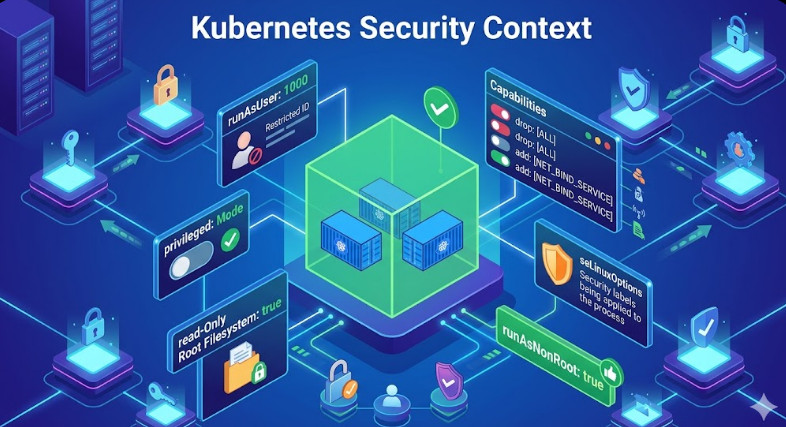
A common misconfiguration is running containers as privileged. This bypasses the container runtime’s device cgroup restrictions.

# AVOID THIS IN MULTI-TENANT CLUSTERS
securityContext:
  privileged: true

Fix: Enforce Pod Security Standards (PSS) to disallow privileged containers in non-system namespaces.

2. HostPath Volume Mounts

Ensure users are not mounting /dev or /var/run/nvidia-container-devices directly. Use OPA Gatekeeper or Kyverno to block HostPath mounts that expose device nodes.

Frequently Asked Questions (FAQ)

Does OKE enable GPU isolation by default?

Yes, OKE uses the standard Kubernetes Device Plugin model. However, “default” relies on the assumption that you are not running privileged containers. You must actively validate that your RBAC and Pod Security Policies prevent privilege escalation.

Can I share a single GPU across two Pods safely?

Yes, via Time-Slicing or MIG. However, Time-Slicing does not provide memory isolation (OOM in one pod can crash the GPU context for others). For true isolation, you must use MIG (available on A100 shapes in OKE).

How do I monitor GPU violations?

Standard monitoring (Prometheus/Grafana) tracks utilization, not access violations. To detect access violations, you need runtime security tools like Falco, configured to alert on unauthorized open() syscalls on /dev/nvidia* devices by pods that haven’t requested them.

Conclusion

Validating GPU Accelerator Access Isolation in OKE is a non-negotiable step for securing high-value AI infrastructure. By systematically deploying rogue and authorized pods, inspecting environment variable injection, and enforcing strict Pod Security Standards, you verify that your multi-tenant boundaries are intact. Whether you are using simple passthrough or complex MIG partitions, trust nothing until you have seen the nvidia-smi output deny access. Thank you for reading the DevopsRoles page!

Optimize Kubernetes Request Right Sizing with Kubecost for Cost Savings

In the era of cloud-native infrastructure, the scheduler is king. However, the efficiency of that scheduler depends entirely on the accuracy of the data you feed it. For expert Platform Engineers and SREs, Kubernetes request right sizing is not merely a housekeeping task—it is a critical financial and operational lever. Over-provisioning leads to “slack” (billed but unused capacity), while under-provisioning invites CPU throttling and OOMKilled events.

This guide moves beyond the basics of resources.yaml. We will explore the mechanics of resource contention, the algorithmic approach Kubecost takes to optimization, and how to implement a data-driven right-sizing strategy that balances cost reduction with production stability.

The Technical Economics of Resource Allocation

To master Kubernetes request right sizing, one must first understand how the Kubernetes scheduler and the underlying Linux kernel interpret these values.

The Scheduler vs. The Kernel

Requests are primarily for the Kubernetes Scheduler. They ensure a node has enough allocatable capacity to host a Pod. Limits, conversely, are enforced by the Linux kernel via cgroups.

  • CPU Requests: Determine the cpu.shares in cgroups. This is a relative weight, ensuring that under contention, the container gets its guaranteed slice of time.
  • CPU Limits: Determine cpu.cfs_quota_us. Hard throttling occurs immediately if this quota is exceeded within a period (typically 100ms), regardless of node idleness.
  • Memory Requests: Primarily used for scheduling.
  • Memory Limits: Enforce the OOM Killer threshold.

Pro-Tip (Expert): Be cautious with CPU limits. While they prevent a runaway process from starving neighbors, they can introduce tail latency due to CFS throttling bugs or micro-bursts. Many high-performance shops (e.g., at the scale of Twitter or Zalando) choose to set CPU Requests but omit CPU Limits for Burstable workloads, relying on cpu.shares for fairness.

Why “Guesstimation” Fails at Scale

Manual right-sizing is impossible in dynamic environments. Developers often default to “safe” (bloated) numbers, or copy-paste manifests from StackOverflow. This results in the “Kubernetes Resource Gap”: the delta between Allocated resources (what you pay for) and Utilized resources (what you actually use).

Without tooling like Kubecost, you are likely relying on static Prometheus queries that look like this to find usage peaks:

max_over_time(container_memory_working_set_bytes{namespace="production"}[24h])

While useful, raw PromQL queries lack context regarding billing models, spot instance savings, and historical seasonality. This is where Kubernetes request right sizing via Kubecost becomes essential.

Implementing Kubecost for Granular Visibility

Kubecost models your cluster’s costs by correlating real-time resource usage with your cloud provider’s billing API (AWS Cost Explorer, GCP Billing, Azure Cost Management).

1. Installation & Prometheus Integration

For production clusters, installing via Helm is standard. Ensure you are scraping metrics at a resolution high enough to catch micro-bursts, but low enough to manage TSDB cardinality.

helm repo add kubecost https://kubecost.github.io/cost-analyzer/
helm upgrade --install kubecost kubecost/cost-analyzer \
    --namespace kubecost --create-namespace \
    --set kubecostToken="YOUR_TOKEN_HERE" \
    --set prometheus.server.persistentVolume.enabled=true \
    --set prometheus.server.retention=15d

2. The Right-Sizing Algorithm

Kubecost’s recommendation engine doesn’t just look at “now.” It analyzes a configurable window (e.g., 2 days, 7 days, 30 days) to recommend Kubernetes request right sizing targets.

The core logic typically follows a usage profile:

  • Peak Aware: It identifies max(usage) over the window to prevent OOMs.
  • Headroom Buffer: It adds a configurable overhead (e.g., 15-20%) to the recommendation to account for future growth or sudden spikes.

Executing the Optimization Loop

Once Kubecost is ingesting data, navigate to the Savings > Request Right Sizing dashboard. Here is the workflow for an SRE applying these changes.

Step 1: Filter by Namespace and Owner

Do not try to resize the entire cluster at once. Filter by namespace: backend or label: team=data-science.

Step 2: Analyze the “Efficiency” Score

Kubecost assigns an efficiency score based on the ratio of idle to used resources.

Target: A healthy range is typically 60-80% utilization. Approaching 100% is dangerous; staying below 30% is wasteful.

Step 3: Apply the Recommendation (GitOps)

As an expert, you should never manually patch a deployment via `kubectl edit`. Take the recommended YAML values from Kubecost and update your Helm Charts or Kustomize bases.

# Before Optimization
resources:
  requests:
    memory: "4Gi" # 90% idle based on Kubecost data
    cpu: "2000m"

# After Optimization (Kubecost Recommendation)
resources:
  requests:
    memory: "600Mi" # calculated max usage + 20% buffer
    cpu: "350m"

Advanced Strategy: Automating with VPA

Static right-sizing has a shelf life. As traffic patterns change, your static values become obsolete. The ultimate maturity level in Kubernetes request right sizing is coupling Kubecost’s insights with the Vertical Pod Autoscaler (VPA).

Kubecost can integrate with VPA to automatically apply recommendations. However, in production, “Auto” mode is risky because it restarts Pods to change resource specifications.

Warning: For critical stateful workloads (like Databases or Kafka), use VPA in Off or Initial mode. This allows VPA to calculate the recommendation object, which you can then monitor via metrics or export to your GitOps repo, without forcing restarts.

VPA Configuration for Recommendations Only

apiVersion: autoscaling.k8s.io/v1
kind: VerticalPodAutoscaler
metadata:
  name: backend-service-vpa
spec:
  targetRef:
    apiVersion: "apps/v1"
    kind: Deployment
    name: backend-service
  updatePolicy:
    updateMode: "Off" # Kubecost reads the recommendation; VPA does not restart pods.

Frequently Asked Questions (FAQ)

1. How does right-sizing affect Quality of Service (QoS) classes?

Right-sizing directly dictates QoS.

Guaranteed: Requests == Limits. Safest, but most expensive.

Burstable: Requests < Limits. Ideal for most HTTP web services.

BestEffort: No requests/limits. High risk of eviction.

When you lower requests to save money, ensure you don’t accidentally drop a critical service from Guaranteed to Burstable if strict isolation is required.

2. Can I use Kubecost to resize specific sidecars (like Istio/Envoy)?

Yes. Sidecars often suffer from massive over-provisioning because they are injected with generic defaults. Kubecost breaks down usage by container, allowing you to tune the istio-proxy container independently of the main application container.

3. What if my workload has very “spiky” traffic?

Standard averaging algorithms fail with spiky workloads. In Kubecost, adjust the profiling window to a shorter duration (e.g., 2 days) to capture recent spikes, or ensure your “Target Utilization” threshold is set lower (e.g., 50% instead of 80%) to leave a larger safety buffer for bursts.

Conclusion

Kubernetes request right sizing is not a one-time project; it is a continuous loop of observability and adjustment. By leveraging Kubecost, you move from intuition-based guessing to data-driven precision.

The goal is not just to lower the cloud bill. The goal is to maximize the utility of every CPU cycle you pay for while guaranteeing the stability your users expect. Start by identifying your top 10 most wasteful deployments, apply the “Requests + Buffer” logic, and integrate these checks into your CI/CD pipelines to prevent resource drift before it hits production. Thank you for reading the DevopsRoles page!

AWS SDK for Rust: Your Essential Guide to Quick Setup

In the evolving landscape of cloud-native development, the AWS SDK for Rust represents a paradigm shift toward memory safety, high performance, and predictable resource consumption. While languages like Python and Node.js have long dominated the AWS ecosystem, Rust provides an unparalleled advantage for high-throughput services and cost-optimized Lambda functions. This guide moves beyond the basics, offering a technical deep-dive into setting up a production-ready environment using the SDK.

Pro-Tip: The AWS SDK for Rust is built on top of smithy-rs, a code generator capable of generating SDKs from Smithy models. This architecture ensures that the Rust SDK stays in sync with AWS service updates almost instantly.

1. Project Initialization and Dependency Management

To begin working with the AWS SDK for Rust, you must configure your Cargo.toml carefully. Unlike monolithic SDKs, the Rust SDK is modular. You only include the crates for the services you actually use, which significantly reduces compile times and binary sizes.

Every project requires the aws-config crate for authentication and the specific service crates (e.g., aws-sdk-s3). Since the SDK is inherently asynchronous, a runtime like Tokio is mandatory.

[dependencies]
# Core configuration and credential provider
aws-config = { version = "1.1", features = ["behavior-version-latest"] }

# Service specific crates
aws-sdk-s3 = "1.17"
aws-sdk-dynamodb = "1.16"

# Async runtime
tokio = { version = "1", features = ["full"] }

# Error handling
anyhow = "1.0"

2. Deep Dive: Configuring the AWS SDK for Rust

The entry point for almost any application is the aws_config::load_from_env() function. For expert developers, understanding how the SdkConfig object manages the credential provider chain and region resolution is critical for debugging cross-account or cross-region deployments.

Asynchronous Initialization

The SDK uses async/await throughout. Here is the standard boilerplate for a robust initialization:

use aws_config::meta::region::RegionProviderChain;
use aws_config::BehaviorVersion;

#[tokio::main]
async fn main() -> Result<(), anyhow::Error> {
    // Determine region, falling back to us-east-1 if not set
    let region_provider = RegionProviderChain::default_provider().or_else("us-east-1");
    
    // Load configuration with the latest behavior version for future-proofing
    let config = aws_config::defaults(BehaviorVersion::latest())
        .region(region_provider)
        .load()
        .await;

    // Initialize service clients
    let s3_client = aws_sdk_s3::Client::new(&config);
    
    println!("AWS SDK for Rust initialized for region: {:?}", config.region().unwrap());
    Ok(())
}

Advanced Concept: The BehaviorVersion parameter is crucial. It allows the AWS team to introduce breaking changes to default behaviors (like retry logic) without breaking existing binaries. Always use latest() for new projects or a specific version for legacy stability.

3. Production Patterns: Interacting with Services

Once the AWS SDK for Rust is configured, interacting with services follows a consistent “Builder” pattern. This pattern ensures type safety and prevents the construction of invalid requests at compile time.

Example: High-Performance S3 Object Retrieval

When fetching large objects, leveraging Rust’s stream handling is significantly more efficient than buffering the entire payload into memory.

use aws_sdk_s3::Client;

async fn download_object(client: &Client, bucket: &str, key: &str) -> Result<(), anyhow::Error> {
    let resp = client
        .get_object()
        .bucket(bucket)
        .key(key)
        .send()
        .await?;

    let data = resp.body.collect().await?;
    println!("Downloaded {} bytes", data.into_bytes().len());

    Ok(())
}

4. Error Handling and Troubleshooting

Error handling in the AWS SDK for Rust is exhaustive. Each operation returns a specialized error type that distinguishes between service-specific errors (e.g., NoSuchKey) and transient network failures.

  • Service Errors: Errors returned by the AWS API (4xx or 5xx).
  • SdkErrors: Errors related to the local environment, such as construction failures or timeouts.

For more details on error structures, refer to the Official Smithy Error Documentation.

FeatureRust AdvantageImpact on DevOps
Memory SafetyZero-cost abstractions/OwnershipLower crash rates in production.
Binary SizeModular cratesFaster Lambda cold starts.
ConcurrencyFearless concurrency with TokioHigh throughput on minimal hardware.

Frequently Asked Questions (FAQ)

Is the AWS SDK for Rust production-ready?

Yes. As of late 2023, the AWS SDK for Rust is General Availability (GA). It is used internally by AWS and by numerous high-scale organizations for production workloads.

How do I handle authentication for local development?

The SDK follows the standard AWS credential provider chain. It will automatically check for environment variables (AWS_ACCESS_KEY_ID), the ~/.aws/credentials file, and IAM roles if running on EC2 or EKS.

Can I use the SDK without Tokio?

While the SDK is built to be executor-agnostic in theory, currently, aws-config and the default HTTP clients are heavily integrated with Tokio and Hyper. Using a different runtime requires implementing custom HTTP connectors.

Conclusion

Setting up the AWS SDK for Rust is a strategic move for developers who prioritize performance and reliability. By utilizing the modular crate system, embracing the async-first architecture of Tokio, and understanding the SdkConfig lifecycle, you can build cloud applications that are both cost-effective and remarkably fast. Whether you are building microservices on EKS or high-performance Lambda functions, Rust offers the tooling necessary to master the AWS ecosystem.

Would you like me to generate a specialized guide on optimizing AWS Lambda cold starts using the Rust SDK and Cargo Lambda? Thank you for reading the DevopsRoles page!

Mastering AWS Account Deployment: Terraform & AWS Control Tower

For modern enterprises, AWS account deployment is no longer a manual task of clicking through the AWS Organizations console. As infrastructure scales, the need for consistent, compliant, and automated “vending machines” for AWS accounts becomes paramount. By combining the governance power of AWS Control Tower with the Infrastructure as Code (IaC) flexibility of Terraform, SREs and Cloud Architects can build a robust deployment pipeline that satisfies both developer velocity and security requirements.

The Foundations: Why Control Tower & Terraform?

In a decentralized cloud environment, AWS account deployment must address three critical pillars: Governance, Security, and Scalability. While AWS Control Tower provides the managed “Landing Zone” environment, Terraform provides the declarative state management required to manage thousands of resources across multiple accounts without configuration drift.

Advanced Concept: Control Tower uses “Guardrails” (Service Control Policies and Config Rules). When deploying accounts via Terraform, you aren’t just creating a container; you are attaching a policy-driven ecosystem that inherits the root organization’s security posture by default.

By leveraging the Terraform AWS Provider alongside Control Tower, you enable a “GitOps” workflow where an account request is simply a .tf file in a repository. This approach ensures that every account is born with the correct IAM roles, VPC configurations, and logging buckets pre-provisioned.

Deep Dive: Account Factory for Terraform (AFT)

The AWS Control Tower Account Factory for Terraform (AFT) is the official bridge between these two worlds. AFT sets up a separate orchestration engine that listens for Terraform changes and triggers the Control Tower account creation API.

The AFT Component Stack

  • AFT Management Account: A dedicated account within your Organization to host the AFT pipeline.
  • Request Metadata: A DynamoDB table or Git repo that stores account parameters (Email, OU, SSO user).
  • Customization Pipeline: A series of Step Functions and Lambda functions that apply “Global” and “Account-level” Terraform modules after the account is provisioned.

Step-by-Step: Deploying Your First Managed Account

To master AWS account deployment via AFT, you must understand the structure of an account request. Below is a production-grade example of a Terraform module call to request a new “Production” account.


module "sandbox_account" {
  source = "github.com/aws-ia/terraform-aws-control_tower_account_factory"

  control_tower_parameters = {
    AccountEmail              = "cloud-ops+prod-app-01@example.com"
    AccountName               = "production-app-01"
    ManagedOrganizationalUnit = "Production"
    SSOUserEmail              = "admin@example.com"
    SSOUserFirstName          = "Platform"
    SSOUserLastName           = "Team"
  }

  account_tags = {
    "Project"     = "Apollo"
    "Environment" = "Production"
    "CostCenter"  = "12345"
  }

  change_management_parameters = {
    change_requested_by = "DevOps Team"
    change_reason       = "New microservice deployment for Q4"
  }

  custom_fields = {
    vpc_cidr = "10.0.0.0/20"
  }
}

After applying this Terraform code, AFT triggers a workflow in the background. It calls the Control Tower ProvisionProduct API, waits for the account to be “Ready,” and then executes your post-provisioning Terraform modules to set up VPCs, IAM roles, and CloudWatch alarms.

Production-Ready Best Practices

Expert SREs know that AWS account deployment is only 20% of the battle; the other 80% is maintaining those accounts. Follow these standards:

  • Idempotency is King: Ensure your post-provisioning scripts can run multiple times without failure. Use Terraform’s lifecycle { prevent_destroy = true } on critical resources like S3 logging buckets.
  • Service Quota Management: Newly deployed accounts start with default limits. Use the aws_servicequotas_service_quota resource to automatically request increases for EC2 instances or VPCs during the deployment phase.
  • Region Deny Policies: Use Control Tower guardrails to restrict deployments to approved regions. This reduces your attack surface and prevents “shadow IT” in unmonitored regions like me-south-1.
  • Centralized Logging: Always ensure the aws_s3_bucket_policy in your log-archive account allows the newly created account’s CloudTrail service principal to write logs immediately.

Troubleshooting Common Deployment Failures

Even with automation, AWS account deployment can encounter hurdles. Here are the most common failure modes observed in enterprise environments:

IssueRoot CauseResolution
Email Already in UseAWS account emails must be globally unique across all of AWS.Use email sub-addressing (e.g., ops+acc1@company.com) if supported by your provider.
STS TimeoutAFT cannot assume the AWSControlTowerExecution role in the new account.Check if a Service Control Policy (SCP) is blocking sts:AssumeRole in the target OU.
Customization LoopTerraform state mismatch in the AFT pipeline.Manually clear the DynamoDB lock table for the specific account ID in the AFT Management account.

Frequently Asked Questions

Can I use Terraform to deploy accounts without Control Tower?

Yes, using the aws_organizations_account resource. However, you lose the managed guardrails and automated dashboarding provided by Control Tower. For expert-level setups, Control Tower + AFT is the industry standard for compliance.

How does AFT handle Terraform state?

AFT manages state files in an S3 bucket within the AFT Management account. It creates a unique state key for each account it provisions to ensure isolation and prevent blast-radius issues during updates.

How long does a typical AWS account deployment take via AFT?

Usually between 20 to 45 minutes. This includes the time AWS takes to provision the physical account container, apply Control Tower guardrails, and run your custom Terraform modules.

Conclusion

Mastering AWS account deployment requires a shift from manual administration to a software engineering mindset. By treating your accounts as immutable infrastructure and managing them through Terraform and AWS Control Tower, you gain the ability to scale your cloud footprint with confidence. Whether you are managing five accounts or five thousand, the combination of AFT and IaC provides the consistency and auditability required by modern regulatory frameworks. For further technical details, refer to the Official AFT Documentation. Thank you for reading the DevopsRoles page!

Build Your Own Alpine Linux Repository in Minutes

In the world of containerization and minimal OS footprints, Alpine Linux reigns supreme. However, relying solely on public mirrors introduces latency, rate limits, and potential supply chain vulnerabilities. For serious production environments, establishing a private Alpine Linux Repository is not just a luxury—it is a necessity.

Whether you are distributing proprietary .apk packages, mirroring upstream repositories for air-gapped environments, or managing version control for specific binaries, controlling the repository gives you deterministic builds. This guide assumes you are proficient with Linux systems and focuses on the architecture, signing mechanisms, and hosting strategies required to deploy a production-ready repository.

The Architecture of an APK Repository

Before we execute the commands, we must understand the mechanics. Unlike complex apt or rpm structures, an Alpine Linux Repository is elegantly simple. It primarily consists of:

  • APK Files: The actual package binaries.
  • APKINDEX.tar.gz: The manifest file containing metadata (dependencies, checksums, versions) for all packages in the directory.
  • RSA Keys: Cryptographic signatures ensuring the client trusts the repository source.

Pro-Tip for SREs: Alpine’s package manager, apk, is notoriously fast because it relies on this lightweight index. When designing your repo, strictly separate architectures (e.g., x86_64, aarch64) into different directory trees to prevent index pollution and ensure clients only fetch relevant metadata.

Step 1: Environment & Key Generation

To build the index and sign packages, you need the alpine-sdk. While this can be done on any distro using Docker, we will assume an Alpine environment for native compatibility.

# Install the necessary build tools
apk add alpine-sdk

# Initialize the build environment variables
# This sets up your packager identity in /etc/abuild.conf
abuild-keygen -a -i

The abuild-keygen command generates a private/public key pair (usually named email@domain.rsa and email@domain.rsa.pub).

  • Private Key: Used by the server/builder to sign the APKINDEX.
  • Public Key: Must be distributed to every client connecting to your repository.

Step 2: Structuring the Repository

A standard Alpine Linux Repository follows a specific directory convention: /path/to/repo/<branch>/<main|community|custom>/<arch>/. For a custom internal repository, we can simplify this, but sticking to the convention helps with forward compatibility.

Let’s create a structure for a custom repository named “internal-ops”:

mkdir -p /var/www/alpine/v3.19/internal-ops/x86_64/

Place your custom built .apk files into this directory. If you are mirroring upstream packages, you would sync them here.

Step 3: Generating and Signing the Index

This is the core operation. The apk client will not recognize a folder of files as a repository without a valid, signed index. We use the apk index command to generate this.

cd /var/www/alpine/v3.19/internal-ops/x86_64/

# Generate the index and sign it with your private key
apk index -o APKINDEX.tar.gz *.apk

# Sign the index (Critical step for security)
abuild-sign APKINDEX.tar.gz

The abuild-sign command looks for the private key you generated in Step 1. If you are running this in a CI/CD pipeline, ensure the private key is injected securely via secrets management (e.g., HashiCorp Vault or Kubernetes Secrets) into ~/.abuild/.

Step 4: Hosting with Nginx

apk fetches packages via HTTP/HTTPS. While any web server works, Nginx is the industry standard for its performance as a static file server.

Here is a production-ready Nginx configuration snippet optimized for an Alpine Linux Repository:

server {
    listen 80;
    server_name packages.internal.corp;
    root /var/www/alpine;

    location / {
        autoindex on; # Useful for debugging, disable in high-security public repos
        try_files $uri $uri/ =404;
    }

    # Optimization: Cache APK files heavily, but never cache the index
    location ~ \.apk$ {
        expires 30d;
        add_header Cache-Control "public";
    }

    location ~ APKINDEX.tar.gz$ {
        expires -1;
        add_header Cache-Control "no-store, no-cache, must-revalidate";
    }
}

Security Note: For internal repositories, it is highly recommended to configure SSL/TLS and potentially restrict access using IP allow-listing or Basic Auth. If you use Basic Auth, you must embed credentials in the client URL (e.g., https://user:pass@packages.internal.corp/...).

Step 5: Client Configuration

Now that your Alpine Linux Repository is live, you must configure your Alpine clients (containers or VMs) to trust it.

1. Distribute the Public Key

Copy the public key generated in Step 1 (e.g., your-email.rsa.pub) to the client’s key directory.

# On the client machine
cp your-email.rsa.pub /etc/apk/keys/

2. Add the Repository

Append your repository URL to the /etc/apk/repositories file.

echo "http://packages.internal.corp/v3.19/internal-ops" >> /etc/apk/repositories

3. Update and Verify

apk update
apk search my-custom-package

Frequently Asked Questions (FAQ)

Can I host multiple architectures in one repository?

Yes, but they must be in separate subdirectories (e.g., /x86_64, /aarch64). The apk client automatically detects its architecture and appends it to the URL defined in /etc/apk/repositories if you don’t hardcode it.

How do I handle versioning of packages?

Alpine uses a specific versioning schema. When you update a package, you must increment the version in the APKBUILD file, rebuild the package, replace the old .apk in the repo, and regenerate the APKINDEX.tar.gz.

Is it possible to mirror the official Alpine repositories locally?

Absolutely. Tools like rsync are commonly used to mirror the official Alpine mirrors. This saves bandwidth and allows you to “freeze” the state of the official repo for immutable infrastructure deployments.

Conclusion

Building a custom Alpine Linux Repository is a fundamental skill for DevOps engineers aiming to secure their software supply chain. By taking control of package distribution, you eliminate external dependencies, ensure binary integrity through cryptographic signing, and improve build speeds across your infrastructure.

Start by setting up a simple local repository for your custom scripts, and scale up to a full internal mirror as your infrastructure requirements grow. Thank you for reading the DevopsRoles page!

Terraform Secrets: Deploy Your Terraform Workers Like a Pro

If you are reading this, you’ve likely moved past the “Hello World” stage of Infrastructure as Code. You aren’t just spinning up a single EC2 instance; you are orchestrating fleets. Whether you are managing high-throughput Celery nodes, Kubernetes worker pools, or self-hosted Terraform Workers (Terraform Cloud Agents), the game changes at scale.

In this guide, we dive deep into the architecture of deploying resilient, immutable worker nodes. We will move beyond basic resource blocks and explore lifecycle management, drift detection strategies, and the “cattle not pets” philosophy that distinguishes a Junior SysAdmin from a Staff Engineer.

The Philosophy of Immutable Terraform Workers

When we talk about Terraform Workers in an expert context, we are usually discussing compute resources that perform background processing. The biggest mistake I see in production environments is treating these workers as mutable infrastructure—servers that are patched, updated, and nursed back to health.

To deploy workers like a pro, you must embrace Immutability. Your Terraform configuration should not describe changes to a worker; it should describe the replacement of a worker.

GigaCode Pro-Tip: Stop using remote-exec provisioners to configure your workers. It introduces brittleness and makes your terraform apply dependent on SSH connectivity and runtime package repositories. Instead, shift left. Use HashiCorp Packer to bake your dependencies into a Golden Image, and use Terraform solely for orchestration.

Architecting Resilient Worker Fleets

Let’s look at the actual HCL required to deploy a robust fleet of workers. We aren’t just using aws_instance; we are using Launch Templates and Auto Scaling Groups (ASGs) to ensure self-healing capabilities.

1. The Golden Image Strategy

Your Terraform Workers should boot instantly. If your user_data script takes 15 minutes to install Python dependencies, your autoscaling events will be too slow to handle traffic spikes.

data "aws_ami" "worker_golden_image" {
  most_recent = true
  owners      = ["self"]

  filter {
    name   = "name"
    values = ["my-worker-image-v*"]
  }

  filter {
    name   = "tag:Status"
    values = ["production"]
  }
}

2. Zero-Downtime Rotation with Lifecycle Blocks

One of the most powerful yet underutilized features for managing workers is the lifecycle meta-argument. When you update a Launch Template, Terraform’s default behavior might be aggressive.

To ensure you don’t kill active jobs, use create_before_destroy within your resource definitions. This ensures new workers are healthy before the old ones are terminated.

resource "aws_autoscaling_group" "worker_fleet" {
  name                = "worker-asg-${aws_launch_template.worker.latest_version}"
  min_size            = 3
  max_size            = 10
  vpc_zone_identifier = module.vpc.private_subnets

  launch_template {
    id      = aws_launch_template.worker.id
    version = "$Latest"
  }

  instance_refresh {
    strategy = "Rolling"
    preferences {
      min_healthy_percentage = 90
    }
  }

  lifecycle {
    create_before_destroy = true
    ignore_changes        = [load_balancers, target_group_arns]
  }
}

Specific Use Case: Terraform Cloud Agents (Self-Hosted Workers)

Sometimes, “Terraform Workers” refers specifically to Terraform Cloud Agents. These are specialized workers you deploy in your own private network to execute Terraform runs on behalf of Terraform Cloud (TFC) or Terraform Enterprise (TFE). This allows TFC to manage resources behind your corporate firewall without whitelisting public IPs.

Security & Isolation

When deploying TFC Agents, security is paramount. These workers hold the “Keys to the Kingdom”—they need broad IAM permissions to provision infrastructure.

  • Network Isolation: Deploy these workers in private subnets with no ingress access, only egress (443) to app.terraform.io.
  • Ephemeral Tokens: Do not hardcode the TFC Agent Token. Inject it via a secrets manager (like AWS Secrets Manager or HashiCorp Vault) at runtime.
  • Single-Use Agents: For maximum security, configure your agents to terminate after a single job (if your architecture supports high churn) to prevent credential caching attacks.
# Example: Passing a TFC Agent Token securely via User Data
resource "aws_launch_template" "tfc_agent" {
  name_prefix   = "tfc-agent-"
  image_id      = data.aws_ami.ubuntu.id
  instance_type = "t3.medium"

  user_data = base64encode(<<-EOF
              #!/bin/bash
              # Fetch token from Secrets Manager (requires IAM role)
              export TFC_AGENT_TOKEN=$(aws secretsmanager get-secret-value --secret-id tfc-agent-token --query SecretString --output text)
              
              # Start the agent container
              docker run -d --restart always \
                --name tfc-agent \
                -e TFC_AGENT_TOKEN=$TFC_AGENT_TOKEN \
                -e TFC_AGENT_NAME="worker-$(hostname)" \
                hashicorp/tfc-agent:latest
              EOF
  )
}

Advanced Troubleshooting & Drift Detection

Even the best-architected Terraform Workers can experience drift. This happens when a process on the worker changes a configuration file, or a manual intervention occurs.

Detecting “Zombie” Workers

A common failure mode is a worker that passes the EC2 status check but fails the application health check. Terraform generally looks at the cloud provider API status.

The Solution: decouple your health checks. Use Terraform to provision the infrastructure, but rely on the Autoscaling Group’s health_check_type = "ELB" (if using Load Balancers) or custom CloudWatch alarms to terminate unhealthy instances. Terraform’s job is to define the state of the fleet, not monitor the health of the application process inside it.

Frequently Asked Questions (FAQ)

1. Should I use Terraform count or for_each for worker nodes?

For identical worker nodes (like an ASG), you generally shouldn’t use either—you should use an Autoscaling Group resource which handles the count dynamically. However, if you are deploying distinct workers (e.g., “Worker-High-CPU” vs “Worker-High-Mem”), use for_each. It allows you to add or remove specific workers without shifting the index of all other resources, which happens with count.

2. How do I handle secrets on my Terraform Workers?

Never commit secrets to your Terraform state or code. Use IAM Roles (Instance Profiles) attached to the workers. The code running on the worker should use the AWS SDK (or equivalent) to fetch secrets from a managed service like AWS Secrets Manager or Vault at runtime.

3. What is the difference between Terraform Workers and Cloudflare Workers?

This is a common confusion. Terraform Workers (in this context) are compute instances managed by Terraform. Cloudflare Workers are a serverless execution environment provided by Cloudflare. Interestingly, you can use the cloudflare Terraform provider to manage Cloudflare Workers, treating the serverless code itself as an infrastructure resource!

Conclusion

Deploying Terraform Workers effectively requires a shift in mindset from “managing servers” to “managing fleets.” By leveraging Golden Images, utilizing ASG lifecycle hooks, and securing your TFC Agents, you elevate your infrastructure from fragile to anti-fragile.

Remember, the goal of an expert DevOps engineer isn’t just to write code that works; it’s to write code that scales, heals, and protects itself. Thank you for reading the DevopsRoles page!

Master Linux Advanced Formats for HDD and NVMe SSDs

In the realm of high-performance computing and enterprise storage, the physical geometry of your storage media is rarely “plug and play” if you demand maximum throughput. While standard consumer setups ignore sector sizes, expert Linux engineers know that mismatches between the Operating System’s Logical Block Addressing (LBA) and the drive’s physical topology result in silent performance killers.

Linux Advanced Formats-specifically the transition from legacy 512-byte sectors to 4K Native (4Kn)—represent a critical optimization path. Misalignment or relying on 512-byte emulation (512e) can introduce significant latency via Read-Modify-Write (RMW) operations. This guide provides a deep technical dive into detecting, converting, and optimizing storage subsystems for 4Kn Advanced Formats on modern Linux kernels.

The Evolution of Sector Sizes: 512n vs. 512e vs. 4Kn

To master storage tuning, we must distinguish between the three primary sector formats currently in production environments. The International Disk Drive Equipment and Materials Association (IDEMA) standardized these to handle increasing storage densities.
  • 512n (Native): The legacy standard. Both physical and logical sectors are 512 bytes. Rarely seen in modern high-capacity drives.
  • 512e (Emulation): The physical sector size is 4096 bytes (4K), but the drive firmware reports a 512-byte logical sector to the OS for compatibility. This is the most common default for Enterprise HDDs and many SSDs.
  • 4Kn (Native): Both physical and logical sectors are 4096 bytes. This is the Linux Advanced Format target state for modern workloads, removing the translation layer entirely.

The Performance Penalty of 512e (Read-Modify-Write)

Why should an expert care about converting 512e to 4Kn? The answer lies in the Read-Modify-Write (RMW) penalty.

If the OS writes a 4K block that is not aligned to the physical 4K sector, or if it writes a 512-byte chunk to a 512e drive, the drive controller must:

  1. Read the entire 4K physical sector into the cache.
  2. Modify the specific 512-byte portion within that 4K block.
  3. Write the entire 4K block back to the media.

This turns a single write operation into two extra mechanical or NAND operations, doubling latency and increasing wear on SSDs.

Pro-Tip for Database Architects: Transactional workloads (PostgreSQL, MySQL, etcd) are highly sensitive to write latency. Ensuring your underlying block device is 4Kn, and your filesystem block size matches (4K), eliminates RMW penalties entirely.

1. Identifying Current Sector Topologies

Before attempting any conversion, verify the current topology. We use lsblk and nvme-cli to inspect the logical and physical sector reporting.

Using lsblk

The -t flag provides topology columns. Look for PHY-SEC (Physical) and LOG-SEC (Logical).

$ lsblk -t /dev/nvme0n1

NAME    ALIGNMENT  MIN-IO  OPT-IO  PHY-SEC  LOG-SEC  ROTA  SCHED    TYPE
nvme0n1         0     512       0      512      512     0  none     disk

In the output above, both are 512, indicating a 512n setup or a drive masquerading deeply. If you see PHY-SEC: 4096 and LOG-SEC: 512, you are running in 512e mode.

Using smartctl

For SATA/SAS drives, smartctl gives definitive info.

$ sudo smartctl -i /dev/sda | grep 'Sector Size'
Sector Sizes:     512 bytes logical, 4096 bytes physical

2. Advanced Format on NVMe: Changing LBA Sizes

NVMe specifications allow namespaces to support multiple LBA formats. High-end enterprise NVMe SSDs (Intel/Solidigm/Samsung Enterprise) often ship formatted as 512e for compatibility but include a 4Kn format profile.

CRITICAL WARNING: Changing the LBA format is a destructive operation. It effectively issues a crypto-erase or low-level format. All data on the namespace will be lost immediately.

Step 1: Check Supported LBA Formats

Use the nvme id-ns command to list available LBA formats (LBAF).

$ sudo nvme id-ns /dev/nvme0n1 -H | grep "LBA Format"

LBA Format  0 : Metadata Size: 0   bytes - Data Size: 512 bytes - Relative Performance: 0x2 (Good)
LBA Format  1 : Metadata Size: 0   bytes - Data Size: 4096 bytes - Relative Performance: 0x1 (Better)

Here, LBA Format 1 offers a 4096-byte Data Size and better relative performance.

Step 2: Format the Namespace

To switch to 4Kn, we use the nvme format command, targeting the specific namespace and specifying the LBA format index (-l).

# Detach the device from any arrays or mounts first!
$ sudo umount /dev/nvme0n1*

# Format to LBA Format 1 (4Kn)
$ sudo nvme format /dev/nvme0n1 --lbaf=1 --force
Success formatting namespace:1

Note: Some drives require a reset after formatting. Use sudo nvme reset /dev/nvme0n1 if the kernel doesn’t pick up the new geometry immediately.

3. Advanced Format on SATA/SAS HDDs (sg_format)

For SAS drives and some Enterprise SATA drives, the sg3_utils package provides tools to reformat the block size. This is common in ZFS arrays where administrators want pure 4Kn for ashift=12 optimization.

Using sg_format

# Install utilities (RHEL/CentOS/Fedora)
$ sudo dnf install sg3_utils

# Check current status
$ sudo sg_readcap -l /dev/sg1

# Reformat to 4096 bytes (4Kn)
$ sudo sg_format --format --size=4096 /dev/sg1

This process can take significantly longer on spinning rust (HDDs) compared to NVMe, sometimes lasting hours for large capacity drives.

4. Partition Alignment & Filesystem Tuning

Once your block device is strictly 4Kn, your partitioning tool and filesystem creation parameters must respect this geometry.

Partitioning with 4Kn

Legacy tools often assume 512-byte sectors. Ensure you are using modern versions of parted or fdisk.

When using parted, verify alignment:

$ sudo parted /dev/nvme0n1 align-check optimal 1
1 aligned

If the drive is native 4K, the start sector of the first partition is typically 2048 (which is 1MiB aligned). Since $2048 \times 512 \text{ bytes} = 1 \text{ MiB}$ and $256 \times 4096 \text{ bytes} = 1 \text{ MiB}$, standard 1MiB alignment works for both, but the sector count numbers will look different in the partition table.

Filesystem Creation (XFS & Ext4)

When creating the filesystem, explicit flags ensure the metadata structures align with the 4K physical layer.

XFS Optimization

XFS will usually detect the sector size automatically, but explicit definition is safer for automation scripts.

$ sudo mkfs.xfs -s size=4096 -b size=4096 /dev/nvme0n1p1
  • -s size=4096: Sets the sector size.
  • -b size=4096: Sets the logical block size.

Ext4 Optimization

$ sudo mkfs.ext4 -b 4096 /dev/nvme0n1p1

Note: You cannot mount a 4Kn filesystem on a device that reports 512-byte sectors later (e.g., via disk cloning to a different drive type) without potential corruption or refusal to mount.

Frequently Asked Questions (FAQ)

Can I boot Linux from a 4Kn drive?

Yes, but it requires UEFI boot mode. Legacy BIOS (CSM) generally expects 512-byte sectors for the Master Boot Record (MBR) and bootloader code. Modern GRUB2 and UEFI handles 4Kn drives natively, provided the EFI System Partition (ESP) is created correctly.

What happens if I use 4Kn on a database that writes 512-byte logs?

This is dangerous. If an application performs a write() smaller than the physical sector size (4096 bytes) on a 4Kn drive, the kernel must perform the Read-Modify-Write operation in software (page cache), adding CPU overhead. Ensure your database configuration (e.g., InnoDB page size) is set to a multiple of 4K (typically 16K).

Does 512e affect SSD longevity?

Yes. The internal RMW caused by unaligned writes increases Write Amplification (WA). By converting to 4Kn, you align the OS writes with the SSD’s internal NAND pages (which are usually 4K, 8K, or 16K), reducing unnecessary erase cycles.

Conclusion

Adopting Linux Advanced Formats (4Kn) is a hallmark of a mature storage strategy. While the safety net of 512e emulation allowed the industry to transition slowly, expert engineers managing high-throughput NVMe arrays or density-optimized HDD clusters cannot afford the emulation overhead.

By auditing your drive topology with lsblk and boldly converting capable hardware using nvme-cli or sg_format, you unlock the raw potential of your hardware. Remember: Storage performance is a chain, and it is only as strong as its weakest link-ensure your physical sectors, partition boundaries, and filesystem blocks are in perfect alignment.Thank you for reading the DevopsRoles page!

Kyverno OPA Gatekeeper: Simplify Kubernetes Security Now!

Securing a Kubernetes cluster at scale is no longer optional; it is a fundamental requirement for production-grade environments. As clusters grow, manual configuration audits become impossible, leading to the rise of Policy-as-Code (PaC). In the cloud-native ecosystem, the debate usually centers around two heavyweights: Kyverno OPA Gatekeeper. While both aim to enforce guardrails, their architectural philosophies and day-two operational impacts differ significantly.

Understanding Policy-as-Code in K8s

In a typical Admission Control workflow, a request to the API server is intercepted after authentication and authorization. Policy engines act as Validating or Mutating admission webhooks. They ensure that incoming manifests (like Pods or Deployments) comply with organizational standards—such as disallowing root containers or requiring specific labels.

Pro-Tip: High-maturity SRE teams don’t just use policy engines for security; they use them for governance. For example, automatically injecting sidecars or default resource quotas to prevent “noisy neighbor” scenarios.

OPA Gatekeeper: The General Purpose Powerhouse

The Open Policy Agent (OPA) is a CNCF graduated project. Gatekeeper is the Kubernetes-specific implementation of OPA. It uses a declarative language called Rego.

The Rego Learning Curve

Rego is a query language inspired by Datalog. It is incredibly powerful but has a steep learning curve for engineers used to standard YAML manifests. To enforce a policy in OPA Gatekeeper, you must define a ConstraintTemplate (the logic) and a Constraint (the application of that logic).

# Example: OPA Gatekeeper ConstraintTemplate logic (Rego)
package k8srequiredlabels

violation[{"msg": msg, "details": {"missing_labels": missing}}] {
  provided := {label | input.review.object.metadata.labels[label]}
  required := {label | label := input.parameters.labels[_]}
  missing := required - provided
  count(missing) > 0
  msg := sprintf("you must provide labels: %v", [missing])
}

Kyverno: Kubernetes-Native Simplicity

Kyverno (Greek for “govern”) was designed specifically for Kubernetes. Unlike OPA, it does not require a new programming language. If you can write a Kubernetes manifest, you can write a Kyverno policy. This makes Kyverno OPA Gatekeeper comparisons often lean toward Kyverno for teams wanting faster adoption.

Key Kyverno Capabilities

  • Mutation: Modify resources (e.g., adding imagePullSecrets).
  • Generation: Create new resources (e.g., creating a default NetworkPolicy when a Namespace is created).
  • Validation: Deny non-compliant resources.
  • Cleanup: Remove stale resources based on time-to-live (TTL) policies.
# Example: Kyverno Policy to require 'team' label
apiVersion: kyverno.io/v1
kind: ClusterPolicy
metadata:
  name: require-team-label
spec:
  validationFailureAction: Enforce
  rules:
  - name: check-team-label
    match:
      any:
      - resources:
          kinds:
          - Pod
    validate:
      message: "The label 'team' is required."
      pattern:
        metadata:
          labels:
            team: "?*"

Kyverno vs. OPA Gatekeeper: Head-to-Head

FeatureKyvernoOPA Gatekeeper
LanguageKubernetes YAMLRego (DSL)
Mutation SupportExcellent (Native)Supported (via Mutation CRDs)
Resource GenerationNative (Generate rule)Not natively supported
External DataSupported (API calls/ConfigMaps)Highly Advanced (Context-aware)
EcosystemK8s focusedCross-stack (Terraform, HTTP, etc.)

Production Best Practices & Troubleshooting

1. Audit Before Enforcing

Never deploy a policy in Enforce mode initially. Both tools support an Audit or Warn mode. Check your logs or PolicyReports to see how many existing resources would be “broken” by the new rule.

2. Latency Considerations

Every admission request adds latency. Complex Rego queries or Kyverno policies involving external API calls can slow down kubectl apply commands. Monitor the admission_webhook_admission_duration_seconds metric in Prometheus.

3. High Availability

If your policy engine goes down and the webhook is set to FailurePolicy: Fail, you cannot update your cluster. Always run at least 3 replicas of your policy controller and use pod anti-affinity to spread them across nodes.

Advanced Concept: Use Conftest (for OPA) or kyverno jp (for Kyverno) in your CI/CD pipeline to catch policy violations at the Pull Request stage, long before they hit the cluster.

Frequently Asked Questions

Is Kyverno better than OPA?

“Better” depends on use case. Kyverno is easier for Kubernetes-only teams. OPA is better if you need a unified policy language for your entire infrastructure (Cloud, Terraform, App-level auth).

Can I run Kyverno and OPA Gatekeeper together?

Yes, you can run both simultaneously. However, it increases complexity and makes troubleshooting “Why was my pod denied?” significantly harder for developers.

How does Kyverno handle existing resources?

Kyverno periodically scans the cluster and generates PolicyReports. It can also be configured to retroactively mutate or validate existing resources when policies are updated.

Conclusion

Choosing between Kyverno OPA Gatekeeper comes down to the trade-off between power and simplicity. If your team is deeply embedded in the Kubernetes ecosystem and values YAML-native workflows, Kyverno is the clear winner for simplifying security. If you require complex, context-aware logic that extends beyond Kubernetes into your broader platform, OPA Gatekeeper remains the industry standard.

Regardless of your choice, the goal is the same: shifting security left and automating the boring parts of compliance. Start small, audit your policies, and gradually harden your cluster security posture.

Next Step: Review the Kyverno Policy Library to find pre-built templates for the CIS Kubernetes Benchmark. Thank you for reading the DevopsRoles page!

Devops Tutorial

Exit mobile version