Accelerate Your Serverless Streamlit Deployment with Terraform: A Comprehensive Guide

In the world of data science and machine learning, rapidly developing interactive web applications is crucial for showcasing models, visualizing data, and building internal tools. Streamlit has emerged as a powerful, user-friendly framework that empowers developers and data scientists to create beautiful, performant data apps with pure Python code. However, taking these applications from local development to a scalable, cost-efficient production environment often presents a significant challenge, especially when aiming for a serverless Streamlit deployment.

Traditional deployment methods can involve manual server provisioning, complex dependency management, and a constant struggle with scalability and maintenance. This article will guide you through an automated, repeatable, and robust approach to achieving a serverless Streamlit deployment using Terraform. By combining the agility of Streamlit with the infrastructure-as-code (IaC) prowess of Terraform, you’ll learn how to build a scalable, cost-effective, and reproducible deployment pipeline, freeing you to focus on developing your innovative data applications rather than managing underlying infrastructure.

Understanding Streamlit and Serverless Architectures

Before diving into the mechanics of automation, let’s establish a clear understanding of the core technologies involved: Streamlit and serverless computing.

What is Streamlit?

Streamlit is an open-source Python library that transforms data scripts into interactive web applications in minutes. It simplifies the web development process for Pythonistas by allowing them to create custom user interfaces with minimal code, without needing extensive knowledge of front-end frameworks like React or Angular.

  • Simplicity: Write Python scripts, and Streamlit handles the UI generation.
  • Interactivity: Widgets like sliders, buttons, text inputs are easily integrated.
  • Data-centric: Optimized for displaying and interacting with data, perfect for machine learning models and data visualizations.
  • Rapid Prototyping: Speeds up the iteration cycle for data applications.

The Appeal of Serverless

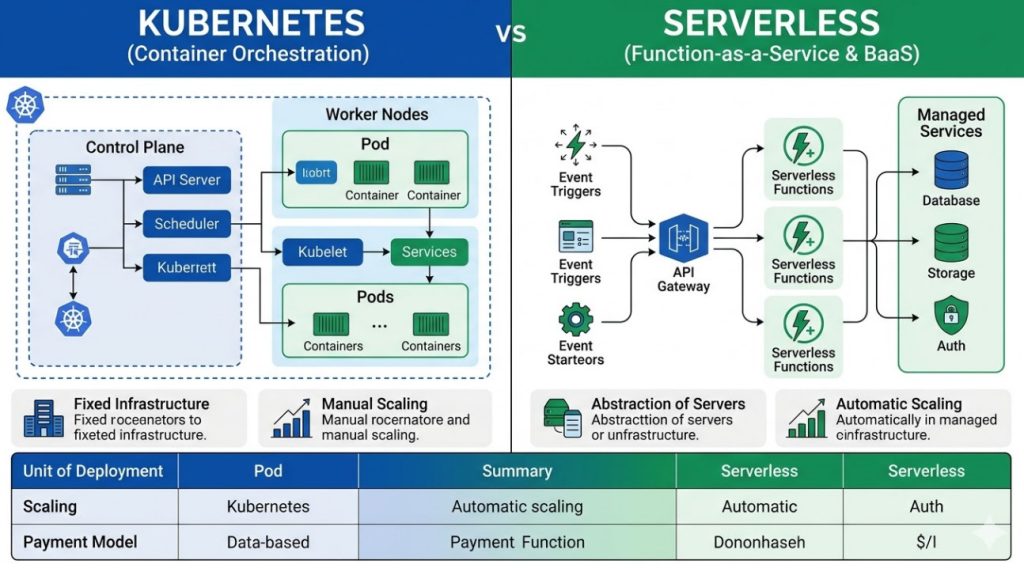
Serverless computing is an execution model where the cloud provider dynamically manages the allocation and provisioning of servers. You, as the developer, write and deploy your code, and the cloud provider handles all the underlying infrastructure concerns like scaling, patching, and maintenance. This model offers several compelling advantages:

  • No Server Management: Eliminate the operational overhead of provisioning, maintaining, and updating servers.
  • Automatic Scaling: Resources automatically scale up or down based on demand, ensuring your application handles traffic spikes without manual intervention.
  • Pay-per-Execution: You only pay for the compute time and resources your application consumes, leading to significant cost savings, especially for applications with intermittent usage.
  • High Availability: Serverless platforms are designed for high availability and fault tolerance, distributing your application across multiple availability zones.
  • Faster Time-to-Market: Developers can focus more on code and less on infrastructure, accelerating the deployment process.

While often associated with function-as-a-service (FaaS) platforms like AWS Lambda, the serverless paradigm extends to container-based services such as AWS Fargate or Google Cloud Run, which are excellent candidates for containerized Streamlit applications. Deploying Streamlit in a serverless manner allows your data applications to be highly available, scalable, and cost-efficient, adapting seamlessly to varying user loads.

Challenges in Traditional Streamlit Deployment

Even with Streamlit’s simplicity, traditional deployment can quickly become complex, hindering the benefits of rapid application development.

Manual Configuration Headaches

Deploying a Streamlit application typically involves setting up a server, installing Python, managing dependencies, configuring web servers (like Nginx or Gunicorn), and ensuring proper networking and security. This manual process is:

  • Time-Consuming: Each environment (development, staging, production) requires repetitive setup.
  • Prone to Errors: Human error can lead to misconfigurations, security vulnerabilities, or application downtime.
  • Inconsistent: Subtle differences between environments can cause the “it works on my machine” syndrome.

Lack of Reproducibility and Version Control

Without a defined process, infrastructure changes are often undocumented or managed through ad-hoc scripts. This leads to:

  • Configuration Drift: Environments diverge over time, making debugging and maintenance difficult.
  • Poor Auditability: It’s hard to track who made what infrastructure changes and why.
  • Difficulty in Rollbacks: Reverting to a previous, stable infrastructure state becomes a guessing game.

Scaling and Maintenance Overhead

Once deployed, managing the operational aspects of a Streamlit app on traditional servers adds further burden:

  • Scaling Challenges: Manually adding or removing server instances, configuring load balancers, and adjusting network settings to match demand is complex and slow.
  • Patching and Updates: Keeping operating systems, libraries, and security patches up-to-date requires constant attention.
  • Resource Utilization: Under-provisioning leads to performance issues, while over-provisioning wastes resources and money.

Terraform: The Infrastructure as Code Solution

This is where Infrastructure as Code (IaC) tools like Terraform become indispensable. Terraform addresses these deployment challenges head-on by enabling you to define your cloud infrastructure in a declarative language.

What is Terraform?

Terraform, developed by HashiCorp, is an open-source IaC tool that allows you to define and provision cloud and on-premise resources using human-readable configuration files. It supports a vast ecosystem of providers for various cloud platforms (AWS, Azure, GCP, etc.), SaaS offerings, and custom services.

  • Declarative Language: You describe the desired state of your infrastructure, and Terraform figures out how to achieve it.
  • Providers: Connect to various cloud services (e.g., aws, google, azurerm) to manage their resources.
  • Resources: Individual components of your infrastructure (e.g., a virtual machine, a database, a network).
  • State File: Terraform maintains a state file that maps your configuration to the real-world resources it manages. This allows it to understand what changes need to be made.

For more detailed information, refer to the Terraform Official Documentation.

Benefits for Serverless Streamlit Deployment

Leveraging Terraform for your serverless Streamlit deployment offers numerous advantages:

  • Automation and Consistency: Automate the provisioning of all necessary cloud resources, ensuring consistent deployments across environments.
  • Reproducibility: Infrastructure becomes code, meaning you can recreate your entire environment from scratch with a single command.
  • Version Control: Store your infrastructure definitions in a version control system (like Git), enabling change tracking, collaboration, and easy rollbacks.
  • Cost Optimization: Define resources precisely, avoid over-provisioning, and easily manage serverless resources that scale down to zero when not in use.
  • Security Best Practices: Embed security configurations directly into your code, ensuring compliance and reducing the risk of misconfigurations.
  • Reduced Manual Effort: Developers and DevOps teams spend less time on manual configuration and more time on value-added tasks.

Designing Your Serverless Streamlit Architecture with Terraform

A robust serverless architecture for Streamlit needs several components to ensure scalability, security, and accessibility. We’ll focus on AWS as a primary example, as its services like Fargate are well-suited for containerized applications.

Choosing a Serverless Platform for Streamlit

While AWS Lambda is a serverless function service, Streamlit applications typically require a persistent process and more memory than a standard Lambda function provides, making direct deployment challenging. Instead, container-based serverless options are preferred:

  • AWS Fargate (with ECS): A serverless compute engine for containers that works with Amazon Elastic Container Service (ECS). Fargate abstracts away the need to provision, configure, or scale clusters of virtual machines. You simply define your application’s resource requirements, and Fargate runs it. This is an excellent choice for Streamlit.
  • Google Cloud Run: A fully managed platform for running containerized applications. It automatically scales your container up and down, even to zero, based on traffic.
  • Azure Container Apps: A fully managed serverless container service that supports microservices and containerized applications.

For the remainder of this guide, we’ll use AWS Fargate as our target serverless environment due to its maturity and robust ecosystem, making it a powerful choice for a serverless Streamlit deployment.

Key Components for Deployment on AWS Fargate

A typical serverless Streamlit deployment on AWS using Fargate will involve:

  1. AWS ECR (Elastic Container Registry): A fully managed Docker container registry that makes it easy to store, manage, and deploy Docker images. Your Streamlit app’s Docker image will reside here.
  2. AWS ECS (Elastic Container Service): A highly scalable, high-performance container orchestration service that supports Docker containers. We’ll use it with Fargate launch type.
  3. AWS VPC (Virtual Private Cloud): Your isolated network in the AWS cloud, containing subnets, route tables, and network gateways.
  4. Security Groups: Act as virtual firewalls to control inbound and outbound traffic to your ECS tasks.
  5. Application Load Balancer (ALB): Distributes incoming application traffic across multiple targets, such as your ECS tasks. It also handles SSL termination and routing.
  6. AWS Route 53 (Optional): For managing your custom domain names and pointing them to your ALB.
  7. AWS Certificate Manager (ACM) (Optional): For provisioning SSL/TLS certificates for HTTPS.

Architecture Sketch:

User -> Route 53 (Optional) -> ALB -> VPC (Public/Private Subnets) -> Security Group -> ECS Fargate Task (Running Streamlit Container from ECR)

Step-by-Step: Accelerating Your Serverless Streamlit Deployment with Terraform on AWS

Let’s walk through the process of setting up your serverless Streamlit deployment using Terraform on AWS.

Prerequisites

  • An AWS Account with sufficient permissions.
  • AWS CLI installed and configured with your credentials.
  • Docker installed on your local machine.
  • Terraform installed on your local machine.

Step 1: Streamlit Application Containerization

First, you need to containerize your Streamlit application using Docker. Create a simple Streamlit app (e.g., app.py) and a Dockerfile in your project root.

app.py:


import streamlit as st

st.set_page_config(page_title="My Serverless Streamlit App")
st.title("Hello from Serverless Streamlit!")
st.write("This application is deployed on AWS Fargate using Terraform.")

name = st.text_input("What's your name?")
if name:
    st.write(f"Nice to meet you, {name}!")

st.sidebar.header("About")
st.sidebar.info("This is a simple demo app.")

requirements.txt:


streamlit==1.x.x # Use a specific version

Dockerfile:


# Use an official Python runtime as a parent image
FROM python:3.9-slim-buster

# Set the working directory in the container
WORKDIR /app

# Copy the current directory contents into the container at /app
COPY requirements.txt ./
COPY app.py ./

# Install any needed packages specified in requirements.txt
RUN pip install --no-cache-dir -r requirements.txt

# Make port 8501 available to the world outside this container
EXPOSE 8501

# Run app.py when the container launches
ENTRYPOINT ["streamlit", "run", "app.py", "--server.port=8501", "--server.enableCORS=false", "--server.enableXsrfProtection=false"]

Note: --server.enableCORS=false and --server.enableXsrfProtection=false are often needed when Streamlit is behind a load balancer to prevent connection issues. Adjust as per your security requirements.

Step 2: Initialize Terraform Project

Create a directory for your Terraform configuration (e.g., terraform-streamlit). Inside this directory, create the following files:

  • main.tf: Defines AWS resources.
  • variables.tf: Declares input variables.
  • outputs.tf: Specifies output values.

main.tf (initial provider configuration):


variable "region" {
description = "AWS region"
type = string
default = "us-east-1" # Or your preferred region
}

variable "project_name" {
description = "Name of the project for resource tagging"
type = string
default = "streamlit-fargate-app"
}

variable "vpc_cidr_block" {
description = "CIDR block for the VPC"
type = string
default = "10.0.0.0/16"
}

variable "public_subnet_cidrs" {
description = "List of CIDR blocks for public subnets"
type = list(string)
default = ["10.0.1.0/24", "10.0.2.0/24"] # Adjust based on your region's AZs
}

variable "container_port" {
description = "Port on which the Streamlit container listens"
type = number
default = 8501
}


outputs.tf (initially empty, will be populated later):


/* No outputs defined yet */

Initialize your Terraform project:


terraform init

Step 3: Define AWS ECR Repository


Add the ECR repository definition to your main.tf. This is where your Docker image will be pushed.


resource "aws_ecr_repository" "streamlit_repo" {
name = "${var.project_name}-repo"
image_tag_mutability = "MUTABLE"

image_scanning_configuration {
scan_on_push = true
}

tags = {
Project = var.project_name
}
}

output "ecr_repository_url" {
description = "URL of the ECR repository"
value = aws_ecr_repository.streamlit_repo.repository_url
}

Step 4: Build and Push Docker Image


Before deploying with Terraform, you need to build your Docker image and push it to the ECR repository created in Step 3. You’ll need the ECR repository URL from Terraform’s output.


# After `terraform apply`, get the ECR URL:
terraform output ecr_repository_url

# Example shell commands (replace with your ECR URL and desired tag):
# Login to ECR
aws ecr get-login-password --region us-east-1 | docker login --username AWS --password-stdin .dkr.ecr.us-east-1.amazonaws.com

# Build the Docker image
docker build -t ${var.project_name} .

# Tag the image
docker tag ${var.project_name}:latest .dkr.ecr.us-east-1.amazonaws.com/${var.project_name}-repo:latest

# Push the image to ECR
docker push .dkr.ecr.us-east-1.amazonaws.com/${var.project_name}-repo:latest

Step 5: Provision AWS ECS Cluster and Fargate Service


This is the core of your serverless Streamlit deployment. We’ll define the VPC, subnets, security groups, ECS cluster, task definition, and service, along with an Application Load Balancer.


Continue adding to your main.tf:


# --- Networking (VPC, Subnets, Internet Gateway) ---
resource "aws_vpc" "main" {
cidr_block = var.vpc_cidr_block
enable_dns_hostnames = true
enable_dns_support = true

tags = {
Name = "${var.project_name}-vpc"
Project = var.project_name
}
}

resource "aws_internet_gateway" "gw" {
vpc_id = aws_vpc.main.id

tags = {
Name = "${var.project_name}-igw"
Project = var.project_name
}
}

resource "aws_subnet" "public" {
count = length(var.public_subnet_cidrs)
vpc_id = aws_vpc.main.id
cidr_block = var.public_subnet_cidrs[count.index]
availability_zone = data.aws_availability_zones.available.names[count.index] # Dynamically get AZs
map_public_ip_on_launch = true # Fargate needs public IPs in public subnets for external connectivity

tags = {
Name = "${var.project_name}-public-subnet-${count.index}"
Project = var.project_name
}
}

data "aws_availability_zones" "available" {
state = "available"
}

resource "aws_route_table" "public" {
vpc_id = aws_vpc.main.id

route {
cidr_block = "0.0.0.0/0"
gateway_id = aws_internet_gateway.gw.id
}

tags = {
Name = "${var.project_name}-public-rt"
Project = var.project_name
}
}

resource "aws_route_table_association" "public" {
count = length(aws_subnet.public)
subnet_id = aws_subnet.public[count.index].id
route_table_id = aws_route_table.public.id
}

# --- Security Groups ---
resource "aws_security_group" "alb" {
vpc_id = aws_vpc.main.id
name = "${var.project_name}-alb-sg"
description = "Allow HTTP/HTTPS access to ALB"

ingress {
from_port = 80
to_port = 80
protocol = "tcp"
cidr_blocks = ["0.0.0.0/0"]
}

ingress {
from_port = 443
to_port = 443
protocol = "tcp"
cidr_blocks = ["0.0.0.0/0"]
}

egress {
from_port = 0
to_port = 0
protocol = "-1"
cidr_blocks = ["0.0.0.0/0"]
}

tags = {
Project = var.project_name
}
}

resource "aws_security_group" "ecs_task" {
vpc_id = aws_vpc.main.id
name = "${var.project_name}-ecs-task-sg"
description = "Allow inbound access from ALB to ECS tasks"

ingress {
from_port = var.container_port
to_port = var.container_port
protocol = "tcp"
security_groups = [aws_security_group.alb.id]
}

egress {
from_port = 0
to_port = 0
protocol = "-1"
cidr_blocks = ["0.0.0.0/0"]
}

tags = {
Project = var.project_name
}
}

# --- ECS Cluster ---
resource "aws_ecs_cluster" "streamlit_cluster" {
name = "${var.project_name}-cluster"

tags = {
Project = var.project_name
}
}

# --- IAM Roles for ECS Task Execution ---
resource "aws_iam_role" "ecs_task_execution_role" {
name = "${var.project_name}-ecs-task-execution-role"

assume_role_policy = jsonencode({
Version = "2012-10-17"
Statement = [
{
Action = "sts:AssumeRole"
Effect = "Allow"
Principal = {
Service = "ecs-tasks.amazonaws.com"
}
},
]
})

tags = {
Project = var.project_name
}
}

resource "aws_iam_role_policy_attachment" "ecs_task_execution_policy" {
role = aws_iam_role.ecs_task_execution_role.name
policy_arn = "arn:aws:iam::aws:policy/service-role/AmazonECSTaskExecutionRolePolicy"
}

# --- ECS Task Definition ---
resource "aws_ecs_task_definition" "streamlit_task" {
family = "${var.project_name}-task"
requires_compatibilities = ["FARGATE"]
network_mode = "awsvpc"
cpu = "256" # Adjust CPU and memory as needed for your app
memory = "512"
execution_role_arn = aws_iam_role.ecs_task_execution_role.arn

container_definitions = jsonencode([
{
name = var.project_name
image = "${aws_ecr_repository.streamlit_repo.repository_url}:latest" # Ensure image is pushed to ECR
cpu = 256
memory = 512
essential = true
portMappings = [
{
containerPort = var.container_port
hostPort = var.container_port
protocol = "tcp"
}
]
logConfiguration = {
logDriver = "awslogs"
options = {
"awslogs-group" = aws_cloudwatch_log_group.streamlit_log_group.name
"awslogs-region" = var.region
"awslogs-stream-prefix" = "ecs"
}
}
}
])

tags = {
Project = var.project_name
}
}

# --- CloudWatch Log Group for ECS Tasks ---
resource "aws_cloudwatch_log_group" "streamlit_log_group" {
name = "/ecs/${var.project_name}"
retention_in_days = 7 # Adjust log retention as needed

tags = {
Project = var.project_name
}
}

# --- Application Load Balancer (ALB) ---
resource "aws_lb" "streamlit_alb" {
name = "${var.project_name}-alb"
internal = false
load_balancer_type = "application"
security_groups = [aws_security_group.alb.id]
subnets = aws_subnet.public.*.id # Use all public subnets

tags = {
Project = var.project_name
}
}

resource "aws_lb_target_group" "streamlit_tg" {
name = "${var.project_name}-tg"
port = var.container_port
protocol = "HTTP"
vpc_id = aws_vpc.main.id
target_type = "ip" # Fargate uses ENIs (IPs) as targets

health_check {
path = "/" # Streamlit's default health check path
protocol = "HTTP"
matcher = "200-399"
interval = 30
timeout = 5
healthy_threshold = 2
unhealthy_threshold = 2
}

tags = {
Project = var.project_name
}
}

resource "aws_lb_listener" "http" {
load_balancer_arn = aws_lb.streamlit_alb.arn
port = 80
protocol = "HTTP"

default_action {
type = "forward"
target_group_arn = aws_lb_target_group.streamlit_tg.arn
}
}

# --- ECS Service ---
resource "aws_ecs_service" "streamlit_service" {
name = "${var.project_name}-service"
cluster = aws_ecs_cluster.streamlit_cluster.id
task_definition = aws_ecs_task_definition.streamlit_task.arn
desired_count = 1 # Start with 1 instance, can be scaled with auto-scaling

launch_type = "FARGATE"

network_configuration {
subnets = aws_subnet.public.*.id
security_groups = [aws_security_group.ecs_task.id]
assign_public_ip = true # Required for Fargate tasks in public subnets to reach ECR, etc.
}

load_balancer {
target_group_arn = aws_lb_target_group.streamlit_tg.arn
container_name = var.project_name
container_port = var.container_port
}

lifecycle {
ignore_changes = [desired_count] # Prevents Terraform from changing desired_count if auto-scaling is enabled later
}

tags = {
Project = var.project_name
}

depends_on = [
aws_lb_listener.http
]
}

# Output the ALB DNS name
output "streamlit_app_url" {
description = "The URL of the deployed Streamlit application"
value = aws_lb.streamlit_alb.dns_name
}

Remember to update variables.tf with required variables (like project_name, vpc_cidr_block, public_subnet_cidrs, container_port) if not already done. The outputs.tf will now have the streamlit_app_url.


Step 6: Deploy and Access


Navigate to your Terraform project directory and run the following commands:


# Review the plan to see what resources will be created
terraform plan

# Apply the changes to create the infrastructure
terraform apply --auto-approve

# Get the URL of your deployed Streamlit application
terraform output streamlit_app_url

Once terraform apply completes successfully, you will get an ALB DNS name. Paste this URL into your browser, and you should see your Streamlit application running!


Advanced Considerations


Custom Domains and HTTPS


For a production serverless Streamlit deployment, you’ll want a custom domain and HTTPS. This involves:


  • AWS Certificate Manager (ACM): Request and provision an SSL/TLS certificate.

  • AWS Route 53: Create a DNS A record (or CNAME) pointing your domain to the ALB.

  • ALB Listener: Add an HTTPS listener (port 443) to your ALB, attaching the ACM certificate and forwarding traffic to your target group.


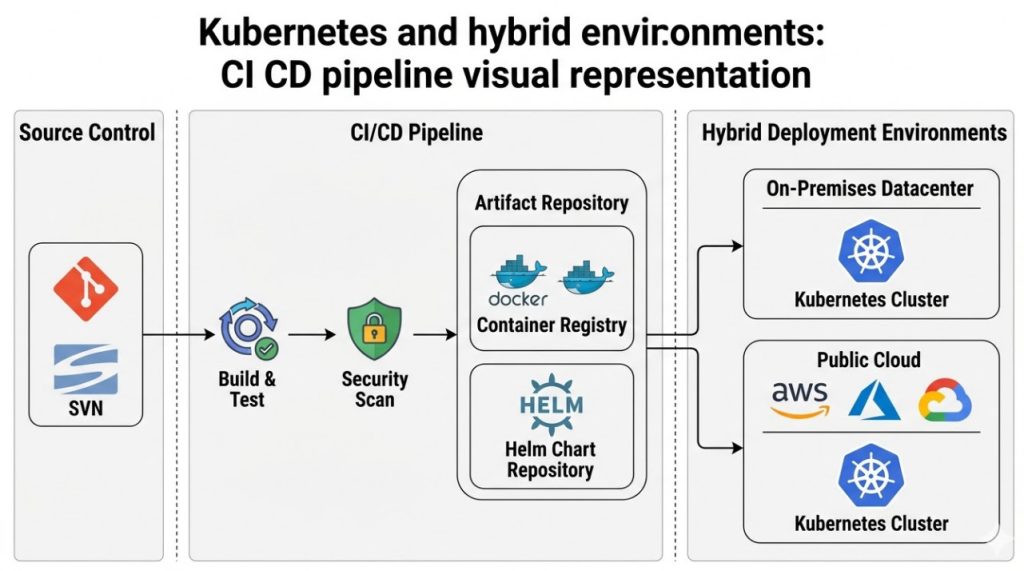
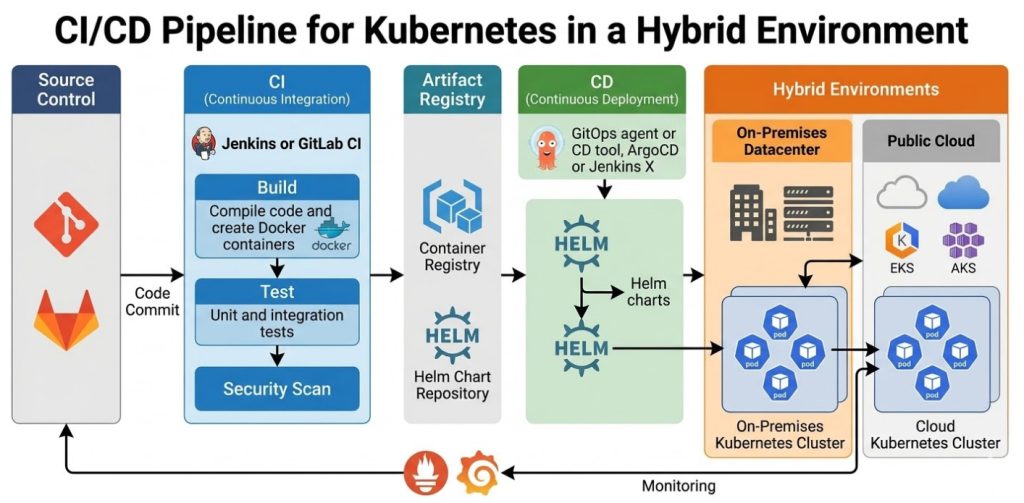
CI/CD Integration


Automate the build, push, and deployment process with CI/CD tools like GitHub Actions, GitLab CI, or AWS CodePipeline/CodeBuild. This ensures that every code change triggers an automated infrastructure update and application redeployment.


A typical CI/CD pipeline would:


  1. On code push to main branch:

  2. Build Docker image.

  3. Push image to ECR.

  4. Run terraform init, terraform plan, terraform apply to update the ECS service with the new image tag.


Logging and Monitoring


Ensure your ECS tasks are configured to send logs to AWS CloudWatch Logs (as shown in the task definition). You can then use CloudWatch Alarms and Dashboards for monitoring your application’s health and performance.


Terraform State Management


For collaborative projects and production environments, it’s crucial to store your Terraform state file remotely. Amazon S3 is a common choice for this, coupled with DynamoDB for state locking to prevent concurrent modifications.


Add this to your main.tf:


terraform {
backend "s3" {
bucket = "your-terraform-state-bucket" # Replace with your S3 bucket name
key = "streamlit-fargate/terraform.tfstate"
region = "us-east-1"
encrypt = true
dynamodb_table = "your-terraform-state-lock-table" # Replace with your DynamoDB table name
}
}

You would need to manually create the S3 bucket and DynamoDB table before initializing Terraform with this backend configuration.


Frequently Asked Questions


Q1: Why not use Streamlit Cloud for serverless deployment?


Streamlit Cloud offers the simplest way to deploy Streamlit apps, often with a few clicks or GitHub integration. It’s a fantastic option for quick prototypes, personal projects, and even some production use cases where its features meet your needs. However, using Terraform for a serverless Streamlit deployment on a cloud provider like AWS gives you:


  • Full control: Over the underlying infrastructure, networking, security, and resource allocation.

  • Customization: Ability to integrate with a broader AWS ecosystem (databases, queues, machine learning services) that might be specific to your architecture.

  • Cost Optimization: Fine-tuned control over resource sizing and auto-scaling rules can sometimes lead to more optimized costs for specific traffic patterns.

  • IaC Benefits: All the advantages of version-controlled, auditable, and repeatable infrastructure.


The choice depends on your project’s complexity, governance requirements, and existing cloud strategy.


Q2: Can I use this approach for other web frameworks or Python apps?


Absolutely! The approach demonstrated here for containerizing a Streamlit app and deploying it on AWS Fargate with Terraform is highly generic. Any web application or Python service that can be containerized with Docker can leverage this identical pattern for a scalable, serverless deployment. You would simply swap out the Streamlit specific code and port for your application’s requirements.


Q3: How do I handle stateful Streamlit apps in a serverless environment?


Serverless environments are inherently stateless. For Streamlit applications requiring persistence (e.g., storing user sessions, uploaded files, or complex model outputs), you must integrate with external state management services:


  • Databases: Use managed databases like AWS RDS (PostgreSQL, MySQL), DynamoDB, or ElastiCache (Redis) for session management or persistent data storage.

  • Object Storage: For file uploads or large data blobs, AWS S3 is an excellent choice.

  • External Cache: Use Redis (via AWS ElastiCache) for caching intermediate results or session data.


Terraform can be used to provision and configure these external state services alongside your Streamlit deployment.


Q4: What are the cost implications of Streamlit on AWS Fargate?


AWS Fargate is a pay-per-use service, meaning you are billed for the amount of vCPU and memory resources consumed by your application while it’s running. Costs are generally competitive, especially for applications with variable or intermittent traffic, as Fargate scales down when not in use. Factors influencing cost include:


  • CPU and Memory: The amount of resources allocated to each task.

  • Number of Tasks: How many instances of your Streamlit app are running.

  • Data Transfer: Ingress and egress data transfer costs.

  • Other AWS Services: Costs for ALB, ECR, CloudWatch, etc.


Compared to running a dedicated EC2 instance 24/7, Fargate can be significantly more cost-effective if your application experiences idle periods. For very high, consistent traffic, dedicated EC2 instances might sometimes offer better price performance, but at the cost of operational overhead.


Q5: Is Terraform suitable for small Streamlit projects?


For a single, small Streamlit app that you just want to get online quickly and don’t foresee much growth or infrastructure complexity, the initial learning curve and setup time for Terraform might seem like overkill. In such cases, Streamlit Cloud or manual deployment to a simple VM could be faster. However, if you anticipate:


  • Future expansion or additional services.

  • Multiple environments (dev, staging, prod).

  • Collaboration with other developers.

  • The need for robust CI/CD pipelines.

  • Any form of compliance or auditing requirements.


Then, even for a “small” project, investing in Terraform from the start pays dividends in the long run by providing a solid foundation for scalable, maintainable, and cost-efficient infrastructure.


Conclusion


Deploying Streamlit applications in a scalable, reliable, and cost-effective manner is a common challenge for data practitioners and developers. By embracing the power of Infrastructure as Code with Terraform, you can significantly accelerate your serverless Streamlit deployment process, transforming a manual, error-prone endeavor into an automated, version-controlled pipeline.


This comprehensive guide has walked you through containerizing your Streamlit application, defining your AWS infrastructure using Terraform, and orchestrating its deployment on AWS Fargate. You now possess the knowledge to build a robust foundation for your data applications, ensuring they can handle varying loads, remain highly available, and adhere to modern DevOps principles. Embracing this automated approach will not only streamline your current projects but also empower you to manage increasingly complex cloud architectures with confidence and efficiency. Invest in IaC; it’s the future of cloud resource management.

Thank you for reading the DevopsRoles page!

The 15 Best Docker Monitoring Tools for 2025: A Comprehensive Guide

Docker has revolutionized how applications are built, shipped, and run, enabling unprecedented agility and efficiency through containerization. However, managing and understanding the performance of dynamic, ephemeral containers in a production environment presents unique challenges. Without proper visibility, resource bottlenecks, application errors, and security vulnerabilities can go unnoticed, leading to performance degradation, increased operational costs, and potential downtime. This is where robust Docker monitoring tools become indispensable.

As organizations increasingly adopt microservices architectures and container orchestration platforms like Kubernetes, the complexity of their infrastructure grows. Traditional monitoring solutions often fall short in these highly dynamic and distributed environments. Modern Docker monitoring tools are specifically designed to provide deep insights into container health, resource utilization, application performance, and log data, helping DevOps teams, developers, and system administrators ensure the smooth operation of their containerized applications.

In this in-depth guide, we will explore why Docker monitoring is critical, what key features to look for in a monitoring solution, and present the 15 best Docker monitoring tools available in 2025. Whether you’re looking for an open-source solution, a comprehensive enterprise platform, or a specialized tool, this article will help you make an informed decision to optimize your containerized infrastructure.

Why Docker Monitoring is Critical for Modern DevOps

In the fast-paced world of DevOps, where continuous integration and continuous delivery (CI/CD) are paramount, understanding the behavior of your Docker containers is non-negotiable. Here’s why robust Docker monitoring is essential:

  • Visibility into Ephemeral Environments: Docker containers are designed to be immutable and can be spun up and down rapidly. Traditional monitoring struggles with this transient nature. Docker monitoring tools provide real-time visibility into these short-lived components, ensuring no critical events are missed.
  • Performance Optimization: Identifying CPU, memory, disk I/O, and network bottlenecks at the container level is crucial for optimizing application performance. Monitoring allows you to pinpoint resource hogs and allocate resources more efficiently.
  • Proactive Issue Detection: By tracking key metrics and logs, monitoring tools can detect anomalies and potential issues before they impact end-users. Alerts and notifications enable teams to respond proactively to prevent outages.
  • Resource Efficiency: Over-provisioning resources for containers can lead to unnecessary costs, while under-provisioning can lead to performance problems. Monitoring helps right-size resources, leading to significant cost savings and improved efficiency.
  • Troubleshooting and Debugging: When issues arise, comprehensive monitoring provides the data needed for quick root cause analysis. Aggregated logs, traces, and metrics from multiple containers and services simplify the debugging process.
  • Security and Compliance: Monitoring container activity, network traffic, and access patterns can help detect security threats and ensure compliance with regulatory requirements.
  • Capacity Planning: Historical data collected by monitoring tools is invaluable for understanding trends, predicting future resource needs, and making informed decisions about infrastructure scaling.

Key Features to Look for in Docker Monitoring Tools

Selecting the right Docker monitoring solution requires careful consideration of various features tailored to the unique demands of containerized environments. Here are the essential capabilities to prioritize:

  • Container-Level Metrics: Deep visibility into CPU utilization, memory consumption, disk I/O, network traffic, and process statistics for individual containers and hosts.
  • Log Aggregation and Analysis: Centralized collection, parsing, indexing, and searching of logs from all Docker containers. This includes structured logging support and anomaly detection in log patterns.
  • Distributed Tracing: Ability to trace requests across multiple services and containers, providing an end-to-end view of transaction flows in microservices architectures.
  • Alerting and Notifications: Customizable alert rules based on specific thresholds or anomaly detection, with integration into communication channels like Slack, PagerDuty, email, etc.
  • Customizable Dashboards and Visualization: Intuitive and flexible dashboards to visualize metrics, logs, and traces in real-time, allowing for quick insights and correlation.
  • Integration with Orchestration Platforms: Seamless integration with Kubernetes, Docker Swarm, and other orchestrators for cluster-level monitoring and auto-discovery of services.
  • Application Performance Monitoring (APM): Capabilities to monitor application-specific metrics, identify code-level bottlenecks, and track user experience within containers.
  • Host and Infrastructure Monitoring: Beyond containers, the tool should ideally monitor the underlying host infrastructure (VMs, physical servers) to provide a complete picture.
  • Service Maps and Dependency Mapping: Automatic discovery and visualization of service dependencies, helping to understand the architecture and impact of changes.
  • Scalability and Performance: The ability to scale with your growing container infrastructure without introducing significant overhead or latency.
  • Security Monitoring: Detection of suspicious container activity, network breaches, or policy violations.
  • Cost-Effectiveness: A balance between features, performance, and pricing models (SaaS, open-source, hybrid) that aligns with your budget and operational needs.

The 15 Best Docker Monitoring Tools for 2025

Choosing the right set of Docker monitoring tools is crucial for maintaining the health and performance of your containerized applications. Here’s an in-depth look at the top contenders for 2025:

1. Datadog

Datadog is a leading SaaS-based monitoring and analytics platform that offers full-stack observability for cloud-scale applications. It provides comprehensive monitoring for Docker containers, Kubernetes, serverless functions, and traditional infrastructure, consolidating metrics, traces, and logs into a unified view.

  • Key Features:
    • Real-time container metrics and host-level resource utilization.
    • Advanced log management and analytics with powerful search.
    • Distributed tracing for microservices with APM.
    • Customizable dashboards and service maps for visualizing dependencies.
    • AI-powered anomaly detection and robust alerting.
    • Out-of-the-box integrations with Docker, Kubernetes, AWS, Azure, GCP, and hundreds of other technologies.
  • Pros:
    • Extremely comprehensive and unified platform for all observability needs.
    • Excellent user experience, intuitive dashboards, and easy setup.
    • Strong community support and continuous feature development.
    • Scales well for large and complex environments.
  • Cons:
    • Can become expensive for high data volumes, especially logs and traces.
    • Feature richness can have a steep learning curve for new users.

External Link: Datadog Official Site

2. Prometheus & Grafana

Prometheus is a powerful open-source monitoring system that collects metrics from configured targets at given intervals, evaluates rule expressions, displays the results, and can trigger alerts. Grafana is an open-source data visualization and analytics tool that allows you to query, visualize, alert on, and explore metrics, logs, and traces from various sources, making it a perfect companion for Prometheus.

  • Key Features (Prometheus):
    • Multi-dimensional data model with time series data identified by metric name and key/value pairs.
    • Flexible query language (PromQL) for complex data analysis.
    • Service discovery for dynamic environments like Docker and Kubernetes.
    • Built-in alerting manager.
  • Key Features (Grafana):
    • Rich and interactive dashboards.
    • Support for multiple data sources (Prometheus, Elasticsearch, Loki, InfluxDB, etc.).
    • Alerting capabilities integrated with various notification channels.
    • Templating and variables for dynamic dashboards.
  • Pros:
    • Open-source and free, highly cost-effective for budget-conscious teams.
    • Extremely powerful and flexible for custom metric collection and visualization.
    • Large and active community support.
    • Excellent for self-hosting and full control over your monitoring stack.
  • Cons:
    • Requires significant effort to set up, configure, and maintain.
    • Limited long-term storage capabilities without external integrations.
    • No built-in logging or tracing (requires additional tools like Loki or Jaeger).

3. cAdvisor (Container Advisor)

cAdvisor is an open-source tool from Google that provides container users with an understanding of the resource usage and performance characteristics of their running containers. It collects, aggregates, processes, and exports information about running containers, exposing a web interface for basic visualization and a raw data endpoint.

  • Key Features:
    • Collects CPU, memory, network, and file system usage statistics.
    • Provides historical resource usage information.
    • Supports Docker containers natively.
    • Lightweight and easy to deploy.
  • Pros:
    • Free and open-source.
    • Excellent for basic, localized container monitoring on a single host.
    • Easy to integrate with Prometheus for metric collection.
  • Cons:
    • Lacks advanced features like log aggregation, tracing, or robust alerting.
    • Not designed for large-scale, distributed environments.
    • User interface is basic compared to full-fledged monitoring solutions.

4. New Relic

New Relic is another full-stack observability platform offering deep insights into application and infrastructure performance, including extensive support for Docker and Kubernetes. It combines APM, infrastructure monitoring, logs, browser, mobile, and synthetic monitoring into a single solution.

  • Key Features:
    • Comprehensive APM for applications running in Docker containers.
    • Detailed infrastructure monitoring for hosts and containers.
    • Full-stack distributed tracing and service maps.
    • Centralized log management and analytics.
    • AI-powered proactive anomaly detection and intelligent alerting.
    • Native integration with Docker and Kubernetes.
  • Pros:
    • Provides a holistic view of application health and performance.
    • Strong APM capabilities for identifying code-level issues.
    • User-friendly interface and powerful visualization tools.
    • Good for large enterprises requiring end-to-end visibility.
  • Cons:
    • Can be costly, especially with high data ingest volumes.
    • May have a learning curve due to the breadth of features.

External Link: New Relic Official Site

5. Sysdig Monitor

Sysdig Monitor is a container-native visibility platform that provides deep insights into the performance, health, and security of containerized applications and infrastructure. It’s built specifically for dynamic cloud-native environments and offers granular visibility at the process, container, and host level.

  • Key Features:
    • Deep container visibility with granular metrics.
    • Prometheus-compatible monitoring and custom metric collection.
    • Container-aware logging and auditing capabilities.
    • Interactive service maps and topology views.
    • Integrated security and forensics (Sysdig Secure).
    • Powerful alerting and troubleshooting features.
  • Pros:
    • Excellent for container-specific monitoring and security.
    • Provides unparalleled depth of visibility into container activity.
    • Strong focus on security and compliance in container environments.
    • Good for organizations prioritizing container security alongside performance.
  • Cons:
    • Can be more expensive than some other solutions.
    • Steeper learning curve for some advanced features.

6. Dynatrace

Dynatrace is an AI-powered, full-stack observability platform that provides automatic and intelligent monitoring for modern cloud environments, including Docker and Kubernetes. Its OneAgent technology automatically discovers, maps, and monitors all components of your application stack.

  • Key Features:
    • Automatic discovery and mapping of all services and dependencies.
    • AI-driven root cause analysis with Davis AI.
    • Full-stack monitoring: APM, infrastructure, logs, digital experience.
    • Code-level visibility for applications within containers.
    • Real-time container and host performance metrics.
    • Extensive Kubernetes and Docker support.
  • Pros:
    • Highly automated setup and intelligent problem detection.
    • Provides deep, code-level insights without manual configuration.
    • Excellent for complex, dynamic cloud-native environments.
    • Reduces mean time to resolution (MTTR) significantly.
  • Cons:
    • One of the more expensive enterprise solutions.
    • Resource footprint of the OneAgent might be a consideration for very small containers.

7. AppDynamics

AppDynamics, a Cisco company, is an enterprise-grade APM solution that extends its capabilities to Docker container monitoring. It provides deep visibility into application performance, user experience, and business transactions, linking them directly to the underlying infrastructure, including containers.

  • Key Features:
    • Business transaction monitoring across containerized services.
    • Code-level visibility into applications running in Docker.
    • Infrastructure visibility for Docker hosts and containers.
    • Automatic baselining and anomaly detection.
    • End-user experience monitoring.
    • Scalable for large enterprise deployments.
  • Pros:
    • Strong focus on business context and transaction tracing.
    • Excellent for large enterprises with complex application landscapes.
    • Helps connect IT performance directly to business outcomes.
    • Robust reporting and analytics features.
  • Cons:
    • High cost, typically suited for larger organizations.
    • Can be resource-intensive for agents.
    • Setup and configuration might be more complex than lightweight tools.

8. Elastic Stack (ELK – Elasticsearch, Logstash, Kibana)

The Elastic Stack, comprising Elasticsearch (search and analytics engine), Logstash (data collection and processing pipeline), and Kibana (data visualization), is a popular open-source solution for log management and analytics. It’s widely used for collecting, processing, storing, and visualizing Docker container logs.

  • Key Features:
    • Centralized log aggregation from Docker containers (via Filebeat or Logstash).
    • Powerful search and analytics capabilities with Elasticsearch.
    • Rich visualization and customizable dashboards with Kibana.
    • Can also collect metrics (via Metricbeat) and traces (via Elastic APM).
    • Scalable for large volumes of log data.
  • Pros:
    • Highly flexible and customizable for log management.
    • Open-source components offer cost savings.
    • Large community and extensive documentation.
    • Can be extended to full-stack observability with other Elastic components.
  • Cons:
    • Requires significant effort to set up, manage, and optimize the stack.
    • Steep learning curve for new users, especially for performance tuning.
    • Resource-intensive, particularly Elasticsearch.
    • No built-in distributed tracing without Elastic APM.

9. Splunk

Splunk is an enterprise-grade platform for operational intelligence, primarily known for its powerful log management and security information and event management (SIEM) capabilities. It can effectively ingest, index, and analyze data from Docker containers, hosts, and applications to provide real-time insights.

  • Key Features:
    • Massive-scale log aggregation, indexing, and search.
    • Real-time data correlation and anomaly detection.
    • Customizable dashboards and powerful reporting.
    • Can monitor Docker daemon logs, container logs, and host metrics.
    • Integrates with various data sources and offers a rich app ecosystem.
  • Pros:
    • Industry-leading for log analysis and operational intelligence.
    • Extremely powerful search language (SPL).
    • Excellent for security monitoring and compliance.
    • Scalable for petabytes of data.
  • Cons:
    • Very expensive, pricing based on data ingest volume.
    • Can be complex to configure and optimize.
    • More focused on logs and events rather than deep APM or tracing natively.

10. LogicMonitor

LogicMonitor is a SaaS-based performance monitoring platform for hybrid IT infrastructures, including extensive support for Docker, Kubernetes, and cloud environments. It provides automated discovery, comprehensive metric collection, and intelligent alerting across your entire stack.

  • Key Features:
    • Automated discovery and monitoring of Docker containers, hosts, and services.
    • Pre-built monitoring templates for Docker and associated technologies.
    • Comprehensive metrics (CPU, memory, disk, network, processes).
    • Intelligent alerting with dynamic thresholds and root cause analysis.
    • Customizable dashboards and reporting.
    • Monitors hybrid cloud and on-premises environments from a single platform.
  • Pros:
    • Easy to deploy and configure with automated discovery.
    • Provides a unified view for complex hybrid environments.
    • Strong alerting capabilities with reduced alert fatigue.
    • Good support for a wide range of technologies out-of-the-box.
  • Cons:
    • Can be more expensive than open-source or some smaller SaaS tools.
    • May lack the deep, code-level APM of specialized tools like Dynatrace.

11. Sematext

Sematext provides a suite of monitoring and logging products, including Sematext Monitoring (for infrastructure and APM) and Sematext Logs (for centralized log management). It offers comprehensive monitoring for Docker, Kubernetes, and microservices environments, focusing on ease of use and full-stack visibility.

  • Key Features:
    • Full-stack visibility for Docker containers, hosts, and applications.
    • Real-time container metrics, events, and logs.
    • Distributed tracing with Sematext Experience.
    • Anomaly detection and powerful alerting.
    • Pre-built dashboards and customizable views.
    • Support for Prometheus metric ingestion.
  • Pros:
    • Offers a good balance of features across logs, metrics, and traces.
    • Relatively easy to set up and use.
    • Cost-effective compared to some enterprise alternatives, with flexible pricing.
    • Good for small to medium-sized teams seeking full-stack observability.
  • Cons:
    • User interface can sometimes feel less polished than market leaders.
    • May not scale as massively as solutions like Splunk for petabyte-scale data.

12. Instana

Instana, an IBM company, is an automated enterprise observability platform designed for modern cloud-native applications and microservices. It automatically discovers, maps, and monitors all services and infrastructure components, providing real-time distributed tracing and AI-powered root cause analysis for Docker and Kubernetes environments.

  • Key Features:
    • Fully automated discovery and dependency mapping.
    • Real-time distributed tracing for every request.
    • AI-powered root cause analysis and contextual alerting.
    • Comprehensive metrics for Docker containers, Kubernetes, and underlying hosts.
    • Code-level visibility and APM.
    • Agent-based with minimal configuration.
  • Pros:
    • True automated observability with zero-config setup.
    • Exceptional for complex microservices architectures.
    • Provides immediate, actionable insights into problems.
    • Significantly reduces operational overhead and MTTR.
  • Cons:
    • Premium pricing reflecting its advanced automation and capabilities.
    • May be overkill for very simple container setups.

13. Site24x7

Site24x7 is an all-in-one monitoring solution from Zoho that covers websites, servers, networks, applications, and cloud resources. It offers extensive monitoring capabilities for Docker containers, providing insights into their performance and health alongside the rest of your IT infrastructure.

  • Key Features:
    • Docker container monitoring with key metrics (CPU, memory, network, disk I/O).
    • Docker host monitoring.
    • Automated discovery of containers and applications within them.
    • Log management for Docker containers.
    • Customizable dashboards and reporting.
    • Integrated alerting with various notification channels.
    • Unified monitoring for hybrid cloud environments.
  • Pros:
    • Comprehensive all-in-one platform for diverse monitoring needs.
    • Relatively easy to set up and use.
    • Cost-effective for businesses looking for a single monitoring vendor.
    • Good for monitoring entire IT stack, not just Docker.
  • Cons:
    • May not offer the same depth of container-native features as specialized tools.
    • UI can sometimes feel a bit cluttered due to the breadth of features.

14. Netdata

Netdata is an open-source, real-time performance monitoring solution that provides high-resolution metrics for systems, applications, and containers. It’s designed to be installed on every system (or container) you want to monitor, providing instant visualization and anomaly detection without requiring complex setup.

  • Key Features:
    • Real-time, per-second metric collection for Docker containers and hosts.
    • Interactive, zero-configuration dashboards.
    • Thousands of metrics collected out-of-the-box.
    • Anomaly detection and customizable alerts.
    • Low resource footprint.
    • Distributed monitoring capabilities with Netdata Cloud.
  • Pros:
    • Free and open-source with optional cloud services.
    • Incredibly easy to install and get started, providing instant insights.
    • Excellent for real-time troubleshooting and granular performance analysis.
    • Very low overhead, suitable for edge devices and resource-constrained environments.
  • Cons:
    • Designed for real-time, local monitoring; long-term historical storage requires external integration.
    • Lacks integrated log management and distributed tracing features.
    • Scalability for thousands of nodes might require careful planning and integration with other tools.

15. Prometheus + Grafana with Blackbox Exporter and Pushgateway

While Prometheus and Grafana were discussed earlier, this specific combination highlights their extended capabilities. Integrating the Blackbox Exporter allows for external service monitoring (e.g., checking if an HTTP endpoint inside a container is reachable and responsive), while Pushgateway enables short-lived jobs to expose metrics to Prometheus. This enhances the monitoring scope beyond basic internal metrics.

  • Key Features:
    • External endpoint monitoring (HTTP, HTTPS, TCP, ICMP) for containerized applications.
    • Metrics collection from ephemeral and batch jobs that don’t expose HTTP endpoints.
    • Comprehensive time-series data storage and querying.
    • Flexible dashboarding and visualization via Grafana.
    • Highly customizable alerting.
  • Pros:
    • Extends Prometheus’s pull-based model for broader monitoring scenarios.
    • Increases the observability of short-lived and externally exposed services.
    • Still entirely open-source and highly configurable.
    • Excellent for specific use cases where traditional Prometheus pull isn’t sufficient.
  • Cons:
    • Adds complexity to the Prometheus setup and maintenance.
    • Requires careful management of the Pushgateway for cleanup and data freshness.
    • Still requires additional components for logs and traces.

External Link: Prometheus Official Site

Frequently Asked Questions

What is Docker monitoring and why is it important?

Docker monitoring is the process of collecting, analyzing, and visualizing data (metrics, logs, traces) from Docker containers, hosts, and the applications running within them. It’s crucial for understanding container health, performance, resource utilization, and application behavior in dynamic, containerized environments, helping to prevent outages, optimize resources, and troubleshoot issues quickly.

What’s the difference between open-source and commercial Docker monitoring tools?

Open-source tools like Prometheus, Grafana, and cAdvisor are free to use and offer high flexibility and community support, but often require significant effort for setup, configuration, and maintenance. Commercial tools (e.g., Datadog, New Relic, Dynatrace) are typically SaaS-based, offer out-of-the-box comprehensive features, automated setup, dedicated support, and advanced AI-powered capabilities, but come with a recurring cost.

Can I monitor Docker containers with existing infrastructure monitoring tools?

While some traditional infrastructure monitoring tools might provide basic host-level metrics, they often lack the granular, container-aware insights needed for effective Docker monitoring. They may struggle with the ephemeral nature of containers, dynamic service discovery, and the specific metrics (like container-level CPU/memory limits and usage) that modern container monitoring tools provide. Specialized tools offer deeper integration with Docker and orchestrators like Kubernetes.

How do I choose the best Docker monitoring tool for my organization?

Consider your organization’s specific needs, budget, and existing infrastructure. Evaluate tools based on:

  1. Features: Do you need logs, metrics, traces, APM, security?
  2. Scalability: How many containers/hosts do you need to monitor now and in the future?
  3. Ease of Use: How much time and expertise can you dedicate to setup and maintenance?
  4. Integration: Does it integrate with your existing tech stack (Kubernetes, cloud providers, CI/CD)?
  5. Cost: Compare pricing models (open-source effort vs. SaaS subscription).
  6. Support: Is community or vendor support crucial for your team?

For small setups, open-source options are great. For complex, enterprise-grade needs, comprehensive SaaS platforms are often preferred.

Conclusion

The proliferation of Docker and containerization has undeniably transformed the landscape of software development and deployment. However, the benefits of agility and scalability come with the inherent complexity of managing highly dynamic, distributed environments. Robust Docker monitoring tools are no longer a luxury but a fundamental necessity for any organization leveraging containers in production.

The tools discussed in this guide – ranging from versatile open-source solutions like Prometheus and Grafana to comprehensive enterprise platforms like Datadog and Dynatrace – offer a spectrum of capabilities to address diverse monitoring needs. Whether you prioritize deep APM, granular log analysis, real-time metrics, or automated full-stack observability, there’s a tool tailored for your specific requirements.

Ultimately, the “best” Docker monitoring tool is one that aligns perfectly with your team’s expertise, budget, infrastructure complexity, and specific observability goals. We encourage you to evaluate several options, perhaps starting with a proof of concept, to determine which solution provides the most actionable insights and helps you maintain the health, performance, and security of your containerized applications efficiently. Thank you for reading the DevopsRoles page!
Mastering AWS Service Catalog with Terraform Cloud for Robust Cloud Governance

In today’s dynamic cloud landscape, organizations are constantly seeking ways to accelerate innovation while maintaining stringent governance, compliance, and cost control. As enterprises scale their adoption of AWS, the challenge of standardizing infrastructure provisioning, ensuring adherence to best practices, and empowering development teams with self-service capabilities becomes increasingly complex. This is where the synergy between AWS Service Catalog and Terraform Cloud shines, offering a powerful solution to streamline cloud resource deployment and enforce organizational policies.

This in-depth guide will explore how to master AWS Service Catalog integration with Terraform Cloud, providing you with the knowledge and practical steps to build a robust, governed, and automated cloud provisioning framework. We’ll delve into the core concepts, demonstrate practical implementation with code examples, and uncover advanced strategies to elevate your cloud infrastructure management.

Table of Contents

Understanding AWS Service Catalog: The Foundation of Governed Self-Service

What is AWS Service Catalog?

AWS Service Catalog is a service that allows organizations to create and manage catalogs of IT services that are approved for use on AWS. These IT services can include everything from virtual machine images, servers, software, databases, and complete multi-tier application architectures. Service Catalog helps organizations achieve centralized governance and ensure compliance with corporate standards while enabling users to quickly deploy only the pre-approved IT services they need.

The primary problems AWS Service Catalog solves include:

  • Governance: Ensures that only approved AWS resources and architectures are provisioned.
  • Compliance: Helps meet regulatory and security requirements by enforcing specific configurations.
  • Self-Service: Empowers end-users (developers, data scientists) to provision resources without direct intervention from central IT.
  • Standardization: Promotes consistency in deployments across teams and projects.
  • Cost Control: Prevents the provisioning of unapproved, potentially costly resources.

Key Components of AWS Service Catalog

To effectively utilize AWS Service Catalog, it’s crucial to understand its core components:

  • Products: A product is an IT service that you want to make available to end-users. It can be a single EC2 instance, a configured RDS database, or a complex application stack. Products are defined by a template, typically an AWS CloudFormation template, but crucially for this article, they can also be defined by Terraform configurations.
  • Portfolios: A portfolio is a collection of products. It allows you to organize products, control access to them, and apply constraints to ensure proper usage. For example, you might have separate portfolios for “Development,” “Production,” or “Data Science” teams.
  • Constraints: Constraints define how end-users can deploy a product. They can be of several types:
    • Launch Constraints: Specify an IAM role that AWS Service Catalog assumes to launch the product. This decouples the end-user’s permissions from the permissions required to provision the resources, enabling least privilege.
    • Template Constraints: Apply additional rules or modifications to the underlying template during provisioning, ensuring compliance (e.g., specific instance types allowed).
    • TagOption Constraints: Automate the application of tags to provisioned resources, aiding in cost allocation and resource management.
  • Provisioned Products: An instance of a product that an end-user has launched.

Introduction to Terraform Cloud

What is Terraform Cloud?

Terraform Cloud is a managed service offered by HashiCorp that provides a collaborative platform for infrastructure as code (IaC) using Terraform. While open-source Terraform excels at provisioning and managing infrastructure, Terraform Cloud extends its capabilities with a suite of features designed for team collaboration, governance, and automation in production environments.

Key features of Terraform Cloud include:

  • Remote State Management: Securely stores and manages Terraform state files, preventing concurrency issues and accidental deletions.
  • Remote Operations: Executes Terraform runs remotely, reducing the need for local installations and ensuring consistent environments.
  • Version Control System (VCS) Integration: Automatically triggers Terraform runs on code changes in integrated VCS repositories (GitHub, GitLab, Bitbucket, Azure DevOps).
  • Team & Governance Features: Provides role-based access control (RBAC), policy as code (Sentinel), and cost estimation tools.
  • Private Module Registry: Allows organizations to share and reuse Terraform modules internally.
  • API-Driven Workflow: Enables programmatic interaction and integration with CI/CD pipelines.

Why Terraform for AWS Service Catalog?

Traditionally, AWS Service Catalog relied heavily on CloudFormation templates for defining products. While CloudFormation is powerful, Terraform offers several advantages that make it an excellent choice for defining AWS Service Catalog products, especially for organizations already invested in the Terraform ecosystem:

  • Multi-Cloud/Hybrid Cloud Consistency: Terraform’s provider model supports various cloud providers, allowing a consistent IaC approach across different environments if needed.
  • Mature Ecosystem: A vast community, rich module ecosystem, and strong tooling support.
  • Declarative and Idempotent: Ensures that your infrastructure configuration matches the desired state, making deployments predictable.
  • State Management: Terraform’s state file precisely maps real-world resources to your configuration.
  • Advanced Resource Management: Offers powerful features like `count`, `for_each`, and data sources that can simplify complex configurations.

Using Terraform Cloud further enhances this by providing a centralized, secure, and collaborative environment to manage these Terraform-defined Service Catalog products.

The Synergistic Benefits: AWS Service Catalog and Terraform Cloud

Combining AWS Service Catalog with Terraform Cloud creates a powerful synergy that addresses many challenges in modern cloud infrastructure management:

Enhanced Governance and Compliance

  • Policy as Code (Sentinel): Terraform Cloud’s Sentinel policies can enforce pre-provisioning checks, ensuring that proposed infrastructure changes comply with organizational security, cost, and operational standards before they are even submitted to Service Catalog.
  • Launch Constraints: Service Catalog’s launch constraints ensure that products are provisioned with specific, high-privileged IAM roles, while end-users only need permission to launch the product, adhering to the principle of least privilege.
  • Standardized Modules: Using private Terraform modules in Terraform Cloud ensures that all Service Catalog products are built upon approved, audited, and version-controlled infrastructure patterns.

Standardized Provisioning and Self-Service

  • Consistent Deployments: Terraform’s declarative nature, managed by Terraform Cloud, ensures that every time a user provisions a product, it’s deployed consistently according to the defined template.
  • Developer Empowerment: Developers and other end-users can provision their required infrastructure through a user-friendly Service Catalog interface, without needing deep AWS or Terraform expertise.
  • Version Control: Terraform Cloud’s VCS integration means that all infrastructure definitions are versioned, auditable, and easily revertible.

Accelerated Deployment and Reduced Operational Overhead

  • Automation: Automated Terraform runs via Terraform Cloud eliminate manual steps, speeding up the provisioning process.
  • Reduced Rework: Standardized products reduce the need for central IT to manually configure resources for individual teams.
  • Auditing and Transparency: Terraform Cloud provides detailed logs of all runs, and AWS Service Catalog tracks who launched which product, offering complete transparency.

Prerequisites and Setup

Before diving into implementation, ensure you have the following:

AWS Account Configuration

  • An active AWS account with administrative access for initial setup.
  • An IAM user or role with permissions to create and manage AWS Service Catalog resources (servicecatalog:*), IAM roles, S3 buckets, and any other resources your products will provision. It’s recommended to follow the principle of least privilege.

Terraform Cloud Workspace Setup

  • A Terraform Cloud account. You can sign up for a free tier.
  • An organization within Terraform Cloud.
  • A new workspace for your Service Catalog products. Connect this workspace to a VCS repository (e.g., GitHub) where your Terraform configurations will reside.
  • Configure AWS credentials in your Terraform Cloud workspace. This can be done via environment variables (e.g., AWS_ACCESS_KEY_ID, AWS_SECRET_ACCESS_KEY, AWS_SESSION_TOKEN) or by using AWS assumed roles directly within Terraform Cloud.

Example of setting environment variables in Terraform Cloud workspace:

  • Go to your workspace settings.
  • Navigate to “Environment Variables”.
  • Add AWS_ACCESS_KEY_ID and AWS_SECRET_ACCESS_KEY as sensitive variables.
  • Optionally, add AWS_REGION.

IAM Permissions for Service Catalog

You’ll need specific IAM permissions:

  1. For the Terraform User/Role: Permissions to create/manage Service Catalog resources, IAM roles, and the resources provisioned by your products.
  2. For the Service Catalog Launch Role: This is an IAM role that AWS Service Catalog assumes to provision resources. It needs permissions to create all resources defined in your product’s Terraform configuration. This role will be specified in the “Launch Constraint” for your portfolio.
  3. For the End-User: Permissions to access and provision products from the Service Catalog UI. Typically, this involves servicecatalog:List*, servicecatalog:Describe*, and servicecatalog:ProvisionProduct.

Step-by-Step Implementation: Creating a Simple Product

Let’s walk through creating a simple S3 bucket product in AWS Service Catalog using Terraform Cloud. This will involve defining the S3 bucket in Terraform, packaging it as a Service Catalog product, and making it available through a portfolio.

Defining the Product in Terraform (Example: S3 Bucket)

First, we’ll create a reusable Terraform module for our S3 bucket. This module will be the “product” that users can provision.

Terraform Module for S3 Bucket

Create a directory structure like this in your VCS repository:


my-service-catalog-products/
├── s3-bucket-product/
│   ├── main.tf
│   ├── variables.tf
│   └── outputs.tf
└── main.tf
└── versions.tf

my-service-catalog-products/s3-bucket-product/main.tf:


resource "aws_s3_bucket" "this" {
  bucket = var.bucket_name
  acl    = var.acl

  tags = merge(
    var.tags,
    {
      "ManagedBy" = "ServiceCatalog"
      "Product"   = "S3Bucket"
    }
  )
}

resource "aws_s3_bucket_public_access_block" "this" {
  bucket                  = aws_s3_bucket.this.id
  block_public_acls       = true
  block_public_policy     = true
  ignore_public_acls      = true
  restrict_public_buckets = true
}

output "bucket_id" {
  description = "The name of the S3 bucket."
  value       = aws_s3_bucket.this.id
}

output "bucket_arn" {
  description = "The ARN of the S3 bucket."
  value       = aws_s3_bucket.this.arn
}

my-service-catalog-products/s3-bucket-product/variables.tf:


variable "bucket_name" {
  description = "Desired name of the S3 bucket."
  type        = string
}

variable "acl" {
  description = "Canned ACL to apply to the S3 bucket. Private is recommended."
  type        = string
  default     = "private"
  validation {
    condition     = contains(["private", "public-read", "public-read-write", "aws-exec-read", "authenticated-read", "bucket-owner-read", "bucket-owner-full-control", "log-delivery-write"], var.acl)
    error_message = "Invalid ACL provided. Must be one of the AWS S3 canned ACLs."
  }
}

variable "tags" {
  description = "A map of tags to assign to the bucket."
  type        = map(string)
  default     = {}
}

Now, we need a root Terraform configuration that will define the Service Catalog product and portfolio. This will reside in the main directory.

my-service-catalog-products/versions.tf:


terraform {
  required_version = ">= 1.0.0"
  required_providers {
    aws = {
      source  = "hashicorp/aws"
      version = "~> 5.0"
    }
  }
  cloud {
    organization = "your-tfc-org-name" # Replace with your Terraform Cloud organization name
    workspaces {
      name = "service-catalog-products-workspace" # Replace with your Terraform Cloud workspace name
    }
  }
}

provider "aws" {
  region = "us-east-1" # Or your desired region
}

my-service-catalog-products/main.tf (This is where the Service Catalog resources will be defined):


# IAM Role for Service Catalog to launch products
resource "aws_iam_role" "servicecatalog_launch_role" {
  name = "ServiceCatalogLaunchRole"

  assume_role_policy = jsonencode({
    Version = "2012-10-17"
    Statement = [
      {
        Action = "sts:AssumeRole"
        Effect = "Allow"
        Principal = {
          Service = "servicecatalog.amazonaws.com"
        }
      },
      {
        Action = "sts:AssumeRole"
        Effect = "Allow"
        Principal = {
          AWS = data.aws_caller_identity.current.account_id # Allows current account to assume this role for testing
        }
      }
    ]
  })
}

resource "aws_iam_role_policy" "servicecatalog_launch_policy" {
  name = "ServiceCatalogLaunchPolicy"
  role = aws_iam_role.servicecatalog_launch_role.id

  policy = jsonencode({
    Version = "2012-10-17"
    Statement = [
      {
        Action   = ["s3:*", "iam:GetRole", "iam:PassRole"], # Grant necessary permissions for S3 product
        Effect   = "Allow",
        Resource = "*"
      },
      # Add other permissions as needed for more complex products
    ]
  })
}

data "aws_caller_identity" "current" {}

Creating an AWS Service Catalog Product in Terraform Cloud

Now, let’s define the AWS Service Catalog product using Terraform. This product will point to our S3 bucket module.

Add the following to my-service-catalog-products/main.tf:


resource "aws_servicecatalog_product" "s3_bucket_product" {
  name          = "Standard S3 Bucket"
  owner         = "IT Operations"
  type          = "CLOUD_FORMATION_TEMPLATE" # Service Catalog still requires this type, but it provisions Terraform-managed resources via CloudFormation
  description   = "Provisions a private S3 bucket with public access blocked."
  distributor   = "Cloud Engineering"
  support_email = "cloud-support@example.com"
  support_url   = "https://wiki.example.com/s3-bucket-product"

  provisioning_artifact_parameters {
    template_type = "TERRAFORM_OPEN_SOURCE" # This is the crucial part for Terraform
    name          = "v1.0"
    description   = "Initial version of the S3 Bucket product."
    # The INFO property defines how Service Catalog interacts with Terraform Cloud
    info = {
      "CloudFormationTemplate" = jsonencode({
        AWSTemplateFormatVersion = "2010-09-09"
        Description              = "AWS Service Catalog product for a Standard S3 Bucket (managed by Terraform Cloud)"
        Parameters = {
          BucketName = {
            Type        = "String"
            Description = "Desired name for the S3 bucket (must be globally unique)."
          }
          BucketAcl = {
            Type        = "String"
            Description = "Canned ACL to apply to the S3 bucket. (e.g., private, public-read)"
            Default     = "private"
          }
          TagsJson = {
            Type        = "String"
            Description = "JSON string of tags for the S3 bucket (e.g., {\"Project\":\"MyProject\"})"
            Default     = "{}"
          }
        }
        Resources = {
          TerraformProvisioner = {
            Type       = "Community::Terraform::TFEProduct" # This is a placeholder type. In reality, you'd use a custom resource for TFC integration
            Properties = {
              WorkspaceId = "ws-xxxxxxxxxxxxxxxxx" # Placeholder: You would dynamically get this or embed it from TFC API
              BucketName  = { "Ref" : "BucketName" }
              BucketAcl   = { "Ref" : "BucketAcl" }
              TagsJson    = { "Ref" : "TagsJson" }
              # ... other Terraform variables passed as parameters
            }
          }
        }
        Outputs = {
          BucketId = {
            Description = "The name of the provisioned S3 bucket."
            Value       = { "Fn::GetAtt" : ["TerraformProvisioner", "BucketId"] }
          }
          BucketArn = {
            Description = "The ARN of the provisioned S3 bucket."
            Value       = { "Fn::GetAtt" : ["TerraformProvisioner", "BucketArn"] }
          }
        }
      })
    }
  }
}

Important Note on `Community::Terraform::TFEProduct` and `info` property:

The above code snippet for `aws_servicecatalog_product` illustrates the *concept* of how Service Catalog interacts with Terraform. In a real-world scenario, the `info` property’s `CloudFormationTemplate` would point to an AWS CloudFormation template that contains a Custom Resource (e.g., using Lambda) or a direct integration that calls the Terraform Cloud API to perform the `terraform apply`. AWS provides official documentation and reference architectures for integrating with Terraform Open Source which also applies to Terraform Cloud via its API. This typically involves:

  1. A CloudFormation template that defines the parameters.
  2. A Lambda function that receives these parameters, interacts with the Terraform Cloud API (e.g., by creating a new run for a specific workspace, passing variables), and reports back the status to CloudFormation.

For simplicity and clarity of the core Terraform Cloud integration, the provided `info` block above uses a conceptual `Community::Terraform::TFEProduct` type. In a full implementation, you would replace this with the actual CloudFormation template that invokes your Terraform Cloud workspace via an intermediary Lambda function.

Creating an AWS Service Catalog Portfolio

Next, define a portfolio to hold our S3 product.

Add the following to my-service-catalog-products/main.tf:


resource "aws_servicecatalog_portfolio" "dev_portfolio" {
  name          = "Dev Team Portfolio"
  description   = "Products approved for Development teams"
  provider_name = "Cloud Engineering"
}

Associating Product with Portfolio

Link the product to the portfolio.

Add the following to my-service-catalog-products/main.tf:


resource "aws_servicecatalog_portfolio_product_association" "s3_product_assoc" {
  portfolio_id = aws_servicecatalog_portfolio.dev_portfolio.id
  product_id   = aws_servicecatalog_product.s3_bucket_product.id
}

Granting Launch Permissions

This is critical for security. We’ll use a Launch Constraint to specify the IAM role AWS Service Catalog will assume to provision the S3 bucket.

Add the following to my-service-catalog-products/main.tf:


resource "aws_servicecatalog_service_action" "s3_provision_action" {
  name        = "Provision S3 Bucket"
  description = "Action to provision a standard S3 bucket."
  definition {
    name = "TerraformRun" # This should correspond to a TFC run action
    # The actual definition here would involve a custom action that
    # triggers a Terraform Cloud run or an equivalent mechanism.
    # For a fully managed setup, this would be part of the Custom Resource logic.
    # For now, we'll keep it simple and assume the Lambda-backed CFN handles it.
  }
}

resource "aws_servicecatalog_constraint" "s3_launch_constraint" {
  description          = "Launch constraint for S3 Bucket product"
  portfolio_id         = aws_servicecatalog_portfolio.dev_portfolio.id
  product_id           = aws_servicecatalog_product.s3_bucket_product.id
  type                 = "LAUNCH"
  parameters           = jsonencode({
    RoleArn = aws_iam_role.servicecatalog_launch_role.arn
  })
}

# Grant end-user access to the portfolio
resource "aws_servicecatalog_portfolio_share" "dev_portfolio_share" {
  portfolio_id = aws_servicecatalog_portfolio.dev_portfolio.id
  account_id   = data.aws_caller_identity.current.account_id # Share with the same account for testing
  # Optionally, you can add an OrganizationNode for sharing across AWS Organizations
}

# Example of an IAM role for an end-user to access the portfolio and launch products
resource "aws_iam_role" "end_user_role" {
  name = "ServiceCatalogEndUserRole"
  assume_role_policy = jsonencode({
    Version = "2012-10-17"
    Statement = [
      {
        Action = "sts:AssumeRole"
        Effect = "Allow"
        Principal = {
          AWS = data.aws_caller_identity.current.account_id
        }
      }
    ]
  })
}

resource "aws_iam_role_policy_attachment" "end_user_sc_access" {
  role       = aws_iam_role.end_user_role.name
  policy_arn = "arn:aws:iam::aws:policy/AWSServiceCatalogEndUserFullAccess" # Use full access for demo, restrict in production
}

Commit these Terraform files to your VCS repository. Terraform Cloud, configured with the correct workspace and VCS integration, will detect the changes and initiate a plan. Once approved and applied, your AWS Service Catalog will be populated with the defined product and portfolio.

When an end-user navigates to the AWS Service Catalog console, they will see the “Dev Team Portfolio” and the “Standard S3 Bucket” product. When they provision it, the Service Catalog will trigger the underlying CloudFormation stack, which in turn calls Terraform Cloud (via the custom resource/Lambda function) to execute the Terraform configuration defined in your S3 module, provisioning the S3 bucket.

Advanced Scenarios and Best Practices

Versioning Products

Infrastructure evolves. AWS Service Catalog and Terraform Cloud handle this gracefully:

  • Terraform Cloud Modules: Maintain different versions of your Terraform modules in a private module registry or by tagging your Git repository.
  • Service Catalog Provisioning Artifacts: When your Terraform module changes, create a new provisioning artifact (e.g., v2.0) for your AWS Service Catalog product. This allows users to choose which version to deploy and enables seamless updates of existing provisioned products.

Using Launch Constraints

Always use launch constraints. This is a fundamental security practice. The IAM role specified in the launch constraint should have only the minimum necessary permissions to create the resources defined in your product’s Terraform configuration. This ensures that end-users, who only have permission to provision a product, cannot directly perform privileged actions in AWS.

Parameterization with Terraform Variables

Leverage Terraform variables to make your Service Catalog products flexible. For example, the S3 bucket product had `bucket_name` and `acl` as variables. These translate into input parameters that users see when provisioning the product in AWS Service Catalog. Carefully define variable types, descriptions, and validations to guide users.

Integrating with CI/CD Pipelines

Terraform Cloud is designed for CI/CD integration:

  • VCS-Driven Workflow: Any pull request or merge to your main branch (connected to a Terraform Cloud workspace) can trigger a `terraform plan` for review. Merges can automatically trigger `terraform apply`.
  • Terraform Cloud API: For more complex scenarios, use the Terraform Cloud API to programmatically trigger runs, check statuses, and manage workspaces, allowing custom CI/CD pipelines to manage your Service Catalog products and their underlying Terraform code.

Tagging and Cost Allocation

Implement a robust tagging strategy. Use Service Catalog TagOption constraints to automatically apply standardized tags (e.g., CostCenter, Project, Owner) to all resources provisioned through Service Catalog. Combine this with Terraform’s ability to propagate tags throughout resources to ensure comprehensive cost allocation and resource management.

Example TagOption Constraint (in `main.tf`):


resource "aws_servicecatalog_tag_option" "project_tag" {
  key   = "Project"
  value = "MyCloudProject"
}

resource "aws_servicecatalog_tag_option_association" "project_tag_assoc" {
  tag_option_id = aws_servicecatalog_tag_option.project_tag.id
  resource_id   = aws_servicecatalog_portfolio.dev_portfolio.id # Associate with portfolio
}

Troubleshooting Common Issues

IAM Permissions

This is the most frequent source of errors. Ensure that:

  • The Terraform Cloud user/role has permissions to create/manage Service Catalog, IAM roles, and all target resources.
  • The Service Catalog Launch Role has permissions for all actions required by your product’s Terraform configuration (e.g., `s3:CreateBucket`, `ec2:RunInstances`).
  • End-users have `servicecatalog:ProvisionProduct` and necessary `servicecatalog:List*` permissions.

Always review AWS CloudTrail logs and Terraform Cloud run logs for specific permission denied errors.

Product Provisioning Failures

If a provisioned product fails, check:

  • Terraform Cloud Run Logs: Access the specific run in Terraform Cloud that was triggered by Service Catalog. This will show `terraform plan` and `terraform apply` output, including any errors.
  • AWS CloudFormation Stack Events: In the AWS console, navigate to CloudFormation. Each provisioned product creates a stack. The events tab will show the failure reason, often indicating issues with the custom resource or the Lambda function integrating with Terraform Cloud.
  • Input Parameters: Verify that the parameters passed from Service Catalog to your Terraform configuration are correct and in the expected format.

Terraform State Management

Ensure that each Service Catalog product instance corresponds to a unique and isolated Terraform state file. Terraform Cloud workspaces inherently provide this isolation. Avoid sharing state files between different provisioned products, as this can lead to conflicts and unexpected changes.

Frequently Asked Questions

What is the difference between AWS Service Catalog and AWS CloudFormation?

AWS CloudFormation is an Infrastructure as Code (IaC) service for defining and provisioning AWS infrastructure resources using templates. AWS Service Catalog is a service that allows organizations to create and manage catalogs of IT services (which can be defined by CloudFormation templates or Terraform configurations) approved for use on AWS. Service Catalog sits on top of IaC tools like CloudFormation or Terraform to provide governance, self-service, and standardization for end-users.

Can I use Terraform Open Source directly with AWS Service Catalog without Terraform Cloud?

Yes, it’s possible, but it requires more effort to manage state, provide execution environments, and integrate with Service Catalog. You would typically use a custom resource in a CloudFormation template that invokes a Lambda function. This Lambda function would then run Terraform commands (e.g., using a custom-built container with Terraform) and manage its state (e.g., in S3). Terraform Cloud simplifies this significantly by providing a managed service for remote operations, state, and VCS integration.

How does AWS Service Catalog handle updates to provisioned products?

When you update your Terraform configuration (e.g., create a new version of your S3 bucket module), you create a new “provisioning artifact” (version) for your AWS Service Catalog product. End-users can then update their existing provisioned products to this new version directly from the Service Catalog UI. Service Catalog will trigger the underlying update process via CloudFormation/Terraform Cloud.

What are the security best practices when integrating Service Catalog with Terraform Cloud?

Key best practices include:

  • Least Privilege: Ensure the Service Catalog Launch Role has only the minimum necessary permissions.
  • Secrets Management: Use AWS Secrets Manager or Parameter Store for any sensitive data, and reference them in your Terraform configuration. Do not hardcode secrets.
  • VCS Security: Protect your Terraform code repository with branch protections and code reviews.
  • Terraform Cloud Permissions: Implement RBAC within

Thank you for reading the DevopsRoles page!

18 AI Coding Tools to Build Faster Than Ever

In the rapidly evolving landscape of software development, speed, efficiency, and accuracy are paramount. Developers are constantly seeking ways to streamline their workflows, reduce repetitive tasks, and focus on innovative problem-solving rather than boilerplate code. This pursuit has led to a revolutionary shift: the integration of Artificial Intelligence into coding practices. AI coding tools are no longer a futuristic concept; they are a present-day reality, empowering developers to write, debug, and deploy code with unprecedented speed and precision.

The challenge for many developers is keeping up with the sheer volume of new technologies and best practices. From generating initial code structures to identifying subtle bugs and refactoring complex logic, the software development lifecycle is filled with opportunities for optimization. This article will delve into 18 transformative AI coding tools that are reshaping how we build software, helping you to achieve faster development cycles, higher code quality, and ultimately, greater productivity. Whether you’re a seasoned DevOps engineer, a budding AI/ML enthusiast, or an IT manager looking to boost team efficiency, understanding these tools is crucial for staying ahead in the modern tech arena.

The Rise of AI in Software Development: Accelerating Your Workflow

Artificial Intelligence has moved beyond niche applications and is now a foundational technology permeating various industries, including software development. For developers, AI offers solutions to some of the most time-consuming and cognitively demanding tasks. It’s not about replacing human creativity or problem-solving, but rather augmenting it, providing a powerful co-pilot that handles the mundane, suggests improvements, and even generates complex code snippets on demand. This section explores why AI coding tools are becoming indispensable and lists 18 of the best available today.

The benefits are clear:

  • Increased Speed: Automate repetitive coding tasks, generate boilerplate, and get suggestions in real-time.
  • Improved Code Quality: AI can identify potential bugs, suggest best practices, and help maintain coding standards.
  • Reduced Cognitive Load: Offload the need to remember every syntax detail or API signature.
  • Enhanced Learning: Tools can explain code, provide context, and help developers learn new languages or frameworks faster.
  • Faster Debugging: AI can pinpoint error locations and suggest fixes more quickly than manual inspection.

Let’s dive into the tools that are making this possible.

Top 18 AI Coding Tools Revolutionizing Development

Here’s a curated list of AI-powered coding tools that can significantly boost your productivity and efficiency:

1. GitHub Copilot

Often considered the pioneer in AI code completion, GitHub Copilot is an AI pair programmer developed by GitHub and OpenAI. It integrates directly into popular IDEs like VS Code, Visual Studio, Neovim, and JetBrains IDEs. Using advanced machine learning models trained on billions of lines of public code, Copilot suggests entire lines or functions as you type, dramatically accelerating development.

  • Key Features: Context-aware code suggestions, function generation from comments, multiple language support, explanation of code.
  • How it Helps: Reduces boilerplate, speeds up coding, helps with unfamiliar APIs, and can even help learn new languages.
  • Use Case: Ideal for virtually any developer looking for a powerful code completion and generation assistant.

// Example of GitHub Copilot in action:
// User types a comment:
// "Function to calculate the factorial of a number"

// Copilot suggests:
function factorial(n) {
  if (n === 0) {
    return 1;
  }
  return n * factorial(n - 1);
}

2. Tabnine

Tabnine is another robust AI code completion tool that provides highly accurate and context-aware code suggestions. It trains on a massive dataset of open-source code and can adapt to your coding style and project context. Tabnine offers both cloud-based and on-premise solutions, making it suitable for enterprises with strict security requirements.

  • Key Features: Whole-line and full-function code completion, learns from your codebase, supports 30+ programming languages, integrates with popular IDEs.
  • How it Helps: Boosts coding speed, reduces errors, and ensures consistency across a project.
  • Use Case: Developers seeking fast, private, and highly personalized code completion.

3. Amazon CodeWhisperer

Amazon CodeWhisperer is an AI coding companion from AWS designed to help developers build applications faster and more securely. It generates code suggestions based on comments, existing code, and natural language input, supporting multiple programming languages including Python, Java, JavaScript, TypeScript, C#, Go, Rust, PHP, Ruby, Kotlin, C, C++, Shell Script, SQL, and Scala.

  • Key Features: Multi-language support, security scanning (identifies hard-to-find vulnerabilities), reference tracking (flags code similar to training data), integration with AWS services.
  • How it Helps: Speeds up development, improves code security, and helps developers adhere to best practices.
  • Use Case: AWS developers, enterprise teams, or anyone looking for a free, robust AI coding assistant.

4. Codeium

Codeium positions itself as the “modern AI code completion & chat” tool, offering unlimited usage for individuals. It provides fast, context-aware code suggestions, and includes a powerful chat interface for asking coding questions, generating code, or refactoring. It integrates with over 40+ IDEs and has a strong focus on privacy.

  • Key Features: Fast code completion, AI chat assistant, supports numerous languages and IDEs, local inference option for enhanced privacy.
  • How it Helps: Combines code generation with an interactive chat for a comprehensive AI coding experience.
  • Use Case: Developers who want a feature-rich, free AI coding assistant with strong IDE integration and privacy features.

5. Replit Ghostwriter

Replit, an online IDE, integrates its own AI assistant called Ghostwriter. This tool is designed to assist developers directly within the Replit environment, offering code completion, transformation, generation, and explanation features. It’s particularly powerful for collaborative online coding and rapid prototyping.

  • Key Features: Context-aware code completion, code generation (from comments), code transformation (e.g., convert Python to JS), bug explanation, direct integration with Replit.
  • How it Helps: Enhances productivity within the collaborative Replit platform, great for learning and rapid development.
  • Use Case: Students, educators, and developers who prefer an online, collaborative development environment.

6. Cursor

Cursor is an AI-powered code editor built specifically for the age of large language models. It’s essentially a fork of VS Code but with deep AI integrations for writing, editing, and debugging code. You can chat with your codebase, ask it to generate new files, or even debug errors by directly interacting with the AI.

  • Key Features: AI-powered code generation/editing, chat with your codebase, automatic error fixing, natural language to code.
  • How it Helps: Transforms the coding experience by making AI an integral part of the editor, allowing developers to “talk” to their code.
  • Use Case: Developers who want an IDE built from the ground up with AI capabilities at its core.

7. CodiumAI

CodiumAI is an AI-powered tool focused on generating meaningful tests for your code. It goes beyond simple unit test generation by understanding the code’s intent and suggesting comprehensive test cases, including edge cases and assertions. This significantly improves code quality and reduces the time spent on manual testing.

  • Key Features: Generates unit tests, integration tests, and behavioral tests, understands code logic, suggests assertions, works with multiple languages.
  • How it Helps: Ensures higher code quality, reduces bugs, and speeds up the testing phase of development.
  • Use Case: Developers and teams serious about code quality, TDD (Test-Driven Development) practitioners, and those looking to automate testing.

8. Mutable.ai

Mutable.ai is an AI software development platform that helps developers build and maintain code faster by understanding your codebase and providing intelligent suggestions. It focuses on accelerating common development tasks like feature implementation, refactoring, and debugging, leveraging AI to automate repetitive workflows.

  • Key Features: AI-powered code generation, refactoring assistance, intelligent debugging, learns from your project context.
  • How it Helps: Acts as a comprehensive AI assistant that understands your entire project, streamlining multiple development stages.
  • Use Case: Teams and individual developers looking for an AI-driven platform to boost overall development velocity and code maintainability.

9. Warp AI

Warp is a modern, GPU-accelerated terminal reinvented with AI. Warp AI brings the power of AI directly into your command line. You can ask Warp AI questions in natural language, and it will suggest commands, explain output, or help you debug issues without leaving your terminal.

  • Key Features: Natural language to shell commands, command explanations, debugging assistance, integrated into a high-performance terminal.
  • How it Helps: Speeds up command-line operations, helps users learn new commands, and makes shell scripting more accessible.
  • Use Case: Developers, DevOps engineers, and system administrators who spend a lot of time in the terminal.

10. Snyk Code (formerly DeepCode)

Snyk Code is an AI-powered static application security testing (SAST) tool that rapidly finds and fixes vulnerabilities in your code. Using a combination of AI and semantic analysis, it understands the intent of the code rather than just matching patterns, leading to highly accurate and actionable security findings.

  • Key Features: Real-time security scanning, accurate vulnerability detection, actionable remediation advice, integrates with IDEs and CI/CD pipelines.
  • How it Helps: Shifts security left, helping developers identify and fix security issues early in the development cycle, reducing costly fixes later.
  • Use Case: Development teams, security-conscious organizations, and individual developers aiming to write secure code.

Find out more about Snyk Code: Snyk Code Official Page

11. Google Cloud Code (AI features)

While Google Cloud Code itself is an extension for IDEs to work with Google Cloud, its recent integrations with AI models (like Gemini) provide generative AI assistance directly within your development environment. This allows for code generation, explanation, and debugging assistance for cloud-native applications.

  • Key Features: AI-powered code suggestions, chat assistance for Google Cloud APIs, code generation for cloud-specific tasks, integrated into VS Code/JetBrains.
  • How it Helps: Simplifies cloud development, helps developers leverage Google Cloud services more efficiently, and reduces the learning curve.
  • Use Case: Developers building applications on Google Cloud Platform, or those interested in cloud-native development with AI assistance.

12. Adrenaline

Adrenaline is an AI tool designed to help developers understand, debug, and improve code. You can paste code snippets or entire files, ask questions about them, and receive AI-generated explanations, suggestions for improvement, or even bug fixes. It’s particularly useful for onboarding new team members or working with legacy code.

  • Key Features: Code explanation, debugging suggestions, code improvement recommendations, supports various languages.
  • How it Helps: Reduces time spent understanding complex or unfamiliar code, speeds up debugging, and promotes better coding practices.
  • Use Case: Developers working with legacy code, those learning new codebases, and teams aiming to improve code maintainability.

13. Mintlify

Mintlify is an AI-powered documentation tool that automatically generates high-quality documentation for your code. By analyzing your codebase, it can create clear, comprehensive, and up-to-date documentation, saving developers countless hours traditionally spent on manual documentation efforts.

  • Key Features: Automatic documentation generation, integrates with codebases, supports multiple languages, helps keep docs in sync with code.
  • How it Helps: Drastically reduces documentation overhead, improves code clarity, and ensures documentation remains current.
  • Use Case: Developers, open-source projects, and engineering teams that struggle with maintaining up-to-date and useful documentation.

14. Continue.dev

Continue.dev is an open-source AI code assistant that integrates with VS Code and JetBrains IDEs. It allows developers to use various LLMs (like OpenAI’s GPT models, Llama 2, etc.) directly in their IDE for tasks such as code generation, refactoring, debugging, and answering coding questions. Its open-source nature provides flexibility and control.

  • Key Features: Supports multiple LLMs, flexible configuration, local model inference, context-aware assistance, open-source.
  • How it Helps: Provides a customizable AI coding experience, allowing developers to choose their preferred models and workflows.
  • Use Case: Developers who want an open, flexible, and powerful AI coding assistant integrated directly into their IDE.

Learn more about Continue.dev: Continue.dev Official Website

15. CodePal AI

CodePal AI is a web-based AI assistant focused on generating code, explaining it, finding bugs, and even rewriting code in different languages. It offers a simple, accessible interface for quick coding tasks without requiring IDE integration.

  • Key Features: Code generation, code explanation, bug detection, code rewriting, supports many languages.
  • How it Helps: Provides a quick and easy way to get AI assistance for various coding challenges, especially useful for one-off tasks.
  • Use Case: Developers seeking fast, web-based AI assistance for code generation, understanding, and debugging.

16. Phind

Phind is an AI-powered search engine specifically designed for developers. Instead of just listing links, Phind provides direct, relevant answers to coding questions, often including code snippets and explanations, much like a highly specialized ChatGPT for technical queries. It’s excellent for rapid problem-solving and learning.

  • Key Features: AI-generated answers, code snippets, source citations, tailored for developer questions.
  • How it Helps: Significantly reduces search time for coding problems, provides direct and actionable solutions.
  • Use Case: Developers of all levels looking for quick, accurate answers to technical questions and code examples.

17. CodeGPT

CodeGPT is a popular VS Code extension that integrates various large language models (like OpenAI’s GPT, LaMDA, Cohere, etc.) directly into your editor. It allows you to ask questions about your code, generate new code, refactor, explain, and debug using the power of different AI models, all within the familiar VS Code interface.

  • Key Features: Supports multiple LLM providers, contextual code generation/explanation, refactoring, debugging assistance, chat interface within VS Code.
  • How it Helps: Offers a flexible and powerful way to leverage different AI models for coding tasks without leaving the IDE.
  • Use Case: VS Code users who want deep integration with various AI models for an enhanced coding experience.

18. Kodezi

Kodezi is an AI-powered tool that focuses on automating the tedious aspects of coding, including bug fixing, code optimization, and code generation. It aims to save developers time by intelligently analyzing code for errors and suggesting optimal solutions, often with a single click. Kodezi supports multiple programming languages and integrates with popular IDEs.

  • Key Features: AI-powered bug fixing, code optimization, code generation, code explanation, integrates with IDEs.
  • How it Helps: Dramatically reduces debugging time, improves code performance, and streamlines the writing of new code.
  • Use Case: Developers seeking an all-in-one AI assistant to improve code quality, fix bugs, and accelerate development.

Integrating AI Tools into Your Development Workflow

Adopting these AI coding tools effectively requires more than just installing an extension. It involves a strategic shift in how developers approach their work. Here are some best practices for seamless integration:

Start Small and Experiment

Don’t try to integrate all 18 tools at once. Pick one or two that address your most pressing pain points, whether it’s code completion, testing, or documentation. Experiment with them, understand their strengths and limitations, and gradually expand your toolkit.

Maintain Human Oversight

While AI is powerful, it’s not infallible. Always review AI-generated code for accuracy, security, and adherence to your project’s specific coding standards. Treat AI as a highly capable assistant, not a replacement for your judgment.

Context is Key

The more context you provide to an AI tool, the better its suggestions will be. For code generation, clear comments, well-named variables, and logical code structures will yield superior AI outputs. For debugging, providing relevant error messages and surrounding code is crucial.

Security and Privacy Considerations

Be mindful of the data you feed into AI tools, especially those that send your code to cloud-based services. Understand the privacy policies and security measures of each tool. For highly sensitive projects, consider tools that offer on-premise solutions or local model inference.

Continuous Learning

The field of AI is evolving rapidly. Stay updated with new tools, features, and best practices. Participate in developer communities and share experiences to maximize the benefits of these technologies.

Frequently Asked Questions

Q1: Are AI coding tools meant to replace human developers?

A: No, AI coding tools are designed to augment and assist human developers, not replace them. They automate repetitive tasks, suggest solutions, and help improve efficiency, allowing developers to focus on higher-level problem-solving, architectural design, and creative innovation. Human judgment, critical thinking, and understanding of complex business logic remain irreplaceable.

Q2: How do AI coding tools ensure code quality and security?

A: Many AI coding tools are trained on vast datasets of high-quality code and best practices. Some, like Snyk Code, specifically focus on identifying security vulnerabilities and suggesting fixes. While they significantly enhance code quality and security, it’s crucial for developers to review AI-generated code, as AI can sometimes perpetuate patterns or errors present in its training data. A combination of AI assistance and human oversight is the best approach.

Q3: What are the main benefits of using AI in coding?

A: The primary benefits include increased development speed through automated code generation and completion, improved code quality by suggesting best practices and identifying errors, faster debugging, reduced cognitive load for developers, and accelerated learning for new languages or frameworks. Ultimately, it leads to greater developer productivity and more robust software.

Q4: Can I use these AI coding tools with any programming language or IDE?

A: Most popular AI coding tools support a wide range of programming languages and integrate with major Integrated Development Environments (IDEs) like VS Code, JetBrains IDEs (IntelliJ IDEA, PyCharm, etc.), and Visual Studio. However, specific language and IDE support can vary by tool. It’s always best to check the tool’s documentation for compatibility information.

Q5: Is it safe to use AI tools for proprietary code?

A: The safety of using AI tools with proprietary code depends on the specific tool’s privacy policy, data handling practices, and whether it offers on-premise or local inference options. Tools like Tabnine and Codeium offer private models or local inference to ensure your code doesn’t leave your environment. Always read the terms of service carefully and choose tools that align with your organization’s security and compliance requirements. For highly sensitive projects, caution and thorough due diligence are advised.

Conclusion: The Future is Faster with AI Coding Tools

The landscape of software development is undergoing a profound transformation, with Artificial Intelligence at its core. The AI coding tools discussed in this article represent a paradigm shift, moving developers from solely manual coding to a highly augmented, intelligent workflow. From lightning-fast code completion to proactive bug detection and automated documentation, these tools empower developers to build faster, write cleaner code, and focus their invaluable creativity on complex problem-solving.

Embracing these technologies isn’t just about keeping up; it’s about gaining a significant competitive edge. By strategically integrating AI coding tools into your development process, you can achieve unprecedented levels of productivity, enhance code quality, and accelerate your time to market. The future of coding is collaborative, intelligent, and undeniably faster. Start experimenting today and unlock the immense potential AI holds for your development journey. Thank you for reading the DevopsRoles page!
Red Hat Unveils the New Ansible Platform: What’s New and Why It Matters for Enterprise Automation

In the dynamic landscape of modern IT, automation is no longer a luxury but a fundamental necessity. As organizations navigate increasingly complex hybrid cloud environments, manage vast fleets of servers, and strive for operational efficiency, the demand for robust, intelligent, and scalable automation solutions intensifies. Red Hat has long been at the forefront of this transformation with Ansible, its powerful open-source automation engine. Recently, Red Hat unveiled significant enhancements to its flagship offering, the Ansible Platform, promising to revolutionize how enterprises approach automation. This comprehensive update integrates cutting-edge AI capabilities, intelligent event-driven automation, and a host of platform improvements designed to empower DevOps teams, system administrators, cloud engineers, and IT managers alike.

This article dives deep into the new Ansible Platform, exploring the key features, architectural improvements, and strategic benefits that Red Hat’s latest iteration brings to the table. We will dissect how advancements like Ansible Lightspeed with IBM watsonx Code Assistant and Event-Driven Ansible are set to transform automation workflows, reduce manual effort, and drive greater consistency across your IT infrastructure. Whether you’re a seasoned Ansible user or exploring enterprise automation solutions for the first time, understanding these updates is crucial for leveraging the full potential of modern IT operations.

The Evolution of Ansible: From Simple Playbooks to Intelligent Automation Platform

Ansible began its journey as a remarkably simple yet powerful configuration management tool, praised for its agentless architecture and human-readable YAML playbooks. Its declarative nature allowed users to define the desired state of their infrastructure, and Ansible would ensure that state was achieved. Over time, it grew beyond basic configuration, embracing orchestration, application deployment, and security automation, becoming a cornerstone for many organizations’ DevOps practices and infrastructure as code initiatives.

However, as IT environments scaled and diversified, new challenges emerged. The sheer volume of operational data, the need for faster incident response, and the ongoing demand for developer efficiency created a call for more intelligent and responsive automation. Red Hat recognized this and has continuously evolved Ansible, culminating in the sophisticated Ansible Platform of today. This evolution reflects a strategic shift from merely executing predefined tasks to creating an adaptive, intelligent, and self-optimizing automation ecosystem capable of responding to real-time events and leveraging AI-driven insights.

The latest iteration of the Ansible Platform builds upon this foundation by integrating advanced technologies that address contemporary enterprise needs. It’s not just about adding new features; it’s about creating a more cohesive, efficient, and intelligent automation experience that minimizes human intervention, accelerates development, and enhances operational resilience. This continuous innovation ensures that Ansible remains a relevant and powerful tool in the arsenal of modern IT professionals.

Deep Dive: What’s New in the Ansible Platform

Red Hat’s latest enhancements to the Ansible Platform introduce a suite of powerful capabilities designed to tackle the complexities of modern IT. These updates focus on intelligence, responsiveness, and developer experience, fundamentally changing how enterprises can leverage automation.

Ansible Lightspeed with IBM watsonx Code Assistant: AI-Powered Automation Content Creation

One of the most groundbreaking additions to the Ansible Platform is Ansible Lightspeed with IBM watsonx Code Assistant. This feature represents a significant leap forward in automation content creation by integrating artificial intelligence directly into the development workflow. Lightspeed is designed to empower automation developers and IT operators by generating Ansible content—playbooks, roles, and modules—from natural language prompts.

How it works:

  • Natural Language Input: Users describe the automation task they want to accomplish in plain English (e.g., “Install Nginx on Ubuntu servers,” “Create a new user ‘devops’ with sudo privileges,” “Restart the Apache service on web servers”).
  • AI-Driven Code Generation: IBM watsonx Code Assistant processes this input, leveraging its extensive knowledge base of Ansible best practices and a vast corpus of existing Ansible content. It then generates accurate, idiomatic Ansible YAML code.
  • Contextual Suggestions: As users type or modify their playbooks, Lightspeed provides real-time, context-aware suggestions and completions, helping to speed up development and reduce errors.
  • Trust and Transparency: Red Hat emphasizes the importance of trust in AI-generated content. Lightspeed provides source references for the generated code, allowing users to understand its origin and validate its adherence to organizational standards. This helps maintain code quality and security.

Benefits of Ansible Lightspeed:

  • Accelerated Content Development: Reduces the time and effort required to write Ansible playbooks, especially for repetitive or well-understood tasks.
  • Lower Barrier to Entry: Makes Ansible more accessible to new users by allowing them to describe tasks in natural language rather than needing to memorize specific syntax immediately.
  • Enhanced Productivity: Experienced users can offload boilerplate code generation, focusing on more complex logic and custom solutions.
  • Improved Consistency: By leveraging best practices and consistent patterns, Lightspeed can help ensure automation content adheres to organizational standards.

Example (Conceptual):

Imagine you need to create a playbook to ensure a specific package is installed and a service is running. Instead of manually writing the YAML, you could use a prompt:

Install 'httpd' package and ensure 'httpd' service is running on 'webservers' group.

Ansible Lightspeed with IBM watsonx Code Assistant would then generate something similar to:


---
- name: Configure Apache web server
  hosts: webservers
  become: yes
  tasks:
    - name: Ensure httpd package is installed
      ansible.builtin.package:
        name: httpd
        state: present

    - name: Ensure httpd service is running and enabled
      ansible.builtin.service:
        name: httpd
        state: started
        enabled: yes

This capability dramatically streamlines the automation content creation process, freeing up valuable time for engineers and enabling faster project delivery.

For more detailed information on Ansible Lightspeed and watsonx Code Assistant, refer to the official Red Hat Ansible Lightspeed page.

Event-Driven Ansible: Responsive and Proactive Automation

Another pivotal enhancement is Event-Driven Ansible. This feature fundamentally shifts Ansible from a purely scheduled or manually triggered automation engine to one that can react dynamically to events occurring across the IT estate. It enables a more responsive, proactive, and self-healing infrastructure.

How it works:

  • Sources: Event-Driven Ansible consumes events from various sources. These can include monitoring systems (e.g., Prometheus, Grafana), IT service management (ITSM) tools (e.g., ServiceNow), message queues (e.g., Apache Kafka), security information and event management (SIEM) systems, or custom applications.
  • Rulebooks: Users define “rulebooks” in YAML. A rulebook specifies a condition (based on incoming event data) and an action (which Ansible playbook to run) if that condition is met.
  • Actions: When a rule matches an event, Event-Driven Ansible triggers a predefined Ansible playbook or a specific automation task. This could be anything from restarting a failed service, scaling resources, creating an incident ticket, or running a diagnostic playbook.

Benefits of Event-Driven Ansible:

  • Faster Incident Response: Automates the first response to alerts, reducing Mean Time To Resolution (MTTR) for common issues.
  • Proactive Operations: Enables self-healing capabilities, where systems can automatically remediate issues before they impact users.
  • Reduced Manual Toil: Automates routine responses to system events, freeing up IT staff for more strategic work.
  • Enhanced Security: Can automate responses to security events, such as isolating compromised systems or blocking malicious IPs.
  • Improved Efficiency: Integrates various IT tools and systems, orchestrating responses across the entire ecosystem.

Example Rulebook:

Consider a scenario where you want to automatically restart a service if a monitoring system reports it’s down.


---
- name: Service outage remediation
  hosts: localhost
  sources:
    - name: MyMonitoringSystem
      ansible.eda.monitor_events:
        host: monitoring.example.com
        port: 5000

  rules:
    - name: Restart Apache if down
      condition: event.service_status == "down" and event.service_name == "apache"
      action:
        run_playbook:
          name: restart_apache.yml
          set_facts:
            target_host: event.host

This rulebook listens for events from “MyMonitoringSystem.” If an event indicates that the “apache” service is “down,” it triggers the restart_apache.yml playbook, passing the affected host as a fact. This demonstrates the power of autonomous and adaptive automation. Learn more about Event-Driven Ansible on the official Ansible documentation site.

Enhanced Private Automation Hub: Centralized Content Management

The Private Automation Hub, a key component of the Ansible Platform, continues to evolve as the central repository for an organization’s automation content. It provides a secure, version-controlled, and discoverable source for Ansible Content Collections, roles, and modules.

New enhancements focus on:

  • Improved Content Governance: Better tools for managing content lifecycle, approvals, and distribution across teams.
  • Deeper Integration: Seamless integration with CI/CD pipelines, allowing for automated testing and publication of automation content.
  • Enhanced Search and Discovery: Making it easier for automation developers to find and reuse existing content, promoting standardization and reducing duplication of effort.
  • Execution Environment Management: Centralized management of Ansible Execution Environments, ensuring consistent runtime environments for automation across different stages and teams.

These improvements solidify the Private Automation Hub as the single source of truth for automation, crucial for maintaining consistency and security in large-scale deployments.

Improved Automation Controller (formerly Ansible Tower): Operations and Management

The Automation Controller (previously Ansible Tower) serves as the operational hub of the Ansible Platform, offering a web-based UI, REST API, and role-based access control (RBAC) for managing and scaling Ansible automation. The latest updates bring:

  • Enhanced Scalability: Improved performance and stability for managing larger automation fleets and more concurrent jobs.
  • Streamlined Workflows: More intuitive workflow creation and management, allowing for complex automation sequences to be designed and executed with greater ease.
  • Advanced Reporting and Analytics: Better insights into automation performance, execution history, and resource utilization, helping organizations optimize their automation strategy.
  • Deeper Integration with Cloud Services: Enhanced capabilities for integrating with public and private cloud providers, simplifying cloud resource provisioning and management.

These improvements make the Automation Controller even more robust for enterprise-grade automation orchestration and management.

Expanded Ansible Content Collections: Ready-to-Use Automation

Ansible Content Collections package Ansible content—playbooks, roles, modules, plugins—into reusable, versioned units. The new Ansible Platform continues to expand the ecosystem of certified and community-contributed collections.

  • Broader Vendor Support: Increased support for various IT vendors and cloud providers, offering out-of-the-box automation for a wider range of technologies.
  • Specialized Collections: Development of more niche collections for specific use cases, such as network automation, security automation, and cloud-native application deployment.
  • Community Driven Growth: The open-source community continues to play a vital role in expanding the breadth and depth of available collections, catering to diverse automation needs.

These collections empower users to quickly implement automation for common tasks, reducing the need to build everything from scratch.

Benefits and Use Cases of the New Ansible Platform

The consolidated and enhanced Ansible Platform delivers significant advantages across various IT domains, impacting efficiency, reliability, and innovation.

For DevOps and Software Development

  • Faster Software Delivery: Ansible Lightspeed accelerates the creation of CI/CD pipeline automation, infrastructure provisioning, and application deployments, leading to quicker release cycles.
  • Consistent Environments: Ensures development, testing, and production environments are consistently configured, reducing “it works on my machine” issues.
  • Simplified Infrastructure as Code: Makes it easier for developers to manage infrastructure components through code, even if they are not automation specialists, thanks to AI assistance.

For System Administrators and Operations Teams

  • Automated Incident Response: Event-Driven Ansible enables automated remediation of common operational issues, reducing manual intervention and improving system uptime.
  • Proactive Maintenance: Schedule and automate routine maintenance tasks, patching, and compliance checks with greater ease and intelligence.
  • Scalable Management: Manage thousands of nodes effortlessly, ensuring consistency across vast and diverse IT landscapes.
  • Reduced Operational Toil: Automate repetitive, low-value tasks, freeing up highly skilled staff for more strategic initiatives.

For Cloud Engineers and Infrastructure Developers

  • Hybrid Cloud Orchestration: Seamlessly automate provisioning, configuration, and management across public clouds (AWS, Azure, GCP) and private cloud environments.
  • Dynamic Scaling: Use Event-Driven Ansible to automatically scale resources up or down based on real-time metrics and events.
  • Resource Optimization: Automate the identification and remediation of idle or underutilized cloud resources to reduce costs.

For Security Teams

  • Automated Security Policy Enforcement: Ensure security configurations are consistently applied across all systems.
  • Rapid Vulnerability Patching: Automate the deployment of security patches and updates across the infrastructure.
  • Automated Threat Response: Use Event-Driven Ansible to react to security alerts (e.g., from SIEMs) by isolating compromised systems, blocking IPs, or triggering incident response playbooks.

For IT Managers and Architects

  • Standardization and Governance: The Private Automation Hub promotes content reuse and best practices, ensuring automation initiatives align with organizational standards.
  • Increased ROI: Drive greater value from automation investments by accelerating content creation and enabling intelligent, proactive operations.
  • Strategic Resource Allocation: Empower teams to focus on innovation rather than repetitive operational tasks.
  • Enhanced Business Agility: Respond faster to market demands and operational changes with an agile and automated infrastructure.

Frequently Asked Questions

What is the Red Hat Ansible Platform?

The Red Hat Ansible Platform is an enterprise-grade automation solution that provides a comprehensive set of tools for deploying, managing, and scaling automation across an organization’s IT infrastructure. It includes the core Ansible engine, a web-based UI and API (Automation Controller), a centralized content repository (Private Automation Hub), and new intelligent capabilities like Ansible Lightspeed with IBM watsonx Code Assistant and Event-Driven Ansible.

How does Ansible Lightspeed with IBM watsonx Code Assistant improve automation development?

Ansible Lightspeed significantly accelerates automation content development by using AI to generate Ansible YAML code from natural language prompts. It provides contextual suggestions, helps enforce best practices, and reduces the learning curve for new users, allowing both novice and experienced automation developers to create playbooks more quickly and efficiently.

What problem does Event-Driven Ansible solve?

Event-Driven Ansible solves the problem of reactive and manual IT operations. Instead of waiting for human intervention or scheduled tasks, it enables automation to respond dynamically and proactively to real-time events from monitoring systems, ITSM tools, and other sources. This leads to faster incident response, self-healing infrastructure, and reduced operational toil.

Is the new Ansible Platform suitable for hybrid cloud environments?

Absolutely. The Ansible Platform is exceptionally well-suited for hybrid cloud environments. Its agentless architecture, extensive collection ecosystem for various cloud providers (AWS, Azure, GCP, VMware, OpenStack), and capabilities for orchestrating across diverse infrastructure types make it a powerful tool for managing both on-premises and multi-cloud resources consistently.

What are Ansible Content Collections and why are they important?

Ansible Content Collections are the standard format for packaging and distributing Ansible content (playbooks, roles, modules, plugins) in reusable, versioned units. They are important because they promote modularity, reusability, and easier sharing of automation content, fostering a rich ecosystem of pre-built automation for various vendors and use cases, and simplifying content management within the Private Automation Hub.

Conclusion

Red Hat’s latest unveilings for the Ansible Platform mark a pivotal moment in the evolution of enterprise automation. By integrating artificial intelligence through Ansible Lightspeed with IBM watsonx Code Assistant and introducing the dynamic, responsive capabilities of Event-Driven Ansible, Red Hat is pushing the boundaries of what automation can achieve. These innovations, coupled with continuous improvements to the Automation Controller and Private Automation Hub, create a truly comprehensive and intelligent platform for managing today’s complex, hybrid IT landscapes.

The new Ansible Platform empowers organizations to move beyond simple task execution to achieve genuinely proactive, self-healing, and highly efficient IT operations. It lowers the barrier to entry for automation, accelerates content development for experienced practitioners, and enables a level of responsiveness that is critical in the face of ever-increasing operational demands. For DevOps teams, SysAdmins, Cloud Engineers, and IT Managers, embracing these advancements is not just about keeping pace; it’s about setting a new standard for operational excellence and strategic agility. The future of IT automation is intelligent, event-driven, and increasingly human-augmented, and the Ansible Platform is leading the charge. Thank you for reading the DevopsRoles page!

Supercharge Your Automation: Why You Should Embrace Generative AI for Ansible Playbooks

In the rapidly evolving landscape of IT infrastructure and operations, automation stands as a cornerstone of efficiency and reliability. At the heart of this automation for countless organizations lies Ansible, a powerful open-source tool for configuration management, application deployment, and task automation. Ansible’s simplicity, agentless architecture, and human-readable YAML playbooks have made it a favorite among DevOps engineers, system administrators, and developers. However, even with Ansible’s strengths, creating, debugging, and maintaining complex playbooks can be time-consuming, requiring deep domain expertise and meticulous attention to detail. This is where the revolutionary capabilities of Generative AI enter the picture, promising to transform how we approach automation. This article will delve into why leveraging Generative AI for Ansible playbooks isn’t just a futuristic concept but a practical necessity for modern IT teams seeking unparalleled productivity, quality, and innovation.

Table of Contents

The Evolution of Automation: From Scripts to Playbooks to AI

Automation has undergone several significant transformations over the decades, each building upon the last to deliver greater efficiency and control over IT systems.

The Era of Scripting

Initially, IT automation was predominantly handled through shell scripts, Perl, Python, or Ruby scripts. While effective for specific tasks, these scripts often suffered from several drawbacks:

  • Lack of Portability: Scripts were often tied to specific operating systems or environments.
  • Maintenance Overhead: Debugging and updating complex scripts could be a nightmare.
  • Imperative Nature: Scripts detailed how to achieve a state, rather than simply defining the desired state.
  • Error Proneness: Minor errors in scripting could lead to significant system issues.

Ansible and Declarative Automation

Ansible emerged as a game-changer by introducing a declarative approach to automation. Instead of specifying the exact steps to reach a state, users define the desired end-state of their infrastructure in YAML playbooks. Ansible then figures out how to get there. Key advantages include:

  • Simplicity and Readability: YAML is easy to understand, even for non-developers.
  • Agentless Architecture: No need to install agents on target machines, simplifying setup.
  • Idempotence: Playbooks can be run multiple times without causing unintended side effects.
  • Extensibility: A vast collection of modules and roles for various tasks.

Despite these advancements, the initial creation of playbooks, especially for intricate infrastructure setups or highly customized tasks, still demands considerable human effort, knowledge of Ansible modules, and best practices.

The Dawn of AI-Driven Automation

The latest paradigm shift comes with the advent of Generative AI. Large Language Models (LLMs) can now understand natural language prompts and generate coherent, contextually relevant code. This capability is poised to elevate automation to unprecedented levels, making it faster, smarter, and more accessible. By transforming natural language requests into functional Ansible playbooks, Generative AI promises to bridge the gap between intent and execution, empowering IT professionals to manage complex infrastructures with greater agility.

Understanding Generative AI and Its Application in DevOps

To fully appreciate the impact of Generative AI on Ansible, it’s crucial to understand what Generative AI entails and how it integrates into the DevOps ecosystem.

What is Generative AI?

Generative AI refers to a class of artificial intelligence models capable of producing novel content, such as text, images, audio, or code, based on patterns learned from vast datasets. In the context of code generation, these models, often LLMs like OpenAI’s GPT series or Google’s Gemini, are trained on massive code repositories, official documentation, and human-written explanations. This extensive training enables them to understand programming concepts, syntax, common patterns, and even best practices across various languages and tools, including Ansible’s YAML structure.

Bridging AI and Infrastructure as Code

Infrastructure as Code (IaC) is the practice of managing and provisioning computer data centers through machine-readable definition files, rather than physical hardware configuration or interactive configuration tools. Ansible is a prime example of an IaC tool. Generative AI enhances IaC by:

  • Translating Intent to Code: Users can describe their desired infrastructure state or automation task in plain English, and the AI can translate this into a functional Ansible playbook.
  • Accelerating Development: AI can quickly scaffold complex playbooks, allowing engineers to focus on validation and refinement rather than initial boilerplate code.
  • Knowledge Amplification: AI acts as a knowledge base, providing immediate access to best practices, module usage, and common patterns that might otherwise require extensive research.

How LLMs Understand Playbook Structure

LLMs leverage their training to identify patterns in Ansible playbooks. They recognize:

  • YAML Syntax: The hierarchical structure, indentation, and key-value pairs that define YAML.
  • Ansible Keywords: Such as hosts, tasks, become, vars, handlers, roles, etc.
  • Module Parameters: How different Ansible modules (e.g., apt, yum, systemd, file, copy) are used and their respective parameters.
  • Common Patterns: For instance, installing a package, starting a service, creating a file, or managing users.
  • Idempotency Principles: Generating tasks that ensure the desired state is met without unnecessary changes.

This deep understanding allows Generative AI to produce not just syntactically correct, but also logically sound and often robust Ansible code.

Key Benefits of Using Generative AI for Ansible Playbook Generation

Integrating Generative AI for Ansible playbook creation offers a multitude of advantages that can significantly impact operational efficiency, team productivity, and overall infrastructure management.

Accelerating Playbook Creation

One of the most immediate and profound benefits is the dramatic reduction in the time it takes to create new playbooks or extend existing ones.

From Concept to Code in Minutes

Instead of manually looking up module documentation, remembering specific parameters, or structuring complex logic, engineers can simply articulate their requirements in natural language. The AI can then rapidly generate a foundational playbook, often within seconds. This allows for faster prototyping and deployment of new automation tasks.

Reducing Repetitive Tasks

Many Ansible tasks involve common patterns (e.g., installing a web server, configuring a database, setting up firewall rules). Generative AI excels at these repetitive tasks, eliminating the need for engineers to write boilerplate code repeatedly. This frees up valuable time for more complex problem-solving and strategic initiatives.

Enhancing Playbook Quality and Reliability

AI’s ability to process vast amounts of data allows it to generate playbooks that adhere to best practices and are less prone to common human errors.

Minimizing Syntax Errors and Best Practice Adherence

Generative AI models are trained on correct syntax and common pitfalls. They can generate playbooks that are syntactically valid and often follow established conventions, reducing the time spent debugging trivial errors. Furthermore, they can suggest or implement best practices for security, idempotence, and maintainability.

Suggesting Idempotent and Secure Practices

AI can guide users towards idempotent solutions, ensuring that running a playbook multiple times produces the same result without unintended side effects. It can also incorporate security considerations, such as using specific modules for sensitive data or recommending secure privilege escalation methods, contributing to more robust and secure infrastructure.

Lowering the Learning Curve for New Users

Ansible, while known for its simplicity, still has a learning curve, especially for mastering its extensive module ecosystem and advanced features.

AI as a Coding Assistant

For newcomers to Ansible, Generative AI acts as an invaluable coding assistant. They can ask the AI how to perform a specific task, and the AI will provide a functional playbook snippet, along with explanations. This accelerates their understanding and reduces frustration during the initial learning phase.

Bridging Skill Gaps

Even experienced engineers might not be familiar with every Ansible module or advanced technique. Generative AI can bridge these knowledge gaps by providing solutions for niche problems or suggesting optimal approaches that might not be immediately obvious, empowering teams to tackle a broader range of automation challenges.

Enabling Complex Automation Scenarios

Generative AI’s ability to process complex requests makes it suitable for generating sophisticated automation.

Orchestrating Multi-Tier Applications

Setting up and configuring multi-tier applications often involves coordinating tasks across different server types (web, app, database) and ensuring dependencies are met. AI can help in generating the intricate logic required to orchestrate such deployments efficiently.

Dynamic Inventory and Conditional Logic

AI can assist in building playbooks that interact with dynamic inventories (e.g., pulling host lists from cloud providers) and implementing complex conditional logic or loops, allowing for highly adaptable and resilient automation.

Streamlining Troubleshooting and Optimization

Beyond initial creation, Generative AI can also assist in the ongoing maintenance and improvement of playbooks.

Explaining Existing Playbooks

Given a complex or unfamiliar playbook, AI can provide clear explanations of what each task does, its purpose, and how it contributes to the overall goal. This is particularly useful for onboarding new team members or understanding legacy code.

Suggesting Improvements

AI can analyze existing playbooks and suggest optimizations for performance, security, or readability. It might identify opportunities for using more efficient modules, consolidating tasks, or refactoring logic to adhere to newer best practices.

Practical Use Cases: Where Generative AI Shines in Ansible Workflows

Let’s explore some concrete scenarios where Generative AI can be a powerful ally in your Ansible automation journey.

Initial Playbook Scaffolding

The most straightforward use case is generating the basic structure for a new automation task.

Prompt Example: “Create an Ansible playbook to install Nginx on an Ubuntu server, ensure it’s running, and open port 80 in the firewall.”


---
- name: Configure Nginx Web Server
  hosts: web_servers
  become: yes
  tasks:
    - name: Update apt cache
      ansible.builtin.apt:
        update_cache: yes
    - name: Install Nginx
      ansible.builtin.apt:
        name: nginx
        state: present
    - name: Ensure Nginx service is running and enabled
      ansible.builtin.systemd:
        name: nginx
        state: started
        enabled: yes
    - name: Allow HTTP traffic on port 80 (UFW)
      ansible.builtin.community.general.ufw:
        rule: allow
        port: '80'
        proto: tcp
        state: enabled
      when: ansible_facts['os_family'] == "Debian" # UFW is common on Debian/Ubuntu

The AI quickly generates a functional playbook, including common tasks, service management, and even firewall rules, saving significant initial setup time.

Module and Task Suggestion

When you know what you want to achieve but aren’t sure which Ansible module to use or its parameters.

Prompt Example: “How do I create a new user named ‘devops_admin’ with sudo privileges and a specific SSH key on a CentOS machine using Ansible?”


---
- name: Create new user with sudo and SSH key
  hosts: all
  become: yes
  tasks:
    - name: Create the 'devops_admin' user
      ansible.builtin.user:
        name: devops_admin
        state: present
        shell: /bin/bash
        groups: sudo # On Ubuntu, use 'sudo', on CentOS/RHEL use 'wheel'
        append: yes
    - name: Add SSH public key for devops_admin
      ansible.posix.authorized_key:
        user: devops_admin
        state: present
        key: "{{ lookup('file', '~/.ssh/id_rsa.pub') }}" # Replace with actual path or var

The AI suggests the user and authorized_key modules and provides the necessary parameters, along with a hint for group names based on OS.

Role Creation and Management

For more complex automation, Ansible roles promote reusability and organization. AI can help structure these.

Prompt Example: “Generate the directory structure for an Ansible role named ‘webserver’ that includes tasks for Nginx installation, template for a custom configuration file, and handlers for service restart.”


webserver/
├── defaults/
│   └── main.yml
├── handlers/
│   └── main.yml
├── tasks/
│   └── main.yml
├── templates/
│   └── nginx.conf.j2
└── README.md

The AI can outline the recommended role structure and even populate basic main.yml files within each directory.

Advanced Conditional Logic and Loops

Implementing conditional logic or loops can be tricky, especially for intricate scenarios.

Prompt Example: “Write an Ansible task to install multiple packages (e.g., ‘git’, ‘vim’, ‘htop’) on a server, but only if the operating system is Ubuntu or Debian.”


- name: Install common development tools on Debian-based systems
  ansible.builtin.apt:
    name: "{{ item }}"
    state: present
  loop:
    - git
    - vim
    - htop
  when: ansible_facts['os_family'] == "Debian"

The AI correctly uses the loop keyword for multiple packages and the when condition to target specific OS families, demonstrating an understanding of flow control.

Documentation Generation

Beyond code, AI can help document playbooks, which is crucial for team collaboration and long-term maintenance.

Prompt Example: “Explain this Ansible playbook that installs Docker and Docker Compose.” (Provide the playbook code.) The AI would then generate a detailed explanation of each task, variables, and overall purpose.

Getting Started: Integrating Generative AI into Your Ansible Pipeline

Implementing Generative AI into your Ansible workflow involves more than just asking for a playbook. It requires a thoughtful approach to ensure effectiveness and reliability.

Choosing the Right AI Model/Tool

The first step is selecting a Generative AI tool. Options include:

  • General-Purpose LLMs: Tools like ChatGPT, Google Bard/Gemini, or Microsoft Copilot can generate Ansible playbooks directly from their web interfaces.
  • IDE Integrations: AI coding assistants like GitHub Copilot integrate directly into development environments (VS Code, IntelliJ), providing real-time suggestions as you type.
  • Dedicated DevOps AI Platforms: Some vendors are developing specialized platforms designed specifically for generating and managing IaC with AI, often integrated with version control and CI/CD.

Consider factors like cost, integration capabilities, security features, and the model’s proficiency in code generation when making your choice.

Crafting Effective Prompts (Prompt Engineering)

The quality of AI-generated code heavily depends on the clarity and specificity of your prompts. This is known as “prompt engineering.”

  • Be Specific: Instead of “Install Nginx,” say “Install Nginx on an Ubuntu 22.04 server, ensure the service is started and enabled, and configure a basic index.html page.”
  • Provide Context: Specify target operating systems, desired states, dependencies, and any non-standard configurations.
  • Define Constraints: Mention security requirements, idempotency, or performance considerations.
  • Iterate: If the initial output isn’t perfect, refine your prompt. For example, “That’s good, but now add a task to ensure the firewall allows HTTPS traffic as well.”

Example Prompt for Advanced Playbook:

"Generate an Ansible playbook to set up a three-node Kubernetes cluster using kubeadm on CentOS 8. The playbook should:

  1. Disable SELinux and swap.
  2. Install Docker and kubelet, kubeadm, kubectl.
  3. Configure cgroup driver for Docker.
  4. Initialize the master node using kubeadm.
  5. Generate a join command for worker nodes.
  6. Ensure network plugins (e.g., Calico) are applied.
  7. Use distinct tasks for master and worker node configurations.

Provide placeholders for any required variables like network CIDR."

A detailed prompt like this yields a much more comprehensive and accurate starting point.

Review and Validation: The Human in the Loop

Crucially, AI-generated playbooks should never be run in production without human review. Generative AI is a powerful assistant, but it is not infallible. Always perform the following steps:

  • Code Review: Carefully examine the generated code for correctness, adherence to organizational standards, and potential security vulnerabilities.
  • Testing: Test the playbook in a staging or development environment before deploying to production. Use tools like Ansible Lint for static analysis.
  • Understanding: Ensure you understand what the playbook is doing. Relying solely on AI without comprehension can lead to significant problems down the line.

Iteration and Refinement

Treat the AI-generated output as a first draft. It’s rare for a complex playbook to be perfect on the first try. Use the AI to get 80% of the way there, and then refine the remaining 20% manually, adding specific customizations, error handling, and robust testing mechanisms.

Addressing Challenges and Best Practices

While Generative AI offers immense potential, it’s essential to be aware of the challenges and implement best practices to maximize its benefits and mitigate risks.

Ensuring Security and Compliance

AI models are trained on public data, which might include insecure or outdated practices. It’s imperative to:

  • Sanitize Input: Avoid providing sensitive information (e.g., actual passwords, API keys) directly in prompts unless using highly secure, enterprise-grade AI tools with strict data governance.
  • Validate Output: Always scan AI-generated code for security vulnerabilities using static analysis tools and conduct thorough penetration testing.
  • Adhere to Internal Standards: Ensure AI-generated playbooks comply with your organization’s specific security policies and regulatory requirements.

Handling Context and Specificity

LLMs have a limited context window. For very large or highly interdependent playbooks, the AI might struggle to maintain full context across all components. Break down complex requests into smaller, manageable chunks. Provide clear examples or existing code snippets for the AI to learn from.

Overcoming Hallucinations and Inaccuracies

Generative AI models can “hallucinate,” meaning they can generate factually incorrect information or non-existent module names/parameters. This is why human oversight and rigorous testing are non-negotiable. Always verify any unfamiliar modules or complex logic suggested by the AI against official Ansible documentation. (e.g., Ansible Documentation)

Maintaining Version Control and Collaboration

Treat AI-generated playbooks like any other code. Store them in version control systems (e.g., Git), implement pull requests, and use collaborative code review processes. This ensures traceability, facilitates teamwork, and provides rollback capabilities if issues arise.

Ethical Considerations and Bias

AI models can inherit biases from their training data. While less critical for technical code generation than for, say, natural language text, it’s a consideration. Ensure that the AI does not generate code that promotes insecure configurations or inefficient practices due to biases in its training data. Promote diverse sources for learning and continuously evaluate the AI’s output.

For further reading on ethical AI, the Google AI Principles offer a good starting point for understanding responsible AI development and deployment.

Frequently Asked Questions

Is Generative AI going to replace Ansible developers?

No, Generative AI is a powerful tool to augment and assist Ansible developers, not replace them. It excels at generating boilerplate, suggesting solutions, and accelerating initial development. However, human expertise is indispensable for understanding complex infrastructure, strategic planning, critical thinking, debugging subtle issues, ensuring security, and making architectural decisions. AI will change the role of developers, allowing them to focus on higher-level problem-solving and innovation rather than repetitive coding tasks.

How accurate are AI-generated Ansible playbooks?

The accuracy of AI-generated Ansible playbooks varies depending on the AI model, the specificity of the prompt, and the complexity of the requested task. For common, well-documented tasks, accuracy can be very high. For highly custom, niche, or extremely complex scenarios, the AI might provide a good starting point that requires significant human refinement. Regardless of accuracy, all AI-generated code must be thoroughly reviewed and tested before deployment.

What are the security implications of using AI for sensitive infrastructure code?

The security implications are significant and require careful management. Potential risks include the AI generating insecure code, leaking sensitive information if included in prompts, or introducing vulnerabilities. Best practices include never exposing sensitive data to public AI models, rigorously reviewing AI-generated code for security flaws, and employing internal, secure AI tools or frameworks where possible. Treat AI as a code generator, not a security validator.

Can Generative AI integrate with existing Ansible automation platforms?

Yes, Generative AI can integrate with existing Ansible automation platforms. Many AI coding assistants can be used within IDEs where you write your playbooks. The generated code can then be committed to your version control system, which integrates with CI/CD pipelines and platforms like Ansible Tower or AWX. The integration typically happens at the code generation phase rather than directly within the execution engine of the automation platform itself.

What’s the best way to start using Generative AI for Ansible?

Begin with small, non-critical tasks. Experiment with well-defined prompts for simple playbooks like package installations, service management, or file operations. Use a dedicated development or sandbox environment for testing. Gradually increase complexity as you gain confidence in the AI’s capabilities and your ability to prompt effectively and validate its output. Start by augmenting your workflow rather than fully relying on it.

Conclusion

The convergence of Generative AI and Ansible represents a pivotal moment in the evolution of IT automation. By providing the capability to translate natural language into functional infrastructure as code, Generative AI for Ansible promises to dramatically accelerate playbook creation, enhance code quality, lower the learning curve for new users, and enable the tackling of more complex automation challenges. It transforms the role of the automation engineer, shifting the focus from mundane syntax construction to higher-level design, validation, and strategic oversight.

While the benefits are clear, it is crucial to approach this integration with a balanced perspective. Generative AI is a powerful assistant, not a replacement for human intelligence and expertise. Rigorous review, thorough testing, and a deep understanding of the generated code remain paramount for ensuring security, reliability, and compliance. Embrace Generative AI as an invaluable co-pilot in your automation journey, and you will unlock unprecedented levels of productivity and innovation in managing your infrastructure. Thank you for reading the DevopsRoles page!

The 10 Best AI Writing Tools to Supercharge Your Technical Prose

In the fast-paced world of technology, the demand for clear, accurate, and high-quality written content has never been greater. From detailed API documentation and technical blog posts to internal reports and pull request descriptions, the ability to communicate complex ideas effectively is a critical skill for developers, DevOps engineers, and IT managers alike. However, producing this content consistently can be a time-consuming and challenging task. This is where a new generation of sophisticated AI writing tools comes into play, transforming the way technical professionals approach content creation.

These tools are no longer simple grammar checkers; they are powerful assistants driven by advanced Large Language Models (LLMs) capable of generating, refining, and optimizing text. They can help you break through writer’s block, structure a complex document, translate technical jargon into accessible language, and even write and explain code. This article provides an in-depth analysis of the best AI writing tools available today, specifically curated for a technical audience. We will explore their features, evaluate their strengths and weaknesses, and guide you in selecting the perfect tool to supercharge your prose and streamline your workflow.

Understanding the Technology Behind AI Writing Tools

Before diving into specific platforms, it’s essential for a technical audience to understand the engine running under the hood. Modern AI writing assistants are predominantly powered by Large Language Models (LLMs), which are a type of neural network with billions of parameters, trained on vast datasets of text and code.

The Role of Transformers and LLMs

The breakthrough technology enabling these tools is the “Transformer” architecture, first introduced in the 2017 paper “Attention Is All You Need.” This model allows the AI to weigh the importance of different words in a sentence and understand context with unprecedented accuracy. Models like OpenAI’s GPT (Generative Pre-trained Transformer) series, Google’s LaMDA, and Anthropic’s Claude are built on this foundation.

  • Training: These models are pre-trained on terabytes of data from the internet, books, and code repositories. This process teaches them grammar, facts, reasoning abilities, and various writing styles.
  • Fine-Tuning: For specific tasks, these general models can be fine-tuned on smaller, specialized datasets. For example, a model could be fine-tuned on a corpus of medical journals to improve its proficiency in medical writing.
  • Generative AI: The “G” in GPT stands for Generative. This means the models can create new, original content based on the patterns they’ve learned, rather than just classifying or analyzing existing text. When you provide a prompt, the AI predicts the most probable sequence of words to follow, generating human-like text.

From Spell Check to Content Generation

The evolution has been rapid. Early tools focused on corrective measures like spelling and grammar (e.g., traditional spell checkers). The next generation introduced stylistic suggestions and tone analysis (e.g., Grammarly). Today’s cutting-edge AI writing tools are generative; they are partners in the creative process, capable of drafting entire sections of text, writing code, summarizing complex documents, and much more. Understanding this technological underpinning helps in setting realistic expectations and mastering the art of prompt engineering to get the most out of these powerful assistants.

Key Criteria for Evaluating AI Writing Tools

Not all AI writing platforms are created equal, especially when it comes to the rigorous demands of technical content. When selecting a tool, consider the following critical factors to ensure it aligns with your specific needs.

1. Accuracy and Factual Correctness

For technical writing, accuracy is non-negotiable. An AI that “hallucinates” or generates plausible-sounding but incorrect information is worse than no tool at all. Look for tools built on recent, well-regarded models (like GPT-4 or Claude 2) and always fact-check critical data, code snippets, and technical explanations.

2. Integration and Workflow Compatibility

The best tool is one that seamlessly fits into your existing workflow.

  • API Access: Does the tool offer an API for custom integrations into your CI/CD pipelines or internal applications?
  • Editor Plugins: Are there extensions for your preferred IDE (e.g., VS Code, JetBrains) or text editors?
  • Browser Extensions: A robust browser extension can assist with writing emails, documentation in web-based platforms like Confluence, or social media posts.

3. Customization, Control, and Context

Technical content often requires a specific tone, style, and adherence to company-specific terminology.

  • Tone and Style Adjustment: Can you instruct the AI to write in a formal, technical, or instructional tone?
  • Knowledge Base: Can you provide the AI with your own documentation or data to use as a source of truth? This is a premium feature that dramatically improves contextual relevance.
  • Prompting Capability: How well does the tool handle complex, multi-step prompts? Advanced prompting is key to generating nuanced technical content.

4. Use Case Specificity

Different tools excel at different tasks.

  • Code Generation & Documentation: Tools like GitHub Copilot are specifically designed for the developer workflow.
  • Long-Form Technical Articles: Platforms like Jasper or Writesonic offer templates and workflows for creating in-depth blog posts and articles.
  • Grammar and Style Enhancement: Grammarly remains a leader for polishing and refining existing text for clarity and correctness.

5. Security and Data Privacy

When working with proprietary code or confidential information, data security is paramount. Carefully review the tool’s privacy policy. Enterprise-grade plans often come with stricter data handling protocols, ensuring your prompts and generated content are not used for training the model. Never paste sensitive information into a free, public-facing AI tool.

A Deep Dive into the Top AI Writing Tools for 2024

Here is our curated list of the best AI writing assistants, evaluated based on the criteria above and tailored for technical professionals.

1. GitHub Copilot

Developed by GitHub and OpenAI, Copilot is an AI pair programmer that lives directly in your IDE. While its primary function is code generation, its capabilities for technical writing are profound and directly integrated into the developer’s core workflow.

Key Features

  • Code-to-Text: Can generate detailed documentation and comments for functions or code blocks.
  • Natural Language to Code: Write a comment describing what you want a function to do, and Copilot will generate the code.
  • Inline Suggestions: Autocompletes not just code, but also comments and markdown documentation.
  • Copilot Chat: A conversational interface within the IDE to ask questions about your codebase, get debugging help, or generate unit tests.

Best For

Developers, DevOps engineers, and anyone writing documentation in Markdown directly alongside code.

Pros & Cons

  • Pros: Unbeatable integration into the developer workflow (VS Code, JetBrains, Neovim). Excellent at understanding code context. Constantly improving.
  • Cons: Primarily focused on code; less versatile for general long-form writing like blog posts. Requires a subscription.

For more details, visit the official GitHub Copilot page.

2. Jasper (formerly Jarvis)

Jasper is one of the market leaders in the AI content generation space. It’s a highly versatile platform with a vast library of templates, making it a powerful tool for a wide range of writing tasks, from marketing copy to technical blog posts.

Key Features

  • Templates: Over 50 templates for different content types, including “Technical Product Description” and “Blog Post Outline.”
  • Boss Mode: A long-form editor that allows for more direct command-based interaction with the AI.
  • Brand Voice & Knowledge Base: You can train Jasper on your company’s style guide and upload documents to provide context for its writing.
  • Jasper Art: Integrated AI image generation for creating diagrams or illustrations for your content.

Best For

Technical marketers, content creators, and teams needing a versatile tool for both technical articles and marketing content.

Pros & Cons

  • Pros: High-quality output, excellent user interface, strong customization features.
  • Cons: Can be expensive. The core focus is more on marketing, so technical accuracy requires careful verification.

3. Writesonic

Writesonic strikes a great balance between versatility, power, and affordability. It offers a comprehensive suite of tools, including specific features that cater to technical writers and SEO professionals.

Key Features

  • AI Article Writer 5.0: A guided workflow for creating long-form articles, allowing you to build from an outline and ensure factual accuracy with integrated Google Search data.
  • Botsonic: A no-code chatbot builder that can be trained on your own documentation to create a support bot for your product.
  • *
  • Brand Voice: Similar to Jasper, you can define a brand voice to maintain consistency.
  • *
  • Photosonic: AI art generator.

Best For

Individuals and small teams looking for a powerful all-in-one solution for technical articles, SEO content, and chatbot creation.

Pros & Cons

  • Pros: Competitive pricing, strong feature set for long-form content, includes factual data sourcing.
  • Cons: The user interface can feel slightly less polished than some competitors. Word credit system can be confusing.

4. Grammarly

While not a generative tool in the same vein as Jasper or Copilot, Grammarly’s AI-powered writing assistant is an indispensable tool for polishing and perfecting any text. Its new generative AI features are making it even more powerful.

Key Features

  • Advanced Grammar and Style Checking: Goes far beyond basic spell check to suggest improvements for clarity, conciseness, and tone.
  • Tone Detector: Analyzes your writing to tell you how it might be perceived by a reader (e.g., confident, formal, friendly).
  • Generative AI Features: Can now help you compose, ideate, and reply with prompts directly in the editor.
  • Plagiarism Checker: A robust tool to ensure the originality of your work.

Best For

Everyone. It’s the essential final step for editing any written content, from emails to technical manuals.

Pros & Cons

  • Pros: Best-in-class editing capabilities. Seamless integration into browsers and desktop apps. Easy to use.
  • Cons: The free version is limited. Generative features are newer and less advanced than dedicated generative tools.

5. Notion AI

For teams that already use Notion as their central knowledge base or project management tool, Notion AI is a game-changer. It integrates AI assistance directly into the documents and databases you use every day.

Key Features

  • Context-Aware: The AI operates within the context of your Notion page, allowing it to summarize, translate, or extract action items from existing content.
  • Drafting and Brainstorming: Can generate outlines, first drafts, and brainstorm ideas directly within a document.
  • Database Automation: Can automatically fill properties in a Notion database based on the content of a page.

Best For

Teams and individuals heavily invested in the Notion ecosystem.

Pros & Cons

  • Pros: Perfect integration with Notion workflows. Simple and intuitive to use. Competitively priced as an add-on.
  • Cons: Limited utility outside of Notion. Less powerful for complex, standalone content generation compared to dedicated tools.

Frequently Asked Questions

Can AI writing tools replace human technical writers?

No, not at this stage. Think of these tools as powerful assistants or “pair writers,” much like GitHub Copilot is a pair programmer. They excel at accelerating the writing process, generating first drafts, overcoming writer’s block, and summarizing information. However, human expertise is absolutely critical for fact-checking technical details, ensuring strategic alignment, adding unique insights, and understanding the nuances of the target audience. The best results come from a human-AI collaboration.

Is it safe to use AI writing tools with confidential or proprietary information?

This depends heavily on the tool and the plan you are using. Free, consumer-facing tools often use your input data to train their models. You should never paste proprietary code, internal strategy documents, or sensitive customer data into these tools. Paid, enterprise-grade plans from reputable providers like OpenAI (via their API) or Microsoft often have strict data privacy policies that guarantee your data will not be used for training and will be kept confidential. Always read the privacy policy and terms of service before using a tool for work-related content.

How can I avoid plagiarism when using AI writing tools?

This is a crucial ethical and practical consideration. To avoid plagiarism, use AI tools as a starting point, not a final destination.

  • Use for Ideation: Generate outlines, topic ideas, or different angles for your content.
  • Draft, Then Refine: Use the AI to create a rough first draft, then heavily edit, rephrase, and inject your own voice, knowledge, and examples.
  • Attribute and Cite: If the AI provides a specific fact or data point, verify it from a primary source and cite that source.
  • Use Plagiarism Checkers: Run your final draft through a reliable plagiarism checker, such as the one built into Grammarly Premium.

What is the difference between a model like GPT-4 and a tool like Jasper?

This is a key distinction. GPT-4, developed by OpenAI, is the underlying Large Language Model—the “engine.” It is a foundational technology that can understand and generate text. Jasper is a user-facing application, or “Software as a Service” (SaaS), that is built on top of GPT-4 and other models. Jasper provides a user interface, pre-built templates, workflows, and additional features (like Brand Voice and SEO integration) that make the power of the underlying model accessible and useful for specific tasks, like writing a blog post.

Conclusion

The landscape of content creation has been fundamentally altered by the advent of generative AI. For technical professionals, these advancements offer an unprecedented opportunity to improve efficiency, clarity, and impact. Whether you’re documenting a complex API with GitHub Copilot, drafting an in-depth technical article with Writesonic, or polishing a final report with Grammarly, the right tool can act as a powerful force multiplier.

The key to success is viewing these platforms not as replacements for human intellect, but as sophisticated collaborators. The best approach is to experiment with different platforms, find the one that integrates most smoothly into your workflow, and master the art of prompting. By leveraging the capabilities of AI writing tools while applying your own critical expertise for verification and refinement, you can produce higher-quality technical content in a fraction of the time, freeing you to focus on the complex problem-solving that truly drives innovation. Thank you for reading the DevopsRoles page!
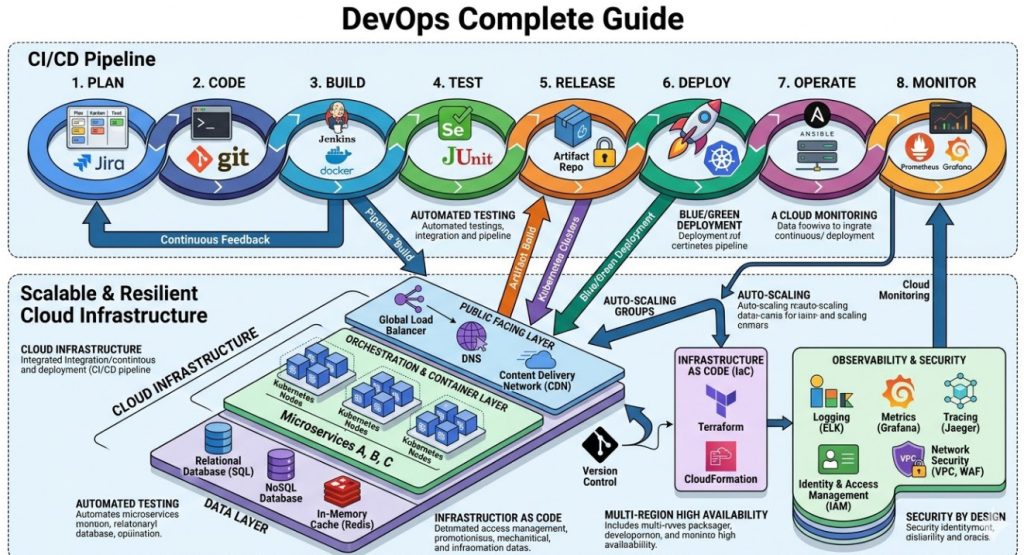
Strands Agents: A Deep Dive into the New Open Source AI Agents SDK

The world of artificial intelligence is experiencing a seismic shift. We are moving beyond simple, request-response models to a new paradigm of autonomous, goal-oriented systems known as AI agents. These agents can reason, plan, and interact with their environment to accomplish complex tasks, promising to revolutionize industries from software development to scientific research. However, building, deploying, and managing these sophisticated systems is fraught with challenges. Developers grapple with state management, observability, and the sheer complexity of creating robust, production-ready agents. This is where Strands Agents enters the scene, offering a powerful new framework designed to address these very problems. This article provides a comprehensive exploration of Strands, a modular and event-sourced framework that simplifies the creation of powerful Open Source AI Agents.

What Are AI Agents and Why is the Ecosystem Exploding?

Before diving into Strands, it’s crucial to understand what an AI agent is. At its core, an AI agent is a software entity that perceives its environment, makes decisions, and takes actions to achieve specific goals. Unlike traditional programs that follow a rigid set of instructions, AI agents exhibit a degree of autonomy. This new wave of agents is supercharged by Large Language Models (LLMs) like GPT-4, Llama 3, and Claude 3, which serve as their cognitive engine.

Key Components of a Modern AI Agent

Most modern LLM-powered agents are built around a few core components:

  • Cognitive Core (LLM): This is the “brain” of the agent. The LLM provides reasoning, comprehension, and planning capabilities, allowing the agent to break down a high-level goal into a series of executable steps.
  • Tools: Agents need to interact with the outside world. Tools are functions or APIs that grant the agent specific capabilities, such as searching the web, accessing a database, sending an email, or executing code.
  • Memory: To maintain context and learn from past interactions, agents require memory. This can range from short-term “scratchpad” memory for the current task to long-term memory stored in vector databases for recalling vast amounts of information.
  • Planning & Reflection: For complex tasks, agents must create a plan, execute it, and then reflect on the outcome to adjust their strategy. This iterative process is key to their problem-solving ability.

The explosive growth in this field, as detailed in thought pieces from venture firms like Andreessen Horowitz, is driven by the immense potential for automation. Agents can function as autonomous software developers, tireless data analysts, or hyper-personalized customer service representatives, tackling tasks that were once the exclusive domain of human experts.

Introducing Strands: The Modular Framework for Open Source AI Agents

While the promise of AI agents is enormous, the engineering reality of building them is complex. This is the gap that Strands aims to fill. Strands is a Python-based Software Development Kit (SDK) designed from the ground up to be modular, extensible, and, most importantly, production-ready. Its unique architecture provides developers with the building blocks to create sophisticated agents without getting bogged down in boilerplate code and architectural plumbing.

Core Concepts of Strands

Strands is built on a few powerful, interconnected concepts that set it apart from other frameworks. Understanding these concepts is key to harnessing its full potential.

Agents

The Agent is the central orchestrator in Strands. It is responsible for managing the conversation flow, deciding when to use a tool, and processing information. Strands allows you to easily initialize an agent with a specific LLM, a set of tools, and a system prompt that defines its persona and objectives.

Tools

Tools are the agent’s hands and eyes, enabling it to interact with external systems. In Strands, creating a tool is remarkably simple. You can take almost any Python function and, with a simple decorator, turn it into a tool that the agent can understand and use. This modular approach means you can build a library of reusable tools for various tasks.

Memory

Strands provides built-in mechanisms for managing an agent’s memory. It automatically handles conversation history, ensuring the agent has the necessary context for multi-turn dialogues. The framework is also designed to be extensible, allowing for the integration of more advanced long-term memory solutions like vector databases for retrieval-augmented generation (RAG).

Events & Event Sourcing

This is arguably the most powerful and differentiating feature of Strands. Instead of just managing the current state, Strands is built on an event-sourcing architecture. Every single thing that happens during an agent’s lifecycle—a user message, the agent’s thought process, a tool call, the tool’s response—is captured as a discrete, immutable event. This stream of events is the single source of truth.

The benefits of this approach are immense:

  • Complete Observability: You have a perfect, step-by-step audit trail of the agent’s execution. This makes debugging incredibly easy, as you can see the exact reasoning process that led to a specific outcome.
  • Replayability: You can replay the event stream to perfectly reconstruct the agent’s state at any point in time, which is invaluable for testing and troubleshooting.
  • Resilience: If an agent crashes, its state can be rebuilt by replaying its events, ensuring no data is lost.

Getting Started: Building Your First Strands Agent

One of the best features of Strands is its low barrier to entry. You can get a simple agent up and running in just a few minutes. Let’s walk through the process step by step.

Prerequisites

Before you begin, ensure you have the following:

  • Python 3.9 or higher installed.
  • An API key for an LLM provider (e.g., OpenAI, Anthropic, or Google). For this example, we will use OpenAI. Make sure to set it as an environment variable: export OPENAI_API_KEY='your-api-key'.
  • The pip package manager.

Installation

Installing Strands is a one-line command. Open your terminal and run:

pip install strands-agents

A Simple “Hello, World” Agent

Let’s create the most basic agent possible. This agent won’t have any tools; it will just use the underlying LLM to chat. Create a file named basic_agent.py.


from strands_agents import Agent
from strands_agents.models.openai import OpenAIChat

# 1. Initialize the LLM you want to use
llm = OpenAIChat(model="gpt-4o")

# 2. Create the Agent instance
agent = Agent(
    llm=llm,
    system_prompt="You are a helpful assistant."
)

# 3. Interact with the agent
if __name__ == "__main__":
    print("Agent is ready. Type 'exit' to end the conversation.")
    while True:
        user_input = input("You: ")
        if user_input.lower() == "exit":
            break
        
        response = agent.run(user_input)
        print(f"Agent: {response}")

When you run this script (python basic_agent.py), you can have a direct conversation with the LLM, but orchestrated through the Strands framework. All interactions are being captured as events behind the scenes.

Adding a Tool: A Practical Example

The real power of agents comes from their ability to use tools. Let’s create a simple tool that gets the current weather for a specific city. We’ll use a free weather API for this (you can find many online).

First, create a file named tools.py:


import requests
from strands_agents import tool

# For this example, we'll mock the API call, but you could use a real one.
# import os
# WEATHER_API_KEY = os.getenv("WEATHER_API_KEY")

@tool
def get_current_weather(city: str) -> str:
    """
    Gets the current weather for a given city.
    Returns a string describing the weather.
    """
    # In a real application, you would make an API call here.
    # url = f"https://api.weatherapi.com/v1/current.json?key={WEATHER_API_KEY}&q={city}"
    # response = requests.get(url).json()
    # return f"The weather in {city} is {response['current']['condition']['text']}."

    # For this example, we'll return a mock response.
    if "tokyo" in city.lower():
        return f"The weather in {city} is sunny with a temperature of 25°C."
    elif "london" in city.lower():
        return f"The weather in {city} is cloudy with a chance of rain and a temperature of 15°C."
    else:
        return f"Sorry, I don't have weather information for {city}."

Notice the @tool decorator. This is all Strands needs to understand that this function is a tool, including its name, description (from the docstring), and input parameters (from type hints). Now, let’s update our agent to use this tool. Create a file named weather_agent.py.


from strands_agents import Agent
from strands_agents.models.openai import OpenAIChat
from tools import get_current_weather # Import our new tool

# 1. Initialize the LLM
llm = OpenAIChat(model="gpt-4o")

# 2. Create the Agent instance, now with a tool
agent = Agent(
    llm=llm,
    system_prompt="You are a helpful assistant that can check the weather.",
    tools=[get_current_weather] # Pass the tool in a list
)

# 3. Interact with the agent
if __name__ == "__main__":
    print("Weather agent is ready. Try asking: 'What's the weather in London?'")
    while True:
        user_input = input("You: ")
        if user_input.lower() == "exit":
            break
        
        response = agent.run(user_input)
        print(f"Agent: {response}")

Now, when you run this new script and ask, “What’s the weather like in Tokyo?”, the agent will recognize the intent, call the get_current_weather tool with the correct argument (“Tokyo”), receive the result, and formulate a natural language response for you.

Frequently Asked Questions

Is Strands Agents completely free to use?

Yes, the Strands Agents SDK is completely free and open-source, distributed under the permissive Apache 2.0 License. This means you can use, modify, and distribute it for personal or commercial projects without any licensing fees. However, you are still responsible for the costs associated with the third-party services your agent uses, such as the API calls to LLM providers like OpenAI or cloud infrastructure for hosting.

How does Strands compare to other frameworks like LangChain?

Strands and LangChain are both excellent frameworks for building LLM applications, but they have different philosophical approaches. LangChain is a very broad and comprehensive library that provides a vast collection of components and chains for a wide range of tasks. It’s excellent for rapid prototyping and experimentation. Strands, on the other hand, is more opinionated and architecturally focused. Its core design around event sourcing makes it exceptionally well-suited for building production-grade, observable, and debuggable agents where reliability and auditability are critical concerns.

What programming languages does Strands support?

Currently, Strands Agents is implemented in Python, which is the dominant language in the AI/ML ecosystem. The core architectural principles, particularly event sourcing, are language-agnostic. While the immediate focus is on enriching the Python SDK, the design allows for potential future expansion to other languages. You can find the source code and contribute on the official Strands GitHub repository.

Can I use Strands with open-source LLMs like Llama 3 or Mistral?

Absolutely. Strands is model-agnostic. The framework is designed to work with any LLM that can be accessed via an API. While it includes built-in wrappers for popular providers like OpenAI and Anthropic, you can easily create a custom connector for any open-source model you are hosting yourself (e.g., using a service like Ollama or vLLM) or accessing through a provider like Groq or Together.AI. This flexibility allows you to choose the best model for your specific use case and budget.

Conclusion

The age of autonomous AI agents is here, but to build truly robust and reliable systems, developers need tools that go beyond simple scripting. Strands Agents provides a solid, production-focused foundation for this new era of software development. By leveraging a modular design and a powerful event-sourcing architecture, it solves some of the most pressing challenges in agent development: state management, debugging, and observability.

Whether you are a developer looking to add intelligent automation to your applications, a researcher exploring multi-agent systems, or an enterprise architect designing next-generation workflows, Strands offers a compelling and powerful framework. As the landscape of AI continues to evolve, frameworks that prioritize stability and maintainability will become increasingly vital. By embracing a transparent and resilient architecture, the Strands SDK stands out as a critical tool for anyone serious about building the future with Open Source AI Agents. Thank you for reading the DevopsRoles page!

Why You Should Run Docker on Your NAS: A Definitive Guide

Network Attached Storage (NAS) devices have evolved far beyond their original purpose as simple network file servers. Modern NAS units from brands like Synology, QNAP, and ASUSTOR are powerful, always-on computers capable of running a wide array of applications, from media servers like Plex to smart home hubs like Home Assistant. However, as users seek to unlock the full potential of their hardware, they often face a critical choice: install applications directly from the vendor’s app store or embrace a more powerful, flexible method. This article explores why leveraging Docker on NAS systems is overwhelmingly the superior approach for most users, transforming your storage device into a robust and efficient application server.

If you’ve ever struggled with outdated applications in your NAS app center, worried about software conflicts, or wished for an application that wasn’t officially available, this guide will demonstrate how containerization is the solution. We will delve into the limitations of the traditional installation method and contrast it with the security, flexibility, and vast ecosystem that Docker provides.

Understanding the Traditional Approach: Direct Installation

Every major NAS manufacturer provides a graphical, user-friendly “App Center” or “Package Center.” This is the default method for adding functionality to the device. You browse a curated list of applications, click “Install,” and the NAS operating system handles the rest. While this approach offers initial simplicity, it comes with significant drawbacks that become more apparent as your needs grow more sophisticated.

The Allure of Simplicity

The primary advantage of direct installation is its ease of use. It requires minimal technical knowledge and is designed to be a “point-and-click” experience. For users who only need to run a handful of officially supported, core applications (like a backup utility or a simple media indexer), this method can be sufficient. The applications are often tested by the NAS vendor to ensure basic compatibility with their hardware and OS.

The Hidden Costs of Convenience

Beneath the surface of this simplicity lies a rigid structure with several critical limitations that can hinder performance, security, and functionality.

  • Dependency Conflicts (“Dependency Hell”): Native packages install their dependencies directly onto the NAS operating system. If Application A requires Python 3.8 and Application B requires Python 3.10, installing both can lead to conflicts, instability, or outright failure. You are at the mercy of how the package maintainer bundled the software.
  • Outdated Software Versions: The applications available in official app centers are often several versions behind the latest stable releases. The process of a developer submitting an update, the NAS vendor vetting it, and then publishing it can be incredibly slow. This means you miss out on new features, performance improvements, and, most critically, important security patches.
  • Limited Application Selection: The vendor’s app store is a walled garden. If the application you want—be it a niche monitoring tool, a specific database, or the latest open-source project—isn’t in the official store, you are often out of luck or forced to rely on untrusted, third-party repositories.
  • Security Risks: A poorly configured or compromised application installed directly on the host has the potential to access and affect the entire NAS operating system. Its permissions are not strictly sandboxed, creating a larger attack surface for your critical data.
  • Lack of Portability: Your entire application setup is tied to your specific NAS vendor and its proprietary operating system. If you decide to switch from Synology to QNAP, or to a custom-built TrueNAS server, you must start from scratch, manually reinstalling and reconfiguring every single application.

The Modern Solution: The Power of Docker on NAS

This is where containerization, and specifically Docker, enters the picture. Docker is a platform that allows you to package an application and all its dependencies—libraries, system tools, code, and runtime—into a single, isolated unit called a container. This container can run consistently on any machine that has Docker installed, regardless of the underlying operating system. Implementing Docker on NAS systems fundamentally solves the problems inherent in the direct installation model.

What is Docker? A Quick Primer

To understand Docker’s benefits, it’s helpful to clarify a few core concepts:

  • Image: An image is a lightweight, standalone, executable package that includes everything needed to run a piece of software. It’s like a blueprint or a template for a container.
  • Container: A container is a running instance of an image. It is an isolated, sandboxed environment that runs on top of the host operating system’s kernel. Crucially, it shares the kernel with other containers, making it far more resource-efficient than a traditional virtual machine (VM), which requires a full guest OS.
  • Docker Engine: This is the underlying client-server application that builds and runs containers. Most consumer NAS devices with an x86 or ARMv8 processor now offer a version of the Docker Engine through their package centers.
  • Docker Hub: This is a massive public registry of millions of Docker images. If you need a database, a web server, a programming language runtime, or a complete application like WordPress, there is almost certainly an official or well-maintained image ready for you to use. You can explore it at Docker Hub’s official website.

By running applications inside containers, you effectively separate them from both the host NAS operating system and from each other, creating a cleaner, more secure, and infinitely more flexible system.

Key Advantages of Using Docker on Your NAS

Adopting a container-based workflow for your NAS applications isn’t just a different way of doing things; it’s a better way. Here are the concrete benefits that make it the go-to choice for tech-savvy users.

1. Unparalleled Application Selection

With Docker, you are no longer limited to the curated list in your NAS’s app store. Docker Hub and other container registries give you instant access to a vast universe of software. From popular applications like Pi-hole (network-wide ad-blocking) and Home Assistant (smart home automation) to developer tools like Jenkins, GitLab, and various databases, the selection is nearly limitless. You can run the latest versions of software the moment they are released by the developers, not weeks or months later.

2. Enhanced Security Through Isolation

This is perhaps the most critical advantage. Each Docker container runs in its own isolated environment. An application inside a container cannot, by default, see or interfere with the host NAS filesystem or other running containers. You explicitly define what resources it can access, such as specific storage folders (volumes) or network ports. If a containerized web server is compromised, the breach is contained within that sandbox. The attacker cannot easily access your core NAS data or other services, a significant security improvement over a natively installed application.

3. Simplified Dependency Management

Docker completely eliminates the “dependency hell” problem. Each Docker image bundles all of its own dependencies. You can run one container that requires an old version of NodeJS for a legacy app right next to another container that uses the very latest version, and they will never conflict. They are entirely self-contained, ensuring that applications run reliably and predictably every single time.

4. Consistent and Reproducible Environments with Docker Compose

For managing more than one container, the community standard is a tool called docker-compose. It allows you to define a multi-container application in a single, simple text file called docker-compose.yml. This file specifies all the services, networks, and volumes for your application stack. For more information, the official Docker Compose documentation is an excellent resource.

For example, setting up a WordPress site traditionally involves installing a web server, PHP, and a database, then configuring them all to work together. With Docker Compose, you can define the entire stack in one file:

version: '3.8'

services:
  db:
    image: mysql:8.0
    container_name: wordpress_db
    volumes:
      - db_data:/var/lib/mysql
    restart: unless-stopped
    environment:
      MYSQL_ROOT_PASSWORD: your_strong_root_password
      MYSQL_DATABASE: wordpress
      MYSQL_USER: wordpress
      MYSQL_PASSWORD: your_strong_user_password

  wordpress:
    image: wordpress:latest
    container_name: wordpress_app
    ports:
      - "8080:80"
    restart: unless-stopped
    environment:
      WORDPRESS_DB_HOST: db:3306
      WORDPRESS_DB_USER: wordpress
      WORDPRESS_DB_PASSWORD: your_strong_user_password
      WORDPRESS_DB_NAME: wordpress
    depends_on:
      - db

volumes:
  db_data:

With this file, you can deploy, stop, or recreate your entire WordPress installation with a single command (docker-compose up -d). This configuration is version-controllable, portable, and easy to share.

5. Effortless Updates and Rollbacks

Updating a containerized application is a clean and safe process. Instead of running a complex update script that modifies files on your live system, you simply pull the new version of the image and recreate the container. If something goes wrong, rolling back is as simple as pointing back to the previous image version. The process typically looks like this:

  1. docker-compose pull – Fetches the latest versions of all images defined in your file.
  2. docker-compose up -d – Recreates any containers for which a new image was pulled, leaving others untouched.

This process is atomic and far less risky than in-place upgrades of native packages.

6. Resource Efficiency and Portability

Because containers share the host NAS’s operating system kernel, their overhead is minimal compared to full virtual machines. You can run dozens of containers on a moderately powered NAS without a significant performance hit. Furthermore, your Docker configurations are inherently portable. The docker-compose.yml file you perfected on your Synology NAS will work with minimal (if any) changes on a QNAP, a custom Linux server, or even a cloud provider, future-proofing your setup and preventing vendor lock-in.

When Might Direct Installation Still Make Sense?

While Docker offers compelling advantages, there are a few scenarios where using the native package center might be a reasonable choice:

  • Tightly Integrated Core Functions: For applications that are deeply integrated with the NAS operating system, such as Synology Photos or QNAP’s Qfiling, the native version is often the best choice as it can leverage private APIs and system hooks unavailable to a Docker container.
  • Absolute Beginners: For a user who needs only one or two apps and has zero interest in learning even basic technical concepts, the simplicity of the app store may be preferable.
  • Extreme Resource Constraints: On a very old or low-power NAS (e.g., with less than 1GB of RAM), the overhead of the Docker engine itself, while small, might be a factor. However, most modern NAS devices are more than capable.

Frequently Asked Questions

Does running Docker on my NAS slow it down?

When idle, Docker containers consume a negligible amount of resources. When active, they use CPU and RAM just like any other application. The Docker engine itself has a very small overhead. In general, a containerized application will perform similarly to a natively installed one. Because containers are more lightweight than VMs, you can run many more of them, which might lead to higher overall resource usage if you run many services, but this is a function of the workload, not Docker itself.

Is Docker on a NAS secure?

Yes, when configured correctly, it is generally more secure than direct installation. The key is the isolation model. Each container is sandboxed from the host and other containers. To enhance security, always use official or well-vetted images, run containers as non-root users where possible (a setting within the image or compose file), and only expose the necessary network ports and data volumes to the container.

Can I run any Docker container on my NAS?

Mostly, but you must be mindful of CPU architecture. Most higher-end NAS devices use Intel or AMD x86-64 processors, which can run the vast majority of Docker images. However, many entry-level and ARM-based NAS devices (using processors like Realtek or Annapurna Labs) require ARM-compatible Docker images. Docker Hub typically labels images for different architectures (e.g., amd64, arm64v8). Many popular projects, like those from linuxserver.io, provide multi-arch images that automatically use the correct version for your system.

Do I need to use the command line to manage Docker on my NAS?

While the command line is the most powerful way to interact with Docker, it is not strictly necessary. Both Synology (with Container Manager) and QNAP (with Container Station) provide graphical user interfaces (GUIs) for managing containers. Furthermore, you can easily deploy a powerful web-based management UI like Portainer or Yacht inside a container, giving you a comprehensive graphical dashboard to manage your entire Docker environment from a web browser.

Conclusion

For any NAS owner looking to do more than just store files, the choice is clear. While direct installation from an app center offers a facade of simplicity, it introduces fragility, security concerns, and severe limitations. Transitioning to a workflow built around Docker on NAS is an investment that pays massive dividends in flexibility, security, and power. It empowers you to run the latest software, ensures your applications are cleanly separated and managed, and provides a reproducible, portable configuration that will outlast your current hardware.

By embracing containerization, you are not just installing an app; you are adopting a modern, robust, and efficient methodology for service management. You are transforming your NAS from a simple storage appliance into a true, multi-purpose home server, unlocking its full potential and future-proofing your digital ecosystem.Thank you for reading the DevopsRoles page!
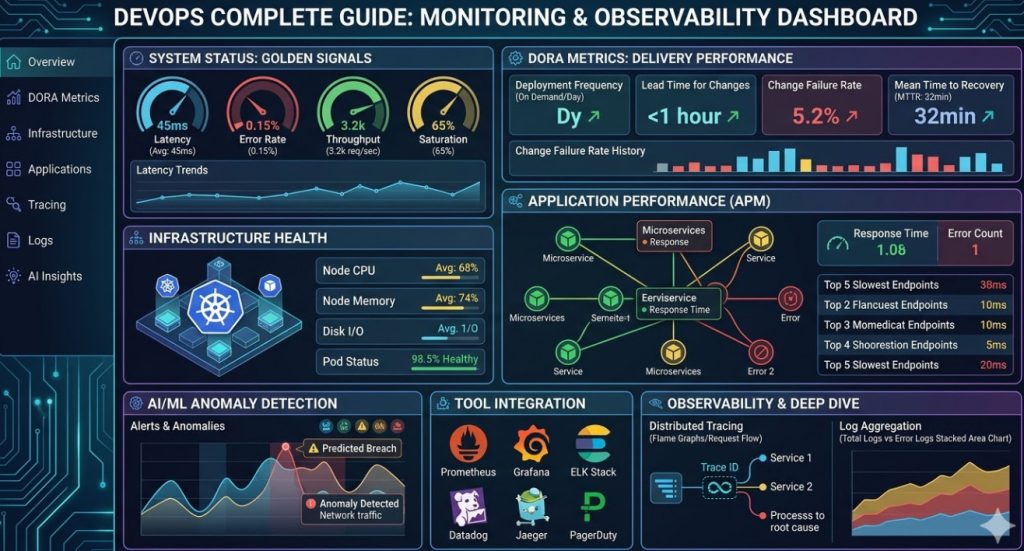
Mastering Layer Caching: A Deep Dive into Boosting Your Docker Build Speed

In modern software development, containers have become an indispensable tool for creating consistent and reproducible environments. Docker, as the leading containerization platform, is at the heart of many development and deployment workflows. However, as applications grow in complexity, a common pain point emerges: slow build times. Waiting for a Docker image to build can be a significant drag on productivity, especially in CI/CD pipelines where frequent builds are the norm. The key to reclaiming this lost time lies in mastering one of Docker’s most powerful features: layer caching. A faster Docker build speed is not just a convenience; it’s a critical factor for an agile and efficient development cycle.

This comprehensive guide will take you on a deep dive into the mechanics of Docker’s layer caching system. We will explore how Docker images are constructed, how caching works under the hood, and most importantly, how you can structure your Dockerfiles to take full advantage of it. From fundamental best practices to advanced techniques involving BuildKit and multi-stage builds, you will learn actionable strategies to dramatically reduce your image build times, streamline your workflows, and enhance overall developer productivity.

Understanding Docker Layers and the Caching Mechanism

Before you can optimize caching, you must first understand the fundamental building blocks of a Docker image: layers. An image is not a single, monolithic entity; it’s a composite of multiple, read-only layers stacked on top of each other. This layered architecture is the foundation for the efficiency and shareability of Docker images.

The Anatomy of a Dockerfile Instruction

Every instruction in a `Dockerfile` (except for a few metadata instructions like `ARG` or `MAINTAINER`) creates a new layer in the Docker image. Each layer contains only the changes made to the filesystem by that specific instruction. For example, a `RUN apt-get install -y vim` command creates a layer containing the newly installed `vim` binaries and their dependencies.

Consider this simple `Dockerfile`:

# Base image
FROM ubuntu:22.04

# Install dependencies
RUN apt-get update && apt-get install -y curl

# Copy application files
COPY . /app

# Set the entrypoint
CMD ["/app/start.sh"]

This `Dockerfile` will produce an image with three distinct layers on top of the base `ubuntu:22.04` image layers:

  • Layer 1: The result of the `RUN apt-get update …` command.
  • Layer 2: The files and directories added by the `COPY . /app` command.
  • Layer 3: Metadata specifying the `CMD` instruction.

This layered structure is what allows Docker to be so efficient. When you pull an image, Docker only downloads the layers you don’t already have locally from another image.

How Docker’s Layer Cache Works

When you run the `docker build` command, Docker’s builder processes your `Dockerfile` instruction by instruction. For each instruction, it performs a critical check: does a layer already exist in the local cache that was generated by this exact instruction and state?

  • If the answer is yes, it’s a cache hit. Docker reuses the existing layer from its cache and prints `—> Using cache`. This is an almost instantaneous operation.
  • If the answer is no, it’s a cache miss. Docker must execute the instruction, create a new layer from the result, and add it to the cache for future builds.

The crucial rule to remember is this: once an instruction results in a cache miss, all subsequent instructions in the Dockerfile will also be executed without using the cache, even if cached layers for them exist. This is because the state of the image has diverged, and Docker cannot guarantee that the subsequent cached layers are still valid.

For most instructions like `RUN` or `CMD`, Docker simply checks if the command string is identical to the one that created a cached layer. For file-based instructions like `COPY` and `ADD`, the check is more sophisticated. Docker calculates a checksum of the files being copied. If the instruction and the file checksums match a cached layer, it’s a cache hit. Any change to the content of those files will result in a different checksum and a cache miss.

Core Strategies to Maximize Your Docker Build Speed

Understanding the “cache miss invalidates all subsequent layers” rule is the key to unlocking a faster Docker build speed. The primary optimization strategy is to structure your `Dockerfile` to maximize the number of cache hits. This involves ordering instructions from least to most likely to change.

Order Your Dockerfile Instructions Strategically

Place instructions that change infrequently, like installing system dependencies, at the top of your `Dockerfile`. Place instructions that change frequently, like copying your application’s source code, as close to the bottom as possible.

Bad Example: Inefficient Ordering

FROM node:18-alpine

WORKDIR /usr/src/app

# Copy source code first - changes on every commit
COPY . .

# Install dependencies - only changes when package.json changes
RUN npm install

CMD [ "node", "server.js" ]

In this example, any small change to your source code (e.g., fixing a typo in a comment) will invalidate the `COPY` layer’s cache. Because of the core caching rule, the subsequent `RUN npm install` layer will also be invalidated and re-run, even if `package.json` hasn’t changed. This is incredibly inefficient.

Good Example: Optimized Ordering

FROM node:18-alpine

WORKDIR /usr/src/app

# Copy only the dependency manifest first
COPY package*.json ./

# Install dependencies. This layer is only invalidated when package.json changes.
RUN npm install

# Now, copy the source code, which changes frequently
COPY . .

CMD [ "node", "server.js" ]

This version is far superior. We first copy only `package.json` and `package-lock.json`. The `npm install` command runs and its resulting layer is cached. In subsequent builds, as long as the package files haven’t changed, Docker will hit the cache for this layer. Changes to your application source code will only invalidate the final `COPY . .` layer, making the build near-instantaneous.

Leverage a `.dockerignore` File

The build context is the set of files at the specified path or URL sent to the Docker daemon. A `COPY . .` instruction makes the entire build context relevant to the layer’s cache. If any file in the context changes, the cache is busted. A `.dockerignore` file, similar in syntax to `.gitignore`, allows you to exclude files and directories from the build context.

This is critical for two reasons:

  1. Cache Invalidation: It prevents unnecessary cache invalidation from changes to files not needed in the final image (e.g., `.git` directory, logs, local configuration, `README.md`).
  2. Performance: It reduces the size of the build context sent to the Docker daemon, which can speed up the start of the build process, especially for large projects.

A typical `.dockerignore` file might look like this:

.git
.gitignore
.dockerignore
node_modules
npm-debug.log
README.md
Dockerfile

Chain RUN Commands and Clean Up in the Same Layer

To keep images small and optimize layer usage, chain related commands together using `&&` and clean up any unnecessary artifacts within the same `RUN` instruction. This creates a single layer for the entire operation.

Example: Chaining and Cleaning

RUN apt-get update && \
    apt-get install -y wget && \
    wget https://example.com/some-package.deb && \
    dpkg -i some-package.deb && \
    rm some-package.deb && \
    apt-get clean && \
    rm -rf /var/lib/apt/lists/*

If each of these commands were a separate `RUN` instruction, the downloaded `.deb` file and the `apt` cache would be permanently stored in intermediate layers, bloating the final image size. By combining them, we download, install, and clean up all within a single layer, ensuring no intermediate artifacts are left behind.

Advanced Caching Techniques for Complex Scenarios

While the basics will get you far, modern development workflows often require more sophisticated caching strategies, especially in CI/CD environments.

Using Multi-Stage Builds

Multi-stage builds are a powerful feature for creating lean, production-ready images. They allow you to use one image with a full build environment (the “builder” stage) to compile your code or build assets, and then copy only the necessary artifacts into a separate, minimal final image.

This pattern also enhances caching. Your build stage might have many dependencies (`gcc`, `maven`, `npm`) that rarely change. The final stage only copies the compiled binary or static assets. This decouples the final image from build-time dependencies, making its layers more stable and more likely to be cached.

Example: Go Application Multi-Stage Build

# Stage 1: The builder stage
FROM golang:1.19 AS builder

WORKDIR /go/src/app
COPY . .

# Build the application
RUN CGO_ENABLED=0 GOOS=linux go build -o /go/bin/app .

# Stage 2: The final, minimal image
FROM alpine:latest

# Copy only the compiled binary from the builder stage
COPY --from=builder /go/bin/app /app

# Run the application
ENTRYPOINT ["/app"]

Here, changes to the Go source code will trigger a rebuild of the `builder` stage, but the `FROM alpine:latest` layer in the final stage will always be cached. The `COPY –from=builder` layer will only be invalidated if the compiled binary itself changes, leading to very fast rebuilds for the production image.

Leveraging BuildKit’s Caching Features

BuildKit is Docker’s next-generation build engine, offering significant performance improvements and new features. One of its most impactful features is the cache mount (`–mount=type=cache`).

A cache mount allows you to provide a persistent cache directory for commands inside a `RUN` instruction. This is a game-changer for package managers. Instead of re-downloading dependencies on every cache miss of an `npm install` or `pip install` layer, you can mount a cache directory that persists across builds.

Example: Using a Cache Mount for NPM

To use this feature, you must enable BuildKit by setting an environment variable (`DOCKER_BUILDKIT=1`) or by using the `docker buildx build` command. The Dockerfile syntax is:

# syntax=docker/dockerfile:1
FROM node:18-alpine

WORKDIR /usr/src/app

COPY package*.json ./

# Mount a cache directory for npm
RUN --mount=type=cache,target=/root/.npm \
    npm install

COPY . .

CMD [ "node", "server.js" ]

With this setup, even if `package.json` changes and the `RUN` layer’s cache is busted, `npm` will use the mounted cache directory (`/root/.npm`) to avoid re-downloading packages it already has, dramatically speeding up the installation process.

Using External Cache Sources with `–cache-from`

In CI/CD environments, each build often runs on a clean, ephemeral agent, which means there is no local Docker cache from previous builds. The `–cache-from` flag solves this problem.

It instructs Docker to use the layers from a specified image as a cache source. A common CI/CD pattern is:

  1. Attempt to pull a previous build: At the start of the job, pull the image from the previous successful build for the same branch (e.g., `my-app:latest` or `my-app:my-branch`).
  2. Build with `–cache-from`: Run the `docker build` command, pointing `–cache-from` to the image you just pulled.
  3. Push the new image: Tag the newly built image and push it to the registry for the next build to use as its cache source.

Example Command:

# Pull the latest image to use as a cache source
docker pull my-registry/my-app:latest || true

# Build the new image, using the pulled image as a cache
docker build \
  --cache-from my-registry/my-app:latest \
  -t my-registry/my-app:latest \
  -t my-registry/my-app:${CI_COMMIT_SHA} \
  .

# Push the new images to the registry
docker push my-registry/my-app:latest
docker push my-registry/my-app:${CI_COMMIT_SHA}

This technique effectively shares the build cache across CI/CD jobs, providing significant improvements to your pipeline’s Docker build speed.

Frequently Asked Questions

Why is my Docker build still slow even with caching?

There could be several reasons. The most common is frequent cache invalidation high up in your `Dockerfile` (e.g., a `COPY . .` near the top). Other causes include a very large build context being sent to the daemon, slow network speeds for downloading base images or dependencies, or CPU-intensive `RUN` commands that are legitimately taking a long time to execute (not a caching issue).

How can I force Docker to rebuild an image without using the cache?

You can use the `–no-cache` flag with the `docker build` command. This will instruct Docker to ignore the build cache entirely and run every single instruction from scratch.

docker build --no-cache -t my-app .

What is the difference between `COPY` and `ADD` regarding caching?

For the purpose of caching local files and directories, they behave identically: a checksum of the file contents is used to determine a cache hit or miss. However, the `ADD` command has additional “magic” features, such as automatically extracting local tar archives and fetching remote URLs. These features can lead to unexpected cache behavior. The official Docker best practices recommend always preferring `COPY` unless you specifically need the extra functionality of `ADD`.

Does changing a comment in my Dockerfile bust the cache?

No. Docker’s parser is smart enough to ignore comments (`#`) when it determines whether to use a cached layer. Similarly, changing the case of an instruction (e.g., `run` to `RUN`) will also not bust the cache. The cache key is based on the instruction’s content, not its exact formatting.

Conclusion

Optimizing your Docker build speed is a crucial skill for any developer or DevOps professional working with containers. By understanding that Docker images are built in layers and that a single cache miss invalidates all subsequent layers, you can make intelligent decisions when structuring your `Dockerfile`. Remember the core principles: order your instructions from least to most volatile, be precise with what you `COPY`, and use a `.dockerignore` file to keep your build context clean.

For more complex scenarios, don’t hesitate to embrace advanced techniques like multi-stage builds to create lean and secure images, and leverage the powerful caching features of BuildKit to accelerate dependency installation. By applying these strategies, you will transform slow, frustrating builds into a fast, efficient, and streamlined part of your development lifecycle, freeing up valuable time to focus on what truly matters: building great software. Thank you for reading the DevopsRoles page!

Devops Tutorial

Exit mobile version