AWS Lambda & GitHub Actions: Function Deployment Guide

In modern cloud development, speed and reliability are paramount. Manually deploying serverless functions is a recipe for inconsistency and human error. This is where a robust CI/CD pipeline becomes essential. By integrating AWS Lambda GitHub Actions, you can create a seamless, automated workflow that builds, tests, and deploys your serverless code every time you push to your repository. This guide will walk you through every step of building a production-ready serverless deployment pipeline, transforming your development process from a manual chore into an automated, efficient system.

Why Automate Lambda Deployments with GitHub Actions?

Before diving into the technical details, let’s understand the value proposition. Automating your Lambda deployments isn’t just a “nice-to-have”; it’s a cornerstone of modern DevOps and Site Reliability Engineering (SRE) practices.

  • Consistency: Automation eliminates the “it worked on my machine” problem. Every deployment follows the exact same process, reducing environment-specific bugs.
  • Speed & Agility: Push a commit and watch it go live in minutes. This rapid feedback loop allows your team to iterate faster and deliver value to users more quickly.
  • Reduced Risk: Manual processes are prone to error. An automated pipeline can include testing and validation steps, catching bugs before they ever reach production.
  • Developer Focus: By abstracting away the complexities of deployment, developers can focus on what they do best: writing code. The CI/CD for Lambda becomes a transparent part of the development lifecycle.

Prerequisites for Integrating AWS Lambda GitHub Actions

To follow this guide, you’ll need a few things set up. Ensure you have the following before you begin:

  • An AWS Account: You’ll need an active AWS account with permissions to create IAM roles and Lambda functions.
  • A GitHub Account: Your code will be hosted on GitHub, and we’ll use GitHub Actions for our automation.
  • A Lambda Function: Have a simple Lambda function ready. We’ll provide an example below. If you’re new, you can create one in the AWS console to start.
  • Basic Git Knowledge: You should be comfortable with basic Git commands like git clone, git add, git commit, and git push.

Step-by-Step Guide to Automating Your AWS Lambda GitHub Actions Pipeline

Let’s build our automated deployment pipeline from the ground up. We will use the modern, secure approach of OpenID Connect (OIDC) to grant GitHub Actions access to AWS, avoiding the need for long-lived static access keys.

Step 1: Setting Up Your Lambda Function Code

First, let’s create a simple Node.js Lambda function. Create a new directory for your project and add the following files.

Directory Structure:

my-lambda-project/
├── .github/
│   └── workflows/
│       └── deploy.yml
├── index.js
└── package.json

index.js:

exports.handler = async (event) => {
    console.log("Event: ", event);
    const response = {
        statusCode: 200,
        body: JSON.stringify('Hello from Lambda deployed via GitHub Actions!'),
    };
    return response;
};

package.json:

{
  "name": "my-lambda-project",
  "version": "1.0.0",
  "description": "A simple Lambda function",
  "main": "index.js",
  "scripts": {
    "test": "echo \"Error: no test specified\" && exit 1"
  },
  "author": "",
  "license": "ISC",
  "dependencies": {}
}

Initialize a Git repository in this directory and push it to a new repository on GitHub.

Step 2: Configuring IAM Roles for Secure Access (OIDC)

This is the most critical step for security. We will configure an IAM OIDC identity provider that allows GitHub Actions to assume a role in your AWS account temporarily.

A. Create the OIDC Identity Provider in AWS IAM

  1. Navigate to the IAM service in your AWS Console.
  2. In the left pane, click on Identity providers and then Add provider.
  3. Select OpenID Connect.
  4. For the Provider URL, enter https://token.actions.githubusercontent.com.
  5. Click Get thumbprint to verify the server certificate.
  6. For the Audience, enter sts.amazonaws.com.
  7. Click Add provider.

B. Create the IAM Role for GitHub Actions

  1. In IAM, go to Roles and click Create role.
  2. For the trusted entity type, select Web identity.
  3. Choose the identity provider you just created (token.actions.githubusercontent.com).
  4. Select sts.amazonaws.com for the Audience.
  5. Optionally, you can restrict this role to a specific GitHub repository. Add a condition:
    • Token component: sub (subject)
    • Operator: String like
    • Value: repo:YOUR_GITHUB_USERNAME/YOUR_REPO_NAME:* (e.g., repo:my-org/my-lambda-project:*)
  6. Click Next.
  7. On the permissions page, create a new policy. Click Create policy, switch to the JSON editor, and paste the following. This policy grants the minimum required permissions to update a Lambda function’s code. Replace YOUR_FUNCTION_NAME and the AWS account details.
{
    "Version": "2012-10-17",
    "Statement": [
        {
            "Sid": "AllowLambdaCodeUpdate",
            "Effect": "Allow",
            "Action": "lambda:UpdateFunctionCode",
            "Resource": "arn:aws:lambda:us-east-1:123456789012:function:YOUR_FUNCTION_NAME"
        }
    ]
}
  1. Name the policy (e.g., GitHubActionsLambdaDeployPolicy) and attach it to your role.
  2. Finally, give your role a name (e.g., GitHubActionsLambdaDeployRole) and create it.
  3. Once created, copy the ARN of this role. You’ll need it in the next step.

Step 3: Storing AWS Credentials Securely in GitHub

We need to provide the Role ARN to our GitHub workflow. The best practice is to use GitHub’s encrypted secrets.

  1. Go to your repository on GitHub and click on Settings > Secrets and variables > Actions.
  2. Click New repository secret.
  3. Name the secret AWS_ROLE_TO_ASSUME.
  4. Paste the IAM Role ARN you copied in the previous step into the Value field.
  5. Click Add secret.

Step 4: Crafting the GitHub Actions Workflow File

Now, we’ll create the YAML file that defines our CI/CD pipeline. Create the file .github/workflows/deploy.yml in your project.

name: Deploy Lambda Function

# Trigger the workflow on pushes to the main branch
on:
  push:
    branches:
      - main

jobs:
  deploy:
    runs-on: ubuntu-latest
    
    # These permissions are needed to authenticate with AWS via OIDC
    permissions:
      id-token: write
      contents: read

    steps:
      - name: Checkout repository
        uses: actions/checkout@v4

      - name: Configure AWS Credentials
        uses: aws-actions/configure-aws-credentials@v4
        with:
          role-to-assume: ${{ secrets.AWS_ROLE_TO_ASSUME }}
          aws-region: us-east-1 # Change to your desired AWS region

      - name: Setup Node.js
        uses: actions/setup-node@v4
        with:
          node-version: '18'

      - name: Install dependencies
        run: npm install

      - name: Create ZIP deployment package
        run: zip -r deployment-package.zip . -x ".git/*" ".github/*"

      - name: Deploy to AWS Lambda
        run: |
          aws lambda update-function-code \
            --function-name YOUR_FUNCTION_NAME \
            --zip-file fileb://deployment-package.zip

Make sure to replace YOUR_FUNCTION_NAME with the actual name of your Lambda function in AWS and update the aws-region if necessary.

Deep Dive into the GitHub Actions Workflow

Let’s break down the key sections of our deploy.yml file to understand how this serverless deployment pipeline works.

Triggering the Workflow

The on key defines what events trigger the workflow. Here, we’ve configured it to run automatically whenever code is pushed to the main branch.

on:
  push:
    branches:
      - main

Configuring AWS Credentials

This is the heart of our secure connection. The aws-actions/configure-aws-credentials action is the official action from AWS for this purpose. It handles the OIDC handshake behind the scenes. It requests a JSON Web Token (JWT) from GitHub, presents it to AWS, and uses the role specified in our AWS_ROLE_TO_ASSUME secret to get temporary credentials. These credentials are then available to subsequent steps in the job.

- name: Configure AWS Credentials
  uses: aws-actions/configure-aws-credentials@v4
  with:
    role-to-assume: ${{ secrets.AWS_ROLE_TO_ASSUME }}
    aws-region: us-east-1

Building and Packaging the Lambda Function

AWS Lambda requires a ZIP file for deployment. These steps ensure our code and its dependencies are properly packaged.

  1. Install dependencies: The npm install command reads your package.json file and installs the required libraries into the node_modules directory.
  2. Create ZIP package: The zip command creates an archive named deployment-package.zip. We exclude the .git and .github directories as they are not needed by the Lambda runtime.
- name: Install dependencies
  run: npm install

- name: Create ZIP deployment package
  run: zip -r deployment-package.zip . -x ".git/*" ".github/*"

Deploying the Function to AWS Lambda

The final step uses the AWS Command Line Interface (CLI), which is pre-installed on GitHub’s runners. The aws lambda update-function-code command takes our newly created ZIP file and updates the code of the specified Lambda function.

- name: Deploy to AWS Lambda
  run: |
    aws lambda update-function-code \
      --function-name YOUR_FUNCTION_NAME \
      --zip-file fileb://deployment-package.zip

Commit and push this workflow file to your GitHub repository. The action will run automatically, and you should see your Lambda function’s code updated in the AWS console!

Best Practices and Advanced Techniques

Our current setup is great, but in a real-world scenario, you’ll want more sophistication.

  • Managing Environments: Use different branches (e.g., develop, staging, main) to deploy to different AWS accounts or environments. You can create separate workflows or use conditional logic within a single workflow based on the branch name (if: github.ref == 'refs/heads/main').
  • Testing: Add a dedicated step in your workflow to run unit or integration tests before deploying. If the tests fail, the workflow stops, preventing a bad deployment.
    - name: Run unit tests
    run: npm test

  • Frameworks: For complex applications, consider using a serverless framework like AWS SAM or the Serverless Framework. They simplify resource definition (IAM roles, API Gateways, etc.) and have better deployment tooling that can be easily integrated into GitHub Actions.

Frequently Asked Questions

Q: Is using GitHub Actions for AWS deployments free?
A: GitHub provides a generous free tier for public repositories and a significant number of free minutes per month for private repositories. For most small to medium-sized projects, this is more than enough. Heavy usage might require a paid plan.

Q: Why use OIDC instead of storing AWS access keys in GitHub Secrets?
A: Security. Long-lived access keys are a major security risk. If compromised, they provide permanent access to your AWS account. OIDC uses short-lived tokens that are automatically generated for each workflow run, significantly reducing the attack surface. It’s the modern best practice.

Q: Can I use this workflow to deploy other AWS services?
A: Absolutely! The core concept of authenticating with aws-actions/configure-aws-credentials is universal. You just need to change the final `run` steps to use the appropriate AWS CLI commands for other services like S3, ECS, or CloudFormation.

Conclusion

You have successfully built a robust, secure, and automated CI/CD pipeline. By leveraging the power of an AWS Lambda GitHub Actions integration, you’ve removed manual steps, increased deployment velocity, and improved the overall stability of your serverless application. This foundation allows you to add more complex steps like automated testing, multi-environment deployments, and security scanning, enabling your team to build and innovate with confidence. Adopting this workflow is a significant step toward maturing your DevOps practices for serverless development. Thank you for reading the DevopsRoles page!

Kubernetes Security Diagram: Cheatsheet for Developers

Kubernetes has revolutionized how we deploy and manage applications, but its power and flexibility come with significant complexity, especially regarding security. For developers and DevOps engineers, navigating the myriad of security controls can be daunting. This is where a Kubernetes Security Diagram becomes an invaluable tool. It provides a mental model and a visual cheatsheet to understand the layered nature of K8s security, helping you build more resilient and secure applications from the ground up. This article will break down the components of a comprehensive security diagram, focusing on practical steps you can take at every layer.

Why a Kubernetes Security Diagram is Essential

A secure system is built in layers, like an onion. A failure in one layer should be contained by the next. Kubernetes is no different. Its architecture is inherently distributed and multi-layered, spanning from the physical infrastructure to the application code running inside a container. A diagram helps to:

  • Visualize Attack Surfaces: It allows teams to visually map potential vulnerabilities at each layer of the stack.
  • Clarify Responsibilities: In a cloud environment, the shared responsibility model can be confusing. A diagram helps delineate where the cloud provider’s responsibility ends and yours begins.
  • Enable Threat Modeling: By understanding how components interact, you can more effectively brainstorm potential threats and design appropriate mitigations.
  • Improve Communication: It serves as a common language for developers, operations, and security teams to discuss and improve the overall K8s security posture.

The most effective way to structure this diagram is by following the “4Cs of Cloud Native Security” model: Cloud, Cluster, Container, and Code. Let’s break down each layer.

Deconstructing the Kubernetes Security Diagram: The 4Cs

Imagine your Kubernetes environment as a set of concentric circles. The outermost layer is the Cloud (or your corporate data center), and the innermost is your application Code. Securing the system means applying controls at each of these boundaries.

Layer 1: Cloud / Corporate Data Center Security

This is the foundation upon which everything else is built. If your underlying infrastructure is compromised, no amount of cluster-level security can save you. Security at this layer involves hardening the environment where your Kubernetes nodes run.

Key Controls:

  • Network Security: Isolate your cluster’s network using Virtual Private Clouds (VPCs), subnets, and firewalls (Security Groups in AWS, Firewall Rules in GCP). Restrict all ingress and egress traffic to only what is absolutely necessary.
  • IAM and Access Control: Apply the principle of least privilege to the cloud provider’s Identity and Access Management (IAM). Users and service accounts that interact with the cluster infrastructure (e.g., creating nodes, modifying load balancers) should have the minimum required permissions.
  • Infrastructure Hardening: Ensure the virtual machines or bare-metal servers acting as your nodes are secure. This includes using hardened OS images, managing SSH key access tightly, and ensuring physical security if you’re in a private data center.
  • Provider-Specific Best Practices: Leverage security services offered by your cloud provider. For example, use AWS’s Key Management Service (KMS) for encrypting EBS volumes used by your nodes. Following frameworks like the AWS Well-Architected Framework is crucial.

Layer 2: Cluster Security

This layer focuses on securing the Kubernetes components themselves. It’s about protecting both the control plane (the “brains”) and the worker nodes (the “muscle”).

Control Plane Security

  • API Server: This is the gateway to your cluster. Secure it by enabling strong authentication (e.g., client certificates, OIDC) and authorization (RBAC). Disable anonymous access and limit access to trusted networks.
  • etcd Security: The `etcd` datastore holds the entire state of your cluster, including secrets. It must be protected. Encrypt `etcd` data at rest, enforce TLS for all client communication, and strictly limit access to only the API server.
  • Kubelet Security: The Kubelet is the agent running on each worker node. Use flags like --anonymous-auth=false and --authorization-mode=Webhook to prevent unauthorized requests.

Worker Node & Network Security

  • Node Hardening: Run CIS (Center for Internet Security) benchmarks against your worker nodes to identify and remediate security misconfigurations.
  • Network Policies: By default, all pods in a cluster can communicate with each other. This is a security risk. Use NetworkPolicy resources to implement network segmentation and restrict pod-to-pod communication based on labels.

Here’s an example of a NetworkPolicy that only allows ingress traffic from pods with the label app: frontend to pods with the label app: backend on port 8080.

apiVersion: networking.k8s.io/v1
kind: NetworkPolicy
metadata:
  name: backend-allow-frontend
  namespace: default
spec:
  podSelector:
    matchLabels:
      app: backend
  policyTypes:
  - Ingress
  ingress:
  - from:
    - podSelector:
        matchLabels:
          app: frontend
    ports:
    - protocol: TCP
      port: 8080

Layer 3: Container Security

This layer is all about securing the individual workloads running in your cluster. Security must be addressed both at build time (the container image) and at run time (the running container).

Image Security (Build Time)

  • Use Minimal Base Images: Start with the smallest possible base image (e.g., Alpine, or “distroless” images from Google). Fewer packages mean a smaller attack surface.
  • Vulnerability Scanning: Integrate image scanners (like Trivy, Clair, or Snyk) into your CI/CD pipeline to detect and block images with known vulnerabilities before they are ever pushed to a registry.
  • Don’t Run as Root: Define a non-root user in your Dockerfile and use the USER instruction.

Runtime Security

  • Security Contexts: Use Kubernetes SecurityContext to define privilege and access control settings for a Pod or Container. This is your most powerful tool for hardening workloads at runtime.
  • Pod Security Admission (PSA): The successor to Pod Security Policies, PSA enforces security standards (like Privileged, Baseline, Restricted) at the namespace level, preventing insecure pods from being created.
  • Runtime Threat Detection: Deploy tools like Falco or other commercial solutions to monitor container behavior in real-time and detect suspicious activity (e.g., a shell spawning in a container, unexpected network connections).

This manifest shows a pod with a restrictive securityContext, ensuring it runs as a non-root user with a read-only filesystem.

apiVersion: v1
kind: Pod
metadata:
  name: secure-pod-example
spec:
  containers:
  - name: nginx
    image: nginx:1.21
    securityContext:
      runAsNonRoot: true
      runAsUser: 1001
      allowPrivilegeEscalation: false
      readOnlyRootFilesystem: true
      capabilities:
        drop:
        - "ALL"
  # You need a writable volume for temporary files
  volumes:
  - name: tmp
    emptyDir: {}

Layer 4: Code Security

The final layer is the application code itself. A secure infrastructure can still be compromised by a vulnerable application.

Key Controls:

  • Secret Management: Never hardcode secrets (API keys, passwords, certificates) in your container images or manifests. Use Kubernetes Secrets, or for more robust security, integrate an external secrets manager like HashiCorp Vault or AWS Secrets Manager.
  • Role-Based Access Control (RBAC): If your application needs to talk to the Kubernetes API, grant it the bare minimum permissions required using a dedicated ServiceAccount, Role, and RoleBinding.
  • Service Mesh: For complex microservices architectures, consider using a service mesh like Istio or Linkerd. A service mesh can enforce mutual TLS (mTLS) for all service-to-service communication, provide fine-grained traffic control policies, and improve observability.

Here is an example of an RBAC Role that only allows a ServiceAccount to get and list pods in the default namespace.

apiVersion: rbac.authorization.k8s.io/v1
kind: Role
metadata:
  namespace: default
  name: pod-reader
rules:
- apiGroups: [""] # "" indicates the core API group
  resources: ["pods"]
  verbs: ["get", "list", "watch"]
---
apiVersion: rbac.authorization.k8s.io/v1
kind: RoleBinding
metadata:
  name: read-pods
  namespace: default
subjects:
- kind: ServiceAccount
  name: my-app-sa # The ServiceAccount used by your application
  apiGroup: ""
roleRef:
  kind: Role
  name: pod-reader
  apiGroup: rbac.authorization.k8s.io

Frequently Asked Questions

What is the most critical layer in Kubernetes security?

Every layer is critical. A defense-in-depth strategy is essential. However, the Cloud/Infrastructure layer is the foundation. A compromise at this level can undermine all other security controls you have in place.

How do Network Policies improve Kubernetes security?

They enforce network segmentation at Layer 3/4 (IP/port). By default, Kubernetes has a flat network where any pod can talk to any other pod. Network Policies act as a firewall for your pods, ensuring that workloads can only communicate with the specific services they are authorized to, drastically reducing the “blast radius” of a potential compromise.

What is the difference between Pod Security Admission (PSA) and Security Context?

SecurityContext is a setting within a Pod’s manifest that defines the security parameters for that specific workload (e.g., runAsNonRoot). Pod Security Admission (PSA) is a cluster-level admission controller that enforces security standards across namespaces. PSA acts as a gatekeeper, preventing pods that don’t meet a certain security standard (e.g., those requesting privileged access) from even being created in the first place.

Conclusion

Securing Kubernetes is not a one-time task but an ongoing process that requires vigilance at every layer of the stack. Thinking in terms of a layered defense model, as visualized by a Kubernetes Security Diagram based on the 4Cs, provides a powerful framework for developers and operators. It helps transform a complex ecosystem into a manageable set of security domains. By systematically applying controls at the Cloud, Cluster, Container, and Code layers, you can build a robust K8s security posture and confidently deploy your applications in production. Thank you for reading the DevopsRoles page!
Deploy AWS Lambda with Terraform: A Comprehensive Guide

In the world of cloud computing, serverless architectures and Infrastructure as Code (IaC) are two paradigms that have revolutionized how we build and manage applications. AWS Lambda, a leading serverless compute service, allows you to run code without provisioning servers. Terraform, an open-source IaC tool, enables you to define and manage infrastructure with code. Combining them is a match made in DevOps heaven. This guide provides a deep dive into deploying, managing, and automating your serverless functions with AWS Lambda Terraform, transforming your workflow from manual clicks to automated, version-controlled deployments.

Why Use Terraform for AWS Lambda Deployments?

While you can easily create a Lambda function through the AWS Management Console, this approach doesn’t scale and is prone to human error. Using Terraform to manage your Lambda functions provides several key advantages:

  • Repeatability and Consistency: Define your Lambda function, its permissions, triggers, and environment variables in code. This ensures you can deploy the exact same configuration across different environments (dev, staging, prod) with a single command.
  • Version Control: Store your infrastructure configuration in a Git repository. This gives you a full history of changes, the ability to review updates through pull requests, and the power to roll back to a previous state if something goes wrong.
  • Automation: Integrate your Terraform code into CI/CD pipelines to fully automate the deployment process. A `git push` can trigger a pipeline that plans, tests, and applies your infrastructure changes seamlessly.
  • Full Ecosystem Management: Lambda functions rarely exist in isolation. They need IAM roles, API Gateway triggers, S3 bucket events, or DynamoDB streams. Terraform allows you to define and manage this entire ecosystem of related resources in a single, cohesive configuration.

Prerequisites

Before we start writing code, make sure you have the following tools installed and configured on your system:

  • AWS Account: An active AWS account with permissions to create IAM roles and Lambda functions.
  • AWS CLI: The AWS Command Line Interface installed and configured with your credentials (e.g., via `aws configure`).
  • Terraform: The Terraform CLI (version 1.0 or later) installed.
  • A Code Editor: A text editor or IDE like Visual Studio Code.
  • Python 3: We’ll use Python for our example Lambda function, so ensure you have a recent version installed.

Core Components of an AWS Lambda Terraform Deployment

A typical serverless deployment involves more than just the function code. With Terraform, we define each piece as a resource. Let’s break down the essential components.

1. The Lambda Function Code (Python Example)

This is the actual application logic you want to run. For this guide, we’ll use a simple “Hello World” function in Python.

# src/lambda_function.py
import json

def lambda_handler(event, context):
    print("Lambda function invoked!")
    return {
        'statusCode': 200,
        'body': json.dumps('Hello from Lambda deployed by Terraform!')
    }

2. The Deployment Package (.zip)

AWS Lambda requires your code and its dependencies to be uploaded as a deployment package, typically a `.zip` file. Instead of creating this file manually, we can use Terraform’s built-in `archive_file` data source to do it automatically during the deployment process.

# main.tf
data "archive_file" "lambda_zip" {
  type        = "zip"
  source_dir  = "${path.module}/src"
  output_path = "${path.module}/dist/lambda_function.zip"
}

3. The IAM Role and Policy

Every Lambda function needs an execution role. This is an IAM role that grants the function permission to interact with other AWS services. At a minimum, it needs permission to write logs to Amazon CloudWatch. We define the role and attach a policy to it.

# main.tf

# IAM role that the Lambda function will assume
resource "aws_iam_role" "lambda_exec_role" {
  name = "lambda_basic_execution_role"

  assume_role_policy = jsonencode({
    Version   = "2012-10-17",
    Statement = [
      {
        Action    = "sts:AssumeRole",
        Effect    = "Allow",
        Principal = {
          Service = "lambda.amazonaws.com"
        }
      }
    ]
  })
}

# Attaching the basic execution policy to the role
resource "aws_iam_role_policy_attachment" "lambda_policy_attachment" {
  role       = aws_iam_role.lambda_exec_role.name
  policy_arn = "arn:aws:iam::aws:policy/service-role/AWSLambdaBasicExecutionRole"
}

The `assume_role_policy` document specifies that the AWS Lambda service is allowed to “assume” this role. We then attach the AWS-managed `AWSLambdaBasicExecutionRole` policy, which provides the necessary CloudWatch Logs permissions. For more details, refer to the official documentation on AWS Lambda Execution Roles.

4. The Lambda Function Resource (`aws_lambda_function`)

This is the central resource that ties everything together. It defines the Lambda function itself, referencing the IAM role and the deployment package.

# main.tf
resource "aws_lambda_function" "hello_world_lambda" {
  function_name = "HelloWorldLambdaTerraform"
  
  # Reference to the zipped deployment package
  filename         = data.archive_file.lambda_zip.output_path
  source_code_hash = data.archive_file.lambda_zip.output_base64sha256

  # Reference to the IAM role
  role = aws_iam_role.lambda_exec_role.arn
  
  # Function configuration
  handler = "lambda_function.lambda_handler" # filename.handler_function_name
  runtime = "python3.9"
}

Notice the `source_code_hash` argument. This is crucial. It tells Terraform to trigger a new deployment of the function only when the content of the `.zip` file changes.

Step-by-Step Guide: Your First AWS Lambda Terraform Project

Let’s put all the pieces together into a working project.

Step 1: Project Structure

Create a directory for your project with the following structure:

my-lambda-project/
├── main.tf
└── src/
    └── lambda_function.py

Step 2: Writing the Lambda Handler

Place the simple Python “Hello World” code into `src/lambda_function.py` as shown in the previous section.

Step 3: Defining the Full Terraform Configuration

Combine all the Terraform snippets into your `main.tf` file. This single file will define our entire infrastructure.

# main.tf

# Configure the AWS provider
provider "aws" {
  region = "us-east-1" # Change to your preferred region
}

# 1. Create a zip archive of our Python code
data "archive_file" "lambda_zip" {
  type        = "zip"
  source_dir  = "${path.module}/src"
  output_path = "${path.module}/dist/lambda_function.zip"
}

# 2. Create the IAM role for the Lambda function
resource "aws_iam_role" "lambda_exec_role" {
  name = "lambda_basic_execution_role"

  assume_role_policy = jsonencode({
    Version   = "2012-10-17",
    Statement = [
      {
        Action    = "sts:AssumeRole",
        Effect    = "Allow",
        Principal = {
          Service = "lambda.amazonaws.com"
        }
      }
    ]
  })
}

# 3. Attach the basic execution policy to the role
resource "aws_iam_role_policy_attachment" "lambda_policy_attachment" {
  role       = aws_iam_role.lambda_exec_role.name
  policy_arn = "arn:aws:iam::aws:policy/service-role/AWSLambdaBasicExecutionRole"
}

# 4. Create the Lambda function resource
resource "aws_lambda_function" "hello_world_lambda" {
  function_name = "HelloWorldLambdaTerraform"
  
  filename         = data.archive_file.lambda_zip.output_path
  source_code_hash = data.archive_file.lambda_zip.output_base64sha256

  role    = aws_iam_role.lambda_exec_role.arn
  handler = "lambda_function.lambda_handler"
  runtime = "python3.9"

  # Ensure the IAM role is created before the Lambda function
  depends_on = [
    aws_iam_role_policy_attachment.lambda_policy_attachment,
  ]

  tags = {
    ManagedBy = "Terraform"
  }
}

# 5. Output the Lambda function name
output "lambda_function_name" {
  value = aws_lambda_function.hello_world_lambda.function_name
}

Step 4: Deploying the Infrastructure

Now, open your terminal in the `my-lambda-project` directory and run the standard Terraform workflow commands:

  1. Initialize Terraform: This downloads the necessary AWS provider plugin.
    terraform init

  2. Plan the deployment: This shows you what resources Terraform will create. It’s a dry run.
    terraform plan

  3. Apply the changes: This command actually creates the resources in your AWS account.
    terraform apply

Terraform will prompt you to confirm the action. Type `yes` and hit Enter. After a minute, your IAM role and Lambda function will be deployed!

Step 5: Invoking and Verifying the Lambda Function

You can invoke your newly deployed function directly from the AWS CLI:

aws lambda invoke \
--function-name HelloWorldLambdaTerraform \
--region us-east-1 \
output.json

This command calls the function and saves the response to `output.json`. If you inspect the file (`cat output.json`), you should see:

{"statusCode": 200, "body": "\"Hello from Lambda deployed by Terraform!\""}

Success! You’ve just automated a serverless deployment.

Advanced Concepts and Best Practices

Let’s explore some more advanced topics to make your AWS Lambda Terraform deployments more robust and feature-rich.

Managing Environment Variables

You can securely pass configuration to your Lambda function using environment variables. Simply add an `environment` block to your `aws_lambda_function` resource.

resource "aws_lambda_function" "hello_world_lambda" {
  # ... other arguments ...

  environment {
    variables = {
      LOG_LEVEL = "INFO"
      API_URL   = "https://api.example.com"
    }
  }
}

Triggering Lambda with API Gateway

A common use case is to trigger a Lambda function via an HTTP request. Terraform can manage the entire API Gateway setup for you. Here’s a minimal example of creating an HTTP endpoint that invokes our function.

# Create the API Gateway
resource "aws_apigatewayv2_api" "lambda_api" {
  name          = "lambda-gw-api"
  protocol_type = "HTTP"
}

# Create the integration between API Gateway and Lambda
resource "aws_apigatewayv2_integration" "lambda_integration" {
  api_id           = aws_apigatewayv2_api.lambda_api.id
  integration_type = "AWS_PROXY"
  integration_uri  = aws_lambda_function.hello_world_lambda.invoke_arn
}

# Define the route (e.g., GET /hello)
resource "aws_apigatewayv2_route" "api_route" {
  api_id    = aws_apigatewayv2_api.lambda_api.id
  route_key = "GET /hello"
  target    = "integrations/${aws_apigatewayv2_integration.lambda_integration.id}"
}

# Grant API Gateway permission to invoke the Lambda
resource "aws_lambda_permission" "api_gw_permission" {
  statement_id  = "AllowAPIGatewayInvoke"
  action        = "lambda:InvokeFunction"
  function_name = aws_lambda_function.hello_world_lambda.function_name
  principal     = "apigateway.amazonaws.com"
  source_arn    = "${aws_apigatewayv2_api.lambda_api.execution_arn}/*/*"
}

output "api_endpoint" {
  value = aws_apigatewayv2_api.lambda_api.api_endpoint
}

Frequently Asked Questions

How do I handle function updates with Terraform?
Simply change your Python code in the `src` directory. The next time you run `terraform plan` and `terraform apply`, the `archive_file` data source will compute a new `source_code_hash`, and Terraform will automatically upload the new version of your code.

What’s the best way to manage secrets for my Lambda function?
Avoid hardcoding secrets in Terraform files or environment variables. The best practice is to use AWS Secrets Manager or AWS Systems Manager Parameter Store. You can grant your Lambda’s execution role permission to read from these services and fetch secrets dynamically at runtime.

Can I use Terraform to manage multiple Lambda functions in one project?
Absolutely. You can define multiple `aws_lambda_function` resources. For better organization, consider using Terraform modules to create reusable templates for your Lambda functions, each with its own code, IAM role, and configuration.

How does the `source_code_hash` argument work?
It’s a base64-encoded SHA256 hash of the content of your deployment package. Terraform compares the hash in your state file with the newly computed hash from the `archive_file` data source. If they differ, Terraform knows the code has changed and initiates an update to the Lambda function. For more details, consult the official Terraform documentation.

Conclusion

You have successfully configured, deployed, and invoked a serverless function using an Infrastructure as Code approach. By leveraging Terraform, you’ve created a process that is automated, repeatable, and version-controlled. This foundation is key to building complex, scalable, and maintainable serverless applications on AWS. Adopting an AWS Lambda Terraform workflow empowers your team to move faster and with greater confidence, eliminating manual configuration errors and providing a clear, auditable history of your infrastructure’s evolution. Thank you for reading the DevopsRoles page!

Debian 13 Linux: Major Updates for Linux Users in Trixie

The open-source community is eagerly anticipating the next major release from one of its most foundational projects. Codenamed ‘Trixie’, the upcoming Debian 13 Linux is set to be a landmark update, and this guide will explore the key features that make this release essential for all users.

‘Trixie’ promises a wealth of improvements, from critical security enhancements to a more polished user experience. It will feature a modern kernel, an updated software toolchain, and refreshed desktop environments, ensuring a more powerful and efficient system from the ground up.

For the professionals who depend on Debian’s legendary stability—including system administrators, DevOps engineers, and developers—understanding these changes is crucial. We will unpack what makes this a release worth watching and preparing for.

The Road to Debian 13 “Trixie”: Release Cycle and Expectations

Before diving into the new features, it’s helpful to understand where ‘Trixie’ fits within Debian’s methodical release process. This process is the very reason for its reputation as a rock-solid distribution.

Understanding the Debian Release Cycle

Debian’s development is split into three main branches:

  • Stable: This is the official release, currently Debian 12 ‘Bookworm’. It receives long-term security support and is recommended for production environments.
  • Testing: This branch contains packages that are being prepared for the next stable release. Right now, ‘Trixie’ is the testing distribution.
  • Unstable (Sid): This is the development branch where new packages are introduced and initial testing occurs.

Packages migrate from Unstable to Testing after meeting certain criteria, such as a lack of release-critical bugs. Eventually, the Testing branch is “frozen,” signaling the final phase of development before it becomes the new Stable release.

Projected Release Date for Debian 13 Linux

The Debian Project doesn’t operate on a fixed release schedule, but it has consistently followed a two-year cycle for major releases. Debian 12 ‘Bookworm’ was released in June 2023. Following this pattern, we can expect Debian 13 ‘Trixie’ to be released in mid-2025. The development freeze will likely begin in early 2025, giving developers and users a clear picture of the final feature set.

What’s New? Core System and Kernel Updates in Debian 13 Linux

The core of any Linux distribution is its kernel and system libraries. ‘Trixie’ will bring significant updates in this area, enhancing performance, hardware support, and security.

The Heart of Trixie: A Modern Linux Kernel

Debian 13 is expected to ship with a much newer Linux Kernel, likely version 6.8 or newer. This is a massive leap forward, bringing a host of improvements:

  • Expanded Hardware Support: Better support for the latest Intel and AMD CPUs, new GPUs (including Intel Battlemage and AMD RDNA 3), and emerging technologies like Wi-Fi 7.
  • Performance Enhancements: The new kernel includes numerous optimizations to the scheduler, I/O handling, and networking stack, resulting in a more responsive and efficient system.
  • Filesystem Improvements: Significant updates for filesystems like Btrfs and EXT4, including performance boosts and new features.
  • Enhanced Security: Newer kernels incorporate the latest security mitigations for hardware vulnerabilities and provide more robust security features.

Toolchain and Core Utilities Upgrade

The core toolchain—the set of programming tools used to create the operating system itself—is receiving a major refresh. We anticipate updated versions of:

  • GCC (GNU Compiler Collection): Likely version 13 or 14, offering better C++20/23 standard support, improved diagnostics, and better code optimization.
  • Glibc (GNU C Library): A newer version will provide critical bug fixes, performance improvements, and support for new kernel features.
  • Binutils: Updated versions of tools like the linker (ld) and assembler (as) are essential for building modern software.

These updates are vital for developers who need to build and run software on a modern, secure, and performant platform.

A Refreshed Desktop Experience: DE Updates

Debian isn’t just for servers; it’s also a powerful desktop operating system. ‘Trixie’ will feature the latest versions of all major desktop environments, offering a more polished and feature-rich user experience.

GNOME 47/48: A Modernized Interface

Debian’s default desktop, GNOME, will likely be updated to version 47 or 48. Users can expect continued refinement of the user interface, improved Wayland support, better performance, and enhancements to core apps like Nautilus (Files) and the GNOME Software center. The focus will be on usability, accessibility, and a clean, modern aesthetic.

KDE Plasma 6: The Wayland-First Future

One of the most exciting updates will be the inclusion of KDE Plasma 6. This is a major milestone for the KDE project, built on the new Qt 6 framework. Key highlights include:

  • Wayland by Default: Plasma 6 defaults to the Wayland display protocol, offering smoother graphics, better security, and superior handling of modern display features like fractional scaling.
  • Visual Refresh: A cleaner, more modern look and feel with updated themes and components.
  • Core App Rewrite: Many core KDE applications have been ported to Qt 6, improving performance and maintainability.

Updates for XFCE, MATE, and Other Environments

Users of other desktop environments won’t be left out. Debian 13 will include the latest stable versions of XFCE, MATE, Cinnamon, and LXQt, all benefiting from their respective upstream improvements, bug fixes, and feature additions.

For Developers and SysAdmins: Key Package Upgrades

Debian 13 will be an excellent platform for development and system administration, thanks to updated versions of critical software packages.

Programming Languages and Runtimes

Expect the latest stable versions of major programming languages, including:

  • Python 3.12+
  • PHP 8.3+
  • Ruby 3.2+
  • Node.js 20+ (LTS) or newer
  • Perl 5.38+

Server Software and Databases

Server administrators will appreciate updated versions of essential software:

  • Apache 2.4.x
  • Nginx 1.24.x+
  • PostgreSQL 16+
  • MariaDB 10.11+

These updates bring not just new features but also crucial security patches and performance optimizations, ensuring that servers running Debian remain secure and efficient. Maintaining up-to-date systems is a core principle recommended by authorities like the Cybersecurity and Infrastructure Security Agency (CISA).

How to Prepare for the Upgrade to Debian 13

While the final release is still some time away, it’s never too early to plan. A smooth upgrade from Debian 12 to Debian 13 requires careful preparation.

Best Practices for a Smooth Transition

  1. Backup Everything: Before attempting any major upgrade, perform a full backup of your system and critical data. Tools like rsync or dedicated backup solutions are your best friend.
  2. Update Your Current System: Ensure your Debian 12 system is fully up-to-date. Run sudo apt update && sudo apt full-upgrade and resolve any pending issues.
  3. Read the Release Notes: Once they are published, read the official Debian 13 release notes thoroughly. They will contain critical information about potential issues and configuration changes.

A Step-by-Step Upgrade Command Sequence

When the time comes, the upgrade process involves changing your APT sources and running the upgrade commands. First, edit your /etc/apt/sources.list file and any files in /etc/apt/sources.list.d/, changing every instance of bookworm (Debian 12) to trixie (Debian 13).

After modifying your sources, execute the following commands in order:

# Step 1: Update the package lists with the new 'trixie' sources
sudo apt update

# Step 2: Perform a minimal system upgrade first
# This upgrades packages that can be updated without removing or installing others
sudo apt upgrade --without-new-pkgs

# Step 3: Perform the full system upgrade to Debian 13
# This will handle changing dependencies, installing new packages, and removing obsolete ones
sudo apt full-upgrade

# Step 4: Clean up obsolete packages
sudo apt autoremove

# Step 5: Reboot into your new Debian 13 system
sudo reboot

Frequently Asked Questions

When will Debian 13 “Trixie” be released?

Based on Debian’s typical two-year release cycle, the stable release of Debian 13 is expected in mid-2025.

What Linux kernel version will Debian 13 use?

It is expected to ship with a modern kernel, likely version 6.8 or a newer long-term support (LTS) version available at the time of the freeze.

Is it safe to upgrade from Debian 12 to Debian 13 right after release?

For production systems, it is often wise to wait a few weeks or for the first point release (e.g., 13.1) to allow any early bugs to be ironed out. For non-critical systems, upgrading shortly after release is generally safe if you follow the official instructions.

Will Debian 13 still support 32-bit (i386) systems?

This is a topic of ongoing discussion. While support for the 32-bit PC (i386) architecture may be dropped, a final decision will be confirmed closer to the release. For the most current information, consult the official Debian website.

What is the codename “Trixie” from?

Debian release codenames are traditionally taken from characters in the Disney/Pixar “Toy Story” movies. Trixie is the blue triceratops toy.

Conclusion

Debian 13 ‘Trixie’ is poised to be another outstanding release, reinforcing Debian’s commitment to providing a free, stable, and powerful operating system. With a modern Linux kernel, refreshed desktop environments like KDE Plasma 6, and updated versions of thousands of software packages, it offers compelling reasons to upgrade for both desktop users and system administrators. The focus on improved hardware support, performance, and security ensures that the Debian 13 Linux distribution will continue to be a top-tier choice for servers, workstations, and embedded systems for years to come. As the development cycle progresses, we can look forward to a polished and reliable OS that continues to power a significant portion of the digital world. Thank you for reading the DevopsRoles page!
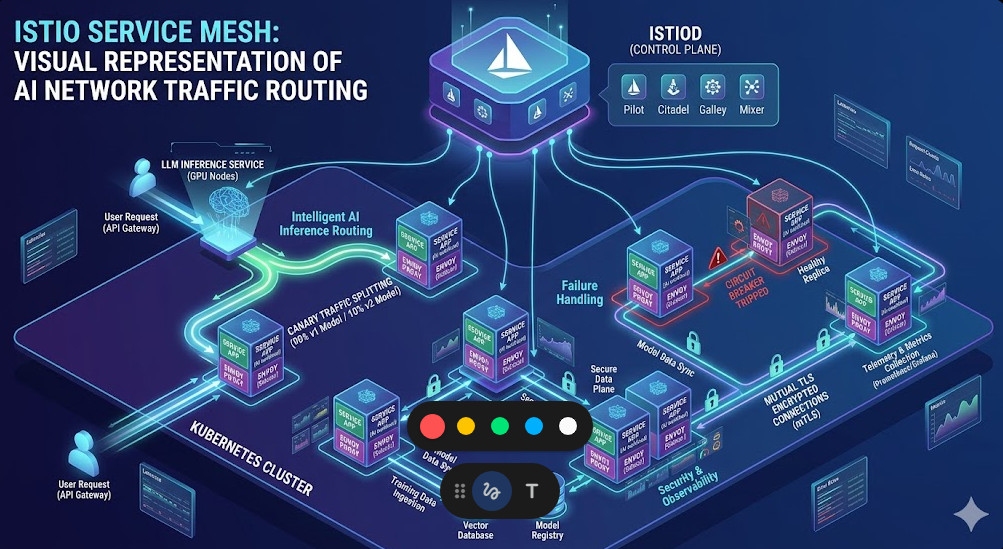
Deploy DeepSeek-R1 on Kubernetes: A Comprehensive MLOps Guide

The era of Large Language Models (LLMs) is transforming industries, but moving these powerful models from research to production presents significant operational challenges. DeepSeek-R1, a cutting-edge model renowned for its reasoning and coding capabilities, is a prime example. While incredibly powerful, its size and computational demands require a robust, scalable, and resilient infrastructure. This is where orchestrating a DeepSeek-R1 Kubernetes deployment becomes not just an option, but a strategic necessity for any serious MLOps team. This guide will walk you through the entire process, from setting up your GPU-enabled cluster to serving inference requests at scale.

Why Kubernetes for LLM Deployment?

Deploying a massive model like DeepSeek-R1 on a single virtual machine is fraught with peril. It lacks scalability, fault tolerance, and efficient resource utilization. Kubernetes, the de facto standard for container orchestration, directly addresses these challenges, making it the ideal platform for production-grade LLM inference.

  • Scalability: Kubernetes allows you to scale your model inference endpoints horizontally by simply increasing the replica count of your pods. With tools like the Horizontal Pod Autoscaler (HPA), this process can be automated based on metrics like GPU utilization or request latency.
  • High Availability: By distributing pods across multiple nodes, Kubernetes ensures that your model remains available even if a node fails. Its self-healing capabilities will automatically reschedule failed pods, providing a resilient service.
  • Resource Management: Kubernetes provides fine-grained control over resource allocation. You can explicitly request specific resources, like NVIDIA GPUs, ensuring your LLM workloads get the dedicated hardware they need to perform optimally.
  • Ecosystem and Portability: The vast Cloud Native Computing Foundation (CNCF) ecosystem provides tools for every aspect of the deployment lifecycle, from monitoring (Prometheus) and logging (Fluentd) to service mesh (Istio). This creates a standardized, cloud-agnostic environment for your MLOps workflows.

Prerequisites for Deploying DeepSeek-R1 on Kubernetes

Before you can deploy the model, you need to prepare your Kubernetes cluster. This setup is critical for handling the demanding nature of GPU workloads on Kubernetes.

1. A Running Kubernetes Cluster

You need access to a Kubernetes cluster. This can be a managed service from a cloud provider like Google Kubernetes Engine (GKE), Amazon Elastic Kubernetes Service (EKS), or Azure Kubernetes Service (AKS). Alternatively, you can use an on-premise cluster. The key requirement is that you have nodes equipped with powerful NVIDIA GPUs.

2. GPU-Enabled Nodes

DeepSeek-R1 requires significant GPU memory and compute power. Nodes with NVIDIA A100, H100, or L40S GPUs are ideal. Ensure your cluster’s node pool consists of these machines. You can verify that your nodes are recognized by Kubernetes and see their GPU capacity:

kubectl get nodes "-o=custom-columns=NAME:.metadata.name,GPU-CAPACITY:.status.capacity.nvidia\.com/gpu"

If the `GPU-CAPACITY` column is empty or shows `0`, you need to install the necessary drivers and device plugins.

3. NVIDIA GPU Operator

The easiest way to manage NVIDIA GPU drivers, the container runtime, and related components within Kubernetes is by using the NVIDIA GPU Operator. It uses the operator pattern to automate the management of all NVIDIA software components needed to provision GPUs.

Installation is typically done via Helm:

helm repo add nvidia https://helm.ngc.nvidia.com/nvidia
helm repo update
helm install --wait --generate-name \
  -n gpu-operator --create-namespace \
  nvidia/gpu-operator

After installation, the operator will automatically install drivers on your GPU nodes, making them available for pods to request.

4. Kubectl and Helm Installed

Ensure you have `kubectl` (the Kubernetes command-line tool) and `Helm` (the Kubernetes package manager) installed and configured to communicate with your cluster.

Choosing a Model Serving Framework

You can’t just run a Python script in a container to serve an LLM in production. You need a specialized serving framework optimized for high-throughput, low-latency inference. These frameworks handle complex tasks like request batching, memory management with paged attention, and optimized GPU kernel execution.

  • vLLM: An open-source library from UC Berkeley, vLLM is incredibly popular for its high performance. It introduces PagedAttention, an algorithm that efficiently manages the GPU memory required for attention keys and values, significantly boosting throughput. It also provides an OpenAI-compatible API server out of the box.
  • Text Generation Inference (TGI): Developed by Hugging Face, TGI is another production-ready toolkit for deploying LLMs. It’s highly optimized and widely used, offering features like continuous batching and quantized inference.

For this guide, we will use vLLM due to its excellent performance and ease of use for deploying a wide range of models.

Step-by-Step Guide: Deploying DeepSeek-R1 with vLLM on Kubernetes

Now we get to the core of the deployment. We will create a Kubernetes Deployment to manage our model server pods and a Service to expose them within the cluster.

Step 1: Understanding the vLLM Container

We don’t need to build a custom Docker image. The vLLM project provides a pre-built Docker image that can download and serve any model from the Hugging Face Hub. We will use the `vllm/vllm-openai:latest` image, which includes the OpenAI-compatible API server.

We will configure the model to be served by passing command-line arguments to the container. The key arguments are:

  • --model deepseek-ai/deepseek-r1: Specifies the model to download and serve.
  • --tensor-parallel-size N: The number of GPUs to use for tensor parallelism. This should match the number of GPUs requested by the pod.
  • --host 0.0.0.0: Binds the server to all network interfaces inside the container.

Step 2: Crafting the Kubernetes Deployment YAML

The Deployment manifest is the blueprint for our application. It defines the container image, resource requirements, replica count, and other configurations. Save the following content as `deepseek-deployment.yaml`.

apiVersion: apps/v1
kind: Deployment
metadata:
  name: deepseek-r1-deployment
  labels:
    app: deepseek-r1
spec:
  replicas: 1 # Start with 1 and scale later
  selector:
    matchLabels:
      app: deepseek-r1
  template:
    metadata:
      labels:
        app: deepseek-r1
    spec:
      containers:
      - name: vllm-container
        image: vllm/vllm-openai:latest
        args: [
            "--model", "deepseek-ai/deepseek-r1",
            "--tensor-parallel-size", "1", # Adjust based on number of GPUs
            "--host", "0.0.0.0"
        ]
        ports:
        - containerPort: 8000
        resources:
          limits:
            nvidia.com/gpu: 1 # Request 1 GPU
          requests:
            nvidia.com/gpu: 1 # Request 1 GPU
        volumeMounts:
        - mountPath: /root/.cache/huggingface
          name: model-cache-volume
      volumes:
      - name: model-cache-volume
        emptyDir: {} # For simplicity; use a PersistentVolume in production

Key points in this manifest:

  • spec.replicas: 1: We are starting with a single pod running the model.
  • image: vllm/vllm-openai:latest: The official vLLM image.
  • args: This is where we tell vLLM which model to run.
  • resources.limits: This is the most critical part for GPU workloads. nvidia.com/gpu: 1 tells the Kubernetes scheduler to find a node with at least one available NVIDIA GPU and assign it to this pod.
  • volumeMounts and volumes: We use an emptyDir volume to cache the downloaded model. This means the model will be re-downloaded if the pod is recreated. For faster startup times in production, you should use a `PersistentVolume` with a `ReadWriteMany` access mode.

Step 3: Creating the Kubernetes Service

A Deployment alone isn’t enough. We need a stable network endpoint to send requests to the pods. A Kubernetes Service provides this. It load-balances traffic across all pods managed by the Deployment.

Save the following as `deepseek-service.yaml`:

apiVersion: v1
kind: Service
metadata:
  name: deepseek-r1-service
spec:
  selector:
    app: deepseek-r1
  ports:
    - protocol: TCP
      port: 80
      targetPort: 8000
  type: ClusterIP # Exposes the service only within the cluster

This creates a `ClusterIP` service named `deepseek-r1-service`. Other applications inside the cluster can now reach our model at `http://deepseek-r1-service`.

Step 4: Applying the Manifests and Verifying the Deployment

Now, apply these configuration files to your cluster:

kubectl apply -f deepseek-deployment.yaml
kubectl apply -f deepseek-service.yaml

Check the status of your deployment. It may take several minutes for the pod to start, especially the first time, as it needs to pull the container image and download the large DeepSeek-R1 model.

# Check pod status (should eventually be 'Running')
kubectl get pods -l app=deepseek-r1

# Watch the logs to monitor the model download and server startup
kubectl logs -f -l app=deepseek-r1

Once you see a message in the logs indicating the server is running (e.g., “Uvicorn running on http://0.0.0.0:8000”), your model is ready to serve requests.

Testing the Deployed Model

Since we used the `vllm/vllm-openai` image, the server exposes an API that is compatible with the OpenAI Chat Completions API. This makes it incredibly easy to integrate with existing tools.

To test it from within the cluster, you can launch a temporary pod and use `curl`:

kubectl run -it --rm --image=curlimages/curl:latest temp-curl -- sh

Once inside the temporary pod’s shell, send a request to your service:

curl http://deepseek-r1-service/v1/chat/completions \
  -H "Content-Type: application/json" \
  -d '{
    "model": "deepseek-ai/deepseek-r1",
    "messages": [
      {"role": "system", "content": "You are a helpful assistant."},
      {"role": "user", "content": "What is the purpose of a Kubernetes Deployment?"}
    ]
  }'

You should receive a JSON response from the model with its answer, confirming your DeepSeek-R1 Kubernetes deployment is working correctly!

Advanced Considerations and Best Practices

Getting a single replica running is just the beginning. A production-ready MLOps setup requires more.

  • Model Caching: Use a `PersistentVolume` (backed by a fast network storage like NFS or a cloud provider’s file store) to cache the model weights. This dramatically reduces pod startup time after the initial download.
  • Autoscaling: Use the Horizontal Pod Autoscaler (HPA) to automatically scale the number of replicas based on CPU or memory. For more advanced GPU-based scaling, consider KEDA (Kubernetes Event-driven Autoscaling), which can scale based on metrics scraped from Prometheus, like GPU utilization.
  • Monitoring: Deploy Prometheus and Grafana to monitor your cluster. Use the DCGM Exporter (part of the GPU Operator) to get detailed GPU metrics (utilization, memory usage, temperature) into Prometheus. This is essential for understanding performance and cost.
  • Ingress: To expose your service to the outside world securely, use an Ingress controller (like NGINX or Traefik) along with an Ingress resource to handle external traffic, TLS termination, and routing.

Frequently Asked Questions

What are the minimum GPU requirements for DeepSeek-R1?
DeepSeek-R1 is a very large model. You will need a high-end data center GPU with at least 48GB of VRAM, such as an NVIDIA A100 (80GB) or H100, to run it effectively, even for inference. Always check the model card on Hugging Face for the latest requirements.

Can I use a different model serving framework?
Absolutely. While this guide uses vLLM, you can adapt the Deployment manifest to use other frameworks like Text Generation Inference (TGI), TensorRT-LLM, or OpenLLM. The core concepts of requesting GPU resources and using a Service remain the same.

How do I handle model updates or versioning?
Kubernetes Deployments support rolling updates. To update to a new model version, you can change the `–model` argument in your Deployment YAML. When you apply the new manifest, Kubernetes will perform a rolling update, gradually replacing old pods with new ones, ensuring zero downtime.

Is it cost-effective to run LLMs on Kubernetes?
While GPU instances are expensive, Kubernetes can improve cost-effectiveness through efficient resource utilization. By packing multiple workloads onto shared nodes and using autoscaling to match capacity with demand, you can avoid paying for idle resources, which is a common issue with statically provisioned VMs.

Conclusion

You have successfully navigated the process of deploying a state-of-the-art language model on a production-grade orchestration platform. By combining the power of DeepSeek-R1 with the scalability and resilience of Kubernetes, you unlock the ability to build and serve sophisticated AI applications that can handle real-world demand. The journey from a simple configuration to a fully automated, observable, and scalable system is the essence of MLOps. This DeepSeek-R1 Kubernetes deployment serves as a robust foundation, empowering you to innovate and build the next generation of AI-driven services. Thank you for reading the DevopsRoles page!

Test Terraform with LocalStack Go Client

In modern cloud engineering, Infrastructure as Code (IaC) is the gold standard for managing resources. Terraform has emerged as a leader in this space, allowing teams to define and provision infrastructure using a declarative configuration language. However, a significant challenge remains: how do you test your Terraform configurations efficiently without spinning up costly cloud resources and slowing down your development feedback loop? The answer lies in local cloud emulation. This guide provides a comprehensive walkthrough on how to leverage the powerful combination of Terraform LocalStack and the Go programming language to create a robust, local testing framework for your AWS infrastructure. This approach enables rapid, cost-effective integration testing, ensuring your code is solid before it ever touches a production environment.

Why Bother with Local Cloud Development?

The traditional “code, push, and pray” approach to infrastructure changes is fraught with risk and inefficiency. Testing against live AWS environments incurs costs, is slow, and can lead to resource conflicts between developers. A local cloud development strategy, centered around tools like LocalStack, addresses these pain points directly.

  • Cost Efficiency: By emulating AWS services on your local machine, you eliminate the need to pay for development or staging resources. This is especially beneficial when testing services that can be expensive, like multi-AZ RDS instances or EKS clusters.
  • Speed and Agility: Local feedback loops are orders of magnitude faster. Instead of waiting several minutes for a deployment pipeline to provision resources in the cloud, you can apply and test changes in seconds. This dramatically accelerates development and debugging.
  • Offline Capability: Develop and test your infrastructure configurations even without an internet connection. This is perfect for remote work or travel.
  • Isolated Environments: Each developer can run their own isolated stack, preventing the “it works on my machine” problem and eliminating conflicts over shared development resources.
  • Enhanced CI/CD Pipelines: Integrating local testing into your continuous integration (CI) pipeline allows you to catch errors early. You can run a full suite of integration tests against a LocalStack instance for every pull request, ensuring a higher degree of confidence before merging.

Setting Up Your Development Environment

Before we dive into the code, we need to set up our toolkit. This involves installing the necessary CLIs and getting LocalStack up and running with Docker.

Installing Core Tools

Ensure you have the following tools installed on your system. Most can be installed easily with package managers like Homebrew (macOS) or Chocolatey (Windows).

  • Terraform: The core IaC tool we’ll be using.
  • Go: The programming language for writing our integration tests.
  • Docker: The container platform needed to run LocalStack.
  • AWS CLI v2: Useful for interacting with and debugging our LocalStack instance.

Running LocalStack with Docker Compose

The easiest way to run LocalStack is with Docker Compose. Create a docker-compose.yml file with the following content. This configuration exposes the necessary ports and sets up a persistent volume for the LocalStack state.

version: "3.8"

services:
  localstack:
    container_name: "localstack_main"
    image: localstack/localstack:latest
    ports:
      - "127.0.0.1:4566:4566"            # LocalStack Gateway
      - "127.0.0.1:4510-4559:4510-4559"  # External services
    environment:
      - DEBUG=${DEBUG-}
      - DOCKER_HOST=unix:///var/run/docker.sock
    volumes:
      - "${LOCALSTACK_VOLUME_DIR:-./volume}:/var/lib/localstack"
      - "/var/run/docker.sock:/var/run/docker.sock"

Start LocalStack by running the following command in the same directory as your file:

docker-compose up -d

You can verify that it’s running correctly by checking the logs or using the AWS CLI, configured for the local endpoint:

aws --endpoint-url=http://localhost:4566 s3 ls

If this command returns an empty list without errors, your local AWS cloud is ready!

Crafting Your Terraform Configuration for LocalStack

The key to using Terraform with LocalStack is to configure the AWS provider to target your local endpoints instead of the official AWS APIs. This is surprisingly simple.

The provider Block: Pointing Terraform to LocalStack

In your Terraform configuration file (e.g., main.tf), you’ll define the aws provider with custom endpoints. This tells Terraform to direct all API calls for the specified services to your local container.

Important: For this to work seamlessly, you must use dummy values for access_key and secret_key. LocalStack doesn’t validate credentials by default.

terraform {
  required_providers {
    aws = {
      source  = "hashicorp/aws"
      version = "~> 5.0"
    }
  }
}

provider "aws" {
  region                      = "us-east-1"
  access_key                  = "test"
  secret_key                  = "test"
  skip_credentials_validation = true
  skip_metadata_api_check     = true
  skip_requesting_account_id  = true

  endpoints {
    s3 = "http://localhost:4566"
    # Add other services here, e.g.,
    # dynamodb = "http://localhost:4566"
    # lambda   = "http://localhost:4566"
  }
}

Example: Defining an S3 Bucket

Now, let’s define a simple resource. We’ll create an S3 bucket with a specific name and a tag. Add this to your main.tf file:

resource "aws_s3_bucket" "test_bucket" {
  bucket = "my-unique-local-test-bucket"

  tags = {
    Environment = "Development"
    ManagedBy   = "Terraform"
  }
}

output "bucket_name" {
  value = aws_s3_bucket.test_bucket.id
}

With this configuration, you can now run terraform init and terraform apply. Terraform will communicate with your LocalStack container and create the S3 bucket locally.

Writing Go Tests with the AWS SDK for your Terraform LocalStack Setup

Now for the exciting part: writing automated tests in Go to validate the infrastructure that Terraform creates. We will use the official AWS SDK for Go V2, configuring it to point to our LocalStack instance.

Initializing the Go Project

In the same directory, initialize a Go module:

go mod init terraform-localstack-test
go get github.com/aws/aws-sdk-go-v2
go get github.com/aws/aws-sdk-go-v2/config
go get github.com/aws/aws-sdk-go-v2/service/s3
go get github.com/aws/aws-sdk-go-v2/aws

Configuring the AWS Go SDK v2 for LocalStack

To make the Go SDK talk to LocalStack, we need to provide a custom configuration. This involves creating a custom endpoint resolver and disabling credential checks. Create a helper file, perhaps aws_config.go, to handle this logic.

// aws_config.go
package main

import (
	"context"
	"github.com/aws/aws-sdk-go-v2/aws"
	"github.com/aws/aws-sdk-go-v2/config"
)

const (
	awsRegion    = "us-east-1"
	localstackEP = "http://localhost:4566"
)

// newAWSConfig creates a new AWS SDK v2 configuration pointed at LocalStack
func newAWSConfig(ctx context.Context) (aws.Config, error) {
	// Custom resolver for LocalStack endpoints
	customResolver := aws.EndpointResolverWithOptionsFunc(func(service, region string, options ...interface{}) (aws.Endpoint, error) {
		return aws.Endpoint{
			URL:           localstackEP,
			SigningRegion: region,
			Source:        aws.EndpointSourceCustom,
		}, nil
	})

	// Load default config and override with custom settings
	return config.LoadDefaultConfig(ctx,
		config.WithRegion(awsRegion),
		config.WithEndpointResolverWithOptions(customResolver),
		config.WithCredentialsProvider(aws.AnonymousCredentials{}),
	)
}

Writing the Integration Test: A Practical Example

Now, let’s write the test file main_test.go. We’ll use Go’s standard testing package. The test will create an S3 client using our custom configuration and then perform checks against the S3 bucket created by Terraform.

Test Case 1: Verifying S3 Bucket Creation

This test will check if the bucket exists. The HeadBucket API call is a lightweight way to do this; it succeeds if the bucket exists and you have permission, and fails otherwise.

// main_test.go
package main

import (
	"context"
	"github.com/aws/aws-sdk-go-v2/service/s3"
	"testing"
)

func TestS3BucketExists(t *testing.T) {
	// Arrange
	ctx := context.TODO()
	bucketName := "my-unique-local-test-bucket"

	cfg, err := newAWSConfig(ctx)
	if err != nil {
		t.Fatalf("failed to create aws config: %v", err)
	}

	s3Client := s3.NewFromConfig(cfg)

	// Act
	_, err = s3Client.HeadBucket(ctx, &s3.HeadBucketInput{
		Bucket: &bucketName,
	})

	// Assert
	if err != nil {
		t.Errorf("HeadBucket failed for bucket '%s': %v", bucketName, err)
	}
}

Test Case 2: Checking Bucket Tagging

A good test goes beyond mere existence. Let’s verify that the tags we defined in our Terraform code were applied correctly.

// Add this test to main_test.go
func TestS3BucketHasCorrectTags(t *testing.T) {
	// Arrange
	ctx := context.TODO()
	bucketName := "my-unique-local-test-bucket"
	expectedTags := map[string]string{
		"Environment": "Development",
		"ManagedBy":   "Terraform",
	}

	cfg, err := newAWSConfig(ctx)
	if err != nil {
		t.Fatalf("failed to create aws config: %v", err)
	}
	s3Client := s3.NewFromConfig(cfg)

	// Act
	output, err := s3Client.GetBucketTagging(ctx, &s3.GetBucketTaggingInput{
		Bucket: &bucketName,
	})
	if err != nil {
		t.Fatalf("GetBucketTagging failed: %v", err)
	}

	// Assert
	actualTags := make(map[string]string)
	for _, tag := range output.TagSet {
		actualTags[*tag.Key] = *tag.Value
	}

	for key, expectedValue := range expectedTags {
		actualValue, ok := actualTags[key]
		if !ok {
			t.Errorf("Expected tag '%s' not found", key)
			continue
		}
		if actualValue != expectedValue {
			t.Errorf("Tag '%s' has wrong value. Got: '%s', Expected: '%s'", key, actualValue, expectedValue)
		}
	}
}

The Complete Workflow: Tying It All Together

Now you have all the pieces. Here is the end-to-end workflow for developing and testing your infrastructure locally.

Step 1: Start LocalStack

Ensure your local cloud is running.

docker-compose up -d

Step 2: Apply Terraform Configuration

Initialize Terraform (if you haven’t already) and apply your configuration to provision the resources inside the LocalStack container.

terraform init
terraform apply -auto-approve

Step 3: Run the Go Integration Tests

Execute your test suite to validate the infrastructure.

go test -v

If all tests pass, you have a high degree of confidence that your Terraform code correctly defines the infrastructure you intended.

Step 4: Tear Down the Infrastructure

After testing, clean up the resources in LocalStack and, if desired, stop the container.

terraform destroy -auto-approve
docker-compose down

Frequently Asked Questions

1. Is LocalStack free?
LocalStack has a free, open-source Community version that covers many core AWS services like S3, DynamoDB, Lambda, and SQS. More advanced services are available in the Pro/Team versions.

2. How does this compare to Terratest?
Terratest is another excellent framework for testing Terraform code, also written in Go. The approach described here is complementary. You can use Terratest’s helper functions to run terraform apply and then use the AWS SDK configuration method shown in this article to point your Terratest assertions at a LocalStack endpoint.

3. Can I use other languages for testing?
Absolutely! The core principle is configuring the AWS SDK of your chosen language (Python’s Boto3, JavaScript’s AWS-SDK, etc.) to use the LocalStack endpoint. The logic remains the same.

4. What if a service isn’t supported by LocalStack?
While LocalStack’s service coverage is extensive, it’s not 100%. For unsupported services, you may need to rely on mocks, stubs, or targeted tests against a real (sandboxed) AWS environment. Always check the official LocalStack documentation for the latest service coverage.

Conclusion

Adopting a local-first testing strategy is a paradigm shift for cloud infrastructure development. By combining the declarative power of Terraform with the high-fidelity emulation of LocalStack, you can build a fast, reliable, and cost-effective testing loop. Writing integration tests in Go with the AWS SDK provides the final piece of the puzzle, allowing you to programmatically verify that your infrastructure behaves exactly as expected. This Terraform LocalStack workflow not only accelerates your development cycle but also dramatically improves the quality and reliability of your infrastructure deployments, giving you and your team the confidence to innovate and deploy with speed. Thank you for reading the DevopsRoles page!
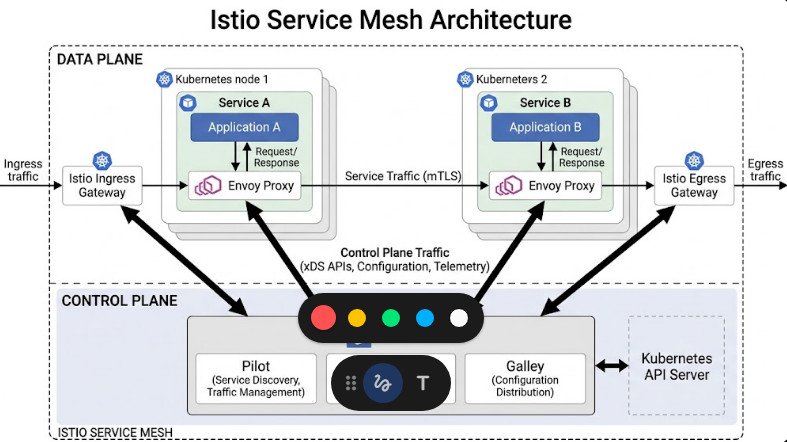
Mastering Linux Cache: Boost Performance & Speed

In the world of system administration and DevOps, performance is paramount. Every millisecond counts, and one of the most fundamental yet misunderstood components contributing to a Linux system’s speed is its caching mechanism. Many administrators see high memory usage attributed to “cache” and instinctively worry, but this is often a sign of a healthy, well-performing system. Understanding the Linux cache is not just an academic exercise; it’s a practical skill that allows you to accurately diagnose performance issues and optimize your infrastructure. This comprehensive guide will demystify the Linux caching system, from its core components to practical monitoring and management techniques.

What is the Linux Cache and Why is it Crucial?

At its core, the Linux cache is a mechanism that uses a portion of your system’s unused Random Access Memory (RAM) to store data that has recently been read from or written to a disk (like an SSD or HDD). Since accessing data from RAM is orders of magnitude faster than reading it from a disk, this caching dramatically speeds up system operations.

Think of it like a librarian who keeps the most frequently requested books on a nearby cart instead of returning them to the vast shelves after each use. The next time someone asks for one of those popular books, the librarian can hand it over instantly. In this analogy, the RAM is the cart, the disk is the main library, and the Linux kernel is the smart librarian. This process minimizes disk I/O (Input/Output), which is one of the slowest operations in any computer system.

The key benefits include:

  • Faster Application Load Times: Applications and their required data can be served from the cache instead of the disk, leading to quicker startup.
  • Improved System Responsiveness: Frequent operations, like listing files in a directory, become almost instantaneous as the required metadata is held in memory.
  • Reduced Disk Wear: By minimizing unnecessary read/write operations, caching can extend the lifespan of physical storage devices, especially SSDs.

It’s important to understand that memory used for cache is not “wasted” memory. The kernel is intelligent. If an application requires more memory, the kernel will seamlessly and automatically shrink the cache to free up RAM for the application. This dynamic management ensures that caching enhances performance without starving essential processes of the memory they need.

Diving Deep: The Key Components of the Linux Cache

The term “Linux cache” is an umbrella for several related but distinct mechanisms working together. The most significant components are the Page Cache, Dentry Cache, and Inode Cache.

The Page Cache: The Heart of File Caching

The Page Cache is the main disk cache used by the Linux kernel. When you read a file from the disk, the kernel reads it in chunks called “pages” (typically 4KB in size) and stores these pages in unused areas of RAM. The next time any process requests the same part of that file, the kernel can provide it directly from the much faster Page Cache, avoiding a slow disk read operation.

This also works for write operations. When you write to a file, the data can be written to the Page Cache first (a process known as write-back caching). The system can then inform the application that the write is complete, making the application feel fast and responsive. The kernel then flushes these “dirty” pages to the disk in the background at an optimal time. The sync command can be used to manually force all dirty pages to be written to disk.

The Buffer Cache: Buffering Block Device I/O

Historically, the Buffer Cache (or `Buffers`) was a separate entity that held metadata related to block devices, such as the filesystem journal or partition tables. In modern Linux kernels (post-2.4), the Buffer Cache is not a separate memory pool. Its functionality has been unified with the Page Cache. Today, when you see “Buffers” in tools like free or top, it generally refers to pages within the Page Cache that are specifically holding block device metadata. It’s a temporary storage for raw disk blocks and is a much smaller component compared to the file-centric Page Cache.

The Slab Allocator: Dentry and Inode Caches

Beyond caching file contents, the kernel also needs to cache filesystem metadata to avoid repeated disk lookups for file structure information. This is handled by the Slab allocator, a special memory management mechanism within the kernel for frequently used data structures.

Dentry Cache (dcache)

A “dentry” (directory entry) is a data structure used to translate a file path (e.g., /home/user/document.txt) into an inode. Every time you access a file, the kernel has to traverse this path. The dentry cache stores these translations in RAM. This dramatically speeds up operations like ls -l or any file access, as the kernel doesn’t need to read directory information from the disk repeatedly. You can learn more about kernel memory allocation from the official Linux Kernel documentation.

Inode Cache (icache)

An “inode” stores all the metadata about a file—except for its name and its actual data content. This includes permissions, ownership, file size, timestamps, and pointers to the disk blocks where the file’s data is stored. The inode cache holds this information in memory for recently accessed files, again avoiding slow disk I/O for metadata retrieval.

How to Monitor and Analyze Linux Cache Usage

Monitoring your system’s cache is straightforward with standard Linux command-line tools. Understanding their output is key to getting a clear picture of your memory situation.

Using the free Command

The free command is the quickest way to check memory usage. Using the -h (human-readable) flag makes the output easy to understand.

$ free -h
               total        used        free      shared  buff/cache   available
Mem:            15Gi       4.5Gi       338Mi       1.1Gi        10Gi        9.2Gi
Swap:          2.0Gi       1.2Gi       821Mi

Here’s how to interpret the key columns:

  • total: Total installed RAM.
  • used: Memory actively used by applications (total – free – buff/cache).
  • free: Truly unused memory. This number is often small on a busy system, which is normal.
  • buff/cache: This is the combined memory used by the Page Cache, Buffer Cache, and Slab allocator (dentries and inodes). This is the memory the kernel can reclaim if needed.
  • available: This is the most important metric. It’s an estimation of how much memory is available for starting new applications without swapping. It includes the “free” memory plus the portion of “buff/cache” that can be easily reclaimed.

Understanding /proc/meminfo

For a more detailed breakdown, you can inspect the virtual file /proc/meminfo. This file provides a wealth of information that tools like free use.

$ cat /proc/meminfo | grep -E '^(MemAvailable|Buffers|Cached|SReclaimable)'
MemAvailable:    9614444 kB
Buffers:          345520 kB
Cached:          9985224 kB
SReclaimable:     678220 kB
  • MemAvailable: The same as the “available” column in free.
  • Buffers: The memory used by the buffer cache.
  • Cached: Memory used by the page cache, excluding swap cache.
  • SReclaimable: The part of the Slab memory (like dentry and inode caches) that is reclaimable.

Advanced Tools: vmstat and slabtop

For dynamic monitoring, vmstat (virtual memory statistics) is excellent. Running vmstat 2 will give you updates every 2 seconds.

$ vmstat 2
procs -----------memory---------- ---swap-- -----io---- -system-- ------cpu-----
 r  b   swpd   free   buff  cache   si   so    bi    bo   in   cs us sy id wa st
 1  0 1252348 347492 345632 10580980    2    5   119   212  136  163  9  2 88  1  0
...

Pay attention to the bi (blocks in) and bo (blocks out) columns. High, sustained numbers here indicate heavy disk I/O. If these values are low while the system is busy, it’s a good sign that the cache is effectively serving requests.

To inspect the Slab allocator directly, you can use slabtop.

# requires root privileges
sudo slabtop

This command provides a real-time view of the top kernel caches, allowing you to see exactly how much memory is being used by objects like dentry and various inode caches.

Managing the Linux Cache: When and How to Clear It

Warning: Manually clearing the Linux cache is an operation that should be performed with extreme caution and is rarely necessary on a production system. The kernel’s memory management algorithms are highly optimized. Forcing a cache drop will likely degrade performance temporarily, as the system will need to re-read required data from the slow disk.

Why You Might *Think* You Need to Clear the Cache

The most common reason administrators want to clear the cache is a misunderstanding of the output from free -h. They see a low “free” memory value and a high “buff/cache” value and assume the system is out of memory. As we’ve discussed, this is the intended behavior of a healthy system. The only legitimate reason to clear the cache is typically for benchmarking purposes—for example, to measure the “cold-start” performance of an application’s disk I/O without any caching effects.

The drop_caches Mechanism: The Right Way to Clear Cache

If you have a valid reason to clear the cache, Linux provides a non-destructive way to do so via the /proc/sys/vm/drop_caches interface. For a detailed explanation, resources like Red Hat’s articles on memory management are invaluable.

First, it’s good practice to write all cached data to disk to prevent any data loss using the sync command. This flushes any “dirty” pages from memory to the storage device.

# First, ensure all pending writes are completed
sync

Next, you can write a value to drop_caches to specify what to clear. You must have root privileges to do this.

  • To free pagecache only:
    echo 1 | sudo tee /proc/sys/vm/drop_caches

  • To free reclaimable slab objects (dentries and inodes):
    echo 2 | sudo tee /proc/sys/vm/drop_caches

  • To free pagecache, dentries, and inodes (most common):
    echo 3 | sudo tee /proc/sys/vm/drop_caches

Example: Before and After

Let’s see the effect.

Before:

$ free -h
               total        used        free      shared  buff/cache   available
Mem:            15Gi       4.5Gi       338Mi       1.1Gi        10Gi        9.2Gi

Action:

$ sync; echo 3 | sudo tee /proc/sys/vm/drop_caches
3

After:

$ free -h
               total        used        free      shared  buff/cache   available
Mem:            15Gi       4.4Gi        10Gi       1.1Gi       612Mi        9.6Gi

As you can see, the buff/cache value dropped dramatically from 10Gi to 612Mi, and the free memory increased by a corresponding amount. However, the system’s performance will now be slower for any operation that needs data that was just purged from the cache.

Frequently Asked Questions

What’s the difference between buffer and cache in Linux?
Historically, buffers were for raw block device I/O and cache was for file content. In modern kernels, they are unified. “Cache” (Page Cache) holds file data, while “Buffers” represents metadata for block I/O, but both reside in the same memory pool.
Is high cache usage a bad thing in Linux?
No, quite the opposite. High cache usage is a sign that your system is efficiently using available RAM to speed up disk operations. It is not “wasted” memory and will be automatically released when applications need it.
How can I see what files are in the page cache?
There isn’t a simple, standard command for this, but third-party tools like vmtouch or pcstat can analyze a file or directory and report how much of it is currently resident in the page cache.
Will clearing the cache delete my data?
No. Using the drop_caches method will not cause data loss. The cache only holds copies of data that is permanently stored on the disk. Running sync first ensures that any pending writes are safely committed to the disk before the cache is cleared.

Conclusion

The Linux cache is a powerful and intelligent performance-enhancing feature, not a problem to be solved. By leveraging unused RAM, the kernel significantly reduces disk I/O and makes the entire system faster and more responsive. While the ability to manually clear the cache exists, its use cases are limited almost exclusively to specific benchmarking scenarios. For system administrators and DevOps engineers, the key is to learn how to monitor and interpret cache usage correctly using tools like free, vmstat, and /proc/meminfo. Embracing and understanding the behavior of the Linux cache is a fundamental step toward mastering Linux performance tuning and building robust, efficient systems.Thank you for reading the DevopsRoles page!

Red Hat Extends Ansible Automation: Forging the Future of IT with an Ambitious New Scope

In the ever-accelerating world of digital transformation, the complexity of IT environments is growing at an exponential rate. Hybrid clouds, edge computing, and the pervasive integration of artificial intelligence are no longer futuristic concepts but the daily reality for IT professionals. This intricate tapestry of technologies demands a new paradigm of automation—one that is not just reactive but predictive, not just scripted but intelligent, and not just centralized but pervasive. Recognizing this critical need, Red Hat extends Ansible Automation with a bold and ambitious new scope, fundamentally reshaping what’s possible in the realm of IT automation and management.

For years, Red Hat Ansible Automation Platform has been the de facto standard for automating provisioning, configuration management, and application deployment. Its agentless architecture, human-readable YAML syntax, and vast ecosystem of modules have empowered countless organizations to streamline operations, reduce manual errors, and accelerate service delivery. However, the challenges of today’s IT landscape demand more than just traditional automation. They require a platform that can intelligently respond to events in real-time, harness the power of generative AI to democratize automation, and seamlessly extend its reach from the core datacenter to the farthest edge of the network. This article delves into the groundbreaking extensions to the Ansible Automation Platform, exploring how Red Hat is pioneering the future of autonomous IT operations and providing a roadmap for businesses to not only navigate but thrive in this new era of complexity.

The Next Frontier: How Red Hat Extends Ansible Automation for the AI-Driven Era

The core of Ansible’s expanded vision lies in its deep integration with artificial intelligence and its evolution into a more responsive, event-driven platform. This isn’t merely about adding a few new features; it’s a strategic realignment to address the fundamental shifts in how IT is managed and operated. The new scope of Ansible Automation is built upon several key pillars, each designed to tackle a specific set of modern IT challenges.

Ansible Lightspeed with IBM Watson Code Assistant: The Dawn of Generative AI in Automation

One of the most transformative extensions to the Ansible Automation Platform is the introduction of Ansible Lightspeed with IBM Watson Code Assistant. This generative AI service, born from the erstwhile Project Wisdom, is designed to revolutionize how Ansible content is created, maintained, and adopted across an organization.

From Novice to Expert: Democratizing Ansible Playbook Creation

Traditionally, writing robust and efficient Ansible Playbooks required a significant level of expertise in both Ansible’s syntax and the intricacies of the target systems. Ansible Lightspeed dramatically lowers this barrier to entry by allowing users to generate Ansible tasks and even entire Playbooks using natural language prompts. This has profound implications for productivity and inclusivity:

  • For the beginner: A system administrator who understands the desired outcome but is unfamiliar with Ansible’s modules and syntax can simply describe the task in plain English (e.g., “create a new EC2 instance in AWS with a specific VPC and security group”) and receive a syntactically correct and functional Ansible task as a starting point.
  • For the expert: Experienced automators can accelerate their workflow by offloading the creation of boilerplate code and focusing on the more complex and strategic aspects of their automation. This also helps in discovering new modules and best practices they might not have been aware of.

Advanced Playbook Generation and Code Explanation

Ansible Lightspeed goes beyond simple task generation. With its deep integration into Visual Studio Code via the Ansible extension, it provides a seamless and interactive development experience. Users can generate multi-task Playbooks, and crucially, request explanations for existing Ansible code. This “explainability” feature is invaluable for training new team members, debugging complex Playbooks, and ensuring a consistent understanding of automation logic across the organization.

Example: Generating a Multi-Task Playbook with Ansible Lightspeed

A developer could input the following prompt into the Ansible Lightspeed interface in VS Code:

# ansible-lightspeed prompt
# - Install the latest version of Nginx
# - Create a new index.html file with the content "Welcome to our new web server"
# - Start and enable the Nginx service

Ansible Lightspeed, powered by Watson Code Assistant’s fine-tuned model trained on vast amounts of Ansible Galaxy content, would then generate a complete and contextually aware Playbook:

YAML

---
- name: Deploy and configure Nginx web server
  hosts: webservers
  become: true
  tasks:
    - name: Install the latest version of Nginx
      ansible.builtin.package:
        name: nginx
        state: latest

    - name: Create a custom index.html file
      ansible.builtin.copy:
        content: "Welcome to our new web server"
        dest: /usr/share/nginx/html/index.html
        mode: '0644'

    - name: Start and enable the Nginx service
      ansible.builtin.service:
        name: nginx
        state: started
        enabled: yes

Model Customization: Tailoring AI to Your Organization’s Needs

Recognizing that every organization has its own unique automation patterns, best practices, and custom modules, Red Hat and IBM have enabled model customization for Ansible Lightspeed. This allows enterprises to train the Watson Code Assistant model on their own private Ansible content. The result is a generative AI service that provides recommendations aligned with the organization’s specific operational standards, further improving the quality, accuracy, and relevance of the generated code.

Event-Driven Ansible: From Proactive to Responsive Automation

While traditional Ansible excels at executing predefined workflows, the dynamic nature of modern IT environments requires a more reactive and intelligent approach. This is where Event-Driven Ansible comes into play, a powerful extension that enables the platform to listen for and automatically respond to events from a wide range of sources across the IT landscape.

The Architecture of Responsiveness: Rulebooks, Sources, and Actions

Event-Driven Ansible introduces the concept of Ansible Rulebooks, which are YAML-defined sets of rules that link event sources to specific actions. The architecture is elegantly simple yet incredibly powerful:

  • Event Sources: These are plugins that connect to various monitoring, observability, and IT service management tools. There are out-of-the-box source plugins for a multitude of platforms, including AWS, Microsoft Azure, Google Cloud Platform, Kafka, webhooks, and popular observability tools like Dynatrace, Prometheus, and Grafana.
  • Rules: Within a rulebook, you define conditions that evaluate the incoming event data. These conditions can be as simple as checking for a specific status code or as complex as a multi-part logical expression that correlates data from different parts of the event payload.
  • Actions: When a rule’s condition is met, a corresponding action is triggered. This action can be running a full-fledged Ansible Playbook, executing a specific module, or even posting a new event to another system, creating a chain of automated workflows.

Practical Use Cases for Event-Driven Ansible

The applications of Event-Driven Ansible are vast and span across numerous IT domains:

  • Self-Healing Infrastructure: If a monitoring tool detects a failed web server, Event-Driven Ansible can automatically trigger a Playbook to restart the service, provision a new server, and update the load balancer, all without human intervention.Example: A Simple Self-Healing RulebookYAML--- - name: Monitor web server health hosts: all sources: - ansible.eda.url_check: urls: - https://www.example.com delay: 30 rules: - name: Restart Nginx on failure condition: event.url_check.status == "down" action: run_playbook: name: restart_nginx.yml
  • Automated Security Remediation: When a security information and event management (SIEM) system like Splunk or an endpoint detection and response (EDR) tool such as CrowdStrike detects a threat, Event-Driven Ansible can immediately execute a response Playbook. This could involve isolating the affected host by updating firewall rules, quarantining a user account, or collecting forensic data for further analysis.
  • FinOps and Cloud Cost Optimization: Event-Driven Ansible can be used to implement sophisticated FinOps strategies. By listening to events from cloud provider billing and usage APIs, it can automatically scale down underutilized resources during off-peak hours, decommission idle development environments, or enforce tagging policies to ensure proper cost allocation.
  • Hybrid Cloud and Edge Automation: In distributed environments, Event-Driven Ansible can react to changes in network latency, resource availability at the edge, or synchronization issues between on-premises and cloud resources, triggering automated workflows to maintain operational resilience.

Expanding the Automation Universe: New Content Collections and Integrations

The power of Ansible has always been in its extensive ecosystem of modules and collections. Red Hat is supercharging this ecosystem with a continuous stream of new, certified, and validated content, ensuring that Ansible can automate virtually any technology in the modern IT stack.

AI Infrastructure and MLOps

A key focus of the new content collections is the automation of AI and machine learning infrastructure. With new collections for Red Hat OpenShift AI and other popular MLOps platforms, organizations can automate the entire lifecycle of their AI/ML workloads, from provisioning GPU-accelerated compute nodes to deploying and managing complex machine learning models.

Networking and Security Automation at Scale

Red Hat continues to invest heavily in network and security automation. Recent updates include:

  • Expanded Cisco Integration: With a 300% expansion of the Cisco Intersight collection, network engineers can automate a wide range of tasks within the UCS ecosystem.
  • Enhanced Multi-Vendor Support: New and updated collections for vendors like Juniper, F5, and Nokia ensure that Ansible remains a leading platform for multi-vendor network automation.
  • Validated Security Content: Validated content for proactive security scenarios with Event-Driven Ansible enables security teams to build robust, automated threat response workflows.

Deepened Hybrid and Multi-Cloud Capabilities

The new scope of Ansible Automation places a strong emphasis on seamless hybrid and multi-cloud management. Enhancements include:

  • Expanded Cloud Provider Support: Significant updates to the AWS, Azure, and Google Cloud collections, including support for newer services like Azure Arc and enhanced capabilities for managing virtual machines and storage.
  • Virtualization Modernization: Improved integration with VMware vSphere and support for Red Hat OpenShift Virtualization make it easier for organizations to manage and migrate their virtualized workloads.
  • Infrastructure as Code (IaC) Integration: Upcoming integrations with tools like Terraform Enterprise and HashiCorp Vault will further solidify Ansible’s position as a central orchestrator in a modern IaC toolchain.

Ansible at the Edge: Automating the Distributed Enterprise

As computing moves closer to the data source, the need for robust and scalable edge automation becomes paramount. Red Hat has strategically positioned Ansible Automation Platform as the ideal solution for managing complex edge deployments.

Overcoming Edge Challenges with Automation Mesh

Ansible’s Automation Mesh provides a flexible and resilient architecture for distributing automation execution across geographically dispersed locations. This allows organizations to:

  • Execute Locally: Run automation closer to the edge devices, reducing latency and ensuring continued operation even with intermittent network connectivity to the central controller.
  • Scale Rapidly: Easily scale automation capacity to manage thousands of edge sites, network devices, and IoT endpoints.
  • Enhance Security: Deploy standardized configurations and automate patch management to maintain a strong security posture across the entire edge estate.

Real-World Edge Use Cases

  • Retail: Automating the deployment and configuration of point-of-sale (POS) systems, in-store servers, and IoT devices across thousands of retail locations.
  • Telecommunications: Automating the configuration and management of virtualized radio access networks (vRAN) and multi-access edge computing (MEC) infrastructure.
  • Manufacturing: Automating the configuration and monitoring of industrial control systems (ICS) and IoT sensors on the factory floor.

Frequently Asked Questions (FAQ)

Q1: How does Ansible Lightspeed with IBM Watson Code Assistant ensure the quality and security of the generated code?

Ansible Lightspeed is trained on a vast corpus of curated Ansible content from sources like Ansible Galaxy, with a strong emphasis on best practices. The models are fine-tuned to produce high-quality, reliable automation code. Furthermore, it provides source matching, giving users transparency into the potential origins of the generated code, including the author and license. For organizations with stringent security and compliance requirements, the ability to customize the model with their own internal, vetted Ansible content provides an additional layer of assurance.

Q2: Can Event-Driven Ansible integrate with custom or in-house developed applications?

Yes, Event-Driven Ansible is designed for flexibility and extensibility. One of its most powerful source plugins is the generic webhook source, which can receive events from any application or service capable of sending an HTTP POST request. This makes it incredibly easy to integrate with custom applications, legacy systems, and CI/CD pipelines. For more complex integrations, it’s also possible to develop custom event source plugins.

Q3: Is Ansible still relevant in a world dominated by Kubernetes and containers?

Absolutely. In fact, Ansible’s role is more critical than ever in a containerized world. While Kubernetes excels at container orchestration, it doesn’t solve all automation challenges. Ansible is a perfect complement to Kubernetes for tasks such as:

  • Provisioning and managing the underlying infrastructure for Kubernetes clusters, whether on-premises or in the cloud.
  • Automating the deployment of complex, multi-tier applications onto Kubernetes.
  • Managing the configuration of applications running inside containers.
  • Orchestrating workflows that span both Kubernetes and traditional IT infrastructure, which is a common reality in most enterprises.

Q4: How does Automation Mesh improve the performance and reliability of Ansible Automation at scale?

Automation Mesh introduces a distributed execution model. Instead of all automation jobs running on a central controller, they can be distributed to execution nodes located closer to the managed infrastructure. This provides several benefits:

  • Reduced Latency: For automation targeting geographically dispersed systems, running the execution from a nearby node significantly reduces network latency and improves performance.
  • Improved Reliability: If the connection to the central controller is lost, execution nodes can continue to run scheduled jobs, providing a higher level of resilience.
  • Enhanced Scalability: By distributing the execution load across multiple nodes, Automation Mesh allows the platform to handle a much larger volume of concurrent automation jobs.

Conclusion: A New Era of Intelligent Automation

The landscape of IT is in a state of constant evolution, and the tools we use to manage it must evolve as well. With its latest extensions, Red Hat extends Ansible Automation beyond its traditional role as a configuration management and orchestration tool. It is now a comprehensive, intelligent automation platform poised to tackle the most pressing challenges of the AI-driven, hybrid cloud era. By seamlessly integrating the power of generative AI with Ansible Lightspeed, embracing real-time responsiveness with Event-Driven Ansible, and continuously expanding its vast content ecosystem, Red Hat is not just keeping pace with the future of IT—it is actively defining it. For organizations looking to build a more agile, resilient, and innovative IT operation, the ambitious new scope of the Red Hat Ansible Automation Platform offers a clear and compelling path forward.

10 Best AI Tools for Career Growth to Master in 2025

The technological landscape is evolving at an unprecedented pace, with Artificial Intelligence (AI) standing at the forefront of innovation. For professionals across all sectors—from developers and DevOps engineers to IT managers and AI/ML specialists—mastering key AI tools for career advancement is no longer optional; it’s a strategic imperative. As we approach 2025, the demand for AI-literate talent will only intensify, making a proactive approach to skill development crucial. This article serves as your comprehensive guide, identifying the top 10 AI tools that promise significant career growth opportunities. We’ll delve into what each tool offers, its practical applications, and why mastering it will position you for success in the future of work.

Table of Contents

The AI Revolution and Your Career in 2025

The integration of AI into everyday business operations is fundamentally reshaping job roles and creating new opportunities. Automation, data analysis, predictive modeling, and generative capabilities are no longer confined to specialized AI departments; they are becoming embedded across all functions. For individuals looking to thrive in this new era, understanding and applying advanced AI tools for career acceleration is paramount. This section sets the stage for the specific tools by highlighting the broader trends driving their importance.

Why AI Skills are Non-Negotiable for Future Professionals

  • Increased Efficiency: AI tools automate repetitive tasks, freeing up professionals for more strategic work.
  • Enhanced Decision-Making: AI-powered analytics provide deeper insights, leading to more informed business decisions.
  • Innovation Driver: AI enables the creation of novel products, services, and solutions across industries.
  • Competitive Advantage: Professionals proficient in AI gain a significant edge in the job market.
  • Problem-Solving at Scale: AI can tackle complex problems that are beyond human capacity or time constraints.

The following tools have been selected based on their current impact, projected growth, industry adoption, and versatility across various technical and business roles. Mastering even a few of these will significantly enhance your marketability and enable you to contribute more effectively to any organization.

Top AI Tools for Career Growth in 2025

Here are the 10 essential AI tools and platforms that professionals should focus on mastering by 2025:

1. Generative AI Platforms (e.g., OpenAI’s ChatGPT, Google’s Gemini, Anthropic’s Claude)

What it is:

Generative AI platforms are large language models (LLMs) capable of understanding and generating human-like text, images, code, and other forms of data. Tools like ChatGPT, Gemini, and Claude represent the cutting edge of these capabilities, offering vast potential for creative and analytical tasks.

Career Impact:

These platforms are revolutionizing roles in content creation, marketing, research, customer service, and even software development. Mastering them allows professionals to automate content generation, synthesize complex information rapidly, brainstorm ideas, and improve communication efficiency.

Practical Use Cases:

  • Content Creation: Drafting articles, social media posts, marketing copy, and email templates.
  • Code Generation & Explanation: Generating code snippets, explaining complex functions, and debugging assistance.
  • Data Summarization: Condensing long reports, research papers, or meeting transcripts into key insights.
  • Idea Generation: Brainstorming new product features, business strategies, or creative concepts.
  • Customer Service: Powering intelligent chatbots and providing quick, accurate responses to customer queries.

Why Master It for 2025:

The ability to effectively prompt and utilize generative AI will be a fundamental skill across nearly all professional domains. It boosts productivity and allows individuals to focus on higher-level strategic thinking. Professionals adept at using these tools will become indispensable.

Learning Resources:

Explore the official documentation and blogs of OpenAI (OpenAI Blog), Google AI, and Anthropic for the latest updates and best practices.

2. GitHub Copilot (and other AI Code Assistants)

What it is:

GitHub Copilot is an AI pair programmer that provides code suggestions in real-time as developers write. Powered by OpenAI’s Codex, it can suggest entire lines or functions, translate natural language comments into code, and even learn from a developer’s coding style. Similar tools are emerging across various IDEs and platforms.

Career Impact:

For developers, DevOps engineers, and anyone involved in coding, Copilot drastically increases productivity, reduces boilerplate code, and helps in learning new APIs or languages. It accelerates development cycles and allows engineers to focus on architectural challenges rather than syntax.

Practical Use Cases:

  • Code Autocompletion: Suggesting next lines of code, speeding up development.
  • Boilerplate Generation: Quickly creating repetitive code structures or test cases.
  • Learning New Frameworks: Providing examples and usage patterns for unfamiliar libraries.
  • Refactoring Assistance: Suggesting improvements or alternative implementations for existing code.
  • Debugging: Helping identify potential issues by suggesting fixes or common patterns.

Why Master It for 2025:

AI-assisted coding is rapidly becoming the standard. Proficiency with tools like Copilot will be a key differentiator, indicating an engineer’s ability to leverage cutting-edge technology for efficiency and quality. It’s an essential skill for any software professional.

3. Cloud AI/ML Platforms (e.g., AWS SageMaker, Azure Machine Learning, Google Cloud AI Platform)

What it is:

These are comprehensive, fully managed platforms offered by major cloud providers (Amazon Web Services, Microsoft Azure, Google Cloud) for building, training, deploying, and managing machine learning models at scale. They provide a suite of tools, services, and infrastructure for the entire ML lifecycle (MLOps).

Career Impact:

Essential for AI/ML engineers, data scientists, cloud architects, and even IT managers overseeing AI initiatives. Mastering these platforms demonstrates the ability to operationalize AI solutions, manage cloud resources, and integrate ML into existing enterprise systems.

Practical Use Cases:

  • Model Training & Tuning: Training deep learning models on large datasets with scalable compute.
  • ML Model Deployment: Deploying models as API endpoints for real-time inference.
  • MLOps Pipeline Creation: Automating the entire ML workflow from data preparation to model monitoring.
  • Feature Engineering: Utilizing managed services for data processing and feature transformation.
  • Cost Optimization: Managing compute resources efficiently for ML workloads.

Why Master It for 2025:

The vast majority of enterprise AI deployments happen in the cloud. Expertise in these platforms is critical for anyone involved in building or managing production-grade AI solutions, offering roles in ML engineering, MLOps, and cloud architecture.

Learning Resources:

AWS SageMaker’s official documentation (AWS SageMaker) and specialized certifications from AWS, Azure, and Google Cloud are excellent starting points.

4. Hugging Face Ecosystem (Transformers, Datasets, Accelerate, Hub)

What it is:

Hugging Face has built a thriving ecosystem around open-source machine learning, particularly for natural language processing (NLP) and computer vision. Key components include the Transformers library (providing pre-trained models), Datasets library (for easy data loading), Accelerate (for distributed training), and the Hugging Face Hub (a platform for sharing models, datasets, and demos).

Career Impact:

For AI/ML engineers, researchers, and developers, Hugging Face provides an unparalleled toolkit to quickly experiment with, fine-tune, and deploy state-of-the-art models. It democratizes access to advanced AI capabilities and fosters community collaboration.

Practical Use Cases:

  • Fine-tuning LLMs: Adapting pre-trained models (e.g., BERT, GPT variants) for specific tasks.
  • Sentiment Analysis: Building applications that understand the emotional tone of text.
  • Object Detection: Implementing computer vision tasks with pre-trained vision transformers.
  • Model Deployment: Hosting and sharing models on the Hugging Face Hub for easy integration.
  • Research & Prototyping: Rapidly testing new ideas with readily available models and datasets.

Why Master It for 2025:

As the open-source movement continues to drive AI innovation, proficiency with Hugging Face tools means you can leverage the collective intelligence of the ML community, staying at the forefront of AI model development and application.

5. LangChain / LlamaIndex (LLM Application Frameworks)

What it is:

LangChain and LlamaIndex are increasingly popular open-source frameworks designed to help developers build sophisticated applications powered by large language models (LLMs). They provide modular components and tools to connect LLMs with external data sources, perform complex reasoning, and build agents.

Career Impact:

Essential for software developers, AI engineers, and product managers looking to build robust, data-aware LLM applications. Mastering these frameworks enables the creation of highly customized, context-rich AI solutions beyond simple prompt engineering.

Practical Use Cases:

  • Retrieval-Augmented Generation (RAG): Building systems that can query private data (databases, documents) and use that information to generate more accurate LLM responses.
  • Autonomous Agents: Creating AI agents that can perform multi-step tasks by interacting with tools and APIs.
  • Chatbots with Memory: Developing conversational AI with persistent memory and context.
  • Document Q&A: Building systems that can answer questions based on a corpus of documents.
  • Data Extraction: Using LLMs to extract structured information from unstructured text.

Why Master It for 2025:

While LLMs are powerful, their true potential is unlocked when integrated with custom data and logic. LangChain and LlamaIndex are becoming standard for building these advanced LLM applications, making them crucial for AI solution architects and developers.

6. TensorFlow / PyTorch (Deep Learning Frameworks)

What it is:

TensorFlow (Google) and PyTorch (Meta/Facebook) are the two dominant open-source deep learning frameworks. They provide comprehensive libraries for building and training neural networks, from fundamental research to large-scale production deployments. They offer tools for defining models, optimizing parameters, and processing data.

Career Impact:

These frameworks are foundational for anyone specializing in AI/ML engineering, research, or data science. Deep proficiency demonstrates a fundamental understanding of how AI models are constructed, trained, and deployed, opening doors to advanced ML development roles.

Practical Use Cases:

  • Image Recognition: Developing convolutional neural networks (CNNs) for tasks like object detection and classification.
  • Natural Language Processing: Building recurrent neural networks (RNNs) and transformers for text generation, translation, and sentiment analysis.
  • Time Series Forecasting: Creating models to predict future trends based on sequential data.
  • Reinforcement Learning: Implementing agents that learn to make decisions in dynamic environments.
  • Model Optimization: Experimenting with different architectures, loss functions, and optimizers.

Why Master It for 2025:

Despite the rise of higher-level APIs and platforms, understanding the underlying frameworks remains essential for custom model development, performance optimization, and staying on the cutting edge of AI research. These are the bedrock for serious AI practitioners.

7. AIOps Solutions (e.g., Dynatrace, Splunk AI, Datadog AI Features)

What it is:

AIOps (Artificial Intelligence for IT Operations) platforms leverage AI and machine learning to automate and enhance IT operations tasks. They analyze vast amounts of operational data (logs, metrics, traces) to detect anomalies, predict outages, provide root cause analysis, and even automate remediation, often integrating with existing monitoring tools like Dynatrace, Splunk, and Datadog.

Career Impact:

Crucial for DevOps engineers, SysAdmins, IT managers, and site reliability engineers (SREs). Mastering AIOps tools enables proactive system management, reduces downtime, and frees up operations teams from manual alert fatigue, leading to more strategic IT initiatives.

Practical Use Cases:

  • Anomaly Detection: Automatically identifying unusual patterns in system performance or user behavior.
  • Predictive Maintenance: Forecasting potential system failures before they impact services.
  • Root Cause Analysis: Rapidly pinpointing the source of IT incidents across complex distributed systems.
  • Automated Alerting: Reducing alert noise by correlating related events and prioritizing critical issues.
  • Performance Optimization: Providing insights for resource allocation and capacity planning.

Why Master It for 2025:

As IT infrastructures grow more complex, manual operations become unsustainable. AIOps is the future of IT management, making skills in these platforms highly valuable for ensuring system reliability, efficiency, and security.

8. Vector Databases (e.g., Pinecone, Weaviate, Qdrant, Milvus)

What it is:

Vector databases are specialized databases designed to store, manage, and query high-dimensional vectors (embeddings) generated by machine learning models. They enable efficient similarity searches, allowing applications to find data points that are semantically similar to a query vector, rather than relying on exact keyword matches.

Career Impact:

Highly relevant for AI/ML engineers, data engineers, and backend developers building advanced AI applications, especially those leveraging LLMs for retrieval-augmented generation (RAG), recommendation systems, or semantic search. It’s a key component in modern AI architecture.

Practical Use Cases:

  • Semantic Search: Building search engines that understand the meaning and context of queries.
  • Recommendation Systems: Finding items or content similar to a user’s preferences.
  • Retrieval-Augmented Generation (RAG): Storing enterprise knowledge bases as vectors for LLMs to retrieve relevant context.
  • Image Search: Searching for images based on their visual similarity.
  • Anomaly Detection: Identifying outliers in data based on vector distances.

Why Master It for 2025:

The rise of embedding-based AI, particularly with LLMs, makes vector databases a critical infrastructure component. Understanding how to integrate and optimize them is a sought-after skill for building scalable and intelligent AI applications.

9. AI-Assisted Data Labeling and Annotation Platforms

What it is:

These platforms (e.g., Labelbox, Scale AI, Supervisely, Amazon SageMaker Ground Truth) provide tools and services for annotating and labeling data (images, text, audio, video) to create high-quality datasets for training supervised machine learning models. They often incorporate AI to accelerate the labeling process, such as pre-labeling or active learning.

Career Impact:

Essential for data scientists, ML engineers, and data engineers. High-quality labeled data is the fuel for machine learning. Proficiency in these tools ensures that models are trained on accurate and unbiased data, directly impacting model performance and reliability.

Practical Use Cases:

  • Image Segmentation: Labeling objects within images for computer vision tasks.
  • Text Classification: Categorizing text data for NLP models (e.g., sentiment, topic).
  • Object Detection: Drawing bounding boxes around objects in images or video frames.
  • Speech-to-Text Transcription: Annotating audio data for voice AI systems.
  • Dataset Versioning & Management: Ensuring consistency and traceability of labeled datasets.

Why Master It for 2025:

As AI models become more sophisticated, the need for vast, high-quality labeled datasets intensifies. Professionals who can efficiently manage and prepare data using AI-assisted tools will be crucial for the success of any ML project.

10. Prompt Engineering & LLM Orchestration Tools

What it is:

Prompt engineering is the art and science of crafting effective inputs (prompts) to large language models (LLMs) to achieve desired outputs. LLM orchestration tools (e.g., Guidance, Semantic Kernel, Guardrails AI) go a step further, providing frameworks and libraries to chain multiple prompts, integrate external tools, ensure safety, and build complex workflows around LLMs, optimizing their performance and reliability.

Career Impact:

Relevant for virtually anyone interacting with LLMs, from developers and content creators to business analysts and product managers. Mastering prompt engineering is about maximizing the utility of generative AI. Orchestration tools enable building robust, production-ready AI applications.

Practical Use Cases:

  • Optimizing LLM Responses: Crafting prompts for specific tones, formats, or levels of detail.
  • Chaining Prompts: Breaking down complex tasks into smaller, sequential LLM interactions.
  • Integrating External Tools: Allowing LLMs to use APIs or search engines to gather information.
  • Ensuring Output Quality: Using tools to validate and correct LLM outputs based on predefined rules.
  • Creating Reusable Prompt Templates: Developing standardized prompts for common tasks.

Why Master It for 2025:

As LLMs become ubiquitous, the ability to effectively communicate with them and orchestrate their behavior will be a critical skill. It bridges the gap between raw LLM capabilities and practical, reliable business solutions, offering roles in AI product management, developer relations, and specialized AI development.

Frequently Asked Questions

What is the most important AI tool to learn for someone starting their career?

For someone starting their career, especially in a technical field, beginning with Generative AI Platforms (like ChatGPT or Gemini) and GitHub Copilot is highly recommended. These tools offer immediate productivity boosts, enhance learning, and provide a broad understanding of AI’s capabilities across various tasks, making them excellent foundational AI tools for career entry.

How can I stay updated with new AI tools and technologies?

To stay updated, regularly follow major AI research labs (OpenAI, Google AI, Meta AI), subscribe to leading tech news outlets and newsletters, engage with AI communities on platforms like Hugging Face or Reddit, attend webinars and conferences, and continuously experiment with new tools as they emerge. Continuous learning is key in the fast-paced AI domain.

Is coding knowledge required to leverage these AI tools for career growth?

While many of the tools listed (TensorFlow, PyTorch, LangChain, GitHub Copilot) require coding knowledge, others like Generative AI platforms and some AIOps tools can be leveraged effectively with minimal to no coding skills. However, a basic understanding of programming logic and data concepts will significantly enhance your ability to utilize and integrate AI tools more deeply, offering broader career opportunities.

Can non-technical professionals benefit from mastering AI tools?

Absolutely. Non-technical professionals, such as marketers, project managers, and content creators, can significantly benefit from tools like Generative AI platforms for content creation, data summarization, and idea generation. AIOps tools can also aid IT managers in strategic decision-making without requiring deep technical implementation skills. The key is understanding how AI can augment their specific roles.

Conclusion

The journey to mastering AI tools for career growth in 2025 is an investment in your future. The rapid evolution of AI demands continuous learning and adaptation, but the rewards are substantial. By focusing on the 10 tools outlined in this guide—from generative AI and coding assistants to cloud ML platforms and specialized frameworks—professionals can position themselves at the forefront of innovation.

Embrace these technologies not just as tools, but as extensions of your capabilities. They will empower you to be more productive, solve more complex problems, and drive significant value in your organization. Start experimenting, learning, and integrating these AI solutions into your workflow today, and watch your career trajectory soar in the years to come. Thank you for reading the DevopsRoles page!
Boost Policy Management with GitOps and Terraform: Achieving Declarative Compliance

In the rapidly evolving landscape of cloud-native infrastructure, maintaining stringent security, operational, and cost compliance policies is a formidable challenge. Traditional, manual approaches to policy enforcement are often error-prone, inconsistent, and scale poorly, leading to configuration drift and potential security vulnerabilities. Enter GitOps and Terraform – two powerful methodologies that, when combined, offer a revolutionary approach to declarative policy management. This article will delve into how leveraging GitOps principles with Terraform’s infrastructure-as-code capabilities can transform your policy enforcement, ensuring consistency, auditability, and automation across your entire infrastructure lifecycle, ultimately boosting your overall policy management.

Table of Contents

The Policy Management Conundrum in Modern IT

The acceleration of cloud adoption and the proliferation of microservices architectures have introduced unprecedented complexity into IT environments. While this agility offers immense business value, it simultaneously magnifies the challenges of maintaining effective policy management. Organizations struggle to ensure that every piece of infrastructure adheres to internal standards, regulatory compliance, and security best practices.

Manual Processes: A Recipe for Inconsistency

Many organizations still rely on manual checks, ad-hoc scripts, and human oversight for policy enforcement. This approach is fraught with inherent weaknesses:

  • Human Error: Manual tasks are susceptible to mistakes, leading to misconfigurations that can expose vulnerabilities or violate compliance.
  • Lack of Version Control: Changes made manually are rarely tracked in a systematic way, making it difficult to audit who made what changes and when.
  • Inconsistency: Without a standardized, automated process, policies might be applied differently across various environments or teams.
  • Scalability Issues: As infrastructure grows, manual policy checks become a significant bottleneck, unable to keep pace with demand.

Configuration Drift and Compliance Gaps

Configuration drift occurs when the actual state of your infrastructure deviates from its intended or desired state. This drift often arises from manual interventions, emergency fixes, or unmanaged updates. In the context of policy management, configuration drift means that your infrastructure might no longer comply with established rules, even if it was compliant at deployment time. Identifying and remediating such drift manually is resource-intensive and often reactive, leaving organizations vulnerable to security breaches or non-compliance penalties.

The Need for Automated, Declarative Enforcement

To overcome these challenges, modern IT demands a shift towards automated, declarative policy enforcement. Declarative approaches define what the desired state of the infrastructure (and its policies) should be, rather than how to achieve it. Automation then ensures that this desired state is consistently maintained. This is where the combination of GitOps and Terraform shines, offering a robust framework for managing policies as code.

Understanding GitOps: A Paradigm Shift for Infrastructure Management

GitOps is an operational framework that takes DevOps best practices like version control, collaboration, compliance, and CI/CD, and applies them to infrastructure automation. It champions the use of Git as the single source of truth for declarative infrastructure and applications.

Core Principles of GitOps

At its heart, GitOps is built on four fundamental principles:

  1. Declarative Configuration: The entire system state (infrastructure, applications, policies) is described declaratively in a way that machines can understand and act upon.
  2. Git as the Single Source of Truth: All desired state is stored in a Git repository. Any change to the system must be initiated by a pull request to this repository.
  3. Automated Delivery: Approved changes in Git are automatically applied to the target environment through a continuous delivery pipeline.
  4. Software Agents (Controllers): These agents continuously observe the actual state of the system and compare it to the desired state in Git. If a divergence is detected (configuration drift), the agents automatically reconcile the actual state to match the desired state.

Benefits of a Git-Centric Workflow

Adopting GitOps brings a multitude of benefits to infrastructure management:

  • Enhanced Auditability: Every change, who made it, and when, is recorded in Git’s immutable history, providing a complete audit trail.
  • Improved Security: With Git as the control plane, all changes go through code review, approval processes, and automated checks, reducing the attack surface.
  • Faster Mean Time To Recovery (MTTR): If a deployment fails or an environment breaks, you can quickly revert to a known good state by rolling back a Git commit.
  • Increased Developer Productivity: Developers can deploy applications and manage infrastructure using familiar Git workflows, reducing operational overhead.
  • Consistency Across Environments: By defining infrastructure and application states declaratively in Git, consistency across development, staging, and production environments is ensured.

GitOps in Practice: The Reconciliation Loop

A typical GitOps workflow involves a “reconciliation loop.” A GitOps operator or controller (e.g., Argo CD, Flux CD) continuously monitors the Git repository for changes to the desired state. When a change is detected (e.g., a new commit or merged pull request), the operator pulls the updated configuration and applies it to the target infrastructure. Simultaneously, it constantly monitors the live state of the infrastructure, comparing it against the desired state in Git. If any drift is found, the operator automatically corrects it, bringing the live state back into alignment with Git.

Terraform: Infrastructure as Code for Cloud Agility

Terraform, developed by HashiCorp, is an open-source infrastructure-as-code (IaC) tool that allows you to define and provision data center infrastructure using a high-level configuration language (HashiCorp Configuration Language – HCL). It supports a vast ecosystem of providers for various cloud platforms (AWS, Azure, GCP, VMware, OpenStack), SaaS services, and on-premise solutions.

The Power of Declarative Configuration

With Terraform, you describe your infrastructure in a declarative manner, specifying the desired end state rather than a series of commands to reach that state. For example, instead of writing scripts to manually create a VPC, subnets, and security groups, you write a Terraform configuration file that declares these resources and their attributes. Terraform then figures out the necessary steps to provision or update them.

Here’s a simple example of a Terraform configuration for an AWS S3 bucket:

resource "aws_s3_bucket" "my_bucket" {
  bucket = "my-unique-application-bucket"
  acl    = "private"

  tags = {
    Environment = "Dev"
    Project     = "MyApp"
  }
}

resource "aws_s3_bucket_public_access_block" "my_bucket_public_access" {
  bucket = aws_s3_bucket.my_bucket.id

  block_public_acls       = true
  block_public_policy     = true
  ignore_public_acls      = true
  restrict_public_buckets = true
}

This code explicitly declares that an S3 bucket named “my-unique-application-bucket” should exist, be private, and have public access completely blocked – an implicit policy definition.

Managing Infrastructure Lifecycle

Terraform provides a straightforward workflow for managing infrastructure:

  • terraform init: Initializes a working directory containing Terraform configuration files.
  • terraform plan: Generates an execution plan, showing what actions Terraform will take to achieve the desired state without actually making any changes. This is crucial for review and policy validation.
  • terraform apply: Executes the actions proposed in a plan, provisioning or updating infrastructure.
  • terraform destroy: Tears down all resources managed by the current Terraform configuration.

State Management and Remote Backends

Terraform keeps track of the actual state of your infrastructure in a “state file” (terraform.tfstate). This file maps the resources defined in your configuration to the real-world resources in your cloud provider. For team collaboration and security, it’s essential to store this state file in a remote backend (e.g., AWS S3, Azure Blob Storage, HashiCorp Consul/Terraform Cloud) and enable state locking to prevent concurrent modifications.

Implementing Policy Management with GitOps and Terraform

The true power emerges when we integrate GitOps and Terraform for policy management. This combination allows organizations to treat policies themselves as code, version-controlling them, automating their enforcement, and ensuring continuous compliance.

Policy as Code with Terraform

Terraform configurations inherently define policies. For instance, creating an AWS S3 bucket with acl = "private" is a policy. Similarly, an AWS IAM policy resource dictates access permissions. By defining these configurations in HCL, you are effectively writing “policy as code.”

However, basic Terraform doesn’t automatically validate against arbitrary external policies. This is where additional tools and GitOps principles come into play. The goal is to enforce policies that go beyond what Terraform’s schema directly offers, such as “no S3 buckets should be public” or “all EC2 instances must use encrypted EBS volumes.”

Git as the Single Source of Truth for Policies

In a GitOps model, all Terraform code – including infrastructure definitions, module calls, and implicit or explicit policy definitions – resides in Git. This makes Git the immutable, auditable source of truth for your infrastructure policies. Any proposed change to infrastructure, which might inadvertently violate a policy, must go through a pull request (PR). This PR serves as a critical checkpoint for policy validation.

Automated Policy Enforcement via GitOps Workflows

Combining GitOps and Terraform creates a robust pipeline for automated policy enforcement:

  1. Developer Submits PR: A developer proposes an infrastructure change by submitting a PR to the Git repository containing Terraform configurations.
  2. CI Pipeline Triggered: The PR triggers an automated CI pipeline (e.g., GitHub Actions, GitLab CI, Jenkins).
  3. terraform plan Execution: The CI pipeline runs terraform plan to determine the exact infrastructure changes.
  4. Policy Validation Tools Engaged: Before terraform apply, specialized policy-as-code tools analyze the terraform plan output or the HCL code itself against predefined policy rules.
  5. Feedback and Approval: If policy violations are found, the PR is flagged, and feedback is provided to the developer. If no violations, the plan is approved (potentially after manual review).
  6. Automated Deployment (CD): Upon PR merge to the main branch, a CD pipeline (often managed by a GitOps controller like Argo CD or Flux) automatically executes terraform apply, provisioning the compliant infrastructure.
  7. Continuous Reconciliation: The GitOps controller continuously monitors the live infrastructure, detecting and remediating any drift from the Git-defined desired state, thus ensuring continuous policy compliance.

Practical Implementation: Integrating Policy Checks

Effective policy management with GitOps and Terraform involves integrating policy checks at various stages of the development and deployment lifecycle.

Pre-Deployment Policy Validation (CI-Stage)

This is the most crucial stage for preventing policy violations from reaching your infrastructure. Tools are used to analyze Terraform code and plans before deployment.

  • Static Analysis Tools:
    • terraform validate: Checks configuration syntax and internal consistency.
    • tflint: A pluggable linter for Terraform that can enforce best practices and identify potential errors.
    • Open Policy Agent (OPA) / Rego: A general-purpose policy engine. You can write policies in Rego (OPA’s query language) to evaluate Terraform plans or HCL code against custom rules. Tools like Checkov and Terrascan are built on OPA or similar engines to scan Terraform code for security and compliance issues.
    • HashiCorp Sentinel: An enterprise-grade policy-as-code framework integrated with HashiCorp products like Terraform Enterprise/Cloud.
    • Infracost: While not strictly a policy tool, Infracost can provide cost estimates for Terraform plans, allowing you to enforce cost policies (e.g., “VMs cannot exceed X cost”).

Code Example: GitHub Actions for Policy Validation with Checkov

name: Terraform Policy Scan

on: [pull_request]

jobs:
  terraform_policy_scan:
    runs-on: ubuntu-latest
    steps:
    - uses: actions/checkout@v3
    - uses: hashicorp/setup-terraform@v2
      with:
        terraform_version: 1.x.x
    
    - name: Terraform Init
      id: init
      run: terraform init

    - name: Terraform Plan
      id: plan
      run: terraform plan -no-color -out=tfplan.binary
      # Save the plan to a file for Checkov to scan

    - name: Convert Terraform Plan to JSON
      id: convert_plan
      run: terraform show -json tfplan.binary > tfplan.json

    - name: Run Checkov with Terraform Plan
      uses: bridgecrewio/checkov-action@v12
      with:
        file: tfplan.json # Scan the plan JSON
        output_format: cli
        framework: terraform_plan
        soft_fail: false # Set to true to allow PR even with failures, for reporting
        # Customize policies:
        # skip_check: CKV_AWS_18,CKV_AWS_19
        # check: CKV_AWS_35

This example demonstrates how a CI pipeline can leverage Checkov to scan a Terraform plan for policy violations, preventing non-compliant infrastructure from being deployed.

Post-Deployment Policy Enforcement (Runtime/CD-Stage)

Even with robust pre-deployment checks, continuous monitoring is essential. This can involve:

  • Cloud-Native Policy Services: Services like AWS Config, Azure Policy, and Google Cloud Organization Policy Service can continuously assess your deployed resources against predefined rules and flag non-compliance. These can often be integrated with GitOps reconciliation loops for automated remediation.
  • OPA/Gatekeeper (for Kubernetes): While Terraform provisions the underlying cloud resources, OPA Gatekeeper can enforce policies on Kubernetes clusters provisioned by Terraform. It acts as a validating admission controller, preventing non-compliant resources from being deployed to the cluster.
  • Regular Drift Detection: A GitOps controller can periodically run terraform plan and compare the output against the committed state in Git. If drift is detected and unauthorized, it can trigger alerts or even automatically apply the Git-defined state to remediate.

Policy for Terraform Modules and Providers

To scale policy management, organizations often create a centralized repository of approved Terraform modules. These modules are pre-vetted to be compliant with organizational policies. Teams then consume these modules, ensuring that their deployments inherit the desired policy adherence. Custom Terraform providers can also be developed to enforce specific policies or interact with internal systems.

Advanced Strategies and Enterprise Considerations

For large organizations, implementing GitOps and Terraform for policy management requires careful planning and advanced strategies.

Multi-Cloud and Hybrid Cloud Environments

GitOps and Terraform are inherently multi-cloud capable, making them ideal for consistent policy enforcement across diverse environments. Terraform’s provider model allows defining infrastructure in different clouds using a unified language. GitOps principles ensure that the same set of policy checks and deployment workflows can be applied consistently, regardless of the underlying cloud provider. For hybrid clouds, specialized providers or custom integrations can extend this control to on-premises infrastructure.

Integrating with Governance and Compliance Frameworks

The auditable nature of Git, combined with automated policy checks, provides strong evidence for meeting regulatory compliance requirements (e.g., NIST, PCI-DSS, HIPAA, GDPR). Every infrastructure change, including those related to security configurations, is recorded and can be traced back to a specific commit and reviewer. Integrating policy-as-code tools with security information and event management (SIEM) systems can further enhance real-time compliance monitoring and reporting.

Drift Detection and Remediation

Beyond initial deployment, continuous drift detection is vital. GitOps operators can be configured to periodically run terraform plan and compare the output to the state defined in Git. If a drift is detected:

  • Alerting: Trigger alerts to relevant teams for investigation.
  • Automated Remediation: For certain types of drift (e.g., a security group rule manually deleted), the GitOps controller can automatically trigger terraform apply to revert the change and enforce the desired state. Careful consideration is needed for automated remediation to avoid unintended consequences.

Scalability and Organizational Structure

As organizations grow, managing a single monolithic Terraform repository becomes challenging. Strategies include:

  • Module Decomposition: Breaking down infrastructure into reusable, versioned Terraform modules.
  • Workspace/Project Separation: Using separate Git repositories and Terraform workspaces for different teams, applications, or environments.
  • Federated GitOps: Multiple Git repositories, each managed by a dedicated GitOps controller for specific domains or teams, all feeding into a higher-level governance structure.
  • Role-Based Access Control (RBAC): Implementing strict RBAC for Git repositories and CI/CD pipelines to control who can propose and approve infrastructure changes.

Benefits of Combining GitOps and Terraform for Policy Management

The synergy between GitOps and Terraform offers compelling advantages for modern infrastructure policy management:

  • Enhanced Security and Compliance: By enforcing policies at every stage through automated checks and Git-driven workflows, organizations can significantly reduce their attack surface and demonstrate continuous compliance. Every change is auditable, leaving a clear trail.
  • Reduced Configuration Drift: The core GitOps principle of continuous reconciliation ensures that the actual infrastructure state always matches the desired state defined in Git, minimizing inconsistencies and policy violations.
  • Increased Efficiency and Speed: Automating policy validation and enforcement within CI/CD pipelines accelerates deployment cycles. Developers receive immediate feedback on policy violations, enabling faster iterations.
  • Improved Collaboration and Transparency: Git provides a collaborative platform where teams can propose, review, and approve infrastructure changes. Policies embedded in this workflow become transparent and consistently applied.
  • Cost Optimization: Policies can be enforced to ensure resource efficiency (e.g., preventing oversized instances, enforcing auto-scaling, managing resource tags for cost allocation), leading to better cloud cost management.
  • Disaster Recovery and Consistency: The entire infrastructure, including its policies, is defined as code in Git. This enables rapid and consistent recovery from disasters by simply rebuilding the environment from the Git repository.

Overcoming Potential Challenges

While powerful, adopting GitOps and Terraform for policy management also comes with certain challenges:

Initial Learning Curve

Teams need to invest time in learning Terraform HCL, GitOps principles, and specific policy-as-code tools like OPA/Rego. This cultural and technical shift requires training and strong leadership buy-in.

Tooling Complexity

Integrating various tools (Terraform, Git, CI/CD platforms, GitOps controllers, policy engines) can be complex. Choosing the right tools and ensuring seamless integration is key to a smooth workflow.

State Management Security

Terraform state files contain sensitive information about your infrastructure. Securing remote backends, implementing proper encryption, and managing access to state files is paramount. GitOps principles should extend to securing access to the Git repository itself.

Frequently Asked Questions

Can GitOps and Terraform replace all manual policy checks?

While GitOps and Terraform significantly reduce the need for manual policy checks by automating enforcement and validation, some high-level governance or very nuanced, human-driven policy reviews might still be necessary. The goal is to automate as much as possible, focusing manual effort on complex edge cases or strategic oversight.

What are some popular tools for policy as code with Terraform?

Popular tools include Open Policy Agent (OPA) with its Rego language (used by tools like Checkov and Terrascan), HashiCorp Sentinel (for Terraform Enterprise/Cloud), and cloud-native policy services such as AWS Config, Azure Policy, and Google Cloud Organization Policy Service. Each offers different strengths depending on your specific needs and environment.

How does this approach handle emergency changes?

In a strict GitOps model, even emergency changes should ideally go through a rapid Git-driven workflow (e.g., a fast-tracked PR with minimal review). However, some organizations maintain an “escape hatch” mechanism for critical emergencies, allowing direct access to modify infrastructure. If such direct changes occur, the GitOps controller will detect the drift and either revert the change or require an immediate Git commit to reconcile the desired state, thereby ensuring auditability and eventual consistency with the defined policies.

Is GitOps only for Kubernetes, or can it be used with Terraform?

While GitOps gained significant traction in the Kubernetes ecosystem with tools like Argo CD and Flux, its core principles are applicable to any declarative system. Terraform, being a declarative infrastructure-as-code tool, is perfectly suited for a GitOps workflow. The Git repository serves as the single source of truth for Terraform configurations, and CI/CD pipelines or custom operators drive the “apply” actions based on Git changes, embodying the GitOps philosophy.

Conclusion

The combination of GitOps and Terraform offers a paradigm shift in how organizations manage infrastructure and enforce policies. By embracing declarative configurations, version control, and automated reconciliation, you can transform policy management from a manual, error-prone burden into an efficient, secure, and continuously compliant process. This approach not only enhances security and ensures adherence to regulatory standards but also accelerates innovation by empowering teams with agile, auditable, and automated infrastructure deployments. As you navigate the complexities of modern cloud environments, leveraging GitOps and Terraform will be instrumental in building resilient, compliant, and scalable infrastructure. Thank you for reading the DevopsRoles page!

Devops Tutorial

Exit mobile version