

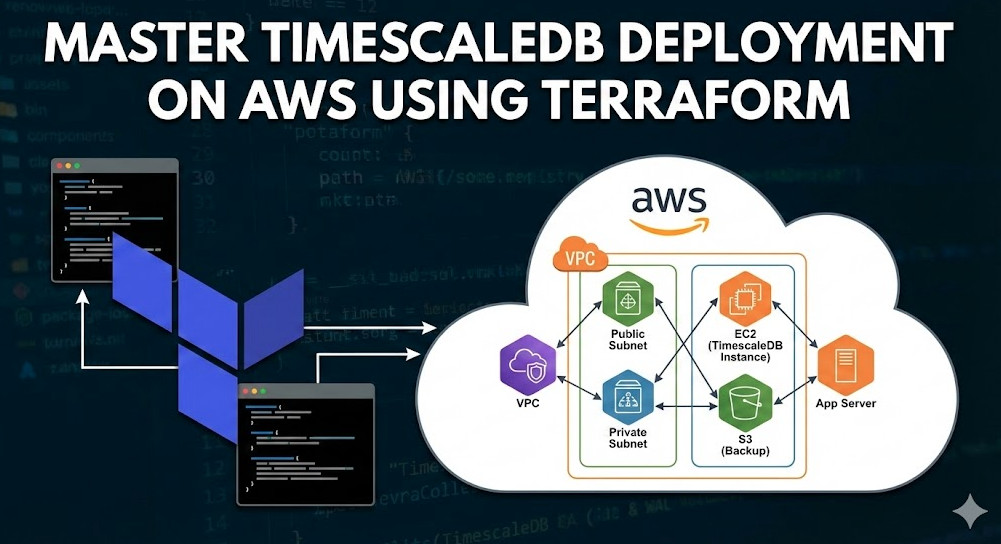
Time-series data is the lifeblood of modern observability, IoT, and financial analytics. While managed services exist, enterprise-grade requirements—such as strict data sovereignty, VPC peering latency, or custom ZFS compression tuning—often mandate a self-hosted architecture. This guide focuses on a production-ready TimescaleDB deployment on AWS using Terraform.
We aren’t just spinning up an EC2 instance; we are engineering a storage layer capable of handling massive ingest rates and complex analytical queries. We will leverage Infrastructure as Code (IaC) to orchestrate compute, high-performance block storage, and automated bootstrapping.
Table of Contents
Architecture Decisions: optimizing for Throughput
Before writing HCL, we must define the infrastructure characteristics required by TimescaleDB. Unlike stateless microservices, database performance is bound by I/O and memory.
- Compute (EC2): We will target memory-optimized instances (e.g.,
r6iorr7gfamilies) to maximize the RAM available for PostgreSQL’s shared buffers and OS page cache. - Storage (EBS): We will separate the WAL (Write Ahead Log) from the Data directory.
- WAL Volume: Requires low latency sequential writes.
io2 Block Expressor high-throughputgp3. - Data Volume: Requires high random read/write throughput.
gp3is usually sufficient, but striping multiple volumes (RAID 0) is a common pattern for extreme performance.
- WAL Volume: Requires low latency sequential writes.
- OS Tuning: We will use
cloud-initto tune kernel parameters (hugepages, swappiness) and runtimescaledb-tuneautomatically.
Pro-Tip: Avoid using burstable instances (T-family) for production databases. The CPU credit exhaustion can lead to catastrophic latency spikes during data compaction or high-ingest periods.
Phase 1: Provider & VPC Foundation
Assuming you have a VPC setup, let’s establish the security context. Your TimescaleDB instance should reside in a private subnet, accessible only via a Bastion host or VPN.
Security Group Definition
resource "aws_security_group" "timescale_sg" {
  name        = "timescaledb-sg"
  description = "Security group for TimescaleDB Node"
  vpc_id      = var.vpc_id

  # Inbound: PostgreSQL Standard Port
  ingress {
    from_port       = 5432
    to_port         = 5432
    protocol        = "tcp"
    security_groups = [var.app_security_group_id] # Only allow app tier
    description     = "Allow PGSQL access from App Tier"
  }

  # Outbound: Allow package updates and S3 backups
  egress {
    from_port   = 0
    to_port     = 0
    protocol    = "-1"
    cidr_blocks = ["0.0.0.0/0"]
  }

  tags = {
    Name = "timescaledb-production-sg"
  }
}
Phase 2: Storage Engineering (EBS)
This is the critical differentiator for expert deployments. We explicitly define EBS volumes separate from the root device to ensure data persistence independent of the instance lifecycle and to optimize I/O channels.
# Data Volume - Optimized for Throughput
resource "aws_ebs_volume" "pg_data" {
  availability_zone = var.availability_zone
  size              = 500
  type              = "gp3"
  iops              = 12000 # Provisioned IOPS
  throughput        = 500   # MB/s

  tags = {
    Name = "timescaledb-data-vol"
  }
}

# WAL Volume - Optimized for Latency
resource "aws_ebs_volume" "pg_wal" {
  availability_zone = var.availability_zone
  size              = 100
  type              = "io2"
  iops              = 5000

  tags = {
    Name = "timescaledb-wal-vol"
  }
}

resource "aws_volume_attachment" "pg_data_attach" {
  device_name = "/dev/sdf"
  volume_id   = aws_ebs_volume.pg_data.id
  instance_id = aws_instance.timescale_node.id
}

resource "aws_volume_attachment" "pg_wal_attach" {
  device_name = "/dev/sdg"
  volume_id   = aws_ebs_volume.pg_wal.id
  instance_id = aws_instance.timescale_node.id
}
Phase 3: The TimescaleDB Instance & Bootstrapping
We use the user_data attribute to handle the “Day 0” operations: mounting volumes, installing the TimescaleDB packages (which install PostgreSQL as a dependency), and applying initial configuration tuning.
Warning: Ensure your IAM Role attached to this instance has permissions for
ec2:DescribeTagsif you use cloud-init to self-discover volume tags, ors3:*if you automate WAL-G backups immediately.
resource "aws_instance" "timescale_node" {
  ami           = data.aws_ami.ubuntu.id # Recommend Ubuntu 22.04 or 24.04 LTS
  instance_type = "r6i.2xlarge"
  subnet_id     = var.private_subnet_id
  key_name      = var.key_name

  vpc_security_group_ids = [aws_security_group.timescale_sg.id]
  iam_instance_profile   = aws_iam_instance_profile.timescale_role.name

  root_block_device {
    volume_type = "gp3"
    volume_size = 50
  }

  # "Day 0" Configuration Script
  user_data = <<-EOF
    #!/bin/bash
    set -e

    # 1. Mount EBS Volumes
    # Note: NVMe device names may vary on Nitro instances (e.g., /dev/nvme1n1)
    mkfs.xfs /dev/sdf
    mkfs.xfs /dev/sdg
    mkdir -p /var/lib/postgresql/data
    mkdir -p /var/lib/postgresql/wal
    mount /dev/sdf /var/lib/postgresql/data
    mount /dev/sdg /var/lib/postgresql/wal

    # Persist mounts in fstab... (omitted for brevity)

    # 2. Add Timescale PPA & Install
    echo "deb https://packagecloud.io/timescale/timescaledb/ubuntu/ $(lsb_release -c -s) main" | sudo tee /etc/apt/sources.list.d/timescaledb.list
    wget --quiet -O - https://packagecloud.io/timescale/timescaledb/gpgkey | sudo apt-key add -
    apt-get update
    apt-get install -y timescaledb-2-postgresql-14

    # 3. Initialize Database
    chown -R postgres:postgres /var/lib/postgresql
    su - postgres -c "/usr/lib/postgresql/14/bin/initdb -D /var/lib/postgresql/data --waldir=/var/lib/postgresql/wal"

    # 4. Tune Configuration
    # This is critical: It calculates memory settings based on the instance type
    timescaledb-tune --quiet --yes --conf-path=/var/lib/postgresql/data/postgresql.conf

    # 5. Enable Service
    systemctl enable postgresql
    systemctl start postgresql
  EOF

  tags = {
    Name = "TimescaleDB-Primary"
  }
}
Optimizing Terraform for Stateful Resources
Managing databases with Terraform requires handling state carefully. Unlike a stateless web server, you cannot simply destroy and recreate this resource if you change a parameter.
Lifecycle Management
Use the lifecycle meta-argument to prevent accidental deletion of your primary database node.
lifecycle {
  prevent_destroy = true
  ignore_changes  = [
    ami,
    user_data # Prevent recreation if boot script changes
  ]
}
Validation and Post-Deployment
Once terraform apply completes, verification is necessary. You should verify that the TimescaleDB extension is correctly loaded and that your memory settings reflect the timescaledb-tune execution.
Connect to your instance and run:
sudo -u postgres psql -c "SELECT * FROM pg_extension WHERE extname = 'timescaledb';"
sudo -u postgres psql -c "SHOW shared_buffers;"
For further reading on tuning parameters, refer to the official TimescaleDB Tune documentation.
Frequently Asked Questions (FAQ)
1. Can I use RDS for TimescaleDB instead of EC2?
Yes, AWS RDS for PostgreSQL supports the TimescaleDB extension. However, you are often limited to older versions of the extension, and you lose control over low-level filesystem tuning (like using ZFS for compression) which can be critical for high-volume time-series data.
2. How do I handle High Availability (HA) with this Terraform setup?
This guide covers a single-node deployment. For HA, you would expand the Terraform code to deploy a secondary EC2 instance in a different Availability Zone and configure Streaming Replication. Tools like Patroni are the industry standard for managing auto-failover on self-hosted PostgreSQL/TimescaleDB.
3. Why separate WAL and Data volumes?
WAL operations are sequential and synchronous. If they share bandwidth with random read/write operations of the Data volume, write latency will spike, causing backpressure on your ingestion pipeline. Separating them physically (different EBS volumes) ensures consistent write performance.

Conclusion
Mastering TimescaleDB Deployment on AWS requires moving beyond simple “click-ops” to a codified, reproducible infrastructure. By using Terraform to orchestrate not just the compute, but the specific storage characteristics required for time-series workloads, you ensure your database can scale with your data.
Next Steps: Once your instance is running, implement a backup strategy using WAL-G to stream backups directly to S3, ensuring point-in-time recovery (PITR) capabilities. Thank you for reading the DevopsRoles page!