How MLOps Can Improve Your Data Science Team’s Efficiency

Introduction

In the rapidly evolving landscape of data science, maintaining efficiency and consistency in machine learning (ML) projects is crucial. MLOps (Machine Learning Operations) offers a solution by integrating ML development and operational processes. This article explores How MLOps Can Improve Your Data Science team’s efficiency, from basic concepts to advanced applications.

What is MLOps?

MLOps, short for Machine Learning Operations, is a set of practices that aims to deploy and maintain machine learning models in production reliably and efficiently. It combines the principles of DevOps, Data Engineering, and Machine Learning.

The Core Components of MLOps

  1. Collaboration: Encourages teamwork between data scientists and IT operations.
  2. Automation: Automates repetitive tasks to save time and reduce errors.
  3. Continuous Integration and Continuous Deployment (CI/CD): Ensures that changes are consistently tested and deployed.

Why MLOps Matters

Enhancing Productivity

MLOps streamlines workflows, enabling data scientists to focus on developing models rather than managing infrastructure.

Ensuring Consistency

By standardizing processes, MLOps ensures that models are developed, tested, and deployed consistently.

Improving Model Accuracy

Continuous monitoring and feedback loops help in refining models to achieve better accuracy over time.

Implementing MLOps in Your Data Science Team

Getting Started with Basic Practices

  1. Version Control: Use tools like Git to manage code versions.
  2. Automated Testing: Implement unit tests for your models.
  3. Model Registry: Maintain a registry of models with metadata for easy tracking.

Intermediate Practices

  1. CI/CD Pipelines: Set up CI/CD pipelines using tools like Jenkins or GitLab CI to automate the deployment process.
  2. Monitoring and Logging: Use monitoring tools to track model performance in production.
  3. Data Validation: Implement data validation checks to ensure data quality.

Advanced Practices

  1. Feature Stores: Utilize feature stores to manage and reuse features across models.
  2. Advanced Monitoring: Use sophisticated monitoring techniques to detect model drift and trigger retraining.
  3. Hyperparameter Tuning: Automate hyperparameter tuning using frameworks like Optuna or Hyperopt.

Real-World Examples of MLOps

Case Study 1: E-commerce Personalization

An e-commerce company implemented MLOps to personalize product recommendations. By automating the deployment and monitoring of recommendation models, they reduced downtime and improved recommendation accuracy.

Case Study 2: Financial Fraud Detection

A financial institution used MLOps to deploy fraud detection models. Continuous monitoring and feedback allowed them to quickly adapt to new fraud patterns, significantly reducing false positives.

FAQs

What is the main benefit of MLOps?

MLOps improves the efficiency and reliability of deploying machine learning models, enabling faster time-to-market and better model performance.

How does MLOps differ from DevOps?

While DevOps focuses on software development and IT operations, MLOps extends these principles to include the unique requirements of machine learning workflows.

What tools are commonly used in MLOps?

Popular tools include Git for version control, Jenkins for CI/CD, MLflow for model tracking, and Kubernetes for orchestration.

How can MLOps improve model accuracy?

By implementing continuous monitoring and feedback loops, MLOps helps in identifying and correcting model inaccuracies, leading to improved performance.

What are the challenges of implementing MLOps?

Challenges include the initial setup cost, the need for specialized skills, and managing the complexity of integrating various tools and processes.

Conclusion

MLOps is a transformative approach that can significantly enhance your data science team’s efficiency. By implementing MLOps practices, you can streamline workflows, ensure consistency, and improve model accuracy. Whether you’re just starting with basic practices or looking to adopt advanced techniques, MLOps offers a structured path to optimizing your machine learning operations.

Summary Table: Basic to Advanced MLOps Practices

Practice LevelPracticeTools & Techniques
BasicVersion ControlGit
BasicAutomated TestingUnit Tests
BasicModel RegistryMLflow
IntermediateCI/CD PipelinesJenkins, GitLab CI
IntermediateMonitoring and LoggingPrometheus, Grafana
IntermediateData ValidationGreat Expectations
AdvancedFeature StoresFeast
AdvancedAdvanced MonitoringCustom Monitoring Solutions
AdvancedHyperparameter TuningOptuna, Hyperopt

By adopting these practices, you can ensure that your data science team remains agile, productive, and capable of delivering high-quality ML models consistently. Thank you for reading the DevopsRoles page!

Fix ImagePullBackOff Error in Kubernetes: A Comprehensive Guide

Introduction

The ImagePullBackOff error in Kubernetes is one of the most common issues developers encounter when deploying applications. This error occurs when Kubernetes is unable to pull the required container image from a container registry. While this issue can be frustrating, understanding its root causes and knowing how to troubleshoot it can save you considerable time and effort.

In this guide, we will delve into the basics of Kubernetes image pulling, explore the common reasons behind the ImagePullBackOff error, and provide step-by-step instructions to resolve it. Whether you are new to Kubernetes or have some experience, this guide will help you effectively fix the ImagePullBackOff error.

What is the ImagePullBackOff Error in Kubernetes?

Understanding Kubernetes Image Pull Process

Before diving into the error itself, it’s essential to understand how Kubernetes pulls images. When you deploy a pod in Kubernetes, the kubelet on the node where the pod is scheduled tries to pull the specified container image from a container registry. This process involves several steps, including image resolution, authentication, and downloading the image layers. If any of these steps fail, Kubernetes will throw an ImagePullBackOff error.

What Does ImagePullBackOff Mean?

The term ImagePullBackOff signifies that Kubernetes attempted to pull an image and failed, so it is backing off from retrying the operation. The system will eventually retry, but with a backoff strategy, meaning the retry interval will increase over time.

Common Causes of ImagePullBackOff Error

Several factors can contribute to the ImagePullBackOff error in Kubernetes. Understanding these causes will help you identify and fix the problem more efficiently.

1. Incorrect Image Name or Tag

One of the most common reasons for the ImagePullBackOff error is specifying an incorrect image name or tag in your Kubernetes deployment manifest.

2. Authentication Issues

If your image is stored in a private registry, Kubernetes requires proper credentials to access it. A misconfiguration in the imagePullSecrets or missing credentials can lead to the ImagePullBackOff error.

3. Network Issues

Network connectivity problems between the Kubernetes node and the container registry can also cause image pull failures. This issue could be due to DNS misconfiguration, firewall rules, or general network instability.

4. Image Does Not Exist

Sometimes, the specified image simply does not exist in the registry. This issue might be due to an outdated image tag or a typo in the image name.

5. Registry Rate Limits

Container registries often impose rate limits to control the number of requests they handle. If your Kubernetes cluster is pulling images too frequently, you may hit these limits, resulting in ImagePullBackOff errors.

How to Fix ImagePullBackOff Error in Kubernetes

Now that we have identified the common causes, let’s explore how to fix the ImagePullBackOff error in Kubernetes. The following steps will guide you through troubleshooting and resolving the issue.

Step 1: Check the Image Name and Tag

Ensure the Correct Image Name and Tag

First, verify that the image name and tag in your deployment manifest are correct. A small typo can lead to Kubernetes failing to pull the image. Here’s how you can check:

apiVersion: apps/v1
kind: Deployment
metadata:
name: my-app
spec:
replicas: 3
template:
spec:
containers:
- name: my-container
image: myregistry/my-app:v1.0.0

Ensure that the image field points to the correct image in the registry.

Validate the Image Existence in the Registry

Use tools like docker pull to manually pull the image from the registry to ensure it exists:

docker pull myregistry/my-app:v1.0.0

Step 2: Verify ImagePullSecrets for Private Registries

Check the ImagePullSecrets Configuration

If your image is stored in a private registry, you need to configure Kubernetes to use the correct imagePullSecrets. Here’s an example of how to configure it:

apiVersion: v1
kind: Secret
metadata:
name: myregistrykey
data:
.dockerconfigjson: <base64-encoded-docker-config>
type: kubernetes.io/dockerconfigjson

Ensure that your deployment references this secret:

apiVersion: apps/v1
kind: Deployment
metadata:
name: my-app
spec:
template:
spec:
containers:
- name: my-container
image: myregistry/my-app:v1.0.0
imagePullSecrets:
- name: myregistrykey

Step 3: Diagnose Network Connectivity Issues

Check Node Connectivity

Ensure that your Kubernetes nodes can reach the container registry. You can test connectivity by running a simple curl command:

curl -v https://myregistry/v2/

If this command fails, you’ll need to troubleshoot your network settings.

Verify DNS Configuration

DNS issues can also cause ImagePullBackOff errors. Check the DNS configuration of your Kubernetes nodes to ensure they can resolve the registry’s domain name.

Step 4: Handle Registry Rate Limits

Monitor and Optimize Image Pulls

If your registry is imposing rate limits, you may need to optimize how your Kubernetes cluster pulls images. Consider using a pull policy that reduces the frequency of pulls:

imagePullPolicy: IfNotPresent

This policy tells Kubernetes to pull the image only if it is not already present on the node, which can help avoid hitting rate limits.

Use an Image Cache

Another strategy is to set up an image cache within your cluster. This setup can reduce the number of requests to the external registry and prevent rate limit issues.

Step 5: Inspect Kubernetes Events and Logs

Check Pod Events

Kubernetes events can provide valuable insights into why an image pull is failing. Use the following command to view events related to a specific pod:

kubectl describe pod <pod-name>

Look for messages that indicate why the image pull failed.

Inspect Kubelet Logs

If you need more detailed information, inspect the kubelet logs on the node where the pod is scheduled:

journalctl -u kubelet

Look for any errors or warnings related to image pulling.

Advanced Troubleshooting Techniques

If the above steps don’t resolve the issue, consider the following advanced techniques.

Debugging with Init Containers

You can use an init container to debug image pull issues. Init containers run before the main application containers and can be used to test image pulls:

initContainers:
- name: init-debug
image: busybox
command: ['sh', '-c', 'docker pull myregistry/my-app:v1.0.0']

Using a Private Registry Mirror

For environments with strict rate limits or frequent image pulls, setting up a private registry mirror can be a robust solution. This mirror acts as a cache, reducing the load on the external registry.

FAQs

What should I do if I encounter an ImagePullBackOff error?

Start by checking the image name and tag in your deployment manifest. Ensure that Kubernetes has access to the registry, and verify network connectivity. If the image is in a private registry, confirm that your imagePullSecrets are correctly configured.

How can I prevent ImagePullBackOff errors in the future?

Implementing best practices such as using correct image tags, setting up image caches, and monitoring network connectivity can help prevent ImagePullBackOff errors. Regularly auditing your Kubernetes configurations is also essential.

Can ImagePullBackOff errors affect my application’s performance?

Yes, if Kubernetes is unable to pull the required images, your pods will not start, leading to downtime for your application. It’s crucial to address these errors promptly.

Conclusion

The ImagePullBackOff error in Kubernetes, while common, can be effectively managed with the right approach. By understanding the underlying causes and following the troubleshooting steps outlined in this guide, you can quickly resolve these errors and ensure the smooth deployment of your applications.

Remember, proactive monitoring and best practices are key to minimizing the occurrence of ImagePullBackOff errors. Whether you’re dealing with simple misconfigurations or more complex network issues, this guide provides the knowledge and tools you need to fix ImagePullBackOff errors in Kubernetes confidently. Thank you for reading the DevopsRoles page!

How to Fix CrashLoopBackOff Error in Kubernetes Pods

Introduction

The CrashLoopBackOff error is one of the most common issues you might encounter when working with Kubernetes. It occurs when a pod in your Kubernetes cluster repeatedly crashes after being started. Understanding and resolving this error is crucial for maintaining a healthy and stable Kubernetes environment.

In this comprehensive guide, we’ll walk you through the steps to troubleshoot and fix the CrashLoopBackOff error in Kubernetes pods. We’ll start with the basics and move on to more advanced techniques, ensuring you have all the tools you need to tackle this issue head-on.

What is a CrashLoopBackOff Error?

Understanding the Error

The CrashLoopBackOff error occurs when a Kubernetes pod fails to start successfully and repeatedly crashes. The “BackOff” part of the error indicates that Kubernetes is delaying the restart attempts of the pod because of the repeated failures.

Why Does it Happen?

There are several reasons why a pod might enter a CrashLoopBackOff state, including:

  • Incorrect Configuration: Misconfigured containers or incorrect command syntax can prevent a pod from starting.
  • Missing Dependencies: If a container relies on external services or resources that are not available, it may fail to start.
  • Resource Constraints: Insufficient CPU or memory resources can cause a container to crash.
  • Application Bugs: Internal errors in the application code running inside the container can lead to crashes.

How to Fix CrashLoopBackOff Error in Kubernetes Pods

1. Check the Pod Logs

The first step in diagnosing a CrashLoopBackOff error is to check the logs of the affected pod. The logs can provide insights into why the pod is crashing.

kubectl logs <pod_name>

If the pod has multiple containers, you can specify the container name:

kubectl logs <pod_name> -c <container_name>

Common Log Messages and Their Meanings

  • “Error: ImagePullBackOff”: The image specified in your pod is not available or cannot be pulled from the registry.
  • “OOMKilled”: The container was terminated because it exceeded the memory limits.
  • “CrashLoopBackOff”: Indicates repeated crashes, often accompanied by additional log details that can point to the root cause.

2. Inspect the Pod’s Configuration

Misconfigurations in the pod definition are a common cause of CrashLoopBackOff errors. Review your pod’s YAML file for issues such as incorrect environment variables, missing configurations, or incorrect command syntax.

Example YAML Snippet

apiVersion: v1
kind: Pod
metadata:
name: my-pod
spec:
containers:
- name: my-container
image: my-image:latest
command: ["my-command"]
env:
- name: ENV_VAR
value: "value"

Check for typos, incorrect paths, or missing environment variables.

3. Verify Resource Limits

If your pod is crashing due to resource constraints, it’s essential to verify and adjust the resource limits set in your pod configuration.

resources:
limits:
memory: "512Mi"
cpu: "500m"
requests:
memory: "256Mi"
cpu: "250m"

Increase the resource limits if necessary, but be mindful of the overall cluster capacity.

4. Check for Dependency Issues

Pods that depend on other services or resources might fail if those dependencies are not available. Use the following checks:

  • Service Availability: Ensure that the services or endpoints your pod relies on are up and running.
  • Network Policies: Verify that network policies or firewall rules are not blocking access to required resources.

5. Examine the Health Probes

Kubernetes uses liveness and readiness probes to monitor the health of containers. Misconfigured probes can cause Kubernetes to restart containers unnecessarily.

Example Probe Configuration

livenessProbe:
httpGet:
path: /healthz
port: 8080
initialDelaySeconds: 3
periodSeconds: 3

readinessProbe:
httpGet:
path: /ready
port: 8080
initialDelaySeconds: 3
periodSeconds: 3

Ensure that the probes are correctly configured and match the application’s behavior.

6. Review Application Code

If none of the above steps resolve the issue, the problem might lie within the application code itself. Review the application logs and error messages, and consider the following:

  • Unhandled Exceptions: Look for unhandled exceptions or errors that could cause the application to crash.
  • Memory Leaks: Memory leaks can cause the container to exceed memory limits and crash.
  • Startup Scripts: Ensure that any startup scripts or commands are correctly implemented and do not contain errors.

7. Check Kubernetes Events

Kubernetes events can provide additional context about what is happening with your pod. Use the following command to check the events:

kubectl describe pod <pod_name>

Look for any warnings or errors in the events section that might explain the CrashLoopBackOff state.

8. Rolling Back to a Previous Version

If a recent change caused the CrashLoopBackOff error, consider rolling back to a previous stable version of the pod or deployment.

kubectl rollout undo deployment/<deployment_name>

This command will roll back the deployment to the previous version, which might resolve the issue if it was introduced by a recent change.

9. Use a Debug Container

If you’re unable to determine the cause of the error, you can deploy a debug container in the same pod to investigate further.

apiVersion: v1
kind: Pod
metadata:
name: debug-pod
spec:
containers:
- name: debug-container
image: busybox
command: ['sh', '-c', 'sleep infinity']

This allows you to run debugging commands and interact with the environment as if you were inside the crashing container.

Common FAQs

Q1: How can I prevent a CrashLoopBackOff error from happening?

  • Regularly monitor pod logs and resource usage.
  • Implement robust error handling in your application code.
  • Use readiness and liveness probes to manage container health.

Q2: What should I do if the pod logs do not provide enough information?

  • Check Kubernetes events for additional details.
  • Deploy a debug container to investigate further.
  • Consider increasing logging verbosity for more detailed logs.

Q3: Can a CrashLoopBackOff error be caused by external dependencies?

Yes, if your pod relies on external services or resources that are unavailable, it can cause the pod to enter a CrashLoopBackOff state.

Conclusion

The CrashLoopBackOff error in Kubernetes can be challenging to diagnose, but by following the steps outlined in this guide, you can systematically troubleshoot and resolve the issue. From checking pod logs and configurations to verifying resource limits and reviewing application code, each step brings you closer to a solution.

Remember, maintaining a stable and healthy Kubernetes environment requires regular monitoring, proper configuration, and a good understanding of the underlying causes of common errors like CrashLoopBackOff. With these best practices, you can minimize downtime and keep your applications running smoothly.

By following this guide, you’ll be well-equipped to handle CrashLoopBackOff errors and ensure the reliability of your Kubernetes deployments. Thank you for reading the DevopsRoles page!

How to Resolve Kubernetes Node Not Ready Issue A Comprehensive Guide

Introduction

Kubernetes is a powerful orchestration tool that automates the deployment, scaling, and management of containerized applications. However, one of the most common issues faced by Kubernetes administrators is the “Node Not Ready” error. When a node in your Kubernetes cluster becomes unresponsive or displays a “Node Not Ready” status, it can lead to application downtime and operational inefficiencies.

In this guide, we will explore the causes behind the “Node Not Ready” issue, provide a detailed step-by-step troubleshooting process, and offer best practices to prevent this problem from recurring. Whether you’re a beginner or an experienced Kubernetes administrator, this article will equip you with the knowledge to tackle this issue effectively.

What Does Node Not Ready in Kubernetes Mean?

When a Kubernetes node is marked as “Not Ready,” it means that the node is not functioning correctly and cannot run any pods. This status indicates that the node is not meeting the requirements set by the Kubernetes control plane for running workloads. As a result, the cluster scheduler will avoid placing new pods on that node until the issue is resolved.

The “Node Not Ready” status can be caused by several factors, including:

  1. Network Connectivity Issues: The node may have lost connectivity to the Kubernetes API server.
  2. Resource Exhaustion: The node may be running out of essential resources like CPU, memory, or disk space.
  3. Node Component Failures: Core components like kubelet, docker, or the container runtime may have failed.
  4. Misconfiguration: Incorrect configuration settings can cause nodes to fail to join the cluster or report their status incorrectly.

Troubleshooting the Kubernetes Node Not Ready Issue

Resolving the “Node Not Ready” issue requires a systematic approach to identify and address the root cause. Below are the steps you should follow:

1. Check Node Status and Events

The first step is to gather information about the affected node. Use the following commands to check the node’s status and view recent events:

kubectl get nodes
kubectl describe node <node-name>

The kubectl get nodes command will list all the nodes in your cluster along with their status. The kubectl describe node <node-name> command will provide detailed information about the specific node, including recent events that might indicate why the node is marked as “Not Ready.”

2. Verify Network Connectivity

Network issues are a common cause of the “Node Not Ready” status. Ensure that the node has proper connectivity to the Kubernetes API server and other nodes in the cluster.

Steps to Verify Network Connectivity:

  • Ping the API Server: Check if the node can reach the Kubernetes API server by using the ping command.
  • Check DNS Resolution: Ensure that the node can resolve DNS names correctly.
  • Review Network Policies: Examine any network policies that might be blocking communication between nodes.

3. Inspect Resource Utilization

Resource exhaustion can lead to nodes being marked as “Not Ready.” Use the following commands to check the node’s resource usage:

kubectl top node <node-name>

This command will display the node’s CPU and memory usage. If the node is running low on resources, consider scaling up the cluster or redistributing workloads to other nodes.

Subsection: Analyzing Disk Space

Disk space issues are another common reason for nodes becoming “Not Ready.” Check the available disk space on the node:

df -h

If the disk is full, you may need to clean up unnecessary files or expand the disk.

4. Review Node Components

The core components of a Kubernetes node, such as kubelet, docker, and the container runtime, must be running correctly for the node to be considered “Ready.” Check the status of these components:

systemctl status kubelet
systemctl status docker

If any of these services are not running, try restarting them:

sudo systemctl restart kubelet
sudo systemctl restart docker

Additionally, check the logs for any errors:

journalctl -u kubelet
journalctl -u docker

5. Validate Node Configuration

Misconfigurations can prevent nodes from functioning correctly. Verify the node’s configuration files, such as /etc/kubernetes/kubelet.conf and /var/lib/kubelet/config.yaml. Ensure that the node is correctly configured to join the cluster and communicate with the API server.

Subsection: Checking Node Labels and Taints

Node labels and taints control pod placement. Ensure that the node’s labels and taints are configured correctly:

kubectl get nodes --show-labels
kubectl describe node <node-name> | grep Taints

If the node has incorrect labels or taints, you may need to update them using kubectl label or kubectl taint commands.

6. Investigate Cluster-Wide Issues

In some cases, the “Node Not Ready” issue might be caused by cluster-wide problems, such as issues with the control plane or network overlay. Check the health of your control plane components:

kubectl get componentstatuses

If any of the control plane components are unhealthy, investigate further by checking their logs and configurations.

7. Reboot the Node

As a last resort, you can try rebooting the node. This can sometimes resolve transient issues that are difficult to diagnose. However, be cautious when rebooting a node, especially in a production environment.

Best Practices to Prevent “Node Not Ready” Issues

Preventing the “Node Not Ready” issue requires proactive monitoring and management of your Kubernetes cluster. Here are some best practices to help you avoid this problem:

1. Regular Monitoring and Alerts

Set up monitoring tools like Prometheus and Grafana to keep an eye on your cluster’s health. Configure alerts to notify you of any potential issues before they escalate.

2. Resource Management

Implement resource quotas and limits to ensure that no single workload can exhaust the resources of a node. This helps maintain cluster stability.

3. Node Auto-Scaling

Use Kubernetes’ Cluster Autoscaler to automatically scale your cluster based on resource demands. This ensures that you always have enough capacity to handle your workloads.

4. Scheduled Maintenance

Regularly perform maintenance tasks, such as cleaning up old logs and rotating certificates, to keep your nodes running smoothly.

5. Network Redundancy

Implement network redundancy and failover mechanisms to ensure that your nodes can always communicate with the Kubernetes control plane.

Frequently Asked Questions (FAQs)

What should I do if a Kubernetes node remains “Not Ready” after troubleshooting?

If a node remains “Not Ready” after following the troubleshooting steps, you may need to consider removing the node from the cluster and rejoining it. This can help resolve issues related to corrupted configuration files or persistent resource exhaustion.

Can the “Node Not Ready” issue cause downtime for my applications?

Yes, if a node becomes “Not Ready” and was running critical workloads, those applications might experience downtime until they are rescheduled on a different node. Ensuring high availability and redundancy in your cluster can mitigate this risk.

How can I check the logs of a node that is marked as “Not Ready”?

You can use the journalctl command to view the logs of the kubelet and docker services on the node. Additionally, you can use the kubectl describe node <node-name> command to check recent events and logs associated with the node.

Conclusion

The “Node Not Ready” issue in Kubernetes is a common problem that can disrupt your cluster’s operations. By following the steps outlined in this guide, you can effectively diagnose and resolve the underlying causes of this issue. Remember to implement best practices, such as regular monitoring and resource management, to prevent this problem from occurring in the future.

By mastering these troubleshooting techniques, you’ll be better equipped to maintain a healthy and reliable Kubernetes environment. If you encounter persistent issues, consider seeking support from the Kubernetes community or professional services to ensure your cluster remains robust and resilient.

This guide has provided you with a comprehensive approach to resolving the Node Not Ready issue in Kubernetes. By following these best practices, you’ll minimize downtime, ensure smooth operations, and maintain the reliability of your containerized applications. Thank you for reading the DevopsRoles page!

Top 5 Benefits of Using MLOps in Your Machine Learning Projects

Introduction

Machine Learning Operations, or MLOps, is a set of practices that combine machine learning, DevOps, and data engineering to automate and improve the process of deploying, managing, and monitoring machine learning models in production. As the field of artificial intelligence (AI) and machine learning (ML) continues to grow, MLOps has become essential for ensuring that ML projects are efficient, scalable, and sustainable.

In this article, we will explore the top 5 benefits of using MLOps in your machine learning projects, from enhanced productivity to better collaboration and more.

1. Enhanced Productivity

Streamlined Workflows

MLOps streamlines the workflows involved in developing, deploying, and managing machine learning models. By automating repetitive tasks such as data preprocessing, model training, and evaluation, data scientists and ML engineers can focus on more strategic aspects of their work.

Automation of Repetitive Tasks

Automation tools in MLOps can handle tasks like data cleaning, feature engineering, and hyperparameter tuning, which are often time-consuming and prone to human error. This automation not only saves time but also ensures consistency and accuracy in the ML pipeline.

Continuous Integration and Continuous Deployment (CI/CD)

CI/CD pipelines are a core component of MLOps, allowing for the continuous integration and deployment of ML models. This ensures that new models and updates are tested and deployed rapidly, reducing the time it takes to get from development to production.

Benefits of CI/CD in MLOps

  • Faster Deployment: Models can be deployed quickly and efficiently.
  • Reduced Errors: Automated testing and validation help catch errors early.
  • Consistent Updates: Regular updates and improvements can be made without disrupting operations.

2. Scalability

Handling Large-Scale Data

MLOps frameworks are designed to handle large-scale data and model training processes. This scalability is crucial for organizations dealing with massive datasets and complex ML models.

Distributed Computing

By leveraging distributed computing technologies, MLOps can distribute data processing and model training tasks across multiple machines, ensuring that large-scale ML projects can be executed efficiently.

Model Management

Managing multiple models in production can be challenging. MLOps provides tools and practices for versioning, monitoring, and maintaining models, ensuring that the best-performing models are always in use.

Benefits of Model Management

  • Version Control: Keep track of different model versions and their performance.
  • Model Monitoring: Continuously monitor model performance to detect issues.
  • Efficient Retraining: Easily retrain models with new data as it becomes available.

3. Improved Collaboration

Cross-Functional Teams

MLOps promotes collaboration between data scientists, ML engineers, software developers, and operations teams. This cross-functional approach ensures that everyone involved in the ML lifecycle is aligned and working towards common goals.

Collaborative Tools

Tools like version control systems, collaborative notebooks, and project management platforms facilitate communication and collaboration among team members.

Transparency and Accountability

MLOps fosters a culture of transparency and accountability by providing clear documentation and tracking of all changes made to data and models. This helps teams understand the decision-making process and ensures that all stakeholders are informed.

Benefits of Transparency

  • Clear Documentation: Detailed records of data and model changes.
  • Informed Decision-Making: Better insights into the development process.
  • Accountability: Everyone knows their responsibilities and contributions.

4. Efficient Model Deployment and Monitoring

Deployment Automation

MLOps automates the deployment process, making it easy to move models from development to production. This reduces the manual effort required and ensures that models are deployed consistently.

Continuous Deployment

With continuous deployment, models can be updated and deployed without significant downtime, ensuring that the latest improvements are always in use.

Monitoring and Alerting

Monitoring tools in MLOps track the performance of models in production, alerting teams to any issues or degradations in performance. This proactive approach helps maintain the reliability and accuracy of ML models.

Benefits of Monitoring

  • Proactive Issue Detection: Detect and address issues before they impact users.
  • Performance Tracking: Continuous monitoring of model performance metrics.
  • Alerting Systems: Immediate alerts for any anomalies or performance drops.

5. Robust Governance and Compliance

Data Security and Privacy

MLOps frameworks incorporate best practices for data security and privacy, ensuring that sensitive information is protected throughout the ML lifecycle.

Compliance with Regulations

MLOps helps organizations comply with industry regulations and standards by providing tools for data governance, audit trails, and documentation.

Ethical AI Practices

By implementing ethical AI practices, MLOps ensures that ML models are fair, transparent, and unbiased. This includes monitoring for bias, ensuring explainability, and adhering to ethical guidelines.

Benefits of Ethical AI

  • Bias Detection: Identify and mitigate biases in models.
  • Explainability: Ensure that model decisions can be understood and explained.
  • Trustworthiness: Build trust with users and stakeholders through ethical practices.

Frequently Asked Questions (FAQs)

What is MLOps?

MLOps, or Machine Learning Operations, is a set of practices that combines machine learning, DevOps, and data engineering to streamline the deployment, management, and monitoring of machine learning models in production.

How does MLOps enhance productivity?

MLOps enhances productivity by automating repetitive tasks, implementing continuous integration and deployment (CI/CD) pipelines, and streamlining workflows, allowing data scientists and engineers to focus on more strategic aspects of their work.

Why is scalability important in MLOps?

Scalability is crucial in MLOps because it enables the handling of large-scale data and model training processes efficiently. Distributed computing and model management tools help ensure that ML projects can scale as needed.

How does MLOps improve collaboration?

MLOps improves collaboration by promoting cross-functional teamwork, providing collaborative tools, and fostering transparency and accountability. This ensures that all stakeholders are aligned and informed throughout the ML lifecycle.

What role does monitoring play in MLOps?

Monitoring is essential in MLOps as it tracks the performance of models in production, detects issues proactively, and provides immediate alerts for any anomalies. This helps maintain the reliability and accuracy of ML models.

How does MLOps ensure robust governance and compliance?

MLOps ensures robust governance and compliance by incorporating best practices for data security and privacy, adhering to industry regulations, and implementing ethical AI practices. This includes bias detection, explainability, and documentation.

Conclusion

Incorporating MLOps into your machine learning projects can provide numerous benefits, including enhanced productivity, scalability, improved collaboration, efficient model deployment and monitoring, and robust governance and compliance. By leveraging MLOps practices and tools, organizations can ensure that their ML projects are efficient, reliable, and sustainable.

Adopting MLOps is essential for staying competitive in the rapidly evolving field of machine learning. By streamlining workflows, automating repetitive tasks, and fostering collaboration, MLOps enables teams to deliver high-quality ML models faster and more efficiently.

With the increasing importance of data-driven decision-making, MLOps is not just a luxury but a necessity for any organization serious about leveraging the power of machine learning. Thank you for reading the DevopsRoles page!

Mastering Terraform: How to Fix Backend Initialization Errors

Introduction

Terraform has become an indispensable tool for managing infrastructure as code (IaC), allowing teams to define, provision, and manage cloud resources with precision. However, like any tool, Terraform isn’t without its quirks. One common roadblock that many users encounter is the frustrating “Fix Backend Initialization Errors” message.

In this blog post, we’ll take a deep dive into what this error means, why it happens, and most importantly, how you can fix it. Whether you’re new to Terraform or an experienced practitioner, this guide will provide you with the insights and steps you need to overcome this issue and get back on track with your infrastructure projects.

Understanding Terraform Backend Initialization

What Is a Backend in Terraform?

In Terraform, a backend is responsible for how your state is loaded and how operations like terraform plan and terraform apply are executed. The state is crucial as it keeps track of your infrastructure’s current state and helps Terraform understand what changes need to be made.

Backends can be local (storing the state on your local machine) or remote (storing the state on cloud services like AWS S3, Azure Blob Storage, or Google Cloud Storage). The backend configuration is specified in your Terraform files, and when you run terraform init, Terraform tries to initialize this backend.

Common Causes of the “Error Initializing the Backend”

This error can be triggered by a variety of issues, including:

  1. Misconfigured Backend Block: Errors in the configuration syntax or values.
  2. Invalid Credentials: Missing or incorrect credentials for accessing cloud services.
  3. Network Connectivity Issues: Problems with connecting to the backend service.
  4. Insufficient Permissions: Lack of appropriate access rights to the backend storage.
  5. Version Incompatibility: Using an outdated Terraform version that doesn’t support certain backend configurations.
  6. Corrupted State File: Issues with the existing state file that Terraform is trying to load.

Step-by-Step Guide to Resolving the Error

Step 1: Check Your Backend Configuration

Start by reviewing your backend configuration block. Whether you’re using AWS S3, Azure Blob Storage, or Google Cloud Storage, ensure all the required fields are correctly filled out.

Example for AWS S3:

terraform {
  backend "s3" {
    bucket = "my-terraform-state"
    key    = "path/to/my/key"
    region = "us-west-2"
  }
}

Things to verify:

  • Correct bucket or storage account names.
  • Proper region or location settings.
  • Accurate paths for keys or prefixes.

A simple terraform validate can also help you catch syntax errors before re-running the initialization process.

Step 2: Validate and Update Your Credentials

Credential issues are a common stumbling block. Depending on your backend, ensure that your credentials are correctly set up.

For AWS:

Run the following to verify your credentials:

aws sts get-caller-identity

If this fails, reconfigure your credentials using aws configure.

For Azure:

Check your active account with:

az account show

If not logged in, use az login.

For Google Cloud:

Ensure your application default credentials are set up:

gcloud auth application-default login

Step 3: Test Your Network Connectivity

Network connectivity issues can also lead to backend initialization errors. You can test this by pinging or using curl to check the connection to your backend service.

Example:

ping s3.us-west-2.amazonaws.com

If you encounter issues, check your network settings, firewall rules, or consider using a different network.

Step 4: Review Permissions

Lack of permissions is another potential cause. Make sure the user or role you’re using has the necessary permissions to interact with your backend.

AWS S3 Example Policy:

{
  "Version": "2012-10-17",
  "Statement": [
    {
      "Effect": "Allow",
      "Action": [
        "s3:ListBucket",
        "s3:GetObject",
        "s3:PutObject"
      ],
      "Resource": [
        "arn:aws:s3:::my-terraform-state",
        "arn:aws:s3:::my-terraform-state/*"
      ]
    }
  ]
}

For Azure and GCS, ensure roles like Storage Blob Data Contributor and Storage Object Admin are assigned correctly.

Step 5: Ensure Terraform Version Compatibility

Sometimes the problem lies in the Terraform version itself. If you’re using a feature or backend that’s only supported in newer versions of Terraform, you might need to upgrade.

Check your current version with:

terraform version

If necessary, update Terraform to the latest version.

Step 6: Use Debugging Tools

If all else fails, Terraform’s debugging tools can provide more detailed insights.

Run:

terraform init -debug

Or set the TF_LOG environment variable to DEBUG for more verbose output:

export TF_LOG=DEBUG
terraform init

These logs can help you identify more obscure issues that might not be immediately apparent.

Step 7: Advanced Troubleshooting

If you’ve tried everything and still encounter issues, consider these advanced troubleshooting techniques:

  • Inspect the State File: Download and manually inspect the state file for any inconsistencies.
  • Regenerate State Metadata: In extreme cases, consider backing up and regenerating the state metadata by re-running terraform apply.

Step 8: Seek Help from the Community

If you’re still stuck, don’t hesitate to reach out for help. The Terraform community is active and supportive, with forums and platforms like GitHub, Stack Overflow, and the HashiCorp Discuss forum available to assist you.

Conclusion

Facing a Backend Initialization Error in Terraform can be daunting, but with the right approach, it’s a challenge you can overcome. By systematically checking your configuration, credentials, network, and permissions, you can resolve the most common causes of this error.

Remember, Terraform’s backend configuration is critical to the stability and reliability of your infrastructure management process. So, take the time to understand and configure it correctly, and you’ll find your Terraform experience much smoother. Thank you for reading the DevopsRoles page!

Have you encountered this error before? What steps did you take to resolve it? Share your experiences in the comments below!

Resolving the Network Not Found Error in Terraform: A Deep Dive

Introduction

Terraform, a leading tool for Infrastructure as Code (IaC), empowers developers and operators to define, provision, and manage infrastructure in a declarative manner. Despite its powerful capabilities, users occasionally run into frustrating errors, one of the most common being the Network Not Found Error in Terraform. This error can be particularly vexing, as it often stems from multiple potential issues, including misconfigurations, cloud provider quirks, or dependency problems.

In this comprehensive guide, we’ll delve deeply into the “Network not found” error in Terraform. We’ll cover everything from the fundamental causes to the most advanced troubleshooting strategies. Whether you’re a Terraform novice or an experienced user, this guide will equip you with the knowledge needed to resolve this issue effectively.

Understanding the “Network not found” Error

What Triggers the “Network not found” Error?

The “Network not found” error typically occurs when Terraform cannot locate a network resource specified in your configuration. This problem can emerge for several reasons:

  • Incorrect Resource Identifiers: Mistyping the resource name or ID.
  • Missing or Misconfigured Dependencies: Improper handling of resource dependencies.
  • Cloud Provider API Delays or Failures: Issues within the cloud provider’s infrastructure or API.

The Impact of the “Network not found” Error

This error can halt your Terraform deployment, leading to partial infrastructure setups, failed resources, and inconsistencies in your environment. Understanding and resolving this error is crucial to maintaining a smooth and reliable deployment pipeline.

Step-by-Step Guide to Resolving the Error

Step 1: Verify Resource Identifiers

The most common cause of the “Network not found” error is incorrect resource identifiers. Start by double-checking the resource IDs, names, and references in your Terraform configuration files.

Example: Incorrect Subnet ID

resource "aws_instance" "example" {
  ami           = "ami-123456"
  instance_type = "t2.micro"
  subnet_id     = "subnet-0bb1c79de3EXAMPLE"  # Ensure this ID matches the actual subnet ID
}

In this example, verify that the subnet_id corresponds to an existing subnet in your AWS account. A common pitfall is copying an incorrect ID from another environment or mistyping the ID.

How to Validate Resource IDs

Use the cloud provider’s console or CLI to check if the specified network resources exist:

  • AWS CLI:
  aws ec2 describe-subnets --subnet-ids subnet-0bb1c79de3EXAMPLE
  • Azure CLI:
  az network vnet show --name myVnet --resource-group myResourceGroup
  • Google Cloud CLI:
  gcloud compute networks describe my-network

Step 2: Validate Dependencies in Terraform

Terraform automatically handles resource dependencies, but sometimes it may not detect all dependencies, especially in complex configurations. If a resource depends on a network that hasn’t been created yet, the “Network not found” error will occur.

Example: Defining Dependencies

resource "aws_instance" "example" {
  ami           = "ami-123456"
  instance_type = "t2.micro"
  subnet_id     = aws_subnet.example.id

  depends_on = [aws_subnet.example]  # Explicitly define the dependency
}

resource "aws_subnet" "example" {
  vpc_id     = aws_vpc.example.id
  cidr_block = "10.0.1.0/24"
}

In this configuration, the depends_on argument ensures that Terraform creates the aws_subnet resource before attempting to create the aws_instance. This eliminates the risk of Terraform trying to create an instance in a non-existent subnet.

Understanding Implicit and Explicit Dependencies

  • Implicit Dependencies: Terraform automatically understands dependencies based on resource references. For example, if one resource uses an attribute from another, Terraform knows to create the dependent resource first.
  • Explicit Dependencies: Sometimes, you must explicitly define the dependency using the depends_on argument, especially when dealing with complex or cross-resource dependencies.

Step 3: Debugging with Terraform Logs

When basic checks don’t resolve the issue, enabling Terraform’s debug logs can provide deeper insights into what’s going wrong.

Enabling Debug Logs

Set the TF_LOG environment variable to DEBUG to enable detailed logging.

export TF_LOG=DEBUG
terraform apply

Review the logs carefully to trace the error’s origin. Look for clues related to resource dependencies, API responses, and resource lookups. The logs can reveal if Terraform is attempting to access a resource prematurely or if there’s a miscommunication with the cloud provider’s API.

Step 4: Investigate Cloud Provider API Issues

Sometimes, the issue lies not with your Terraform configuration but with the cloud provider itself. API delays, service outages, or propagation delays can all cause Terraform to throw a “Network not found” error.

How to Handle API Issues

  • Retry the Operation: Often, simply waiting a few minutes and retrying the terraform apply command can resolve the issue.
  • Check the Cloud Provider’s Status: Visit the cloud provider’s status page to check for ongoing issues. For AWS, this might be the AWS Service Health Dashboard, and similar dashboards exist for Azure and Google Cloud.
  • Increase Timeouts: In some cases, you might need to increase the timeout settings in your Terraform provider configuration to accommodate slower API responses.

Step 5: Use Terraform Modules for Better Resource Management

Terraform modules help you encapsulate and reuse code, which can reduce errors related to network resource management. Using modules for creating and managing networks can prevent the “Network not found” error by ensuring consistent and repeatable configurations.

Example: Using a VPC Module

module "vpc" {
  source  = "terraform-aws-modules/vpc/aws"
  version = "3.0.0"

  name = "my-vpc"
  cidr = "10.0.0.0/16"

  azs             = ["us-east-1a", "us-east-1b", "us-east-1c"]
  private_subnets = ["10.0.1.0/24", "10.0.2.0/24", "10.0.3.0/24"]
  public_subnets  = ["10.0.101.0/24", "10.0.102.0/24", "10.0.103.0/24"]
}

Modules help you avoid common pitfalls like misconfigured dependencies or inconsistent resource references, which can lead to the “Network not found” error.

Step 6: Terraform State Management

Terraform’s state file is critical to understanding the current state of your infrastructure. Issues with the state file can lead to discrepancies between your actual infrastructure and what Terraform expects, potentially causing the “Network not found” error.

Inspecting the State File

terraform show terraform.tfstate

Examine the state file to ensure that all network resources are correctly recorded. If you find inconsistencies, you might need to manipulate the state file to resolve the issue.

Advanced State Management Techniques

  • Moving Resources: Use terraform state mv to correct the placement of resources in the state file.
  terraform state mv aws_subnet.example module.vpc.aws_subnet.main
  • Removing Resources: Use terraform state rm to remove resources that are incorrectly recorded or causing issues.
  terraform state rm aws_subnet.example

Step 7: Advanced Debugging Techniques

For particularly stubborn issues, consider using advanced debugging techniques. These include using third-party tools or diving deeper into the Terraform and cloud provider documentation to understand potential edge cases or undocumented behaviors.

Example: Using terraform console

The terraform console command lets you evaluate expressions in your configuration, helping you debug complex issues interactively.

terraform console
> aws_vpc.example.id

This interactive tool can help you confirm that Terraform correctly interprets your resource references and dependencies.

Frequently Asked Questions

Why does Terraform throw a “Network not found” error?

This error occurs when Terraform cannot locate a specified network resource, often due to incorrect resource identifiers, missing dependencies, or issues with the cloud provider’s API.

How can I prevent the “Network not found” error in future Terraform deployments?

Prevent this error by ensuring correct resource references, managing dependencies effectively, using Terraform modules, and regularly reviewing your Terraform state file.

What should I do if the error persists even after checking my configuration?

If the error persists, enable Terraform debug logs, investigate potential cloud provider API issues, and consider advanced troubleshooting steps like state file manipulation or using terraform console.

Can cloud provider API issues cause Terraform errors?

Yes, delays or outages in the cloud provider’s API can lead to errors in Terraform, including the “Network not found” error. In such cases, retrying the operation or checking the provider’s status page is recommended.

Conclusion

The Network not found error in Terraform, while common, can be resolved with a systematic approach. By thoroughly checking resource references, managing dependencies, and leveraging Terraform’s advanced features, you can minimize the likelihood of encountering this error. Additionally, understanding how to debug with logs and manage state files is crucial for resolving more complex issues. Thank you for reading the DevopsRoles page!

Fix Pods Stuck in Pending State in Kubernetes

Introduction

In Kubernetes, a common issue that administrators encounter is when Pods Stuck in Pending State error. This state indicates that the pod cannot be scheduled onto a node, often due to resource constraints or misconfigurations. Resolving this issue is crucial for maintaining the availability and performance of your applications.

In this guide, we’ll explore the reasons why pods might be stuck in the Pending state and provide step-by-step instructions on how to fix this issue. We’ll cover both basic troubleshooting steps and more advanced configurations.

Understanding the Pending State in Kubernetes

What is the Pending State?

In Kubernetes, a pod remains in the Pending state until it is successfully scheduled on a node. The scheduling process involves finding a suitable node that meets the pod’s resource requirements and constraints. If no suitable node is available, the pod remains in the Pending state.

Common Causes of Pods Stuck in Pending State in Kubernetes

  1. Insufficient Resources: The most common cause of pods being stuck in Pending is a lack of resources (CPU, memory, etc.) on the available nodes.
  2. Node Selectors and Taints: If a pod has specific node selectors or the nodes have taints that prevent the pod from being scheduled, it will remain in Pending.
  3. Persistent Volume Claims (PVCs): If a pod requires a PVC and the storage class is not available, the pod may be stuck in Pending.
  4. Pod Quotas: Resource quotas at the namespace level may prevent new pods from being scheduled.

Basic Troubleshooting Steps

1. Check Resource Availability

First, verify if there are sufficient resources available on the nodes for the pod.

kubectl describe pod <pod-name> -n <namespace>

Look for the Events section at the bottom of the output. If you see messages like “Insufficient CPU” or “Insufficient memory,” this indicates that there are not enough resources available.

2. Inspect Node Selectors and Taints

Review the pod’s specifications to ensure that node selectors or tolerations are configured correctly.

kubectl describe pod <pod-name> -n <namespace> | grep -i "nodeSelector\|tolerations"

Check the nodes to see if they match the pod’s node selector or if there are any taints that might prevent scheduling.

kubectl describe node <node-name> | grep -i "taints"

3. Verify Persistent Volume Claims

If your pod is using a Persistent Volume Claim (PVC), ensure that the PVC is correctly bound and that the storage class is available.

kubectl get pvc -n <namespace>
kubectl describe pvc <pvc-name> -n <namespace>

If the PVC status is Pending, the pod will not be scheduled.

4. Check Resource Quotas

Ensure that your namespace has not exceeded its resource quotas, which could prevent new pods from being scheduled.

kubectl describe quota -n <namespace>

Advanced Troubleshooting

1. Resource Requests and Limits

Ensure that the pod’s resource requests and limits are realistic. Over-provisioning resources can lead to pods being stuck in Pending because Kubernetes cannot find a node that meets the excessive requirements.

resources:
  requests:
    memory: "64Mi"
    cpu: "250m"
  limits:
    memory: "128Mi"
    cpu: "500m"

2. Cluster Autoscaler

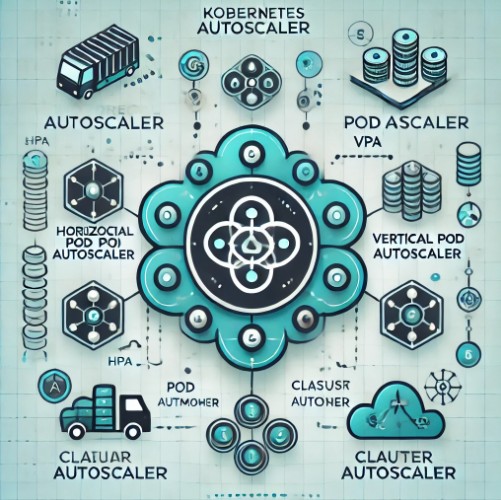
If your cluster frequently experiences resource shortages, consider enabling the Cluster Autoscaler. This tool automatically adds nodes to your cluster when resources are insufficient to meet pod scheduling demands.

kubectl get deployment -n kube-system cluster-autoscaler

3. Preemption and Priorities

Kubernetes allows configuring priorities for pods. If your important pods are stuck in Pending, consider using preemption to evict lower-priority pods and free up resources.

priorityClassName: high-priority

4. Custom Scheduling Constraints

For complex scenarios, you might need to define custom scheduling constraints using affinity and anti-affinity rules.

affinity:
  nodeAffinity:
    requiredDuringSchedulingIgnoredDuringExecution:
      nodeSelectorTerms:
      - matchExpressions:
        - key: kubernetes.io/e2e-az-name
          operator: In
          values:
          - e2e-az1

Frequently Asked Questions

1. How do I know if my pod is stuck due to resource constraints?

Use the kubectl describe pod <pod-name> command to check the Events section. Look for messages indicating “Insufficient CPU” or “Insufficient memory.”

2. Can I manually assign a pod to a node?

Yes, you can use nodeName in your pod spec to manually assign a pod to a specific node, though this is generally not recommended as it bypasses Kubernetes’ scheduling logic.

3. What is a PVC and how does it affect pod scheduling?

A PVC is a request for storage by a pod. If the requested storage is not available, the pod will remain in Pending until the storage is allocated.

4. What happens if a node fails after a pod is scheduled?

Kubernetes will automatically attempt to reschedule the pod on a different node if the original node becomes unavailable.

Conclusion

Dealing with pods stuck in the Pending state is a common challenge in Kubernetes. By following the steps outlined in this guide, you can effectively troubleshoot and resolve the underlying issues, ensuring that your pods are scheduled and your applications run smoothly. Whether you’re facing resource shortages, misconfigurations, or advanced scheduling constraints, the solutions provided here will help you get your Kubernetes cluster back on track.

Remember, maintaining a healthy Kubernetes environment requires ongoing monitoring and adjustments as your workloads and infrastructure evolve. Stay proactive, and you’ll minimize the chances of encountering pods stuck in the Pending state.

This guide should serve as a comprehensive resource for fixing pods stuck in the Pending state in Kubernetes, addressing both common and advanced scenarios. The aim is to provide actionable insights that help Kubernetes administrators ensure smooth pod scheduling and overall cluster health. Thank you for reading the DevopsRoles page!

How to Fix Kubernetes Cluster Initialization Failed Error

Introduction

Kubernetes has become a cornerstone for container orchestration, enabling seamless deployment, scaling, and management of containerized applications. However, setting up a Kubernetes cluster isn’t always smooth sailing. One common hurdle is the “Kubernetes cluster initialization failed” error, which can halt your cluster setup process. This guide will walk you through the steps to diagnose and resolve this error, ensuring your Kubernetes cluster is up and running with minimal downtime.

What is the “Kubernetes Cluster Initialization Failed” Error?

When initializing a Kubernetes cluster, various processes are set in motion to ensure that all components are correctly configured and operational. The “Kubernetes cluster initialization failed” error typically indicates that something went wrong during this critical phase, preventing the cluster from reaching a fully functional state. This error can stem from various issues, ranging from network misconfigurations to problems with the etcd service or control plane components.

Common Causes of Kubernetes Cluster Initialization Failure

Understanding the root causes of the initialization failure is crucial for effective troubleshooting. Some common reasons include:

1. Network Misconfigurations

  • Kubernetes heavily relies on network connectivity for communication between nodes. Incorrectly configured network settings can cause failures during cluster initialization.
  • Solution: Ensure that all nodes can communicate with each other and that no firewall or security group settings are blocking necessary ports.

2. etcd Service Issues

  • The etcd service is the key-value store used by Kubernetes to manage cluster state. Any issues with etcd can lead to initialization failures.
  • Solution: Verify the health of the etcd service, check logs for errors, and ensure that etcd is correctly configured and running on all master nodes.

3. Control Plane Component Failures

  • The Kubernetes control plane consists of multiple components (e.g., kube-apiserver, kube-controller-manager, kube-scheduler). Failures in any of these components can prevent the cluster from initializing properly.
  • Solution: Check the logs for each control plane component to identify and resolve any errors.

4. Insufficient Resources

  • Kubernetes requires a certain amount of CPU, memory, and disk space to operate. If the system does not meet these requirements, the cluster initialization may fail.
  • Solution: Ensure that your nodes meet the minimum resource requirements for Kubernetes. If necessary, allocate more resources or adjust your cluster configuration.

5. Incorrect Kubernetes Configuration

  • Misconfigurations in the Kubernetes YAML files or kubeadm settings can lead to initialization errors.
  • Solution: Review your configuration files for any syntax errors or incorrect settings. Validate your configuration using kubeadm config commands.

Step-by-Step Guide to Fix the Error

Step 1: Check Network Connectivity

  • Ensure all nodes have proper network connectivity.
  • Use tools like ping or curl to test connectivity between nodes.
  • Confirm that DNS resolution is functioning correctly within the cluster.

Step 2: Validate etcd Health

  • Run etcdctl commands to check the status of the etcd cluster.
  • Look for any signs of connectivity issues or data inconsistencies.
  • Restart the etcd service if necessary, and monitor logs for further clues.

Step 3: Inspect Control Plane Logs

  • Use journalctl -u kube-apiserver, journalctl -u kube-controller-manager, and journalctl -u kube-scheduler to review logs.
  • Identify any specific errors or warnings and address them as per the error messages.

Step 4: Verify Resource Availability

  • Check the resource usage on your nodes using top, htop, or Kubernetes dashboard.
  • Ensure there are no resource bottlenecks and that nodes have adequate CPU, memory, and disk space.

Step 5: Correct Configuration Files

  • Review your Kubernetes configuration files for any potential errors.
  • Use kubeadm config print to validate configurations before applying them.
  • If necessary, reapply the correct configuration using kubeadm init with the appropriate flags.

Step 6: Reinitialize the Cluster

  • After addressing all potential issues, reattempt the cluster initialization.
  • Run kubeadm reset followed by kubeadm init to reinitialize the cluster.

Frequently Asked Questions (FAQs)

Q1: How can I prevent the “Kubernetes cluster initialization failed” error in the future?

  • Regularly monitor your cluster’s health and ensure all nodes meet resource requirements. Properly configure network settings and always validate configuration files before applying changes.

Q2: What tools can I use to diagnose Kubernetes cluster issues?

  • Tools like kubectl, kubeadm, journalctl, and etcdctl are invaluable for diagnosing and resolving cluster issues.

Q3: Can I resolve the initialization error without resetting the cluster?

  • In some cases, yes. If the issue is related to configuration or a specific component, you may resolve it without a full reset. However, if the root cause is systemic, a reset might be necessary.

Conclusion

The “Kubernetes cluster initialization failed” error can be daunting, but with a systematic approach to troubleshooting, it can be resolved efficiently. By understanding the common causes and following the steps outlined in this guide, you can quickly get your Kubernetes cluster up and running. Remember to always validate configurations, monitor resource usage, and ensure network connectivity to minimize the chances of encountering this error in the future.

Taking the time to properly set up and configure your Kubernetes cluster not only prevents initialization errors but also sets a strong foundation for reliable and scalable application deployment. Thank you for reading the DevopsRoles page!

Top 7 Myths About MLOps Debunked

Introduction

Machine Learning Operations (MLOps) is a critical discipline that bridges the gap between data science and IT operations. Despite its growing importance, several myths and misconceptions still surround MLOps, causing confusion and hindering its adoption. In this article, we will debunk the top 7 myths about MLOps Debunked, providing clarity and insight into what MLOps truly entails.

Myth 1: MLOps is Just DevOps for Machine Learning

Understanding the Differences

While MLOps and DevOps share similarities, they are not the same. DevOps focuses on improving the collaboration between development and operations teams, primarily for software development. In contrast, MLOps addresses the unique challenges of deploying and managing machine learning models in production.

Key Distinctions

  • Data Management: MLOps involves managing large volumes of data, ensuring data quality, and maintaining data pipelines, which are not typically concerns in DevOps.
  • Model Monitoring: Continuous monitoring of model performance and retraining models are exclusive to MLOps.
  • Experimentation: MLOps includes experiment tracking and reproducibility, which are not part of the DevOps scope.

Myth 2: MLOps is Only for Large Companies

Accessibility for All

Contrary to popular belief, MLOps is not exclusive to large enterprises with extensive resources. Small and medium-sized businesses can also benefit from implementing MLOps practices. The key is to scale MLOps processes according to the organization’s size and needs.

Cost-Effective Solutions

  • Open Source Tools: Many open-source MLOps tools and frameworks are available, reducing the cost barrier for smaller companies.
  • Cloud Services: Cloud platforms offer scalable MLOps services that can be tailored to fit any budget.

Myth 3: MLOps Requires a Separate Team

Integrating MLOps into Existing Teams

While having a dedicated MLOps team can be beneficial, it is not a necessity. Existing data science and IT operations teams can adopt MLOps practices. The focus should be on fostering collaboration and providing the necessary training.

Building Cross-Functional Teams

  • Skill Development: Encourage team members to develop skills in both data science and operations.
  • Collaborative Tools: Use tools that facilitate collaboration between data scientists and operations engineers.

Myth 4: MLOps is Only About Automation

Beyond Automation

Automation is a significant component of MLOps, but it is not the entirety of it. MLOps encompasses a wide range of practices that ensure the reliable and efficient deployment of machine learning models.

Comprehensive Practices

  • Governance: Implementing policies for model governance and compliance.
  • Security: Ensuring the security of data and models throughout their lifecycle.
  • Scalability: Designing systems that can scale as the volume of data and number of models grow.

Myth 5: MLOps Guarantees Model Success

Realistic Expectations

MLOps does not guarantee that machine learning models will always perform perfectly. Instead, it provides a framework to manage models more effectively and address issues promptly.

Continuous Improvement

  • Monitoring: Regularly monitor model performance to detect and mitigate drifts.
  • Feedback Loops: Establish feedback loops to continuously improve model accuracy and relevance.

Myth 6: MLOps is Only for Data Scientists

Collaborative Effort

MLOps is not solely the responsibility of data scientists. It requires collaboration between multiple roles, including data engineers, DevOps engineers, and business stakeholders.

Role Integration

  • Data Engineers: Focus on data ingestion, transformation, and pipeline management.
  • DevOps Engineers: Handle infrastructure, deployment, and automation.
  • Business Stakeholders: Provide domain knowledge and ensure alignment with business goals.

Myth 7: MLOps is a One-Time Implementation

Ongoing Process

MLOps is not a one-time project but an ongoing process that evolves with the organization’s needs and technological advancements. Continuous improvement and adaptation are crucial for maintaining effective MLOps practices.

Iterative Approach

  • Evaluation: Regularly evaluate and update MLOps processes.
  • Adoption of New Tools: Stay updated with the latest MLOps tools and frameworks.

FAQs

What is MLOps?

MLOps, or Machine Learning Operations, is a set of practices that combines machine learning, DevOps, and data engineering to deploy and maintain machine learning models in production reliably and efficiently.

How does MLOps differ from DevOps?

While DevOps focuses on improving the collaboration between development and operations teams for software development, MLOps addresses the unique challenges of deploying and managing machine learning models, including data management, model monitoring, and experimentation.

Is MLOps only for large companies?

No, MLOps can be scaled to fit the needs and resources of small and medium-sized businesses. Open-source tools and cloud services make MLOps accessible to companies of all sizes.

Does MLOps require a separate team?

Not necessarily. Existing data science and IT operations teams can adopt MLOps practices with the right training and collaborative tools.

Is MLOps only about automation?

No, MLOps also involves governance, security, and scalability practices in addition to automation.

Does MLOps guarantee model success?

No, MLOps provides a framework to manage models effectively but does not guarantee perfect model performance. Continuous monitoring and improvement are essential.

Who is responsible for MLOps?

MLOps is a collaborative effort that involves data scientists, data engineers, DevOps engineers, and business stakeholders.

Is MLOps a one-time implementation?

No, MLOps is an ongoing process that requires continuous improvement and adaptation to stay effective.

Conclusion

MLOps is an essential discipline for any organization leveraging machine learning. By debunking these common myths, we hope to provide a clearer understanding of MLOps and encourage its adoption. Implementing MLOps practices can lead to more reliable, scalable, and efficient machine learning operations, benefiting businesses of all sizes. Thank you for reading the DevopsRoles page!

Devops Tutorial

Exit mobile version