The Best MLOps Strategies for Small Businesses

Introduction

In today’s data-driven world, small businesses increasingly recognize the value of leveraging machine learning (ML) to drive growth and innovation. However, implementing and managing ML models can be challenging without the right strategies and tools. This is where MLOps (Machine Learning Operations) comes into play. MLOps is the practice of combining ML system development and operations to streamline the deployment and maintenance of machine learning models. This article will explore the best MLOps strategies for small businesses, providing practical examples from basic to advanced.

Understanding MLOps

What is MLOps?

MLOps is a set of practices that aim to deploy and maintain machine learning models in production reliably and efficiently. It bridges the gap between data science and operations, ensuring seamless integration and continuous delivery of ML models.

Why is MLOps Important for Small Businesses?

For small businesses, MLOps offers several benefits, including:

  • Enhanced Collaboration: Facilitates better communication between data scientists and IT operations.
  • Efficiency: Automates repetitive tasks, allowing teams to focus on high-value activities.
  • Scalability: Ensures that ML models can scale with business growth.
  • Reliability: Reduces the risk of model failures and improves overall system reliability.

Basic MLOps Strategies for Small Businesses

Start with Clear Objectives

Before diving into MLOps, it’s crucial to define clear objectives. What are the specific problems you want to solve with ML? Having well-defined goals will guide your strategy and ensure alignment with business needs.

Leverage Open-Source Tools

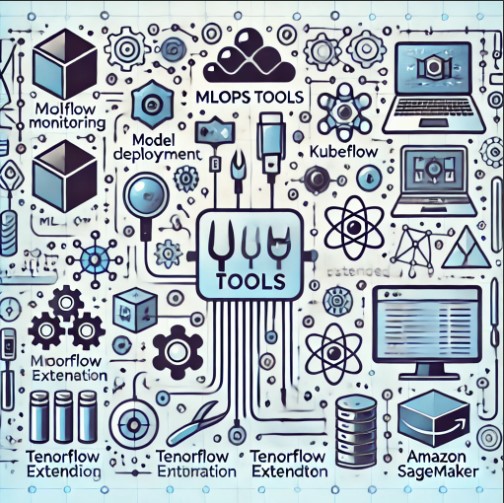
For small businesses with limited budgets, open-source tools provide a cost-effective way to implement MLOps. Some popular options include:

  • TensorFlow Extended (TFX): An end-to-end platform for deploying production ML pipelines.
  • Kubeflow: A Kubernetes-based platform for deploying, scaling, and managing ML workflows.
  • MLflow: An open-source platform for managing the ML lifecycle, including experimentation, reproducibility, and deployment.

Implement Version Control for Data and Models

Just as software development benefits from version control, so does ML development. Use tools like Git to version your code, and consider specialized tools like DVC (Data Version Control) for versioning data and models. This practice ensures reproducibility and facilitates collaboration.

Intermediate MLOps Strategies

Automate Model Training and Deployment

Automation is a core principle of MLOps. Implementing CI/CD (Continuous Integration/Continuous Deployment) pipelines can streamline the process of training and deploying ML models. Popular CI/CD tools for MLOps include Jenkins, GitLab CI, and CircleCI.

Steps to Automate Model Training and Deployment

  1. Set Up a CI/CD Pipeline: Define the stages of your pipeline, including data preprocessing, model training, and deployment.
  2. Use Automated Testing: Ensure your models are rigorously tested before deployment.
  3. Monitor the Pipeline: Continuously monitor the pipeline to detect and address issues promptly.

Use Containerization for Portability

Containers, such as Docker, provide a lightweight and consistent environment for running ML models. Containerization ensures that models run the same way in development, testing, and production environments, reducing deployment issues.

Benefits of Containerization

  • Consistency: Ensures the same environment across different stages of the ML lifecycle.
  • Portability: Easily move containers between different platforms and environments.
  • Scalability: Simplifies scaling ML models across multiple servers.

Advanced MLOps Strategies

Implement Advanced Monitoring and Logging

Monitoring and logging are critical for maintaining ML model performance. Implementing advanced monitoring solutions can help detect anomalies, track model performance, and provide insights into model behavior.

Key Metrics to Monitor

  • Accuracy: Measure the correctness of your model’s predictions.
  • Latency: Track the time it takes for your model to make predictions.
  • Resource Utilization: Monitor CPU, GPU, and memory usage to ensure efficient resource management.

Adopt a Model Governance Framework

Model governance involves the policies and procedures that ensure ML models are used responsibly and ethically. It includes aspects like model validation, fairness, and compliance with regulations.

Components of a Model Governance Framework

  • Model Validation: Regularly validate models to ensure they meet performance standards.
  • Fairness: Assess models for biases and ensure they provide fair outcomes.
  • Compliance: Ensure models comply with relevant regulations and industry standards.

Frequently Asked Questions

What is the main goal of MLOps?

The main goal of MLOps is to streamline and automate the deployment and maintenance of ML models in production, ensuring they are reliable, efficient, and scalable.

How can small businesses benefit from MLOps?

Small businesses can benefit from MLOps by enhancing collaboration between data science and IT teams, improving efficiency through automation, ensuring scalability of ML models, and increasing the reliability of their systems.

What are some popular tools for MLOps?

Popular tools for MLOps include TensorFlow Extended (TFX), Kubeflow, MLflow, Jenkins, GitLab CI, CircleCI, and Docker.

Why is version control important in MLOps?

Version control is important in MLOps because it ensures reproducibility, facilitates collaboration, and helps track changes in code, data, and models, reducing the risk of errors and improving the overall quality of ML projects.

How does containerization help in MLOps?

Containerization helps in MLOps by providing a consistent and portable environment for running ML models, reducing deployment issues, and simplifying the scaling of models across multiple servers.

Conclusion

Implementing the best MLOps strategies can significantly enhance the efficiency, reliability, and scalability of machine learning initiatives in small businesses. From leveraging open-source tools and automating model deployment to advanced monitoring and model governance, these strategies provide a comprehensive approach to managing the ML lifecycle. By adopting these practices, small businesses can unlock the full potential of their data and drive innovation in their operations.

Embracing MLOps is not just about technology; it’s about fostering a culture of collaboration and continuous improvement. Start with clear objectives, utilize the right tools, and continuously monitor and optimize your processes. With these strategies, small businesses can achieve remarkable success in their machine-learning endeavors. Thank you for reading the DevopsRoles page!

How MLOps Can Help You Achieve Continuous Delivery in ML

Introduction

In the rapidly evolving world of machine learning (ML), the ability to continuously deliver high-quality models is crucial for staying competitive. MLOps, a combination of machine learning and DevOps practices, provides a framework for automating and streamlining the deployment, monitoring, and management of ML models. This article explores how MLOps can help you achieve continuous delivery in ML, from basic concepts to advanced strategies.

What is MLOps?

MLOps, short for Machine Learning Operations, is the practice of collaboration and communication between data scientists and operations professionals to manage the lifecycle of machine learning models. It integrates DevOps principles with ML systems to automate the process of deploying and maintaining models in production.

Key Components of MLOps

  • Version Control: Keeping track of changes to code and models.
  • CI/CD Pipelines: Automating the build, test, and deployment process.
  • Monitoring: Continuously tracking model performance and data drift.
  • Automation: Reducing manual intervention through automated workflows.

Why is Continuous Delivery Important in ML?

Continuous delivery (CD) ensures that software and ML models can be reliably released at any time. It allows organizations to respond quickly to changing market demands, improves collaboration between teams, and ensures higher-quality products.

Benefits of Continuous Delivery in ML

  • Faster Time to Market: Rapid iteration and deployment of models.
  • Improved Collaboration: Better communication between data scientists, engineers, and stakeholders.
  • Higher Quality: Early detection of issues through automated testing.
  • Scalability: Easier to manage and scale ML workflows.

Implementing MLOps for Continuous Delivery

Step 1: Establish a Version Control System

A robust version control system (VCS) is essential for managing changes to code and models. Git is a popular choice for its widespread use and integration capabilities.

Best Practices for Version Control in ML

  • Branching Strategies: Use feature branches to develop new models.
  • Commit Frequency: Commit changes frequently to avoid large, complex merges.
  • Tagging Releases: Use tags to mark specific releases for easier rollback if needed.

Step 2: Set Up CI/CD Pipelines

Continuous Integration (CI) and Continuous Deployment (CD) pipelines automate the process of building, testing, and deploying ML models.

Building CI/CD Pipelines

  • Automated Testing: Integrate unit tests, integration tests, and model validation tests.
  • Environment Management: Use containerization (e.g., Docker) to ensure consistency across environments.
  • Orchestration Tools: Utilize tools like Jenkins, GitLab CI, or CircleCI for pipeline automation.

Step 3: Monitor Model Performance

Monitoring is critical to ensure that models perform as expected and adapt to changing data patterns.

Techniques for Monitoring

  • Performance Metrics: Track metrics such as accuracy, precision, recall, and F1 score.
  • Data Drift Detection: Identify shifts in data distribution that may impact model performance.
  • Alerting Systems: Set up alerts for significant deviations in performance.

Step 4: Automate Workflows

Automation reduces the need for manual intervention, ensuring faster and more reliable deployment processes.

Automation Strategies

  • Hyperparameter Tuning: Use automated tools like Optuna or Hyperopt to optimize model parameters.
  • Model Retraining: Set up automated retraining schedules based on new data availability.
  • Deployment Automation: Utilize tools like Kubernetes for scalable and automated model deployment.

Advanced Strategies for MLOps

A/B Testing for Model Validation

A/B testing allows you to compare different versions of models to determine which performs better in production.

Implementing A/B Testing

  • Traffic Splitting: Divide traffic between multiple model versions.
  • Statistical Analysis: Use statistical methods to compare performance metrics.
  • Feedback Loops: Incorporate user feedback into model improvement.

Feature Store for Reusable Features

A feature store is a centralized repository for storing and sharing ML features across projects.

Benefits of a Feature Store

  • Consistency: Ensure consistent feature definitions across models.
  • Reusability: Reuse features to save time and reduce redundancy.
  • Collaboration: Enhance collaboration between data scientists through shared resources.

Model Explainability and Interpretability

Understanding how models make decisions is crucial for building trust and ensuring compliance with regulations.

Tools for Explainability

  • LIME (Local Interpretable Model-agnostic Explanations): Provides local explanations for individual predictions.
  • SHAP (SHapley Additive exPlanations): Offers a unified approach to explain model outputs.

MLOps in the Cloud

Cloud platforms like AWS, Azure, and Google Cloud provide robust tools and services for implementing MLOps.

Cloud Services for MLOps

  • AWS SageMaker: Comprehensive suite for building, training, and deploying ML models.
  • Azure Machine Learning: Platform for managing the entire ML lifecycle.
  • Google AI Platform: Integrated services for ML development and deployment.

FAQs

What is MLOps?

MLOps is the practice of combining machine learning and DevOps principles to automate and streamline the deployment and management of ML models.

Why is continuous delivery important in ML?

Continuous delivery ensures that ML models can be reliably released at any time, allowing for faster iteration, improved collaboration, higher quality, and better scalability.

How can I implement MLOps in my organization?

Start by establishing a version control system, setting up CI/CD pipelines, monitoring model performance, and automating workflows. Utilize advanced strategies like A/B testing, feature stores, and cloud services for further optimization.

What tools are commonly used in MLOps?

Common tools include Git for version control, Jenkins for CI/CD pipelines, Docker for containerization, Kubernetes for deployment, and cloud services like AWS SageMaker, Azure Machine Learning, and Google AI Platform.

Conclusion

MLOps is a transformative practice that enables continuous delivery in ML, ensuring that models can be deployed and maintained efficiently. By implementing best practices and leveraging the right tools, organizations can achieve faster time to market, improved collaboration, higher quality models, and better scalability. Embrace MLOps to stay ahead in the competitive landscape of machine learning.Thank you for reading the DevopsRoles page!

How AIOps Can Improve Your Customer Experience

Introduction

In today’s digital age, delivering an exceptional customer experience (CX) is paramount for business success. As customer expectations continue to rise, companies must leverage advanced technologies to meet these demands. AIOps (Artificial Intelligence for IT Operations) is emerging as a powerful tool to improve customer experience by optimizing IT operations, reducing downtime, and providing proactive support.

This article explores “How AIOps Can Improve Your Customer Experience” and highlights its benefits and practical applications.

Understanding AIOps

What is AIOps?

AIOps stands for Artificial Intelligence for IT Operations. It integrates AI and machine learning to automate and enhance IT operations tasks such as monitoring, event correlation, anomaly detection, and root cause analysis.

Why is AIOps Important for Customer Experience?

AIOps is crucial for enhancing customer experience because it:

  • Automates Routine Tasks: Reduces manual workload and minimizes human error.
  • Improves System Reliability: Ensures high availability and performance of IT systems.
  • Enhances Responsiveness: Provides proactive issue detection and resolution.
  • Supports Scalability: Easily scales with growing IT infrastructure and customer demands.

How AIOps Can Improve Your Customer Experience

1. Ensuring High System Availability

Real-Time Monitoring

AIOps platforms continuously monitor IT systems in real-time, identifying and addressing potential issues before they impact customers. This ensures high system availability and minimizes disruptions.

Proactive Issue Resolution

By leveraging machine learning algorithms, AIOps can predict and resolve issues proactively. This proactive approach prevents system outages and ensures a seamless customer experience.

2. Enhancing Performance and Speed

Optimized Resource Allocation

AIOps uses predictive analytics to optimize resource allocation, ensuring that IT systems perform efficiently even during peak times. This results in faster load times and a smoother user experience.

Dynamic Scaling

With AIOps, organizations can implement dynamic scaling, automatically adjusting resources based on real-time demand. This ensures consistent performance and reliability, enhancing customer satisfaction.

3. Improving Incident Management

Faster Incident Detection

AIOps platforms detect incidents in real-time, significantly reducing the time it takes to identify issues. This quick detection helps in minimizing the impact on customers and ensures faster resolution.

Automated Root Cause Analysis

AIOps performs automated root cause analysis, pinpointing the underlying cause of incidents quickly and accurately. This speeds up the troubleshooting process and reduces downtime, improving the overall customer experience.

4. Enhancing Security and Compliance

Continuous Threat Monitoring

AIOps continuously monitors for security threats, using AI to detect anomalies and suspicious activities in real-time. This enhances the security of IT systems and protects customer data.

Automated Compliance Management

AIOps automates compliance checks and provides detailed audit trails, ensuring that organizations adhere to regulatory requirements. This builds customer trust and confidence in the company’s security measures.

5. Personalizing Customer Interactions

Data-Driven Insights

AIOps platforms analyze customer data to provide valuable insights into customer behavior and preferences. These insights enable organizations to personalize interactions and tailor services to meet individual needs.

Enhanced Customer Support

By automating routine support tasks and providing real-time insights, AIOps enhances customer support operations. This results in faster response times and more effective resolutions, improving customer satisfaction.

6. Streamlining Operations

Unified Data Platform

AIOps provides a unified data platform that aggregates data from various sources, offering a single view of the IT environment. This unified view facilitates collaboration among IT teams and improves operational efficiency.

Streamlined Workflows

By automating routine tasks and providing actionable insights, AIOps streamlines workflows, allowing IT teams to focus on more strategic initiatives. This improves overall productivity and operational efficiency.

Implementing AIOps to Enhance Customer Experience

Assess Your Current IT Landscape

Begin by assessing your existing IT infrastructure to identify areas that can benefit from AIOps. Understand your organization’s specific needs and goals to tailor the implementation effectively.

Choose the Right AIOps Platform

Select an AIOps platform that aligns with your organization’s requirements. Look for features such as real-time monitoring, anomaly detection, predictive analytics, and integration capabilities.

Prepare Your Data

Ensure that your data is accurate, clean, and properly labeled. Centralize data from various sources to create a unified view of your IT environment.

Implement in Phases

Start with a pilot project to test the effectiveness of AIOps in your environment. Gradually expand the implementation to other areas of your IT infrastructure based on the pilot’s success.

Foster Collaboration

Encourage collaboration between IT operations, data scientists, and other stakeholders. Regular communication and shared goals are essential for a successful AIOps implementation.

FAQs on How AIOps Can Improve Your Customer Experience

What is AIOps and why is it important for customer experience?

AIOps stands for Artificial Intelligence for IT Operations. It is important for customer experience because it automates routine tasks, improves system reliability, enhances responsiveness, and supports scalability.

How can AIOps ensure high system availability?

AIOps ensures high system availability through real-time monitoring and proactive issue resolution, preventing system outages and minimizing disruptions.

What are the benefits of using AIOps for incident management?

AIOps benefits incident management by providing faster incident detection, automated root cause analysis, and quick resolution, reducing downtime and improving customer experience.

How does AIOps enhance security and compliance?

AIOps enhances security by continuously monitoring for threats and automating compliance checks, ensuring adherence to regulatory requirements, and protecting customer data.

Can AIOps personalize customer interactions?

Yes, AIOps can personalize customer interactions by analyzing customer data to provide valuable insights into behavior and preferences, enabling tailored services and interactions.

What steps should organizations take to implement AIOps?

Organizations should assess their current IT landscape, choose the right AIOps platform, prepare their data, implement in phases, and foster collaboration among IT teams and stakeholders.

Conclusion

AIOps is a powerful tool for enhancing customer experience by ensuring high system availability, improving performance, optimizing incident management, enhancing security, personalizing customer interactions, and streamlining operations. By leveraging the capabilities of AIOps, organizations can deliver exceptional customer experiences, build trust, and achieve operational excellence.

This comprehensive guide on “How AIOps Can Improve Your Customer Experience” provides valuable insights and practical steps to harness the power of AIOps in your organization. Embrace AIOps to drive customer satisfaction and business success.Thank you for reading the DevopsRoles page!

Top 7 Myths About AIOps Debunked

Introduction

As organizations increasingly rely on digital technologies, managing complex IT infrastructures has become more challenging. AIOps (Artificial Intelligence for IT Operations) has emerged as a powerful solution to enhance efficiency, predict issues, and automate routine tasks. However, several myths and misconceptions surround AIOps, leading to hesitation in adoption.

This article aims to clarify these misunderstandings by presenting “Top 7 Myths About AIOps Debunked,” shedding light on the true potential of this transformative technology.

Myth 1: AIOps is Just Another Monitoring Tool

The Misconception

Many people believe that AIOps is simply a fancy term for traditional IT monitoring tools, offering little more than basic alerting and performance tracking.

The Reality

AIOps goes far beyond traditional monitoring. It integrates AI and machine learning to analyze vast amounts of data from multiple sources, providing deep insights into IT operations. AIOps can predict potential issues, automate incident responses, and offer root cause analysis, making it a comprehensive solution for managing complex IT environments.

Myth 2: AIOps Replace IT Professionals

The Misconception

A common fear is that implementing AIOps will lead to job losses among IT staff, as the technology automates many operational tasks.

The Reality

AIOps is designed to augment, not replace, IT professionals. It automates routine and repetitive tasks, allowing IT staff to focus on more strategic and complex issues. By providing actionable insights and predictive analytics, AIOps empowers IT teams to make better decisions and improve overall efficiency.

Myth 3: AIOps is Only for Large Enterprises

The Misconception

Some believe that AIOps is suitable only for large enterprises with extensive IT infrastructures and substantial budgets.

The Reality

While AIOps offers significant benefits to large enterprises, it is equally valuable for small and medium-sized businesses (SMBs). SMBs can leverage AIOps to streamline operations, reduce downtime, and optimize resource allocation. Many AIOps platforms offer scalable solutions that can be tailored to the needs and budgets of smaller organizations.

Myth 4: AIOps is Too Complex to Implement

The Misconception

The integration of AI and machine learning in IT operations seems daunting, leading to the belief that AIOps implementation is overly complex and time-consuming.

The Reality

Implementing AIOps does require careful planning and preparation, but it is not an insurmountable challenge. Many AIOps platforms offer user-friendly interfaces and guided implementation processes. Additionally, organizations can start with pilot projects to gradually integrate AIOps into their IT operations, ensuring a smooth transition.

Myth 5: AIOps Generates Too Many False Positives

The Misconception

There is a concern that AIOps, like traditional monitoring tools, will generate numerous false positives, overwhelming IT teams with unnecessary alerts.

The Reality

AIOps uses advanced machine learning algorithms to continuously learn and improve its accuracy. By analyzing historical data and identifying patterns, AIOps can differentiate between legitimate issues and benign anomalies, significantly reducing the number of false positives. This allows IT teams to focus on genuine problems and enhances overall efficiency.

Myth 6: AIOps is a One-Size-Fits-All Solution

The Misconception

Some believe that AIOps platforms are rigid, offering a one-size-fits-all solution that cannot be customized to meet specific organizational needs.

The Reality

AIOps platforms are highly customizable and can be tailored to suit the unique requirements of different organizations. They offer a range of features and integration options, allowing businesses to configure the platform according to their specific IT environment and operational goals. This flexibility ensures that AIOps delivers maximum value, regardless of the organization’s size or industry.

Myth 7: AIOps Provides Instant Results

The Misconception

There is an expectation that AIOps will deliver immediate improvements in IT operations as soon as it is implemented.

The Reality

While AIOps can offer significant benefits, it requires time to learn and adapt to the IT environment. The effectiveness of AIOps improves over time as it collects more data and refines its algorithms. Organizations should view AIOps as a long-term investment that will deliver increasingly better results as it matures.

FAQs on Top 7 Myths About AIOps Debunked

What is the difference between AIOps and traditional monitoring tools?

AIOps integrates AI and machine learning to analyze data, predict issues, automate responses, and provide root cause analysis, going beyond basic monitoring and alerting.

Will AIOps replace IT professionals?

No, AIOps is designed to augment IT professionals by automating routine tasks and providing actionable insights, allowing them to focus on strategic and complex issues.

Is AIOps only suitable for large enterprises?

No, AIOps is beneficial for organizations of all sizes, including small and medium-sized businesses, by streamlining operations, reducing downtime, and optimizing resource allocation.

How difficult is it to implement AIOps?

Implementing AIOps requires planning and preparation but is manageable with user-friendly platforms and guided processes. Starting with pilot projects can ensure a smooth transition.

Does AIOps generate a lot of false positives?

AIOps uses advanced algorithms to reduce false positives by learning from historical data and identifying patterns, allowing IT teams to focus on genuine issues.

Can AIOps be customized to meet specific organizational needs?

Yes, AIOps platforms are highly customizable, offering a range of features and integration options to suit the unique requirements of different organizations.

Does AIOps provide instant results?

AIOps requires time to learn and adapt to the IT environment, improving its effectiveness over time as it collects more data and refines its algorithms.

Conclusion

Dispelling the myths surrounding AIOps is essential to understanding its true potential and benefits. This comprehensive guide, “Top 7 Myths About AIOps Debunked,” has clarified common misconceptions, highlighting how AIOps can revolutionize IT operations. By integrating AIOps, organizations can automate routine tasks, enhance decision-making, improve performance, and support scalability. Embrace AIOps to unlock new possibilities and drive your organization towards greater efficiency and success. Thank you for reading the DevopsRoles page!
Deploying Airflow on Kubernetes: A Comprehensive Guide with ArgoCD and Terraform for GitOps

Introduction

In today’s fast-paced tech environment, automation and streamlined deployment processes are essential for maintaining efficiency and scalability. Deploying Airflow on Kubernetes using ArgoCD and Terraform represents a modern GitOps approach that can significantly enhance your deployment workflow. This guide will walk you through the process, starting from the basics and advancing to more complex implementations.

Understanding the Basics

What is Apache Airflow?

Apache Airflow is an open-source platform to programmatically author, schedule, and monitor workflows. It is highly extensible and can be deployed on various environments, including Kubernetes.

Why Kubernetes?

Kubernetes, an open-source container orchestration platform, is ideal for deploying, scaling, and managing containerized applications. It ensures high availability, scalability, and efficient resource management.

What are ArgoCD and Terraform?

  • ArgoCD: A declarative, GitOps continuous delivery tool for Kubernetes. It automates the deployment of desired application states defined in Git repositories.
  • Terraform: An infrastructure as code (IaC) tool that allows you to build, change, and version infrastructure efficiently.

The Modern GitOps Approach

GitOps is a practice that uses Git as the single source of truth for infrastructure and application code. This approach enhances deployment reliability, auditability, and consistency.

Setting Up the Environment

Prerequisites

Before we dive into deploying Airflow, ensure you have the following tools installed and configured:

  1. Kubernetes Cluster: You can set up a local cluster using Minikube or use a cloud provider like GKE, EKS, or AKS.
  2. kubectl: Kubernetes command-line tool.
  3. Helm: A package manager for Kubernetes.
  4. ArgoCD: Installed on your Kubernetes cluster.
  5. Terraform: Installed on your local machine.

Step-by-Step Guide

1. Setting Up Kubernetes Cluster

First, ensure your Kubernetes cluster is up and running. If you’re using Minikube:

minikube start

2. Installing ArgoCD

Install ArgoCD in your Kubernetes cluster:

kubectl create namespace argocd
kubectl apply -n argocd -f https://raw.githubusercontent.com/argoproj/argo-cd/stable/manifests/install.yaml

3. Configuring ArgoCD CLI

Download and configure the ArgoCD CLI:

brew install argocd
argocd login <ARGOCD_SERVER>

4. Setting Up Terraform

Install Terraform and configure it for your desired cloud provider. Initialize Terraform in your project directory:

terraform init

Deploying Airflow on Kubernetes Using Helm

1. Adding Airflow Helm Repository

Add the official Apache Airflow Helm repository:

helm repo add apache-airflow https://airflow.apache.org
helm repo update

2. Deploying Airflow

Deploy Airflow using Helm:

helm install airflow apache-airflow/airflow --namespace airflow --create-namespace

Integrating with ArgoCD

1. Creating ArgoCD Application

Define an ArgoCD application that points to your Git repository containing the Airflow Helm chart configuration:

apiVersion: argoproj.io/v1alpha1
kind: Application
metadata:
  name: airflow
  namespace: argocd
spec:
  destination:
    namespace: airflow
    server: 'https://kubernetes.default.svc'
  source:
    repoURL: 'https://github.com/your-repo/airflow-helm.git'
    targetRevision: HEAD
    path: .
  project: default
  syncPolicy:
    automated:
      prune: true
      selfHeal: true

Apply this configuration to ArgoCD:

kubectl apply -f airflow-argocd.yaml

2. Syncing Application

Use ArgoCD to sync the application, ensuring it matches the desired state defined in the Git repository:

argocd app sync airflow

Advanced Configurations

1. Scaling Airflow

To scale Airflow components, modify the Helm values file:

workers:
  replicas: 3

Apply the changes using ArgoCD:

argocd app sync airflow

2. Using Terraform for Infrastructure Management

Define your Kubernetes infrastructure using Terraform. An example configuration for a Kubernetes cluster on AWS might look like this:

provider "aws" {
  region = "us-west-2"
}

resource "aws_eks_cluster" "example" {
  name     = "example"
  role_arn = aws_iam_role.example.arn

  vpc_config {
    subnet_ids = aws_subnet.example[*].id
  }
}

resource "aws_iam_role" "example" {
  name = "example"

  assume_role_policy = jsonencode({
    Version = "2012-10-17"
    Statement = [
      {
        Action = "sts:AssumeRole"
        Effect = "Allow"
        Principal = {
          Service = "eks.amazonaws.com"
        }
      },
    ]
  })
}

3. Automating Terraform with ArgoCD

Integrate Terraform with ArgoCD to manage infrastructure changes:

  • Store your Terraform state in a Git repository.
  • Use ArgoCD to monitor and apply changes.

FAQs

What is the advantage of using ArgoCD and Terraform together?

Using ArgoCD and Terraform together leverages the strengths of both tools, enabling a robust, automated deployment and infrastructure management process.

How does GitOps improve deployment processes?

GitOps uses Git as the source of truth, providing an auditable, version-controlled, and consistent deployment process.

Can I use other tools instead of Terraform for infrastructure management?

Yes, tools like Pulumi, Ansible, and others can also be used for infrastructure management.

Is it necessary to use Kubernetes for Airflow deployment?

While not necessary, Kubernetes provides scalability, reliability, and resource efficiency, making it a preferred choice for deploying Airflow.

Conclusion

Deploying Airflow on Kubernetes using ArgoCD and Terraform is a modern GitOps approach that enhances deployment efficiency, reliability, and scalability. By following the steps outlined in this guide, you can achieve a seamless deployment process, from setting up the environment to advanced configurations. Embrace the power of GitOps to streamline your workflows and maintain high standards of operational excellence. Thank you for reading the DevopsRoles page!

How to Optimize Your IT Operations with AIOps

Introduction

In the digital age, IT operations are the backbone of any organization. Managing these operations efficiently is crucial to ensure seamless service delivery, maintain system performance, and achieve business objectives. AIOps (Artificial Intelligence for IT Operations) has emerged as a game-changer, offering advanced tools and techniques to optimize IT operations.

This article delves into “How to Optimize Your IT Operations with AIOps,” providing actionable insights and strategies to leverage this technology for maximum benefit.

Understanding AIOps

What is AIOps?

AIOps stands for Artificial Intelligence for IT Operations. It combines big data, machine learning, and artificial intelligence to automate and enhance various IT operations tasks, such as monitoring, event correlation, anomaly detection, and root cause analysis.

Why is AIOps Important?

AIOps is vital for modern IT environments because it:

  • Automates Routine Tasks: Reduces manual workload and minimizes human error.
  • Improves Decision-Making: Provides data-driven insights for better strategic decisions.
  • Enhances Performance: Optimizes system performance and reduces downtime.
  • Supports Scalability: Easily scales with growing IT infrastructure complexity.

How to Optimize Your IT Operations with AIOps

1. Implement Real-Time Monitoring

Continuous Data Collection

AIOps platforms continuously collect data from various sources, including servers, applications, and network devices. This real-time data collection is crucial for monitoring system health and performance.

AI-Driven Insights

Leveraging AI, AIOps platforms analyze the collected data to provide real-time insights into system performance. These insights enable IT teams to detect issues early and take proactive measures to prevent disruptions.

2. Automate Incident Management

Automated Detection and Response

AIOps can automate the detection and response to incidents. By using machine learning algorithms, AIOps platforms identify anomalies and trigger automated responses to resolve issues quickly.

Root Cause Analysis

AIOps performs automated root cause analysis, identifying the underlying cause of incidents with high accuracy. This reduces the time required to diagnose and fix problems, minimizing downtime.

3. Enhance Resource Management

Predictive Analytics for Resource Allocation

AIOps uses predictive analytics to forecast future resource demands based on historical data and usage patterns. This helps in optimizing resource allocation, ensuring that IT resources are used efficiently.

Dynamic Scaling

With AIOps, organizations can implement dynamic scaling, automatically adjusting resource allocation based on real-time demand. This ensures optimal performance during peak periods and reduces costs during low usage times.

4. Improve Security Posture

Continuous Threat Monitoring

AIOps platforms continuously monitor for security threats, using AI to detect anomalies and suspicious activities in real-time. This continuous monitoring enhances the organization’s security posture.

Automated Threat Response

In addition to detection, AIOps can automate threat response actions, such as isolating affected systems, blocking malicious IP addresses, and alerting security teams. This reduces the time to mitigate security threats.

5. Foster Collaboration and Efficiency

Unified Data Platform

AIOps provides a unified data platform that aggregates data from various sources, offering a single view of the IT environment. This unified view facilitates collaboration among IT teams and improves operational efficiency.

Streamlined Workflows

By automating routine tasks and providing actionable insights, AIOps streamlines workflows, allowing IT teams to focus on more strategic initiatives. This improves overall productivity and operational efficiency.

Steps to Implement AIOps in Your Organization

Assess Your Current IT Landscape

Begin by assessing your existing IT infrastructure to identify areas that can benefit from AIOps. Understand your organization’s specific needs and goals to tailor the implementation effectively.

Choose the Right AIOps Platform

Select an AIOps platform that aligns with your organization’s requirements. Look for features such as real-time monitoring, anomaly detection, predictive analytics, and integration capabilities.

Prepare Your Data

Ensure that your data is accurate, clean, and properly labeled. Centralize data from various sources to create a unified view of your IT environment.

Implement in Phases

Start with a pilot project to test the effectiveness of AIOps in your environment. Gradually expand the implementation to other areas of your IT infrastructure based on the pilot’s success.

Foster Collaboration

Encourage collaboration between IT operations, data scientists, and other stakeholders. Regular communication and shared goals are essential for a successful AIOps implementation.

FAQs on How to Optimize Your IT Operations with AIOps

What is AIOps and why is it important for IT operations?

AIOps stands for Artificial Intelligence for IT Operations. It is important for IT operations because it automates routine tasks, improves decision-making, enhances performance, and supports scalability.

How can AIOps improve incident management?

AIOps can improve incident management by automating the detection and response to incidents and performing automated root cause analysis, reducing the time required to diagnose and fix problems.

What are the benefits of using predictive analytics for resource management?

Predictive analytics helps in optimizing resource allocation by forecasting future resource demands based on historical data and usage patterns. This ensures efficient use of IT resources and dynamic scaling based on real-time demand.

How does AIOps enhance security posture?

AIOps enhances security posture by continuously monitoring for security threats, using AI to detect anomalies and suspicious activities, and automating threat response actions to mitigate security threats promptly.

What steps should organizations take to implement AIOps?

Organizations should assess their current IT landscape, choose the right AIOps platform, prepare their data, implement in phases, and foster collaboration among IT teams and stakeholders.

Conclusion

Optimizing IT operations is crucial for maintaining efficiency, performance, and security in today’s digital age. AIOps offers a powerful solution by automating routine tasks, providing real-time insights, enhancing resource management, and improving security posture.

This comprehensive guide on “How to Optimize Your IT Operations with AIOps” highlights the benefits and steps to successfully implement AIOps in your organization. By embracing AIOps, organizations can achieve operational excellence, reduce downtime, and drive strategic initiatives for future growth. Thank you for reading the DevopsRoles page!
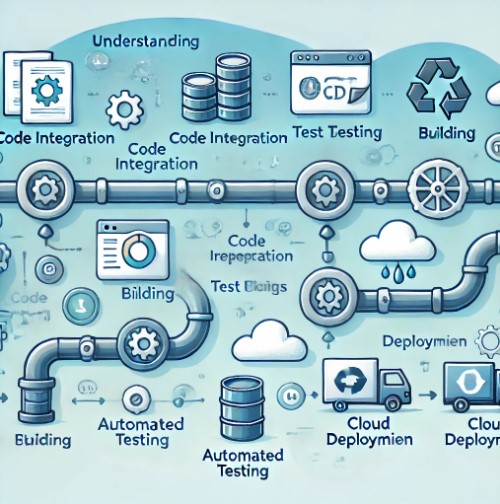
Understand the Difference Between Docker Engine and Docker Desktop: A Comprehensive Guide

Introduction

Docker has revolutionized the way we build, share, and run applications. However, many users find themselves confused about the difference between Docker Engine and Docker Desktop. This guide aims to demystify these two essential components, explaining their differences, use cases, and how to get the most out of them. Whether you’re a beginner or an experienced developer, this article will provide valuable insights into Docker’s ecosystem.

What is Docker Engine?

Docker Engine is the core software that enables containerization. It is a client-server application that includes three main components:

Docker Daemon (dockerd)

The Docker Daemon is a background service responsible for managing Docker containers on your system. It listens for Docker API requests and manages Docker objects such as images, containers, networks, and volumes.

Docker Client (docker)

The Docker Client is a command-line interface (CLI) that users interact with to communicate with the Docker Daemon. It accepts commands from the user and communicates with the Docker Daemon to execute them.

REST API

The Docker REST API is used by applications to communicate with the Docker Daemon programmatically. This API allows you to integrate Docker functionalities into your software.

What is Docker Desktop?

Docker Desktop is an application that simplifies the use of Docker on macOS and Windows systems. It provides an easy-to-use interface and includes everything you need to build and share containerized applications.

Docker Desktop Components

Docker Desktop includes the Docker Engine, Docker CLI client, Docker Compose, Kubernetes, and other tools necessary for a seamless container development experience.

GUI Integration

Docker Desktop provides a graphical user interface (GUI) that makes it easier for users to manage their Docker environments. The GUI includes dashboards, logs, and other tools to help you monitor and manage your containers.

Docker Desktop for Mac and Windows

Docker Desktop is tailored for macOS and Windows environments, providing native integration with these operating systems. This means that Docker Desktop abstracts away many of the complexities associated with running Docker on non-Linux platforms.

Key Difference Between Docker Engine and Docker Desktop

Platform Compatibility

  • Docker Engine: Primarily designed for Linux systems, though it can run on Windows and macOS through Docker Desktop or virtual machines.
  • Docker Desktop: Specifically designed for Windows and macOS, providing native integration and additional features to support these environments.

User Interface

  • Docker Engine: Managed primarily through the command line, suitable for users comfortable with CLI operations.
  • Docker Desktop: Offers both CLI and GUI options, making it accessible for users who prefer graphical interfaces.

Additional Features

  • Docker Engine: Focuses on core containerization functionalities.
  • Docker Desktop: Includes extra tools like Docker Compose, Kubernetes, and integrated development environments (IDEs) to enhance the development workflow.

Resource Management

  • Docker Engine: Requires manual configuration for resource allocation.
  • Docker Desktop: Automatically manages resource allocation, with options to adjust settings through the GUI.

When to Use Docker Engine?

Server Environments

Docker Engine is ideal for server environments where resources are managed by IT professionals. It provides the flexibility and control needed to run containers at scale.

Advanced Customization

For users who need to customize their Docker setup extensively, Docker Engine offers more granular control over configuration and operation.

When to Use Docker Desktop?

Development and Testing

Docker Desktop is perfect for development and testing on local machines. It simplifies the setup process and provides tools to streamline the development workflow.

Cross-Platform Development

If you’re working in a cross-platform environment, Docker Desktop ensures that your Docker setup behaves consistently across macOS and Windows systems.

Pros and Cons of Docker Engine and Docker Desktop

FAQs

What is the main purpose of Docker Engine?

The main purpose of Docker Engine is to enable containerization, allowing developers to package applications and their dependencies into containers that can run consistently across different environments.

Can Docker Desktop be used in production environments?

Docker Desktop is primarily designed for development and testing. For production environments, it is recommended to use Docker Engine on a server or cloud platform.

Is Docker Desktop free to use?

Docker Desktop offers a free tier for individual developers and small teams. However, there are paid plans available with additional features and support for larger organizations.

How does Docker Desktop manage resources on macOS and Windows?

Docker Desktop uses a lightweight virtual machine to run the Docker Daemon on macOS and Windows. It automatically manages resource allocation, but users can adjust CPU, memory, and disk settings through the Docker Desktop GUI.

Conclusion

Understanding the difference between Docker Engine and Docker Desktop is crucial for choosing the right tool for your containerization needs. Docker Engine provides the core functionalities required for running containers, making it suitable for server environments and advanced users. On the other hand, Docker Desktop simplifies the development and testing process, offering a user-friendly interface and additional tools for macOS and Windows users. By selecting the appropriate tool, you can optimize your workflow and leverage the full potential of Docker’s powerful ecosystem. Thank you for reading the DevopsRoles page!

The Cost of Not Using AIOps: What You Need to Know

Introduction

In the rapidly evolving world of IT, the complexity and volume of data continue to surge. Managing this data effectively is crucial for maintaining operational efficiency, security, and overall business performance. While AIOps (Artificial Intelligence for IT Operations) offers a solution to these challenges, many organizations have yet to adopt it.

This article delves into “The Cost of Not Using AIOps: What You Need to Know,” exploring the potential pitfalls and financial implications of neglecting this transformative technology.

Understanding AIOps

What is AIOps?

AIOps stands for Artificial Intelligence for IT Operations. It integrates AI and machine learning to enhance and automate various IT operations tasks, including monitoring, event correlation, anomaly detection, and root cause analysis.

Why is AIOps Important?

AIOps is critical for modern IT environments because it:

  • Automates Routine Tasks: Reduces manual workload and minimizes human error.
  • Enhances Decision-Making: Provides data-driven insights for better strategic decisions.
  • Improves Performance: Optimizes system performance and reduces downtime.
  • Supports Scalability: Easily scales with growing IT infrastructure complexity.

The Cost of Not Using AIOps: What You Need to Know

1. Increased Downtime and Operational Disruptions

Manual Incident Management

Without AIOps, incident management remains a manual, time-consuming process. Detecting and resolving issues manually can lead to significant delays, increasing downtime and disrupting business operations.

Financial Losses

Operational disruptions due to increased downtime can result in substantial financial losses. For instance, downtime in critical systems can lead to lost revenue, reduced productivity, and damage to the company’s reputation.

2. Inefficient Resource Utilization

Over-Provisioning and Under-Provisioning

Organizations that do not use AIOps often struggle with resource allocation. Over-provisioning leads to wasted resources and increased costs while under-provisioning can result in performance bottlenecks and service outages.

Higher Operational Costs

Inefficient resource utilization translates to higher operational costs. Companies may need to invest in additional hardware and software to compensate for the lack of optimized resource management.

3. Delayed Incident Response and Recovery

Slow Detection and Resolution

Without the automation and real-time analytics provided by AIOps, incident detection and resolution are significantly slower. This delay can exacerbate the impact of incidents, leading to prolonged outages and increased recovery time.

Impact on Customer Experience

Delayed incident response and recovery can negatively affect customer experience. Customers expect seamless and reliable services, and prolonged outages or slow issue resolution can lead to dissatisfaction and loss of business.

4. Increased Security Vulnerabilities

Manual Threat Detection

Relying on manual processes for threat detection leaves organizations vulnerable to sophisticated cyber-attacks. Without AIOps, identifying and responding to security threats promptly is challenging.

Data Breaches and Compliance Issues

Increased security vulnerabilities can result in data breaches, leading to significant financial and reputational damage. Additionally, non-compliance with regulatory requirements due to inadequate security measures can result in hefty fines and legal issues.

5. Missed Opportunities for Innovation

Lack of Predictive Insights

AIOps provides predictive insights that enable organizations to anticipate and prevent potential issues. Without these insights, companies may miss opportunities to innovate and improve their IT operations proactively.

Competitive Disadvantage

Organizations that do not leverage AIOps may fall behind competitors who use AI-driven technologies to enhance their operations. This competitive disadvantage can impact market position and growth prospects.

Implementing AIOps: Steps to Get Started

Assess Your Current IT Environment

Evaluate your existing IT infrastructure to identify areas that can benefit from AIOps. Understand the specific needs and goals of your organization to tailor the implementation effectively.

Choose the Right AIOps Platform

Select an AIOps platform that aligns with your organization’s requirements. Look for features such as real-time monitoring, anomaly detection, predictive analytics, and integration capabilities.

Prepare Your Data

Ensure that your data is accurate, clean, and properly labeled. Centralize data from various sources to create a unified view of your IT environment.

Implement in Phases

Start with a pilot project to test the effectiveness of AIOps in your environment. Gradually expand the implementation to other areas of your IT infrastructure based on the pilot’s success.

Foster Collaboration

Encourage collaboration between IT operations, data scientists, and other stakeholders. Regular communication and shared goals are essential for a successful AIOps implementation.

FAQs on The Cost of Not Using AIOps: What You Need to Know

What are the financial implications of not using AIOps?

Not using AIOps can lead to increased downtime, inefficient resource utilization, higher operational costs, and financial losses due to operational disruptions and security incidents.

How does AIOps improve incident response and recovery?

AIOps automate incident detection and resolution, providing real-time analytics and predictive insights that enable faster and more accurate incident response and recovery.

What are the security risks of not using AIOps?

Without AIOps, organizations rely on manual threat detection processes, increasing vulnerability to cyber-attacks and data breaches. This can result in significant financial and reputational damage.

How can AIOps drive innovation in IT operations?

AIOps provides predictive insights that help organizations anticipate and prevent potential issues, enabling proactive improvements and innovation in IT operations.

What steps should organizations take to implement AIOps?

Organizations should assess their current IT environment, choose the right AIOps platform, prepare their data, implement in phases, and foster collaboration among stakeholders.

Conclusion

The cost of not using AIOps extends beyond financial losses and operational inefficiencies. It encompasses increased downtime, security vulnerabilities, and missed opportunities for innovation. By adopting AIOps, organizations can enhance their IT operations, improve resource utilization, accelerate incident response, and bolster security measures. This comprehensive guide on “The Cost of Not Using AIOps: What You Need to Know” highlights the critical need for AIOps in modern IT environments. Embrace AIOps to safeguard your business’s future and achieve operational excellence. Thank you for reading the DevopsRoles page!
Docker Engine Authentication Bypass Vulnerability Exploited: Secure Your Containers Now

Introduction

In recent times, Docker Engine has become a cornerstone for containerization in DevOps and development environments. However, like any powerful tool, it can also be a target for security vulnerabilities. One such critical issue is the Docker Engine authentication bypass vulnerability. This article will explore the details of this vulnerability, how it’s exploited, and what steps you can take to secure your Docker environments. We’ll start with basic concepts and move to more advanced topics, ensuring a comprehensive understanding of the issue.

Understanding Docker Engine Authentication Bypass Vulnerability

What is Docker Engine?

Docker Engine is a containerization platform that enables developers to package applications and their dependencies into containers. This allows for consistent environments across different stages of development and production.

What is an Authentication Bypass?

Authentication bypass is a security flaw that allows attackers to gain unauthorized access to a system without the correct credentials. In the context of Docker, this could mean gaining control over Docker containers and the host system.

How Does the Vulnerability Work?

The Docker Engine authentication bypass vulnerability typically arises due to improper validation of user credentials or session management issues. Attackers exploit these weaknesses to bypass authentication mechanisms and gain access to sensitive areas of the Docker environment.

Basic Examples of Exploitation

Example 1: Default Configuration

One common scenario is exploiting Docker installations with default configurations. Many users deploy Docker with default settings, which might not enforce strict authentication controls.

  1. Deploying Docker with Default Settings:
    • sudo apt-get update
    • sudo apt-get install docker-ce docker-ce-cli containerd.io
  2. Accessing Docker Daemon without Authentication:
    • docker -H tcp://<docker-host>:2375 ps

In this example, if the Docker daemon is exposed on a network without proper authentication, anyone can list the running containers and execute commands.

Example 2: Misconfigured Access Control

Another basic example involves misconfigured access control policies that allow unauthorized users to perform administrative actions.

Configuring Docker with Insecure Access:

{
  "hosts": ["tcp://0.0.0.0:2375"]
}

Exploiting the Misconfiguration:

docker -H tcp://<docker-host>:2375 exec -it <container-id> /bin/bash

Advanced Examples of Exploitation

Example 3: Session Hijacking

Advanced attackers might use session hijacking techniques to exploit authentication bypass vulnerabilities. This involves stealing session tokens and using them to gain access.

  1. Capturing Session Tokens: Attackers use network sniffing tools like Wireshark to capture authentication tokens.
  2. Replaying Captured Tokens:
    • curl -H "Authorization: Bearer <captured-token>" http://<docker-host>:2375/containers/json

Example 4: Exploiting API Vulnerabilities

Docker provides an API for managing containers, which can be exploited if not properly secured.

  1. Discovering API Endpoints:
    • curl http://<docker-host>:2375/v1.24/containers/json
  2. Executing Commands via API:
    • curl -X POST -H "Content-Type: application/json" -d '{"Cmd": ["echo", "Hello World"], "Image": "busybox"}' http://<docker-host>:2375/containers/create

Protecting Your Docker Environment

Implementing Secure Configuration

Enable TLS for Docker Daemon:

{
  "tls": true,
  "tlscert": "/path/to/cert.pem",
  "tlskey": "/path/to/key.pem",
  "hosts": ["tcp://0.0.0.0:2376"]
}

Use Docker Bench for Security: Docker provides a security benchmark tool to check for best practices.

docker run -it --net host --pid host --userns host --cap-add audit_control \
  -e DOCKER_CONTENT_TRUST=$DOCKER_CONTENT_TRUST \
  -v /var/lib:/var/lib \
  -v /var/run/docker.sock:/var/run/docker.sock \
  -v /usr/lib/systemd:/usr/lib/systemd \
  -v /etc:/etc \
  --label docker_bench_security \
  docker/docker-bench-security

Access Control Best Practices

  1. Implement Role-Based Access Control (RBAC): Use Docker’s built-in RBAC to limit access to authorized users only.
    • docker swarm init
    • docker network create --driver overlay my-overlay
  2. Use External Authentication Providers: Integrate Docker with external authentication systems like LDAP or OAuth for better control.

Regular Audits and Monitoring

Enable Docker Logging:

{
  "log-driver": "json-file",
  "log-opts": {
    "max-size": "10m",
    "max-file": "3"
  }
}

Monitor Docker Activity: Use tools like Prometheus and Grafana to monitor Docker metrics and alerts.

Security Updates and Patching

  1. Keep Docker Updated: Regularly update Docker to the latest version to mitigate known vulnerabilities.
    • sudo apt-get update
    • sudo apt-get upgrade docker-ce
  2. Patch Vulnerabilities Promptly: Subscribe to Docker security announcements to stay informed about patches and updates.

Frequently Asked Questions

What is Docker Engine Authentication Bypass Vulnerability?

The Docker Engine authentication bypass vulnerability allows attackers to gain unauthorized access to Docker environments by exploiting weaknesses in the authentication mechanisms.

How Can I Protect My Docker Environment from This Vulnerability?

Implement secure configurations, use TLS, enable RBAC, integrate with external authentication providers, perform regular audits, monitor Docker activity, and keep Docker updated.

Why is Authentication Bypass a Critical Issue for Docker?

Authentication bypass can lead to unauthorized access, allowing attackers to control Docker containers, steal data, and execute malicious code, compromising the security of the entire system.

Conclusion

Docker Engine authentication bypass vulnerability poses a significant threat to containerized environments. By understanding how this vulnerability is exploited and implementing robust security measures, you can protect your Docker environments from unauthorized access and potential attacks. Regular audits, secure configurations, and keeping your Docker installation up-to-date are essential steps in maintaining a secure containerized infrastructure. Thank you for reading the DevopsRoles page!

Stay secure, and keep your Docker environments safe from vulnerabilities.

AIOps in Action Real-World Use Cases and Success Stories

Introduction

Artificial Intelligence for IT Operations, or AIOps, is revolutionizing the way organizations manage their IT infrastructure. By leveraging machine learning and big data, AIOps enhances the efficiency and effectiveness of IT operations, leading to significant improvements in performance and reliability.

In this article, we explore “AIOps in Action: Real-World Use Cases and Success Stories,” showcasing how various organizations have successfully implemented AIOps to overcome challenges and achieve remarkable results.

Understanding AIOps

What is AIOps?

AIOps stands for Artificial Intelligence for IT Operations. It involves using AI and machine learning technologies to automate and enhance IT operations tasks, such as monitoring, event correlation, anomaly detection, and root cause analysis.

Why is AIOps Important?

AIOps is crucial for modern IT environments because it:

  • Automates Routine Tasks: Reduces the manual effort required for repetitive tasks.
  • Improves Decision-Making: Provides data-driven insights for better decision-making.
  • Enhances Performance: Optimizes system performance and reduces downtime.
  • Supports Scalability: Easily scales to manage the growing complexity of IT infrastructure.

AIOps in Action Real-World Use Cases and Success Stories

1. Enhancing Incident Management at a Major Bank

The Challenge

A major bank was facing frequent system outages and slow incident response times, affecting its customer service and overall operations. The traditional incident management process was manual and time-consuming, leading to prolonged downtime and frustrated customers.

The Solution

The bank implemented an AIOps platform to automate its incident management process. The platform used machine learning algorithms to detect anomalies in real-time and perform automated root cause analysis.

The Results

  • Faster Incident Detection: The AIOps platform detected incidents within seconds, significantly reducing the time it took to identify issues.
  • Automated Root Cause Analysis: The platform quickly pinpointed the root cause of incidents, enabling faster resolution.
  • Reduced Downtime: The bank experienced a 40% reduction in system downtime, leading to improved customer satisfaction and operational efficiency.

2. Optimizing Resource Allocation for a Global E-Commerce Company

The Challenge

A global e-commerce company struggled with optimizing its IT resource allocation, leading to over-provisioning and increased operational costs. The company needed a solution to manage its resources more efficiently while maintaining high performance during peak traffic periods.

The Solution

The e-commerce company deployed an AIOps solution to monitor and analyze its resource usage in real time. The platform provided predictive insights into future resource demands based on historical data and usage patterns.

The Results

  • Optimized Resource Allocation: The AIOps solution enabled the company to allocate resources more efficiently, reducing over-provisioning and lowering costs.
  • Improved Performance: The platform ensured that the company’s IT infrastructure could handle peak traffic periods without performance degradation.
  • Cost Savings: The company achieved a 25% reduction in operational costs due to optimized resource allocation.

3. Improving Network Security for a Telecommunications Provider

The Challenge

A telecommunications provider faced increasing cyber threats and struggled to detect and respond to security incidents promptly. The manual security monitoring process was insufficient to handle the growing volume and sophistication of attacks.

The Solution

The telecommunications provider integrated an AIOps platform into its security operations. The platform used AI-driven anomaly detection to identify potential security threats in real time and automated the initial incident response steps.

The Results

  • Enhanced Threat Detection: The AIOps platform detected security threats with higher accuracy and fewer false positives.
  • Accelerated Response Time: The automated incident response reduced the time it took to mitigate threats, minimizing potential damage.
  • Strengthened Security Posture: The provider experienced a 30% improvement in its overall security posture, protecting its network and customers more effectively.

4. Streamlining IT Operations for a Healthcare Organization

The Challenge

A healthcare organization faces challenges in managing its complex IT infrastructure, leading to frequent system outages and delayed response times. The manual monitoring process was labor-intensive and prone to errors, impacting patient care.

The Solution

The healthcare organization adopted an AIOps platform to streamline its IT operations. The platform provided real-time monitoring, automated incident management, and predictive analytics to prevent potential issues.

The Results

  • Improved System Reliability: The AIOps platform reduced system outages by 35%, ensuring continuous availability of critical healthcare services.
  • Faster Incident Resolution: Automated incident management enabled quicker resolution of IT issues, minimizing disruptions to patient care.
  • Proactive Issue Prevention: Predictive analytics helped the organization identify and address potential problems before they affected operations.

5. Enhancing Customer Experience for a Financial Services Firm

The Challenge

A financial services firm struggled with maintaining consistent customer service levels due to frequent IT system issues. The traditional approach to IT operations was reactive, resulting in delayed responses to customer complaints and dissatisfaction.

The Solution

The firm implemented an AIOps platform to enhance its IT operations. The platform provided real-time monitoring and predictive insights, allowing the firm to proactively address IT issues and improve customer service.

The Results

  • Enhanced Customer Experience: The proactive approach to IT operations led to a 20% improvement in customer satisfaction.
  • Reduced Customer Complaints: The firm experienced a significant reduction in customer complaints due to faster issue resolution.
  • Increased Operational Efficiency: The AIOps platform streamlined IT operations, enabling the firm to deliver consistent and reliable services to its customers.

FAQs on AIOps in Action: Real-World Use Cases and Success Stories

What is AIOps and how does it work?

AIOps stands for Artificial Intelligence for IT Operations. It uses AI and machine learning to automate and enhance IT operations tasks such as monitoring, event correlation, anomaly detection, and root cause analysis.

How can AIOps improve incident management?

AIOps can improve incident management by automating the detection and resolution of incidents, performing real-time monitoring, and providing automated root cause analysis.

What are the benefits of using AIOps in resource allocation?

AIOps can optimize resource allocation by providing predictive insights into future resource demands, reducing over-provisioning, lowering operational costs, and ensuring high performance during peak periods.

How does AIOps enhance network security?

AIOps enhance network security by using AI-driven anomaly detection to identify potential threats in real time, automating incident response steps, and improving the overall security posture of an organization.

How can AIOps improve customer experience?

AIOps can improve customer experience by proactively addressing IT issues, reducing system outages, enabling faster incident resolution, and enhancing the reliability of IT services.

Conclusion

The real-world use cases and success stories highlighted in this article demonstrate the transformative potential of AIOps in various industries. From enhancing incident management and optimizing resource allocation to improving network security and customer experience, AIOps is revolutionizing IT operations. By leveraging AI and machine learning, organizations can achieve significant improvements in performance, efficiency, and reliability. Embrace AIOps to unlock new possibilities and drive your organization towards a successful digital future.  Thank you for reading the DevopsRoles page!
Devops Tutorial

Exit mobile version