Revolutionizing Infrastructure as Code: A Deep Dive into Amazon Bedrock Agents

Infrastructure as Code (IaC) has revolutionized how we manage and deploy infrastructure, but even with its efficiency, managing complex systems can still be challenging. This is where the power of AI comes in. Amazon Bedrock, with its powerful foundation models, is changing the game, and Amazon Bedrock Agents are at the forefront of this transformation. This article will explore the capabilities of Amazon Bedrock Agents and how they are streamlining IaC, enabling developers to build, manage, and interact with infrastructure in a more intuitive and efficient way. We’ll delve into practical applications, best practices, and potential future directions, empowering you to leverage this cutting-edge technology.

Understanding Amazon Bedrock and its Agents

Amazon Bedrock offers access to a diverse range of foundation models, providing developers with powerful tools for building AI-powered applications. These models can be utilized for various tasks, including natural language processing, code generation, and more. Amazon Bedrock Agents are built upon these foundation models, acting as intelligent interfaces between developers and the infrastructure they manage. Instead of writing complex scripts or navigating intricate command-line interfaces, developers can interact with their infrastructure using natural language prompts.

How Bedrock Agents Enhance IaC

Traditionally, IaC relies heavily on scripting languages like Terraform or CloudFormation. While powerful, these tools require specialized knowledge and can be complex to manage. Amazon Bedrock Agents simplify this process by bridging the gap between human language and machine execution. This allows for more accessible and intuitive interactions with infrastructure, even for users with limited IaC experience.

  • Simplified Infrastructure Management: Instead of writing lengthy scripts, users can issue natural language requests, such as “create a new EC2 instance with 4 CPUs and 16GB of RAM.” The agent then translates this request into the appropriate IaC code and executes it.
  • Improved Collaboration: The intuitive nature of natural language prompts makes collaboration easier. Teams can communicate infrastructure changes and management tasks more effectively, reducing ambiguity and errors.
  • Reduced Errors: The agent’s ability to validate requests and translate them into accurate code significantly reduces the risk of human error in IaC deployments.
  • Faster Deployment: The streamlined workflow facilitated by Amazon Bedrock Agents significantly accelerates infrastructure deployment times.

Building and Deploying with Amazon Bedrock Agents

While the exact implementation details of Amazon Bedrock Agents are constantly evolving, the general approach involves using a combination of natural language processing and existing IaC tools. The agent acts as an intermediary, translating user requests into executable IaC code. The specific integration with tools like Terraform or CloudFormation will depend on the agent’s design and configuration.

A Practical Example

Let’s imagine a scenario where we need to deploy a new web application. Instead of writing a complex Terraform configuration, we could interact with an Amazon Bedrock Agent using the following prompt: “Deploy a new web server using Amazon ECS, with an autoscaling group, load balancer, and an RDS database. Use a Docker image from my ECR repository named ‘my-web-app’. “

The agent would then parse this request, generate the necessary Terraform (or CloudFormation) code, and execute it. The entire process would be significantly faster and less error-prone than manual scripting.

Advanced Usage and Customization

Amazon Bedrock Agents offer potential for advanced customization. By integrating with other AWS services and leveraging the capabilities of different foundation models, developers can tailor agents to specific needs and workflows. This could involve adding custom commands, integrating with monitoring tools, or creating sophisticated automation workflows.

Amazon Bedrock Agents: Best Practices and Considerations

While Amazon Bedrock Agents offer immense potential, it’s crucial to adopt best practices to maximize their effectiveness and minimize potential risks.

Security Best Practices

  • Access Control: Implement robust access control measures to restrict who can interact with the agent and the infrastructure it manages.
  • Input Validation: Always validate user inputs to prevent malicious commands or unintended actions.
  • Auditing: Maintain detailed logs of all agent interactions and actions performed on the infrastructure.

Optimization and Monitoring

  • Performance Monitoring: Regularly monitor the performance of the agent and its impact on infrastructure deployment times.
  • Error Handling: Implement proper error handling mechanisms to manage unexpected situations and provide informative feedback to users.
  • Regular Updates: Stay updated with the latest versions of the agent and underlying foundation models to benefit from performance improvements and new features.

Frequently Asked Questions

Q1: What are the prerequisites for using Amazon Bedrock Agents?

Currently, access to Amazon Bedrock Agents may require an invitation or participation in a beta program. It is essential to follow AWS announcements and updates for availability information. Basic familiarity with IaC concepts and AWS services is also recommended.

Q2: How do I integrate Amazon Bedrock Agents with my existing IaC workflows?

The integration process will depend on the specific agent implementation. This may involve configuring the agent to connect to your IaC tools (e.g., Terraform, CloudFormation) and setting up appropriate credentials. Detailed instructions should be available in the agent’s documentation.

Q3: What are the limitations of Amazon Bedrock Agents?

While powerful, Amazon Bedrock Agents may have limitations. The accuracy and efficiency of the agent will depend on the underlying foundation models and the clarity of user requests. Complex or ambiguous prompts may lead to incorrect or unexpected results. Furthermore, reliance on a single agent for critical infrastructure management might pose a risk, hence a multi-layered approach is always recommended.

Q4: What is the cost associated with using Amazon Bedrock Agents?

The cost of using Amazon Bedrock Agents will depend on factors such as the number of requests, the complexity of the tasks, and the underlying foundation models used. It is vital to refer to the AWS pricing page for the most current cost information.

Conclusion

Amazon Bedrock Agents represent a significant advancement in Infrastructure as Code, offering a more intuitive and efficient way to manage complex systems. By leveraging the power of AI, these agents simplify infrastructure management, accelerate deployment times, and reduce errors. While still in its early stages of development, the potential for Amazon Bedrock Agents is immense. By adopting best practices and understanding the limitations, developers and operations teams can unlock significant efficiency gains and transform their IaC workflows. As the technology matures, Amazon Bedrock Agents will undoubtedly play an increasingly crucial role in the future of cloud infrastructure management.

Further reading: Amazon Bedrock Official Documentation, AWS Blogs, AWS CloudFormation Documentation. Thank you for reading the DevopsRoles page!

Accelerate Serverless Deployments: Mastering AWS SAM and Terraform

Developing and deploying serverless applications can be complex. Managing infrastructure, dependencies, and deployments across multiple services requires careful orchestration. This article will guide you through leveraging the power of AWS SAM and Terraform to streamline your serverless workflows, significantly reducing deployment time and improving overall efficiency. We’ll explore how these two powerful tools complement each other, enabling you to build robust, scalable, and easily manageable serverless applications.

Understanding AWS SAM

AWS Serverless Application Model (SAM) is a specification for defining serverless applications using a concise, YAML-based format. SAM simplifies the process of defining functions, APIs, databases, and other resources required by your application. It leverages AWS CloudFormation under the hood but provides a more developer-friendly experience, reducing boilerplate code and simplifying the definition of common serverless patterns.

Key Benefits of Using AWS SAM

  • Simplified Syntax: SAM uses a more concise and readable YAML format compared to CloudFormation’s JSON.
  • Built-in Macros: SAM offers built-in macros that automate common serverless tasks, such as creating API Gateway endpoints and configuring function triggers.
  • Improved Developer Experience: The streamlined syntax and features enhance developer productivity and reduce the learning curve.
  • Easy Local Testing: SAM CLI provides tools for local testing and debugging of your serverless functions before deployment.

Example SAM Template

Here’s a basic example of a SAM template defining a simple Lambda function:

AWSTemplateFormatVersion: '2010-09-09'

Transform: AWS::Serverless-2016-10-31

Description: A simple Lambda function defined with SAM.

Resources:

  MyFunction:

    Type: AWS::Serverless::Function

    Properties:

      Handler: index.handler

      Runtime: nodejs16.x

      CodeUri: s3://my-bucket/my-function.zip

      MemorySize: 128

      Timeout: 30

Introducing Terraform for Infrastructure as Code

Terraform is a powerful Infrastructure as Code (IaC) tool that allows you to define and manage your infrastructure in a declarative manner. With Terraform, you describe the desired state of your infrastructure using a configuration file (typically written in HCL), and Terraform manages the process of creating, updating, and destroying the resources.

Terraform’s Role in Serverless Deployments

While SAM excels at defining serverless application components, Terraform shines at managing the underlying infrastructure. This includes creating IAM roles, setting up networks, configuring databases, and provisioning other resources necessary for your serverless application to function correctly. Combining AWS SAM and Terraform allows for a comprehensive approach to serverless deployment.

Example Terraform Configuration

This example shows how to create an S3 bucket using Terraform, which could be used to store the code for your SAM application:


resource "aws_s3_bucket" "my_bucket" {
bucket = "my-unique-bucket-name"
acl = "private"
}

Integrating AWS SAM and Terraform for Optimized Deployments

The true power of AWS SAM and Terraform lies in their combined use. Terraform can manage the infrastructure required by your SAM application, including IAM roles, S3 buckets for code deployment, API Gateway settings, and other resources. This approach provides a more robust and scalable solution.

Workflow for Combined Deployment

  1. Define Infrastructure with Terraform: Use Terraform to define and provision all necessary infrastructure resources, such as the S3 bucket to store your SAM application code, IAM roles with appropriate permissions, and any necessary network configurations.
  2. Create SAM Application: Develop your serverless application using SAM and package it appropriately (e.g., creating a zip file).
  3. Deploy SAM Application with CloudFormation: Use the SAM CLI to package and deploy your application to AWS using CloudFormation, leveraging the infrastructure created by Terraform.
  4. Version Control: Utilize Git or a similar version control system to manage both your Terraform and SAM configurations, ensuring traceability and facilitating rollback.

Advanced Techniques

For more complex deployments, consider using Terraform modules to encapsulate reusable infrastructure components. This improves organization and maintainability. You can also leverage Terraform’s state management capabilities for better tracking of your infrastructure deployments. Explore using output values from your Terraform configuration within your SAM template to dynamically configure aspects of your application.

Best Practices for AWS SAM and Terraform

  • Modular Design: Break down your Terraform and SAM configurations into smaller, manageable modules.
  • Version Control: Use Git to manage your infrastructure code.
  • Testing: Thoroughly test your Terraform configurations and SAM applications before deploying them to production.
  • Security: Implement appropriate security measures, such as IAM roles with least privilege, to protect your infrastructure and applications.
  • Continuous Integration and Continuous Deployment (CI/CD): Integrate AWS SAM and Terraform into a CI/CD pipeline to automate your deployments.

AWS SAM and Terraform: Addressing Common Challenges

While AWS SAM and Terraform offer significant advantages, some challenges may arise. Understanding these challenges beforehand allows for proactive mitigation.

State Management

Properly managing Terraform state is crucial. Ensure you understand how to handle state files securely and efficiently, particularly in collaborative environments.

IAM Permissions

Carefully configure IAM roles and policies to grant the necessary permissions for both Terraform and your SAM applications without compromising security.

Dependency Management

In complex projects, manage dependencies between Terraform modules and your SAM application meticulously to avoid conflicts and deployment issues.

Frequently Asked Questions

Q1: Can I use AWS SAM without Terraform?

Yes, you can deploy serverless applications using AWS SAM alone. SAM directly interacts with AWS CloudFormation. However, using Terraform alongside SAM provides better control and management of the underlying infrastructure.

Q2: What are the benefits of using both AWS SAM and Terraform?

Using both tools provides a comprehensive solution. Terraform manages the infrastructure, while SAM focuses on the application logic, resulting in a cleaner separation of concerns and improved maintainability. This combination also simplifies complex deployments.

Q3: How do I handle errors during deployment with AWS SAM and Terraform?

Both Terraform and SAM provide logging and error reporting mechanisms. Carefully review these logs to identify and address any issues during deployment. Terraform’s state management can help in troubleshooting and rollback.

Q4: Is there a learning curve associated with using AWS SAM and Terraform together?

Yes, there is a learning curve, as both tools require understanding of their respective concepts and syntax. However, the benefits outweigh the initial learning investment, particularly for complex serverless deployments.

Conclusion

Mastering AWS SAM and Terraform is essential for anyone serious about building and deploying scalable serverless applications. By leveraging the strengths of both tools, developers can significantly streamline their workflows, enhance infrastructure management, and accelerate deployments. Remember to prioritize modular design, version control, and thorough testing to maximize the benefits of this powerful combination. Effective use of AWS SAM and Terraform will significantly improve your overall serverless development process.

For more in-depth information, refer to the official documentation for AWS SAM and Terraform.

Additionally, exploring community resources and tutorials can enhance your understanding and proficiency. Hashicorp’s Terraform tutorial can be a valuable resource. Thank you for reading the DevopsRoles page!

Secure Your AWS Resources with Terraform AWS Verified Access and Google OIDC

Establishing secure access to your AWS resources is paramount. Traditional methods often lack the granularity and automation needed for modern cloud environments. This article delves into leveraging Terraform AWS Verified Access with Google OIDC (OpenID Connect) to create a robust, automated, and highly secure access control solution. We’ll guide you through the process, from initial setup to advanced configurations, ensuring you understand how to implement Terraform AWS Verified Access effectively.

Understanding AWS Verified Access and OIDC

AWS Verified Access is a fully managed service that enables secure, zero-trust access to your AWS resources. It verifies the identity and posture of users and devices before granting access, minimizing the attack surface. Integrating it with Google OIDC enhances security by leveraging Google’s robust identity and access management (IAM) system. This approach eliminates the need to manage and rotate numerous AWS IAM credentials, simplifying administration and improving security.

Key Benefits of Using AWS Verified Access with Google OIDC

  • Enhanced Security: Leverages Google’s secure authentication mechanisms.
  • Simplified Management: Centralized identity management through Google Workspace or Cloud Identity.
  • Automation: Terraform enables Infrastructure as Code (IaC), automating the entire deployment process.
  • Zero Trust Model: Access is granted based on identity and posture, not network location.
  • Improved Auditability: Detailed logs provide comprehensive audit trails.

Setting up Google OIDC

Before configuring Terraform AWS Verified Access, you need to set up your Google OIDC provider. This involves creating a service account in your Google Cloud project and generating its credentials.

Creating a Google Service Account

  1. Navigate to the Google Cloud Console and select your project.
  2. Go to IAM & Admin > Service accounts.
  3. Click “CREATE SERVICE ACCOUNT”.
  4. Provide a name (e.g., “aws-verified-access”).
  5. Assign the “Cloud Identity and Access Management (IAM) Admin” role. Adjust roles based on your specific needs.
  6. Click “Create”.
  7. Download the JSON key file. Keep this file secure; it contains sensitive information.

Configuring the Google OIDC Provider

You’ll need the Client ID from your Google service account JSON key file. This will be used in your Terraform configuration.

Implementing Terraform AWS Verified Access

Now, let’s build the Terraform AWS Verified Access infrastructure using the Google OIDC provider. This example assumes you have already configured your AWS credentials for Terraform.

Terraform Code for AWS Verified Access


resource "aws_verified_access_trust_provider" "google_oidc" {
  name                = "google-oidc-provider"
  provider_type       = "oidc"
  server_url          = "https://accounts.google.com/.well-known/openid-configuration"
  client_id           = "YOUR_GOOGLE_CLIENT_ID" # Replace with your Client ID
  issuer_url          = "https://accounts.google.com"
}

resource "aws_verified_access_instance" "example" {
  name                 = "example-instance"
  trust_providers_ids = [aws_verified_access_trust_provider.google_oidc.id]
  device_policy {
    allowed_device_types = ["MOBILE", "DESKTOP"]
  }
}

Remember to replace YOUR_GOOGLE_CLIENT_ID with your actual Google Client ID. This configuration creates an OIDC trust provider and an AWS Verified Access instance that uses the provider.

Advanced Configurations

This basic configuration can be expanded to include:

  • Resource Policies: Define fine-grained access control to specific AWS resources.
  • Custom Device Policies: Implement stricter device requirements for access.
  • Conditional Access: Combine Verified Access with other security measures like MFA.
  • Integration with other IAM systems: Extend your identity and access management to other providers.

Terraform AWS Verified Access: Best Practices

Implementing secure Terraform AWS Verified Access requires careful planning and execution. Following best practices ensures robust security and maintainability.

Security Best Practices

  • Use the principle of least privilege: Grant only the necessary permissions.
  • Regularly review and update your access policies.
  • Monitor access logs and audit trails for suspicious activity.
  • Store sensitive credentials securely, using secrets management tools.

IaC Best Practices

  • Version control your Terraform code.
  • Use a modular approach to manage your infrastructure.
  • Employ automated testing to verify your configurations.
  • Follow a structured deployment process.

Frequently Asked Questions

Q1: Can I use AWS Verified Access with other identity providers besides Google OIDC?

Yes, AWS Verified Access supports various identity providers, including SAML and other OIDC providers. You will need to adjust the Terraform configuration accordingly, using the relevant provider details.

Q2: How do I manage access to specific AWS resources using AWS Verified Access?

You manage resource access by defining resource policies associated with your Verified Access instance. These policies specify which resources are accessible and under what conditions. These policies are often expressed using IAM policies within the Terraform configuration.

Q3: What happens if a user’s device doesn’t meet the specified device policy requirements?

If a user’s device does not meet the specified requirements (e.g., OS version, security patches), access will be denied. The user will receive an appropriate error message indicating the reason for the denial.

Q4: How can I monitor the activity and logs of AWS Verified Access?

AWS CloudTrail logs all Verified Access activity. You can access these logs through the AWS Management Console or programmatically using the AWS SDKs. This provides a detailed audit trail for compliance and security monitoring.

Conclusion

Implementing Terraform AWS Verified Access with Google OIDC provides a powerful and secure way to manage access to your AWS resources. By leveraging the strengths of both services, you create a robust, automated, and highly secure infrastructure. Remember to carefully plan your implementation, follow best practices, and continuously monitor your environment to maintain optimal security. Effective use of Terraform AWS Verified Access significantly enhances your organization’s cloud security posture.

For further information, consult the official AWS Verified Access documentation: https://aws.amazon.com/verified-access/ and the Google Cloud documentation on OIDC: https://cloud.google.com/docs/authentication/production. Also consider exploring HashiCorp’s Terraform documentation for detailed examples and best practices: https://www.terraform.io/. Thank you for reading the DevopsRoles page!
Power Your Store: AI Prompts for Ecommerce

The ecommerce landscape is fiercely competitive. Standing out requires innovation, and increasingly, that innovation is driven by artificial intelligence. This article delves into the world of AI prompts for ecommerce, exploring how strategically crafted prompts can revolutionize your online store, from enhancing customer service to optimizing marketing campaigns. We’ll move beyond simple examples and explore advanced techniques to unlock the true potential of AI in your ecommerce business.

Understanding the Power of AI Prompts for Ecommerce

AI, particularly large language models (LLMs), are transforming various industries. In ecommerce, AI prompts act as the bridge between your needs and the AI’s capabilities. By carefully constructing these prompts, you can leverage AI to automate tasks, personalize experiences, and gain valuable insights. This translates to increased efficiency, improved customer satisfaction, and ultimately, higher revenue. Effectively using AI prompts for ecommerce is no longer a luxury; it’s a necessity for staying competitive.

Types of AI Prompts for Ecommerce

  • Product Description Generation: Craft prompts to generate compelling product descriptions, highlighting key features and benefits.
  • Marketing Copywriting: Use AI to create engaging ad copy, social media posts, and email marketing campaigns.
  • Customer Service Automation: Develop prompts to enable AI chatbots to handle common customer queries and provide quick, accurate responses.
  • Personalized Recommendations: Generate prompts to analyze customer data and provide personalized product recommendations.
  • Image Caption Generation: Use AI to automatically generate descriptive captions for product images, improving SEO and accessibility.

Crafting Effective AI Prompts for Ecommerce: A Step-by-Step Guide

The effectiveness of your AI prompts for ecommerce hinges on their clarity and specificity. A poorly crafted prompt can lead to irrelevant or inaccurate outputs. Here’s a structured approach:

1. Define Your Objective

Before crafting your prompt, clearly define what you want the AI to achieve. Are you aiming to generate product descriptions, write marketing copy, or analyze customer data? A clear objective ensures the AI focuses its efforts effectively.

2. Provide Contextual Information

Give the AI sufficient context. Include details such as the target audience, brand voice, and product specifications. For example, when generating a product description, specify the product’s features, benefits, and target customer demographic.

3. Use Specific Keywords and Phrases

Incorporate relevant keywords and phrases to guide the AI’s output. This helps ensure the generated content aligns with your SEO strategy and target audience. Think about the terms your customers would use to search for your products.

4. Specify the Desired Output Format

Indicate the preferred format for the AI’s output. Do you need a concise paragraph, a bulleted list, or a more detailed essay? Specifying the format ensures you receive the desired type of content.

5. Iterate and Refine

AI prompts are rarely perfect on the first attempt. Iterate on your prompts, adjusting them based on the AI’s output. Experiment with different phrasing, keywords, and levels of detail to achieve the best results.

Advanced Techniques for AI Prompts in Ecommerce

Beyond basic prompts, advanced techniques can unlock even greater potential. Here are a few examples:

Using Few-Shot Learning

Few-shot learning involves providing the AI with a few examples of the desired output before issuing the main prompt. This helps guide the AI and ensures consistency in style and tone. For example, provide a few examples of well-written product descriptions before requesting the AI to generate a new one.

Prompt Chaining

This technique involves breaking down a complex task into smaller, more manageable sub-tasks, each with its own prompt. The output of one prompt serves as input for the next, allowing for a more sophisticated and nuanced output. For instance, you might first generate product features with one prompt, then use those features as input for a second prompt that generates the product description.

Fine-tuning Large Language Models

For advanced users, fine-tuning a large language model (LLM) on your specific ecommerce data can significantly enhance the quality and relevance of AI-generated content. This requires more technical expertise but offers the most tailored results. This involves training a model on your product catalog, customer reviews, and marketing materials to improve its understanding of your brand and products. This process typically involves using tools and APIs offered by providers of LLMs like OpenAI or Google.

Examples of AI Prompts for Ecommerce

Let’s look at some practical examples:

Product Description Prompt:

Generate a compelling product description for a new eco-friendly water bottle made from recycled materials. Highlight its durability, portability, and eco-friendly aspects. Target audience: environmentally conscious young adults.

Marketing Copy Prompt:

Write a short, catchy Facebook ad for our new line of organic skincare products. Focus on the natural ingredients and their benefits for sensitive skin. Include a call to action to visit our website.

Customer Service Prompt:

How can I assist the customer with their order tracking? The customer's order number is 12345.

AI Prompts for Ecommerce: Best Practices

  • Be Specific: Avoid vague or ambiguous language.
  • Provide Context: Give the AI sufficient information to understand the task.
  • Iterate and Refine: Experiment with different prompts to optimize results.
  • Review and Edit: Always review and edit the AI’s output before publishing.
  • Maintain Brand Voice: Ensure the AI’s output aligns with your brand’s tone and style.

Frequently Asked Questions

What AI tools can I use for ecommerce prompts?

Several platforms offer AI capabilities suitable for ecommerce, including OpenAI’s GPT models, Google’s AI tools, and various specialized ecommerce AI solutions. The choice depends on your specific needs and technical expertise.

Are AI-generated descriptions better than human-written ones?

AI-generated descriptions can be efficient for generating initial drafts, but human review and editing are crucial to ensure quality, brand consistency, and accuracy. A combination of AI assistance and human oversight often yields the best results.

How can I ensure my AI-generated content is SEO-friendly?

Incorporate relevant keywords, use proper formatting, and ensure the content is readable and informative. Review SEO best practices and tools for further guidance.

What are the potential risks of using AI prompts for ecommerce?

Risks include generating inaccurate or misleading information, producing low-quality content, and potential biases in the AI’s output. Careful prompt engineering, human review, and responsible AI practices are essential to mitigate these risks.

What is the cost associated with using AI prompts for ecommerce?

Costs vary based on the chosen AI platform and usage. Some offer free tiers, while others charge based on API calls or usage volume. Carefully review pricing models before committing to a specific solution.

Conclusion

Mastering the art of AI prompts for ecommerce is a powerful strategy for businesses looking to enhance efficiency, personalize customer experiences, and gain a competitive edge. By following the guidelines and best practices outlined in this article, you can effectively harness the power of AI to elevate your ecommerce operations. Remember, continuous experimentation and refinement of your AI prompts for ecommerce are key to unlocking their full potential.

For further reading on AI applications in business, explore resources like McKinsey’s insights on AI in consumer goods and Forbes’ articles on AI’s impact on ecommerce. Remember to always stay up-to-date with the latest advancements in AI technology to continuously improve your strategies. Thank you for reading the DevopsRoles page!

Prompt Engineering for Developers: Mastering the Art of AI Interaction

The rise of large language models (LLMs) has ushered in a new era of software development. These powerful AI systems are capable of generating code, translating languages, writing different kinds of creative content, and answering your questions in an informative way, but their effectiveness hinges critically on the quality of the prompts they receive. This is where prompt engineering for developers becomes paramount. This article will delve into the intricacies of prompt engineering, providing developers with the knowledge and techniques to harness the full potential of LLMs and improve their workflows significantly. We’ll explore strategies for crafting effective prompts, understanding LLM limitations, and optimizing interactions for maximum efficiency. Mastering prompt engineering for developers is no longer a luxury but a necessity for staying ahead in the rapidly evolving landscape of AI-powered development.

Understanding the Fundamentals of Prompt Engineering

Prompt engineering, at its core, is the art and science of crafting effective input instructions for AI models. It involves understanding how LLMs process information and tailoring prompts to elicit the desired responses. Unlike traditional programming where instructions are explicit and precise, prompt engineering requires a more nuanced approach, incorporating elements of natural language processing and understanding the model’s strengths and limitations.

Types of Prompts

  • Instruction Prompts: These directly instruct the LLM to perform a specific task, such as “Write a Python function to calculate the factorial of a number.”
  • Question Prompts: These ask the LLM a question, requiring a factual or opinionated response. For example, “What are the key differences between REST and GraphQL APIs?”
  • Completion Prompts: These provide a partial input and ask the LLM to complete it. This is useful for code generation or creative writing tasks.

Key Considerations for Effective Prompts

  • Clarity and Specificity: Avoid ambiguity. Be precise in your instructions and desired output format.
  • Contextual Information: Provide relevant background information to ensure the LLM understands the task’s scope.
  • Constraints and Boundaries: Specify limitations such as character limits, style guidelines, or specific programming languages.
  • Iterative Refinement: Expect to refine your prompts through experimentation. Analyze the LLM’s responses and adjust your input accordingly.

Prompt Engineering for Developers: Practical Applications

The applications of prompt engineering for developers are vast and continually expanding. Here are some key areas where it shines:

Code Generation

LLMs can generate significant portions of code given appropriate prompts. For example:


//Prompt: Write a JavaScript function to check if a string is a palindrome.
//Response:
function isPalindrome(str) {
str = str.toLowerCase().replace(/[^a-z0-9]/g, "");
return str === str.split("").reverse().join("");
}

Debugging and Code Analysis

Prompt engineering can assist in debugging by describing the error and asking the LLM to suggest solutions. It can also be used for code analysis, such as identifying potential security vulnerabilities or performance bottlenecks.

Documentation Generation

Automated documentation generation saves significant developer time. A prompt like “Generate API documentation in Swagger format for the following code…” can produce comprehensive documentation.

Testing and Unit Test Generation

LLMs can assist in creating test cases based on code provided in the prompt, significantly accelerating the testing process.

Advanced Prompt Engineering Techniques

As you gain experience with prompt engineering for developers, you can leverage more advanced techniques:

Few-Shot Learning

Providing the LLM with a few examples of the desired input-output pairs can greatly improve its performance. This allows the model to learn the pattern and generate more accurate results.

Chain-of-Thought Prompting

This technique involves breaking down complex tasks into smaller, more manageable steps, guiding the LLM through a logical reasoning process. This is particularly helpful for tasks requiring multiple steps or complex decision-making.

Prompt Chaining

This involves using the output of one prompt as the input for another, allowing for iterative refinement and more sophisticated results. This is crucial for tasks that involve multiple stages or require sequential processing.

Prompt Engineering for Developers: Best Practices

Effective prompt engineering for developers requires a systematic approach. Here are some best practices:

  • Start Simple: Begin with clear, concise prompts and gradually increase complexity as needed.
  • Experiment and Iterate: Try different phrasing, formats, and levels of detail to find what works best for the specific LLM and task.
  • Analyze the Output: Carefully examine the LLM’s responses to identify areas for improvement in your prompts.
  • Use Feedback Loops: Incorporate feedback mechanisms to continuously refine your prompts and improve accuracy.
  • Document Your Prompts: Maintain a record of your successful prompts for future use and reproducibility.

Frequently Asked Questions

Q1: What are the limitations of prompt engineering?

While prompt engineering is a powerful tool, it’s not without limitations. LLMs can sometimes produce incorrect or nonsensical outputs, especially when presented with ambiguous or poorly crafted prompts. They also lack true understanding and can hallucinate facts or generate biased content.

Q2: How can I improve my prompt writing skills?

Practice is key! Experiment with different prompt structures, analyze successful and unsuccessful prompts, and learn from the responses generated by the LLM. Reading articles and tutorials on prompt engineering will also significantly enhance your skills.

Q3: Are there any tools to assist with prompt engineering?

Several tools are emerging to assist with prompt engineering, including prompt generation tools, prompt evaluation metrics, and platforms that allow for collaborative prompt development and sharing. These tools are constantly evolving and becoming more sophisticated.

Q4: What are the ethical considerations of prompt engineering?

Ethical considerations include ensuring fairness, avoiding bias in generated content, and preventing misuse of LLMs for malicious purposes. Careful prompt design is essential in mitigating these risks.

Conclusion

Prompt engineering for developers is a rapidly evolving field with immense potential to transform software development workflows. By understanding the principles of prompt engineering and employing effective techniques, developers can significantly enhance their productivity, generate higher-quality code, and unlock the full power of LLMs. Continuously learning and refining your prompt crafting skills is crucial for remaining competitive and effectively utilizing this transformative technology. Mastering prompt engineering for developers is not just about learning the technical aspects but also involves a deep understanding of the AI model’s capabilities and limitations to achieve optimal results.

Example Prompt Engineering Resource 1

Example LLM Best Practices Resource 2

Example AI Ethics Resource 3

Thank you for reading the DevopsRoles page!
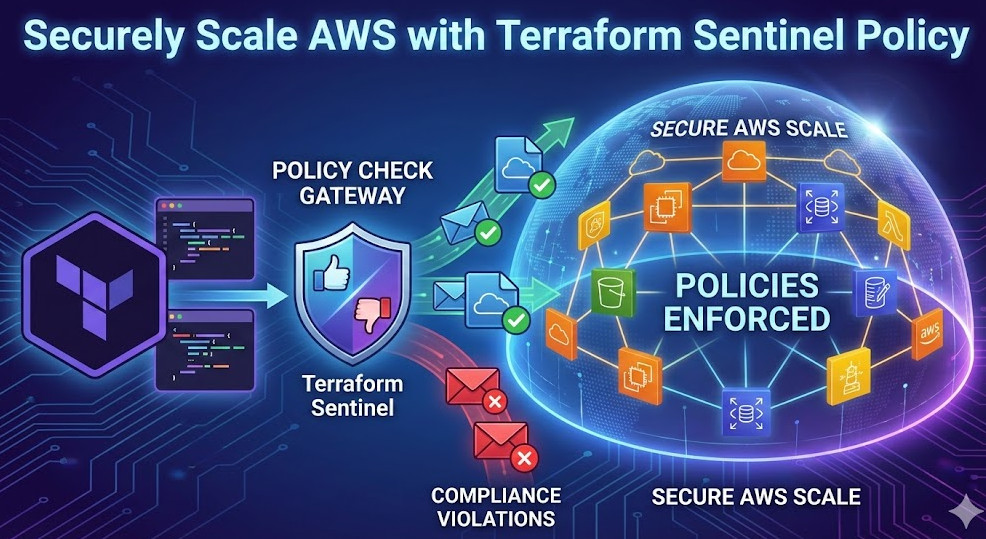
Deploying Terraform on AWS with Control Tower

This comprehensive guide will walk you through the process of deploying Terraform on AWS, leveraging the capabilities of AWS Control Tower to establish a secure and well-governed infrastructure-as-code (IaC) environment. We’ll cover setting up your environment, configuring Control Tower, writing and deploying Terraform code, and managing your infrastructure effectively. Understanding how to effectively utilize Terraform on AWS is crucial for any organization aiming for efficient and repeatable cloud deployments.

Setting Up Your AWS Environment and Control Tower

Before you can begin deploying Terraform on AWS, you need a properly configured AWS environment and AWS Control Tower. Control Tower provides a centralized governance mechanism, ensuring consistency and compliance across your AWS accounts.

1. Creating an AWS Account

If you don’t already have an AWS account, you’ll need to create one. Ensure you choose a suitable support plan based on your needs. The free tier offers a good starting point for experimentation.

2. Enabling AWS Control Tower

Next, enable AWS Control Tower. This involves deploying a landing zone, which sets up the foundational governance and security controls for your organization. Follow the AWS Control Tower documentation for detailed instructions. This includes defining organizational units (OUs) to manage access and policies.

  • Step 1: Navigate to the AWS Control Tower console.
  • Step 2: Follow the guided setup to create your landing zone.
  • Step 3: Choose the appropriate AWS Regions for your deployment.

3. Configuring IAM Roles

Properly configuring IAM roles is critical for secure access to AWS resources. Terraform on AWS requires specific IAM permissions to interact with AWS services. Create an IAM role with permissions necessary for deploying your infrastructure. This should adhere to the principle of least privilege.

Deploying Terraform on AWS: A Practical Example

This section demonstrates deploying a simple EC2 instance using Terraform on AWS. This example assumes you have Terraform installed and configured with appropriate AWS credentials.

1. Writing the Terraform Configuration File (main.tf)


terraform {
  required_providers {
    aws = {
      source  = "hashicorp/aws"
      version = "~> 4.0"
    }
  }
}

provider "aws" {
  region = "us-west-2" # Replace with your desired region
}

resource "aws_instance" "example" {
  ami           = "ami-0c55b31ad2299a701" # Replace with a suitable AMI ID for your region
  instance_type = "t2.micro"
}

2. Initializing and Deploying Terraform

After creating your main.tf file, navigate to the directory in your terminal and execute the following commands:

  1. terraform init: This downloads the necessary AWS provider plugins.
  2. terraform plan: This shows you a preview of the changes Terraform will make.
  3. terraform apply: This applies the changes and deploys the EC2 instance.

3. Destroying the Infrastructure

When you’re finished, use terraform destroy to remove the deployed resources. Always review the plan before applying any destructive changes.

Advanced Terraform Techniques with AWS Control Tower

Leveraging Control Tower alongside Terraform on AWS allows for more sophisticated deployments and enhanced governance. This section explores some advanced techniques.

1. Using Modules for Reusability

Terraform modules promote code reuse and maintainability. Create modules for common infrastructure components, such as VPCs, subnets, and security groups. This improves consistency and reduces errors.

2. Implementing Security Best Practices

Utilize Control Tower’s security controls alongside Terraform on AWS. This includes managing IAM roles effectively, adhering to least privilege principles, and implementing security groups and network ACLs to control access to your resources. Always use version control for your Terraform code.

3. Integrating with Other AWS Services

Terraform on AWS integrates seamlessly with many AWS services. Consider incorporating services like:

  • AWS S3: For storing configuration files and state.
  • AWS CloudFormation: For orchestrating complex deployments.
  • AWS CloudWatch: For monitoring infrastructure health and performance.

4. Using Workspaces for Different Environments

Employ Terraform workspaces to manage different environments (e.g., development, staging, production) using the same codebase. This helps maintain separation and reduces risk.

Implementing CI/CD with Terraform and AWS Control Tower

Integrating Terraform on AWS within a CI/CD pipeline enhances automation and allows for streamlined deployments. Utilize tools like GitHub Actions or Jenkins to trigger Terraform deployments based on code changes.

Frequently Asked Questions

Q1: What are the benefits of using Terraform with AWS Control Tower?

Using Terraform on AWS in conjunction with Control Tower significantly improves governance and security. Control Tower ensures your infrastructure adheres to defined policies, while Terraform provides repeatable and efficient deployments. This combination minimizes risks and allows for more streamlined operations.

Q2: How do I manage Terraform state securely?

Store your Terraform state securely using AWS services like S3, backed by KMS encryption. This protects your infrastructure configuration and prevents unauthorized modifications.

Q3: What are some common pitfalls to avoid when using Terraform on AWS?

Common pitfalls include insufficient IAM permissions, incorrect region settings, and neglecting to properly manage your Terraform state. Always thoroughly test your deployments in a non-production environment before applying to production.

Conclusion

This guide has detailed the process of deploying Terraform on AWS, emphasizing the benefits of integrating with AWS Control Tower for enhanced governance and security. By mastering these techniques, you can establish a robust, repeatable, and secure infrastructure-as-code workflow. Remember, consistent adherence to security best practices is paramount when deploying Terraform on AWS, especially when leveraging the centralized governance features of Control Tower. Proper planning and testing are key to successful and reliable deployments.

For more detailed information, refer to the official Terraform AWS Provider documentation and the AWS Control Tower documentation. Thank you for reading the DevopsRoles page!

Master Network Automation: Unleashing the Power of NAPALM and Ansible

In today’s dynamic IT landscape, manual network configuration is a relic of the past. The complexity and scale of modern networks demand automation for efficiency, consistency, and scalability. This article delves into the world of network automation, focusing on two powerful tools: NAPALM (Network Automation and Programmability Abstraction Layer with Multivendor support) and Ansible. We’ll explore how to leverage these tools to streamline your network management processes, reduce human error, and ultimately, improve operational efficiency. This guide will equip you with the knowledge and skills to implement robust network automation solutions.

Understanding the Need for Network Automation

Traditional network management relies heavily on manual commands and configurations, a process prone to errors and inconsistencies. Scaling this approach across a large network becomes increasingly challenging and time-consuming. Network automation addresses these challenges by automating repetitive tasks, enabling efficient provisioning, and improving overall network management. The benefits extend to faster deployment, reduced operational costs, and improved network uptime.

  • Reduced human error: Automation minimizes the risk of misconfigurations leading to outages or security vulnerabilities.
  • Increased efficiency: Automating repetitive tasks frees up network engineers to focus on higher-level tasks.
  • Improved scalability: Automation simplifies managing large and complex networks.
  • Enhanced consistency: Automated configurations ensure consistent network behavior across all devices.

Introducing NAPALM: Simplifying Network Device Interaction

NAPALM is a Python library that provides a consistent API for interacting with various network devices, regardless of their vendor. This abstraction layer simplifies the process of retrieving and configuring network device parameters. Instead of learning vendor-specific CLI commands, you use a standardized NAPALM API, significantly reducing the learning curve and promoting code reusability.

Key NAPALM Features:

  • Multi-vendor support: NAPALM supports a wide range of network devices from different vendors, including Cisco, Juniper, Arista, and more.
  • Consistent API: Provides a unified interface for accessing network device information and performing configurations.
  • Python-based: Leverages the power and versatility of the Python programming language.
  • Open-source: Actively developed and maintained by the community, ensuring ongoing support and improvements.

Practical Example: Retrieving Interface Information with NAPALM

The following code snippet demonstrates how to use NAPALM to connect to a Cisco IOS device and retrieve interface information:

from napalm import get_network_driver
driver = get_network_driver('ios')
device = driver('192.168.1.100', 'username', 'password')
device.open()
interfaces = device.get_interfaces()
print(interfaces)
device.close()

This example requires the installation of the NAPALM library: pip install napalm. Replace ‘192.168.1.100’, ‘username’, and ‘password’ with your device credentials.

Ansible: Automating Network Configuration and Management

Ansible is a powerful automation tool that simplifies the configuration and management of network devices. It uses a declarative approach, defining the desired state of the network, and Ansible ensures the network devices reach that state. Ansible’s agentless architecture simplifies deployment and management. It utilizes SSH to connect to devices, eliminating the need for agents on each network device.

Key Ansible Features for Network Automation:

  • Agentless architecture: Simplifies deployment and reduces overhead.
  • YAML configuration files: Provides a human-readable and easily manageable configuration format.
  • Idempotency: Ensures that configurations are applied consistently, without causing unintended changes on repeated executions.
  • Modules for network devices: Offers a rich set of modules specifically designed for managing network devices.

Ansible Playbook Example: Configuring Interface Description

This playbook utilizes the NAPALM Ansible module to configure the description of an interface on a network device:

---

- hosts: cisco_devices

  connection: network_cli

  gather_facts: false

  tasks:

    - name: Configure interface description

      napalm_config:

        commit: true

        replace: false

        config:

          - interface: GigabitEthernet1/1

            description: "Connection to Server Rack"

This playbook requires the Ansible NAPALM module. You’ll need to define your cisco_devices inventory file appropriately.

Integrating NAPALM and Ansible for Enhanced Network Automation

Combining NAPALM and Ansible creates a powerful synergy for network automation. NAPALM provides the consistent API for interacting with diverse network devices, while Ansible handles the orchestration and automation of the configuration process. This combination allows for efficient and scalable network management.

Benefits of Integration:

  • Increased efficiency: Automate complex tasks, significantly reducing manual effort.
  • Improved consistency: Apply configurations consistently across multiple devices and vendors.
  • Enhanced scalability: Easily manage large and complex networks with minimal effort.
  • Reduced operational costs: Streamline network management processes, lowering operational expenses.

Network Automation Best Practices

Successful network automation requires careful planning and implementation. Consider these best practices:

  • Modular design: Break down complex tasks into smaller, manageable modules.
  • Version control: Use Git or similar tools to manage your Ansible playbooks and configurations.
  • Testing: Thoroughly test your automation scripts in a controlled environment before deploying them to production.
  • Error handling: Implement robust error handling to prevent issues and ensure smooth operation.
  • Security: Secure your Ansible control server and network devices appropriately.

Frequently Asked Questions

Q1: What are the prerequisites for using NAPALM and Ansible for network automation?

A1: You’ll need Python installed for NAPALM and Ansible installed on your control server. You also require network device credentials (username and password) and SSH access to your network devices.

Q2: How do I choose the right network automation tools for my environment?

A2: The choice depends on your network size, complexity, and specific requirements. For smaller networks, simpler tools might suffice, while larger, more complex networks might benefit from more comprehensive solutions like Ansible and NAPALM combined. Evaluate your needs and choose accordingly.

Q3: What are some common challenges in implementing network automation?

A3: Common challenges include initial investment in learning the tools and developing automation scripts, managing access credentials securely, ensuring sufficient testing, and addressing potential compatibility issues between different network devices and versions.

Q4: Is network automation secure?

A4: Network automation, if implemented correctly, can enhance security by reducing human error and providing consistent configurations. However, proper security measures must be taken, including secure credential management, secure communication protocols (SSH), and regular security audits.

Conclusion

Network automation, using tools like NAPALM and Ansible, is crucial for modern network management. By embracing these technologies, organizations can significantly improve efficiency, reduce errors, and increase scalability. This article provided a foundation for understanding and implementing network automation. Remember to start small, focus on automating critical tasks, and always prioritize thorough testing before deploying to production. Mastering network automation requires ongoing learning and adaptation to new technologies and best practices.

Further reading: NAPALM Documentation, Ansible Documentation, Network to Code. Thank you for reading the DevopsRoles page!

Revolutionizing IT Operations with AI-Powered Automation: Red Hat Ansible Lightspeed

The modern IT landscape demands agility, efficiency, and scalability. Manual processes simply can’t keep pace with the rapid evolution of cloud-native architectures and the increasing complexity of IT infrastructure. This is where AI-Powered Automation steps in, offering a transformative solution to streamline workflows, reduce operational costs, and enhance overall IT efficiency. Red Hat Ansible Lightspeed, leveraging the power of artificial intelligence, is at the forefront of this revolution, offering a game-changing approach to automation.

Understanding Ansible Lightspeed

Red Hat Ansible Lightspeed is a powerful extension of Ansible, a leading automation platform. It employs machine learning algorithms to intelligently analyze your existing Ansible playbooks and infrastructure, providing recommendations for optimization and automation enhancements. This intelligent automation transcends simple scripting; it learns from past actions, predicts future needs, and adapts to changing environments, significantly accelerating deployment speeds and improving operational efficiency.

Key Features of Ansible Lightspeed

  • Intelligent Playbook Recommendations: Lightspeed analyzes your existing playbooks to identify potential improvements in terms of structure, efficiency, and best practices.
  • Predictive Analytics: Based on historical data, Lightspeed can predict potential issues and proactively suggest solutions, minimizing downtime and operational disruptions.
  • Automated Remediation: Lightspeed can autonomously resolve identified issues, taking corrective actions without manual intervention for routine tasks, freeing up human operators for more complex challenges.
  • Enhanced Security: By automating security checks and remediation processes, Lightspeed helps improve the security posture of your infrastructure.
  • Scalable Automation: Easily manage and automate tasks across increasingly complex and distributed infrastructure environments.

AI-Powered Automation with Ansible Lightspeed: A Practical Example

Let’s imagine a scenario where you have hundreds of servers requiring regular security patching. Manually deploying these patches across your entire infrastructure is time-consuming, error-prone, and inefficient. Ansible Lightspeed can automate this process. By analyzing your server inventory and patch management policies, Lightspeed can create an optimized playbook that automatically patches all servers according to your defined schedule and security requirements.

This automation not only saves significant time and resources but also minimizes the risk of human error, ensuring consistent and reliable patch deployments across your entire fleet.

Implementation Steps

  1. Integration: Integrate Ansible Lightspeed into your existing Ansible infrastructure.
  2. Analysis: Allow Lightspeed to analyze your current Ansible playbooks and infrastructure configuration.
  3. Optimization: Review Lightspeed’s recommendations and apply the suggested improvements.
  4. Monitoring: Continuously monitor the performance of your automated processes and fine-tune configurations as needed.

Advanced Usage of Ansible Lightspeed

Ansible Lightspeed isn’t limited to simple task automation. Its capabilities extend to more complex scenarios, including:

  • Complex Infrastructure Management: Lightspeed can automate the management of multifaceted cloud-native environments.
  • Continuous Integration/Continuous Delivery (CI/CD): Integrate Lightspeed into your CI/CD pipelines to automate deployment processes and improve release cycles.
  • Predictive Maintenance: Lightspeed can predict potential hardware failures, allowing for proactive maintenance and preventing costly downtime.
  • Automated Rollbacks: In the event of a failed deployment, Lightspeed can automate the rollback process, minimizing disruption.

Code Example (Illustrative):

While the specifics of Lightspeed interaction depend on the context and the tasks being automated, a basic Ansible playbook might look something like this:

- hosts: all

  become: true

  tasks:

    - name: Install necessary packages

      apt:

        name: "{{ item }}"

        state: present

      with_items:

        - nginx

        - mysql-server

Lightspeed would then analyze this playbook, suggesting potential improvements based on best practices, such as using more efficient modules or structuring tasks in a more optimal way. It could also suggest the use of more sophisticated Ansible features to further optimize the automation.

Benefits of AI-Powered Automation

Adopting AI-Powered Automation through Ansible Lightspeed delivers significant advantages:

  • Increased Efficiency: Automate repetitive tasks, freeing up IT staff for more strategic initiatives.
  • Reduced Operational Costs: Lower labor costs through automation and improved resource utilization.
  • Improved Reliability: Minimize human errors and ensure consistent execution of tasks.
  • Enhanced Scalability: Easily handle growing infrastructure needs without sacrificing efficiency.
  • Faster Deployment Cycles: Accelerate the deployment of new applications and services.

Frequently Asked Questions

Q1: Is Ansible Lightspeed compatible with my existing Ansible infrastructure?

Ansible Lightspeed is designed to integrate seamlessly with existing Ansible deployments. However, it’s essential to check the compatibility requirements based on your Ansible version and infrastructure setup. Refer to the official Red Hat Ansible Lightspeed documentation for detailed compatibility information.

Q2: How secure is Ansible Lightspeed?

Security is a paramount concern. Ansible Lightspeed is built with security in mind, adhering to Red Hat’s rigorous security standards. It employs secure communication channels and integrates seamlessly with existing security infrastructure. However, appropriate security practices must still be followed within the Ansible environment itself, such as controlling access to the system and ensuring proper authentication mechanisms.

Q3: What level of expertise is required to use Ansible Lightspeed effectively?

While a basic understanding of Ansible is beneficial, Ansible Lightspeed is designed to be relatively user-friendly. The platform’s intuitive interface and intelligent recommendations minimize the need for extensive Ansible expertise. However, some degree of familiarity with Ansible concepts and terminology is recommended for effective utilization.

Q4: What is the cost of Ansible Lightspeed?

The cost of Ansible Lightspeed is typically bundled with Red Hat’s Ansible offerings. The specific pricing depends on the chosen subscription level and other factors. Refer to Red Hat’s official pricing page for the most up-to-date information.

Conclusion

Red Hat Ansible Lightspeed represents a significant advancement in IT automation. By harnessing the power of AI-Powered Automation, it empowers organizations to streamline operations, optimize workflows, and accelerate deployment cycles. The benefits extend beyond simple task automation; Lightspeed enables predictive maintenance, proactive issue resolution, and ultimately, a more efficient and resilient IT infrastructure. Implementing Ansible Lightspeed is a strategic investment that delivers significant long-term returns in terms of increased efficiency, reduced operational costs, and improved IT agility. Remember to carefully plan your implementation, considering compatibility and integration with your existing systems for optimal results. Thank you for reading the DevopsRoles page!

Red Hat Ansible Automation Platform
Red Hat Ansible Documentation
Ansible Official Website

Unlock AI Power: Prompt Engineering Tactics for Better Outputs

Artificial intelligence (AI) models are transforming industries, but their effectiveness hinges on a critical element: prompt engineering. Crafting effective prompts is no longer a niche skill; it’s a fundamental requirement for leveraging AI’s potential. This article delves into the intricacies of Prompt Engineering Tactics, providing practical strategies and advanced techniques to unlock the true power of AI and achieve superior results. We’ll explore how strategic prompt design can significantly impact the quality, relevance, and overall usefulness of AI-generated outputs, ultimately improving efficiency and productivity.

Understanding the Fundamentals of Prompt Engineering

Prompt engineering is the art and science of designing input prompts to elicit desired outputs from AI models. It’s about understanding the model’s capabilities and limitations and crafting prompts that effectively guide it towards the desired result. A poorly constructed prompt can lead to inaccurate, irrelevant, or nonsensical responses, while a well-crafted prompt can unlock astonishingly precise and creative outputs.

Key Considerations for Effective Prompts

  • Clarity and Specificity: Avoid ambiguity. Be explicit about your needs and desired format.
  • Contextual Information: Provide sufficient background information for the AI to understand the context of your request.
  • Constraints and Directives: Specify constraints (e.g., length, style, format) to control the output.
  • Iterative Refinement: Expect to iterate and refine your prompts based on the initial responses.

Advanced Prompt Engineering Tactics

Beyond the fundamentals, mastering advanced Prompt Engineering Tactics requires understanding nuanced techniques to optimize AI model performance. These techniques leverage the model’s strengths and mitigate its weaknesses.

Few-Shot Learning

Few-shot learning involves providing the model with a few examples of the desired input-output pairs before presenting the actual prompt. This guides the model towards the desired behavior. For example, if you want the AI to summarize news articles, providing a few examples of articles and their summaries significantly improves the quality of subsequent summarizations.

// Example: Few-shot learning for summarization
Prompt: Summarize the following news articles:

Example 1:
Article: [News Article 1]
Summary: [Summary of News Article 1]

Example 2:
Article: [News Article 2]
Summary: [Summary of News Article 2]

New Article: [News Article 3]
Summary:

Chain-of-Thought Prompting

Chain-of-thought prompting encourages the AI to break down complex problems into smaller, manageable steps. This is particularly useful for tasks requiring logical reasoning or multi-step processes. By explicitly outlining the steps, you guide the AI towards a more coherent and accurate solution.

// Example: Chain-of-thought prompting for a math problem
Prompt: What is the result of (15 + 12) * 3 - 10?

Let's think step by step:
Step 1: 15 + 12 = 27
Step 2: 27 * 3 = 81
Step 3: 81 - 10 = 71

Therefore, the answer is:

Prompt Engineering Tactics: Using Specific Keywords and Phrases

Strategic use of keywords and phrases can significantly impact the AI’s response. Experiment with different phrasings to observe their effect on the output. For instance, using words like “summarize,” “explain,” “compare,” or “contrast” will guide the AI toward specific actions.

  • Strong Verbs: Use verbs that clearly indicate the desired action (e.g., analyze, synthesize, predict).
  • Specific Adjectives: Use descriptive adjectives to refine the output (e.g., concise, detailed, humorous).
  • Format Specifiers: Specify the desired format (e.g., JSON, XML, bullet points, numbered list).

Prompt Engineering for Different AI Models

Different AI models have different strengths and weaknesses. Understanding these nuances is crucial for tailoring prompts effectively. For example, some models excel at creative writing, while others are better suited for factual tasks. Adapting your Prompt Engineering Tactics to the specific model will significantly improve results.

Large Language Models (LLMs)

LLMs like GPT-3, LaMDA, and others require carefully crafted prompts to control their output. Overly vague or ambiguous prompts can result in incoherent or irrelevant text. Using clear instructions, specific keywords, and examples is critical for obtaining meaningful outputs.

Image Generation Models

Models like DALL-E 2 and Stable Diffusion require descriptive prompts to generate images. The quality of the generated image heavily depends on the prompt’s clarity and detail. Experiment with different keywords, artistic styles, and descriptions to explore the model’s capabilities.

Code Generation Models

Models like GitHub Copilot and Tabnine require precise specifications of the desired code. Providing context, desired functionality, and code style guidelines will significantly enhance the quality of the generated code.

Frequently Asked Questions

Q1: How can I improve my prompt engineering skills?

Practicing consistently is key. Experiment with different prompts, analyze the outputs, and iterate based on the results. Study successful prompts from other users and explore online resources and tutorials. Consider using prompt engineering tools and platforms to assist in the process.

Q2: Are there any tools to help with prompt engineering?

Several tools are emerging to assist with prompt engineering. These tools often provide templates, suggestions, and analysis capabilities to help users craft more effective prompts. However, a strong understanding of the underlying principles remains critical.

Q3: What are some common mistakes to avoid in prompt engineering?

Common mistakes include vagueness, ambiguity, insufficient context, and lack of iteration. Avoid overly complex or poorly structured prompts. Always test and refine your prompts to optimize results.

Conclusion

Mastering Prompt Engineering Tactics is essential for unlocking the full potential of AI models. By employing the strategies and techniques outlined in this article, you can significantly enhance the quality, relevance, and utility of AI-generated outputs. Remember that effective prompt engineering is an iterative process. Continuous experimentation and refinement are key to achieving superior results and maximizing the benefits of AI in your workflows. Invest time in learning and refining your Prompt Engineering Tactics, and you’ll witness a dramatic improvement in the quality and efficiency of your AI interactions.

Further reading: Prompt Engineering Guide, PromptPerfect. Thank you for reading the DevopsRoles page!

Mastering AWS Accounts: Deploy and Customize with Terraform and Control Tower

Managing multiple AWS accounts can quickly become a complex undertaking. Maintaining consistency, security, and compliance across a sprawling landscape of accounts requires robust automation and centralized governance. This article will demonstrate how to leverage Terraform and AWS Control Tower to efficiently manage and customize your AWS accounts, focusing on best practices for AWS Accounts Terraform deployments. We’ll cover everything from basic account creation to advanced configuration, providing you with the knowledge to streamline your multi-account AWS strategy.

Understanding the Need for Automated AWS Account Management

Manually creating and configuring AWS accounts is time-consuming, error-prone, and scales poorly. As your organization grows, so does the number of accounts needed for different environments (development, testing, production), teams, or projects. This decentralized approach leads to inconsistencies in security configurations, cost optimization strategies, and compliance adherence. Automating account provisioning and management with AWS Accounts Terraform offers several key advantages:

  • Increased Efficiency: Automate repetitive tasks, saving time and resources.
  • Improved Consistency: Ensure consistent configurations across all accounts.
  • Enhanced Security: Implement standardized security policies and controls.
  • Reduced Errors: Minimize human error through automation.
  • Better Scalability: Easily manage a growing number of accounts.

Leveraging Terraform for AWS Account Management

Terraform is an Infrastructure-as-Code (IaC) tool that allows you to define and provision infrastructure resources in a declarative manner. Using Terraform for AWS Accounts Terraform management provides a powerful and repeatable way to create, configure, and manage your AWS accounts. Below is a basic example of a Terraform configuration to create an AWS account using the AWS Organizations API:

terraform {

  required_providers {

    aws = {

      source  = "hashicorp/aws"

      version = "~> 4.0"

    }

  }

}

provider "aws" {

  region = "us-west-2"

}

resource "aws_organizations_account" "example" {

  email          = "your_email@example.com"

  name           = "example-account"

}

This simple example creates a new account. However, for production environments, you’ll need more complex configurations to handle IAM roles, security groups, and other crucial components.

Integrating AWS Control Tower with Terraform

AWS Control Tower provides a centralized governance mechanism for managing multiple AWS accounts. Combining Terraform with Control Tower allows you to leverage the benefits of both: the automation of Terraform and the governance and security capabilities of Control Tower. Control Tower enables the creation of landing zones, which define the baseline configurations for new accounts.

Creating a Landing Zone with Control Tower

Before using Terraform to create accounts within a Control Tower-managed environment, you need to set up a landing zone. This involves configuring various AWS services like Organizations, IAM, and VPCs. Control Tower provides a guided process for this setup. This configuration ensures that each new account inherits consistent security policies and governance settings.

Provisioning Accounts with Terraform within a Control Tower Landing Zone

Once the landing zone is established, you can use Terraform to provision new accounts within that landing zone. This ensures that each new account adheres to the established governance and security standards. The exact Terraform configuration will depend on your specific landing zone settings. You might need to adjust the configuration to accommodate specific IAM roles, policies, and resource limits imposed by the landing zone.

Advanced AWS Accounts Terraform Configurations

Beyond basic account creation, Terraform can handle advanced configurations:

Customizing Account Settings

Terraform allows fine-grained control over various account settings, including:

  • IAM Roles: Define custom IAM roles and policies for each account.
  • Resource Limits: Set appropriate resource limits to control costs and prevent unexpected usage spikes.
  • Security Groups: Configure security groups to manage network access within and between accounts.
  • Service Control Policies (SCPs): Enforce granular control over allowed AWS services within the accounts.

Implementing Tagging Strategies

Consistent tagging across all AWS resources and accounts is crucial for cost allocation, resource management, and compliance. Terraform can automate the application of tags during account creation and resource provisioning. A well-defined tagging strategy will significantly improve your ability to manage and monitor your AWS infrastructure.

Integrating with Other AWS Services

Terraform’s flexibility allows you to integrate with other AWS services such as AWS Config, CloudTrail, and CloudWatch for monitoring and logging across your accounts. This comprehensive monitoring enhances security posture and operational visibility. For example, you can use Terraform to automate the setup of CloudWatch alarms to alert on critical events within your accounts.

Frequently Asked Questions

Q1: Can Terraform manage existing AWS accounts?

While Terraform excels at creating new accounts, it doesn’t directly manage existing ones. However, you can use Terraform to manage the resources *within* existing accounts, ensuring consistency across your infrastructure.

Q2: What are the security considerations when using Terraform for AWS Accounts Terraform?

Securely managing your Terraform configurations is paramount. Use appropriate IAM roles with least privilege access, store your Terraform state securely (e.g., in AWS S3 with encryption), and regularly review and update your configurations. Consider using Terraform Cloud or other remote backends to manage your state file securely.

Q3: How can I handle errors during account creation with Terraform?

Terraform provides robust error handling capabilities. You can use error checking mechanisms within your Terraform code, implement retry mechanisms, and leverage notification systems (like email or PagerDuty) to be alerted about failures during account provisioning.

Q4: How do I manage the cost of running this setup?

Careful planning and resource allocation are critical to managing costs. Using tagging strategies for cost allocation, setting resource limits, and regularly reviewing your AWS bills will help. Automated cost optimization tools can also aid in minimizing cloud spending.

Conclusion

Effectively managing multiple AWS accounts is a critical aspect of modern cloud infrastructure. By combining the power of Terraform and AWS Control Tower, you gain a robust, automated, and secure solution for provisioning, configuring, and managing your AWS accounts. Mastering AWS Accounts Terraform is key to building a scalable and reliable cloud architecture. Remember to always prioritize security best practices when working with infrastructure-as-code and ensure your configurations are regularly reviewed and updated.

For further reading and detailed documentation, refer to the official AWS documentation on Organizations and Control Tower, and the HashiCorp Terraform documentation. AWS Organizations Documentation AWS Control Tower Documentation Terraform AWS Provider Documentation. Thank you for reading the DevopsRoles page!

Devops Tutorial

Exit mobile version