Category Archives: Terraform

Learn Terraform with DevOpsRoles.com. Access detailed guides and tutorials to master infrastructure as code and automate your DevOps workflows using Terraform.

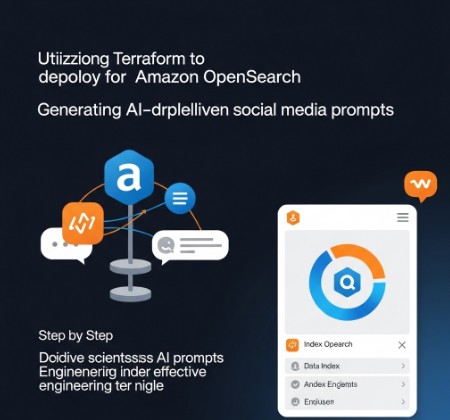
Terraform Amazon OpenSearch: A Guide to AI Social Media Prompts

The explosion of AI-powered tools has revolutionized various sectors, and social media marketing is no exception. Generating engaging content is crucial for success, and AI social media prompts offer a powerful solution. However, effectively utilizing these prompts often requires robust infrastructure capable of handling the data processing and model deployment.

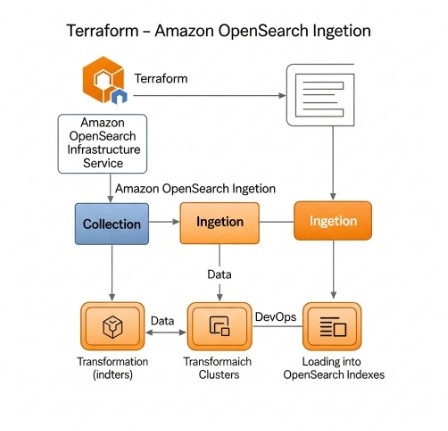
This comprehensive guide explains how to leverage Terraform, a popular Infrastructure as Code (IaC) tool, to provision and manage an Amazon OpenSearch Service (Amazon OpenSearch) cluster optimized for AI social media prompts. We’ll explore how this approach streamlines the deployment process, enhances scalability, and provides a more efficient workflow for managing your AI-powered social media strategy.

Understanding the Role of Amazon OpenSearch in AI Social Media Prompts

AI social media prompts, whether for generating captions, tweets, or other content formats, often involve processing vast amounts of data. This data may include past posts, audience demographics, trending topics, and even sentiment analysis results. Amazon OpenSearch, a powerful and highly scalable search and analytics service, offers a robust solution for storing, querying, and analyzing this data. Its flexibility allows you to incorporate various data sources and use advanced analytics techniques to improve the performance and effectiveness of your AI prompt generation system.

Key Benefits of Using Amazon OpenSearch

  • Scalability: Easily handle growing data volumes and increasing user demands.
  • Cost-Effectiveness: Pay only for what you use, reducing infrastructure management costs.
  • Security: Benefit from Amazon’s robust security infrastructure and features.
  • Integration: Seamlessly integrate with other AWS services and your existing data pipelines.

Terraform: Automating Amazon OpenSearch Deployment for AI Social Media Prompts

Manually setting up and configuring an Amazon OpenSearch cluster can be time-consuming and error-prone. Terraform automates this process, ensuring consistency, repeatability, and reducing human error. It allows you to define your infrastructure as code, managing all aspects of your OpenSearch cluster, including domain creation, node configuration, and security settings. This is particularly beneficial when dealing with AI social media prompts as the infrastructure needs to scale efficiently to handle the processing of large amounts of textual data.

Building a Terraform Configuration for Amazon OpenSearch

Here’s a basic example of a Terraform configuration to create an Amazon OpenSearch domain:

terraform {
  required_providers {
    aws = {
      source  = "hashicorp/aws"
      version = "~> 4.0"
    }
  }
}

provider "aws" {
  region = "us-west-2" # Replace with your desired region
}

resource "aws_opensearch_domain" "default" {
  domain_name    = "my-opensearch-domain"
  engine_version = "2.0"

  cluster_config {
    instance_type  = "t3.medium.search"
    instance_count = 3
  }

  ebs_options {
    ebs_enabled = true
    volume_size = 10
    volume_type = "gp2"
  }

  tags = {
    Name = "My OpenSearch Domain"
  }
}

This code snippet creates a basic OpenSearch domain. You would need to adjust settings such as instance type, instance count, and EBS options based on your specific needs and the scale of your AI social media prompts processing.

Advanced Configuration Options

For more advanced use cases involving AI social media prompts, you might need to consider:

  • Access Policies: Carefully manage access control to protect your data.
  • Data Encryption: Utilize encryption at rest and in transit for enhanced security.
  • Automated Scaling: Configure autoscaling to handle fluctuating workloads during peak activity.
  • Integration with other AWS services: Connect OpenSearch with other services like AWS Lambda for real-time processing of social media data and AI prompt generation.

Generating AI Social Media Prompts with Amazon OpenSearch

Once your Amazon OpenSearch cluster is set up using Terraform, you can integrate it into your AI social media prompt generation pipeline. This might involve using a machine learning model trained on your historical data, stored and indexed in OpenSearch. The model could then use the data to generate fresh and engaging prompts tailored to your audience and current trends.

Example Workflow:

  1. Data Ingestion: Collect data from various sources (social media APIs, internal databases, etc.).
  2. Data Processing: Clean, transform, and pre-process the data for OpenSearch.
  3. Data Indexing: Index the pre-processed data into your Amazon OpenSearch cluster.
  4. Prompt Generation: Use a trained machine learning model (e.g., a large language model) to query OpenSearch for relevant data and generate AI social media prompts.
  5. Post-processing and Deployment: Refine the generated prompts and publish them to your social media channels.

Remember to regularly monitor the performance of your Amazon OpenSearch cluster and adjust its configuration as needed to ensure optimal performance and handle the demands of your AI social media prompts generation process.

AI Social Media Prompts: Optimizing Your Strategy

Generating effective AI social media prompts requires a well-defined strategy. This goes beyond just technical infrastructure; it also involves understanding your audience, defining your goals, and choosing the right AI models and techniques. Consider incorporating sentiment analysis into your prompt generation process to tailor your messaging based on audience feedback. Monitor campaign performance and iterate based on data insights to further optimize your social media strategy.

Frequently Asked Questions

Q1: What are the cost implications of using Amazon OpenSearch with Terraform?

The cost of using Amazon OpenSearch depends on factors such as the instance type, storage used, and data transfer. Terraform helps manage costs by automating provisioning and allowing for precise control over resource allocation. Use the AWS pricing calculator to estimate the costs based on your specific configuration.

Q2: How secure is Amazon OpenSearch when used with Terraform?

Amazon OpenSearch inherently offers strong security features. Terraform allows you to enforce security policies and manage access control through code, improving security posture. Implement security best practices like data encryption and appropriate IAM policies for enhanced protection.

Q3: Can I use Terraform to manage multiple OpenSearch clusters?

Yes, Terraform allows you to manage multiple OpenSearch clusters by defining multiple resources within the same configuration or in separate configurations. This is particularly useful for separating development, testing, and production environments.

Q4: What are the alternatives to Amazon OpenSearch for handling AI social media prompts?

Alternatives include Elasticsearch (self-hosted), other cloud-based search and analytics services, and potentially specialized database solutions for handling text data and machine learning models.

Conclusion

Successfully implementing AI social media prompts requires a robust and scalable infrastructure. This guide has demonstrated how Terraform simplifies the deployment and management of an Amazon OpenSearch cluster, providing a foundation for your AI-powered social media strategy.

By leveraging Terraform’s capabilities, you can automate the process, improve efficiency, and focus on optimizing your AI social media prompts for maximum engagement and results. Remember to continuously monitor and refine your infrastructure and AI models to adapt to evolving needs and maximize the impact of your campaigns.

For further information on Terraform, refer to the official documentation: Terraform Official Documentation. For more details on Amazon OpenSearch, visit: Amazon OpenSearch Service. Thank you for reading the DevopsRoles page!

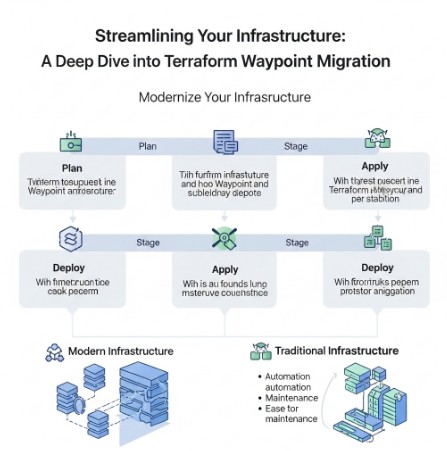
Streamlining Your Infrastructure: A Deep Dive into Terraform Waypoint Migration

Migrating your infrastructure code can be a daunting task, fraught with potential pitfalls and unexpected challenges. However, the benefits of a well-planned migration are substantial, leading to improved efficiency, enhanced security, and a more robust infrastructure. This article focuses on simplifying the process of Terraform Waypoint migration, providing a comprehensive guide for developers and DevOps engineers looking to leverage Waypoint’s capabilities for managing their Terraform deployments. We’ll explore the reasons behind migrating, the process itself, best practices, and common issues you might encounter along the way.

Understanding the Need for Terraform Waypoint Migration

Many organizations rely on Terraform for infrastructure as code (IaC), but managing deployments, particularly across various environments (development, staging, production), can become complex. This complexity often involves manual steps, increasing the risk of human error and inconsistencies. Terraform Waypoint migration offers a solution by providing a streamlined, automated workflow for managing your Terraform deployments. Waypoint simplifies the process, reducing operational overhead and ensuring consistency across your environments. This is especially valuable for organizations with large, complex infrastructures or those aiming to embrace a GitOps workflow.

Why Choose Waypoint for Terraform?

  • Automated Deployments: Waypoint automates the entire deployment process, from building and testing to deploying to various environments.
  • Simplified Workflows: It integrates seamlessly with Git, enabling efficient CI/CD pipelines and simplifying the process of managing changes.
  • Improved Consistency: Waypoint ensures consistent deployments across different environments by automating the process and reducing manual intervention.
  • Enhanced Security: By automating deployments, Waypoint reduces the risk of human error and improves the security of your infrastructure.

The Terraform Waypoint Migration Process

Migrating to Waypoint from a different deployment system requires a structured approach. The following steps outline a recommended process for Terraform Waypoint migration:

Step 1: Planning and Assessment

  1. Inventory your current setup: Identify your existing Terraform configurations, deployment scripts, and any related tooling.
  2. Define your migration goals: Clearly articulate what you hope to achieve by migrating to Waypoint (e.g., improved automation, enhanced security, reduced deployment times).
  3. Choose a migration strategy: Decide whether to migrate all your infrastructure at once or adopt a phased approach.

Step 2: Setting up Waypoint

  1. Install Waypoint: Download and install Waypoint according to the official documentation. Waypoint Getting Started
  2. Configure Waypoint: Configure Waypoint to connect to your infrastructure providers (e.g., AWS, GCP, Azure) and your Git repository.
  3. Create a Waypoint project: Create a new Waypoint project in your Git repository and configure it to manage your Terraform deployments.

Step 3: Implementing Waypoint

This involves adapting your existing Terraform code to work with Waypoint. This usually involves creating a waypoint.hcl file, which specifies the deployment process. The following is an example of a basic waypoint.hcl file:


project "my-project" {
application "my-app" {
build {
type = "terraform"
platform = "linux/amd64"
}
deploy {
platform = "aws"
config = {
region = "us-west-2"
}
}
}
}

Remember to replace placeholders like “my-project”, “my-app”, “aws”, “us-west-2” with your specific details. You will need to define the build and deploy stages appropriately for your infrastructure. For more complex scenarios you may need to specify more complex build and deploy configurations, including environment-specific variables.

Step 4: Testing and Iteration

  1. Test thoroughly: Deploy to a non-production environment to verify everything works as expected.
  2. Iterate and refine: Based on testing results, adjust your Waypoint configuration and Terraform code.
  3. Monitor and log: Implement proper monitoring and logging to track deployments and identify potential issues.

Step 5: Full Migration

Once testing is complete and you’re confident in the reliability of your Waypoint configuration, proceed with the full migration to your production environment. Remember to follow your organization’s change management procedures.

Terraform Waypoint Migration: Best Practices

  • Modularization: Break down your Terraform code into smaller, reusable modules for easier management and maintenance.
  • Version Control: Use Git for version control to track changes and collaborate effectively.
  • Testing: Implement comprehensive testing strategies, including unit, integration, and end-to-end tests.
  • Automation: Automate as much of the process as possible to reduce manual intervention and human error.
  • Documentation: Maintain detailed documentation for your Terraform code and Waypoint configuration.

Frequently Asked Questions

Q1: What are the potential challenges during Terraform Waypoint migration?

Potential challenges include compatibility issues between your existing infrastructure and Waypoint, the need to adapt your existing Terraform code, and the learning curve associated with using Waypoint. Thorough planning and testing can mitigate these challenges.

Q2: How does Waypoint handle secrets management during deployment?

Waypoint integrates with various secrets management solutions, allowing you to securely store and manage sensitive information used during deployments. Consult the official Waypoint documentation for detailed information on integrating with specific secrets management tools. Waypoint Configuration Reference

Q3: Can I use Waypoint with different cloud providers?

Yes, Waypoint supports multiple cloud providers, including AWS, Google Cloud Platform (GCP), and Azure. You can configure Waypoint to deploy to different cloud providers by specifying the appropriate platform in your waypoint.hcl file.

Q4: What happens if my Terraform Waypoint migration fails?

Waypoint provides robust error handling and logging capabilities. In case of failure, you’ll receive detailed error messages that help you identify and troubleshoot the problem. Waypoint also allows for rollbacks to previous deployments, minimizing downtime.

Conclusion

Migrating your Terraform deployments to Waypoint can significantly improve your infrastructure management. By implementing the strategies and best practices outlined in this guide, you can streamline your workflows, enhance security, and achieve a more efficient and reliable infrastructure. Remember that careful planning and thorough testing are crucial for a successful Terraform Waypoint migration. Start small, test rigorously, and gradually migrate your infrastructure to reap the benefits of Waypoint’s powerful features. Thank you for reading the DevopsRoles page!
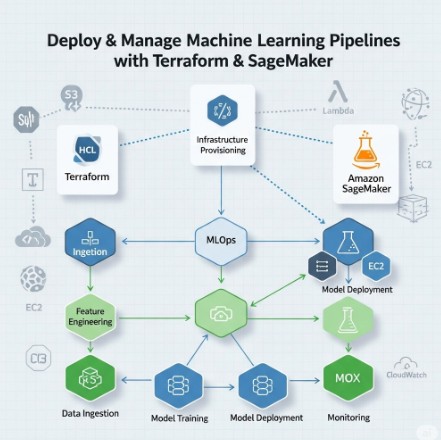
Automating Azure Virtual Desktop Deployments with Terraform

Deploying and managing Azure Virtual Desktop (AVD) environments can be complex and time-consuming. Manual processes are prone to errors and inconsistencies, leading to delays and increased operational costs. This article will explore how Terraform Azure Virtual Desktop automation can streamline your deployments, improve efficiency, and enhance the overall reliability of your AVD infrastructure. We’ll cover everything from basic setups to more advanced configurations, providing practical examples and best practices to help you master Terraform Azure Virtual Desktop deployments.

Understanding the Power of Terraform for Azure Virtual Desktop

Terraform is an open-source infrastructure-as-code (IaC) tool that allows you to define and manage your infrastructure in a declarative manner. Instead of manually clicking through user interfaces, you write code to describe your desired state. Terraform then compares this desired state with the actual state of your Azure environment and makes the necessary changes to achieve consistency. This is particularly beneficial for Terraform Azure Virtual Desktop deployments because it allows you to:

  • Automate provisioning: Easily create and configure all components of your AVD environment, including virtual machines, host pools, application groups, and more.
  • Version control infrastructure: Track changes to your infrastructure as code, enabling easy rollback and collaboration.
  • Improve consistency and repeatability: Deploy identical environments across different regions or subscriptions with ease.
  • Reduce human error: Minimize the risk of manual misconfigurations and ensure consistent deployments.
  • Enhance scalability: Easily scale your AVD environment up or down based on demand.

Setting up Your Terraform Environment for Azure Virtual Desktop

Before you begin, ensure you have the following:

  • An Azure subscription.
  • Terraform installed on your local machine. You can download it from the official Terraform website.
  • An Azure CLI configured and authenticated.
  • Azure provider installed and configured within your Terraform environment: terraform init

Authenticating with Azure

Terraform interacts with Azure using the Azure provider. You’ll need to configure your Azure credentials within your terraform.tfvars file or using environment variables. A typical terraform.tfvars file might look like this:

# Azure Service Principal Credentials
# IMPORTANT: Replace these placeholder values with your actual Azure credentials.
# These credentials are sensitive and should be handled securely (e.g., using environment variables or Azure Key Vault in a production environment).

subscription_id = "YOUR_SUBSCRIPTION_ID"  # Your Azure Subscription ID
client_id = "YOUR_CLIENT_ID"            # Your Azure Service Principal Client ID (Application ID)
client_secret = "YOUR_CLIENT_SECRET"    # Your Azure Service Principal Client Secret (Password)
tenant_id = "YOUR_TENANT_ID"            # Your Azure Active Directory Tenant ID

Replace placeholders with your actual Azure credentials.

Building Your Terraform Azure Virtual Desktop Configuration

Let’s create a basic Terraform Azure Virtual Desktop configuration. This example focuses on creating a single host pool and session host VM.

Creating the Resource Group

resource "azurerm_resource_group" "rg" {
  name     = "avd-rg"      # Defines the name of the resource group
  location = "WestUS"      # Specifies the Azure region where the resource group will be created
}

Creating the Virtual Network

resource "azurerm_virtual_network" "vnet" {
  name                = "avd-vnet"                      # Name of the virtual network
  address_space       = ["10.0.0.0/16"]                 # IP address space for the virtual network
  location            = azurerm_resource_group.rg.location # Refers to the location of the resource group
  resource_group_name = azurerm_resource_group.rg.name # Refers to the name of the resource group
}

Creating the Subnet

resource "azurerm_subnet" "subnet" {
  name                 = "avd-subnet"                       # Name of the subnet
  resource_group_name  = azurerm_resource_group.rg.name   # Refers to the name of the resource group
  virtual_network_name = azurerm_virtual_network.vnet.name # Refers to the name of the virtual network
  address_prefixes     = ["10.0.1.0/24"]                    # IP address prefix for the subnet
}

Creating the Session Host VM


resource "azurerm_linux_virtual_machine" "sessionhost" {
# ... (Configuration for the session host VM) ...
}

Creating the Host Pool


resource "azurerm_desktopvirtualization_host_pool" "hostpool" {
name = "avd-hostpool"
resource_group_name = azurerm_resource_group.rg.name
location = azurerm_resource_group.rg.location
# ... (Host pool configuration) ...
}

This is a simplified example; a complete configuration would involve many more resources and detailed settings. You’ll need to configure the session host VM with the appropriate operating system, size, and other relevant parameters. Remember to consult the official Azure Resource Manager (ARM) provider documentation for the most up-to-date information and configuration options.

Advanced Terraform Azure Virtual Desktop Configurations

Once you’ve mastered the basics, you can explore more advanced scenarios:

Scaling and High Availability

Use Terraform to create multiple session host VMs within an availability set or availability zone for high availability and scalability. You can leverage count or for_each meta-arguments to easily manage multiple instances.

Application Groups

Define and deploy application groups within your AVD environment using Terraform. This allows you to organize and manage applications efficiently.

Custom Images

Utilize custom images to deploy session host VMs with pre-configured applications and settings, further streamlining your deployments.

Networking Considerations

Configure advanced networking features such as network security groups (NSGs) and user-defined routes (UDRs) to enhance security and control network traffic.

Terraform Azure Virtual Desktop: Best Practices

  • Use modules: Break down your infrastructure into reusable modules for better organization and maintainability.
  • Version control: Store your Terraform code in a Git repository for version control and collaboration.
  • Testing: Implement automated testing to ensure your infrastructure is configured correctly.
  • State management: Utilize a remote backend for state management to ensure consistency and collaboration.
  • Use variables: Define variables to make your code more flexible and reusable.

Frequently Asked Questions

What are the benefits of using Terraform for Azure Virtual Desktop?

Using Terraform for Azure Virtual Desktop offers significant advantages, including automation of deployment and management tasks, improved consistency and repeatability, version control of your infrastructure, reduced human error, and enhanced scalability. It helps streamline the entire AVD lifecycle, saving time and resources.

How do I manage updates to my Azure Virtual Desktop environment with Terraform?

You can manage updates by modifying your Terraform configuration files to reflect the desired changes. Running terraform apply will then update your AVD environment to match the new configuration. Proper version control and testing are crucial for smooth updates.

Can I use Terraform to manage different Azure regions with my AVD environment?

Yes, Terraform allows you to easily deploy and manage your AVD environment across different Azure regions. You can achieve this by modifying the location parameter in your Terraform configuration files and running terraform apply for each region.

What are some common pitfalls to avoid when using Terraform with Azure Virtual Desktop?

Common pitfalls include insufficient testing, improper state management, lack of version control, and neglecting security best practices. Careful planning, thorough testing, and adherence to best practices are essential for successful deployments.

How can I troubleshoot issues with my Terraform Azure Virtual Desktop deployment?

If you encounter problems, carefully review your Terraform configuration files, check the Azure portal for error messages, and use the terraform plan command to review the changes before applying them. The Terraform documentation and community forums are valuable resources for troubleshooting.

Conclusion

Terraform Azure Virtual Desktop automation provides a powerful way to simplify and streamline the deployment and management of your Azure Virtual Desktop environments. By leveraging the capabilities of Terraform, you can achieve greater efficiency, consistency, and scalability in your AVD infrastructure. Remember to utilize best practices, such as version control, modular design, and thorough testing, to ensure a successful and maintainable Terraform Azure Virtual Desktop implementation. Start small, build iteratively, and gradually incorporate more advanced features to optimize your AVD deployments.  Thank you for reading the DevopsRoles page!

Terraform & VMware NSX: Automating Firewall Rules: A Comprehensive Guide

Managing network security in a virtualized environment can be a complex and time-consuming task. Manually configuring firewall rules in VMware NSX for a growing infrastructure is not only inefficient but also error-prone. This is where the power of Infrastructure as Code (IaC) comes into play. This guide delves into the world of Terraform VMware NSX, demonstrating how to automate the creation and management of your NSX firewall rules, leading to increased efficiency, reduced errors, and improved consistency in your network security posture. We’ll explore practical examples and best practices to help you effectively leverage Terraform VMware NSX for automating your firewall rule deployments.

Understanding the Need for Automation

In today’s dynamic IT landscape, organizations are constantly deploying and updating virtual machines (VMs) and applications. Traditional manual methods for managing NSX firewall rules struggle to keep pace with this rapid change. Manual processes are prone to human error, leading to misconfigurations that can expose your infrastructure to vulnerabilities. Furthermore, maintaining consistency across multiple environments becomes a significant challenge. Terraform VMware NSX offers a solution by providing a declarative approach to infrastructure management. You define the desired state of your firewall rules in code, and Terraform ensures that the actual state matches your desired configuration. This automation leads to improved efficiency, reduced risk, and greater consistency in your security policies.

Terraform VMware NSX: A Deep Dive

Terraform VMware NSX allows you to define and manage your NSX infrastructure, including firewall rules, using the HashiCorp Configuration Language (HCL). This declarative approach allows you to describe the desired state of your infrastructure, and Terraform takes care of creating and managing the resources to match that state. This is particularly beneficial for managing firewall rules, as it allows you to define complex rulesets in a repeatable and consistent manner. By utilizing this approach, you ensure that your security policies are applied consistently across different environments.

Setting up Your Environment

  1. Install Terraform: Download and install Terraform from the official HashiCorp website. https://www.terraform.io/downloads.html
  2. Install the VMware NSX Provider: The VMware NSX provider is required to interact with your NSX environment. You can install it using the command: terraform init
  3. Configure VMware NSX Credentials: You’ll need to configure your Terraform environment with your NSX Manager credentials, including the hostname or IP address, username, and password. This is typically done within a terraform.tfvars file or environment variables.

Basic Firewall Rule Example

Let’s start with a simple example of creating a basic firewall rule using Terraform VMware NSX. This rule allows SSH traffic from a specific source IP address to a target VM.


resource "vsphere_nsx_firewall_section" "ssh_rule" {
display_name = "SSH Rule"
section_type = "EDGE"
edge_cluster_id = "your_edge_cluster_id"
rule {
action = "ALLOW"
display_name = "Allow SSH"
destination = {
ip_addresses = ["your_target_vm_ip"]
ports = [22]
}
source = {
ip_addresses = ["your_source_ip"]
}
protocol = "TCP"
}
}

Remember to replace placeholders like your_edge_cluster_id, your_target_vm_ip, and your_source_ip with your actual values.

Advanced Firewall Rule Configurations

Terraform VMware NSX allows for significantly more complex configurations beyond a simple rule. Let’s explore some advanced options.

Using Variable and Modules

For improved maintainability and reusability, you should leverage Terraform’s variables and modules. Variables allow you to parameterize your configurations, making them adaptable to various environments. Modules help you encapsulate reusable components, streamlining your codebase and improving organization. Consider a module that encapsulates the entire firewall rule creation process, taking various parameters as input, such as the rule’s name, source/destination IPs, ports, protocols, and actions.

Implementing Complex Rule Sets

You can create sophisticated firewall rulesets using nested blocks and logical groupings. This allows you to structure your rules logically, improving readability and maintainability. For instance, you can group rules for different applications or services to separate and manage network policies efficiently.

Integrating with Other Terraform Resources

One of the significant advantages of using Terraform VMware NSX is its seamless integration with other Terraform resources. You can create and manage your VMs, networks, and other resources alongside your firewall rules, ensuring a consistent and synchronized infrastructure. This allows for highly automated and integrated deployments.

Terraform VMware NSX: Best Practices

  • Version Control: Always use a version control system (like Git) to manage your Terraform code. This allows for easy collaboration, auditing, and rollback capabilities.
  • Testing: Thoroughly test your Terraform configurations in a non-production environment before deploying them to production.
  • Modularization: Break down your configurations into reusable modules to improve maintainability and consistency.
  • Documentation: Document your Terraform code clearly and concisely, explaining the purpose and functionality of each component.
  • State Management: Utilize a remote backend for managing your Terraform state, ensuring data persistence and collaboration among team members. https://www.terraform.io/docs/backends/index.html

Frequently Asked Questions

Q1: What are the benefits of using Terraform for managing NSX firewall rules?

A1: Using Terraform VMware NSX provides numerous benefits, including increased efficiency, reduced errors, improved consistency, enhanced collaboration, and simplified management of complex firewall rule sets. It allows for automation of repetitive tasks and eliminates manual intervention.

Q2: How do I handle changes to existing firewall rules?

A2: Terraform’s declarative nature handles changes efficiently. Modify your Terraform configuration to reflect the desired changes. When you run terraform apply, Terraform will automatically update your NSX firewall rules to match the new configuration.

Q3: Can I use Terraform VMware NSX with other cloud providers?

A3: While this guide focuses on VMware NSX, Terraform itself supports a vast range of cloud providers and infrastructure platforms. The power of Terraform lies in its ability to manage infrastructure across various environments through its many providers.

Q4: What happens if my Terraform apply fails?

A4: If terraform apply encounters an error, it will roll back any changes it made, leaving your environment in a consistent state. Carefully review the error messages to identify the root cause and rectify the issue in your configuration.

Conclusion

Automating VMware NSX firewall rules using Terraform VMware NSX is a crucial step towards building a robust, scalable, and secure virtualized infrastructure. By adopting this approach, you move beyond manual processes and embrace the efficiency and consistency of Infrastructure as Code. Remember to follow best practices for version control, testing, and modularization to ensure the long-term success of your automation efforts. Mastering Terraform VMware NSX is a powerful investment in simplifying your network security management and ensuring a consistently secure network.  Thank you for reading the DevopsRoles page!

Mastering Vultr Cloud with Terraform: A Comprehensive Guide

In today’s dynamic cloud computing landscape, efficient infrastructure management is paramount. Manually provisioning and managing cloud resources is time-consuming, error-prone, and ultimately inefficient. This is where Infrastructure as Code (IaC) solutions like Terraform shine. This comprehensive guide delves into the powerful combination of Vultr Cloud Terraform, demonstrating how to automate your Vultr deployments and significantly streamline your workflow. We’ll cover everything from basic setups to advanced configurations, enabling you to leverage the full potential of this robust pairing.

Understanding the Power of Vultr Cloud Terraform

Vultr Cloud Terraform allows you to define and manage your Vultr cloud infrastructure using declarative configuration files written in HashiCorp Configuration Language (HCL). Instead of manually clicking through web interfaces, you write code that describes your desired infrastructure state. Terraform then compares this desired state with the actual state of your Vultr environment and makes the necessary changes to bring them into alignment. This approach offers several key advantages:

  • Automation: Automate the entire provisioning process, from creating instances to configuring networks and databases.
  • Consistency: Ensure consistent infrastructure deployments across different environments (development, staging, production).
  • Version Control: Track changes to your infrastructure as code using Git or other version control systems.
  • Collaboration: Facilitate collaboration among team members through a shared codebase.
  • Repeatability: Easily recreate your infrastructure from scratch whenever needed.

Setting up Your Vultr Cloud Terraform Environment

Before diving into code, we need to prepare our environment. This involves:

1. Installing Terraform

Download the appropriate Terraform binary for your operating system from the official HashiCorp website: https://www.terraform.io/downloads.html. Follow the installation instructions provided for your system.

2. Obtaining a Vultr API Key

You’ll need a Vultr API key to authenticate Terraform with your Vultr account. Generate a new API key within your Vultr account settings. Keep this key secure; it grants full access to your Vultr account.

3. Creating a Provider Configuration File

Terraform uses provider configurations to connect to different cloud platforms. Create a file named providers.tf (or include it within your main Terraform configuration file) and add the following, replacing YOUR_API_KEY with your actual Vultr API key:

terraform {
  required_providers {
    vultr = {
      source  = "vultr/vultr"
      version = "~> 2.0"
    }
  }
}

provider "vultr" {
  api_key = "YOUR_API_KEY"
}

Creating Your First Vultr Cloud Terraform Resource: Deploying a Simple Instance

Let’s create a simple Terraform configuration to deploy a single Vultr instance. Create a file named main.tf:

resource "vultr_instance" "my_instance" {
  region       = "ewr"
  type         = "1c2g"
  os_id        = "289" # Ubuntu 20.04
  name         = "terraform-instance"
  ssh_key_id = "YOUR_SSH_KEY_ID" #Replace with your Vultr SSH Key ID
}

This configuration defines a single Vultr instance in the New Jersey (ewr) region with a basic 1 CPU and 2 GB RAM plan (1c2g). Replace YOUR_SSH_KEY_ID with the ID of your Vultr SSH key. The os_id specifies the operating system; you can find a list of available OS IDs in the Vultr API documentation: https://www.vultr.com/api/#operation/list-os

To deploy this instance, run the following commands:

terraform init
terraform plan
terraform apply

terraform init initializes the Terraform working directory. terraform plan shows you what Terraform will do. terraform apply executes the plan, creating your Vultr instance.

Advanced Vultr Cloud Terraform Configurations

Beyond basic instance creation, Terraform’s power shines in managing complex infrastructure deployments. Here are some advanced scenarios:

Deploying Multiple Instances

You can easily deploy multiple instances using count or for_each meta-arguments:

resource "vultr_instance" "my_instances" {
  count = 3

  region       = "ewr"
  type         = "1c2g"
  os_id        = "289" # Ubuntu 20.04
  name         = "terraform-instance-${count.index}"
  ssh_key_id   = "YOUR_SSH_KEY_ID" # Replace with your Vultr SSH Key ID
}

Managing Networks and Subnets

Terraform can also create and manage Vultr networks and subnets, providing complete control over your network topology:

resource "vultr_private_network" "my_network" {
  name   = "my-private-network"
  region = "ewr"
}

resource "vultr_instance" "my_instance" {
  // ... other instance configurations ...
  private_network_id = vultr_private_network.my_network.id
}

Using Variables and Modules for Reusability

Utilize Terraform’s variables and modules to enhance reusability and maintainability. Variables allow you to parameterize your configurations, while modules encapsulate reusable components.

# variables.tf
variable "instance_type" {
  type    = string
  default = "1c2g"
}

# main.tf
resource "vultr_instance" "my_instance" {
  type = var.instance_type
  // ... other configurations
}

Implementing Security Best Practices with Vultr Cloud Terraform

Security is paramount when managing cloud resources. Implement the following best practices:

  • Use Dedicated SSH Keys: Never hardcode SSH keys directly in your Terraform configuration. Use Vultr’s SSH Key management and reference the ID.
  • Enable Security Groups: Configure appropriate security groups to restrict inbound and outbound traffic to your instances.
  • Regularly Update Your Code: Maintain your Terraform configurations and update your Vultr instances to benefit from security patches.
  • Store API Keys Securely: Never commit your Vultr API key directly to your Git repository. Explore secrets management solutions like HashiCorp Vault or AWS Secrets Manager.

Frequently Asked Questions

Q1: Can I use Terraform to manage existing Vultr resources?

Yes, Terraform’s import command allows you to import existing resources into your Terraform state. This allows you to bring existing Vultr resources under Terraform’s management.

Q2: How do I handle errors during Terraform deployments?

Terraform provides detailed error messages to identify the root cause of deployment failures. Carefully examine these messages to troubleshoot and resolve issues. You can also enable detailed logging to aid debugging.

Q3: What are the best practices for managing state in Vultr Cloud Terraform deployments?

Store your Terraform state remotely using a backend like Terraform Cloud, AWS S3, or Azure Blob Storage. This ensures state consistency and protects against data loss.

Q4: Are there any limitations to using Vultr Cloud Terraform?

While Vultr Cloud Terraform offers extensive capabilities, some advanced features or specific Vultr services might have limited Terraform provider support. Always refer to the official provider documentation for the most up-to-date information.

Conclusion

Automating your Vultr cloud infrastructure with Vultr Cloud Terraform is a game-changer for DevOps engineers, developers, and system administrators. By implementing IaC, you achieve significant improvements in efficiency, consistency, and security. This guide has covered the fundamentals and advanced techniques for deploying and managing Vultr resources using Terraform. Remember to prioritize security best practices and explore the full potential of Terraform’s features for optimal results. Mastering Vultr Cloud Terraform will empower you to manage your cloud infrastructure with unparalleled speed and accuracy. Thank you for reading the DevopsRoles page!

Streamlining AWS FSx for NetApp ONTAP Deployments with Terraform

Managing and scaling cloud infrastructure efficiently is paramount for modern businesses. A crucial component of many cloud architectures is robust, scalable storage, and AWS FSx for NetApp ONTAP provides a compelling solution. However, manually managing the deployment and lifecycle of FSx for NetApp ONTAP can be time-consuming and error-prone. This is where Infrastructure as Code (IaC) tools like Terraform come in. This comprehensive guide will walk you through deploying FSx for NetApp ONTAP using Terraform, demonstrating best practices and addressing common challenges along the way. We will cover everything from basic deployments to more advanced configurations, enabling you to efficiently manage your FSx for NetApp ONTAP file systems.

Understanding the Benefits of Terraform for FSx for NetApp ONTAP

Terraform, a powerful IaC tool from HashiCorp, allows you to define and provision your infrastructure in a declarative manner. This means you describe the desired state of your FSx for NetApp ONTAP file system, and Terraform manages the process of creating, updating, and deleting it. This approach offers several key advantages:

  • Automation: Automate the entire deployment process, eliminating manual steps and reducing the risk of human error.
  • Consistency: Ensure consistent deployments across different environments (development, testing, production).
  • Version Control: Track changes to your infrastructure as code using Git or other version control systems.
  • Collaboration: Facilitate collaboration among team members by having a single source of truth for your infrastructure.
  • Infrastructure as Code (IaC): Treat your infrastructure as code, making it manageable, repeatable and testable.

Setting up Your Environment for Terraform and FSx for NetApp ONTAP

Before you begin, ensure you have the following prerequisites:

  • AWS Account: An active AWS account with appropriate permissions to create and manage resources.
  • Terraform Installed: Download and install Terraform from the official HashiCorp website. https://www.terraform.io/downloads.html
  • AWS CLI Installed and Configured: Configure the AWS CLI with your credentials to interact with AWS services.
  • An IAM Role with Sufficient Permissions: The role used by Terraform needs permissions to create and manage FSx for NetApp ONTAP resources.

Creating a Basic Terraform Configuration

Let’s start with a simple Terraform configuration to create a basic FSx for NetApp ONTAP file system. This example uses a small volume size for demonstration; adjust accordingly for production environments.

terraform {
  required_providers {
    aws = {
      source  = "hashicorp/aws"
      version = "~> 4.0"
    }
  }
}

provider "aws" {
  region = "us-west-2" # Replace with your desired region
}

resource "aws_fsx_ontap_file_system" "example" {
  storage_capacity    = 1024 # In GB
  subnet_ids          = ["subnet-xxxxxxxxxxxxxxxxx", "subnet-yyyyyyyyyyyyyyyyy"] # Replace with your subnet IDs
  kms_key_id          = "alias/aws/fsx" # Optional KMS key ID
  throughput_capacity = 100 # Example throughput
  file_system_type    = "ONTAP"
}

This configuration defines a provider for AWS, specifies the region, and creates an FSx for NetApp ONTAP file system with a storage capacity of 1TB and two subnet IDs. Remember to replace placeholders like subnet IDs with your actual values.

Advanced Configurations with Terraform and FSx for NetApp ONTAP

Building upon the basic configuration, let’s explore more advanced features and options offered by Terraform and FSx for NetApp ONTAP.

Using Security Groups

For enhanced security, associate a security group with your FSx for NetApp ONTAP file system. This controls inbound and outbound network traffic.

resource "aws_security_group" "fsx_sg" {
  name        = "fsx-security-group"
  description = "Security group for FSx for NetApp ONTAP"

  ingress {
    from_port   = 0
    to_port     = 0
    protocol    = "-1"
    cidr_blocks = ["0.0.0.0/0"] # Restrict this in production!
  }

  egress {
    from_port   = 0
    to_port     = 0
    protocol    = "-1"
    cidr_blocks = ["0.0.0.0/0"] # Restrict this in production!
  }
}

resource "aws_fsx_ontap_file_system" "example" {
  # ... other configurations ...
  security_group_ids = [aws_security_group.fsx_sg.id]
}

Managing Snapshots

Regularly creating snapshots of your FSx for NetApp ONTAP file system is crucial for data protection and disaster recovery. Terraform can automate this process.

resource "aws_fsx_ontap_snapshot" "example" {
  file_system_id = aws_fsx_ontap_file_system.example.id
  name           = "my-snapshot"
}

Working with Volume Backups

For improved resilience, configure volume backups for your FSx for NetApp ONTAP file system. This allows restoring individual volumes.

This requires more detailed configuration within the FSx for NetApp ONTAP system itself after deployment and is beyond the scope of a simple Terraform configuration snippet, but it’s a crucial aspect of managing the system’s data resilience.

Implementing lifecycle management

Terraform allows you to control the entire lifecycle of your FSx for NetApp ONTAP infrastructure. You can destroy the file system using `terraform destroy`.

Deploying and Managing Your FSx for NetApp ONTAP Infrastructure

  1. Initialize Terraform: Run terraform init to download the necessary providers.
  2. Plan the Deployment: Run terraform plan to see what changes Terraform will make.
  3. Apply the Changes: Run terraform apply to create the FSx for NetApp ONTAP file system.
  4. Monitor the Deployment: After applying the configuration, monitor the AWS Management Console to ensure the FSx for NetApp ONTAP file system is created successfully.
  5. Manage and Update: Use terraform apply to update your configuration as needed.
  6. Destroy the Infrastructure: Use terraform destroy to delete the FSx for NetApp ONTAP file system when it’s no longer needed.

Frequently Asked Questions

Q1: What are the pricing considerations for using FSx for NetApp ONTAP?

AWS FSx for NetApp ONTAP pricing is based on several factors, including storage capacity, throughput, and operational costs. The AWS pricing calculator is your best resource to estimate costs based on your specific needs. It’s important to consider factors like data transfer costs as well as the ongoing costs of storage. Refer to the official AWS documentation for the most up-to-date pricing information.

Q2: How can I manage access control to my FSx for NetApp ONTAP file system?

Access control is managed through the NetApp ONTAP management interface, which integrates with your existing Active Directory or other identity providers. You can manage user permissions and quotas through this interface, ensuring only authorized users have access to your data.

Q3: Can I use Terraform to manage multiple FSx for NetApp ONTAP file systems?

Yes, you can use Terraform to manage multiple FSx for NetApp ONTAP file systems within the same configuration, using resource blocks to define different systems with unique names, configurations, and settings.

Q4: What are the limitations of using Terraform with FSx for NetApp ONTAP?

While Terraform simplifies deployment and management, it doesn’t manage all aspects of FSx for NetApp ONTAP. Fine-grained configuration options within the ONTAP system itself still need to be managed through the ONTAP management interface. Additionally, complex networking setups might require additional configurations outside the scope of this basic Terraform configuration.

Conclusion

In conclusion, deploying AWS FSx for NetApp ONTAP with Terraform offers a robust and efficient approach to managing your file storage infrastructure. By leveraging Infrastructure as Code (IaC) principles, you gain unparalleled benefits in terms of automation, consistency, version control, and collaborative development.

This comprehensive guide has walked you through the essential steps, from initial setup and basic configurations to advanced features like security groups and snapshot management. You now possess the knowledge to confidently initialize, plan, apply, and manage your FSx for NetApp ONTAP deployments, ensuring your storage resources are provisioned and maintained with precision and scalability. Embracing Terraform for this critical task not only streamlines your DevOps workflows but also empowers your teams to build and manage highly reliable and resilient cloud environments. Thank you for reading the DevopsRoles page!
how to use Terraform modules examples

Are you struggling to manage the growing complexity of your infrastructure code? Do you find yourself repeating the same configurations across multiple projects? The solution lies in leveraging the power of Terraform modules. This comprehensive guide provides practical Terraform modules examples to help you streamline your workflow, improve code reusability, and enhance the overall maintainability of your infrastructure. We’ll cover everything from basic module creation to advanced techniques, empowering you to write cleaner, more efficient Terraform code. Learning to effectively utilize Terraform modules examples is a crucial step towards becoming a proficient Terraform user.

Understanding Terraform Modules

Terraform modules are reusable packages of Terraform configurations. They encapsulate infrastructure components, allowing you to define and manage them as self-contained units. This promotes modularity, reduces redundancy, and significantly improves the organization of your codebase. Think of modules as functions in programming – they take input variables, perform specific tasks, and produce output values. By using modules, you can abstract away implementation details, making your code more readable and easier to maintain.

Benefits of Using Terraform Modules

  • Improved Reusability: Avoid writing the same code repeatedly. Create a module once and use it across multiple projects.
  • Enhanced Maintainability: Easier to update and maintain a single module than multiple instances of similar code.
  • Increased Readability: Modules encapsulate complexity, making your main Terraform code cleaner and easier to understand.
  • Better Organization: Modules help structure your infrastructure code into logical units, promoting better organization and collaboration.
  • Version Control: Easier to version control and manage changes in a modularized codebase.

Creating Your First Terraform Module

Let’s start with a simple example: creating a module to deploy a virtual machine in AWS. This will serve as a foundation for understanding the structure and functionality of Terraform modules examples.

Module Structure

A Terraform module typically consists of the following files:

  • main.tf: The main Terraform configuration file for the module.
  • variables.tf: Defines the input variables for the module.
  • outputs.tf: Defines the output values that the module produces.

Code Example: AWS EC2 Instance Module

variables.tf

variable "instance_type" {
  type    = string
  default = "t2.micro"
}

variable "ami_id" {
  type = string
}

main.tf

resource "aws_instance" "example" {
  ami           = var.ami_id
  instance_type = var.instance_type
}

outputs.tf

output "instance_id" {
  value = aws_instance.example.id
}

This simple module allows you to deploy an AWS EC2 instance. You can specify the instance type and AMI ID as input variables. The module then outputs the ID of the created instance.

Advanced Terraform Modules Examples

Now let’s explore some more advanced Terraform modules examples. This section will cover more complex scenarios to solidify your understanding.

Module for a Complete Web Application Deployment

This example demonstrates how to create a more complex module, encompassing multiple resources required for a web application.

  • VPC Module: Create a virtual private cloud (VPC) with subnets, internet gateway, and route tables.
  • EC2 Instance Module: Deploy an EC2 instance within the VPC.
  • Security Group Module: Define security groups to control network access to the EC2 instance.
  • Load Balancer Module (Optional): Implement a load balancer for high availability.

Each of these components could be its own module, showcasing the power of modularization. This approach promotes reusability and simplifies the management of complex infrastructures.

Using Modules with Remote State Backend

For larger projects or collaborative environments, it’s best practice to use a remote state backend. This allows multiple users to work on the same infrastructure code without conflicts. Modules seamlessly integrate with remote state backends like S3 or Azure Storage.

Practical Application of Terraform Modules: Real-World Scenarios

Let’s explore how Terraform modules examples translate into solving real-world infrastructure challenges.

Scenario 1: Multi-environment Deployments

You need to deploy your application to multiple environments (development, staging, production). Modules help significantly in this scenario. You can define a single module for your application and then reuse it in all environments, simply changing the input variables for each environment (e.g., different AMI IDs, instance types, and VPC configurations).

Scenario 2: Shared Services

Let’s say you have a set of shared services, such as a database or a message queue, that are used by multiple applications. You can encapsulate these shared services into modules and reuse them across different projects.

Scenario 3: Infrastructure as Code (IaC) for Microservices

If you’re building a microservice architecture, you can use modules to deploy individual microservices. Each microservice can have its own module, making it easier to manage and scale your application independently.

Frequently Asked Questions

Q1: How do I share Terraform modules?

You can share Terraform modules using a variety of methods, including:

  • Private Git repositories: Ideal for internal use within your organization.
  • Public Git repositories (e.g., GitHub): Suitable for sharing modules publicly.
  • Terraform Registry: A central repository for sharing and discovering Terraform modules.

Q2: How do I manage dependencies between Terraform modules?

Terraform modules can depend on other modules. This is done by specifying the source of the dependency module in the module block. Terraform will automatically download and install the required modules.

Q3: What are the best practices for writing Terraform modules?

Here are some best practices:

  • Use clear and descriptive names: This improves readability and maintainability.
  • Validate input variables: Prevent unexpected behavior by validating the inputs to your modules.
  • Document your modules thoroughly: Include clear documentation to explain how to use your modules.
  • Follow the principle of least privilege: Grant only necessary permissions to your modules.

Q4: Can I use Terraform modules with different cloud providers?

Yes, you can create Terraform modules that work with multiple cloud providers. You would likely need to use conditional logic (e.g., `count`, `for_each`) or separate modules to handle provider-specific configurations.

Conclusion

This guide has demonstrated the practical benefits of using Terraform modules, providing numerous Terraform modules examples across different complexity levels. By mastering the art of creating and using Terraform modules, you can significantly improve the efficiency, reusability, and maintainability of your infrastructure code.

Remember to leverage the power of modularization to build robust, scalable, and easily managed infrastructures. Start experimenting with the Terraform modules examples provided here, and gradually build up your knowledge to create more complex and sophisticated modules for your infrastructure projects. Remember that well-structured Terraform modules examples are a key ingredient to efficient and maintainable infrastructure as code. Thank you for reading the DevopsRoles page!

For further reading, consult the official Terraform documentation: https://www.terraform.io/docs/modules/index.html and explore community-contributed modules on the Terraform Registry: https://registry.terraform.io/

Efficient AKS Cluster Provisioning in a Virtual Network Using Terraform

Azure Kubernetes Service (AKS) is a powerful managed Kubernetes service, simplifying the deployment and management of containerized applications. However, setting up an AKS cluster, especially within a pre-existing virtual network, can be a complex and time-consuming process. This article provides a comprehensive guide to AKS Cluster Provisioning using Terraform, a popular Infrastructure-as-Code (IaC) tool, ensuring efficiency and repeatability. We’ll navigate the intricacies of networking configurations and resource allocation, empowering you to streamline your Kubernetes deployments.

Understanding the Need for Automated AKS Cluster Provisioning

Manually provisioning AKS clusters is prone to errors and inconsistencies. It’s a tedious process involving numerous steps across multiple Azure portals and command-line interfaces. This approach is inefficient, especially when dealing with multiple environments or frequent cluster updates. Automating AKS Cluster Provisioning with Terraform offers several advantages:

  • Increased Efficiency: Automate the entire process, significantly reducing manual effort and time.
  • Improved Consistency: Ensure consistent cluster configurations across different environments.
  • Enhanced Reproducibility: Easily recreate clusters from a defined state, simplifying testing and deployment.
  • Version Control: Track changes to your infrastructure configurations using Git and other version control systems.
  • Reduced Errors: Minimize human errors associated with manual configuration.

Setting up the Environment for Terraform and AKS Provisioning

Before embarking on AKS Cluster Provisioning, ensure you have the necessary prerequisites:

1. Azure Subscription and Resource Group:

You need an active Azure subscription and a resource group where your AKS cluster and related resources will be created. Create a resource group using the Azure portal, Azure CLI, or PowerShell.

2. Terraform Installation:

Download and install Terraform on your local machine. Refer to the official Terraform documentation for installation instructions here.

3. Azure CLI Installation:

Install the Azure CLI to authenticate with your Azure subscription. Instructions are available on the official Microsoft documentation website. This allows Terraform to interact with your Azure environment.

4. Azure Authentication:

Authenticate with Azure using the Azure CLI. This step is crucial to allow Terraform to access and manage your Azure resources.

az login

Terraform Code for AKS Cluster Provisioning in a Virtual Network

This section presents a Terraform configuration to provision an AKS cluster within a pre-existing virtual network. We’ll focus on key aspects, including network configuration, node pools, and Kubernetes version.

resource "azurerm_resource_group" "example" {
  name     = "aks-rg"
  location = "WestUS"
}

resource "azurerm_virtual_network" "example" {
  name                = "aks-vnet"
  address_space       = ["10.0.0.0/16"]
  location            = azurerm_resource_group.example.location
  resource_group_name = azurerm_resource_group.example.name
}

resource "azurerm_subnet" "example" {
  name                 = "aks-subnet"
  resource_group_name  = azurerm_resource_group.example.name
  virtual_network_name = azurerm_virtual_network.example.name
  address_prefixes     = ["10.0.1.0/24"]
}

resource "azurerm_kubernetes_cluster" "example" {
  name                = "aks-cluster"
  location            = azurerm_resource_group.example.location
  resource_group_name = azurerm_resource_group.example.name
  kubernetes_version  = "1.24.7"

  network_profile {
    network_plugin     = "azure"
    pod_cidr           = "10.244.0.0/16"
    service_cidr       = "10.0.0.0/16"
    dns_service_ip     = "10.0.0.10"
  }

  node_resource_group = azurerm_resource_group.example.name
  node_subnet_id      = azurerm_subnet.example.id

  agent_pool {
    name            = "agentpool"
    count           = 3
    vm_size         = "Standard_D2_v2"
    os_disk_size_gb = 100
    max_pods        = 110
  }
}

This code snippet demonstrates the core components. Remember to adapt it to your specific requirements, including the Kubernetes version, VM size, node count, and network configurations. You should also configure appropriate security rules and network policies within your Virtual Network.

Advanced AKS Cluster Provisioning with Terraform

Building upon the foundation established above, let’s explore advanced techniques for AKS Cluster Provisioning using Terraform:

1. Custom Node Pools:

Create specialized node pools for different application requirements, such as dedicated pools for specific workloads or with different VM sizes.

2. Auto-Scaling:

Configure auto-scaling for your node pools to automatically adjust the number of nodes based on demand, ensuring optimal resource utilization and cost efficiency.

3. Network Policies:

Implement network policies to control the communication between pods within your cluster, enhancing security and isolation.

4. Integration with other Azure Services:

Integrate your AKS cluster with other Azure services such as Azure Monitor for logging and monitoring, Azure Active Directory for authentication, and Azure Key Vault for secret management.

AKS Cluster Provisioning Best Practices

  • Use descriptive resource names.
  • Implement proper version control for your Terraform code.
  • Leverage Terraform modules for reusability.
  • Test your Terraform configurations thoroughly before applying them to production.
  • Regularly update your Terraform and Azure CLI versions.

Frequently Asked Questions

Q1: Can I use Terraform to manage existing AKS clusters?

Yes, Terraform can manage existing AKS clusters. You can import existing resources into your Terraform state, allowing you to manage them through your IaC configuration.

Q2: What are the security considerations when using Terraform for AKS provisioning?

Security is paramount. Employ appropriate access control mechanisms, including managing Azure service principals and utilizing least privilege principles. Securely store and manage secrets using Azure Key Vault integration within your Terraform configuration.

Q3: How can I handle updates to my AKS cluster using Terraform?

Terraform’s state management makes updating your AKS cluster straightforward. Simply modify your Terraform configuration to reflect the desired changes, and apply the configuration using terraform apply. Terraform will intelligently manage the changes, minimizing disruption to your running applications.

Q4: What happens if my Terraform configuration fails?

Terraform provides robust error handling. If a configuration step fails, Terraform will report the error and prevent any further changes. You can review the logs to troubleshoot the issue and correct your configuration.

Conclusion

Automating AKS Cluster Provisioning with Terraform is a powerful way to streamline your Kubernetes deployments. This guide has walked you through the essential steps, from setting up the environment to implementing advanced techniques. By leveraging Terraform’s capabilities, you can significantly improve the efficiency, consistency, and reproducibility of your AKS deployments. Remember to prioritize security best practices and thoroughly test your configurations before applying them to production. Efficient and reliable AKS Cluster Provisioning is crucial for smooth operation and scalable cloud-native applications. Thank you for reading the DevopsRoles page!
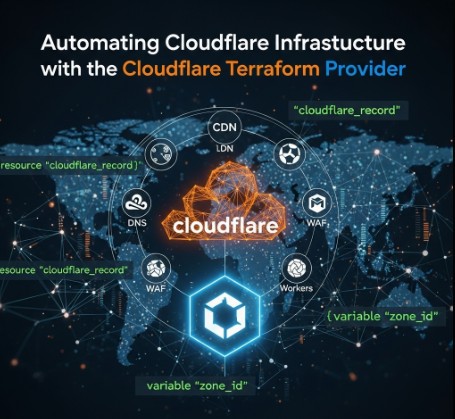
Automating Cloudflare Tunnel with Terraform: A Comprehensive Guide

In today’s dynamic IT landscape, efficient infrastructure management is paramount. Automating tasks is no longer a luxury but a necessity for maintaining scalability, reliability, and security. Cloudflare Tunnel, a service that securely exposes internal applications to the internet, perfectly complements this need. However, manual configuration of Cloudflare Tunnel can be time-consuming and error-prone. This is where Terraform steps in, offering a powerful solution for automating the entire process. This comprehensive guide will walk you through automating Cloudflare Tunnel with Terraform, covering everything from basic setup to advanced configurations.

Understanding Cloudflare Tunnel and Terraform

Before diving into the automation process, let’s briefly understand the core components involved.

Cloudflare Tunnel

Cloudflare Tunnel creates a secure connection between your internal network and Cloudflare’s global network. This allows you to expose internal services to the internet without opening ports in your firewall, significantly enhancing your security posture. The tunnel uses a client-side application (cloudflared) to establish a secure connection, encrypting all traffic. Learn more about Cloudflare Tunnel.

Terraform

Terraform is an open-source Infrastructure as Code (IaC) tool that allows you to define and manage your infrastructure in a declarative manner. This means you define the desired state of your infrastructure in code, and Terraform ensures that state is achieved and maintained. Using Terraform to manage Cloudflare Tunnel provides several benefits, including:

  • Automation: Automate the entire process of creating and managing Cloudflare Tunnel.
  • Version Control: Track changes to your infrastructure configuration using Git or other version control systems.
  • Consistency: Ensure consistent deployments across multiple environments.
  • Repeatability: Easily recreate your infrastructure in different environments.
  • Collaboration: Facilitate collaboration among team members through a shared codebase.

Automating Cloudflare Tunnel with Terraform: A Step-by-Step Guide

To automate Cloudflare Tunnel with Terraform, you’ll need a Cloudflare account and a Terraform installation. We’ll use the Cloudflare Terraform Provider, which simplifies the interaction with the Cloudflare API.

Prerequisites

  1. Cloudflare Account: Create a Cloudflare account if you don’t already have one.
  2. Cloudflare API Token: Generate an API token with the necessary permissions (e.g., access to Tunnel). Learn how to generate an API token.
  3. Terraform Installation: Download and install Terraform on your system. Download Terraform here.
  4. Cloudflare CLI (cloudflared): Download and install the Cloudflare CLI. Download cloudflared.

Basic Configuration

Let’s start with a basic configuration. This example creates a Cloudflare Tunnel and associates it with a specific origin server.

terraform {
  required_providers {
    cloudflare = {
      source  = "cloudflare/cloudflare"
      version = "~> 2.0"
    }
  }
}

provider "cloudflare" {
  api_token = var.cloudflare_api_token
}

variable "cloudflare_api_token" {
  type      = string
  sensitive = true
}

resource "cloudflare_tunnel" "example" {
  name       = "my-tunnel"

  configuration {
    origin_server {
      address = "192.168.1.100:8080"
    }
  }
}

This code defines a Cloudflare Tunnel named “my-tunnel” and specifies the origin server’s address. Replace `”192.168.1.100:8080″` with your actual origin server’s address and port.

Applying the Configuration

After creating the Terraform configuration file (e.g., `main.tf`), run the following commands:

# Initialize the working directory containing Terraform configuration files
terraform init

# Review the execution plan to see what will be created, changed, or destroyed
terraform plan

# Apply the configuration to provision the infrastructure
terraform apply

The `terraform plan` command shows you what changes Terraform will make, and `terraform apply` executes the plan, creating the Cloudflare Tunnel.

Advanced Configurations

The basic example provides a foundation. Let’s explore some advanced scenarios:

Multiple Origins

You can add multiple origin servers to a single tunnel:

variable "origin_servers" {
  type        = list(string)
  description = "List of origin server addresses"
  default     = ["192.168.1.100:8080", "10.0.0.10:8000"]
}

resource "cloudflare_tunnel" "example" {
  name = "my-tunnel"

  configuration {
    dynamic "origin_server" {
      for_each = var.origin_servers
      content {
        address = origin_server.value
      }
    }
  }
}

Using Variables

Employing variables makes your configuration more flexible and reusable:

variable "origin_servers" {
  type        = list(string)
  description = "List of origin server addresses"
}

resource "cloudflare_tunnel" "example" {
  name = "my-tunnel"

  configuration {
    dynamic "origin_server" {
      for_each = var.origin_servers
      content {
        address = origin_server.value
      }
    }
  }
}

Using Data Sources

Data sources allow you to retrieve information from Cloudflare:

data "cloudflare_account" "account" {
  # Retrieves details of the authenticated Cloudflare account
}

resource "cloudflare_tunnel" "example" {
  name       = "my-tunnel"
  account_id = data.cloudflare_account.account.id

  configuration {
    origin_server {
      address = "192.168.1.100:8080"
    }
  }
}

Integration with Other Services

Terraform’s power shines when integrating Cloudflare Tunnel with other infrastructure components. You can orchestrate the creation of related resources, like load balancers or virtual machines, within the same Terraform configuration.

Frequently Asked Questions (FAQ)

  • Q: What are the security implications of using Cloudflare Tunnel?

    A: Cloudflare Tunnel significantly enhances security by preventing direct exposure of your internal services to the internet. All traffic is encrypted, and you don’t need to open ports in your firewall. However, you should still maintain strong security practices on your internal network and application.
  • Q: Can I use Terraform to manage multiple Cloudflare Tunnels?

    A: Yes, you can easily manage multiple Cloudflare Tunnels using Terraform by defining multiple resources of the `cloudflare_tunnel` type, each with its own configuration.
  • Q: How do I handle updates to my Cloudflare Tunnel configuration?

    A: Modify your Terraform configuration, run `terraform plan` to review the changes, and then run `terraform apply` to update your Cloudflare Tunnel.
  • Q: What if my Cloudflare Tunnel fails?

    A: Terraform’s state management helps with troubleshooting. If a tunnel fails, Terraform’s `plan` command will highlight the issue. You can then investigate the cause and correct your configuration.
  • Q: Can I use this with other cloud providers?

    A: While this focuses on Cloudflare Tunnel, Terraform’s versatility allows you to integrate this with other cloud providers for managing related infrastructure components like virtual machines or networks. This would be done through their respective Terraform providers.
  • Q: What are the limitations of using Terraform for Cloudflare Tunnel management?

    A: The primary limitation is dependency on the Cloudflare API and Terraform provider. Any downtime or issues with either could impact your ability to manage tunnels. Ensure you always have backups and disaster recovery plans in place.

Conclusion

Automating Cloudflare Tunnel deployment with Terraform offers a significant advantage in managing infrastructure efficiently and securely. This guide has provided a detailed walkthrough from basic configurations to advanced scenarios, empowering you to streamline your workflows and ensure consistent deployments. By leveraging Infrastructure as Code. Thank you for reading the DevopsRoles page!

Revolutionizing Infrastructure as Code: Terraform CI/CD and Testing on AWS with the New Terraform Test Framework

Infrastructure as Code (IaC) has become an indispensable practice for managing and deploying cloud infrastructure efficiently and reliably. Terraform, HashiCorp’s popular IaC tool, empowers developers and DevOps engineers to define and provision infrastructure resources in a declarative manner. Integrating Terraform into a robust CI/CD pipeline is crucial for automating deployments, ensuring consistency, and reducing human error.

This comprehensive guide dives into implementing Terraform CI/CD and testing on AWS, leveraging the power of the new Terraform Test Framework to enhance your infrastructure management workflow. We’ll cover everything from setting up a basic pipeline to implementing advanced testing strategies, equipping you with the knowledge to build a reliable and efficient infrastructure deployment process.

Understanding Terraform CI/CD

Continuous Integration/Continuous Delivery (CI/CD) is a set of practices that automate the process of building, testing, and deploying software. When applied to infrastructure, CI/CD ensures that infrastructure changes are deployed consistently and reliably, minimizing the risk of errors and downtime. A typical Terraform CI/CD pipeline involves the following stages:

Key Stages of a Terraform CI/CD Pipeline:

  • Code Commit: Developers commit Terraform configuration code to a version control system (e.g., Git).
  • Build: The CI system detects code changes and initiates a build process, which might involve linting and validating the Terraform code.
  • Test: Automated tests are executed to validate the Terraform configuration. This is where the new Terraform Test Framework plays a vital role.
  • Plan: Terraform generates an execution plan, outlining the changes that will be made to the infrastructure.
  • Apply: Terraform applies the changes to the AWS infrastructure, provisioning or modifying resources.
  • Destroy (Optional): In certain scenarios (e.g., testing environments), a destroy step can automatically tear down the infrastructure after testing.

Leveraging the New Terraform Test Framework

The Terraform Test Framework is a powerful tool that allows you to write automated tests for your Terraform configurations. This framework facilitates testing the correctness and behavior of your infrastructure code before deployment, significantly reducing the risk of errors in production. It enables you to:

Benefits of the Terraform Test Framework:

  • Verify Infrastructure State: Assert the desired state of your infrastructure after applying your Terraform code.
  • Test Configuration Changes: Ensure that changes to your Terraform configurations have the expected effect.
  • Improve Code Quality: Encourage writing more robust, maintainable, and testable Terraform code.
  • Reduce Deployment Risks: Identify and fix potential issues early in the development cycle, reducing the chance of errors in production.

Integrating Terraform with AWS and CI/CD Tools

To implement Terraform CI/CD on AWS, you’ll typically use a CI/CD tool such as Jenkins, GitHub Actions, GitLab CI, or AWS CodePipeline. These tools integrate seamlessly with Terraform, automating the execution of Terraform commands as part of your pipeline.

Example: Setting up a basic Terraform CI/CD pipeline with GitHub Actions:

A simplified GitHub Actions workflow could look like this:


name: Terraform AWS Deployment

on: push

jobs:
  build:
    runs-on: ubuntu-latest
    steps:
      - name: Checkout code
        uses: actions/checkout@v3

      - name: Setup Terraform
        uses: hashicorp/setup-terraform@v2

      - name: Terraform Init
        run: terraform init

      - name: Terraform Plan
        run: terraform plan -out=tfplan

      - name: Terraform Apply
        run: terraform apply tfplan

This workflow checks out the code, initializes Terraform, creates a plan, and applies the changes. For production environments, adding a testing stage using the Terraform Test Framework is crucial.

Implementing Terraform Testing with Practical Examples

Let’s explore practical examples demonstrating how to use the Terraform Test Framework for various scenarios.

Example 1: Basic Resource Existence Test

This test verifies that an EC2 instance exists after applying the Terraform configuration:


package main

import (
	"testing"

	"github.com/stretchr/testify/assert"
	"github.com/hashicorp/terraform-plugin-sdk/v2/helper/resource"
)

func TestEC2InstanceExists(t *testing.T) {
	resource.Test(t, resource.TestCase{
		PreCheck:  func() { /* ... */ },
		Providers: providers(),
		Steps: []resource.TestStep{
			{
				Config: `
					resource "aws_instance" "example" {
						ami           = "ami-0c55b31ad2299a701" # Replace with your AMI ID
						instance_type = "t2.micro"
					}
				`,
				Check: resource.ComposeTestCheckFunc(
					resource.TestCheckResourceAttr("aws_instance.example", "instance_state", "running"),
				),
			},
		},
	})
}

Example 2: Testing Output Values

This example tests whether the Terraform output value matches the expected value:

func TestOutputValue(t *testing.T) {
	resource.Test(t, resource.TestCase{
		PreCheck:  func() { /* pre-check logic */ },
		Providers: providers(),
		Steps: []resource.TestStep{
			{
				Config: `
resource "aws_instance" "example" {
  ami           = "ami-0c55b31ad2299a701"
  instance_type = "t2.micro"
}

output "instance_id" {
  value = aws_instance.example.id
}
`,
				Check: resource.ComposeTestCheckFunc(
					resource.TestCheckOutputSet("instance_id"), // 
				),
			},
		},
	})
}

Example 3: Advanced Testing with Custom Assertions

For more complex scenarios, you can create custom assertions to check specific aspects of your infrastructure.

// ... (imports: "testing", "github.com/hashicorp/terraform-plugin-sdk/v2/helper/resource", "github.com/hashicorp/terraform-plugin-sdk/v2/terraform", "fmt") ...

func TestCustomAssertion(t *testing.T) {
	resource.Test(t, resource.TestCase{
		PreCheck:  func() { /* validate preconditions */ },
		Providers: providers(),
		Steps: []resource.TestStep{
			{
				Config: `
resource "aws_instance" "example" {
  ami           = "ami-0c55b31ad2299a701"
  instance_type = "t2.micro"
}
`,
				Check: resource.ComposeTestCheckFunc(
					func(s *terraform.State) error {
						rs, ok := s.RootModule().Resources["aws_instance.example"]
						if !ok {
							return fmt.Errorf("resource aws_instance.example not found")
						}

						if rs.Primary.ID == "" {
							return fmt.Errorf("expected instance ID to be set")
						}

						// Custom assertion logic: for example, check ID prefix
						if len(rs.Primary.ID) < 2 || rs.Primary.ID[0] != 'i' {
							return fmt.Errorf("instance ID %q does not look like a valid EC2 ID", rs.Primary.ID)
						}

						// Optional: perform DB lookup, external API call, etc.
						// e.g., validate the instance ID exists in a mock service

						return nil
					},
				),
			},
		},
	})
}

Frequently Asked Questions (FAQ)

Q1: What are the best practices for writing Terraform tests?

Best practices include writing small, focused tests, using clear and descriptive names, and organizing tests into logical groups. Prioritize testing critical infrastructure components and avoid over-testing.

Q2: How can I integrate the Terraform Test Framework into my existing CI/CD pipeline?

You can integrate the tests by adding a testing stage to your CI/CD workflow. Your CI/CD tool will execute the test suite before applying Terraform changes. Failure in the tests should halt the deployment process.

Q3: What are some common testing pitfalls to avoid?

Common pitfalls include writing tests that are too complex, not adequately covering edge cases, and neglecting to test dependencies. Ensure comprehensive testing covers both happy path and failure scenarios.

Q4: Can I use the Terraform Test Framework for testing resources outside of AWS?

Yes, the Terraform Test Framework is not limited to AWS. It can be used to test configurations for various cloud providers and on-premise infrastructure.

Conclusion

In the era of modern DevOps, infrastructure deployment is no longer a manual, isolated task—it has evolved into an automated, testable, and reusable process. This article has shed light on how the powerful combination of Terraform, CI/CD pipelines, and the Terraform Test Framework can significantly enhance the reliability, efficiency, and quality of infrastructure management on AWS.

By setting up a professional CI/CD pipeline that integrates essential steps such as terraform init, plan, apply, and, crucially, automated testing written in Go, you can:

  • Minimize deployment risks,
  • Catch errors early in the development lifecycle, and
  • Ensure infrastructure configurations remain under strict control.

Moreover, the Terraform Test Framework offers more than just basic resource checks (e.g., EC2 instances or output values). It empowers teams to create custom test assertions for complex logic, marking a major advancement toward treating infrastructure as fully testable software.

In conclusion, if you’re aiming to build a professional, safe, and verifiable deployment workflow, the integration of Terraform + CI/CD + Test Framework is your strategic foundation. It’s not just a DevOps toolchain-it’s a roadmap to the future of resilient and scalable infrastructure operations. Thank you for reading the DevopsRoles page!