Tag Archives: AIOps

AI Art Generator: Unleashing Creativity with Artificial Intelligence

Introduction

The rise of artificial intelligence has revolutionized the way we create art. AI art generators have made it possible for anyone, regardless of artistic skills, to produce stunning digital artworks with just a few clicks. These tools use machine learning algorithms to analyze existing artwork and generate unique, high-quality images based on user input. Whether you’re a digital artist, marketer, or someone who loves exploring creative possibilities, AI art generators offer endless opportunities.

This guide explores how AI art generators work, their applications, the best tools available, and how to get the most out of them.

How AI Art Generators Work

AI art generators utilize deep learning and neural networks to create art. Here’s a breakdown of how they function:

  1. Data Training: AI models are trained using vast datasets of existing artwork, including paintings, sketches, and digital illustrations.
  2. Pattern Recognition: The AI identifies styles, colors, and artistic elements to understand different genres of art.
  3. Image Generation: Using algorithms like GANs (Generative Adversarial Networks) or Stable Diffusion, the AI generates new, unique artwork based on user-provided inputs.
  4. Customization Options: Many AI art tools allow users to refine their artwork by adjusting parameters like color schemes, textures, and artistic styles.

Best AI Art Generators in 2025

There are several AI-powered tools available for creating digital art. Here are some of the best AI art generators:

1. DALL·E 3

  • Developed by OpenAI, DALL·E 3 can generate realistic and imaginative images from text prompts.
  • Features: High-resolution output, diverse artistic styles, and prompt refinement.

2. MidJourney

  • Known for its high-quality and surrealistic artwork.
  • Best for concept artists and designers who need visually stunning pieces.

3. Stable Diffusion

  • Open-source AI art generator that runs locally on a computer.
  • Allows for greater customization and fine-tuning.

4. Deep Dream Generator

  • Developed by Google, this tool enhances images with a dreamlike effect.
  • Ideal for abstract and psychedelic artwork.

5. Artbreeder

  • Uses genetic algorithms to blend and modify artwork collaboratively.
  • Great for creating character portraits and landscapes.

How to Use an AI Art Generator

Creating AI-generated art is simple, even for beginners. Follow these steps:

Step 1: Choose the Right AI Art Generator

Select a tool based on your needs. For example, DALL·E 3 is best for high-resolution images, while Stable Diffusion offers customization.

Step 2: Input Your Text Prompt

Most AI art generators allow users to create art using text descriptions. Example:

  • “A futuristic cityscape at sunset, cyberpunk style.”
  • “A dreamy forest with glowing mushrooms and a waterfall.”

Step 3: Adjust Parameters

Some tools let you fine-tune aspects like:

  • Artistic Style: Realistic, abstract, anime, etc.
  • Color Palette: Warm, cool, pastel tones.
  • Image Size: 1024×1024, 1920×1080, etc.

Step 4: Generate and Refine

Once the AI creates an image, you can refine the output by adjusting settings or regenerating with a modified prompt.

Step 5: Download and Use

After finalizing your artwork, download it in high resolution for personal or commercial use.

Applications of AI Art Generators

AI-generated art has numerous applications across industries:

1. Digital Marketing

  • Create eye-catching visuals for social media and ads.
  • Generate unique graphics for blog posts and websites.

2. Graphic Design

  • Assist designers with concept art.
  • Enhance projects with AI-generated textures and backgrounds.

3. NFTs and Crypto Art

  • Generate unique digital assets for NFT collections.

4. Interior Design

  • Visualize home decor concepts using AI-generated artwork.

5. Entertainment Industry

  • Concept artists and game developers use AI-generated art for character design and environments.

Examples of AI Art in Action

Example 1: Creating an Anime Character

  • Prompt: “A young warrior with silver hair, wearing a futuristic samurai suit, anime style.”
  • AI Output: Generates a stunning anime-styled character ready for use in digital art projects.

Example 2: Fantasy Landscape Design

  • Prompt: “A mystical castle on a floating island, surrounded by glowing clouds.”
  • AI Output: A breathtaking fantasy scene, perfect for book covers or wallpapers.

Example 3: Abstract Art

  • Prompt: “Vibrant swirls of color blending in a psychedelic pattern.”
  • AI Output: Unique abstract artwork ideal for digital prints and merchandise.

FAQs About AI Art Generators

1. Are AI art generators free to use?

Some AI art tools offer free versions with limited features, while premium versions provide advanced options.

2. Can I sell AI-generated artwork?

Yes, but check the terms of service for each AI tool, as some require commercial licenses.

3. Do AI-generated images have copyright issues?

Since AI art is based on trained datasets, the copyright status depends on the tool’s policy and jurisdiction.

4. What is the best AI art generator for beginners?

DALL·E 3 and Deep Dream Generator are beginner-friendly with intuitive interfaces.

5. Can AI art replace human artists?

No, AI is a tool that enhances creativity but cannot replace the originality and emotional depth of human artists.

External Resources

For further reading on AI art and digital creativity:

Conclusion

AI art generators are transforming digital creativity, making artistic expression more accessible than ever. Whether you’re looking to design unique illustrations, create stunning concept art, or generate images for marketing, these tools provide endless possibilities. By understanding how to use them effectively, you can enhance your creative projects and push the boundaries of AI-assisted artistry.

Embrace the future of digital art with AI, and let your imagination run wild! Thank you for reading the DevopsRoles page!

AI Detector: The Ultimate Guide to Identifying AI-Generated Content

Introduction

In the digital era, artificial intelligence (AI) is revolutionizing content creation. AI-generated text is becoming increasingly sophisticated, making it challenging to distinguish between human and machine-generated content. Whether you’re a teacher, researcher, content creator, or business owner, an AI detector can be an essential tool for ensuring authenticity and originality.

This article explores AI detectors, their functionality, and how to use them effectively while maintaining compliance with Google Adsense and AI detection standards.

What is an AI Detector?

An AI detector is a tool that analyzes text to determine whether it was generated by artificial intelligence. These tools utilize machine learning algorithms to assess linguistic patterns, sentence structures, and word choices.

How AI Detectors Work

AI detectors leverage natural language processing (NLP) and machine learning techniques to:

  • Analyze text for patterns typical of AI-generated content.
  • Compare writing styles against known AI models (e.g., ChatGPT, GPT-4, Bard, Claude).
  • Calculate a probability score indicating AI involvement.
  • Highlight potential AI-generated segments within the text.

Why AI Detection Matters

AI detection tools play a crucial role in:

  • Academic Integrity: Preventing AI-assisted plagiarism.
  • SEO Compliance: Ensuring high-quality, human-like content.
  • Brand Credibility: Maintaining trust by verifying content authenticity.
  • Fact-Checking: Detecting potential misinformation from AI-generated text.

Best AI Detectors in 2025

Several AI detection tools are available, each offering unique features. Below are some of the top AI detectors currently on the market:

1. Originality.ai

  • Best for: Content creators, educators, and SEO professionals.
  • Features:
    • High accuracy in detecting AI-generated content.
    • Supports plagiarism detection.
    • Integrates with major writing platforms.

2. GPTZero

  • Best for: Educators and researchers.
  • Features:
    • Designed to detect GPT-generated content.
    • Provides confidence scores.
    • Free version available for basic use.

3. Copyleaks AI Content Detector

  • Best for: Enterprises and journalists.
  • Features:
    • Supports multiple AI models.
    • API integration available.
    • Multi-language support.

4. Writer AI Content Detector

  • Best for: Businesses and marketers.
  • Features:
    • Quick analysis and user-friendly interface.
    • Free and paid versions available.
    • Detects GPT-based AI content.

5. Hugging Face AI Detector

  • Best for: Developers and AI enthusiasts.
  • Features:
    • Open-source model.
    • Customizable detection algorithms.
    • API available for integration.

How to Use an AI Detector Effectively

Follow these steps to ensure accurate AI content detection:

Step 1: Choose a Reliable AI Detector

Select a reputable AI detection tool based on your specific needs.

Step 2: Input the Text

Copy and paste the content you want to analyze into the tool’s text box.

Step 3: Run the Analysis

Click the “Analyze” or “Detect AI” button to process the text.

Step 4: Review the Results

Most AI detectors provide:

  • AI Probability Score: Percentage likelihood of AI-generated content.
  • Highlighted AI Content: Sections flagged as AI-generated.
  • Confidence Level: Indicating the tool’s accuracy in detection.

Step 5: Take Action

  • If AI-generated content is detected in an academic setting, report it accordingly.
  • If using AI-assisted content for SEO, consider editing for originality.
  • Ensure that content meets compliance and originality standards before publishing.

Examples of AI Detector in Action

Example 1: Academic Use Case

A teacher suspects that a student’s essay was generated using AI. Using GPTZero, they analyze the text and find a high AI probability score. The student is then advised to rewrite the essay authentically.

Example 2: SEO and Content Marketing

A blog owner wants to ensure their articles comply with Google Adsense policies. By using Originality.ai, they detect AI-generated segments and make necessary human edits to enhance originality.

Example 3: Journalism and Fact-Checking

A journalist receives an article submission that appears suspiciously automated. Running the content through Copyleaks AI Content Detector helps confirm whether it’s human-written or AI-assisted.

Frequently Asked Questions (FAQs)

1. Can AI detectors always accurately identify AI-generated content?

While AI detectors are highly effective, they are not 100% foolproof. Some AI-generated text can bypass detection, especially if heavily edited.

2. Is AI-generated content allowed by Google Adsense?

Google prioritizes high-quality, user-first content. If AI-generated content is original, valuable, and not used deceptively, it may comply with Adsense policies.

3. Can I use AI to generate content and still pass AI detection?

Yes, but you should significantly edit AI-generated content to make it more human-like and engaging.

4. Are AI detectors free to use?

Some AI detectors offer free versions with limited capabilities, while others require a subscription for advanced features.

5. How do AI detectors handle multi-language content?

Some AI detectors support multiple languages, but accuracy may vary based on the AI model and training data.

External Resources

For further reading, check out these authoritative sources:

Conclusion

AI detectors are powerful tools for ensuring content originality, academic integrity, and SEO compliance. As AI continues to evolve, staying informed about detection methods is essential for content creators, educators, and businesses alike.

Have you used an AI detector? Share your experience in the comments! Thank you for reading the DevopsRoles page!

Is DeepSeek AI Better Than Google? A Comprehensive Analysis

Introduction

Artificial Intelligence (AI) is revolutionizing the way we interact with information. Google, a giant in the search industry, has dominated the space for decades. However, emerging AI-driven alternatives like DeepSeek AI are challenging the status quo. But is DeepSeek AI better than Google?

This article dives into a comprehensive analysis of both platforms, comparing their capabilities, accuracy, efficiency, and relevance in modern AI-powered search and information retrieval.

Understanding DeepSeek AI and Google

What is DeepSeek AI?

DeepSeek AI is an advanced artificial intelligence system designed for natural language processing (NLP), data retrieval, and AI-driven decision-making. It utilizes deep learning models to process vast amounts of data, enabling it to generate precise, contextual, and conversational responses.

What is Google?

Google, on the other hand, is the world’s largest search engine, leveraging algorithms like PageRank, BERT, and MUM to index and rank web pages based on relevance, authority, and user intent. Google’s AI-driven features include Google Assistant, Bard, and AI-powered search refinements.

DeepSeek AI vs Google: Feature-by-Feature Comparison

1. Search Accuracy and Relevance

DeepSeek AI

  • Uses AI-driven models to analyze context, semantics, and user intent.
  • Provides direct answers rather than a list of search results.
  • Excels in complex queries requiring interpretation and summarization.

Google

  • Uses web crawling, indexing, and ranking to provide results.
  • Prioritizes authoritative sources but sometimes includes outdated or less relevant content.
  • Offers Featured Snippets for quick answers but is still list-based.

Winner: DeepSeek AI for contextual accuracy, Google for breadth of results.

2. AI-Powered Content Generation

DeepSeek AI

  • Specializes in long-form content generation, summaries, and conversational interactions.
  • Can generate coherent and well-structured responses tailored to queries.
  • Suitable for research, coding, and data analysis.

Google

  • Uses AI for summarization (Google Search Generative Experience, or SGE).
  • Does not provide full-text generation within search results.
  • Leverages AI primarily for ranking rather than direct content creation.

Winner: DeepSeek AI for AI-powered content generation.

3. User Experience and Interface

DeepSeek AI

  • Provides a chatbot-like interface for interactive conversations.
  • Focuses on deep learning-based personalized responses.
  • Lacks a traditional search engine layout.

Google

  • Uses a search bar with predictive suggestions.
  • Provides web page links, images, videos, and shopping results.
  • Integrates AI into products like Google Lens, Maps, and Assistant.

Winner: Google for a familiar and versatile user experience.

4. Speed and Efficiency

DeepSeek AI

  • Processes complex queries quickly.
  • Uses AI-driven conversational flow for in-depth discussions.
  • May have longer response times for large datasets.

Google

  • Delivers instant search results.
  • Optimized for quick retrieval from indexed sources.
  • Prioritizes speed over deep contextual analysis.

Winner: Google for fast results; DeepSeek AI for detailed responses.

5. Data Privacy and Security

DeepSeek AI

  • Less data-driven than Google.
  • Focuses on direct interactions rather than tracking user behavior.

Google

  • Collects extensive user data for personalized ads and services.
  • Implements privacy controls, but data collection remains a concern.

Winner: DeepSeek AI for privacy-conscious users.

Examples: DeepSeek AI vs Google in Action

Example 1: Researching Scientific Papers

  • DeepSeek AI: Summarizes research papers, extracts key findings, and suggests related studies.
  • Google: Lists web pages with research papers, requiring manual filtering.

Example 2: Learning a New Programming Language

  • DeepSeek AI: Provides interactive coding help and explanations.
  • Google: Links to tutorials and forums like Stack Overflow.

Example 3: Travel Planning

  • DeepSeek AI: Suggests personalized itineraries based on preferences.
  • Google: Provides flight details, hotel suggestions, and user-generated reviews.

FAQ Section

1. Is DeepSeek AI more accurate than Google?

DeepSeek AI excels in contextual and conversational accuracy, while Google is superior for broad and fast information retrieval.

2. Can DeepSeek AI replace Google?

Not entirely. DeepSeek AI is powerful for deep learning-based tasks, but Google remains essential for general web search and discovery.

3. Is DeepSeek AI safer than Google?

DeepSeek AI collects less user data, making it a better choice for privacy-conscious users.

4. Does DeepSeek AI support real-time search updates?

Google frequently updates search results with real-time indexing, whereas DeepSeek AI relies on pre-trained models and databases.

5. Which AI is better for businesses?

Google offers SEO, advertising, and analytics, while DeepSeek AI is ideal for automation, data analysis, and AI-driven insights.

External References

Conclusion

Both DeepSeek AI and Google bring powerful AI-driven capabilities to the table. DeepSeek AI excels in deep learning, natural language processing, and contextual responses, making it a strong contender for research and automation. Google, however, remains the dominant force in search, offering unmatched speed, accuracy, and real-time indexing.

Ultimately, the choice between DeepSeek AI and Google depends on your specific needs. If you seek quick, broad searches, Google is unbeatable. If you need AI-driven insights and content generation, DeepSeek AI might be the better option.

Which one do you prefer? Let us know in the comments! Thank you for reading the DevopsRoles page!

Deepseek v3: The Ultimate Guide to Mastering AI-Powered Search

Introduction

In the rapidly evolving landscape of artificial intelligence, Deepseek v3 has emerged as a powerful tool for conducting AI-enhanced searches. Whether you are a researcher, developer, or business professional, mastering Deepseek v3 can significantly improve your ability to retrieve accurate and relevant information from large datasets.

This article delves into the core functionalities, applications, and advanced techniques of Deepseek v3, ensuring that you can maximize its potential effectively.

What is Deepseek v3?

Deepseek v3 is an advanced AI-powered search engine that leverages natural language processing (NLP) and machine learning (ML) to deliver precise and context-aware search results. It is designed to:

  • Process large datasets efficiently
  • Provide intelligent and contextually relevant search results
  • Enhance data retrieval in research, business, and development domains

Key Features

  • AI-Driven Search: Deep learning algorithms improve result relevance
  • Contextual Understanding: Enhanced NLP ensures semantic comprehension
  • Data Indexing: Rapidly organizes and categorizes data for better retrieval
  • Customizable Queries: Supports advanced search filters and modifiers
  • Scalability: Handles extensive datasets with minimal latency

How to Use Deepseek v3

1. Getting Started

Before using Deepseek v3, ensure you have access to its platform. Depending on the implementation, you may need to:

  • Sign up for an account on the Deepseek v3 portal
  • Obtain an API key if using programmatic access
  • Familiarize yourself with the dashboard and search query syntax

2. Running Basic Queries

Deepseek v3 supports intuitive search queries. You can start with simple commands:

search: "latest AI trends in 2025"

Expected Output: A curated list of articles, reports, and blogs relevant to AI trends in 2025.

3. Advanced Search Techniques

For precise results, Deepseek v3 supports advanced filters:

search: "machine learning applications" filter: {"date": "2023", "source": "peer-reviewed"}

This query will return academic papers on machine learning applications published in 2023.

Boolean Operators

Combine keywords using:

  • AND – Includes both terms
  • OR – Includes either term
  • NOT – Excludes a term

Example:

search: "deep learning AND computer vision NOT medical"

Wildcards

Use wildcards (* and ?) for broader searches:

search: "AI innov*"  

This will return results containing AI innovation, AI innovative, etc.

4. API Integration

For developers, Deepseek v3 offers an API for seamless integration.

import requests

api_url = "https://api.deepseekv3.com/search"
params = {
    "query": "deep learning applications",
    "filter": {"date": "2023"}
}
headers = {"Authorization": "Bearer YOUR_API_KEY"}
response = requests.get(api_url, params=params, headers=headers)
print(response.json())

Expected Output: A structured JSON response with search results.

Real-World Applications

1. Academic Research

Researchers can leverage Deepseek v3 to:

  • Retrieve peer-reviewed articles quickly
  • Analyze trends in scientific publications
  • Cross-reference multiple sources efficiently

2. Business Intelligence

Companies use Deepseek v3 for:

  • Market analysis
  • Competitive research
  • Real-time data monitoring

3. AI Model Training

Deepseek v3 can help data scientists:

  • Gather training datasets
  • Verify data authenticity
  • Enhance machine learning model accuracy

Frequently Asked Questions (FAQs)

1. How does Deepseek v3 differ from traditional search engines?

Deepseek v3 uses AI-powered NLP and ML to provide more contextually relevant results compared to keyword-based traditional search engines.

2. Is Deepseek v3 free to use?

There may be a free version with limited queries, but advanced features typically require a subscription.

3. Can I integrate Deepseek v3 with third-party applications?

Yes, Deepseek v3 provides an API that allows seamless integration with various platforms.

4. What are the best practices for refining search results?

Use Boolean operators, filters, and wildcards to narrow down search results effectively.

5. How secure is Deepseek v3?

Deepseek v3 prioritizes data security with encryption, authentication, and compliance measures.

External Resources

For further learning, check out these authoritative sources:

Conclusion

Deepseek v3 is a game-changer in AI-powered search, offering robust features for researchers, businesses, and developers alike. By leveraging its advanced search capabilities, you can enhance data retrieval efficiency and accuracy. Start exploring Deepseek v3 today and unlock its full potential! Thank you for reading the DevopsRoles page!

DeepSeek vs ChatGPT Comparison: Which AI Model is Better in 2025?

Introduction

Artificial Intelligence (AI) has revolutionized natural language processing (NLP), powering everything from chatbots to content generation. Two major players in the AI field, DeepSeek and ChatGPT, stand out for their ability to generate human-like text, automate tasks, and enhance user experiences. But which one is better? In this comprehensive DeepSeek vs ChatGPT comparison, we analyze their features, performance, accuracy, and practical applications to help you make an informed choice.

DeepSeek vs ChatGPT: Overview

What is DeepSeek?

DeepSeek is a cutting-edge AI model designed to offer accurate, data-driven responses. It is known for its deep contextual understanding, making it ideal for tasks such as:

  • Scientific research and data analysis
  • Fact-checking and logical reasoning
  • Code generation and debugging

What is ChatGPT?

ChatGPT, developed by OpenAI, is a versatile conversational AI designed for engaging interactions, content creation, and automation. It excels in:

  • Conversational AI for chatbots and virtual assistants
  • Creative writing and storytelling
  • General knowledge and user-friendly interactions

Both models leverage deep learning and natural language processing (NLP) but differ in their approach, performance, and ideal use cases.

Pricing and Availability

Both models offer free and premium versions. ChatGPT’s GPT-4 version is accessible through OpenAI’s subscription model, while DeepSeek’s pricing depends on enterprise integration and data usage.

DeepSeek: Strengths & Weaknesses

StrengthsWeaknesses
High Mathematical Accuracy: DeepSeek excels in solving complex mathematical problems and technical calculations.Limited Creativity: DeepSeek may struggle with highly creative writing tasks, making it less ideal for storytelling or content generation.
Multilingual Capabilities: Strong support for multiple languages enhances global usability.API Limitations: Currently, its API ecosystem is not as robust as ChatGPT’s.
Efficient for Research: Well-suited for academic and research-based applications.User-Friendliness: May require more effort to get optimal responses compared to ChatGPT.
Open-Source Community Support: Some versions allow open-source development, fostering innovation.

ChatGPT: Strengths & Weaknesses

StrengthsWeaknesses
High Creativity & Natural Conversation Flow: Excellent for generating engaging, human-like text, including stories, articles, and dialogues.Mathematical Accuracy Can Be Inconsistent: While improved, its math and logic-based responses can still be flawed.
Advanced Coding Support: ChatGPT is a favorite among developers for debugging and generating programming scripts.Expensive Premium Plan: The most advanced version (GPT-4 Turbo) requires a subscription.
Extensive Fine-Tuning: Users can customize outputs based on needs, making it versatile for multiple applications.Potential Bias in Responses: Trained on a broad dataset, it can occasionally produce biased or filtered responses.
Robust API Integration: Widely adopted across various industries for chatbot development, automation, and content creation.

Real-World Use Cases: DeepSeek vs ChatGPT

1. Content Generation

  • DeepSeek: Suitable for fact-based, structured reports and research papers.
  • ChatGPT: Ideal for blogs, marketing copy, and storytelling due to its creative edge.

2. Mathematics & Engineering

  • DeepSeek: More precise in solving equations and technical problems.
  • ChatGPT: Good but can sometimes make calculation errors.

3. Coding & Debugging

  • DeepSeek: Performs well in code explanations but lacks ChatGPT’s interactive debugging capability.
  • ChatGPT: Preferred by developers for real-time coding assistance and debugging.

4. Business & Customer Support

  • DeepSeek: Useful for structured knowledge-based answers.
  • ChatGPT: Provides natural, human-like conversations for customer interactions.

5. Language Translation

  • DeepSeek: Strong in technical and academic translations.
  • ChatGPT: Provides more natural, context-aware translations.

FAQ: DeepSeek vs ChatGPT

1. Which AI model is better for students?

  • If you need precise mathematical or technical answers, DeepSeek is better.
  • For essay writing and brainstorming, ChatGPT is superior.

2. Can DeepSeek and ChatGPT be used together?

  • Yes! Some users integrate both for specific tasks—DeepSeek for accuracy and ChatGPT for creativity.

3. Which AI model is more affordable?

  • DeepSeek has competitive free plans, but ChatGPT’s GPT-4 Turbo provides superior value for premium users.

4. Which model is better for developers?

  • ChatGPT is more interactive and widely used for debugging and software development.
  • DeepSeek provides structured code explanations but lacks dynamic debugging.

5. Is DeepSeek as good as ChatGPT for creative writing?

  • No, ChatGPT is better for storytelling, poetry, and marketing content.

External Links & References

For more detailed insights on these AI models, visit:

Conclusion

Both DeepSeek and ChatGPT offer unique advantages depending on your use case. If you need high mathematical accuracy or research-based answers, DeepSeek is a strong contender. On the other hand, ChatGPT excels in creativity, coding, and conversational AI, making it the preferred choice for businesses and content creators.

Ultimately, choosing between DeepSeek vs ChatGPT depends on your specific needs. If you require a balance, leveraging both for different applications may be the best approach!Thank you for reading the DevopsRoles page!

What are your thoughts on DeepSeek vs ChatGPT? Let us know in the comments!

DeepSeek Large Language Model: A Comprehensive Guide

Introduction

The DeepSeek Large Language Model (LLM) is an advanced AI-driven natural language processing tool designed for a variety of applications, including content generation, chatbots, code development, and research. This model leverages deep learning to understand, generate, and optimize text-based tasks, making it a powerful asset for businesses, researchers, and developers.

In this guide, we will explore the capabilities of DeepSeek LLM, its applications, practical examples, and frequently asked questions. Whether you are a beginner or an expert, this article will provide insights into how to harness DeepSeek LLM effectively.

What is the DeepSeek Large Language Model?

The DeepSeek Large Language Model is an AI-powered NLP model that processes and generates human-like text based on input prompts. Similar to GPT models, it uses deep neural networks and extensive training datasets to perform various text-related tasks.

Key Features

  • Natural Language Understanding (NLU): Comprehends and processes human language efficiently.
  • Content Generation: Produces high-quality text for blogs, essays, and marketing materials.
  • Code Assistance: Helps in writing, debugging, and optimizing code.
  • Multilingual Support: Supports multiple languages for broader usability.
  • Context Awareness: Generates coherent and contextually relevant responses.
  • Scalability: Designed for both small-scale and enterprise applications.

Applications of DeepSeek Large Language Model

1. Content Creation

DeepSeek LLM is widely used for generating SEO-optimized articles, blogs, social media posts, and ad copies. By leveraging AI, content marketers can enhance productivity while maintaining originality.

2. Chatbots and Virtual Assistants

The model powers intelligent chatbots that provide real-time responses to customer queries, automate workflows, and improve user engagement in various industries, including e-commerce and healthcare.

3. Coding and Software Development

Developers use DeepSeek LLM for code generation, documentation, and debugging, reducing development time and enhancing efficiency.

4. Academic and Research Assistance

DeepSeek LLM helps researchers by summarizing articles, generating citations, and extracting key insights from large datasets.

5. Business Automation

Businesses integrate DeepSeek LLM for automating email responses, report generation, and data analysis, improving overall efficiency and reducing manual workload.

How to Use DeepSeek Large Language Model

Getting Started

To use the DeepSeek Large Language Model effectively:

  1. Choose an Interface: Access the model through APIs, web-based platforms, or integrated software.
  2. Define Your Task: Identify whether you need text generation, summarization, translation, or another NLP function.
  3. Input a Clear Prompt: Provide concise and detailed input to obtain the best results.
  4. Refine Outputs: Fine-tune generated content by iterating with improved prompts.
  5. Integrate into Workflow: Implement the model’s outputs into your business or personal tasks.

Example Use Cases

Basic Text Generation

prompt = "Write a short story about a futuristic city."
response = deepseek_llm.generate_text(prompt)
print(response)

Summarization

prompt = "Summarize the article on AI ethics."
response = deepseek_llm.summarize_text(prompt)
print(response)

Code Assistance

prompt = "Write a Python function for bubble sort."
response = deepseek_llm.generate_code(prompt)
print(response)

FAQs

1. How does DeepSeek LLM compare to other language models?

DeepSeek LLM provides high accuracy, better contextual understanding, and flexibility in applications compared to many other AI models. It is particularly efficient in multilingual tasks and domain-specific knowledge.

2. Is DeepSeek LLM free to use?

DeepSeek LLM offers both free and premium plans, depending on the level of access and features required.

3. Can DeepSeek LLM generate SEO-friendly content?

Yes, it is designed to produce high-quality, SEO-optimized content by incorporating relevant keywords naturally and structuring text for readability.

4. How can businesses benefit from DeepSeek LLM?

Businesses can automate content creation, customer support, marketing copywriting, and data analysis, saving time and resources while improving productivity.

5. What are the limitations of DeepSeek LLM?

Despite its advanced capabilities, DeepSeek LLM may require human supervision for fact-checking, avoiding biases, and refining outputs for accuracy.

External Resources

Conclusion

The DeepSeek Large Language Model is a versatile and powerful AI tool that enhances various text-based tasks. From content creation and chatbot development to coding and business automation, its applications are vast and impactful. By leveraging DeepSeek LLM effectively, users can boost productivity, streamline workflows, and unlock new opportunities in the AI-driven world.

For those looking to integrate AI into their operations, DeepSeek LLM stands as a reliable choice, offering cutting-edge language processing capabilities. Start exploring its potential today! Thank you for reading the DevopsRoles page!
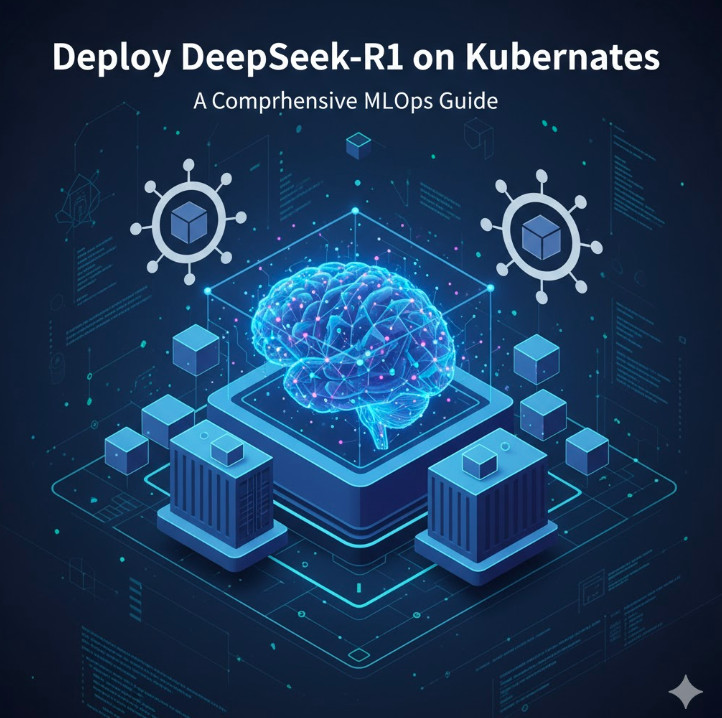
The Deep Seek Model: A Comprehensive Guide

Introduction

Artificial intelligence has revolutionized various industries, and the Deep Seek Model is among the most powerful AI-driven approaches available today. It enhances data retrieval, decision-making, and automation processes by leveraging deep learning principles. This guide explores how the Deep Seek Model works, its applications, benefits, and real-world examples.

What is the Deep Seek Model?

The Deep Seek Model is an advanced AI framework that utilizes deep learning techniques to analyze, retrieve, and process information efficiently. It is designed for tasks such as:

  • Natural Language Processing (NLP)
  • Predictive Analytics
  • Image and Speech Recognition
  • Data-driven Decision Making
  • Search Optimization

The model is particularly useful for enterprises that require sophisticated AI capabilities to improve efficiency and accuracy.

How the Deep Seek Model Works

1. Data Collection and Preprocessing

The Deep Seek Model starts by gathering data from multiple sources. The preprocessing phase includes:

  • Data Cleaning: Removing noise and irrelevant information.
  • Normalization: Standardizing data formats.
  • Tokenization: Splitting text into manageable units.
  • Feature Engineering: Extracting meaningful features for better predictions.

2. Deep Learning Architecture

The model employs neural networks, particularly:

  • Convolutional Neural Networks (CNNs): Ideal for image and pattern recognition.
  • Recurrent Neural Networks (RNNs): Suitable for sequential data processing.
  • Transformer Models: Used in NLP for improved context understanding.

3. Training and Optimization

Deep Seek leverages backpropagation and gradient descent to refine model accuracy. It utilizes large datasets to improve:

  • Generalization: Ensuring the model performs well on unseen data.
  • Scalability: Adapting to different industries and applications.
  • Efficiency: Reducing computation time while maintaining accuracy.

4. Deployment and Real-Time Processing

Once trained, the Deep Seek Model can be deployed for real-time applications such as:

  • Chatbots and Virtual Assistants
  • Predictive Maintenance Systems
  • Fraud Detection Mechanisms

Applications of the Deep Seek Model

1. Healthcare

  • Disease diagnosis based on medical images.
  • Personalized treatment plans using AI predictions.
  • Drug discovery acceleration through data analysis.

2. Finance

  • Risk assessment for loan approvals.
  • Fraud detection in transactions.
  • Algorithmic trading for stock market insights.

3. E-commerce

  • Personalized product recommendations.
  • Customer sentiment analysis.
  • Chatbots for enhanced user experience.

4. Marketing and Advertising

  • Targeted ad placement.
  • Social media trend analysis.
  • Automated content generation.

5. Autonomous Systems

  • Self-driving cars utilizing AI navigation.
  • Smart home automation for energy efficiency.
  • Robotics applications in manufacturing.

Examples of the Deep Seek Model in Action

Basic Example: Sentiment Analysis

A company wants to analyze customer feedback. The Deep Seek Model processes thousands of reviews and categorizes them as positive, neutral, or negative.

Intermediate Example: Fraud Detection

A financial institution employs Deep Seek to analyze transactional patterns. The model flags suspicious transactions in real-time, reducing fraud risks.

Advanced Example: Self-Driving Cars

An automotive company integrates Deep Seek into its AI system. The model helps recognize obstacles, predict movements, and optimize navigation paths.

Frequently Asked Questions (FAQ)

1. How does the Deep Seek Model differ from traditional AI models?

Unlike traditional models, Deep Seek leverages deep learning architectures that enable self-improvement over time, enhancing accuracy and adaptability.

2. Can the Deep Seek Model be used in small businesses?

Yes, it can be scaled for small and medium enterprises (SMEs) to improve customer service, automate processes, and optimize decision-making.

3. What industries benefit the most from Deep Seek?

Industries like healthcare, finance, e-commerce, and transportation see significant improvements through its implementation.

4. How can I implement the Deep Seek Model in my organization?

You can start by integrating AI-based analytics tools or working with AI service providers who specialize in deep learning models.

5. What are the challenges of using Deep Seek?

  • High computational costs
  • Need for large datasets
  • Interpretability of AI decisions

External Resources

For further reading, check out these authoritative sources:

Conclusion

The Deep Seek Model is a powerful AI-driven framework capable of transforming various industries through enhanced data analysis, automation, and predictive capabilities. Businesses and researchers can leverage this model to improve efficiency, accuracy, and decision-making. As AI continues to evolve, the potential applications of Deep Seek will expand, making it an essential tool for the future of technology. Thank you for reading the DevopsRoles page!

Guide to Installing and Running Free AI Models on Your Computer: Llama 3, DeepSeek-R1 with Ollama

Introduction

Artificial intelligence is no longer limited to large-scale cloud services. With Ollama, you can run free AI models like Llama 3 and DeepSeek-R1 locally on your computer, enabling advanced natural language processing without requiring an internet connection. This guide will take you through everything you need to know to install, configure, and use these AI models efficiently.

Why Run AI Models Locally?

  • Data Privacy: No need to send sensitive data to external servers.
  • Offline Functionality: AI models run without an internet connection.
  • Cost Savings: Avoid cloud computing fees by leveraging local hardware.
  • Customization: Fine-tune models for specific use cases.

Prerequisites

Before proceeding, ensure your computer meets the following requirements:

Minimum System Requirements

  • Operating System: Windows, macOS, or Linux
  • Processor: x86_64 or ARM64 architecture
  • RAM: At least 8GB (Recommended: 16GB for optimal performance)
  • Storage: 20GB free disk space
  • GPU (Optional): NVIDIA CUDA-compatible GPU for acceleration

Step 1: Installing Ollama

Ollama is a lightweight runtime environment that simplifies running large language models (LLMs) on your computer.

Install Ollama on Windows

  1. Download the Ollama installer from the official site: https://ollama.com
  2. Run the installer and follow the on-screen instructions.
  3. Verify the installation by opening Command Prompt (cmd) and running:
    • ollama --version

Install Ollama on macOS

  1. Open Terminal and run:
    • brew install ollama
  2. Verify the installation:
    • ollama --version

Install Ollama on Linux

  1. Open a terminal and execute:
    • curl -fsSL https://ollama.com/install.sh | sh
  2. Verify the installation:
    • ollama --version

Step 2: Downloading and Running Free AI Models

Ollama supports multiple LLMs (Large Language Models), including Llama 3 and DeepSeek-R1.

Running Llama 3

ollama run llama3
  • If not already installed, Ollama will automatically download the Llama 3 model.

Running DeepSeek-R1

ollama run deepseek
  • DeepSeek-R1 is optimized for logical reasoning and scientific applications.

Listing Available Models

To check installed models:

ollama list

Removing Unused Models

If you need to free up space:

ollama remove llama3

Step 3: Customizing AI Models

You can create custom models using a Modelfile.

Example: Creating a Custom LLM

Create a new file named Modelfile:

echo "FROM llama3\nPARAMETER temperature=0.7" > Modelfile

Build the model:

ollama create mymodel -f Modelfile

Run your custom model:

ollama run mymodel

Step 4: Using Ollama with Python

For developers, Ollama provides Python API support.

Installing the Ollama Python Library

pip install ollama

Example: Running Llama 3 in Python

import ollama

response = ollama.chat(model='llama3', messages=[
    {'role': 'user', 'content': 'What is the capital of France?'}
])

print(response['message']['content'])

Step 5: Advanced Use Cases

Fine-tuning Models

You can fine-tune models for specific applications like chatbots, document summarization, and code generation.

Running AI Models on GPU

For performance improvements, configure Ollama to use NVIDIA GPU:

export OLLAMA_USE_CUDA=1

FAQ

1. Can I run Ollama without a GPU?

Yes, but performance will be better with a GPU, especially for large models.

2. How much RAM do I need?

For best results, at least 16GB RAM is recommended.

3. Can I use Ollama for commercial applications?

Yes, but check the licensing of the specific AI models you use.

4. How do I update Ollama?

Run:

ollama update

5. Where can I find more AI models?

Visit https://ollama.com for an updated list of available models.

External Resources

Conclusion

Running free AI models like Llama 3 and DeepSeek-R1 on your local machine with Ollama provides a powerful, cost-effective way to leverage AI without relying on cloud services. Whether you’re a researcher, developer, or AI enthusiast, this guide equips you with the knowledge to install, configure, and optimize LLMs for various applications.

Ready to explore? Install Ollama today and start building AI-powered applications! Thank you for reading the DevopsRoles page!

Deepseek Coder Lite: A Comprehensive Guide to Its Applications and Benefits

Introduction

In the world of coding and software development, tools that simplify the process and boost productivity are always in demand. One such tool is the Deepseek Coder Lite. Whether you’re a beginner or a seasoned developer, this tool can streamline your workflow, making it easier to write, debug, and optimize your code. This article will dive deep into the functionality of Deepseek Coder Lite, its applications, and provide useful examples to help you understand how to make the most out of this tool. We’ll also address frequently asked questions and provide an overview of how it can benefit your coding practices.

What is Deepseek Coder Lite?

Overview of Deepseek Coder Lite

Deepseek Coder Lite is a lightweight, yet powerful coding tool designed to assist developers in writing clean, efficient code. It is a streamlined version of its full-featured counterpart, offering core functionalities without overwhelming users with unnecessary complexity. Deepseek Coder Lite aims to simplify the coding process while retaining the features that matter most for development.

Key Features of Deepseek Coder Lite

  • Code Auto-Completion: The tool provides intelligent suggestions for code completion, saving developers time and effort while reducing errors.
  • Error Highlighting and Debugging: Deepseek Coder Lite automatically detects syntax and logical errors, making debugging faster and more efficient.
  • Integrated Development Environment (IDE): The tool includes a basic IDE, offering a smooth interface for writing, running, and testing code.
  • Multi-Language Support: It supports a variety of programming languages, making it suitable for a wide range of projects.
  • User-Friendly Interface: The interface is minimalistic yet functional, designed to ensure that developers can focus on their work without distractions.

How to Use Deepseek Coder Lite

Getting Started with Deepseek Coder Lite

Before diving into coding, you need to set up Deepseek Coder Lite on your system. Here’s a simple guide:

  1. Download and Install:
    • Visit the official Deepseek Coder Lite website to download the software.
    • Follow the on-screen instructions to complete the installation.
  2. Launch the IDE:
    • After installation, launch the Deepseek Coder Lite IDE from your desktop or application folder.
  3. Create a New Project:
    • To start a new project, go to the “File” menu and select “New Project.” Choose the appropriate language and settings for your development.
  4. Start Coding:
    • Begin typing your code in the provided editor. You’ll notice automatic syntax suggestions and error detection as you write.

Basic Code Example in Deepseek Coder Lite

Let’s look at a basic Python example to understand how Deepseek Coder Lite helps streamline the process:

def greet(name):
    print(f"Hello, {name}!")

greet("Deepseek")

In this simple script, Deepseek Coder Lite would automatically highlight syntax errors (if any), offer suggestions, and provide an integrated testing environment to run the code directly.

Advanced Features of Deepseek Coder Lite

Code Refactoring

One of the standout features of Deepseek Coder Lite is its ability to refactor code. This is particularly useful for larger projects where optimizing and cleaning up code can be time-consuming.

Example: Suppose you have the following block of code:

def add(x, y):
    return x + y

def subtract(x, y):
    return x - y

Deepseek Coder Lite can suggest a refactor, such as merging similar functions:

def operate(x, y, operation):
    if operation == "add":
        return x + y
    elif operation == "subtract":
        return x - y

This refactor simplifies the code and makes it more efficient, all with a single suggestion from the tool.

Intelligent Code Suggestions

Deepseek Coder Lite excels at offering intelligent code suggestions based on context. For example, if you’re working in a JavaScript file, it will suggest built-in methods and libraries that can help achieve your goal without you having to search for them manually.

Example: If you’re working with a large dataset in JavaScript and want to find the mean of an array, Deepseek Coder Lite might suggest the use of a library like lodash to simplify the task:

const _ = require('lodash');

let arr = [1, 2, 3, 4, 5];
let mean = _.mean(arr);
console.log(mean);  // Output: 3

Integration with Git

Deepseek Coder Lite allows you to easily integrate with Git repositories for version control. This feature ensures that you can track changes to your code, collaborate with others, and revert back to previous versions if necessary.

FAQ: Frequently Asked Questions about Deepseek Coder Lite

1. What programming languages does Deepseek Coder Lite support?

Deepseek Coder Lite supports a wide range of languages, including but not limited to Python, JavaScript, Java, C++, HTML, and CSS. The tool is continually updated to add support for new languages as well.

2. Is Deepseek Coder Lite free to use?

Yes, Deepseek Coder Lite is free for developers. It provides a lightweight solution for those who need a quick and easy IDE for their coding needs. However, there may be additional premium features available in the full version.

3. Can I collaborate with others using Deepseek Coder Lite?

While Deepseek Coder Lite does not have full collaboration features like cloud-based IDEs, you can still share your code with others through Git integration or by exporting your project files.

4. Is Deepseek Coder Lite suitable for beginners?

Absolutely! Deepseek Coder Lite is an excellent choice for beginners. Its simple interface, error detection, and code completion features help new developers write clean and error-free code with ease.

5. How does Deepseek Coder Lite compare to other IDEs?

Compared to other IDEs, Deepseek Coder Lite is lightweight and focuses on essential features for productivity. It might not have the extensive toolset of more comprehensive platforms, but it makes up for that by being fast, efficient, and user-friendly.

External Resources

To further enhance your understanding of coding and development tools, you can explore the following resources:

Conclusion

In conclusion, Deepseek Coder Lite is a powerful yet accessible tool for developers of all skill levels. Its intuitive interface, intelligent code suggestions, error detection, and multi-language support make it a versatile choice for a wide range of programming tasks. Whether you’re writing simple scripts or working on more complex projects, Deepseek Coder Lite can help streamline your workflow, improve productivity, and reduce the time spent debugging. By incorporating Deepseek Coder Lite into your development toolkit, you’ll be able to code more efficiently and with greater confidence.

The future of coding is all about efficiency, and Deepseek Coder Lite is a tool that can help you achieve that. Thank you for reading the DevopsRoles page!

DeepSeek-Coder-V2: Unleashing the Power of AI Coding and Optimization

Introduction

In the fast-evolving world of software development, tools that enhance coding efficiency are in high demand. DeepSeek-Coder-V2 is one such innovative solution that stands out for its ability to improve coding workflows and automate various aspects of the development process. Whether you are a seasoned developer or a beginner, DeepSeek-Coder-V2 offers a variety of features that can make your coding experience faster, smarter, and more accurate.

In this article, we’ll explore what DeepSeek-Coder-V2 is, its core features, and how it can help optimize your coding processes. From basic functionality to advanced features, we’ll cover a wide range of use cases that showcase the tool’s versatility and power.

What is DeepSeek-Coder-V2?

Overview of DeepSeek-Coder-V2

DeepSeek-Coder-V2 is an advanced AI-powered coding tool designed to streamline and automate tasks that developers regularly encounter. By integrating cutting-edge machine learning models, it enhances the coding experience by offering suggestions, detecting bugs, and automating repetitive coding tasks. The tool supports a variety of programming languages and integrates with popular IDEs (Integrated Development Environments), making it a versatile asset for any developer’s toolkit.

Key Features of DeepSeek-Coder-V2

DeepSeek-Coder-V2 comes with a range of features that cater to different aspects of coding. Some of the core functionalities include:

  • Code Completion: Automatically suggests completions for code as you type, saving time and reducing errors.
  • Code Optimization: Identifies sections of code that can be optimized for better performance.
  • Bug Detection: Flags potential bugs and offers suggestions for fixing them.
  • Language Support: Works with multiple programming languages such as Java, Python, JavaScript, and more.
  • Integration with IDEs: Seamlessly integrates with popular IDEs like Visual Studio Code, IntelliJ IDEA, and Eclipse.
  • Customizable Preferences: Developers can fine-tune settings to suit their coding style and preferences.

By providing real-time feedback and recommendations, DeepSeek-Coder-V2 helps developers write clean, efficient, and error-free code faster.

How Does DeepSeek-Coder-V2 Work?

AI-Powered Coding Assistance

DeepSeek-Coder-V2 uses machine learning and deep learning models to analyze your code and offer intelligent suggestions. These suggestions are based on extensive datasets and previous coding patterns, allowing the tool to predict what the developer might need next. It also provides automatic fixes for common coding errors, enhancing productivity and reducing manual debugging time.

Code Autocompletion and Error Detection

One of the standout features of DeepSeek-Coder-V2 is its autocompletion engine. As developers type, the tool predicts the code’s next segment, helping them write complex code faster. This feature not only speeds up coding but also reduces the chances of syntax errors. Additionally, DeepSeek-Coder-V2 detects errors and warns developers about potential bugs before they become issues, offering quick fixes.

Advanced Code Optimization

DeepSeek-Coder-V2 also includes powerful optimization algorithms that analyze your code’s performance. It identifies inefficiencies in code, such as unnecessary loops or poorly structured logic, and suggests improvements. This optimization can greatly enhance the overall performance of applications and reduce execution time.

Real-Time Collaboration

For teams working on large projects, DeepSeek-Coder-V2 facilitates real-time collaboration. Developers can share their code, receive feedback, and make changes without stepping away from their IDE. This collaborative environment ensures smoother workflows and faster project timelines.

DeepSeek-Coder-V2 in Action: Use Cases

Basic Use Case: Code Completion

For a simple example, let’s say you’re writing a Java program to calculate the factorial of a number. As you start typing the method signature, DeepSeek-Coder-V2 will suggest relevant code snippets and even complete loops or conditional statements for you. This not only saves you time but also ensures your code follows best practices.

public class Factorial {
public static int factorial(int n) {
if (n == 0) {
return 1;
}
return n * factorial(n - 1);
}
}

With DeepSeek-Coder-V2, you’ll receive recommendations on structuring the function and handling edge cases. It even suggests improvements to optimize the recursion.

Advanced Use Case: Bug Detection and Fixing

Let’s say you’ve written a Python script that fetches data from an API. DeepSeek-Coder-V2 can detect issues like missing imports, undefined variables, or inefficient loops. It can suggest fixes such as adding error handling for API requests or using list comprehensions for better performance.

import requests

def fetch_data(url):
response = requests.get(url)
data = response.json()
return data

url = "https://api.example.com/data"
fetch_data(url)

DeepSeek-Coder-V2 might suggest adding a try-except block for better error handling or checking the response status before parsing the data.

Optimizing Code Performance with DeepSeek-Coder-V2

When working on complex projects, optimizing code for performance becomes crucial. DeepSeek-Coder-V2 analyzes your codebase for inefficiencies and suggests ways to enhance execution speed. For example, it might recommend replacing a nested loop with a more efficient data structure or suggest using parallel processing to handle multiple tasks simultaneously.

FAQ Section

1. What programming languages does DeepSeek-Coder-V2 support?

DeepSeek-Coder-V2 supports a wide range of programming languages, including Java, Python, JavaScript, C++, Ruby, and more. The tool adapts to the specific syntax and conventions of each language, offering tailored suggestions and optimizations.

2. How does DeepSeek-Coder-V2 improve code performance?

DeepSeek-Coder-V2 uses AI-driven optimization algorithms to analyze your code and suggest performance improvements. It identifies bottlenecks, redundant code, and inefficient data structures, helping you write faster and more efficient code.

3. Can I use DeepSeek-Coder-V2 with any IDE?

Yes, DeepSeek-Coder-V2 integrates with popular IDEs such as Visual Studio Code, IntelliJ IDEA, Eclipse, and more. This makes it easy to incorporate into your existing development workflow.

4. Is DeepSeek-Coder-V2 suitable for beginners?

Yes, DeepSeek-Coder-V2 is designed for both beginner and advanced developers. It offers features like code completion and error detection, which help new developers learn best practices and write code more efficiently.

5. Can DeepSeek-Coder-V2 collaborate with my team?

Absolutely. DeepSeek-Coder-V2 supports real-time collaboration, allowing teams to share code and receive feedback. This feature streamlines the development process and improves communication among team members.

External Links

To learn more about the importance of code optimization, check out this article on Stack Overflow’s optimization tips.

For more information on integrating AI in software development, visit OpenAI’s guide on AI in programming.

Conclusion

DeepSeek-Coder-V2 is a powerful tool that enhances the coding experience through its intelligent suggestions, bug detection, and optimization features. Whether you’re working on a small project or a large team-based application, this tool can save you time, improve your code quality, and help you stay on top of best practices. By leveraging the power of AI, DeepSeek-Coder-V2 is poised to become an essential asset for developers across the globe. With its seamless integration, real-time collaboration, and extensive language support, DeepSeek-Coder-V2 is truly a game-changer in the world of software development. Thank you for reading the DevopsRoles page!