Ansible Roles: Efficient Configuration Management & Automation

Introduction

In the world of IT automation and DevOps, Ansible stands out as a powerful tool for configuration management and infrastructure automation. However, managing complex configurations across multiple systems can be challenging. This is where Ansible Roles come into play.

Ansible Roles provide a structured and modular approach to automation, making it easier to organize and reuse tasks across different projects. This guide will walk you through everything you need to know about Ansible Roles, from basic concepts to advanced implementations.

What Are Ansible Roles?

Understanding Ansible Roles

Ansible Roles allow users to break down complex playbooks into reusable components, improving maintainability and scalability. Instead of writing long playbooks, roles help you organize tasks, variables, handlers, and other elements into separate directories.

Key Benefits of Ansible Roles

  • Modularity: Encourages code reuse and simplifies complex configurations.
  • Scalability: Easily apply configurations to multiple servers.
  • Maintainability: Organized structure improves readability and management.
  • Community Support: Ansible Galaxy provides pre-built roles for common use cases.

Ansible Roles Directory Structure

Ansible Roles follow a standard directory structure:

my_role/
├── defaults/        # Default variables
├── files/          # Static files to be copied
├── handlers/       # Handlers for service restarts
├── meta/           # Role metadata (dependencies, author, etc.)
├── tasks/          # Main task definitions
├── templates/      # Jinja2 templates
├── vars/           # Role-specific variables
└── README.md       # Documentation for the role

Explanation of Each Directory:

  • defaults/ → Defines default variables that can be overridden.
  • files/ → Contains static files to be transferred to managed nodes.
  • handlers/ → Includes tasks that respond to events (e.g., restarting a service).
  • meta/ → Stores role metadata, dependencies, and author details.
  • tasks/ → Lists the automation steps that the role performs.
  • templates/ → Contains Jinja2 templates for dynamic configurations.
  • vars/ → Stores variables specific to the role.

Creating and Using Ansible Roles

1. Creating an Ansible Role

To create a new role, use the following command:

ansible-galaxy init my_role

This command generates the standard directory structure for your role.

2. Using a Role in a Playbook

Once the role is created, it can be included in an Ansible Playbook:

---
- name: Deploy Web Server
  hosts: web_servers
  roles:
    - webserver

3. Installing Roles from Ansible Galaxy

Ansible Galaxy provides a repository of community-created roles. To install a role:

ansible-galaxy install geerlingguy.apache

Use the installed role in your playbook:

---
- name: Install Apache
  hosts: web_servers
  roles:
    - geerlingguy.apache

Advanced Use Cases

1. Using Variables in Roles

Variables make roles more flexible. Define variables in the vars/main.yml file:

apache_port: 8080

Reference the variable in a template:

Listen {{ apache_port }}

2. Role Dependencies

Define role dependencies in meta/main.yml:

---
dependencies:
  - role: common_packages
  - role: security_updates

3. Conditional Role Execution

Use when conditions to control role execution:

- name: Include webserver role only on Ubuntu
  include_role:
    name: webserver
  when: ansible_os_family == "Debian"

Frequently Asked Questions (FAQ)

1. What is the difference between Ansible Playbooks and Roles?

Playbooks define automation workflows, while Roles break down tasks into reusable components for better organization and modularity.

2. Can I use multiple roles in a single playbook?

Yes, multiple roles can be included in a playbook, and they will execute sequentially.

roles:
  - security_updates
  - webserver
  - database_server

3. How can I override default variables in a role?

Override variables by defining them in the playbook:

vars:
  apache_port: 9090

4. Are there any best practices for creating Ansible Roles?

  • Follow the standard directory structure.
  • Keep tasks modular and reusable.
  • Use variables for flexibility.
  • Document roles using README.md.
  • Test roles before deploying.

External Resources

Conclusion

Ansible Roles are an essential feature that enhances the modularity, reusability, and maintainability of Ansible Playbooks. By leveraging roles, organizations can simplify complex configurations and achieve efficient automation. Whether you’re a beginner or an advanced user, mastering Ansible Roles can greatly improve your DevOps workflows.

Start implementing Ansible Roles today and optimize your infrastructure automation! Thank you for reading the DevopsRoles page!

Guide to Installing and Running Free AI Models on Your Computer: Llama 3, DeepSeek-R1 with Ollama

Introduction

Artificial intelligence is no longer limited to large-scale cloud services. With Ollama, you can run free AI models like Llama 3 and DeepSeek-R1 locally on your computer, enabling advanced natural language processing without requiring an internet connection. This guide will take you through everything you need to know to install, configure, and use these AI models efficiently.

Why Run AI Models Locally?

  • Data Privacy: No need to send sensitive data to external servers.
  • Offline Functionality: AI models run without an internet connection.
  • Cost Savings: Avoid cloud computing fees by leveraging local hardware.
  • Customization: Fine-tune models for specific use cases.

Prerequisites

Before proceeding, ensure your computer meets the following requirements:

Minimum System Requirements

  • Operating System: Windows, macOS, or Linux
  • Processor: x86_64 or ARM64 architecture
  • RAM: At least 8GB (Recommended: 16GB for optimal performance)
  • Storage: 20GB free disk space
  • GPU (Optional): NVIDIA CUDA-compatible GPU for acceleration

Step 1: Installing Ollama

Ollama is a lightweight runtime environment that simplifies running large language models (LLMs) on your computer.

Install Ollama on Windows

  1. Download the Ollama installer from the official site: https://ollama.com
  2. Run the installer and follow the on-screen instructions.
  3. Verify the installation by opening Command Prompt (cmd) and running:
    • ollama --version

Install Ollama on macOS

  1. Open Terminal and run:
    • brew install ollama
  2. Verify the installation:
    • ollama --version

Install Ollama on Linux

  1. Open a terminal and execute:
    • curl -fsSL https://ollama.com/install.sh | sh
  2. Verify the installation:
    • ollama --version

Step 2: Downloading and Running Free AI Models

Ollama supports multiple LLMs (Large Language Models), including Llama 3 and DeepSeek-R1.

Running Llama 3

ollama run llama3
  • If not already installed, Ollama will automatically download the Llama 3 model.

Running DeepSeek-R1

ollama run deepseek
  • DeepSeek-R1 is optimized for logical reasoning and scientific applications.

Listing Available Models

To check installed models:

ollama list

Removing Unused Models

If you need to free up space:

ollama remove llama3

Step 3: Customizing AI Models

You can create custom models using a Modelfile.

Example: Creating a Custom LLM

Create a new file named Modelfile:

echo "FROM llama3\nPARAMETER temperature=0.7" > Modelfile

Build the model:

ollama create mymodel -f Modelfile

Run your custom model:

ollama run mymodel

Step 4: Using Ollama with Python

For developers, Ollama provides Python API support.

Installing the Ollama Python Library

pip install ollama

Example: Running Llama 3 in Python

import ollama

response = ollama.chat(model='llama3', messages=[
    {'role': 'user', 'content': 'What is the capital of France?'}
])

print(response['message']['content'])

Step 5: Advanced Use Cases

Fine-tuning Models

You can fine-tune models for specific applications like chatbots, document summarization, and code generation.

Running AI Models on GPU

For performance improvements, configure Ollama to use NVIDIA GPU:

export OLLAMA_USE_CUDA=1

FAQ

1. Can I run Ollama without a GPU?

Yes, but performance will be better with a GPU, especially for large models.

2. How much RAM do I need?

For best results, at least 16GB RAM is recommended.

3. Can I use Ollama for commercial applications?

Yes, but check the licensing of the specific AI models you use.

4. How do I update Ollama?

Run:

ollama update

5. Where can I find more AI models?

Visit https://ollama.com for an updated list of available models.

External Resources

Conclusion

Running free AI models like Llama 3 and DeepSeek-R1 on your local machine with Ollama provides a powerful, cost-effective way to leverage AI without relying on cloud services. Whether you’re a researcher, developer, or AI enthusiast, this guide equips you with the knowledge to install, configure, and optimize LLMs for various applications.

Ready to explore? Install Ollama today and start building AI-powered applications! Thank you for reading the DevopsRoles page!

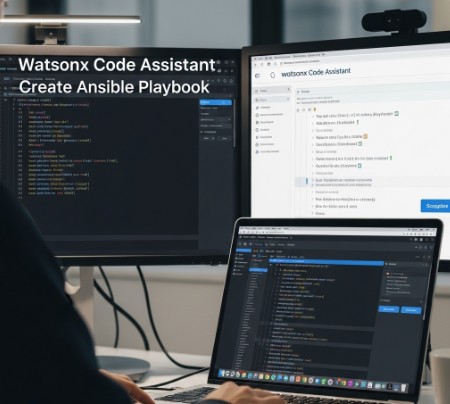
Deepseek Coder Lite: A Comprehensive Guide to Its Applications and Benefits

Introduction

In the world of coding and software development, tools that simplify the process and boost productivity are always in demand. One such tool is the Deepseek Coder Lite. Whether you’re a beginner or a seasoned developer, this tool can streamline your workflow, making it easier to write, debug, and optimize your code. This article will dive deep into the functionality of Deepseek Coder Lite, its applications, and provide useful examples to help you understand how to make the most out of this tool. We’ll also address frequently asked questions and provide an overview of how it can benefit your coding practices.

What is Deepseek Coder Lite?

Overview of Deepseek Coder Lite

Deepseek Coder Lite is a lightweight, yet powerful coding tool designed to assist developers in writing clean, efficient code. It is a streamlined version of its full-featured counterpart, offering core functionalities without overwhelming users with unnecessary complexity. Deepseek Coder Lite aims to simplify the coding process while retaining the features that matter most for development.

Key Features of Deepseek Coder Lite

  • Code Auto-Completion: The tool provides intelligent suggestions for code completion, saving developers time and effort while reducing errors.
  • Error Highlighting and Debugging: Deepseek Coder Lite automatically detects syntax and logical errors, making debugging faster and more efficient.
  • Integrated Development Environment (IDE): The tool includes a basic IDE, offering a smooth interface for writing, running, and testing code.
  • Multi-Language Support: It supports a variety of programming languages, making it suitable for a wide range of projects.
  • User-Friendly Interface: The interface is minimalistic yet functional, designed to ensure that developers can focus on their work without distractions.

How to Use Deepseek Coder Lite

Getting Started with Deepseek Coder Lite

Before diving into coding, you need to set up Deepseek Coder Lite on your system. Here’s a simple guide:

  1. Download and Install:
    • Visit the official Deepseek Coder Lite website to download the software.
    • Follow the on-screen instructions to complete the installation.
  2. Launch the IDE:
    • After installation, launch the Deepseek Coder Lite IDE from your desktop or application folder.
  3. Create a New Project:
    • To start a new project, go to the “File” menu and select “New Project.” Choose the appropriate language and settings for your development.
  4. Start Coding:
    • Begin typing your code in the provided editor. You’ll notice automatic syntax suggestions and error detection as you write.

Basic Code Example in Deepseek Coder Lite

Let’s look at a basic Python example to understand how Deepseek Coder Lite helps streamline the process:

def greet(name):
    print(f"Hello, {name}!")

greet("Deepseek")

In this simple script, Deepseek Coder Lite would automatically highlight syntax errors (if any), offer suggestions, and provide an integrated testing environment to run the code directly.

Advanced Features of Deepseek Coder Lite

Code Refactoring

One of the standout features of Deepseek Coder Lite is its ability to refactor code. This is particularly useful for larger projects where optimizing and cleaning up code can be time-consuming.

Example: Suppose you have the following block of code:

def add(x, y):
    return x + y

def subtract(x, y):
    return x - y

Deepseek Coder Lite can suggest a refactor, such as merging similar functions:

def operate(x, y, operation):
    if operation == "add":
        return x + y
    elif operation == "subtract":
        return x - y

This refactor simplifies the code and makes it more efficient, all with a single suggestion from the tool.

Intelligent Code Suggestions

Deepseek Coder Lite excels at offering intelligent code suggestions based on context. For example, if you’re working in a JavaScript file, it will suggest built-in methods and libraries that can help achieve your goal without you having to search for them manually.

Example: If you’re working with a large dataset in JavaScript and want to find the mean of an array, Deepseek Coder Lite might suggest the use of a library like lodash to simplify the task:

const _ = require('lodash');

let arr = [1, 2, 3, 4, 5];
let mean = _.mean(arr);
console.log(mean);  // Output: 3

Integration with Git

Deepseek Coder Lite allows you to easily integrate with Git repositories for version control. This feature ensures that you can track changes to your code, collaborate with others, and revert back to previous versions if necessary.

FAQ: Frequently Asked Questions about Deepseek Coder Lite

1. What programming languages does Deepseek Coder Lite support?

Deepseek Coder Lite supports a wide range of languages, including but not limited to Python, JavaScript, Java, C++, HTML, and CSS. The tool is continually updated to add support for new languages as well.

2. Is Deepseek Coder Lite free to use?

Yes, Deepseek Coder Lite is free for developers. It provides a lightweight solution for those who need a quick and easy IDE for their coding needs. However, there may be additional premium features available in the full version.

3. Can I collaborate with others using Deepseek Coder Lite?

While Deepseek Coder Lite does not have full collaboration features like cloud-based IDEs, you can still share your code with others through Git integration or by exporting your project files.

4. Is Deepseek Coder Lite suitable for beginners?

Absolutely! Deepseek Coder Lite is an excellent choice for beginners. Its simple interface, error detection, and code completion features help new developers write clean and error-free code with ease.

5. How does Deepseek Coder Lite compare to other IDEs?

Compared to other IDEs, Deepseek Coder Lite is lightweight and focuses on essential features for productivity. It might not have the extensive toolset of more comprehensive platforms, but it makes up for that by being fast, efficient, and user-friendly.

External Resources

To further enhance your understanding of coding and development tools, you can explore the following resources:

Conclusion

In conclusion, Deepseek Coder Lite is a powerful yet accessible tool for developers of all skill levels. Its intuitive interface, intelligent code suggestions, error detection, and multi-language support make it a versatile choice for a wide range of programming tasks. Whether you’re writing simple scripts or working on more complex projects, Deepseek Coder Lite can help streamline your workflow, improve productivity, and reduce the time spent debugging. By incorporating Deepseek Coder Lite into your development toolkit, you’ll be able to code more efficiently and with greater confidence.

The future of coding is all about efficiency, and Deepseek Coder Lite is a tool that can help you achieve that. Thank you for reading the DevopsRoles page!
DeepSeek-Coder-V2: Unleashing the Power of AI Coding and Optimization

Introduction

In the fast-evolving world of software development, tools that enhance coding efficiency are in high demand. DeepSeek-Coder-V2 is one such innovative solution that stands out for its ability to improve coding workflows and automate various aspects of the development process. Whether you are a seasoned developer or a beginner, DeepSeek-Coder-V2 offers a variety of features that can make your coding experience faster, smarter, and more accurate.

In this article, we’ll explore what DeepSeek-Coder-V2 is, its core features, and how it can help optimize your coding processes. From basic functionality to advanced features, we’ll cover a wide range of use cases that showcase the tool’s versatility and power.

What is DeepSeek-Coder-V2?

Overview of DeepSeek-Coder-V2

DeepSeek-Coder-V2 is an advanced AI-powered coding tool designed to streamline and automate tasks that developers regularly encounter. By integrating cutting-edge machine learning models, it enhances the coding experience by offering suggestions, detecting bugs, and automating repetitive coding tasks. The tool supports a variety of programming languages and integrates with popular IDEs (Integrated Development Environments), making it a versatile asset for any developer’s toolkit.

Key Features of DeepSeek-Coder-V2

DeepSeek-Coder-V2 comes with a range of features that cater to different aspects of coding. Some of the core functionalities include:

  • Code Completion: Automatically suggests completions for code as you type, saving time and reducing errors.
  • Code Optimization: Identifies sections of code that can be optimized for better performance.
  • Bug Detection: Flags potential bugs and offers suggestions for fixing them.
  • Language Support: Works with multiple programming languages such as Java, Python, JavaScript, and more.
  • Integration with IDEs: Seamlessly integrates with popular IDEs like Visual Studio Code, IntelliJ IDEA, and Eclipse.
  • Customizable Preferences: Developers can fine-tune settings to suit their coding style and preferences.

By providing real-time feedback and recommendations, DeepSeek-Coder-V2 helps developers write clean, efficient, and error-free code faster.

How Does DeepSeek-Coder-V2 Work?

AI-Powered Coding Assistance

DeepSeek-Coder-V2 uses machine learning and deep learning models to analyze your code and offer intelligent suggestions. These suggestions are based on extensive datasets and previous coding patterns, allowing the tool to predict what the developer might need next. It also provides automatic fixes for common coding errors, enhancing productivity and reducing manual debugging time.

Code Autocompletion and Error Detection

One of the standout features of DeepSeek-Coder-V2 is its autocompletion engine. As developers type, the tool predicts the code’s next segment, helping them write complex code faster. This feature not only speeds up coding but also reduces the chances of syntax errors. Additionally, DeepSeek-Coder-V2 detects errors and warns developers about potential bugs before they become issues, offering quick fixes.

Advanced Code Optimization

DeepSeek-Coder-V2 also includes powerful optimization algorithms that analyze your code’s performance. It identifies inefficiencies in code, such as unnecessary loops or poorly structured logic, and suggests improvements. This optimization can greatly enhance the overall performance of applications and reduce execution time.

Real-Time Collaboration

For teams working on large projects, DeepSeek-Coder-V2 facilitates real-time collaboration. Developers can share their code, receive feedback, and make changes without stepping away from their IDE. This collaborative environment ensures smoother workflows and faster project timelines.

DeepSeek-Coder-V2 in Action: Use Cases

Basic Use Case: Code Completion

For a simple example, let’s say you’re writing a Java program to calculate the factorial of a number. As you start typing the method signature, DeepSeek-Coder-V2 will suggest relevant code snippets and even complete loops or conditional statements for you. This not only saves you time but also ensures your code follows best practices.

public class Factorial {
public static int factorial(int n) {
if (n == 0) {
return 1;
}
return n * factorial(n - 1);
}
}

With DeepSeek-Coder-V2, you’ll receive recommendations on structuring the function and handling edge cases. It even suggests improvements to optimize the recursion.

Advanced Use Case: Bug Detection and Fixing

Let’s say you’ve written a Python script that fetches data from an API. DeepSeek-Coder-V2 can detect issues like missing imports, undefined variables, or inefficient loops. It can suggest fixes such as adding error handling for API requests or using list comprehensions for better performance.

import requests

def fetch_data(url):
response = requests.get(url)
data = response.json()
return data

url = "https://api.example.com/data"
fetch_data(url)

DeepSeek-Coder-V2 might suggest adding a try-except block for better error handling or checking the response status before parsing the data.

Optimizing Code Performance with DeepSeek-Coder-V2

When working on complex projects, optimizing code for performance becomes crucial. DeepSeek-Coder-V2 analyzes your codebase for inefficiencies and suggests ways to enhance execution speed. For example, it might recommend replacing a nested loop with a more efficient data structure or suggest using parallel processing to handle multiple tasks simultaneously.

FAQ Section

1. What programming languages does DeepSeek-Coder-V2 support?

DeepSeek-Coder-V2 supports a wide range of programming languages, including Java, Python, JavaScript, C++, Ruby, and more. The tool adapts to the specific syntax and conventions of each language, offering tailored suggestions and optimizations.

2. How does DeepSeek-Coder-V2 improve code performance?

DeepSeek-Coder-V2 uses AI-driven optimization algorithms to analyze your code and suggest performance improvements. It identifies bottlenecks, redundant code, and inefficient data structures, helping you write faster and more efficient code.

3. Can I use DeepSeek-Coder-V2 with any IDE?

Yes, DeepSeek-Coder-V2 integrates with popular IDEs such as Visual Studio Code, IntelliJ IDEA, Eclipse, and more. This makes it easy to incorporate into your existing development workflow.

4. Is DeepSeek-Coder-V2 suitable for beginners?

Yes, DeepSeek-Coder-V2 is designed for both beginner and advanced developers. It offers features like code completion and error detection, which help new developers learn best practices and write code more efficiently.

5. Can DeepSeek-Coder-V2 collaborate with my team?

Absolutely. DeepSeek-Coder-V2 supports real-time collaboration, allowing teams to share code and receive feedback. This feature streamlines the development process and improves communication among team members.

External Links

To learn more about the importance of code optimization, check out this article on Stack Overflow’s optimization tips.

For more information on integrating AI in software development, visit OpenAI’s guide on AI in programming.

Conclusion

DeepSeek-Coder-V2 is a powerful tool that enhances the coding experience through its intelligent suggestions, bug detection, and optimization features. Whether you’re working on a small project or a large team-based application, this tool can save you time, improve your code quality, and help you stay on top of best practices. By leveraging the power of AI, DeepSeek-Coder-V2 is poised to become an essential asset for developers across the globe. With its seamless integration, real-time collaboration, and extensive language support, DeepSeek-Coder-V2 is truly a game-changer in the world of software development. Thank you for reading the DevopsRoles page!

Deepseek AI: Unlocking the Power of AI-Driven Search

Introduction

In today’s digital landscape, artificial intelligence is revolutionizing how we access and analyze information. One of the most promising AI-driven search tools is Deepseek AI, a powerful technology designed to optimize search functionalities with machine learning and natural language processing (NLP). Whether you’re an individual researcher or a business leveraging AI for efficiency, it offers intelligent, context-aware search solutions.

This guide explores the features, practical applications, benefits, and frequently asked questions to help you leverage its full potential.

What is Deepseek AI?

It is an AI-powered search engine that enhances traditional search methodologies using deep learning and NLP algorithms. Unlike conventional search engines that rely solely on keyword matching, it understands context, intent, and semantics, providing more accurate and relevant results.

Key Features

  • Contextual Understanding – Goes beyond keyword matching to understand the intent behind queries.
  • AI-Powered Insights – Uses machine learning to improve search accuracy over time.
  • Multi-Language Support – Enables searches in multiple languages with high accuracy.
  • Customizable Search Experience – Users can fine-tune results based on specific needs.
  • Scalability – Works for individuals and businesses, adapting to different data sets.

How Deepseek AI Works

1. Data Collection and Processing

Deepseek AI aggregates data from various sources, including structured and unstructured datasets, before processing them using advanced NLP models.

2. Query Understanding

Instead of relying purely on keyword-based queries, Deepseek AI applies semantic search techniques to interpret user intent.

3. AI-Driven Ranking Algorithm

Once a query is processed, Deepseek AI ranks results based on relevance, context, and credibility rather than keyword frequency.

4. Machine Learning Adaptation

Over time, Deepseek AI learns from user interactions, improving its search result precision and relevance dynamically.

Applications of Deepseek AI

1. Academic Research

Deepseek AI helps researchers find relevant studies, papers, and journals by understanding complex academic queries.

2. E-Commerce & Product Search

Retail businesses use Deepseek AI to enhance product discovery, offering personalized recommendations based on customer behavior.

3. Enterprise Search Solutions

Companies integrate Deepseek AI for internal knowledge management, enabling employees to find crucial documents efficiently.

4. Healthcare & Medical Research

Medical professionals use Deepseek AI to analyze patient data, research medical cases, and stay updated with the latest studies.

5. Legal Industry

5. Legal Industry

Examples: How to Use Deepseek AI

Basic Search Example

A user looking for information on climate change can type:

“Impact of climate change on global agriculture.” Deepseek AI retrieves scientifically backed articles rather than generic blog posts.

Advanced Query Example

A data analyst searching for trends in cryptocurrency might use:

“Bitcoin price trend analysis from 2020-2024 with historical comparisons.” Deepseek AI generates relevant financial reports and predictive models instead of random web pages.

Business Use Case Example

A company looking for market trends can search:

“Top consumer behavior trends in e-commerce 2024.” Deepseek AI pulls insightful reports from trusted industry sources.

Benefits of Deepseek AI

  • Improved Search Accuracy – Delivers contextually relevant results.
  • Faster Information Retrieval – Reduces time spent filtering through irrelevant content.
  • Personalized Experience – Customizes results based on user intent and behavior.
  • Scalability – Works efficiently for individuals and enterprises alike.
  • Multi-Industry Use Cases – Applies across diverse fields like healthcare, law, research, and retail.

Frequently Asked Questions (FAQs)

1. Is Deepseek AI free to use?

Deepseek AI may offer both free and premium plans, depending on user needs and feature access.

2. How does Deepseek AI differ from Google Search?

Unlike Google, which prioritizes SEO-based ranking, Deepseek AI focuses on contextual understanding and semantic relevance.

3. Can businesses integrate Deepseek AI into their platforms?

Yes, Deepseek AI offers API solutions for seamless integration with business applications.

4. Does Deepseek AI support voice-based search?

Yes, it supports voice-based search, enabling users to find information using natural speech queries.

5. Is Deepseek AI secure for enterprise use?

Yes, it follows strict data protection and privacy standards, making it safe for business applications.

External Resources

For further exploration, check out these authoritative sources:

Conclusion

It is transforming how we interact with search engines by prioritizing context, accuracy, and user intent. Whether for academic research, business insights, or enterprise knowledge management, its AI-driven approach provides smarter and more relevant search results. As AI continues to evolve, it remains at the forefront of redefining search experiences.

By leveraging this technology, users can enhance productivity, gain deeper insights, and access high-quality information with minimal effort. If you’re looking for a next-generation search experience, it is a game-changer worth exploring. Thank you for reading the DevopsRoles page!
DeepSeek-R1 Models Now Available on AWS: A Comprehensive Guide

Introduction

The advent of DeepSeek-R1 models on AWS has opened new frontiers in artificial intelligence (AI), making it easier for businesses and developers to harness the power of deep learning with high performance and scalability. Whether you’re a data scientist, AI researcher, or enterprise seeking AI-driven solutions, AWS provides a robust and scalable infrastructure to deploy DeepSeek-R1 models efficiently.

This article explores DeepSeek-R1 models now available on AWS, their applications, setup processes, and practical use cases. We will also address frequently asked questions (FAQs) to ensure a smooth deployment experience.

What Are DeepSeek-R1 Models?

It is a state-of-the-art AI model designed for deep learning applications, excelling in tasks such as:

  • Natural Language Processing (NLP) – Chatbots, language translation, and text summarization.
  • Computer Vision – Image recognition, object detection, and automated image captioning.
  • Generative AI – AI-powered content generation and creative applications.
  • Predictive Analytics – AI-driven forecasting in finance, healthcare, and more.

With AWS, users can deploy these models seamlessly, benefiting from optimized compute power, managed AI services, and cost-efficient infrastructure.

Benefits of Deploying DeepSeek-R1 on AWS

1. Scalability & Performance

AWS offers scalable EC2 instances, Amazon SageMaker, and AWS Inferentia-powered instances, enabling users to run AI workloads efficiently.

2. Managed AI Services

AWS integrates with services like Amazon S3, AWS Lambda, and AWS Fargate to streamline data storage, model inference, and automation.

3. Cost-Optimization

Pay-as-you-go pricing with options like AWS Spot Instances and AWS Graviton processors reduces operational costs.

4. Security & Compliance

AWS provides end-to-end encryption, IAM (Identity and Access Management), and compliance with industry standards like HIPAA and GDPR.

Setting Up DeepSeek-R1 Models on AWS

1. Choosing the Right AWS Service

To deploy DeepSeek-R1, select an AWS service based on your requirements:

  • Amazon SageMaker – For fully managed model training and deployment.
  • EC2 Instances (GPU-powered) – For custom deployments.
  • AWS Lambda + API Gateway – For serverless AI inference.

2. Setting Up an AWS Environment

Follow these steps to configure your AWS environment:

  1. Create an AWS Account
  2. Set Up IAM Roles
    • Grant necessary permissions for EC2/SageMaker.
  3. Provision an EC2 Instance
    • Select an appropriate GPU instance (e.g., g4dn.xlarge).
  4. Install Dependencies
    • Set up TensorFlow/PyTorch with the following command:
      • pip install torch torchvision transformers boto3
  5. Download the DeepSeek-R1 Model
    • Fetch pre-trained models from an AI repository:
from transformers import AutoModel
model = AutoModel.from_pretrained("deepseek-r1")

6. Deploy on SageMaker – Use the SageMaker SDK to deploy models.

import sagemaker
from sagemaker.pytorch import PyTorchModel

model = PyTorchModel(model_data="s3://your-model-bucket/model.tar.gz", 
                     role="your-iam-role", framework_version="1.8.1")
predictor = model.deploy(instance_type="ml.g4dn.xlarge")

Use Cases and Examples

1. Text Summarization with DeepSeek-R1 on AWS Lambda

Deploying DeepSeek-R1 for text summarization using AWS Lambda:

import json
import boto3

def lambda_handler(event, context):
    input_text = event["text"]
    summary = deepseek_r1_summarize(input_text)  # Custom function
    return {
        "statusCode": 200,
        "body": json.dumps({"summary": summary})
    }

2. Image Classification with Amazon SageMaker

Using DeepSeek-R1 for image classification with SageMaker:

from sagemaker import get_execution_role
from sagemaker.tensorflow import TensorFlow

role = get_execution_role()
model = TensorFlow(entry_point="train.py", 
                   role=role, 
                   train_instance_type="ml.p2.xlarge")
model.fit({"train": "s3://your-bucket/train-data"})

FAQ Section

1. What are the hardware requirements for DeepSeek-R1 on AWS?

DeepSeek-R1 requires high-performance GPUs like NVIDIA A100/T4 or AWS Inferentia-based instances.

2. Can I deploy DeepSeek-R1 using AWS Lambda?

Yes, AWS Lambda supports lightweight AI inference tasks. However, for deep learning workloads, EC2 or SageMaker is recommended.

3. How do I optimize costs when deploying DeepSeek-R1?

  • Use Spot Instances for cost savings.
  • Leverage AWS Savings Plans for predictable workloads.
  • Choose AWS Inferentia-based instances for efficient AI inference.

4. Is there a free tier option for DeepSeek-R1 on AWS?

AWS Free Tier provides limited compute credits for SageMaker, but GPU-based workloads typically require a paid plan.

5. How do I scale DeepSeek-R1 workloads on AWS?

AWS provides Auto Scaling, Elastic Load Balancing, and Batch Processing via AWS Batch to handle high-demand AI applications.

External Resources

Conclusion

Deploying DeepSeek-R1 models on AWS provides unparalleled advantages in AI development, offering scalability, efficiency, and cost-effectiveness. With AWS’s extensive AI infrastructure, businesses can integrate AI capabilities seamlessly into their workflows. By leveraging Amazon SageMaker, EC2 GPU instances, and AWS Lambda, users can optimize model training and inference for various applications.

By following the guidelines in this article, you can successfully deploy and manage DeepSeek-R1 models on AWS, unlocking new AI possibilities for your organization. Thank you for reading the DevopsRoles page!

Automating Server Configuration with Ansible

Introduction

Managing servers manually is time-consuming and prone to errors, especially in large-scale environments. Ansible, a powerful open-source IT automation tool, revolutionizes server configuration by providing a simple, agentless, and declarative approach to automation. In this article, we explore how to streamline server configuration with Ansible, offering practical examples, expert insights, and answers to common questions.

Why Use Ansible for Server Configuration?

Key Benefits of Ansible

  1. Agentless Architecture: No need to install additional software on managed nodes.
  2. Ease of Use: Uses human-readable YAML syntax.
  3. Scalability: Manages hundreds of servers effortlessly.
  4. Cross-Platform Compatibility: Supports Linux, Windows, and cloud infrastructures.
  5. Idempotency: Ensures consistent configuration regardless of execution frequency.

Use Cases for Ansible in Server Configuration

  • Software Installation: Automate the deployment of software packages.
  • User Management: Add, modify, or delete user accounts.
  • System Updates: Ensure servers are updated with the latest patches.
  • Service Management: Configure and monitor essential services like Apache or MySQL.

Getting Started with Ansible

Prerequisites

  1. Control Node: A machine with Ansible installed.
  2. Managed Nodes: Servers you want to configure.
  3. Python: Ensure Python is installed on all nodes.

Installing Ansible To install Ansible on a Linux control node, run:

sudo apt update
sudo apt install ansible -y

Setting Up Inventory File Create an inventory file to define your managed nodes:

[webservers]
192.168.1.10
192.168.1.11

[dbservers]
192.168.1.20

Automating Server Configuration with Ansible: Examples

Basic Example – Installing Apache Create a playbook install_apache.yml:

---
- name: Install Apache on Web Servers
  hosts: webservers
  become: yes
  tasks:
    - name: Ensure Apache is installed
      apt:
        name: apache2
        state: present

    - name: Start and enable Apache
      service:
        name: apache2
        state: started
        enabled: yes

Run the playbook:

ansible-playbook install_apache.yml

Intermediate Example – Configuring Users Create a playbook user_management.yml:

---
- name: Manage Users
  hosts: all
  become: yes
  tasks:
    - name: Create a user group
      group:
        name: developers

    - name: Add a user to the group
      user:
        name: john
        groups: developers
        state: present

Run the playbook:

ansible-playbook user_management.yml

Advanced Example – Deploying a Web Application Create a playbook deploy_app.yml:

---
- name: Deploy Web Application
  hosts: webservers
  become: yes
  tasks:
    - name: Install dependencies
      apt:
        name:
          - python3-pip
          - python3-venv
        state: present

    - name: Clone the repository
      git:
        repo: 'https://github.com/example/app.git'
        dest: /var/www/app

    - name: Set up virtual environment
      command: python3 -m venv /var/www/app/venv

    - name: Install application requirements
      pip:
        requirements: /var/www/app/requirements.txt
        virtualenv: /var/www/app/venv

    - name: Configure systemd service
      copy:
        dest: /etc/systemd/system/app.service
        content: |
          [Unit]
          Description=Gunicorn instance to serve app
          After=network.target

          [Service]
          User=www-data
          Group=www-data
          WorkingDirectory=/var/www/app
          ExecStart=/var/www/app/venv/bin/gunicorn -w 3 -b 0.0.0.0:8000 wsgi:app

          [Install]
          WantedBy=multi-user.target

    - name: Start the application service
      systemd:
        name: app
        state: started
        enabled: yes

Run the playbook:

ansible-playbook deploy_app.yml

FAQ

Frequently Asked Questions

What is Ansible? Ansible is an open-source IT automation tool that simplifies tasks like configuration management, application deployment, and task automation.

How does Ansible differ from other tools like Puppet or Chef? Unlike Puppet or Chef, Ansible uses an agentless architecture, relies on YAML for configurations, and is simpler to set up and use.

Do I need programming skills to use Ansible? Basic familiarity with YAML and server management is sufficient to get started with Ansible.

Can Ansible manage Windows servers? Yes, Ansible supports Windows server management using modules like winrm and psrp.

External Resources

Conclusion

Automating server configuration with Ansible is a game-changer for IT administrators. Its simplicity, flexibility, and power make it an essential tool for managing modern infrastructure. Whether you’re installing software, managing users, or deploying applications, Ansible offers a streamlined approach to automation. Start exploring Ansible today and transform your server management processes!Thank you for reading the DevopsRoles page!

Kubernetes Cost Monitoring: Mastering Cost Efficiency in Kubernetes Clusters

Introduction

Kubernetes has revolutionized the way organizations deploy and manage containerized applications. However, as powerful as Kubernetes is, it comes with its own set of challenges, particularly in cost management. For organizations running large-scale Kubernetes clusters, the costs can spiral out of control without proper monitoring and optimization.

This guide explores the intricacies of Kubernetes cost monitoring, equipping you with tools, techniques, and best practices to maintain budget control while leveraging Kubernetes’ full potential.

Why Kubernetes Cost Monitoring Matters

Efficient Kubernetes cost monitoring ensures that your cloud expenses align with your organization’s budget. Without visibility into usage and spending, businesses risk:

  • Overspending on underutilized resources.
  • Misallocation of budget across teams or projects.
  • Inefficiencies due to unoptimized workloads.

Effective cost monitoring empowers businesses to:

  • Reduce unnecessary expenses.
  • Allocate resources more efficiently.
  • Enhance transparency and accountability in cloud spending.

Key Concepts in Kubernetes Cost Monitoring

Kubernetes Cluster Resources

To understand costs in Kubernetes, it’s essential to grasp the core components that drive expenses:

  1. Compute Resources: CPU and memory allocated to pods and nodes.
  2. Storage: Persistent volumes and ephemeral storage.
  3. Networking: Data transfer costs between services or external endpoints.

Cost Drivers in Kubernetes

Key factors influencing Kubernetes costs include:

  • Cluster Size: Number of nodes and their specifications.
  • Workload Characteristics: Resource demands of running applications.
  • Cloud Provider Pricing: Variations in pricing for compute, storage, and networking.

Tools for Kubernetes Cost Monitoring

Several tools simplify cost monitoring in Kubernetes clusters. Here are the most popular ones:

1. Kubecost

Kubecost provides real-time cost visibility and insights for Kubernetes environments. Key features include:

  • Cost allocation for namespaces, deployments, and pods.
  • Integration with cloud billing APIs for accurate tracking.
  • Alerts for budget thresholds.

2. Cloud Provider Native Tools

Most cloud providers offer native tools for cost monitoring:

  • AWS Cost Explorer: Helps analyze AWS Kubernetes (EKS) costs.
  • Google Cloud Billing Reports: Monitors GKE costs.
  • Azure Cost Management: Tracks AKS expenses.

3. OpenCost

OpenCost is an open-source project designed to provide detailed cost tracking in Kubernetes environments. Features include:

  • Support for multi-cluster monitoring.
  • Open-source community contributions.
  • Transparent cost allocation algorithms.

4. Prometheus and Grafana

While not dedicated cost monitoring tools, Prometheus and Grafana can be configured to visualize cost metrics when integrated with custom exporters or billing data.

Implementing Kubernetes Cost Monitoring

Step 1: Understand Your Resource Usage

  • Use tools like kubectl top to monitor real-time CPU and memory usage.
  • Analyze historical usage data with Prometheus.

Step 2: Set Up Cost Monitoring Tools

  1. Deploy Kubecost:
    • Install Kubecost using Helm:
      • helm repo add kubecost https://kubecost.github.io/cost-analyzer/
      • helm install kubecost kubecost/cost-analyzer -n kubecost --create-namespace
    • Access the Kubecost dashboard for real-time insights.
  2. Integrate Cloud Billing APIs:
    • Link your Kubernetes monitoring tools with cloud provider APIs for accurate cost tracking.

Step 3: Optimize Resource Usage

  • Right-size your pods using Vertical Pod Autoscaler (VPA).
  • Implement Horizontal Pod Autoscaler (HPA) for dynamic scaling.
  • Leverage spot instances or preemptible VMs for cost savings.

Advanced Kubernetes Cost Monitoring Strategies

Granular Cost Allocation

  • Tag resources by team or project for detailed billing.
  • Use annotations in Kubernetes manifests to assign cost ownership:
metadata:
  annotations:
    cost-center: "team-A"

    Multi-Cluster Cost Analysis

    For organizations running multiple clusters:

    • Aggregate data from all clusters into a centralized monitoring tool.
    • Use OpenCost for open-source multi-cluster support.

    Predictive Cost Management

    • Implement machine learning models to predict future costs based on historical data.
    • Automate scaling policies to prevent over-provisioning.

    Frequently Asked Questions

    1. What is Kubernetes cost monitoring?

    Kubernetes cost monitoring involves tracking and optimizing expenses associated with running Kubernetes clusters, including compute, storage, and networking resources.

    2. Which tools are best for Kubernetes cost monitoring?

    Popular tools include Kubecost, OpenCost, AWS Cost Explorer, Google Cloud Billing Reports, and Prometheus.

    3. How can I reduce Kubernetes costs?

    Optimize costs by right-sizing pods, using autoscaling features, leveraging spot instances, and monitoring usage regularly.

    4. Can I monitor costs for multiple clusters?

    Yes, tools like OpenCost and cloud-native solutions support multi-cluster cost analysis.

    5. Is cost monitoring available for on-premises Kubernetes clusters?

    Yes, tools like Kubecost and Prometheus can be configured for on-premises environments.

    External Links

    Conclusion

    Kubernetes cost monitoring is essential for maintaining financial control and optimizing resource usage. By leveraging tools like Kubecost and OpenCost and implementing best practices such as granular cost allocation and predictive analysis, businesses can achieve efficient and cost-effective Kubernetes operations. Stay proactive in monitoring, and your Kubernetes clusters will deliver unparalleled value without overshooting your budget.Thank you for reading the DevopsRoles page!

    Kubernetes HPA: A Comprehensive Guide to Horizontal Pod Autoscaling

    Introduction

    Kubernetes Horizontal Pod Autoscaler (HPA) is a powerful feature designed to dynamically scale the number of pods in a deployment or replication controller based on observed CPU, memory usage, or other custom metrics. By automating the scaling process, Kubernetes HPA ensures optimal resource utilization and application performance, making it a crucial tool for managing workloads in production environments.

    In this guide, we’ll explore how Kubernetes HPA works, its configuration, and how you can leverage it to optimize your applications. Let’s dive into the details of Kubernetes HPA with examples, best practices, and frequently asked questions.

    What is Kubernetes HPA?

    The Kubernetes Horizontal Pod Autoscaler (HPA) adjusts the number of pods in a replication controller, deployment, or replica set based on metrics such as:

    • CPU Utilization: Scale up/down based on average CPU consumption.
    • Memory Utilization: Adjust pod count based on memory usage.
    • Custom Metrics: Leverage application-specific metrics through integrations.

    HPA continuously monitors your workload’s resource consumption, ensuring that your application scales efficiently under varying loads.

    How Does Kubernetes HPA Work?

    HPA Components

    Kubernetes HPA relies on the following components:

    1. Metrics Server: A lightweight aggregator that collects resource metrics (e.g., CPU, memory) from the kubelet on each node.
    2. Controller Manager: Houses the HPA controller, which evaluates scaling requirements based on specified metrics.
    3. Custom Metrics Adapter: Enables the use of custom application metrics for scaling.

    Key Features

    • Dynamic Scaling: Automatic adjustment of pods based on defined thresholds.
    • Resource Optimization: Ensures efficient resource allocation by scaling workloads.
    • Extensibility: Supports custom metrics for complex scaling logic.

    Setting Up Kubernetes HPA

    Prerequisites

    1. A running Kubernetes cluster (v1.18 or later recommended).
    2. The Metrics Server installed and operational.
    3. Resource requests and limits defined for your workloads.

    Step-by-Step Guide

    Step 1: Verify Metrics Server

    Ensure that the Metrics Server is deployed:

    kubectl get deployment metrics-server -n kube-system

    If it’s not present, install it using:

    kubectl apply -f https://github.com/kubernetes-sigs/metrics-server/releases/latest/download/components.yaml

    Step 2: Define Resource Requests and Limits

    HPA relies on resource requests to calculate scaling. Define these in your deployment manifest:

    resources:
      requests:
        cpu: 100m
        memory: 128Mi
      limits:
        cpu: 200m
        memory: 256Mi

    Step 3: Create an HPA Object

    Use the kubectl autoscale command or a YAML manifest. For example, to scale based on CPU utilization:

    kubectl autoscale deployment my-app --cpu-percent=50 --min=2 --max=10

    Or define it in a YAML file:

    apiVersion: autoscaling/v2
    kind: HorizontalPodAutoscaler
    metadata:
      name: my-app-hpa
    spec:
      scaleTargetRef:
        apiVersion: apps/v1
        kind: Deployment
        name: my-app
      minReplicas: 2
      maxReplicas: 10
      metrics:
        - type: Resource
          resource:
            name: cpu
            target:
              type: Utilization
              averageUtilization: 50

    Apply the configuration:

    kubectl apply -f hpa.yaml

    Advanced Scenarios

    Scaling Based on Memory Usage

    Modify the metrics section to target memory utilization:

    metrics:
      - type: Resource
        resource:
          name: memory
          target:
            type: Utilization
            averageUtilization: 70

    Using Custom Metrics

    Integrate Prometheus or a similar monitoring tool for custom metrics:

    1.Install Prometheus Adapter:

    helm install prometheus-adapter prometheus-community/prometheus-adapter

    2.Update the HPA configuration to include custom metrics:

    metrics:
      - type: Pods
        pods:
          metricName: http_requests_per_second
          target:
            type: AverageValue
            averageValue: "100"

    Scaling Multiple Metrics

    Combine CPU and custom metrics for robust scaling:

    metrics:
      - type: Resource
        resource:
          name: cpu
          target:
            type: Utilization
            averageUtilization: 60
      - type: Pods
        pods:
          metricName: custom_metric
          target:
            type: AverageValue
            averageValue: "200"

    Best Practices for Kubernetes HPA

    1. Define Accurate Resource Requests: Ensure pods have well-calibrated resource requests and limits for optimal scaling.
    2. Monitor Metrics Regularly: Use tools like Prometheus and Grafana for real-time insights.
    3. Avoid Over-Scaling: Set realistic minimum and maximum replica counts.
    4. Test Configurations: Validate HPA behavior under different loads in staging environments.
    5. Use Multiple Metrics: Combine resource and custom metrics for robust scaling logic.

    FAQs

    What is the minimum Kubernetes version required for HPA v2?

    HPA v2 requires Kubernetes v1.12 or later, with enhancements available in newer versions.

    How often does the HPA controller evaluate metrics?

    By default, the HPA controller evaluates metrics and scales pods every 15 seconds.

    Can HPA work without the Metrics Server?

    No, the Metrics Server is a prerequisite for resource-based autoscaling. For custom metrics, you’ll need additional tools like Prometheus Adapter.

    What happens if resource limits are not defined?

    HPA won’t function properly without resource requests, as it relies on these metrics to calculate scaling thresholds.

    External Resources

    1. Kubernetes Official Documentation on HPA
    2. Metrics Server Installation Guide
    3. Prometheus Adapter for Kubernetes

    Conclusion

    Kubernetes HPA is a game-changer for managing dynamic workloads, ensuring optimal resource utilization, and maintaining application performance. By mastering its configuration and leveraging advanced features like custom metrics, you can scale your applications efficiently to meet the demands of modern cloud environments.

    Implement the practices and examples shared in this guide to unlock the full potential of Kubernetes HPA and keep your cluster performing at its peak. Thank you for reading the DevopsRoles page!
    Kubernetes Autoscaling: A Comprehensive Guide

    Introduction

    Kubernetes autoscaling is a powerful feature that optimizes resource utilization and ensures application performance under varying workloads. By dynamically adjusting the number of pods or the resource allocation, Kubernetes autoscaling helps maintain seamless operations and cost efficiency in cloud environments. This guide delves into the mechanisms, configurations, and best practices for Kubernetes autoscaling, equipping you with the knowledge to harness its full potential.

    What is Kubernetes Autoscaling?

    Kubernetes autoscaling refers to the capability of Kubernetes to automatically adjust the scale of resources to meet application demand. The main types of autoscaling in Kubernetes include:

    • Horizontal Pod Autoscaler (HPA): Adjusts the number of pods in a deployment or replica set based on CPU, memory, or custom metrics.
    • Vertical Pod Autoscaler (VPA): Modifies the CPU and memory requests/limits for pods to optimize their performance.
    • Cluster Autoscaler: Scales the number of nodes in a cluster based on pending pods and resource needs.

    Why is Kubernetes Autoscaling Important?

    • Cost Efficiency: Avoid over-provisioning by scaling resources only when necessary.
    • Performance Optimization: Meet application demands during traffic spikes or resource constraints.
    • Operational Simplicity: Automate resource adjustments without manual intervention.

    Types of Kubernetes Autoscaling

    Horizontal Pod Autoscaler (HPA)

    The HPA adjusts the number of pods in a deployment, replica set, or stateful set based on observed metrics. Common use cases include scaling web servers during traffic surges or batch processing workloads.

    Key Features:

    • Metrics-based scaling (e.g., CPU, memory, or custom metrics via the Metrics Server).
    • Configurable thresholds to define scaling triggers.

    How to Configure HPA:

    1. Install Metrics Server: Ensure that Metrics Server is running in your cluster.
    2. Define an HPA Resource: Create an HPA resource using kubectl or YAML files.
    3. Apply Configuration: Deploy the HPA configuration to the cluster.

    Example: YAML configuration for HPA:

    apiVersion: autoscaling/v2
    kind: HorizontalPodAutoscaler
    metadata:
      name: my-app-hpa
    spec:
      scaleTargetRef:
        apiVersion: apps/v1
        kind: Deployment
        name: my-app
      minReplicas: 2
      maxReplicas: 10
      metrics:
      - type: Resource
        resource:
          name: cpu
          target:
            type: Utilization
            averageUtilization: 50

    Vertical Pod Autoscaler (VPA)

    The VPA adjusts the resource requests and limits for pods to ensure optimal performance under changing workloads.

    Key Features:

    • Automatic adjustments for CPU and memory.
    • Three update modes: Off, Initial, and Auto.

    How to Configure VPA:

    1. Install VPA Components: Deploy the VPA controller to your cluster.
    2. Define a VPA Resource: Specify the VPA configuration using YAML.
    3. Apply Configuration: Deploy the VPA resource to the cluster.

    Example: YAML configuration for VPA:

    apiVersion: autoscaling.k8s.io/v1
    kind: VerticalPodAutoscaler
    metadata:
      name: my-app-vpa
    spec:
      targetRef:
        apiVersion: apps/v1
        kind: Deployment
        name: my-app
      updatePolicy:
        updateMode: "Auto"

    Cluster Autoscaler

    The Cluster Autoscaler scales the number of nodes in a cluster to accommodate pending pods or free up unused nodes.

    Key Features:

    • Works with major cloud providers like AWS, GCP, and Azure.
    • Automatically removes underutilized nodes to save costs.

    How to Configure Cluster Autoscaler:

    1. Install Cluster Autoscaler: Deploy the Cluster Autoscaler to your cloud provider’s Kubernetes cluster.
    2. Set Node Group Parameters: Configure min/max node counts and scaling policies.
    3. Monitor Scaling Events: Use logs and metrics to track scaling behavior.

    Examples of Kubernetes Autoscaling in Action

    Example 1: Scaling a Web Application with HPA

    Imagine a scenario where your web application experiences sudden traffic spikes during promotional events. By using HPA, you can ensure that additional pods are deployed to handle the increased load.

    1. Deploy the application:
      • kubectl apply -f web-app-deployment.yaml
    2. Configure HPA:
      • kubectl autoscale deployment web-app --cpu-percent=60 --min=2 --max=10
    3. Verify scaling:
      • kubectl get hpa

    Example 2: Optimizing Resource Usage with VPA

    For resource-intensive applications like machine learning models, VPA can adjust resource allocations based on usage patterns.

    1. Deploy the application:
      • kubectl apply -f ml-app-deployment.yaml
    2. Configure VPA:
      • kubectl apply -f ml-app-vpa.yaml
    3. Monitor scaling events:
      • kubectl describe vpa ml-app

    Example 3: Adjusting Node Count with Cluster Autoscaler

    For clusters running on GCP:

    1. Enable autoscaling:
      • gcloud container clusters update my-cluster --enable-autoscaling --min-nodes=1 --max-nodes=10
    2. Deploy workload:
      • kubectl apply -f batch-job.yaml
    3. Monitor node scaling:
      • kubectl get nodes

    Frequently Asked Questions

    1. What metrics can be used with HPA?

    HPA supports CPU, memory, and custom application metrics (e.g., request latency).

    2. How does VPA handle resource conflicts?

    VPA ensures resource allocation is optimized but does not override user-defined limits.

    3. Is Cluster Autoscaler available for on-premise clusters?

    Cluster Autoscaler primarily supports cloud-based environments but can work with custom on-prem setups.

    4. Can HPA and VPA be used together?

    Yes, HPA and VPA can work together, but careful configuration is required to avoid conflicts.

    5. What tools are needed to monitor autoscaling?

    Popular tools include Prometheus, Grafana, and Kubernetes Dashboard.

    External Resources

    Conclusion

    Kubernetes autoscaling is a vital feature for maintaining application performance and cost efficiency. By leveraging HPA, VPA, and Cluster Autoscaler, you can dynamically adjust resources to meet workload demands. Implementing these tools with best practices ensures your applications run seamlessly in any environment. Start exploring Kubernetes autoscaling today to unlock its full potential! Thank you for reading the DevopsRoles page!

    Devops Tutorial

    Exit mobile version