Understanding and Combating Docker Zombie Malware

The containerization revolution, spearheaded by Docker, has transformed software development and deployment. However, this technological advancement isn’t without its vulnerabilities. A particularly insidious threat emerging in this landscape is Docker Zombie Malware. This malware leverages the inherent characteristics of Docker containers to persist, spread, and remain undetected, posing a significant risk to system security and stability. This comprehensive guide will delve into the intricacies of Docker Zombie Malware, exploring its mechanisms, detection methods, and mitigation strategies to help you safeguard your containerized environments.

Understanding the Mechanics of Docker Zombie Malware

Docker Zombie Malware, unlike traditional malware, doesn’t necessarily aim for immediate destructive actions. Instead, it focuses on establishing a persistent presence within the Docker ecosystem, often acting as a covert backdoor for future malicious activity. This stealthy approach makes detection challenging.

How Docker Zombies Operate

  • Exploiting Vulnerabilities: Many Docker Zombie Malware infections begin by exploiting vulnerabilities in the Docker daemon, Docker images, or host operating system. This allows the malware to gain initial access and establish itself.
  • Container Injection: Once inside, the malware can inject itself into existing containers or create new, compromised containers. These containers might appear legitimate, masking the malicious activity within.
  • Persistence Mechanisms: The malware uses various techniques to ensure persistence, including modifying Docker configuration files, leveraging cron jobs or systemd services, and embedding itself within Docker image layers.
  • Network Communication: Compromised containers often establish covert communication channels with command-and-control (C&C) servers, enabling the attacker to remotely control the infected system and download further payloads.
  • Data Exfiltration: Docker Zombie Malware can be used to steal sensitive data stored within containers or on the host system. This data might include source code, credentials, and other confidential information.

Types of Docker Zombie Malware

While specific malware strains vary, they share common characteristics. They might:

  • Create hidden containers: Using obfuscation techniques to make their presence hard to detect.
  • Modify existing images: Secretly injecting malicious code into legitimate images.
  • Leverage rootkits: To further hide their activities and evade detection by security tools.

Detecting Docker Zombie Malware: A Multi-Layered Approach

Detecting Docker Zombie Malware requires a proactive and multi-layered approach.

Regular Security Audits

Regularly audit your Docker environment for suspicious activity. This includes:

  • Inspecting running containers and their processes.
  • Analyzing Docker logs for unusual network connections or file modifications.
  • Reviewing Docker image metadata for potential malicious code.

Intrusion Detection Systems (IDS)

Implement an IDS specifically designed for containerized environments. These systems can monitor network traffic and system calls for malicious patterns indicative of Docker Zombie Malware.

Security Information and Event Management (SIEM)

A SIEM system can centralize security logs from various sources, including your Docker environment, enabling easier correlation of events and detection of suspicious activity.

Vulnerability Scanning

Regularly scan your Docker images and host systems for known vulnerabilities. Patching vulnerabilities promptly is crucial in preventing Docker Zombie Malware infections.

Mitigating the Threat of Docker Zombie Malware

A robust security posture is essential to combat Docker Zombie Malware.

Image Security Best Practices

  • Use trusted image registries: Utilize official and reputable sources for Docker images to minimize the risk of compromised images.
  • Regularly update images: Keep your Docker images up-to-date with the latest security patches.
  • Image scanning: Employ automated image scanning tools to detect vulnerabilities and malware before deployment.
  • Minimalist images: Use images with only the necessary components to reduce the attack surface.

Docker Daemon Hardening

Secure your Docker daemon by:

  • Restricting access: Limit access to the Docker daemon to authorized users only.
  • Using non-root users: Avoid running Docker as the root user.
  • Enabling Docker content trust: Utilize Docker Content Trust to verify the integrity of images.
  • Regular updates: Keep the Docker daemon updated with the latest security patches.

Network Security

Implement strong network security measures, including:

  • Firewalls: Use firewalls to control network traffic to and from your Docker containers.
  • Network segmentation: Isolate your Docker containers from other sensitive systems.
  • Intrusion Prevention Systems (IPS): Deploy an IPS to actively block malicious traffic.

Docker Zombie Malware: Advanced Detection Techniques

Beyond basic detection, more advanced techniques are vital for identifying sophisticated Docker Zombie Malware. This requires a deeper understanding of container internals and system behavior.

Behavioral Analysis

Monitor container behavior for anomalies. This includes unexpected network activity, file modifications, or process executions. Machine learning can play a crucial role in identifying subtle deviations from normal behavior.

Memory Forensics

Analyze the memory of compromised containers to identify malicious code or processes that might be hidden in memory. This often requires specialized memory analysis tools.

Static and Dynamic Analysis

Perform static and dynamic analysis of Docker images to identify malicious code embedded within the image layers. Static analysis examines the image’s code without execution, while dynamic analysis monitors its behavior during execution.

Frequently Asked Questions

What are the common symptoms of a Docker Zombie Malware infection?

Common symptoms include unusual network activity from containers, unexpected resource consumption, slow performance, and unexplained changes to Docker configuration files. Also, be wary of any newly created containers you haven’t authorized.

How can I prevent Docker Zombie Malware from infecting my system?

Proactive measures are crucial. This includes using trusted images, regularly updating your Docker daemon and images, implementing strong access controls, and using security tools like IDS and SIEM systems.

What should I do if I suspect a Docker Zombie Malware infection?

Immediately isolate the affected system from your network. Conduct a thorough investigation, analyzing logs and using security tools to identify the malware. Consider engaging a security expert for assistance.

Are there any tools specifically designed for Docker security?

Yes, several tools are available to assist in Docker security, including Clair (for vulnerability scanning), Anchore Engine (for image analysis), and Sysdig (for container monitoring and security).

How often should I scan my Docker images for vulnerabilities?

Regular and frequent scanning is crucial. The frequency depends on how often you update your images and the sensitivity of your applications, but daily or at least weekly scanning is recommended.

Conclusion

Docker Zombie Malware presents a serious threat to the security and stability of containerized environments. By understanding its mechanisms, implementing robust security practices, and utilizing advanced detection techniques, you can significantly mitigate the risks associated with this insidious form of malware. Remember, proactive security is paramount in preventing and responding to Docker Zombie Malware infections. A layered security approach, combining best practices, regular audits, and advanced detection tools, is vital for maintaining a secure Docker environment. Thank you for reading the DevopsRoles page!

Docker Security Best Practices
What are containers?
Global Cybersecurity Market Report

Microservices Docker Kubernetes: A Comprehensive Guide

Building and deploying modern applications presents unique challenges. Traditional monolithic architectures struggle with scalability, maintainability, and deployment speed. Enter Microservices Docker Kubernetes, a powerful combination that addresses these issues head-on. This guide delves into the synergy between microservices, Docker, and Kubernetes, providing a comprehensive understanding of how they work together to streamline application development and deployment. We’ll cover everything from the fundamentals to advanced concepts, enabling you to confidently leverage this technology stack for your next project.

Understanding Microservices Architecture

Microservices architecture breaks down a large application into smaller, independent services. Each service focuses on a specific business function, allowing for greater modularity and flexibility. This approach offers several key advantages:

  • Improved Scalability: Individual services can be scaled independently based on demand.
  • Enhanced Maintainability: Smaller codebases are easier to understand, modify, and maintain.
  • Faster Deployment Cycles: Changes to one service don’t require redeploying the entire application.
  • Technology Diversity: Different services can use different technologies best suited for their specific tasks.

However, managing numerous independent services introduces its own set of complexities. This is where Docker and Kubernetes come into play.

Docker: Containerization for Microservices

Docker simplifies the packaging and deployment of microservices using containers. A Docker container packages an application and its dependencies into a single unit, ensuring consistent execution across different environments. This eliminates the “it works on my machine” problem, a common frustration in software development. Key Docker benefits in a Microservices Docker Kubernetes context include:

  • Portability: Containers run consistently across various platforms (development, testing, production).
  • Isolation: Containers isolate applications and their dependencies, preventing conflicts.
  • Lightweight: Containers are more lightweight than virtual machines, optimizing resource usage.
  • Version Control: Docker images can be versioned and managed like code, simplifying deployments and rollbacks.

Example: Dockerizing a Simple Microservice

Let’s consider a simple “Hello World” microservice written in Python:

This Dockerfile builds a Docker image containing the Python application and its dependencies. You can then build and run the image using the following commands:

from flask import Flask

app = Flask(__name__)

@app.route("/")
def hello():
    return "Hello, World!"

if __name__ == "__main__":
    app.run(debug=True, host='0.0.0.0', port=5000)

To Dockerize this, create a Dockerfile:

FROM python:3.9-slim-buster

WORKDIR /app

COPY requirements.txt .
RUN pip install --no-cache-dir -r requirements.txt

COPY . .

CMD ["python", "app.py"]

This Dockerfile builds a Docker image containing the Python application and its dependencies. You can then build and run the image using the following commands:

docker build -t hello-world .
docker run -p 5000:5000 hello-world

Microservices Docker Kubernetes: Orchestration with Kubernetes

While Docker simplifies containerization, managing numerous containers across multiple hosts requires a robust orchestration system. Kubernetes excels in this role. Kubernetes automates the deployment, scaling, and management of containerized applications. In the context of Microservices Docker Kubernetes, Kubernetes provides:

  • Automated Deployment: Kubernetes automates the deployment of containers across a cluster of machines.
  • Self-Healing: Kubernetes monitors containers and automatically restarts or replaces failed ones.
  • Horizontal Scaling: Kubernetes scales applications up or down based on demand.
  • Service Discovery: Kubernetes provides a service discovery mechanism, allowing microservices to easily find each other.
  • Load Balancing: Kubernetes distributes traffic across multiple instances of a service.

Kubernetes Deployment Example

A typical Kubernetes deployment manifest (YAML) for our “Hello World” microservice looks like this:


apiVersion: apps/v1
kind: Deployment
metadata:
name: hello-world-deployment
spec:
replicas: 3
selector:
matchLabels:
app: hello-world
template:
metadata:
labels:
app: hello-world
spec:
containers:
- name: hello-world-container
image: hello-world
ports:
- containerPort: 5000

This YAML file defines a deployment that creates three replicas of our “Hello World” microservice. You can apply this configuration using kubectl apply -f deployment.yaml.

Advanced Concepts in Microservices Docker Kubernetes

Building robust Microservices Docker Kubernetes deployments requires understanding more advanced concepts:

1. Ingress Controllers

Ingress controllers manage external access to your Kubernetes cluster, routing traffic to specific services. Popular options include Nginx and Traefik.

2. Service Meshes

Service meshes like Istio and Linkerd provide advanced capabilities like traffic management, security, and observability for microservices running in Kubernetes.

3. CI/CD Pipelines

Continuous Integration/Continuous Delivery (CI/CD) pipelines automate the build, test, and deployment process, improving efficiency and reducing errors. Tools like Jenkins, GitLab CI, and CircleCI integrate well with Docker and Kubernetes.

4. Monitoring and Logging

Effective monitoring and logging are crucial for maintaining a healthy and performant microservices architecture. Tools like Prometheus, Grafana, and Elasticsearch provide valuable insights into your application’s behavior.

Frequently Asked Questions

Q1: What are the benefits of using Docker and Kubernetes together?

Docker provides consistent containerized environments, while Kubernetes orchestrates those containers across a cluster, automating deployment, scaling, and management. This combination enables efficient and scalable microservices deployments.

Q2: Is Kubernetes suitable for all applications?

While Kubernetes is powerful, it might be overkill for small applications or those with simple deployment requirements. For simpler needs, simpler container orchestration solutions might be more appropriate.

Q3: How do I choose the right Kubernetes distribution?

Various Kubernetes distributions exist, including managed services (GKE, AKS, EKS) and self-hosted options (Rancher, Kubeadm). The choice depends on your infrastructure needs, budget, and expertise. Managed services often simplify operations but might be more expensive.

Q4: What are some common challenges when migrating to a microservices architecture?

Migrating to microservices can be complex, requiring careful planning and execution. Challenges include increased operational overhead, inter-service communication, data consistency, and monitoring complexity. A phased approach is often recommended.

Conclusion

Implementing a successful Microservices Docker Kubernetes architecture requires careful consideration of various factors. Understanding the strengths and weaknesses of each component – microservices for application design, Docker for containerization, and Kubernetes for orchestration – is crucial. By combining these technologies, you can create highly scalable, resilient, and maintainable applications. Remember to start with a well-defined strategy, focusing on incremental improvements and continuous learning as you build and deploy your microservices. Mastering Microservices Docker Kubernetes is a journey, not a destination, so embrace the learning process and leverage the vast resources available to optimize your workflow.

For further reading, refer to the official Kubernetes documentation here and Docker documentation here. Understanding the intricacies of service meshes is also highly recommended, and you can find more information about Istio here.Thank you for reading the DevopsRoles page!

Unlocking Docker Desktop’s Power: A No-Coding Guide

Docker has revolutionized software development and deployment, but its command-line interface can seem intimidating to non-programmers. This comprehensive guide demonstrates how to leverage the power of Docker Desktop no coding, making containerization accessible to everyone, regardless of their programming skills. We’ll explore various techniques to build, run, and manage containers without writing a single line of code, empowering you to streamline your workflows and simplify your applications.

Understanding Docker Desktop Without Coding

The core concept behind Docker Desktop no coding is utilizing pre-built images and user-friendly graphical interfaces. Docker Hub, a vast repository of container images, offers thousands of ready-to-use applications, from databases to web servers, eliminating the need for manual compilation and configuration. Docker Desktop provides a visually intuitive interface for managing these images and containers, simplifying complex tasks with a few clicks.

What is Docker Desktop?

Docker Desktop is a single application for MacOS and Windows machines that packages Docker Engine, Docker Compose, Kubernetes, and Credential Helper to make it easy for developers to build, manage, and share containerized applications. It simplifies the complexities of container management into a user-friendly interface.

Why Use Docker Desktop Without Coding?

  • Simplicity: Avoid complex command-line instructions.
  • Speed: Quickly deploy and manage applications.
  • Consistency: Ensure applications run consistently across different environments.
  • Ease of Collaboration: Share containerized applications easily.

Getting Started with Docker Desktop No Coding

Before embarking on our Docker Desktop no coding journey, ensure Docker Desktop is installed and running on your system. You can download it from the official Docker website: https://www.docker.com/products/docker-desktop/

Pulling and Running Images from Docker Hub

  1. Search for an Image: Open Docker Desktop and navigate to the “Images” tab. Use the search bar to find the image you need (e.g., “nginx,” “redis,” “mysql”).
  2. Pull the Image: Select the image and click “Pull.” This downloads the image to your local machine.
  3. Run the Container: Once downloaded, click on the image and select “Run.” Docker Desktop will create and start a container based on the image. You can configure port mappings and other settings in this step.

Using the Docker Compose GUI (Docker Desktop)

For more complex applications requiring multiple containers, Docker Compose is a powerful tool. While it typically uses YAML files, Docker Desktop’s GUI simplifies the process. Let’s take a look at a hypothetical example. Imagine a simple web application consisting of a web server (Nginx) and a database (MySQL).

Note: The GUI doesn’t completely eliminate all code, but it drastically reduces the complexity.

Managing Containers Through the Docker Desktop GUI

Once containers are running, Docker Desktop provides a convenient interface to monitor their status, manage resources, and stop or remove them when needed. The GUI gives a real-time overview of resource usage and container health.

  • Start/Stop/Restart: Easily control the lifecycle of your containers with intuitive buttons.
  • Resource Monitoring: Monitor CPU, memory, and network usage for each container.
  • Log Inspection: View container logs directly within the Docker Desktop interface for troubleshooting.

Advanced Techniques: Docker Desktop No Coding

While the basic functionalities are extremely user-friendly, Docker Desktop offers advanced features that can be utilized without coding. Let’s explore these options.

Using Pre-built Applications

Numerous providers offer pre-configured Docker images for popular applications such as WordPress, Drupal, and various databases. These typically require minimal configuration, further simplifying deployment.

Leveraging Docker Compose for Multi-Container Applications (GUI Approach)

Docker Compose, even when used through the GUI, significantly streamlines the management of applications composed of multiple containers. This approach reduces manual configuration needed to connect and coordinate the different components. The Docker Desktop GUI helps by managing linking containers and defining volumes.

Frequently Asked Questions

Q1: Can I use Docker Desktop without any command-line knowledge at all?

Yes, Docker Desktop’s GUI allows you to perform many operations without using the command line. You can pull, run, and manage containers using the visual interface alone.

Q2: Are there limitations to using Docker Desktop with no coding?

While Docker Desktop significantly simplifies container management, highly customized configurations might still require some command-line intervention or YAML file editing. However, for many common use cases, the GUI is sufficient.

Q3: Is Docker Desktop suitable for production environments with no coding involved?

For simple applications, Docker Desktop can be used in production. However, for more complex and mission-critical applications, using scripting and automation (which would entail some coding) is recommended for robust orchestration and scalability.

Q4: What if I need to modify a container’s configuration after it’s running?

Docker Desktop offers a certain level of runtime modification through the GUI. However, extensive changes might require restarting the container or applying modifications through the underlying Docker Engine using the command line, albeit indirectly via GUI controlled actions.

Conclusion

This guide has demonstrated that harnessing the power of Docker doesn’t necessitate coding expertise. Docker Desktop no coding offers a powerful, accessible path to containerization. By utilizing pre-built images and the intuitive graphical interface, users can efficiently manage and deploy applications without complex command-line interactions. Remember to explore Docker Hub’s vast repository of ready-to-use images to fully unlock the potential of Docker Desktop no coding and streamline your workflow. Thank you for reading the DevopsRoles page!

Top 7 Network Automation Tools: A Comprehensive Comparison

In today’s dynamic IT landscape, managing and maintaining complex networks manually is simply unsustainable. The need for speed, accuracy, and scalability has propelled the rise of network automation tools. These powerful tools streamline network operations, reduce human error, and enable businesses to adapt quickly to changing demands. This comprehensive guide will explore seven leading network automation tools, comparing their features, capabilities, and suitability for various use cases, helping you choose the best solution for your specific needs.

Understanding the Importance of Network Automation Tools

Manual network management is prone to errors, time-consuming, and struggles to keep pace with the ever-growing complexity of modern networks. Network automation tools automate repetitive tasks, such as configuration management, provisioning, and troubleshooting. This automation leads to significant improvements in:

  • Efficiency: Automating tasks frees up IT staff to focus on higher-level strategic initiatives.
  • Speed: Network changes can be implemented much faster, reducing downtime and improving service delivery.
  • Accuracy: Automation minimizes human error, leading to more reliable and consistent network configurations.
  • Scalability: Easily manage and scale networks as your business grows without needing to proportionally increase your IT staff.
  • Cost Reduction: Reduced operational costs through increased efficiency and reduced errors.

The right choice of network automation tools depends on factors like network size, complexity, existing infrastructure, budget, and expertise within your team.

Top 7 Network Automation Tools: A Detailed Comparison

Here’s a detailed comparison of seven leading network automation tools:

1. Ansible

Ansible is an open-source IT automation tool known for its simplicity and agentless architecture. It uses YAML to define playbooks, making it relatively easy to learn and use.

Ansible Pros:

  • Agentless architecture simplifies deployment.
  • Simple YAML-based configuration.
  • Large and active community support.
  • Extensive module library.

Ansible Cons:

  • Can become complex for very large deployments.
  • Limited built-in features compared to some commercial solutions.

2. Puppet

Puppet is a powerful open-source configuration management tool well-suited for large and complex infrastructures. It uses a declarative approach, defining the desired state of the network, and Puppet manages the process of achieving that state.

Puppet Pros:

  • Robust and scalable for large environments.
  • Excellent for managing complex configurations.
  • Strong reporting and monitoring capabilities.

Puppet Cons:

  • Steeper learning curve compared to Ansible.
  • Can be more resource-intensive.

3. Chef

Chef is another popular open-source configuration management tool similar to Puppet. It uses a Ruby-based domain-specific language (DSL) to define infrastructure as code.

Chef Pros:

  • Powerful and flexible.
  • Large community and extensive documentation.
  • Good for managing both physical and virtual infrastructure.

Chef Cons:

  • Steep learning curve due to Ruby-based DSL.
  • Can be more complex to manage than Ansible.

4. NetBox

NetBox is an open-source, IP address management (IPAM) and data center infrastructure management (DCIM) tool. It excels at providing a centralized inventory of network devices and their relationships.

NetBox Pros:

  • Excellent for network discovery and visualization.
  • Provides a central repository of network information.
  • Open API for integration with other tools.

NetBox Cons:

  • Primarily focuses on inventory management, not full automation.

5. Cisco Network Programmability

Cisco offers a comprehensive suite of tools and APIs for automating network operations on their devices. This includes technologies like RESTCONF, NETCONF, and their own NX-OS and IOS-XE operating systems.

Cisco Network Programmability Pros:

  • Deep integration with Cisco devices.
  • Provides powerful APIs for automation.
  • Supports various automation methodologies.

Cisco Network Programmability Cons:

  • Primarily focused on Cisco infrastructure.
  • Requires expertise in Cisco networking and APIs.

6. Juniper Contrail

Juniper Contrail is a cloud-native network virtualization platform that provides a comprehensive set of tools for automating network functions and managing virtual networks.

Juniper Contrail Pros:

  • Excellent for software-defined networking (SDN) environments.
  • Supports automation of virtual network functions (VNFs).
  • Provides a highly scalable and distributed architecture.

Juniper Contrail Cons:

  • Complex to implement and manage.
  • Primarily suitable for large-scale deployments.

7. Network Automation Tools: RANCID

RANCID (Really Awesome New Cisco confIg Differ) is a tool specifically designed to track changes in network device configurations. It periodically backs up configurations and compares them to identify any modifications. While not a full automation platform, it’s a critical component in a comprehensive network automation strategy.

RANCID Pros:

  • Excellent for configuration change tracking and auditing.
  • Provides a history of configuration changes.
  • Helps with troubleshooting and security.

RANCID Cons:

  • Limited automation capabilities beyond configuration tracking.
  • Requires careful configuration and monitoring.

Frequently Asked Questions

Q1: What are the key factors to consider when choosing network automation tools?

Choosing the right network automation tools requires careful consideration of several factors, including your network size and complexity, existing infrastructure, budget, team skills, and specific automation needs. For example, a small network might benefit from a simple tool like Ansible, while a large, complex environment might require a more robust solution like Puppet or Chef.

Q2: How do I get started with network automation?

Begin by identifying your key automation needs. Determine which tasks are most time-consuming or error-prone. Then, research different network automation tools that address those needs. Start with a small pilot project to test and learn before deploying automation across your entire network. Remember to consider training your team on the chosen tools.

Q3: Is network automation secure?

Network automation can enhance security by reducing manual errors and enabling consistent security policy enforcement. However, it’s crucial to implement appropriate security measures to protect your automation systems and configurations. This includes secure access controls, proper authentication, and regular security audits.

Q4: What are the potential challenges of implementing network automation?

Implementing network automation can present several challenges, including the need for skilled personnel, the complexity of integrating different tools and systems, and the potential for disruptions during the transition. Thorough planning, testing, and change management are crucial for successful implementation.

Conclusion

Choosing the right network automation tools is critical for efficient and reliable network management in today’s complex IT environments. This comparison of seven leading tools highlights the diverse options available, each with its own strengths and weaknesses. The best choice depends heavily on your specific requirements. Start by thoroughly evaluating your network’s needs, your team’s skills, and your budget to make an informed decision that will improve your network’s efficiency and security. Remember that effective implementation of network automation tools requires careful planning, skilled personnel, and a commitment to ongoing monitoring and refinement.

For further reading and deeper dives into specific tools, consider exploring the official documentation for Ansible (Ansible Documentation), Puppet (Puppet Documentation), and NetBox (NetBox Documentation). Thank you for reading the DevopsRoles page!
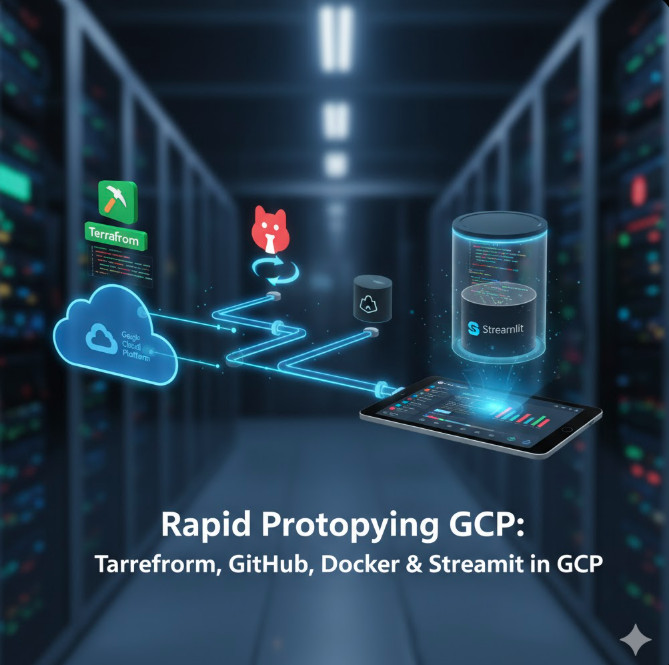
Streamlining Your Infrastructure: A Deep Dive into Terraform Waypoint Migration

Migrating your infrastructure code can be a daunting task, fraught with potential pitfalls and unexpected challenges. However, the benefits of a well-planned migration are substantial, leading to improved efficiency, enhanced security, and a more robust infrastructure. This article focuses on simplifying the process of Terraform Waypoint migration, providing a comprehensive guide for developers and DevOps engineers looking to leverage Waypoint’s capabilities for managing their Terraform deployments. We’ll explore the reasons behind migrating, the process itself, best practices, and common issues you might encounter along the way.

Understanding the Need for Terraform Waypoint Migration

Many organizations rely on Terraform for infrastructure as code (IaC), but managing deployments, particularly across various environments (development, staging, production), can become complex. This complexity often involves manual steps, increasing the risk of human error and inconsistencies. Terraform Waypoint migration offers a solution by providing a streamlined, automated workflow for managing your Terraform deployments. Waypoint simplifies the process, reducing operational overhead and ensuring consistency across your environments. This is especially valuable for organizations with large, complex infrastructures or those aiming to embrace a GitOps workflow.

Why Choose Waypoint for Terraform?

  • Automated Deployments: Waypoint automates the entire deployment process, from building and testing to deploying to various environments.
  • Simplified Workflows: It integrates seamlessly with Git, enabling efficient CI/CD pipelines and simplifying the process of managing changes.
  • Improved Consistency: Waypoint ensures consistent deployments across different environments by automating the process and reducing manual intervention.
  • Enhanced Security: By automating deployments, Waypoint reduces the risk of human error and improves the security of your infrastructure.

The Terraform Waypoint Migration Process

Migrating to Waypoint from a different deployment system requires a structured approach. The following steps outline a recommended process for Terraform Waypoint migration:

Step 1: Planning and Assessment

  1. Inventory your current setup: Identify your existing Terraform configurations, deployment scripts, and any related tooling.
  2. Define your migration goals: Clearly articulate what you hope to achieve by migrating to Waypoint (e.g., improved automation, enhanced security, reduced deployment times).
  3. Choose a migration strategy: Decide whether to migrate all your infrastructure at once or adopt a phased approach.

Step 2: Setting up Waypoint

  1. Install Waypoint: Download and install Waypoint according to the official documentation. Waypoint Getting Started
  2. Configure Waypoint: Configure Waypoint to connect to your infrastructure providers (e.g., AWS, GCP, Azure) and your Git repository.
  3. Create a Waypoint project: Create a new Waypoint project in your Git repository and configure it to manage your Terraform deployments.

Step 3: Implementing Waypoint

This involves adapting your existing Terraform code to work with Waypoint. This usually involves creating a waypoint.hcl file, which specifies the deployment process. The following is an example of a basic waypoint.hcl file:


project "my-project" {
application "my-app" {
build {
type = "terraform"
platform = "linux/amd64"
}
deploy {
platform = "aws"
config = {
region = "us-west-2"
}
}
}
}

Remember to replace placeholders like “my-project”, “my-app”, “aws”, “us-west-2” with your specific details. You will need to define the build and deploy stages appropriately for your infrastructure. For more complex scenarios you may need to specify more complex build and deploy configurations, including environment-specific variables.

Step 4: Testing and Iteration

  1. Test thoroughly: Deploy to a non-production environment to verify everything works as expected.
  2. Iterate and refine: Based on testing results, adjust your Waypoint configuration and Terraform code.
  3. Monitor and log: Implement proper monitoring and logging to track deployments and identify potential issues.

Step 5: Full Migration

Once testing is complete and you’re confident in the reliability of your Waypoint configuration, proceed with the full migration to your production environment. Remember to follow your organization’s change management procedures.

Terraform Waypoint Migration: Best Practices

  • Modularization: Break down your Terraform code into smaller, reusable modules for easier management and maintenance.
  • Version Control: Use Git for version control to track changes and collaborate effectively.
  • Testing: Implement comprehensive testing strategies, including unit, integration, and end-to-end tests.
  • Automation: Automate as much of the process as possible to reduce manual intervention and human error.
  • Documentation: Maintain detailed documentation for your Terraform code and Waypoint configuration.

Frequently Asked Questions

Q1: What are the potential challenges during Terraform Waypoint migration?

Potential challenges include compatibility issues between your existing infrastructure and Waypoint, the need to adapt your existing Terraform code, and the learning curve associated with using Waypoint. Thorough planning and testing can mitigate these challenges.

Q2: How does Waypoint handle secrets management during deployment?

Waypoint integrates with various secrets management solutions, allowing you to securely store and manage sensitive information used during deployments. Consult the official Waypoint documentation for detailed information on integrating with specific secrets management tools. Waypoint Configuration Reference

Q3: Can I use Waypoint with different cloud providers?

Yes, Waypoint supports multiple cloud providers, including AWS, Google Cloud Platform (GCP), and Azure. You can configure Waypoint to deploy to different cloud providers by specifying the appropriate platform in your waypoint.hcl file.

Q4: What happens if my Terraform Waypoint migration fails?

Waypoint provides robust error handling and logging capabilities. In case of failure, you’ll receive detailed error messages that help you identify and troubleshoot the problem. Waypoint also allows for rollbacks to previous deployments, minimizing downtime.

Conclusion

Migrating your Terraform deployments to Waypoint can significantly improve your infrastructure management. By implementing the strategies and best practices outlined in this guide, you can streamline your workflows, enhance security, and achieve a more efficient and reliable infrastructure. Remember that careful planning and thorough testing are crucial for a successful Terraform Waypoint migration. Start small, test rigorously, and gradually migrate your infrastructure to reap the benefits of Waypoint’s powerful features. Thank you for reading the DevopsRoles page!

Accelerate Your CI/CD Pipeline with AWS CodeBuild Docker

In today’s fast-paced development environment, Continuous Integration and Continuous Delivery (CI/CD) are no longer optional; they’re essential. Efficient CI/CD pipelines are the backbone of rapid iteration, faster deployments, and improved software quality. Leveraging the power of containerization with Docker significantly enhances this process. This article will explore how to effectively utilize AWS CodeBuild Docker CI/CD to streamline your workflow and achieve significant gains in speed and efficiency. We’ll delve into the practical aspects, providing clear examples and best practices to help you implement a robust and scalable CI/CD pipeline.

Understanding the Power of AWS CodeBuild and Docker

AWS CodeBuild is a fully managed continuous integration service that compiles source code, runs tests, and produces software packages. Its integration with other AWS services, such as CodeCommit, CodePipeline, and S3, makes it a cornerstone of a comprehensive CI/CD strategy. Docker, on the other hand, is a containerization technology that packages applications and their dependencies into standardized units. This ensures consistent execution across different environments, eliminating the infamous “works on my machine” problem.

Combining AWS CodeBuild with Docker offers several compelling advantages:

  • Reproducibility: Docker containers guarantee consistent builds across development, testing, and production environments.
  • Isolation: Containers provide isolation, preventing conflicts between different application dependencies.
  • Efficiency: Docker images can be cached, reducing build times significantly.
  • Scalability: CodeBuild seamlessly scales to handle increased build demands.

Setting up your AWS CodeBuild Docker CI/CD Pipeline

Here’s a step-by-step guide on setting up your AWS CodeBuild Docker CI/CD pipeline:

1. Create a Dockerfile

The Dockerfile is the blueprint for your Docker image. It defines the base image, dependencies, and commands to build your application. A simple example for a Node.js application:

FROM node:16

WORKDIR /app

COPY package*.json ./

RUN npm install

COPY . .

CMD ["npm", "start"]

2. Build the Docker Image

Before pushing to a registry, build the image locally using the following command:


docker build -t my-app-image .

3. Push the Docker Image to a Registry

You’ll need a container registry to store your Docker image. Amazon Elastic Container Registry (ECR) is a fully managed service that integrates seamlessly with AWS CodeBuild. First, create an ECR repository. Then, tag and push your image:

docker tag my-app-image :latest

docker push :latest

4. Configure AWS CodeBuild

Navigate to the AWS CodeBuild console and create a new build project. Specify the following:

  • Source: Point to your code repository (e.g., CodeCommit, GitHub, Bitbucket).
  • Environment: Select “Managed image” and choose an image with Docker support (e.g., aws/codebuild/standard:5.0).
  • Buildspec: This file defines the build commands. It should pull the Docker image from ECR, build your application inside the container, and then push the final image to ECR. Here’s an example:

version: 0.2

phases: install: runtime-versions: nodejs: 16 commands: - aws ecr get-login-password --region | docker login --username AWS --password-stdin - docker pull :latest pre_build: commands: - echo Logging in to Amazon ECR... build: commands: - docker build -t my-app-image . - docker tag my-app-image :latest - docker push :latest post_build: commands: - echo Build completed successfully

5. Integrate with AWS CodePipeline (Optional)

For a complete CI/CD solution, integrate CodeBuild with CodePipeline. CodePipeline orchestrates the entire process, from source code changes to deployment.

AWS CodeBuild Docker CI/CD: Advanced Techniques

To further optimize your AWS CodeBuild Docker CI/CD pipeline, consider these advanced techniques:

Multi-stage Builds

Employ multi-stage builds to create smaller, more efficient images. This involves using multiple stages in your Dockerfile, discarding unnecessary layers from the final image.

Build Cache

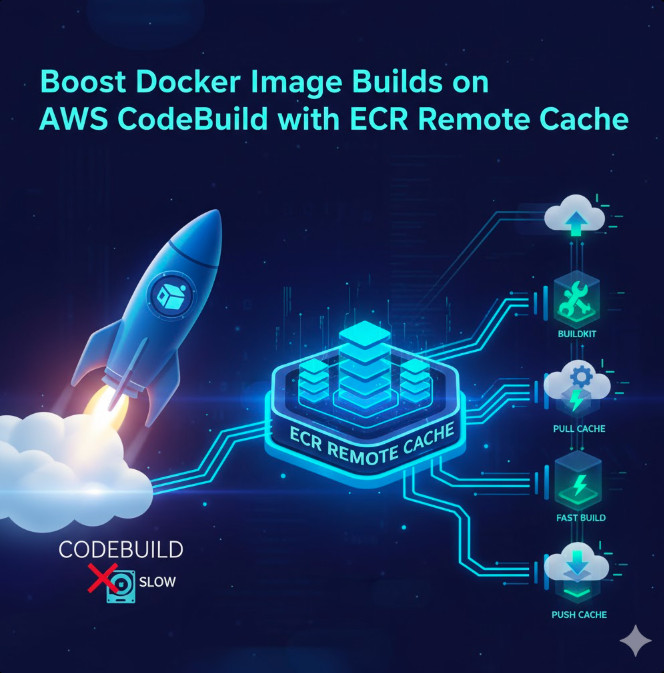
Leverage Docker’s build cache to significantly reduce build times. CodeBuild automatically caches layers, speeding up subsequent builds.

Secrets Management

Store sensitive information like database credentials securely using AWS Secrets Manager. Access these secrets within your build environment using appropriate IAM roles and permissions.

Frequently Asked Questions

Q1: What are the benefits of using Docker with AWS CodeBuild?

Using Docker with AWS CodeBuild offers several key benefits: improved reproducibility, consistent builds across environments, better isolation of dependencies, and reduced build times through image caching. This leads to a more efficient and reliable CI/CD pipeline.

Q2: How do I handle dependencies within my Docker image?

You manage dependencies within your Docker image using the Dockerfile. The Dockerfile specifies the base image (containing the necessary runtime environment), and then you use commands like RUN apt-get install (for Debian-based images) or RUN yum install (for Red Hat-based images) or RUN npm install (for Node.js applications) to install additional dependencies. This ensures a self-contained environment for your application.

Q3: Can I use different Docker images for different build stages?

Yes, you can define separate stages within your Dockerfile using the FROM instruction multiple times. This allows you to use different base images for different stages of your build, optimizing efficiency and reducing the size of the final image.

Q4: How can I troubleshoot issues with my AWS CodeBuild Docker builds?

AWS CodeBuild provides detailed logs for each build. Examine the build logs for error messages and warnings. Carefully review your Dockerfile and buildspec.yml for any syntax errors or inconsistencies. If you’re still encountering problems, consider using the AWS support resources and forums.

Conclusion

Implementing AWS CodeBuild Docker CI/CD dramatically improves the efficiency and reliability of your software development lifecycle. By leveraging Docker’s containerization capabilities and CodeBuild’s managed build environment, you can create a robust, scalable, and highly reproducible CI/CD pipeline. Remember to optimize your Dockerfiles for size and efficiency, and to utilize features like multi-stage builds and build caching to maximize the benefits of this powerful combination. Mastering AWS CodeBuild Docker CI/CD is key to accelerating your development workflow and delivering high-quality software faster.

For more detailed information, refer to the official AWS CodeBuild documentation: https://aws.amazon.com/codebuild/ and the official Docker documentation: https://docs.docker.com/

Thank you for reading the DevopsRoles page!

Revolutionizing IT Automation with IBM watsonx

The modern IT landscape is characterized by unprecedented complexity. Managing sprawling infrastructures, juggling diverse applications, and ensuring seamless operations requires sophisticated automation. This is where IBM watsonx steps in, offering a powerful suite of AI-powered tools to fundamentally reshape IBM watsonx IT automation. This article delves deep into how IBM watsonx addresses the challenges of IT automation, exploring its capabilities, benefits, and practical applications for DevOps engineers, system administrators, and IT managers alike. We’ll uncover how this platform enhances efficiency, reduces errors, and accelerates innovation within your IT operations.

Understanding the Power of AI-Driven IT Automation with IBM watsonx

Traditional IT automation often relies on rigid scripting and rule-based systems. These approaches struggle to adapt to dynamic environments and often require significant manual intervention. IBM watsonx IT automation leverages the power of artificial intelligence and machine learning to overcome these limitations. It enables the creation of intelligent automation solutions that can learn from data, adapt to changing conditions, and even predict and prevent potential issues.

Key Components of IBM watsonx for IT Automation

  • watsonx.ai: Provides foundation models and tools for building custom AI solutions tailored to specific IT automation tasks, such as predictive maintenance, anomaly detection, and intelligent resource allocation.
  • watsonx.data: Offers a scalable and secure data platform for storing, processing, and managing the vast amounts of data needed to train and optimize AI models for IT automation. This includes logs, metrics, and other operational data.
  • watsonx.governance: Enables responsible AI development and deployment, ensuring compliance, transparency, and security within your IT automation workflows.

IBM watsonx IT Automation in Action: Real-World Examples

Let’s explore some practical scenarios where IBM watsonx IT automation shines:

Predictive Maintenance

By analyzing historical data on server performance, resource utilization, and error logs, IBM watsonx can predict potential hardware failures before they occur. This allows proactive maintenance, minimizing downtime and reducing the risk of costly outages. For example, the system might predict a hard drive failure based on increasing read/write errors and alert administrators days in advance.

Anomaly Detection

IBM watsonx IT automation excels at identifying unusual patterns in system behavior. This could involve detecting suspicious network activity, unusual resource consumption, or unexpected spikes in error rates. Early detection of anomalies enables swift intervention, preventing significant disruptions and security breaches.

Intelligent Resource Allocation

IBM watsonx can optimize resource allocation across your infrastructure, dynamically adjusting workloads based on real-time demand. This ensures optimal performance while minimizing resource waste. This capability is particularly valuable in cloud environments, where costs are directly tied to resource utilization.

Automated Incident Response

Through integration with monitoring tools and ITSM systems, IBM watsonx IT automation can automate incident response workflows. For example, it can automatically diagnose common issues, initiate remediation steps, and escalate critical incidents to the appropriate teams, dramatically reducing resolution times.

Advanced Applications of IBM watsonx for IT Automation

Beyond the basic use cases, IBM watsonx IT automation opens doors to advanced capabilities:

AI-Powered Chatbots for IT Support

Develop intelligent chatbots capable of handling common user queries, troubleshooting issues, and providing self-service support. This reduces the burden on human support teams and enhances user satisfaction.

Automated Code Deployment and Testing

Integrate IBM watsonx with CI/CD pipelines to automate code deployment, testing, and rollbacks. AI-powered testing can identify potential bugs early in the development cycle, improving software quality and reducing deployment risks. This could involve analyzing code for potential vulnerabilities or identifying performance bottlenecks.

Self-Healing Infrastructure

Create self-healing systems capable of automatically detecting and resolving problems without human intervention. This requires advanced AI models that understand complex system dependencies and can autonomously trigger appropriate corrective actions. A practical example might be automatically scaling up resources during periods of high demand or restarting failed services.

Implementing IBM watsonx for IT Automation: A Step-by-Step Guide

  1. Assess your needs: Identify your current IT automation challenges and determine how IBM watsonx can address them.
  2. Data preparation: Gather and prepare the necessary data for training AI models. This might involve cleaning, transforming, and labeling large datasets of logs, metrics, and other operational data.
  3. Model development: Develop or select pre-trained AI models relevant to your specific needs. IBM watsonx provides tools and resources to support this process.
  4. Integration: Integrate IBM watsonx with your existing IT infrastructure and monitoring tools.
  5. Testing and deployment: Thoroughly test your AI-powered automation solutions before deploying them to production. Start with a pilot project to validate the approach and refine the process.
  6. Monitoring and optimization: Continuously monitor the performance of your automation solutions and optimize them based on real-world feedback. This ensures ongoing efficiency and effectiveness.

Frequently Asked Questions

What are the benefits of using IBM watsonx for IT automation?

IBM watsonx offers numerous benefits, including increased efficiency, reduced errors, improved scalability, proactive problem prevention, enhanced security, and accelerated innovation. It empowers IT teams to handle increasingly complex systems with greater ease and confidence.

How does IBM watsonx compare to other IT automation platforms?

Unlike traditional rule-based automation tools, IBM watsonx leverages the power of AI and machine learning to enable more adaptable and intelligent automation. This allows for dynamic response to changing conditions and improved prediction capabilities, resulting in more efficient and resilient IT operations.

Is IBM watsonx suitable for all organizations?

While IBM watsonx offers powerful capabilities, its suitability depends on an organization’s specific needs and resources. Organizations with complex IT infrastructures and a large volume of operational data are likely to benefit most. It’s essential to carefully assess your requirements before implementing IBM watsonx.

What level of expertise is required to use IBM watsonx?

While a basic understanding of AI and machine learning is helpful, IBM watsonx is designed to be accessible to a wide range of users. The platform offers tools and resources to simplify the development and deployment of AI-powered automation solutions, even for those without extensive AI expertise. However, successful implementation requires a team with strong IT skills and experience.

Conclusion

IBM watsonx IT automation is revolutionizing how organizations manage their IT infrastructure. By harnessing the power of AI and machine learning, it enables proactive problem prevention, intelligent resource allocation, and significant improvements in efficiency and security. Implementing IBM watsonx IT automation requires careful planning and execution, but the potential benefits are substantial.

Remember to begin with a phased approach, focusing on specific use cases to maximize your ROI and ensure a smooth transition to this powerful technology. The future of IT automation is intelligent, and IBM watsonx is leading the charge. For further information on IBM Watsonx, consider reviewing the official IBM documentation found at https://www.ibm.com/watsonx and exploring relevant articles on leading technology blogs like InfoWorld to see how others are leveraging this technology. Gartner also provides in-depth analysis of the AI and IT automation market.Thank you for reading the DevopsRoles page!

Revolutionize Your Content Strategy with AI Copywriting Tools

In today’s fast-paced digital landscape, creating high-quality content is crucial for success. But the demands of consistent content creation can feel overwhelming. This is where AI copywriting tools step in, offering a powerful solution to accelerate your workflow and elevate the quality of your written materials. This in-depth guide will explore the capabilities of these innovative tools, helping you understand how they can transform your content strategy and boost your overall productivity. We will delve into the various features, benefits, and considerations involved in leveraging AI copywriting tools.

Understanding the Power of AI Copywriting Tools

AI copywriting tools leverage the power of artificial intelligence and natural language processing (NLP) to generate human-quality text. These tools are not simply replacing human writers; instead, they are acting as powerful assistants, accelerating the writing process and freeing up writers to focus on higher-level tasks such as strategy and editing. They can assist with various content types, from blog posts and social media updates to website copy and marketing materials.

Key Features of AI Copywriting Tools

  • Content Generation: These tools can generate various content formats, including articles, product descriptions, ad copy, and more, based on provided keywords and prompts.
  • SEO Optimization: Many AI copywriting tools integrate SEO features, suggesting relevant keywords and optimizing content for better search engine rankings.
  • Tone and Style Adjustment: You can often customize the tone and style of the generated content, ensuring it aligns with your brand voice and target audience.
  • Paraphrasing and Summarization: These tools can help reword existing content to improve clarity or condense longer pieces into concise summaries.
  • Grammar and Style Checking: Many platforms include built-in grammar and style checkers to ensure the final output is error-free and polished.

Choosing the Right AI Copywriting Tools

The market offers a diverse range of AI copywriting tools, each with its own strengths and weaknesses. Selecting the right tool depends on your specific needs and budget. Here are some factors to consider:

Factors to Consider When Selecting AI Copywriting Tools

  • Ease of Use: Choose a tool with an intuitive interface that is easy to navigate and understand, even if you’re not a tech expert.
  • Content Quality: Prioritize tools that generate high-quality, human-sounding text, avoiding generic or repetitive outputs.
  • Features and Functionality: Consider the specific features you need, such as SEO optimization, tone adjustment, and grammar checking.
  • Pricing: AI copywriting tools range in price, from free options with limited functionality to premium plans with advanced features. Choose a plan that aligns with your budget and usage needs.
  • Customer Support: Ensure the tool offers reliable customer support in case you encounter any issues or have questions.

AI Copywriting Tools: A Deep Dive into Functionality

Let’s explore some specific functionalities offered by advanced AI copywriting tools. These tools are not just simple text generators; they are sophisticated platforms capable of understanding context, nuances, and even brand voice.

Advanced Features and Capabilities

  • A/B Testing Capabilities: Some tools allow you to create multiple variations of content and test their performance to see which resonates best with your audience.
  • Integration with Other Marketing Tools: Seamless integration with existing marketing platforms (e.g., social media schedulers, email marketing platforms) can streamline your workflow.
  • Customizable Templates: The ability to create and save custom templates for frequently used content types can significantly speed up your content creation process.
  • Data Analytics and Reporting: Tools that provide data on content performance can help you track your progress and optimize your strategy over time.

Best Practices for Using AI Copywriting Tools

While AI copywriting tools are incredibly powerful, it’s crucial to use them effectively. Here are some best practices to maximize their potential:

Optimizing AI Copywriting Tool Usage

  1. Provide Clear and Specific Prompts: The more information you give the AI, the better it can understand your needs and generate relevant content.
  2. Review and Edit the Generated Content: AI-generated content should be considered a first draft. Always review and edit it carefully to ensure accuracy, clarity, and brand consistency.
  3. Maintain a Human Touch: While AI can generate text efficiently, human creativity and critical thinking remain essential. Incorporate your unique perspective and voice into the final product.
  4. Experiment with Different Tools and Settings: Different tools have different strengths. Experiment with various options to find the best fit for your needs.
  5. Focus on Strategy, Not Just Tool Use: Remember that the tool is a means to an end. Focus on your overall content strategy and use the AI to enhance your workflow, not replace it entirely.

Frequently Asked Questions

What are the ethical considerations of using AI copywriting tools?

It’s crucial to use AI ethically. This means avoiding plagiarism, always disclosing the use of AI when appropriate, and ensuring the content generated is truthful and accurate. It’s important to prioritize responsible AI usage to maintain trust with your audience.

How can AI copywriting tools improve SEO?

Many AI copywriting tools incorporate SEO features, helping you optimize your content for better search engine rankings. They can suggest relevant keywords, analyze content readability, and even help you create meta descriptions and title tags.

Are AI copywriting tools suitable for all types of content?

While AI copywriting tools are versatile and can handle a wide range of content, they might not be ideal for every scenario. Complex or highly nuanced content might still require significant human intervention and editing.

Can I use AI copywriting tools to create content for my website?

Absolutely! AI copywriting tools are excellent for creating website content, including product descriptions, landing pages, and blog posts. They can help you create compelling and informative content that attracts visitors and drives conversions.

What is the future of AI copywriting tools?

The future of AI copywriting tools is bright. We can expect even more advanced features, better integration with other marketing tools, and even more sophisticated natural language processing capabilities. The tools will become increasingly powerful and versatile, further assisting content creators in their work.

Conclusion

AI copywriting tools represent a significant advancement in content creation, offering a powerful combination of speed, efficiency, and quality. By understanding their capabilities and employing best practices, you can leverage these tools to significantly enhance your content strategy. Remember, these tools are meant to augment your capabilities, not replace your creative voice. Choosing the right AI copywriting tools and using them effectively is key to unlocking their full potential and revolutionizing your content workflow. Embrace the power of AI and propel your content creation to new heights.

For further information on AI and its applications, you can consult resources like SAS Institute’s overview of AI and IBM’s AI resources. You may also find helpful information on Google’s Machine Learning Crash Course. Thank you for reading the DevopsRoles page!

Securing Your Amazon EKS Deployments: Leveraging SBOMs to Identify Vulnerable Container Images

Deploying containerized applications on Amazon Elastic Kubernetes Service (EKS) offers incredible scalability and agility. However, this efficiency comes with increased security risks. Malicious code within container images can compromise your entire EKS cluster. One powerful tool to mitigate this risk is the Software Bill of Materials (SBOM). This article delves into the crucial role of SBOM Amazon EKS security, guiding you through the process of identifying vulnerable container images within your EKS environment. We will explore practical techniques and best practices to ensure a robust and secure Kubernetes deployment.

Understanding SBOMs and Their Importance in Container Security

A Software Bill of Materials (SBOM) is a formal record containing a comprehensive list of components, libraries, and dependencies included in a software product. Think of it as a detailed inventory of everything that makes up your container image. For container security, an SBOM provides critical insights into the composition of your images, enabling you to quickly identify potential vulnerabilities before deployment or after unexpected incidents. A well-structured SBOM Amazon EKS analysis allows you to pinpoint components with known security flaws, significantly reducing your attack surface.

The Benefits of Using SBOMs in an EKS Environment

  • Improved Vulnerability Detection: SBOMs enable automated vulnerability scanning by comparing the components listed in the SBOM against known vulnerability databases (like the National Vulnerability Database – NVD).
  • Enhanced Compliance: Many security and regulatory frameworks require detailed inventory and risk assessment of software components. SBOMs greatly facilitate compliance efforts.
  • Supply Chain Security: By understanding the origin and composition of your container images, you can better manage and mitigate risks associated with your software supply chain.
  • Faster Remediation: Identifying vulnerable components early in the development lifecycle enables faster remediation, reducing the impact of potential security breaches.

Generating SBOMs for Your Container Images

Several tools can generate SBOMs for your container images. The choice depends on your specific needs and workflow. Here are a few popular options:

Using Syft for SBOM Generation

Syft is an open-source command-line tool that analyzes container images and generates SBOMs in various formats, including SPDX and CycloneDX. It’s lightweight, fast, and easy to integrate into CI/CD pipelines.


# Example using Syft to generate an SPDX SBOM
syft -o spdx-json my-image.tar

Using Anchore Grype for Vulnerability Scanning

Anchore Grype is a powerful vulnerability scanner that leverages SBOMs to identify known security vulnerabilities in container images. It integrates seamlessly with Syft and other SBOM generators.


# Example using Anchore Grype with an SPDX SBOM
grype --sbom my-image.spdx.json

Analyzing SBOMs to Find Vulnerable Images on Amazon EKS

Once you have generated SBOMs for your container images, you need a robust system to analyze them for vulnerabilities. This involves integrating your SBOM generation and analysis tools into your CI/CD pipeline, allowing automated security checks before deployment to your SBOM Amazon EKS cluster.

Integrating SBOM Analysis into your CI/CD Pipeline

Integrating SBOM analysis into your CI/CD pipeline ensures that security checks happen automatically, preventing vulnerable images from reaching your production environment. This often involves using tools like Jenkins, GitLab CI, or GitHub Actions.

  1. Generate the SBOM: Integrate a tool like Syft into your pipeline to generate an SBOM for each container image built.
  2. Analyze the SBOM: Use a vulnerability scanner such as Anchore Grype or Trivy to analyze the SBOM and identify known vulnerabilities.
  3. Fail the build if vulnerabilities are found: Configure your CI/CD pipeline to fail the build if critical or high-severity vulnerabilities are identified.
  4. Generate reports: Generate comprehensive reports outlining detected vulnerabilities for review and remediation.

Implementing Secure Container Image Management with SBOM Amazon EKS

Effective container image management is paramount for maintaining the security of your SBOM Amazon EKS cluster. This involves implementing robust processes for building, storing, and deploying container images.

Leveraging Container Registries

Utilize secure container registries like Amazon Elastic Container Registry (ECR) or other reputable private registries. These registries provide features such as access control, image scanning, and vulnerability management, significantly enhancing the security posture of your container images.

Implementing Image Scanning and Vulnerability Management

Integrate automated image scanning tools into your workflow to regularly check for vulnerabilities in your container images. Tools such as Clair and Trivy offer powerful scanning capabilities, helping you detect and address vulnerabilities before they become a threat.

Utilizing Immutable Infrastructure

Adopting immutable infrastructure principles helps mitigate risks by ensuring that once a container image is deployed, it’s not modified. This reduces the chance of accidental or malicious changes compromising your EKS cluster’s security.

SBOM Amazon EKS: Best Practices for Secure Deployments

Combining SBOMs with other security best practices ensures a comprehensive approach to protecting your EKS environment.

  • Regular Security Audits: Conduct regular security audits to assess your EKS cluster’s security posture and identify potential weaknesses.
  • Least Privilege Access Control: Implement strict least-privilege access control policies to limit the permissions granted to users and services within your EKS cluster.
  • Network Segmentation: Segment your network to isolate your EKS cluster from other parts of your infrastructure, limiting the impact of potential breaches.
  • Regular Updates and Patching: Stay up-to-date with the latest security patches for your Kubernetes control plane, worker nodes, and container images.

Frequently Asked Questions

What is the difference between an SBOM and a vulnerability scan?

An SBOM is a comprehensive inventory of software components in a container image. A vulnerability scan uses the SBOM (or directly analyzes the image) to check for known security vulnerabilities in those components against vulnerability databases. The SBOM provides the “what” (components), while the vulnerability scan provides the “why” (security risks).

How do I choose the right SBOM format?

The choice of SBOM format often depends on the tools you’re using in your workflow. SPDX and CycloneDX are two widely adopted standards offering excellent interoperability. Consider the requirements of your vulnerability scanning tools and compliance needs when making your selection.

Can I use SBOMs for compliance purposes?

Yes, SBOMs are crucial for demonstrating compliance with various security regulations and industry standards, such as those related to software supply chain security. They provide the necessary transparency and traceability of software components, facilitating compliance audits.

What if I don’t find a vulnerability scanner that supports my SBOM format?

Many tools support multiple SBOM formats, or converters are available to translate between formats. If a specific format is not supported, consider using a converter to transform your SBOM to a compatible format before analysis.

Conclusion

Implementing robust security measures for your Amazon EKS deployments is crucial in today’s threat landscape. By leveraging SBOM Amazon EKS analysis, you gain a powerful tool to identify vulnerable container images proactively, ensuring a secure and reliable containerized application deployment. Remember that integrating SBOM generation and analysis into your CI/CD pipeline is not just a best practice—it’s a necessity for maintaining the integrity of your EKS cluster and protecting your organization’s sensitive data. Don’t underestimate the significance of SBOM Amazon EKS security—make it a core part of your DevOps strategy.

For more information on SBOMs, you can refer to the SPDX standard and CycloneDX standard websites. Further reading on securing container images can be found on the official Amazon ECR documentation. Thank you for reading the DevopsRoles page!

Streamline Your MLOps Workflow: AWS SageMaker, Terraform, and GitLab Integration

Deploying and managing machine learning (ML) models in production is a complex undertaking. The challenges of reproducibility, scalability, and monitoring often lead to bottlenecks and delays. This is where MLOps comes in, providing a framework for streamlining the entire ML lifecycle. This article dives deep into building a robust MLOps pipeline leveraging the power of MLOps AWS SageMaker Terraform GitLab. We’ll explore how to integrate these powerful tools to automate your model deployment, infrastructure management, and version control, significantly improving efficiency and reducing operational overhead.

Understanding the Components: AWS SageMaker, Terraform, and GitLab

Before delving into the integration, let’s briefly understand the individual components of our MLOps solution:

AWS SageMaker: Your ML Platform

Amazon SageMaker is a fully managed service that provides every tool needed for each step of the machine learning workflow. From data preparation and model training to deployment and monitoring, SageMaker simplifies the complexities of ML deployment. Its capabilities include:

  • Built-in algorithms: Access pre-trained algorithms or bring your own.
  • Scalable training environments: Train models efficiently on large datasets.
  • Model deployment and hosting: Easily deploy models for real-time or batch predictions.
  • Model monitoring and management: Track model performance and manage model versions.

Terraform: Infrastructure as Code (IaC)

Terraform is a popular Infrastructure as Code (IaC) tool that allows you to define and manage your infrastructure in a declarative manner. Using Terraform, you can automate the provisioning and configuration of AWS resources, including those required for your SageMaker deployments. This ensures consistency, repeatability, and simplifies infrastructure management.

GitLab: Version Control and CI/CD

GitLab serves as the central repository for your code, configuration files (including your Terraform code), and model artifacts. Its integrated CI/CD capabilities automate the build, testing, and deployment processes, further enhancing your MLOps workflow.

Building Your MLOps Pipeline with MLOps AWS SageMaker Terraform GitLab

Now, let’s outline the steps to create a comprehensive MLOps pipeline using these tools.

1. Setting up the Infrastructure with Terraform

Begin by defining your AWS infrastructure using Terraform. This will include:

  • SageMaker Endpoint Configuration: Define the instance type and configuration for your SageMaker endpoint.
  • IAM Roles: Create IAM roles with appropriate permissions for SageMaker to access other AWS services.
  • S3 Buckets: Create S3 buckets to store your model artifacts, training data, and other relevant files.

Here’s a simplified example of a Terraform configuration for creating an S3 bucket:


resource "aws_s3_bucket" "sagemaker_bucket" {
bucket = "your-sagemaker-bucket-name"
acl = "private"
}

2. Model Training and Packaging

Train your ML model using SageMaker. You can utilize SageMaker’s built-in algorithms or bring your own custom algorithms. Once trained, package your model into a format suitable for deployment (e.g., a Docker container).

3. GitLab CI/CD for Automated Deployment

Configure your GitLab CI/CD pipeline to automate the deployment process. This pipeline will trigger upon code commits or merge requests.

  • Build Stage: Build your Docker image containing the trained model.
  • Test Stage: Run unit tests and integration tests to ensure model functionality.
  • Deploy Stage: Use the AWS CLI or the SageMaker SDK to deploy your model to a SageMaker endpoint using the infrastructure defined by Terraform.

A simplified GitLab CI/CD configuration (`.gitlab-ci.yml`) might look like this:

stages:
- build
- test
- deploy
build_image:
  stage: build
  image: docker:latest
  script:
    - docker build -t my-model-image .

test_model:
  stage: test
  script:
    - python -m unittest test_model.py
deploy_model:
  stage: deploy
  script:
    - aws sagemaker create-model ...

4. Monitoring and Model Management

Continuously monitor your deployed model’s performance using SageMaker Model Monitor. This helps identify issues and ensures the model remains accurate and effective.

MLOps AWS SageMaker Terraform GitLab: A Comprehensive Approach

This integrated approach using MLOps AWS SageMaker Terraform GitLab offers significant advantages:

  • Automation: Automates every stage of the ML lifecycle, reducing manual effort and potential for errors.
  • Reproducibility: Ensures consistent and repeatable deployments.
  • Scalability: Easily scale your model deployments to meet growing demands.
  • Version Control: Tracks changes to your code, infrastructure, and models.
  • Collaboration: Facilitates collaboration among data scientists, engineers, and DevOps teams.

Frequently Asked Questions

Q1: What are the prerequisites for using this MLOps pipeline?

You’ll need an AWS account, a GitLab account, and familiarity with Docker, Terraform, and the AWS CLI or SageMaker SDK. Basic knowledge of Python and machine learning is also essential.

Q2: How can I handle model versioning within this setup?

GitLab’s version control capabilities track changes to your model code and configuration. SageMaker allows for managing multiple model versions, allowing rollback to previous versions if necessary. You can tag your models in GitLab and correlate them with the specific versions in SageMaker.

Q3: How do I integrate security best practices into this pipeline?

Implement robust security measures throughout the pipeline, including using secure IAM roles, encrypting data at rest and in transit, and regularly scanning for vulnerabilities. GitLab’s security features and AWS security best practices should be followed.

Q4: What are the costs associated with this MLOps setup?

Costs vary depending on your AWS usage, instance types chosen for SageMaker endpoints, and the storage used in S3. Refer to the AWS pricing calculator for detailed cost estimations. GitLab pricing also depends on your chosen plan.

Conclusion

Implementing a robust MLOps pipeline is crucial for successful ML deployment. By integrating MLOps AWS SageMaker Terraform GitLab, you gain a powerful and efficient solution that streamlines your workflow, enhances reproducibility, and improves scalability. Remember to carefully plan your infrastructure, implement comprehensive testing, and monitor your models continuously to ensure optimal performance. Mastering this integrated approach will significantly improve your team’s productivity and enable faster innovation in your machine learning projects. Effective use of MLOps AWS SageMaker Terraform GitLab sets you up for long-term success in the ever-evolving landscape of machine learning.

For more detailed information on SageMaker, refer to the official documentation: https://aws.amazon.com/sagemaker/ and for Terraform: https://www.terraform.io/. Thank you for reading the DevopsRoles page!

Devops Tutorial

Exit mobile version