Tag Archives: Terraform

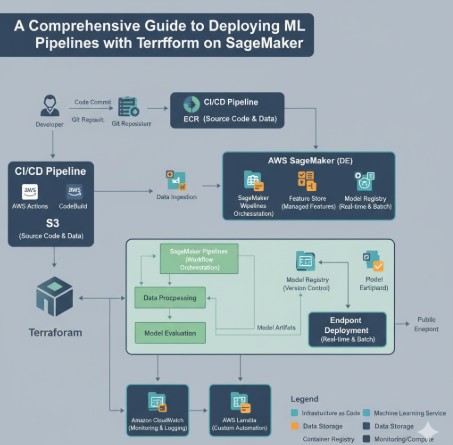
Streamlining MLOps: A Comprehensive Guide to Deploying ML Pipelines with Terraform on SageMaker

In the world of Machine Learning Operations (MLOps), achieving consistency, reproducibility, and scalability is the ultimate goal. Manually deploying and managing the complex infrastructure required for ML workflows is fraught with challenges, including configuration drift, human error, and a lack of version control. This is where Infrastructure as Code (IaC) becomes a game-changer. This article provides an in-depth, practical guide on how to leverage Terraform, a leading IaC tool, to define, deploy, and manage robust ML Pipelines with Terraform on Amazon SageMaker, transforming your MLOps workflow from a manual chore into an automated, reliable process.

By the end of this guide, you will understand the core principles of using Terraform for MLOps, learn how to structure a production-ready project, and be equipped with the code and knowledge to deploy your own SageMaker pipelines with confidence.

Why Use Terraform for SageMaker ML Pipelines?

While you can create SageMaker pipelines through the AWS Management Console or using the AWS SDKs, adopting an IaC approach with Terraform offers significant advantages that are crucial for mature MLOps practices.

  • Reproducibility: Terraform’s declarative syntax allows you to define your entire ML infrastructure—from S3 buckets and IAM roles to the SageMaker Pipeline itself—in version-controlled configuration files. This ensures you can recreate the exact same environment anytime, anywhere, eliminating the “it works on my machine” problem.
  • Version Control and Collaboration: Storing your infrastructure definition in a Git repository enables powerful collaboration workflows. Teams can review changes through pull requests, track the history of every infrastructure modification, and easily roll back to a previous state if something goes wrong.
  • Automation and CI/CD: Terraform integrates seamlessly into CI/CD pipelines (like GitHub Actions, GitLab CI, or Jenkins). This allows you to automate the provisioning and updating of your SageMaker pipelines, triggered by code commits, which dramatically accelerates the development lifecycle.
  • Reduced Manual Error: Automating infrastructure deployment through code minimizes the risk of human error that often occurs during manual “click-ops” configurations in the AWS console. This leads to more stable and reliable ML systems.
  • State Management: Terraform creates a state file that maps your resources to your configuration. This powerful feature allows Terraform to track your infrastructure, plan changes, and manage dependencies effectively, providing a clear view of your deployed resources.
  • Multi-Cloud and Multi-Account Capabilities: While this guide focuses on AWS, Terraform’s provider model allows you to manage resources across multiple cloud providers and different AWS accounts using a single, consistent workflow, which is a significant benefit for large organizations.

Core AWS and Terraform Components for a SageMaker Pipeline

Before diving into the code, it’s essential to understand the key resources you’ll be defining. A typical SageMaker pipeline deployment involves more than just the pipeline itself; it requires a set of supporting AWS resources.

Key AWS Resources

  • SageMaker Pipeline: The central workflow orchestrator. It’s defined by a series of steps (e.g., processing, training, evaluation, registration) connected by their inputs and outputs.
  • IAM Role and Policies: SageMaker needs explicit permissions to access other AWS services like S3 for data, ECR for Docker images, and CloudWatch for logging. You’ll create a dedicated IAM Role that the SageMaker Pipeline execution assumes.
  • S3 Bucket: This serves as the data lake and artifact store for your pipeline. All intermediary data, trained model artifacts, and evaluation reports are typically stored here.
  • Source Code Repository (Optional but Recommended): Your pipeline definition (often a Python script using the SageMaker SDK) and any custom algorithm code should be stored in a version control system like AWS CodeCommit or GitHub.
  • ECR Repository (Optional): If you are using custom algorithms or processing scripts that require specific libraries, you will need an Amazon Elastic Container Registry (ECR) to store your custom Docker images.

Key Terraform Resources

  • aws_iam_role: Defines the IAM role for SageMaker.
  • aws_iam_role_policy_attachment: Attaches AWS-managed or custom policies to the IAM role.
  • aws_s3_bucket: Creates and configures the S3 bucket for pipeline artifacts.
  • aws_sagemaker_pipeline: The primary Terraform resource used to create and manage the SageMaker Pipeline itself. It takes a pipeline definition (in JSON format) and the IAM role ARN as its main arguments.

A Step-by-Step Guide to Deploying ML Pipelines with Terraform

Now, let’s walk through the practical steps of building and deploying a SageMaker pipeline using Terraform. This example will cover setting up the project, defining the necessary infrastructure, and creating the pipeline resource.

Step 1: Prerequisites

Ensure you have the following tools installed and configured:

  1. Terraform CLI: Download and install the Terraform CLI from the official HashiCorp website.
  2. AWS CLI: Install and configure the AWS CLI with your credentials. Terraform will use these credentials to provision resources in your AWS account.
  3. An AWS Account: Access to an AWS account with permissions to create IAM, S3, and SageMaker resources.

Step 2: Project Structure and Provider Configuration

A well-organized project structure is key to maintainability. Create a new directory for your project and set up the following files:


sagemaker-terraform/
├── main.tf         # Main configuration file
├── variables.tf    # Input variables
├── outputs.tf      # Output values
└── pipeline_definition.json # The SageMaker pipeline definition

In your main.tf, start by configuring the AWS provider:

terraform {
  required_providers {
    aws = {
      source  = "hashicorp/aws"
      version = "~> 5.0"
    }
  }
}

provider "aws" {
  region = var.aws_region
}

In variables.tf, define the variables you’ll use:

variable "aws_region" {
  description = "The AWS region to deploy resources in."
  type        = string
  default     = "us-east-1"
}

variable "project_name" {
  description = "A unique name for the project to prefix resources."
  type        = string
  default     = "ml-pipeline-demo"
}

Step 3: Defining Foundational Infrastructure (IAM Role and S3)

Your SageMaker pipeline needs an IAM role to execute and an S3 bucket to store artifacts. Add the following resource definitions to your main.tf.

IAM Role for SageMaker

This role allows SageMaker to assume it and perform actions on your behalf.

resource "aws_iam_role" "sagemaker_execution_role" {
  name = "${var.project_name}-sagemaker-execution-role"

  assume_role_policy = jsonencode({
    Version = "2012-10-17",
    Statement = [
      {
        Action = "sts:AssumeRole",
        Effect = "Allow",
        Principal = {
          Service = "sagemaker.amazonaws.com"
        }
      }
    ]
  })
}

# Attach the AWS-managed policy for full SageMaker access
resource "aws_iam_role_policy_attachment" "sagemaker_full_access" {
  role       = aws_iam_role.sagemaker_execution_role.name
  policy_arn = "arn:aws:iam::aws:policy/AmazonSageMakerFullAccess"
}

# You should ideally create a more fine-grained policy for S3 access
# For simplicity, we attach the S3 full access policy here.
# In production, restrict this to the specific bucket.
resource "aws_iam_role_policy_attachment" "s3_full_access" {
  role       = aws_iam_role.sagemaker_execution_role.name
  policy_arn = "arn:aws:iam::aws:policy/AmazonS3FullAccess"
}

S3 Bucket for Artifacts

This bucket will store all data and model artifacts generated by the pipeline.

resource "aws_s3_bucket" "pipeline_artifacts" {
  bucket = "${var.project_name}-artifacts-${random_id.bucket_suffix.hex}"

  # In a production environment, you should enable versioning, logging, and encryption.
}

# Used to ensure the S3 bucket name is unique
resource "random_id" "bucket_suffix" {
  byte_length = 8
}

Step 4: Creating the Pipeline Definition

The core logic of your SageMaker pipeline is contained in a JSON definition. This definition outlines the steps, their parameters, and how they connect. While you can write this JSON by hand, it’s most commonly generated using the SageMaker Python SDK. For this example, we will use a simplified, static JSON file named pipeline_definition.json.

Here is a simple example of a pipeline with one processing step:

{
  "Version": "2020-12-01",
  "Parameters": [
    {
      "Name": "ProcessingInstanceType",
      "Type": "String",
      "DefaultValue": "ml.t3.medium"
    }
  ],
  "Steps": [
    {
      "Name": "MyDataProcessingStep",
      "Type": "Processing",
      "Arguments": {
        "AppSpecification": {
          "ImageUri": "${processing_image_uri}"
        },
        "ProcessingInputs": [
          {
            "InputName": "input-1",
            "S3Input": {
              "S3Uri": "s3://${s3_bucket_name}/input/raw_data.csv",
              "LocalPath": "/opt/ml/processing/input",
              "S3DataType": "S3Prefix",
              "S3InputMode": "File"
            }
          }
        ],
        "ProcessingOutputConfig": {
          "Outputs": [
            {
              "OutputName": "train_data",
              "S3Output": {
                "S3Uri": "s3://${s3_bucket_name}/output/train",
                "LocalPath": "/opt/ml/processing/train",
                "S3UploadMode": "EndOfJob"
              }
            }
          ]
        },
        "ProcessingResources": {
          "ClusterConfig": {
            "InstanceCount": 1,
            "InstanceType": {
              "Get": "Parameters.ProcessingInstanceType"
            },
            "VolumeSizeInGB": 30
          }
        }
      }
    }
  ]
}

Note: This JSON contains placeholders like ${s3_bucket_name} and ${processing_image_uri}. We will replace these dynamically using Terraform.

Step 5: Defining the `aws_sagemaker_pipeline` Resource

This is where everything comes together. We will use Terraform’s templatefile function to read our JSON file and substitute the placeholder values with outputs from our other Terraform resources.

Add this to your main.tf:

resource "aws_sagemaker_pipeline" "main_pipeline" {
  pipeline_name = "${var.project_name}-main-pipeline"
  role_arn      = aws_iam_role.sagemaker_execution_role.arn

  # Use the templatefile function to inject dynamic values into our JSON
  pipeline_definition = templatefile("${path.module}/pipeline_definition.json", {
    s3_bucket_name       = aws_s3_bucket.pipeline_artifacts.id
    processing_image_uri = "123456789012.dkr.ecr.us-east-1.amazonaws.com/my-processing-image:latest" # Replace with your ECR image URI
  })

  pipeline_display_name = "My Main ML Pipeline"
  pipeline_description  = "A demonstration pipeline deployed with Terraform."

  tags = {
    Project   = var.project_name
    ManagedBy = "Terraform"
  }
}

Finally, define an output in outputs.tf to easily retrieve the pipeline’s name after deployment:


output "sagemaker_pipeline_name" {
description = "The name of the deployed SageMaker pipeline."
value = aws_sagemaker_pipeline.main_pipeline.pipeline_name
}

Step 6: Deploy and Execute

You are now ready to deploy your infrastructure.

  1. Initialize Terraform: terraform init
  2. Review the plan: terraform plan
  3. Apply the changes: terraform apply

After Terraform successfully creates the resources, your SageMaker pipeline will be visible in the AWS Console. You can start a new execution using the AWS CLI:

aws sagemaker start-pipeline-execution --pipeline-name my-ml-pipeline-demo-main-pipeline

Advanced Concepts and Best Practices

Once you have mastered the basics, consider these advanced practices to create more robust and scalable MLOps workflows.

  • Use Terraform Modules: Encapsulate your SageMaker pipeline and all its dependencies (IAM role, S3 bucket) into a reusable Terraform module. This allows you to easily stamp out new ML pipelines for different projects with consistent configuration.
  • Manage Pipeline Definitions Separately: For complex pipelines, the JSON definition can become large. Consider generating it in a separate CI/CD step using the SageMaker Python SDK and passing the resulting file to your Terraform workflow. This separates ML logic from infrastructure logic.
  • CI/CD Automation: Integrate your Terraform repository with a CI/CD system like GitHub Actions. Create a workflow that runs terraform plan on pull requests for review and terraform apply automatically upon merging to the main branch.
  • Remote State Management: By default, Terraform stores its state file locally. For team collaboration, use a remote backend like an S3 bucket with DynamoDB for locking. This prevents conflicts and ensures everyone is working with the latest infrastructure state.

Frequently Asked Questions

  1. Can I use the SageMaker Python SDK directly with Terraform?
    Yes, and it’s a common pattern. You use the SageMaker Python SDK in a script to define your pipeline and call the .get_definition() method to export the pipeline’s structure to a JSON file. Your Terraform configuration then reads this JSON file (using file() or templatefile()) and passes it to the aws_sagemaker_pipeline resource. This decouples the Python-based pipeline logic from the HCL-based infrastructure code.
  2. How do I update an existing SageMaker pipeline managed by Terraform?
    To update the pipeline, you modify either the pipeline definition JSON file or the variables within your Terraform configuration (e.g., changing an instance type). After making the changes, run terraform plan to see the proposed modifications and then terraform apply to deploy the new version of the pipeline. Terraform will handle the update seamlessly.
  3. Which is better for SageMaker: Terraform or AWS CloudFormation?
    Both are excellent IaC tools. CloudFormation is the native AWS solution, offering deep integration and immediate support for new services. Terraform is cloud-agnostic, has a more widely adopted and arguably more readable language (HCL vs. JSON/YAML), and manages state differently, which many users prefer. For teams already using Terraform or those with a multi-cloud strategy, Terraform is often the better choice. For teams exclusively on AWS, the choice often comes down to team preference and existing skills.
  4. How can I pass parameters to my pipeline executions when using Terraform?
    Terraform is responsible for defining and deploying the pipeline structure, including defining which parameters are available (the Parameters block in the JSON). The actual values for these parameters are provided when you start an execution, typically via the AWS CLI or SDKs (e.g., using the –pipeline-parameters flag with the start-pipeline-execution command). Your CI/CD script that triggers the pipeline would be responsible for passing these runtime values.

Conclusion

Integrating Infrastructure as Code into your MLOps workflow is no longer a luxury but a necessity for building scalable and reliable machine learning systems. By combining the powerful orchestration capabilities of Amazon SageMaker with the robust declarative framework of Terraform, you can achieve a new level of automation and consistency. Adopting the practice of managing ML Pipelines with Terraform allows your team to version control infrastructure, collaborate effectively through Git-based workflows, and automate deployments in a CI/CD context. This foundational approach not only reduces operational overhead and minimizes errors but also empowers your data science and engineering teams to iterate faster and deliver value more predictably. Thank you for reading the DevopsRoles page!

Securely Scale AWS with Terraform and Sentinel: A Deep Dive into Policy as Code

Managing cloud infrastructure on AWS has become the standard for businesses of all sizes. As organizations grow, the scale and complexity of their AWS environments can expand exponentially. Infrastructure as Code (IaC) tools like Terraform have revolutionized this space, allowing teams to provision and manage resources declaratively and repeatably. However, this speed and automation introduce a new set of challenges: How do you ensure that every provisioned resource adheres to security best practices, compliance standards, and internal cost controls? Manual reviews are slow, error-prone, and simply cannot keep pace. This is the governance gap where combining Terraform and Sentinel provides a powerful, automated solution, enabling organizations to scale with confidence.

This article provides a comprehensive guide to implementing Policy as Code (PaC) using HashiCorp’s Sentinel within a Terraform workflow for AWS. We will explore why this approach is critical for modern cloud operations, walk through practical examples of writing and applying policies, and discuss best practices for integrating this framework into your organization to achieve secure, compliant, and cost-effective infrastructure automation.

Understanding Infrastructure as Code with Terraform on AWS

Before diving into policy enforcement, it’s essential to grasp the foundation upon which it’s built. Terraform, an open-source tool created by HashiCorp, is the de facto standard for IaC. It allows developers and operations teams to define their cloud and on-prem resources in human-readable configuration files and manage the entire lifecycle of that infrastructure.

What is Terraform?

At its core, Terraform enables you to treat your infrastructure like software. Instead of manually clicking through the AWS Management Console to create an EC2 instance, an S3 bucket, or a VPC, you describe these resources in a language called HashiCorp Configuration Language (HCL).

  • Declarative Syntax: You define the desired end state of your infrastructure, and Terraform figures out how to get there.
  • Execution Plans: Before making any changes, Terraform generates an execution plan that shows exactly what it will create, update, or destroy. This “dry run” prevents surprises and allows for peer review.
  • Resource Graph: Terraform builds a graph of all your resources to understand dependencies, enabling it to provision and modify resources in the correct order and with maximum parallelism.
  • Multi-Cloud and Multi-Provider: While our focus is on AWS, Terraform’s provider-based architecture allows it to manage hundreds of different services, from other cloud providers like Azure and Google Cloud to SaaS platforms like Datadog and GitHub.

How Terraform Manages AWS Resources

Terraform interacts with the AWS API via the official AWS Provider. This provider is a plugin that understands AWS services and their corresponding API calls. When you write HCL code to define an AWS resource, you are essentially creating a blueprint that the AWS provider will use to make the necessary API requests on your behalf.

For example, to create a simple S3 bucket, your Terraform code might look like this:

provider "aws" {
  region = "us-east-1"
}

resource "aws_s3_bucket" "data_storage" {
  bucket = "my-unique-app-data-bucket-2023"

  tags = {
    Name        = "My App Data Storage"
    Environment = "Production"
    ManagedBy   = "Terraform"
  }
}

Running terraform apply with this configuration would prompt the AWS provider to create an S3 bucket with the specified name and tags in the us-east-1 region.

The Governance Gap: Why Policy as Code is Essential

While Terraform brings incredible speed and consistency, it also amplifies the impact of mistakes. A misconfigured module or a simple typo could potentially provision thousands of non-compliant resources, expose sensitive data, or lead to significant cost overruns in minutes. This is the governance gap that traditional security controls struggle to fill.

Challenges of IaC at Scale

  • Configuration Drift: Without proper controls, infrastructure definitions can “drift” from established standards over time.
  • Security Vulnerabilities: Engineers might unintentionally create security groups open to the world (0.0.0.0/0), launch EC2 instances from unapproved AMIs, or create public S3 buckets.
  • Cost Management: Developers, focused on functionality, might provision oversized EC2 instances or other expensive resources without considering the budgetary impact.
  • Compliance Violations: In regulated industries (like finance or healthcare), infrastructure must adhere to strict standards (e.g., PCI DSS, HIPAA). Ensuring every Terraform run meets these requirements is a monumental task without automation.
  • Review Bottlenecks: Relying on a small team of senior engineers or a security team to manually review every Terraform plan creates a significant bottleneck, negating the agility benefits of IaC.

Policy as Code (PaC) addresses these challenges by embedding governance directly into the IaC workflow. Instead of reviewing infrastructure after it’s deployed, PaC validates the code before it’s applied, shifting security and compliance “left” in the development lifecycle.

A Deep Dive into Terraform and Sentinel for AWS Governance

This is where HashiCorp Sentinel enters the picture. Sentinel is an embedded Policy as Code framework integrated into HashiCorp’s enterprise products, including Terraform Cloud and Terraform Enterprise. It provides a structured, programmable way to define and enforce policies on your infrastructure configurations before they are ever deployed to AWS.

What is HashiCorp Sentinel?

Sentinel is not a standalone tool you run from your command line. Instead, it acts as a gatekeeper within the Terraform Cloud/Enterprise platform. When a terraform plan is executed, the plan data is passed to the Sentinel engine, which evaluates it against a defined set of policies. The outcome of these checks determines whether the terraform apply is allowed to proceed.

Key characteristics of Sentinel include:

  • Codified Policies: Policies are written in a simple, logic-based language, stored in version control (like Git), and managed just like your application or infrastructure code.
  • Fine-Grained Control: Policies can inspect the full context of a Terraform run, including the configuration, the plan, and the state, allowing for highly specific rules.
  • Enforcement Levels: Sentinel supports multiple enforcement levels, giving you flexibility in how you roll out governance.

Writing Sentinel Policies for AWS

Sentinel policies are written in their own language, which is designed to be accessible to operators and developers. A policy is composed of one or more rules, with the main rule determining the policy’s pass/fail result. Let’s explore some practical examples for common AWS governance scenarios.

Example 1: Enforcing Mandatory Tags

Problem: To track costs and ownership, all resources must have `owner` and `project` tags.

Terraform Code (main.tf):

resource "aws_instance" "web_server" {
  ami           = "ami-0c55b159cbfafe1f0" # Amazon Linux 2 AMI
  instance_type = "t2.micro"

  # Missing the required 'project' tag
  tags = {
    Name  = "web-server-prod"
    owner = "dev-team@example.com"
  }
}

Sentinel Policy (enforce-mandatory-tags.sentinel):

# Import common functions to work with Terraform plan data
import "tfplan/v2" as tfplan

# Define the list of mandatory tags
mandatory_tags = ["owner", "project"]

# Find all resources being created or updated
all_resources = filter tfplan.resource_changes as _, rc {
    rc.change.actions contains "create" or rc.change.actions contains "update"
}

# Main rule: This must evaluate to 'true' for the policy to pass
main = rule {
    all all_resources as _, r {
        all mandatory_tags as t {
            r.change.after.tags[t] is not null and r.change.after.tags[t] is not ""
        }
    }
}

How it works: The policy iterates through every resource change in the Terraform plan. For each resource, it then iterates through our list of `mandatory_tags` and checks that the tag exists and is not an empty string in the `after` state (the state after the plan is applied). If any resource is missing a required tag, the `main` rule will evaluate to `false`, and the policy check will fail.

Example 2: Restricting EC2 Instance Types

Problem: To control costs, we want to restrict developers to a pre-approved list of EC2 instance types.

Terraform Code (main.tf):

resource "aws_instance" "compute_node" {
  ami           = "ami-0c55b159cbfafe1f0"
  # This instance type is not on our allowed list
  instance_type = "t2.xlarge"

  tags = {
    Name    = "compute-node-staging"
    owner   = "data-science@example.com"
    project = "analytics-poc"
  }
}

Sentinel Policy (restrict-ec2-instance-types.sentinel):

import "tfplan/v2" as tfplan

# List of approved EC2 instance types
allowed_instance_types = ["t2.micro", "t3.small", "t3.medium"]

# Find all EC2 instances in the plan
aws_instances = filter tfplan.resource_changes as _, rc {
    rc.type is "aws_instance" and
    (rc.change.actions contains "create" or rc.change.actions contains "update")
}

# Main rule: Check if the instance_type of each EC2 instance is in our allowed list
main = rule {
    all aws_instances as _, i {
        i.change.after.instance_type in allowed_instance_types
    }
}

How it works: This policy first filters the plan to find only resources of type `aws_instance`. It then checks if the `instance_type` attribute for each of these resources is present in the `allowed_instance_types` list. If a developer tries to provision a `t2.xlarge`, the policy will fail, blocking the apply.

Sentinel Enforcement Modes

A key feature for practical implementation is Sentinel’s enforcement modes, which allow you to phase in governance without disrupting development workflows.

  • Advisory: The policy runs and reports a failure, but it does not stop the Terraform apply. This is perfect for testing new policies and gathering data on non-compliance.
  • Soft-Mandatory: The policy fails and stops the apply, but an administrator with the appropriate permissions can override the failure and allow the apply to proceed. This provides an escape hatch for emergencies.
  • Hard-Mandatory: The policy fails and stops the apply. No overrides are possible. This is used for critical security and compliance rules, like preventing public S3 buckets.

Implementing a Scalable Policy as Code Workflow

To effectively use Terraform and Sentinel at scale, you need a structured workflow.

  1. Centralize Policies in Version Control: Treat your Sentinel policies like any other code. Store them in a dedicated Git repository. This gives you version history, peer review (via pull requests), and a single source of truth for your organization’s governance rules.
  2. Create Policy Sets in Terraform Cloud: In Terraform Cloud, you create “Policy Sets” by connecting your Git repository. You can define which policies apply to which workspaces (e.g., apply cost-control policies to development workspaces and stricter compliance policies to production workspaces). For more information, you can consult the official Terraform Cloud documentation on policy enforcement.
  3. Iterate and Refine: Start with a few simple policies in `Advisory` mode. Use the feedback to educate teams on best practices and refine your policies. Gradually move well-understood and critical policies to `Soft-Mandatory` or `Hard-Mandatory` mode.
  4. Educate Your Teams: PaC is a cultural shift. Provide clear documentation on the policies, why they exist, and how developers can write compliant Terraform code. The immediate feedback loop provided by Sentinel is a powerful teaching tool in itself.

Frequently Asked Questions

Can I use Sentinel with open-source Terraform?

No, Sentinel is a feature exclusive to HashiCorp’s commercial offerings: Terraform Cloud and Terraform Enterprise. For a similar Policy as Code experience with open-source Terraform, you can explore alternatives like Open Policy Agent (OPA), which can be integrated into a custom CI/CD pipeline to check Terraform JSON plan files.

What is the difference between Sentinel policies and AWS IAM policies?

This is a crucial distinction. AWS IAM policies control runtime permissions—what a user or service is allowed to do via the AWS API (e.g., “This user can launch EC2 instances”). Sentinel policies, on the other hand, are for provision-time governance—they check the infrastructure code itself to ensure it conforms to your organization’s rules before anything is ever created in AWS (e.g., “This code is not allowed to define an EC2 instance larger than t3.medium”). They work together to provide defense-in-depth.

How complex can Sentinel policies be?

Sentinel policies can be very sophisticated. The Sentinel language, detailed in the official Sentinel documentation, supports functions, imports for custom libraries, and complex logical constructs. You can write policies that validate network configurations across an entire VPC, check for specific encryption settings on RDS databases, or ensure that load balancers are only exposed to internal networks.

Does Sentinel add significant overhead to my CI/CD pipeline?

No, the overhead is minimal. Sentinel policy checks are executed very quickly on the Terraform Cloud platform as part of the `plan` phase. The time taken for the checks is typically negligible compared to the time it takes Terraform to generate the plan itself. The security and governance benefits far outweigh the minor increase in pipeline duration.

Conclusion

As AWS environments grow in scale and complexity, manual governance becomes an inhibitor to speed and a source of significant risk. Adopting a Policy as Code strategy is no longer a luxury but a necessity for modern cloud operations. By integrating Terraform and Sentinel, organizations can build a robust, automated governance framework that provides guardrails without becoming a roadblock. This powerful combination allows you to codify your security, compliance, and cost-management rules, embedding them directly into your IaC workflow.

By shifting governance left, you empower your developers with a rapid feedback loop, catch issues before they reach production, and ultimately enable your organization to scale its AWS infrastructure securely and confidently. Start small by identifying a critical security or cost-related rule in your organization, codify it with Sentinel in advisory mode, and begin your journey toward a more secure and efficient automated cloud infrastructure.Thank you for reading the DevopsRoles page!

Securing Your Infrastructure: Mastering Terraform Remote State with AWS S3 and DynamoDB

Managing infrastructure as code (IaC) with Terraform is a cornerstone of modern DevOps practices. However, as your infrastructure grows in complexity, so does the need for robust state management. This is where the concept of Terraform Remote State becomes critical. This article dives deep into leveraging AWS S3 and DynamoDB for storing your Terraform state, ensuring security, scalability, and collaboration across teams. We will explore the intricacies of configuring and managing your Terraform Remote State, enabling you to build and deploy infrastructure efficiently and reliably.

Understanding Terraform State

Terraform utilizes a state file to track the current infrastructure configuration. This file maintains a complete record of all managed resources, including their properties and relationships. While perfectly adequate for small projects, managing the state file locally becomes problematic as projects scale. This is where a Terraform Remote State backend comes into play. Storing your state remotely offers significant advantages, including:

  • Collaboration: Multiple team members can work simultaneously on the same infrastructure.
  • Version Control: Track changes and revert to previous states if needed.
  • Scalability: Easily handle large and complex infrastructures.
  • Security: Implement robust access control to prevent unauthorized modifications.

Choosing a Remote Backend: AWS S3 and DynamoDB

AWS S3 (Simple Storage Service) and DynamoDB (NoSQL database) are a powerful combination for managing Terraform Remote State. S3 provides durable and scalable object storage, while DynamoDB ensures efficient state locking, preventing concurrent modifications and ensuring data consistency. This pairing is a popular and reliable choice for many organizations.

S3: Object Storage for State Data

S3 acts as the primary storage location for your Terraform state file. Its durability and scalability make it ideal for handling potentially large state files as your infrastructure grows. The immutability of objects in S3 also provides a level of versioning, although it’s crucial to use DynamoDB for locking to manage concurrency.

DynamoDB: Locking Mechanism for Concurrent Access

DynamoDB serves as a locking mechanism to protect against concurrent modifications to the Terraform state file. This is crucial for preventing conflicts when multiple team members are working on the same infrastructure. DynamoDB’s high availability and low latency ensure that lock acquisition and release are fast and reliable. Without a lock mechanism like DynamoDB, you risk data corruption from concurrent writes to your S3 state file.

Configuring Terraform Remote State with S3 and DynamoDB

Configuring your Terraform Remote State backend requires modifying your main.tf or terraform.tfvars file. The following configuration illustrates how to use S3 and DynamoDB:


terraform {
backend "s3" {
bucket = "your-terraform-state-bucket"
key = "path/to/your/state/file.tfstate"
region = "your-aws-region"
dynamodb_table = "your-dynamodb-lock-table"
}
}

Replace the placeholders:

  • your-terraform-state-bucket: The name of your S3 bucket.
  • path/to/your/state/file.tfstate: The path within the S3 bucket where the state file will be stored.
  • your-aws-region: The AWS region where your S3 bucket and DynamoDB table reside.
  • your-dynamodb-lock-table: The name of your DynamoDB table used for locking.

Before running this configuration, ensure you have:

  1. An AWS account with appropriate permissions.
  2. An S3 bucket created in the specified region.
  3. A DynamoDB table created with the appropriate schema (a simple table with a primary key is sufficient). Ensure your IAM role has the necessary permissions to access this table.

Advanced Configuration and Best Practices

Optimizing your Terraform Remote State setup involves considering several best practices:

IAM Roles and Permissions

Restrict access to your S3 bucket and DynamoDB table to only authorized users and services. This is paramount for security. Create an IAM role specifically for Terraform, granting it only the necessary permissions to read and write to the state backend. Avoid granting overly permissive roles.

Encryption

Enable server-side encryption (SSE) for your S3 bucket to protect your state file data at rest. This adds an extra layer of security to your infrastructure.

Versioning

While S3 object versioning doesn’t directly integrate with Terraform’s state management in the way DynamoDB locking does, utilizing S3 versioning provides a safety net against accidental deletion or corruption of your state files. Always ensure backups of your state are maintained elsewhere if critical business functions rely on them.

Lifecycle Policies

Implement lifecycle policies for your S3 bucket to manage the storage class of your state files. This can help reduce storage costs by archiving older state files to cheaper storage tiers.

Workspaces

Terraform workspaces enable the management of multiple environments (e.g., development, staging, production) from a single state file. This helps isolate configurations and prevents accidental changes across environments. Each workspace will have its own state file within the same S3 bucket and DynamoDB lock table.

Frequently Asked Questions

Q1: What happens if DynamoDB is unavailable?

If DynamoDB is unavailable, Terraform will be unable to acquire a lock on the state file, preventing any modifications. This ensures data consistency, though it will temporarily halt any Terraform operations attempting to write to the state.

Q2: Can I use other backends besides S3 and DynamoDB?

Yes, Terraform supports various remote backends, including Azure Blob Storage, Google Cloud Storage, and more. The choice depends on your cloud provider and infrastructure setup. The S3 and DynamoDB combination is popular due to AWS’s prevalence and mature services.

Q3: How do I recover my Terraform state if it’s corrupted?

Regular backups are crucial. If corruption occurs despite the locking mechanisms, you may need to restore from a previous backup. S3 versioning can help recover earlier versions of the state, but relying solely on versioning is risky; a dedicated backup strategy is always advised.

Q4: Is using S3 and DynamoDB for Terraform Remote State expensive?

The cost depends on your usage. S3 storage costs are based on the amount of data stored and the storage class used. DynamoDB costs are based on read and write capacity units consumed. For most projects, the costs are relatively low, especially compared to the potential costs of downtime or data loss from inadequate state management.

Conclusion

Effectively managing your Terraform Remote State is crucial for building and maintaining robust and scalable infrastructure. Using AWS S3 and DynamoDB provides a secure, scalable, and collaborative solution for your Terraform Remote State. By following the best practices outlined in this article, including proper IAM configuration, encryption, and regular backups, you can confidently manage even the most complex infrastructure deployments. Remember to always prioritize security and consider the potential costs and strategies for maintaining your Terraform Remote State.

For further reading, refer to the official Terraform documentation on remote backends: Terraform S3 Backend Documentation and the AWS documentation on S3 and DynamoDB: AWS S3 Documentation, AWS DynamoDB Documentation. Thank you for reading the DevopsRoles page!

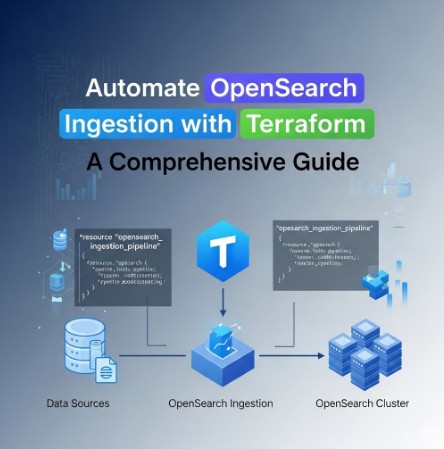
Automate OpenSearch Ingestion with Terraform

Managing the ingestion pipeline for OpenSearch can be a complex and time-consuming task. Manually configuring and maintaining this infrastructure is prone to errors and inconsistencies. This article addresses this challenge by providing a detailed guide on how to leverage Terraform to automate OpenSearch ingestion, significantly improving efficiency and reducing the risk of human error. We will explore how OpenSearch Ingestion Terraform simplifies the deployment and management of your data ingestion infrastructure.

Understanding the Need for Automation in OpenSearch Ingestion

OpenSearch, a powerful open-source search and analytics suite, relies heavily on efficient data ingestion. The process of getting data into OpenSearch involves several steps, including data extraction, transformation, and loading (ETL). Manually managing these steps across multiple environments (development, staging, production) can quickly become unmanageable, especially as the volume and complexity of data grow. This is where infrastructure-as-code (IaC) tools like Terraform come in. Using Terraform for OpenSearch Ingestion allows for consistent, repeatable, and automated deployments, reducing operational overhead and improving overall reliability.

Setting up Your OpenSearch Environment with Terraform

Before we delve into automating the ingestion pipeline, it’s crucial to have a functional OpenSearch cluster deployed using Terraform. This involves defining the cluster’s resources, including nodes, domains, and security groups. The following code snippet shows a basic example of creating an OpenSearch domain using the official AWS provider for Terraform:

terraform {
  required_providers {
    aws = {
      source  = "hashicorp/aws"
      version = "~> 4.0"
    }
  }
}

provider "aws" {
  region = "us-west-2"
}

resource "aws_opensearchservice_domain" "example" {
  domain_name = "my-opensearch-domain"
  engine_version = "2.4"
  cluster_config {
    instance_type = "t3.medium.elasticsearch"
    instance_count = 3
  }
  access_policies = <<EOF
{
  "Version": "2012-10-17",
  "Statement": [
    {
      "Effect": "Allow",
      "Principal": {
        "AWS": "*"
      },
      "Action": "es:*",
      "Resource": "arn:aws:es:us-west-2:123456789012:domain/my-opensearch-domain/*"
    }
  ]
}
EOF
}

This is a simplified example. You’ll need to adjust it based on your specific requirements, including choosing the appropriate instance type, number of nodes, and security configurations. Remember to consult the official AWS Terraform provider documentation for the most up-to-date information and options.

OpenSearch Ingestion Terraform: Automating the Pipeline

With your OpenSearch cluster successfully deployed, we can now focus on automating the ingestion pipeline using Terraform. This typically involves configuring and managing components such as Apache Kafka, Logstash, and potentially other ETL tools. The approach depends on your chosen ingestion method. For this example, let’s consider using Logstash to ingest data from a local file and forward it to OpenSearch.

Configuring Logstash with Terraform

We can use the null_resource to execute Logstash configuration commands. This allows us to manage Logstash configurations as part of our infrastructure definition. This approach requires ensuring that Logstash is already installed and accessible on the machine where Terraform is running or on a dedicated Logstash server managed through Terraform.

resource "null_resource" "logstash_config" {
  provisioner "local-exec" {
    command = "echo '${file("./logstash_config.conf")}' | sudo tee /etc/logstash/conf.d/myconfig.conf"
  }
  depends_on = [
    aws_opensearchservice_domain.example
  ]
}

The ./logstash_config.conf file would contain the actual Logstash configuration. An example configuration to read data from a file named my_data.json and index it into OpenSearch would be:

input {
  file {
    path => "/path/to/my_data.json"
    start_position => "beginning"
  }
}

filter {
  json {
    source => "message"
  }
}

output {
  opensearch {
    hosts    => ["${aws_opensearchservice_domain.example.endpoint}"]
    index    => "my-index"
    user     => "admin"
    password => "${aws_opensearchservice_domain.example.master_user_password}"
  }
}

Managing Dependencies

It’s crucial to define dependencies correctly within your Terraform configuration. In the example above, the null_resource depends on the OpenSearch domain being created. This ensures that Logstash attempts to connect to the OpenSearch cluster only after it’s fully operational. Failing to manage dependencies correctly can lead to errors during deployment.

Advanced Techniques for OpenSearch Ingestion Terraform

For more complex scenarios, you might need to leverage more sophisticated techniques:

  • Using a dedicated Logstash instance: Instead of running Logstash on the machine executing Terraform, manage a dedicated Logstash instance using Terraform, providing better scalability and isolation.
  • Integrating with other ETL tools: Extend your pipeline to include other ETL tools like Apache Kafka or Apache Flume, managing their configurations and deployments using Terraform.
  • Implementing security best practices: Use IAM roles to restrict access to OpenSearch, encrypt data in transit and at rest, and follow other security measures to protect your data.
  • Using a CI/CD pipeline: Integrate your Terraform code into a CI/CD pipeline for automated testing and deployment.

Frequently Asked Questions

Q1: How do I handle sensitive information like passwords in my Terraform configuration?

Avoid hardcoding sensitive information directly in your Terraform configuration. Use environment variables or dedicated secrets management solutions like AWS Secrets Manager or HashiCorp Vault to store and securely access sensitive data.

Q2: What are the benefits of using Terraform for OpenSearch Ingestion?

Terraform provides several benefits, including improved infrastructure-as-code practices, automation of deployments, version control of infrastructure configurations, and enhanced collaboration among team members.

Q3: Can I use Terraform to manage multiple OpenSearch clusters and ingestion pipelines?

Yes, Terraform’s modular design allows you to define and manage multiple clusters and pipelines with ease. You can create modules to reuse configurations and improve maintainability.

Q4: How do I troubleshoot issues with my OpenSearch Ingestion Terraform configuration?

Carefully review the Terraform output for errors and warnings. Examine the logs from Logstash and OpenSearch to identify issues. Using a debugger can assist in pinpointing the problems.

Conclusion

Automating OpenSearch ingestion with Terraform offers a significant improvement in efficiency and reliability compared to manual configurations. By leveraging infrastructure-as-code principles, you gain better control, reproducibility, and scalability for your data ingestion pipeline. Mastering OpenSearch Ingestion Terraform is a crucial step towards building a robust and scalable data infrastructure. Remember to prioritize security and utilize best practices throughout the process. Always consult the official documentation for the latest updates and features. Thank you for reading the DevopsRoles page!
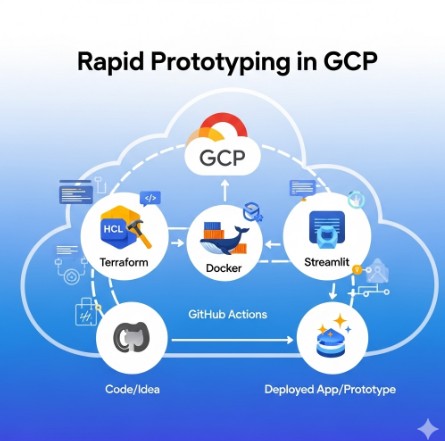
Accelerate Your Cloud Development: Rapid Prototyping in GCP with Terraform, Docker, GitHub Actions, and Streamlit

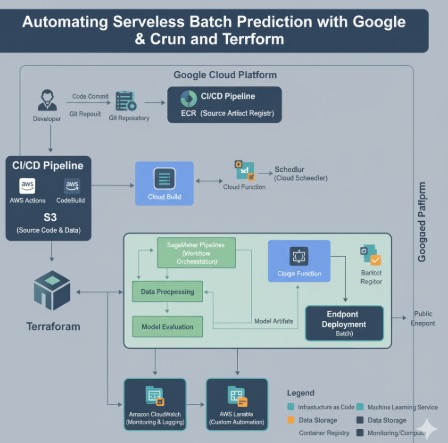
In today’s fast-paced development environment, the ability to rapidly prototype and iterate on cloud-based applications is crucial. This article focuses on rapid prototyping GCP, demonstrating how to leverage the power of Google Cloud Platform (GCP) in conjunction with Terraform, Docker, GitHub Actions, and Streamlit to significantly reduce development time and streamline the prototyping process. We’ll explore a robust, repeatable workflow that empowers developers to quickly test, validate, and iterate on their ideas, ultimately leading to faster time-to-market and improved product quality.

Setting Up Your Infrastructure with Terraform

Terraform is an Infrastructure as Code (IaC) tool that allows you to define and manage your GCP infrastructure in a declarative manner. This means you describe the desired state of your infrastructure in a configuration file, and Terraform handles the provisioning and management.

Defining Your GCP Resources

A typical Terraform configuration for rapid prototyping GCP might include resources such as:

  • Compute Engine virtual machines (VMs): Define the specifications of your VMs, including machine type, operating system, and boot disk.
  • Cloud Storage buckets: Create storage buckets to store your application code, data, and dependencies.
  • Cloud SQL instances: Provision database instances if your application requires a database.
  • Virtual Private Cloud (VPC) networks: Configure your VPC network, subnets, and firewall rules to secure your environment.

Example Terraform Code

Here’s a simplified example of a Terraform configuration to create a Compute Engine VM:

resource "google_compute_instance" "default" {

  name         = "prototype-vm"

  machine_type = "e2-medium"

  zone         = "us-central1-a"

  boot_disk {

    initialize_params {

      image = "debian-cloud/debian-9"

    }

  }

}

Containerizing Your Application with Docker

Docker is a containerization technology that packages your application and its dependencies into a single, portable unit. This ensures consistency across different environments, making it ideal for rapid prototyping GCP.

Creating a Dockerfile

A Dockerfile outlines the steps to build your Docker image. It specifies the base image, copies your application code, installs dependencies, and defines the command to run your application.

Example Dockerfile

FROM python:3.9-slim-buster

WORKDIR /app

COPY requirements.txt requirements.txt
RUN pip install --no-cache-dir -r requirements.txt

COPY . .

CMD ["streamlit", "run", "app.py"]

Automating Your Workflow with GitHub Actions

GitHub Actions allows you to automate your development workflow, including building, testing, and deploying your application. This is essential for rapid prototyping GCP, enabling continuous integration and continuous deployment (CI/CD).

Creating a GitHub Actions Workflow

A GitHub Actions workflow typically involves the following steps:

  1. Trigger: Define the events that trigger the workflow, such as pushing code to a repository branch.
  2. Build: Build your Docker image using the Dockerfile.
  3. Test: Run unit and integration tests to ensure the quality of your code.
  4. Deploy: Deploy your Docker image to GCP using tools like `gcloud` or a container registry.

Example GitHub Actions Workflow (YAML)

name: Deploy to GCP
on:
  push:
    branches:
      - main
jobs:
  deploy:
    runs-on: ubuntu-latest
    steps:
      - uses: actions/checkout@v3
      - name: Build Docker Image
        run: docker build -t my-app:latest .
      - name: Login to Google Cloud Container Registry
        run: gcloud auth configure-docker
      - name: Push Docker Image
        run: docker push gcr.io/$PROJECT_ID/my-app:latest
      - name: Deploy to GCP
        run: gcloud compute instances create my-instance --zone=us-central1-a --machine-type=e2-medium --image=gcr.io/$PROJECT_ID/my-app:latest

Building Interactive Prototypes with Streamlit

Streamlit is a Python library that simplifies the creation of interactive web applications. Its ease of use makes it perfectly suited for rapid prototyping GCP, allowing you to quickly build user interfaces to visualize data and interact with your application.

Creating a Streamlit App

A simple Streamlit app might look like this:

import streamlit as st
st.title("My GCP Prototype")
st.write("This is a simple Streamlit app running on GCP.")
name = st.text_input("Enter your name:")
if name:
    st.write(f"Hello, {name}!")

Rapid Prototyping GCP: A Complete Workflow

Combining these technologies creates a powerful workflow for rapid prototyping GCP:

  1. Develop your application code.
  2. Create a Dockerfile to containerize your application.
  3. Write Terraform configurations to define your GCP infrastructure.
  4. Set up a GitHub Actions workflow to automate the build, test, and deployment processes.
  5. Use Streamlit to build an interactive prototype to test and showcase your application.

This iterative process allows for quick feedback loops, enabling you to rapidly iterate on your designs and incorporate user feedback.

Frequently Asked Questions

Q1: What are the benefits of using Terraform for infrastructure management in rapid prototyping?

A1: Terraform provides a declarative approach, ensuring consistency and reproducibility. It simplifies infrastructure setup and teardown, making it easy to spin up and down environments quickly, ideal for the iterative nature of prototyping. This reduces manual configuration errors and speeds up the entire development lifecycle.

Q2: How does Docker improve the efficiency of rapid prototyping in GCP?

A2: Docker ensures consistent environments across different stages of development and deployment. By packaging the application and dependencies, Docker eliminates environment-specific issues that often hinder prototyping. It simplifies deployment to GCP by utilizing container registries and managed services.

Q3: Can I use other CI/CD tools besides GitHub Actions for rapid prototyping on GCP?

A3: Yes, other CI/CD platforms like Cloud Build, Jenkins, or GitLab CI can be integrated with GCP. The choice depends on your existing tooling and preferences. Each offers similar capabilities for automated building, testing, and deployment.

Q4: What are some alternatives to Streamlit for building quick prototypes?

A4: While Streamlit is excellent for rapid development, other options include frameworks like Flask or Django (for more complex applications), or even simpler tools like Jupyter Notebooks for data exploration and visualization within the prototype.

Conclusion

This article demonstrated how to effectively utilize Terraform, Docker, GitHub Actions, and Streamlit to significantly enhance your rapid prototyping GCP capabilities. By adopting this workflow, you can drastically reduce development time, improve collaboration, and focus on iterating and refining your applications. Remember that continuous integration and continuous deployment are key to maximizing the efficiency of your rapid prototyping GCP strategy. Mastering these tools empowers you to rapidly test ideas, validate concepts, and bring innovative cloud solutions to market with unparalleled speed.

For more detailed information on Terraform, consult the official documentation: https://www.terraform.io/docs/index.html

For more on Docker, see: https://docs.docker.com/

For further details on GCP deployment options, refer to: https://cloud.google.com/docs. Thank you for reading the DevopsRoles page!

Secure Your AWS Resources with Terraform AWS Verified Access and Google OIDC

Establishing secure access to your AWS resources is paramount. Traditional methods often lack the granularity and automation needed for modern cloud environments. This article delves into leveraging Terraform AWS Verified Access with Google OIDC (OpenID Connect) to create a robust, automated, and highly secure access control solution. We’ll guide you through the process, from initial setup to advanced configurations, ensuring you understand how to implement Terraform AWS Verified Access effectively.

Understanding AWS Verified Access and OIDC

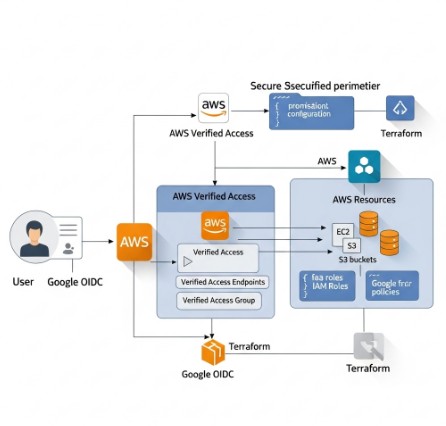
AWS Verified Access is a fully managed service that enables secure, zero-trust access to your AWS resources. It verifies the identity and posture of users and devices before granting access, minimizing the attack surface. Integrating it with Google OIDC enhances security by leveraging Google’s robust identity and access management (IAM) system. This approach eliminates the need to manage and rotate numerous AWS IAM credentials, simplifying administration and improving security.

Key Benefits of Using AWS Verified Access with Google OIDC

  • Enhanced Security: Leverages Google’s secure authentication mechanisms.
  • Simplified Management: Centralized identity management through Google Workspace or Cloud Identity.
  • Automation: Terraform enables Infrastructure as Code (IaC), automating the entire deployment process.
  • Zero Trust Model: Access is granted based on identity and posture, not network location.
  • Improved Auditability: Detailed logs provide comprehensive audit trails.

Setting up Google OIDC

Before configuring Terraform AWS Verified Access, you need to set up your Google OIDC provider. This involves creating a service account in your Google Cloud project and generating its credentials.

Creating a Google Service Account

  1. Navigate to the Google Cloud Console and select your project.
  2. Go to IAM & Admin > Service accounts.
  3. Click “CREATE SERVICE ACCOUNT”.
  4. Provide a name (e.g., “aws-verified-access”).
  5. Assign the “Cloud Identity and Access Management (IAM) Admin” role. Adjust roles based on your specific needs.
  6. Click “Create”.
  7. Download the JSON key file. Keep this file secure; it contains sensitive information.

Configuring the Google OIDC Provider

You’ll need the Client ID from your Google service account JSON key file. This will be used in your Terraform configuration.

Implementing Terraform AWS Verified Access

Now, let’s build the Terraform AWS Verified Access infrastructure using the Google OIDC provider. This example assumes you have already configured your AWS credentials for Terraform.

Terraform Code for AWS Verified Access


resource "aws_verified_access_trust_provider" "google_oidc" {
  name                = "google-oidc-provider"
  provider_type       = "oidc"
  server_url          = "https://accounts.google.com/.well-known/openid-configuration"
  client_id           = "YOUR_GOOGLE_CLIENT_ID" # Replace with your Client ID
  issuer_url          = "https://accounts.google.com"
}

resource "aws_verified_access_instance" "example" {
  name                 = "example-instance"
  trust_providers_ids = [aws_verified_access_trust_provider.google_oidc.id]
  device_policy {
    allowed_device_types = ["MOBILE", "DESKTOP"]
  }
}

Remember to replace YOUR_GOOGLE_CLIENT_ID with your actual Google Client ID. This configuration creates an OIDC trust provider and an AWS Verified Access instance that uses the provider.

Advanced Configurations

This basic configuration can be expanded to include:

  • Resource Policies: Define fine-grained access control to specific AWS resources.
  • Custom Device Policies: Implement stricter device requirements for access.
  • Conditional Access: Combine Verified Access with other security measures like MFA.
  • Integration with other IAM systems: Extend your identity and access management to other providers.

Terraform AWS Verified Access: Best Practices

Implementing secure Terraform AWS Verified Access requires careful planning and execution. Following best practices ensures robust security and maintainability.

Security Best Practices

  • Use the principle of least privilege: Grant only the necessary permissions.
  • Regularly review and update your access policies.
  • Monitor access logs and audit trails for suspicious activity.
  • Store sensitive credentials securely, using secrets management tools.

IaC Best Practices

  • Version control your Terraform code.
  • Use a modular approach to manage your infrastructure.
  • Employ automated testing to verify your configurations.
  • Follow a structured deployment process.

Frequently Asked Questions

Q1: Can I use AWS Verified Access with other identity providers besides Google OIDC?

Yes, AWS Verified Access supports various identity providers, including SAML and other OIDC providers. You will need to adjust the Terraform configuration accordingly, using the relevant provider details.

Q2: How do I manage access to specific AWS resources using AWS Verified Access?

You manage resource access by defining resource policies associated with your Verified Access instance. These policies specify which resources are accessible and under what conditions. These policies are often expressed using IAM policies within the Terraform configuration.

Q3: What happens if a user’s device doesn’t meet the specified device policy requirements?

If a user’s device does not meet the specified requirements (e.g., OS version, security patches), access will be denied. The user will receive an appropriate error message indicating the reason for the denial.

Q4: How can I monitor the activity and logs of AWS Verified Access?

AWS CloudTrail logs all Verified Access activity. You can access these logs through the AWS Management Console or programmatically using the AWS SDKs. This provides a detailed audit trail for compliance and security monitoring.

Conclusion

Implementing Terraform AWS Verified Access with Google OIDC provides a powerful and secure way to manage access to your AWS resources. By leveraging the strengths of both services, you create a robust, automated, and highly secure infrastructure. Remember to carefully plan your implementation, follow best practices, and continuously monitor your environment to maintain optimal security. Effective use of Terraform AWS Verified Access significantly enhances your organization’s cloud security posture.

For further information, consult the official AWS Verified Access documentation: https://aws.amazon.com/verified-access/ and the Google Cloud documentation on OIDC: https://cloud.google.com/docs/authentication/production. Also consider exploring HashiCorp’s Terraform documentation for detailed examples and best practices: https://www.terraform.io/. Thank you for reading the DevopsRoles page!
Deploying Terraform on AWS with Control Tower

This comprehensive guide will walk you through the process of deploying Terraform on AWS, leveraging the capabilities of AWS Control Tower to establish a secure and well-governed infrastructure-as-code (IaC) environment. We’ll cover setting up your environment, configuring Control Tower, writing and deploying Terraform code, and managing your infrastructure effectively. Understanding how to effectively utilize Terraform on AWS is crucial for any organization aiming for efficient and repeatable cloud deployments.

Setting Up Your AWS Environment and Control Tower

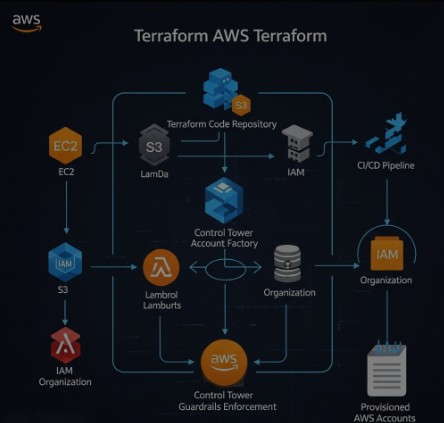
Before you can begin deploying Terraform on AWS, you need a properly configured AWS environment and AWS Control Tower. Control Tower provides a centralized governance mechanism, ensuring consistency and compliance across your AWS accounts.

1. Creating an AWS Account

If you don’t already have an AWS account, you’ll need to create one. Ensure you choose a suitable support plan based on your needs. The free tier offers a good starting point for experimentation.

2. Enabling AWS Control Tower

Next, enable AWS Control Tower. This involves deploying a landing zone, which sets up the foundational governance and security controls for your organization. Follow the AWS Control Tower documentation for detailed instructions. This includes defining organizational units (OUs) to manage access and policies.

  • Step 1: Navigate to the AWS Control Tower console.
  • Step 2: Follow the guided setup to create your landing zone.
  • Step 3: Choose the appropriate AWS Regions for your deployment.

3. Configuring IAM Roles

Properly configuring IAM roles is critical for secure access to AWS resources. Terraform on AWS requires specific IAM permissions to interact with AWS services. Create an IAM role with permissions necessary for deploying your infrastructure. This should adhere to the principle of least privilege.

Deploying Terraform on AWS: A Practical Example

This section demonstrates deploying a simple EC2 instance using Terraform on AWS. This example assumes you have Terraform installed and configured with appropriate AWS credentials.

1. Writing the Terraform Configuration File (main.tf)


terraform {
  required_providers {
    aws = {
      source  = "hashicorp/aws"
      version = "~> 4.0"
    }
  }
}

provider "aws" {
  region = "us-west-2" # Replace with your desired region
}

resource "aws_instance" "example" {
  ami           = "ami-0c55b31ad2299a701" # Replace with a suitable AMI ID for your region
  instance_type = "t2.micro"
}

2. Initializing and Deploying Terraform

After creating your main.tf file, navigate to the directory in your terminal and execute the following commands:

  1. terraform init: This downloads the necessary AWS provider plugins.
  2. terraform plan: This shows you a preview of the changes Terraform will make.
  3. terraform apply: This applies the changes and deploys the EC2 instance.

3. Destroying the Infrastructure

When you’re finished, use terraform destroy to remove the deployed resources. Always review the plan before applying any destructive changes.

Advanced Terraform Techniques with AWS Control Tower

Leveraging Control Tower alongside Terraform on AWS allows for more sophisticated deployments and enhanced governance. This section explores some advanced techniques.

1. Using Modules for Reusability

Terraform modules promote code reuse and maintainability. Create modules for common infrastructure components, such as VPCs, subnets, and security groups. This improves consistency and reduces errors.

2. Implementing Security Best Practices

Utilize Control Tower’s security controls alongside Terraform on AWS. This includes managing IAM roles effectively, adhering to least privilege principles, and implementing security groups and network ACLs to control access to your resources. Always use version control for your Terraform code.

3. Integrating with Other AWS Services

Terraform on AWS integrates seamlessly with many AWS services. Consider incorporating services like:

  • AWS S3: For storing configuration files and state.
  • AWS CloudFormation: For orchestrating complex deployments.
  • AWS CloudWatch: For monitoring infrastructure health and performance.

4. Using Workspaces for Different Environments

Employ Terraform workspaces to manage different environments (e.g., development, staging, production) using the same codebase. This helps maintain separation and reduces risk.

Implementing CI/CD with Terraform and AWS Control Tower

Integrating Terraform on AWS within a CI/CD pipeline enhances automation and allows for streamlined deployments. Utilize tools like GitHub Actions or Jenkins to trigger Terraform deployments based on code changes.

Frequently Asked Questions

Q1: What are the benefits of using Terraform with AWS Control Tower?

Using Terraform on AWS in conjunction with Control Tower significantly improves governance and security. Control Tower ensures your infrastructure adheres to defined policies, while Terraform provides repeatable and efficient deployments. This combination minimizes risks and allows for more streamlined operations.

Q2: How do I manage Terraform state securely?

Store your Terraform state securely using AWS services like S3, backed by KMS encryption. This protects your infrastructure configuration and prevents unauthorized modifications.

Q3: What are some common pitfalls to avoid when using Terraform on AWS?

Common pitfalls include insufficient IAM permissions, incorrect region settings, and neglecting to properly manage your Terraform state. Always thoroughly test your deployments in a non-production environment before applying to production.

Conclusion

This guide has detailed the process of deploying Terraform on AWS, emphasizing the benefits of integrating with AWS Control Tower for enhanced governance and security. By mastering these techniques, you can establish a robust, repeatable, and secure infrastructure-as-code workflow. Remember, consistent adherence to security best practices is paramount when deploying Terraform on AWS, especially when leveraging the centralized governance features of Control Tower. Proper planning and testing are key to successful and reliable deployments.

For more detailed information, refer to the official Terraform AWS Provider documentation and the AWS Control Tower documentation. Thank you for reading the DevopsRoles page!

Deploy AWS Lambda with Terraform: A Simple Guide

Deploying serverless functions on AWS Lambda offers significant advantages, including scalability, cost-effectiveness, and reduced operational overhead. However, managing Lambda functions manually can become cumbersome, especially in complex deployments. This is where Infrastructure as Code (IaC) tools like Terraform shine. This guide will provide a comprehensive walkthrough of deploying AWS Lambda with Terraform, covering everything from basic setup to advanced configurations, enabling you to automate and streamline your serverless deployments.

Understanding the Fundamentals: AWS Lambda and Terraform

Before diving into the deployment process, let’s briefly review the core concepts of AWS Lambda and Terraform. AWS Lambda is a compute service that lets you run code without provisioning or managing servers. You upload your code, configure triggers, and Lambda handles the execution environment, scaling, and monitoring. Terraform is an IaC tool that allows you to define and provision infrastructure resources across multiple cloud providers, including AWS, using a declarative configuration language (HCL).

AWS Lambda Components

  • Function Code: The actual code (e.g., Python, Node.js) that performs a specific task.
  • Execution Role: An IAM role that grants the Lambda function the necessary permissions to access other AWS services.
  • Triggers: Events that initiate the execution of the Lambda function (e.g., API Gateway, S3 events).
  • Environment Variables: Configuration parameters passed to the function at runtime.

Terraform Core Concepts

  • Providers: Plugins that interact with specific cloud providers (e.g., the AWS provider).
  • Resources: Definitions of the infrastructure components you want to create (e.g., AWS Lambda function, IAM role).
  • State: A file that tracks the current state of your infrastructure.

Deploying Your First AWS Lambda Function with Terraform

This section demonstrates a straightforward approach to deploying a simple “Hello World” Lambda function using Terraform. We will cover the necessary Terraform configuration, IAM role setup, and deployment steps.

Setting Up Your Environment

  1. Install Terraform: Download and install the appropriate Terraform binary for your operating system from the official website: https://www.terraform.io/downloads.html
  2. Configure AWS Credentials: Configure your AWS credentials using the AWS CLI or environment variables. Ensure you have the necessary permissions to create Lambda functions and IAM roles.
  3. Create a Terraform Project Directory: Create a new directory for your Terraform project.

Writing the Terraform Configuration

Create a file named main.tf in your project directory with the following code:

terraform {
  required_providers {
    aws = {
      source  = "hashicorp/aws"
      version = "~> 4.0"
    }
  }
}

provider "aws" {
  region = "us-east-1" // Replace with your desired region
}

resource "aws_iam_role" "lambda_role" {
  name = "lambda_execution_role"

  assume_role_policy = jsonencode({
    Version = "2012-10-17"
    Statement = [
      {
        Action = "sts:AssumeRole"
        Effect = "Allow"
        Principal = {
          Service = "lambda.amazonaws.com"
        }
      }
    ]
  })
}

resource "aws_iam_role_policy" "lambda_policy" {
  name = "lambda_policy"
  role = aws_iam_role.lambda_role.id
  policy = jsonencode({
    Version = "2012-10-17"
    Statement = [
      {
        Action = [
          "logs:CreateLogGroup",
          "logs:CreateLogStream",
          "logs:PutLogEvents"
        ]
        Effect = "Allow"
        Resource = "*"
      }
    ]
  })
}

resource "aws_lambda_function" "hello_world" {
  filename         = "hello.zip"
  function_name    = "hello_world"
  role             = aws_iam_role.lambda_role.arn
  handler          = "index.handler"
  runtime          = "python3.9"
  source_code_hash = filebase64sha256("hello.zip")
}

Creating the Lambda Function Code

Create a file named hello.py with the following code:

import json

def handler(event, context):
    return {
        'statusCode': 200,
        'body': json.dumps('Hello from AWS Lambda!')
    }

Zip the hello.py file into a file named hello.zip.

Deploying the Lambda Function

  1. Navigate to your project directory in the terminal.
  2. Run terraform init to initialize the Terraform project.
  3. Run terraform plan to preview the changes.
  4. Run terraform apply to deploy the Lambda function.

Deploying AWS Lambda with Terraform: Advanced Configurations

The previous example demonstrated a basic deployment. This section explores more advanced configurations for AWS Lambda with Terraform, enhancing functionality and resilience.

Implementing Environment Variables

You can manage environment variables within your Terraform configuration:

resource "aws_lambda_function" "hello_world" {
  # ... other configurations ...

  environment {
    variables = {
      MY_VARIABLE = "my_value"
    }
  }
}

Using Layers for Dependencies

Lambda Layers allow you to package dependencies separately from your function code, improving organization and reusability:

resource "aws_lambda_layer_version" "my_layer" {
  filename          = "mylayer.zip"
  layer_name        = "my_layer"
  compatible_runtimes = ["python3.9"]
  source_code_hash = filebase64sha256("mylayer.zip")
}

resource "aws_lambda_function" "hello_world" {
  # ... other configurations ...

  layers = [aws_lambda_layer_version.my_layer.arn]
}

Implementing Dead-Letter Queues (DLQs)

DLQs enhance error handling by capturing failed invocations for later analysis and processing:

resource "aws_sqs_queue" "dead_letter_queue" {
  name = "my-lambda-dlq"
}

resource "aws_lambda_function" "hello_world" {
  # ... other configurations ...

  dead_letter_config {
    target_arn = aws_sqs_queue.dead_letter_queue.arn
  }
}

Implementing Versioning and Aliases

Versioning enables rollback to previous versions and aliases simplify referencing specific versions of your Lambda function.

resource "aws_lambda_function" "hello_world" {
  #...other configurations
}

resource "aws_lambda_alias" "prod" {
  function_name    = aws_lambda_function.hello_world.function_name
  name             = "prod"
  function_version = aws_lambda_function.hello_world.version
}

Frequently Asked Questions

Q1: How do I handle sensitive information in my Lambda function?

Avoid hardcoding sensitive information directly into your code. Use AWS Secrets Manager or environment variables managed through Terraform to securely store and access sensitive data.

Q2: What are the best practices for designing efficient Lambda functions?

Design functions to be short-lived and focused on a single task. Minimize external dependencies and optimize code for efficient execution. Leverage Lambda layers to manage common dependencies.

Q3: How can I monitor the performance of my Lambda functions deployed with Terraform?

Use CloudWatch metrics and logs to monitor function invocations, errors, and execution times. Terraform can also be used to create CloudWatch dashboards for centralized monitoring.

Q4: How do I update an existing Lambda function deployed with Terraform?

Modify your Terraform configuration, run terraform plan to review the changes, and then run terraform apply to update the infrastructure. Terraform will efficiently update only the necessary resources.

Conclusion

Deploying AWS Lambda with Terraform provides a robust and efficient way to manage your serverless infrastructure. This guide covered the foundational aspects of deploying simple functions to implementing advanced configurations. By leveraging Terraform’s IaC capabilities, you can automate your deployments, improve consistency, and reduce the risk of manual errors. Remember to always follow best practices for security and monitoring to ensure the reliability and scalability of your serverless applications. Mastering AWS Lambda with Terraform is a crucial skill for any modern DevOps engineer or cloud architect.Thank you for reading the DevopsRoles page!
Automating VMware NSX Firewall Rules with Terraform

Managing network security in a virtualized environment can be a complex and time-consuming task. Manually configuring firewall rules on VMware NSX, especially in large-scale deployments, is inefficient and prone to errors. This article demonstrates how to leverage terraform vmware nsx to automate the creation and management of NSX firewall rules, improving efficiency, reducing errors, and enhancing overall security posture. We’ll explore the process from basic rule creation to advanced techniques, providing practical examples and best practices.

Understanding the Power of Terraform and VMware NSX

VMware NSX is a leading network virtualization platform that provides advanced security features, including distributed firewalls. Managing these firewalls manually can become overwhelming, particularly in dynamic environments with frequent changes to virtual machines and applications. Terraform, a leading Infrastructure-as-Code (IaC) tool, provides a powerful solution for automating this process. Using terraform vmware nsx allows you to define your infrastructure, including firewall rules, as code, enabling version control, repeatability, and automated deployments.

Benefits of Automating NSX Firewall Rules with Terraform

  • Increased Efficiency: Automate the creation, modification, and deletion of firewall rules, eliminating manual effort.
  • Reduced Errors: Minimize human error through automated deployments, ensuring consistent and accurate configurations.
  • Improved Consistency: Maintain consistent firewall rules across multiple environments.
  • Version Control: Track changes to firewall rules over time using Git or other version control systems.
  • Enhanced Security: Implement security best practices more easily and consistently through automation.

Setting up Your Terraform Environment for VMware NSX

Before you begin, ensure you have the following prerequisites:

  • A working VMware vCenter Server instance.
  • A deployed VMware NSX-T Data Center instance.
  • Terraform installed on your system. Download instructions can be found on the official Terraform website.
  • The VMware NSX-T Terraform provider installed and configured. This typically involves configuring the `provider` block in your Terraform configuration file with your vCenter credentials and NSX manager details.

Configuring the VMware NSX Provider

A typical configuration for the VMware NSX-T provider in your `main.tf` file would look like this:

terraform {
  required_providers {
    vmware = {
      source  = "vmware/vsphere"
      version = "~> 2.0"
    }
    nsxt = {
      source  = "vmware/nsxt"
      version = "~> 1.0"
    }
  }
}

provider "vmware" {
  user                 = "your_vcenter_username"
  password             = "your_vcenter_password"
  vcenter_server       = "your_vcenter_ip_address"
  allow_unverified_ssl = false #Consider this security implication carefully!
}

provider "nsxt" {
  vcenter_server     = "your_vcenter_ip_address"
  nsx_manager_ip     = "your_nsx_manager_ip_address"
  user               = "your_nsx_username"
  password           = "your_nsx_password"
}

Creating and Managing Firewall Rules with Terraform VMware NSX

Now, let’s create a simple firewall rule. We’ll define a rule that allows SSH traffic (port 22) from a specific IP address to a given virtual machine.

Defining the Firewall Rule Resource

The following Terraform code defines a basic firewall rule. Replace placeholders with your actual values.

resource "nsxt_firewall_section" "example" {
  display_name = "Example Firewall Section"
  description  = "This section contains basic firewall rules"
}

resource "nsxt_firewall_rule" "allow_ssh" {
  display_name = "Allow SSH"
  description  = "Allow SSH from specific IP"
  section_id   = nsxt_firewall_section.example.id
  action       = "ALLOW"

  source {
    groups       = ["group_id"] #replace with your pre-existing source group
    ip_addresses = ["192.168.1.100"]
  }

  destination {
    groups           = ["group_id"] #replace with your pre-existing destination group
    virtual_machines = ["vm_id"]    #replace with your virtual machine ID
  }

  services {
    ports     = ["22"]
    protocols = ["TCP"]
  }
}

Applying the Terraform Configuration

After defining your firewall rule, apply the configuration using the command terraform apply. Terraform will create the rule in your VMware NSX environment. Always review the plan before applying any changes.

Advanced Techniques with Terraform VMware NSX

Beyond basic rule creation, Terraform offers advanced capabilities:

Managing Multiple Firewall Rules

You can define multiple firewall rules within the same Terraform configuration, allowing for comprehensive management of your NSX firewall policies.

Dynamically Generating Firewall Rules

For large-scale deployments, you can dynamically generate firewall rules using data sources and loops, allowing you to manage hundreds or even thousands of rules efficiently.

Integrating with Other Terraform Resources

Integrate your firewall rule management with other Terraform resources, such as virtual machines, networks, and security groups, for a fully automated infrastructure.

Frequently Asked Questions

What if I need to update an existing firewall rule?

Update the Terraform configuration file to reflect the desired changes. Running terraform apply will update the existing rule in your NSX environment.

How do I delete a firewall rule?

Remove the corresponding resource "nsxt_firewall_rule" block from your Terraform configuration file and run terraform apply. Terraform will delete the rule from NSX.

Can I use Terraform to manage NSX Edge Firewall rules?

While the approach will vary slightly, yes, Terraform can also manage NSX Edge Firewall rules. You would need to adapt the resource blocks to use the appropriate NSX-T Edge resources and API calls.

How do I handle dependencies between firewall rules?

Terraform’s dependency management ensures that rules are applied in the correct order. Define your rules in a way that ensures proper sequencing, and Terraform will manage the dependencies automatically.

How do I troubleshoot issues when applying my Terraform configuration?

Thoroughly review the terraform plan output before applying. Check the VMware NSX logs for any errors. The Terraform error messages usually provide helpful hints for diagnosing the problems. Refer to the official VMware NSX and Terraform documentation for further assistance.

Conclusion

Automating the management of VMware NSX firewall rules with terraform vmware nsx offers significant advantages in terms of efficiency, consistency, and error reduction. By defining your firewall rules as code, you can achieve a more streamlined and robust network security infrastructure. Remember to always prioritize security best practices and regularly test your Terraform configurations before deploying them to production environments. Mastering terraform vmware nsx is a key skill for any DevOps engineer or network administrator working with VMware NSX. Thank you for reading the DevopsRoles page!

Optimizing Generative AI Deployment with Terraform

The rapid advancement of generative AI has created an unprecedented demand for efficient and reliable deployment strategies. Manually configuring infrastructure for these complex models is not only time-consuming and error-prone but also hinders scalability and maintainability. This article addresses these challenges by demonstrating how Terraform, a leading Infrastructure as Code (IaC) tool, significantly streamlines and optimizes Generative AI Deployment. We’ll explore practical examples and best practices to ensure robust and scalable deployments for your generative AI projects.

Understanding the Challenges of Generative AI Deployment

Deploying generative AI models presents unique hurdles compared to traditional applications. These challenges often include:

  • Resource-Intensive Requirements: Generative AI models, particularly large language models (LLMs), demand substantial computational resources, including powerful GPUs and significant memory.
  • Complex Dependencies: These models often rely on various software components, libraries, and frameworks, demanding intricate dependency management.
  • Scalability Needs: As user demand increases, the ability to quickly scale resources to meet this demand is crucial. Manual scaling is often insufficient.
  • Reproducibility and Consistency: Ensuring consistent environments across different deployments (development, testing, production) is essential for reproducible results.

Leveraging Terraform for Generative AI Deployment

Terraform excels in addressing these challenges by providing a declarative approach to infrastructure management. This means you describe your desired infrastructure state in configuration files, and Terraform automatically provisions and manages the necessary resources.

Defining Infrastructure Requirements with Terraform

For a basic example, consider deploying a generative AI model on Google Cloud Platform (GCP). A simplified Terraform configuration might look like this:

terraform {
  required_providers {
    google = {
      source = "hashicorp/google"
      version = "~> 4.0"
    }
  }
}

provider "google" {
  project = "your-gcp-project-id"
  region  = "us-central1"
}

resource "google_compute_instance" "default" {
  name         = "generative-ai-instance"
  machine_type = "n1-standard-8" # Adjust based on your model's needs
  zone         = "us-central1-a"

  boot_disk {
    initialize_params {
      image = "debian-cloud/debian-9" # Replace with a suitable image
    }
  }
}

This code creates a single virtual machine instance. However, a real-world deployment would likely involve more complex configurations, including:

  • Multiple VM instances: For distributed training or inference.
  • GPU-accelerated instances: To leverage the power of GPUs for faster processing.
  • Storage solutions: Persistent disks for storing model weights and data.
  • Networking configurations: Setting up virtual networks and firewalls.
  • Kubernetes clusters: For managing containerized applications.

Automating the Deployment Process

Once the Terraform configuration is defined, the deployment process is automated:

  1. Initialization: terraform init downloads necessary providers.
  2. Planning: terraform plan shows the changes Terraform will make.
  3. Applying: terraform apply creates and configures the infrastructure.

This automation significantly reduces manual effort and ensures consistent deployments. Terraform also allows for version control of your infrastructure, facilitating collaboration and rollback capabilities.

Optimizing Generative AI Deployment with Advanced Terraform Techniques

Beyond basic provisioning, Terraform enables advanced optimization strategies for Generative AI Deployment:

Modularization and Reusability

Break down your infrastructure into reusable modules. This enhances maintainability and reduces redundancy. For example, a module could be created to manage a specific type of GPU instance, making it easily reusable across different projects.

State Management

Properly managing Terraform state is crucial. Use a remote backend (e.g., AWS S3, Google Cloud Storage) to store the state, allowing multiple users to collaborate and manage infrastructure effectively. This ensures consistency and allows for collaborative management of the infrastructure.

Variable and Input Management

Use variables and input variables to parameterize your configurations, making them flexible and adaptable to different environments. This allows you to easily change parameters such as instance types, region, and other settings without modifying the core code. For instance, the machine type in the example above can be defined as a variable.

Lifecycle Management

Terraform’s lifecycle management features allow for advanced control over resources. For example, you can use the lifecycle block to define how resources should be handled during updates or destruction, ensuring that crucial data is not lost unintentionally.

Generative AI Deployment: Best Practices with Terraform

Implementing best practices ensures smooth and efficient Generative AI Deployment:

  • Adopt a modular approach:

  • This improves reusability and maintainability.
  • Utilize version control:

  • This ensures traceability and enables easy rollbacks.
  • Implement comprehensive testing:

  • Test your Terraform configurations thoroughly before deploying to production.
  • Employ automated testing and CI/CD pipelines:

  • Integrate Terraform into your CI/CD pipelines for automated deployments.
  • Monitor resource usage:

  • Regularly monitor resource utilization to optimize costs and performance.

Frequently Asked Questions

Q1: Can Terraform manage Kubernetes clusters for Generative AI workloads?

Yes, Terraform can manage Kubernetes clusters on various platforms (GKE, AKS, EKS) using appropriate providers. This enables you to deploy and manage containerized generative AI applications.

Q2: How does Terraform handle scaling for Generative AI deployments?

Terraform can automate scaling by integrating with auto-scaling groups provided by cloud platforms. You define the scaling policies in your Terraform configuration, allowing the infrastructure to automatically adjust based on demand.

Q3: What are the security considerations when using Terraform for Generative AI Deployment?

Security is paramount. Secure your Terraform state, use appropriate IAM roles and policies, and ensure your underlying infrastructure is configured securely. Regular security audits are recommended.

Conclusion

Optimizing Generative AI Deployment is crucial for success in this rapidly evolving field. Terraform’s Infrastructure as Code capabilities provide a powerful solution for automating, managing, and scaling the complex infrastructure requirements of generative AI projects. By following best practices and leveraging advanced features, organizations can ensure robust, scalable, and cost-effective deployments. Remember that consistent monitoring and optimization are key to maximizing the efficiency and performance of your Generative AI Deployment.

For further information, refer to the official Terraform documentation: https://www.terraform.io/ and the Google Cloud documentation: https://cloud.google.com/docs. Thank you for reading the DevopsRoles page!