The worlds of software development, operations, and artificial intelligence are not just colliding; they are fusing. For experts in the DevOps and AI fields, and especially for the modern Microsoft Certified Professional (MCP), this convergence signals a fundamental paradigm shift. We are moving beyond simple automation (CI/CD) and reactive monitoring (traditional Ops) into a new era of predictive, generative, and self-healing systems. Understanding the synergy of MCP & AI in DevOps isn’t just an academic exercise—it’s the new baseline for strategic, high-impact engineering.
This guide will dissect this “new trinity,” exploring how AI is fundamentally reshaping the DevOps lifecycle and what strategic role the expert MCP plays in architecting and governing these intelligent systems within the Microsoft ecosystem.
Defining the New Trinity: MCP, AI, and DevOps
To grasp the revolution, we must first align on the roles these three domains play. For this expert audience, we’ll dispense with basic definitions and focus on their modern, synergistic interpretations.
The Modern MCP: Beyond Certifications to Cloud-Native Architect
The “MCP” of today is not the on-prem Windows Server admin of the past. The modern, expert-level Microsoft Certified Professional is a cloud-native architect, a master of the Azure and GitHub ecosystems. Their role is no longer just implementation, but strategic governance, security, and integration. They are the human experts who build the “scaffolding”—the Azure Landing Zones, the IaC policies, the identity frameworks—upon which intelligent applications run.
AI in DevOps: From Reactive AIOps to Generative Pipelines
AI’s role in DevOps has evolved through two distinct waves:
AIOps (AI for IT Operations): This is the *reactive and predictive* wave. It involves using machine learning models to analyze telemetry (logs, metrics, traces) to find patterns, detect multi-dimensional anomalies (that static thresholds miss), and automate incident response.
Generative AI: This is the *creative* wave. Driven by Large Language Models (LLMs), this AI writes code, authors test cases, generates documentation, and even drafts declarative pipeline definitions. Tools like GitHub Copilot are the vanguard of this movement.
The Synergy: Why This Intersection Matters Now
The synergy lies in the feedback loop. DevOps provides the *process* and *data* (from CI/CD pipelines and production monitoring). AI provides the *intelligence* to analyze that data and automate complex decisions. The MCP provides the *platform* and *governance* (Azure, GitHub Actions, Azure Monitor, Azure ML) that connects them securely and scalably.
Advanced Concept: This trinity creates a virtuous cycle. Better DevOps practices generate cleaner data. Cleaner data trains more accurate AI models. More accurate models drive more intelligent automation (e.g., predictive scaling, automated bug detection), which in turn optimizes the DevOps lifecycle itself.
The Core Impact of MCP & AI in DevOps
When you combine the platform expertise of an MCP with the capabilities of AI inside a mature DevOps framework, you don’t just get faster builds. You get a fundamentally different *kind* of software development lifecycle. The core topic of MCP & AI in DevOps is about this transformation.
Standard DevOps uses declarative IaC (Terraform, Bicep) and autoscaling (like HPA in Kubernetes). An AI-driven approach goes further. Instead of scaling based on simple CPU/memory thresholds, an AI-driven system uses predictive analytics.
An MCP can architect a solution using KEDA (Kubernetes Event-driven Autoscaling) to scale a microservice based on a custom metric from an Azure ML model, which predicts user traffic based on time of day, sales promotions, and even external events (e.g., social media trends).
2. Generative AI in the CI/CD Lifecycle
This is where the revolution is most visible. Generative AI is being embedded directly into the “inner loop” (developer) and “outer loop” (CI/CD) processes.
Test Case Generation: AI models can read a function, understand its logic, and generate a comprehensive suite of unit tests, including edge cases human developers might miss.
Pipeline Definition: An MCP can prompt an AI to “generate a GitHub Actions workflow that builds a .NET container, scans it with Microsoft Defender for Cloud, and deploys it to Azure Kubernetes Service,” receiving a near-production-ready YAML file in seconds.
3. Hyper-Personalized Observability and Monitoring
Traditional monitoring relies on pre-defined dashboards and alerts. AIOps tools, integrated by an MCP using Azure Monitor, can build a dynamic baseline of “normal” system behavior. Instead of an alert storm, AI correlates thousands of signals into a single, probable root cause: “Alert fatigue is reduced, and Mean Time to Resolution (MTTR) plummets.”
The MCP’s Strategic Role in an AI-Driven DevOps World
The MCP is the critical human-in-the-loop, the strategist who makes this AI-driven world possible, secure, and cost-effective. Their role shifts from *doing* to *architecting* and *governing*.
Architecting the Azure-Native AI Feedback Loop
The MCP is uniquely positioned to connect the dots. They will design the architecture that pipes telemetry from Prayer to Azure Monitor, feeds that data into an Azure ML workspace for training, and exposes the resulting model via an API that Azure DevOps Pipelines or GitHub Actions can consume to make intelligent decisions (e.g., “Go/No-Go” on a deployment based on predicted performance impact).
Championing GitHub Copilot and Advanced Security
An MCP won’t just *use* Copilot; they will *manage* it. This includes:
Policy & Governance: Using GitHub Advanced Security to scan AI-generated code for vulnerabilities or leaked secrets.
Quality Control: Establishing best practices for *reviewing* AI-generated code, ensuring it meets organizational standards, not just that it “works.”
Governance and Cost Management for AI/ML Workloads (FinOps)
AI is expensive. Training models and running inference at scale can create massive Azure bills. A key MCP role will be to apply FinOps principles to these new workloads, using Azure Cost Management and Policy to tag resources, set budgets, and automate the spin-down of costly GPU-enabled compute clusters.
Practical Applications: Code & Architecture
Let’s move from theory to practical, production-oriented examples that an expert audience can appreciate.
Example 1: Predictive Scaling with KEDA and Azure ML
An MCP wants to scale a Kubernetes deployment based on a custom metric from an Azure ML model that predicts transaction volume.
Step 1: The ML team exposes a model via an Azure Function.
Step 2: The MCP deploys a KEDA ScaledObject that queries this Azure Function. KEDA (a CNCF project) integrates natively with Azure.
apiVersion: keda.sh/v1alpha1
kind: ScaledObject
metadata:
  name: azure-ml-scaler
  namespace: e-commerce
spec:
  scaleTargetRef:
    name: order-processor-deployment
  minReplicaCount: 3
  maxReplicaCount: 50
  triggers:
  - type: azure-http
    metadata:
      # The Azure Function endpoint hosting the ML model
      endpoint: "https://my-prediction-model.azurewebsites.net/api/GetPredictedTransactions"
      # The target value to scale on. If the model returns '500', KEDA will scale to 5 replicas (500/100)
      targetValue: "100"
      method: "GET"
    authenticationRef:
      name: keda-trigger-auth-function-key
In this example, the MCP has wired AI directly into the Kubernetes control plane, creating a predictive, self-optimizing system.
Example 2: Generative IaC with GitHub Copilot
An expert MCP needs to draft a complex Bicep file to create a secure App Service Environment (ASE).
Instead of starting from documentation, they write a comment-driven prompt:
// Bicep file to create an App Service Environment v3
// Must be deployed into an existing VNet and two subnets (frontend, backend)
// Must use a user-assigned managed identity
// Must have FTPS disabled and client certs enabled
// Add resource tags for 'env' and 'owner'

param location string = resourceGroup().location
param vnetName string = 'my-vnet'
param frontendSubnetName string = 'ase-fe'
param backendSubnetName string = 'ase-be'
param managedIdentityName string = 'my-ase-identity'

// ... GitHub Copilot will now generate the next ~40 lines of Bicep resource definitions ...

resource ase 'Microsoft.Web/hostingEnvironments@2022-09-01' = {
  name: 'my-production-ase'
  location: location
  kind: 'ASEv3'
  // ... Copilot continues generating properties ...
  properties: {
    internalLoadBalancingMode: 'None'
    virtualNetwork: {
      id: resourceId('Microsoft.Network/virtualNetworks', vnetName)
      subnet: frontendSubnetName // Copilot might get this wrong, needs review. Should be its own subnet.
    }
    // ... etc ...
  }
}
The MCP’s role here is *reviewer* and *validator*. The AI provides the velocity; the MCP provides the expertise and security sign-off.
The Future: Autonomous DevOps and the Evolving MCP
We are on a trajectory toward “Autonomous DevOps,” where AI-driven agents manage the entire lifecycle. These agents will detect a business need (from a Jira ticket), write the feature code, provision the infrastructure, run a battery of tests, perform a canary deploy, and validate the business outcome (from product analytics) with minimal human intervention.
In this future, the MCP’s role becomes even more strategic:
AI Model Governor: Curating the “golden path” models and data sources the AI agents use.
Chief Security Officer: Defining the “guardrails of autonomy,” ensuring AI agents cannot bypass security or compliance controls.
Business-Logic Architect: Translating high-level business goals into the objective functions that AI agents will optimize for.
Frequently Asked Questions (FAQ)
How does AI change DevOps practices?
AI infuses DevOps with intelligence at every stage. It transforms CI/CD from a simple automation script into a generative, self-optimizing process. It changes monitoring from reactive alerting to predictive, self-healing infrastructure. Key changes include generative code/test/pipeline creation, AI-driven anomaly detection, and predictive resource scaling.
What is the role of an MCP in a modern DevOps team?
The modern MCP is the platform and governance expert, typically for the Azure/GitHub ecosystem. In an AI-driven DevOps team, they architect the underlying platform that enables AI (e.g., Azure ML, Azure Monitor), integrate AI tools (like Copilot) securely, and apply FinOps principles to govern the cost of AI/ML workloads.
How do you use Azure AI in a CI/CD pipeline?
You can integrate Azure AI in several ways:
Quality Gates: Use a model in Azure ML to analyze a build’s performance metrics. The pipeline calls this model’s API, and if the predicted performance degradation is too high, the pipeline fails the build.
Dynamic Testing: Use a generative AI model (like one from Azure OpenAI Service) to read a new pull request and dynamically generate a new set of integration tests specific to the changes.
Incident Response: On a failed deployment, an Azure DevOps pipeline can trigger an Azure Logic App that queries an AI model for a probable root cause and automated remediation steps.
What is AIOps vs MLOps?
This is a critical distinction for experts.
AIOps (AI for IT Operations): Is the *consumer* of AI models. It *applies* pre-built or custom-trained models to IT operations data (logs, metrics) to automate monitoring, anomaly detection, and incident response.
MLOps (Machine Learning Operations): Is the *producer* of AI models. It is a specialized form of DevOps focused on the lifecycle of the machine learning model itself—data ingestion, training, versioning, validation, and deployment of the model as an API.
In short: MLOps builds the model; AIOps uses the model.
Conclusion: The New Mandate
The integration of MCP & AI in DevOps is not a future-state trend; it is the current, accelerating reality. For expert practitioners, the mandate is clear. DevOps engineers must become AI-literate, understanding how to consume and leverage models. AI engineers must understand the DevOps lifecycle to productionize their models effectively via MLOps. And the modern MCP stands at the center, acting as the master architect and governor who connects these powerful domains on the cloud platform.
Those who master this synergy will not just be developing software; they will be building intelligent, autonomous systems that define the next generation of technology. Thank you for reading the DevopsRoles page!
Docker has revolutionized how applications are built, shipped, and run, enabling unprecedented agility and efficiency through containerization. However, managing and understanding the performance of dynamic, ephemeral containers in a production environment presents unique challenges. Without proper visibility, resource bottlenecks, application errors, and security vulnerabilities can go unnoticed, leading to performance degradation, increased operational costs, and potential downtime. This is where robust Docker monitoring tools become indispensable.
As organizations increasingly adopt microservices architectures and container orchestration platforms like Kubernetes, the complexity of their infrastructure grows. Traditional monitoring solutions often fall short in these highly dynamic and distributed environments. Modern Docker monitoring tools are specifically designed to provide deep insights into container health, resource utilization, application performance, and log data, helping DevOps teams, developers, and system administrators ensure the smooth operation of their containerized applications.
In this in-depth guide, we will explore why Docker monitoring is critical, what key features to look for in a monitoring solution, and present the 15 best Docker monitoring tools available in 2025. Whether you’re looking for an open-source solution, a comprehensive enterprise platform, or a specialized tool, this article will help you make an informed decision to optimize your containerized infrastructure.
Why Docker Monitoring is Critical for Modern DevOps
In the fast-paced world of DevOps, where continuous integration and continuous delivery (CI/CD) are paramount, understanding the behavior of your Docker containers is non-negotiable. Here’s why robust Docker monitoring is essential:
Visibility into Ephemeral Environments: Docker containers are designed to be immutable and can be spun up and down rapidly. Traditional monitoring struggles with this transient nature. Docker monitoring tools provide real-time visibility into these short-lived components, ensuring no critical events are missed.
Performance Optimization: Identifying CPU, memory, disk I/O, and network bottlenecks at the container level is crucial for optimizing application performance. Monitoring allows you to pinpoint resource hogs and allocate resources more efficiently.
Proactive Issue Detection: By tracking key metrics and logs, monitoring tools can detect anomalies and potential issues before they impact end-users. Alerts and notifications enable teams to respond proactively to prevent outages.
Resource Efficiency: Over-provisioning resources for containers can lead to unnecessary costs, while under-provisioning can lead to performance problems. Monitoring helps right-size resources, leading to significant cost savings and improved efficiency.
Troubleshooting and Debugging: When issues arise, comprehensive monitoring provides the data needed for quick root cause analysis. Aggregated logs, traces, and metrics from multiple containers and services simplify the debugging process.
Security and Compliance: Monitoring container activity, network traffic, and access patterns can help detect security threats and ensure compliance with regulatory requirements.
Capacity Planning: Historical data collected by monitoring tools is invaluable for understanding trends, predicting future resource needs, and making informed decisions about infrastructure scaling.
Key Features to Look for in Docker Monitoring Tools
Selecting the right Docker monitoring solution requires careful consideration of various features tailored to the unique demands of containerized environments. Here are the essential capabilities to prioritize:
Container-Level Metrics: Deep visibility into CPU utilization, memory consumption, disk I/O, network traffic, and process statistics for individual containers and hosts.
Log Aggregation and Analysis: Centralized collection, parsing, indexing, and searching of logs from all Docker containers. This includes structured logging support and anomaly detection in log patterns.
Distributed Tracing: Ability to trace requests across multiple services and containers, providing an end-to-end view of transaction flows in microservices architectures.
Alerting and Notifications: Customizable alert rules based on specific thresholds or anomaly detection, with integration into communication channels like Slack, PagerDuty, email, etc.
Customizable Dashboards and Visualization: Intuitive and flexible dashboards to visualize metrics, logs, and traces in real-time, allowing for quick insights and correlation.
Integration with Orchestration Platforms: Seamless integration with Kubernetes, Docker Swarm, and other orchestrators for cluster-level monitoring and auto-discovery of services.
Application Performance Monitoring (APM): Capabilities to monitor application-specific metrics, identify code-level bottlenecks, and track user experience within containers.
Host and Infrastructure Monitoring: Beyond containers, the tool should ideally monitor the underlying host infrastructure (VMs, physical servers) to provide a complete picture.
Service Maps and Dependency Mapping: Automatic discovery and visualization of service dependencies, helping to understand the architecture and impact of changes.
Scalability and Performance: The ability to scale with your growing container infrastructure without introducing significant overhead or latency.
Security Monitoring: Detection of suspicious container activity, network breaches, or policy violations.
Cost-Effectiveness: A balance between features, performance, and pricing models (SaaS, open-source, hybrid) that aligns with your budget and operational needs.
The 15 Best Docker Monitoring Tools for 2025
Choosing the right set of Docker monitoring tools is crucial for maintaining the health and performance of your containerized applications. Here’s an in-depth look at the top contenders for 2025:
1. Datadog
Datadog is a leading SaaS-based monitoring and analytics platform that offers full-stack observability for cloud-scale applications. It provides comprehensive monitoring for Docker containers, Kubernetes, serverless functions, and traditional infrastructure, consolidating metrics, traces, and logs into a unified view.
Key Features:
Real-time container metrics and host-level resource utilization.
Advanced log management and analytics with powerful search.
Distributed tracing for microservices with APM.
Customizable dashboards and service maps for visualizing dependencies.
AI-powered anomaly detection and robust alerting.
Out-of-the-box integrations with Docker, Kubernetes, AWS, Azure, GCP, and hundreds of other technologies.
Pros:
Extremely comprehensive and unified platform for all observability needs.
Excellent user experience, intuitive dashboards, and easy setup.
Strong community support and continuous feature development.
Scales well for large and complex environments.
Cons:
Can become expensive for high data volumes, especially logs and traces.
Feature richness can have a steep learning curve for new users.
Prometheus is a powerful open-source monitoring system that collects metrics from configured targets at given intervals, evaluates rule expressions, displays the results, and can trigger alerts. Grafana is an open-source data visualization and analytics tool that allows you to query, visualize, alert on, and explore metrics, logs, and traces from various sources, making it a perfect companion for Prometheus.
Key Features (Prometheus):
Multi-dimensional data model with time series data identified by metric name and key/value pairs.
Flexible query language (PromQL) for complex data analysis.
Service discovery for dynamic environments like Docker and Kubernetes.
Built-in alerting manager.
Key Features (Grafana):
Rich and interactive dashboards.
Support for multiple data sources (Prometheus, Elasticsearch, Loki, InfluxDB, etc.).
Alerting capabilities integrated with various notification channels.
Templating and variables for dynamic dashboards.
Pros:
Open-source and free, highly cost-effective for budget-conscious teams.
Extremely powerful and flexible for custom metric collection and visualization.
Large and active community support.
Excellent for self-hosting and full control over your monitoring stack.
Cons:
Requires significant effort to set up, configure, and maintain.
Limited long-term storage capabilities without external integrations.
No built-in logging or tracing (requires additional tools like Loki or Jaeger).
3. cAdvisor (Container Advisor)
cAdvisor is an open-source tool from Google that provides container users with an understanding of the resource usage and performance characteristics of their running containers. It collects, aggregates, processes, and exports information about running containers, exposing a web interface for basic visualization and a raw data endpoint.
Key Features:
Collects CPU, memory, network, and file system usage statistics.
Provides historical resource usage information.
Supports Docker containers natively.
Lightweight and easy to deploy.
Pros:
Free and open-source.
Excellent for basic, localized container monitoring on a single host.
Easy to integrate with Prometheus for metric collection.
Cons:
Lacks advanced features like log aggregation, tracing, or robust alerting.
Not designed for large-scale, distributed environments.
User interface is basic compared to full-fledged monitoring solutions.
4. New Relic
New Relic is another full-stack observability platform offering deep insights into application and infrastructure performance, including extensive support for Docker and Kubernetes. It combines APM, infrastructure monitoring, logs, browser, mobile, and synthetic monitoring into a single solution.
Key Features:
Comprehensive APM for applications running in Docker containers.
Detailed infrastructure monitoring for hosts and containers.
Full-stack distributed tracing and service maps.
Centralized log management and analytics.
AI-powered proactive anomaly detection and intelligent alerting.
Native integration with Docker and Kubernetes.
Pros:
Provides a holistic view of application health and performance.
Strong APM capabilities for identifying code-level issues.
User-friendly interface and powerful visualization tools.
Good for large enterprises requiring end-to-end visibility.
Cons:
Can be costly, especially with high data ingest volumes.
May have a learning curve due to the breadth of features.
Sysdig Monitor is a container-native visibility platform that provides deep insights into the performance, health, and security of containerized applications and infrastructure. It’s built specifically for dynamic cloud-native environments and offers granular visibility at the process, container, and host level.
Key Features:
Deep container visibility with granular metrics.
Prometheus-compatible monitoring and custom metric collection.
Container-aware logging and auditing capabilities.
Interactive service maps and topology views.
Integrated security and forensics (Sysdig Secure).
Powerful alerting and troubleshooting features.
Pros:
Excellent for container-specific monitoring and security.
Provides unparalleled depth of visibility into container activity.
Strong focus on security and compliance in container environments.
Good for organizations prioritizing container security alongside performance.
Cons:
Can be more expensive than some other solutions.
Steeper learning curve for some advanced features.
6. Dynatrace
Dynatrace is an AI-powered, full-stack observability platform that provides automatic and intelligent monitoring for modern cloud environments, including Docker and Kubernetes. Its OneAgent technology automatically discovers, maps, and monitors all components of your application stack.
Key Features:
Automatic discovery and mapping of all services and dependencies.
AI-driven root cause analysis with Davis AI.
Full-stack monitoring: APM, infrastructure, logs, digital experience.
Code-level visibility for applications within containers.
Real-time container and host performance metrics.
Extensive Kubernetes and Docker support.
Pros:
Highly automated setup and intelligent problem detection.
Provides deep, code-level insights without manual configuration.
Excellent for complex, dynamic cloud-native environments.
Reduces mean time to resolution (MTTR) significantly.
Cons:
One of the more expensive enterprise solutions.
Resource footprint of the OneAgent might be a consideration for very small containers.
7. AppDynamics
AppDynamics, a Cisco company, is an enterprise-grade APM solution that extends its capabilities to Docker container monitoring. It provides deep visibility into application performance, user experience, and business transactions, linking them directly to the underlying infrastructure, including containers.
Key Features:
Business transaction monitoring across containerized services.
Code-level visibility into applications running in Docker.
Infrastructure visibility for Docker hosts and containers.
Automatic baselining and anomaly detection.
End-user experience monitoring.
Scalable for large enterprise deployments.
Pros:
Strong focus on business context and transaction tracing.
Excellent for large enterprises with complex application landscapes.
Helps connect IT performance directly to business outcomes.
Robust reporting and analytics features.
Cons:
High cost, typically suited for larger organizations.
Can be resource-intensive for agents.
Setup and configuration might be more complex than lightweight tools.
The Elastic Stack, comprising Elasticsearch (search and analytics engine), Logstash (data collection and processing pipeline), and Kibana (data visualization), is a popular open-source solution for log management and analytics. It’s widely used for collecting, processing, storing, and visualizing Docker container logs.
Key Features:
Centralized log aggregation from Docker containers (via Filebeat or Logstash).
Powerful search and analytics capabilities with Elasticsearch.
Rich visualization and customizable dashboards with Kibana.
Can also collect metrics (via Metricbeat) and traces (via Elastic APM).
Scalable for large volumes of log data.
Pros:
Highly flexible and customizable for log management.
Open-source components offer cost savings.
Large community and extensive documentation.
Can be extended to full-stack observability with other Elastic components.
Cons:
Requires significant effort to set up, manage, and optimize the stack.
Steep learning curve for new users, especially for performance tuning.
Resource-intensive, particularly Elasticsearch.
No built-in distributed tracing without Elastic APM.
9. Splunk
Splunk is an enterprise-grade platform for operational intelligence, primarily known for its powerful log management and security information and event management (SIEM) capabilities. It can effectively ingest, index, and analyze data from Docker containers, hosts, and applications to provide real-time insights.
Key Features:
Massive-scale log aggregation, indexing, and search.
Real-time data correlation and anomaly detection.
Customizable dashboards and powerful reporting.
Can monitor Docker daemon logs, container logs, and host metrics.
Integrates with various data sources and offers a rich app ecosystem.
Pros:
Industry-leading for log analysis and operational intelligence.
Extremely powerful search language (SPL).
Excellent for security monitoring and compliance.
Scalable for petabytes of data.
Cons:
Very expensive, pricing based on data ingest volume.
Can be complex to configure and optimize.
More focused on logs and events rather than deep APM or tracing natively.
10. LogicMonitor
LogicMonitor is a SaaS-based performance monitoring platform for hybrid IT infrastructures, including extensive support for Docker, Kubernetes, and cloud environments. It provides automated discovery, comprehensive metric collection, and intelligent alerting across your entire stack.
Key Features:
Automated discovery and monitoring of Docker containers, hosts, and services.
Pre-built monitoring templates for Docker and associated technologies.
Intelligent alerting with dynamic thresholds and root cause analysis.
Customizable dashboards and reporting.
Monitors hybrid cloud and on-premises environments from a single platform.
Pros:
Easy to deploy and configure with automated discovery.
Provides a unified view for complex hybrid environments.
Strong alerting capabilities with reduced alert fatigue.
Good support for a wide range of technologies out-of-the-box.
Cons:
Can be more expensive than open-source or some smaller SaaS tools.
May lack the deep, code-level APM of specialized tools like Dynatrace.
11. Sematext
Sematext provides a suite of monitoring and logging products, including Sematext Monitoring (for infrastructure and APM) and Sematext Logs (for centralized log management). It offers comprehensive monitoring for Docker, Kubernetes, and microservices environments, focusing on ease of use and full-stack visibility.
Key Features:
Full-stack visibility for Docker containers, hosts, and applications.
Real-time container metrics, events, and logs.
Distributed tracing with Sematext Experience.
Anomaly detection and powerful alerting.
Pre-built dashboards and customizable views.
Support for Prometheus metric ingestion.
Pros:
Offers a good balance of features across logs, metrics, and traces.
Relatively easy to set up and use.
Cost-effective compared to some enterprise alternatives, with flexible pricing.
Good for small to medium-sized teams seeking full-stack observability.
Cons:
User interface can sometimes feel less polished than market leaders.
May not scale as massively as solutions like Splunk for petabyte-scale data.
12. Instana
Instana, an IBM company, is an automated enterprise observability platform designed for modern cloud-native applications and microservices. It automatically discovers, maps, and monitors all services and infrastructure components, providing real-time distributed tracing and AI-powered root cause analysis for Docker and Kubernetes environments.
Key Features:
Fully automated discovery and dependency mapping.
Real-time distributed tracing for every request.
AI-powered root cause analysis and contextual alerting.
Comprehensive metrics for Docker containers, Kubernetes, and underlying hosts.
Code-level visibility and APM.
Agent-based with minimal configuration.
Pros:
True automated observability with zero-config setup.
Exceptional for complex microservices architectures.
Provides immediate, actionable insights into problems.
Significantly reduces operational overhead and MTTR.
Cons:
Premium pricing reflecting its advanced automation and capabilities.
May be overkill for very simple container setups.
13. Site24x7
Site24x7 is an all-in-one monitoring solution from Zoho that covers websites, servers, networks, applications, and cloud resources. It offers extensive monitoring capabilities for Docker containers, providing insights into their performance and health alongside the rest of your IT infrastructure.
Key Features:
Docker container monitoring with key metrics (CPU, memory, network, disk I/O).
Docker host monitoring.
Automated discovery of containers and applications within them.
Log management for Docker containers.
Customizable dashboards and reporting.
Integrated alerting with various notification channels.
Unified monitoring for hybrid cloud environments.
Pros:
Comprehensive all-in-one platform for diverse monitoring needs.
Relatively easy to set up and use.
Cost-effective for businesses looking for a single monitoring vendor.
Good for monitoring entire IT stack, not just Docker.
Cons:
May not offer the same depth of container-native features as specialized tools.
UI can sometimes feel a bit cluttered due to the breadth of features.
14. Netdata
Netdata is an open-source, real-time performance monitoring solution that provides high-resolution metrics for systems, applications, and containers. It’s designed to be installed on every system (or container) you want to monitor, providing instant visualization and anomaly detection without requiring complex setup.
Key Features:
Real-time, per-second metric collection for Docker containers and hosts.
Interactive, zero-configuration dashboards.
Thousands of metrics collected out-of-the-box.
Anomaly detection and customizable alerts.
Low resource footprint.
Distributed monitoring capabilities with Netdata Cloud.
Pros:
Free and open-source with optional cloud services.
Incredibly easy to install and get started, providing instant insights.
Excellent for real-time troubleshooting and granular performance analysis.
Very low overhead, suitable for edge devices and resource-constrained environments.
Cons:
Designed for real-time, local monitoring; long-term historical storage requires external integration.
Lacks integrated log management and distributed tracing features.
Scalability for thousands of nodes might require careful planning and integration with other tools.
15. Prometheus + Grafana with Blackbox Exporter and Pushgateway
While Prometheus and Grafana were discussed earlier, this specific combination highlights their extended capabilities. Integrating the Blackbox Exporter allows for external service monitoring (e.g., checking if an HTTP endpoint inside a container is reachable and responsive), while Pushgateway enables short-lived jobs to expose metrics to Prometheus. This enhances the monitoring scope beyond basic internal metrics.
Key Features:
External endpoint monitoring (HTTP, HTTPS, TCP, ICMP) for containerized applications.
Metrics collection from ephemeral and batch jobs that don’t expose HTTP endpoints.
Comprehensive time-series data storage and querying.
Flexible dashboarding and visualization via Grafana.
Highly customizable alerting.
Pros:
Extends Prometheus’s pull-based model for broader monitoring scenarios.
Increases the observability of short-lived and externally exposed services.
Still entirely open-source and highly configurable.
Excellent for specific use cases where traditional Prometheus pull isn’t sufficient.
Cons:
Adds complexity to the Prometheus setup and maintenance.
Requires careful management of the Pushgateway for cleanup and data freshness.
Still requires additional components for logs and traces.
What is Docker monitoring and why is it important?
Docker monitoring is the process of collecting, analyzing, and visualizing data (metrics, logs, traces) from Docker containers, hosts, and the applications running within them. It’s crucial for understanding container health, performance, resource utilization, and application behavior in dynamic, containerized environments, helping to prevent outages, optimize resources, and troubleshoot issues quickly.
What’s the difference between open-source and commercial Docker monitoring tools?
Open-source tools like Prometheus, Grafana, and cAdvisor are free to use and offer high flexibility and community support, but often require significant effort for setup, configuration, and maintenance. Commercial tools (e.g., Datadog, New Relic, Dynatrace) are typically SaaS-based, offer out-of-the-box comprehensive features, automated setup, dedicated support, and advanced AI-powered capabilities, but come with a recurring cost.
Can I monitor Docker containers with existing infrastructure monitoring tools?
While some traditional infrastructure monitoring tools might provide basic host-level metrics, they often lack the granular, container-aware insights needed for effective Docker monitoring. They may struggle with the ephemeral nature of containers, dynamic service discovery, and the specific metrics (like container-level CPU/memory limits and usage) that modern container monitoring tools provide. Specialized tools offer deeper integration with Docker and orchestrators like Kubernetes.
How do I choose the best Docker monitoring tool for my organization?
Consider your organization’s specific needs, budget, and existing infrastructure. Evaluate tools based on:
Features: Do you need logs, metrics, traces, APM, security?
Scalability: How many containers/hosts do you need to monitor now and in the future?
Ease of Use: How much time and expertise can you dedicate to setup and maintenance?
Integration: Does it integrate with your existing tech stack (Kubernetes, cloud providers, CI/CD)?
Cost: Compare pricing models (open-source effort vs. SaaS subscription).
Support: Is community or vendor support crucial for your team?
For small setups, open-source options are great. For complex, enterprise-grade needs, comprehensive SaaS platforms are often preferred.
Conclusion
The proliferation of Docker and containerization has undeniably transformed the landscape of software development and deployment. However, the benefits of agility and scalability come with the inherent complexity of managing highly dynamic, distributed environments. Robust Docker monitoring tools are no longer a luxury but a fundamental necessity for any organization leveraging containers in production.
The tools discussed in this guide – ranging from versatile open-source solutions like Prometheus and Grafana to comprehensive enterprise platforms like Datadog and Dynatrace – offer a spectrum of capabilities to address diverse monitoring needs. Whether you prioritize deep APM, granular log analysis, real-time metrics, or automated full-stack observability, there’s a tool tailored for your specific requirements.
Ultimately, the “best” Docker monitoring tool is one that aligns perfectly with your team’s expertise, budget, infrastructure complexity, and specific observability goals. We encourage you to evaluate several options, perhaps starting with a proof of concept, to determine which solution provides the most actionable insights and helps you maintain the health, performance, and security of your containerized applications efficiently. Thank you for reading the DevopsRoles page!
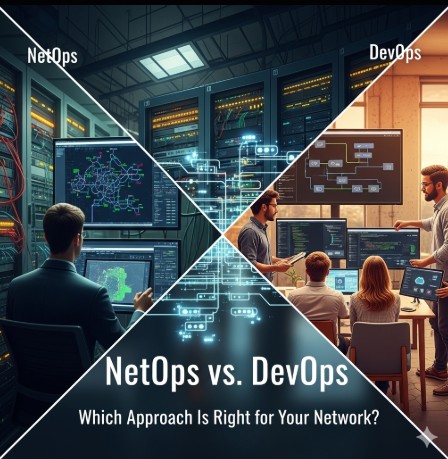
The digital landscape demands ever-increasing speed and agility. For organizations relying on robust and reliable networks, the choice between traditional NetOps and the more modern DevOps approach is critical. This article will delve into the core differences between NetOps vs DevOps, outlining their strengths and weaknesses to help you determine the best strategy for your network infrastructure.
Understanding NetOps
NetOps, short for Network Operations, represents the traditional approach to network management. It’s characterized by a siloed structure, with specialized teams focusing on specific network functions. NetOps teams typically handle tasks such as:
Network monitoring and troubleshooting
Network security management
Capacity planning and optimization
Implementing and maintaining network infrastructure
NetOps often relies on manual processes, established procedures, and a focus on stability and security. While this ensures reliability, it can also lead to slow deployment cycles and limited adaptability to changing business needs.
Traditional NetOps Workflow
A typical NetOps workflow involves a series of sequential steps, often involving extensive documentation and change management processes. This methodical approach can be slow, especially when dealing with urgent issues or rapid changes.
Limitations of NetOps
Slow deployment of new services and features.
Limited collaboration between different teams.
Challenges in adapting to cloud environments and agile methodologies.
Potential for human error due to manual processes.
Understanding DevOps
DevOps, a portmanteau of “Development” and “Operations,” is a set of practices that emphasizes collaboration and automation to shorten the systems development life cycle and provide continuous delivery with high software quality. While initially focused on software development, its principles have been increasingly adopted for network management, leading to the emergence of “DevNetOps” or simply extending DevOps principles to network infrastructure.
DevOps Principles Applied to Networking
When applied to networks, DevOps promotes automation of network provisioning, configuration, and management. It fosters collaboration between development and operations teams (and potentially security teams, creating a DevSecOps approach), leading to faster deployment cycles and increased efficiency. Key aspects include:
Infrastructure as Code (IaC): Defining and managing network infrastructure through code, allowing for automation and version control.
Continuous Integration/Continuous Delivery (CI/CD): Automating the testing and deployment of network changes.
Monitoring and Logging: Implementing comprehensive monitoring and logging to proactively identify and address issues.
Automation: Automating repetitive tasks, such as configuration management and troubleshooting.
Example: Ansible for Network Automation
Ansible, a popular automation tool, can be used to manage network devices. Here’s a simplified example of configuring an interface on a Cisco switch:
- hosts: cisco_switches

  tasks:

    - name: Configure interface GigabitEthernet1/1

      ios_config:

        lines:

          - interface GigabitEthernet1/1

          - description "Connection to Server Room"

          - ip address 192.168.1.1 255.255.255.0

          - no shutdown
This simple Ansible playbook demonstrates how code can automate a network configuration task, eliminating manual intervention and reducing the potential for errors.
NetOps vs DevOps: A Direct Comparison
The core difference between NetOps vs DevOps lies in their approach to network management. NetOps emphasizes manual processes, while DevOps focuses on automation and collaboration. This leads to significant differences in various aspects:
Feature
NetOps
DevOps
Deployment Speed
Slow
Fast
Automation
Limited
Extensive
Collaboration
Siloed
Collaborative
Change Management
Rigorous and slow
Agile and iterative
Risk Management
Emphasis on stability
Emphasis on continuous integration and testing
Choosing the Right Approach: NetOps vs DevOps
The best approach, NetOps or DevOps, depends on your organization’s specific needs and context. Several factors influence this decision:
Network Size and Complexity: Smaller, less complex networks may benefit from a simpler NetOps approach, while larger, more complex networks often require the agility and automation of DevOps.
Business Requirements: Businesses requiring rapid deployment of new services and features will likely benefit from DevOps. Organizations prioritizing stability and security above all else may find NetOps more suitable.
Existing Infrastructure: The level of automation and tooling already in place will affect the transition to a DevOps model. A gradual migration might be more realistic than a complete overhaul.
Team Expertise: Adopting DevOps requires skilled personnel proficient in automation tools and agile methodologies. Investing in training and upskilling may be necessary.
Frequently Asked Questions
Q1: Can I use both NetOps and DevOps simultaneously?
Yes, a hybrid approach is often the most practical solution. You might use DevOps for new deployments and automation while retaining NetOps for managing legacy systems and critical infrastructure that requires a more cautious, manual approach.
Q2: What are the biggest challenges in transitioning to DevOps for network management?
The biggest challenges include a lack of skilled personnel, integrating DevOps tools with existing infrastructure, and overcoming resistance to change within the organization. A well-defined strategy and proper training are essential for a successful transition.
Q3: What are some popular tools used in DevOps for network automation?
Popular tools include Ansible, Puppet, Chef, and Terraform. Each offers unique capabilities for automating different aspects of network management. The choice depends on your specific needs and existing infrastructure.
Q4: Is DevOps only applicable to large organizations?
While large organizations may have more resources to dedicate to a full-scale DevOps implementation, the principles of DevOps can be adapted and scaled to fit the needs of organizations of any size. Even small teams can benefit from automation and improved collaboration.
Conclusion
The decision between NetOps vs DevOps is not an either/or proposition. The optimal approach often involves a hybrid strategy leveraging the strengths of both. Carefully assessing your organizational needs, existing infrastructure, and team capabilities is crucial in selecting the right combination to ensure your network remains reliable, scalable, and adaptable to the ever-evolving demands of the digital world. Choosing the right approach for your NetOps vs DevOps strategy will significantly impact your organization’s ability to innovate and compete in the modern technological landscape.
The modern IT landscape is characterized by unprecedented complexity. Managing sprawling infrastructures, juggling diverse applications, and ensuring seamless operations requires sophisticated automation. This is where IBM watsonx steps in, offering a powerful suite of AI-powered tools to fundamentally reshape IBM watsonx IT automation. This article delves deep into how IBM watsonx addresses the challenges of IT automation, exploring its capabilities, benefits, and practical applications for DevOps engineers, system administrators, and IT managers alike. We’ll uncover how this platform enhances efficiency, reduces errors, and accelerates innovation within your IT operations.
Understanding the Power of AI-Driven IT Automation with IBM watsonx
Traditional IT automation often relies on rigid scripting and rule-based systems. These approaches struggle to adapt to dynamic environments and often require significant manual intervention. IBM watsonx IT automation leverages the power of artificial intelligence and machine learning to overcome these limitations. It enables the creation of intelligent automation solutions that can learn from data, adapt to changing conditions, and even predict and prevent potential issues.
Key Components of IBM watsonx for IT Automation
watsonx.ai: Provides foundation models and tools for building custom AI solutions tailored to specific IT automation tasks, such as predictive maintenance, anomaly detection, and intelligent resource allocation.
watsonx.data: Offers a scalable and secure data platform for storing, processing, and managing the vast amounts of data needed to train and optimize AI models for IT automation. This includes logs, metrics, and other operational data.
watsonx.governance: Enables responsible AI development and deployment, ensuring compliance, transparency, and security within your IT automation workflows.
IBM watsonx IT Automation in Action: Real-World Examples
Let’s explore some practical scenarios where IBM watsonx IT automation shines:
Predictive Maintenance
By analyzing historical data on server performance, resource utilization, and error logs, IBM watsonx can predict potential hardware failures before they occur. This allows proactive maintenance, minimizing downtime and reducing the risk of costly outages. For example, the system might predict a hard drive failure based on increasing read/write errors and alert administrators days in advance.
Anomaly Detection
IBM watsonx IT automation excels at identifying unusual patterns in system behavior. This could involve detecting suspicious network activity, unusual resource consumption, or unexpected spikes in error rates. Early detection of anomalies enables swift intervention, preventing significant disruptions and security breaches.
Intelligent Resource Allocation
IBM watsonx can optimize resource allocation across your infrastructure, dynamically adjusting workloads based on real-time demand. This ensures optimal performance while minimizing resource waste. This capability is particularly valuable in cloud environments, where costs are directly tied to resource utilization.
Automated Incident Response
Through integration with monitoring tools and ITSM systems, IBM watsonx IT automation can automate incident response workflows. For example, it can automatically diagnose common issues, initiate remediation steps, and escalate critical incidents to the appropriate teams, dramatically reducing resolution times.
Advanced Applications of IBM watsonx for IT Automation
Beyond the basic use cases, IBM watsonx IT automation opens doors to advanced capabilities:
AI-Powered Chatbots for IT Support
Develop intelligent chatbots capable of handling common user queries, troubleshooting issues, and providing self-service support. This reduces the burden on human support teams and enhances user satisfaction.
Automated Code Deployment and Testing
Integrate IBM watsonx with CI/CD pipelines to automate code deployment, testing, and rollbacks. AI-powered testing can identify potential bugs early in the development cycle, improving software quality and reducing deployment risks. This could involve analyzing code for potential vulnerabilities or identifying performance bottlenecks.
Self-Healing Infrastructure
Create self-healing systems capable of automatically detecting and resolving problems without human intervention. This requires advanced AI models that understand complex system dependencies and can autonomously trigger appropriate corrective actions. A practical example might be automatically scaling up resources during periods of high demand or restarting failed services.
Implementing IBM watsonx for IT Automation: A Step-by-Step Guide
Assess your needs: Identify your current IT automation challenges and determine how IBM watsonx can address them.
Data preparation: Gather and prepare the necessary data for training AI models. This might involve cleaning, transforming, and labeling large datasets of logs, metrics, and other operational data.
Model development: Develop or select pre-trained AI models relevant to your specific needs. IBM watsonx provides tools and resources to support this process.
Integration: Integrate IBM watsonx with your existing IT infrastructure and monitoring tools.
Testing and deployment: Thoroughly test your AI-powered automation solutions before deploying them to production. Start with a pilot project to validate the approach and refine the process.
Monitoring and optimization: Continuously monitor the performance of your automation solutions and optimize them based on real-world feedback. This ensures ongoing efficiency and effectiveness.
Frequently Asked Questions
What are the benefits of using IBM watsonx for IT automation?
IBM watsonx offers numerous benefits, including increased efficiency, reduced errors, improved scalability, proactive problem prevention, enhanced security, and accelerated innovation. It empowers IT teams to handle increasingly complex systems with greater ease and confidence.
How does IBM watsonx compare to other IT automation platforms?
Unlike traditional rule-based automation tools, IBM watsonx leverages the power of AI and machine learning to enable more adaptable and intelligent automation. This allows for dynamic response to changing conditions and improved prediction capabilities, resulting in more efficient and resilient IT operations.
Is IBM watsonx suitable for all organizations?
While IBM watsonx offers powerful capabilities, its suitability depends on an organization’s specific needs and resources. Organizations with complex IT infrastructures and a large volume of operational data are likely to benefit most. It’s essential to carefully assess your requirements before implementing IBM watsonx.
What level of expertise is required to use IBM watsonx?
While a basic understanding of AI and machine learning is helpful, IBM watsonx is designed to be accessible to a wide range of users. The platform offers tools and resources to simplify the development and deployment of AI-powered automation solutions, even for those without extensive AI expertise. However, successful implementation requires a team with strong IT skills and experience.
Conclusion
IBM watsonx IT automation is revolutionizing how organizations manage their IT infrastructure. By harnessing the power of AI and machine learning, it enables proactive problem prevention, intelligent resource allocation, and significant improvements in efficiency and security. Implementing IBM watsonx IT automation requires careful planning and execution, but the potential benefits are substantial.
Remember to begin with a phased approach, focusing on specific use cases to maximize your ROI and ensure a smooth transition to this powerful technology. The future of IT automation is intelligent, and IBM watsonx is leading the charge. For further information on IBM Watsonx, consider reviewing the official IBM documentation found at https://www.ibm.com/watsonx and exploring relevant articles on leading technology blogs like InfoWorld to see how others are leveraging this technology. Gartner also provides in-depth analysis of the AI and IT automation market.Thank you for reading the DevopsRoles page!
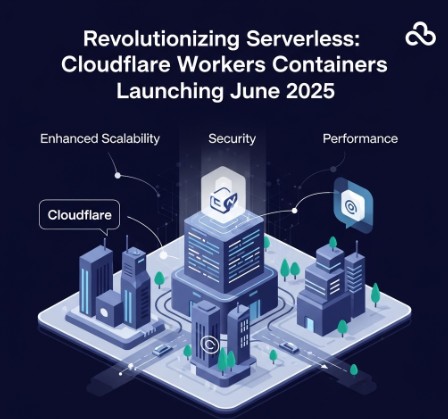
The serverless landscape is about to change dramatically. For years, developers have relied on platforms like AWS Lambda and Google Cloud Functions to execute code without managing servers. But these solutions often come with limitations in terms of runtime environments and customization. Enter Cloudflare Workers Containers, a game-changer promising unprecedented flexibility and power. Scheduled for a June 2025 launch, Cloudflare Workers Containers represent a significant leap forward, allowing developers to run virtually any application within the Cloudflare edge network. This article delves into the implications of this groundbreaking technology, exploring its benefits, use cases, and addressing potential concerns.
Understanding the Power of Cloudflare Workers Containers
Cloudflare Workers have long been known for their speed and ease of use, enabling developers to deploy JavaScript code directly to Cloudflare’s global network. However, their limitations regarding runtime environments and dependencies have often restricted their applications. Cloudflare Workers Containers overcome these limitations by allowing developers to deploy containerized applications, including those built with languages beyond JavaScript.
The Shift from JavaScript-Only to Multi-Language Support
Previously, the primary limitation of Cloudflare Workers was its reliance on JavaScript. Cloudflare Workers Containers expand this drastically. Developers can now utilize languages such as Python, Go, Java, and many others, provided they are containerized using technologies like Docker. This opens up a vast range of possibilities for building complex and diverse applications.
Enhanced Customization and Control
Containers provide a level of isolation and customization not previously available with standard Cloudflare Workers. Developers have greater control over the application’s environment, dependencies, and runtime configurations. This enables fine-grained tuning for optimal performance and resource utilization.
Improved Scalability and Performance
By leveraging Cloudflare’s global edge network, Cloudflare Workers Containers benefit from automatic scaling and unparalleled performance. Applications can be deployed closer to users, resulting in lower latency and improved response times, especially beneficial for globally distributed applications.
Building and Deploying Applications with Cloudflare Workers Containers
The deployment process is expected to integrate seamlessly with existing Cloudflare workflows. Developers will likely utilize familiar tools and techniques, potentially leveraging Docker images for their containerized applications.
A Hypothetical Workflow
Create a Dockerfile defining the application’s environment and dependencies.
Build the Docker image locally.
Push the image to a container registry (e.g., Docker Hub, Cloudflare Registry).
Utilize the Cloudflare Workers CLI or dashboard to deploy the containerized application.
Configure routing rules and access controls within the Cloudflare environment.
Example (Conceptual): A Simple Python Web Server
While specific implementation details are not yet available, a hypothetical example of deploying a simple Python web server using a Cloudflare Workers Container might involve the following Dockerfile:
FROM python:3.9-slim-buster

WORKDIR /app

COPY requirements.txt .
RUN pip install --no-cache-dir -r requirements.txt

COPY . .

CMD ["python", "app.py"]
This would require a requirements.txt file listing Python dependencies and an app.py file containing the Python web server code. The key is containerizing the application and its dependencies into a deployable Docker image.
Advanced Use Cases for Cloudflare Workers Containers
The implications of Cloudflare Workers Containers extend far beyond simple applications. They unlock advanced use cases previously difficult or impossible to achieve with serverless functions alone.
Microservices Architecture
Deploying individual microservices as containers on the Cloudflare edge enables high-availability, fault-tolerant applications. The global distribution ensures optimal performance for users worldwide.
Real-time Data Processing
Applications requiring real-time data processing, such as streaming analytics or live dashboards, can benefit from the low latency and scalability provided by Cloudflare Workers Containers.
AI/ML Inference at the Edge
Deploying machine learning models as containers allows for edge-based inference, reducing latency and bandwidth consumption. This is crucial for applications such as image recognition or natural language processing.
While the promise of Cloudflare Workers Containers is exciting, potential challenges need to be considered.
Resource Limitations
While containers offer greater flexibility, resource constraints will still exist. Understanding the available resources (CPU, memory) per container is vital for optimizing application design.
Cold Starts
Cold starts, the time it takes to initialize a container, may introduce latency. Careful planning and optimization are necessary to minimize this effect.
Security Considerations
Security best practices, including image scanning and proper access controls, are paramount to protect deployed containers from vulnerabilities.
Frequently Asked Questions
Q1: What are the pricing implications of Cloudflare Workers Containers?
A1: Specific pricing details are not yet public, but Cloudflare’s pricing model will likely be based on consumption, factors like CPU usage, memory, and storage utilized by the containers.
Q2: Will existing Cloudflare Workers code need to be rewritten for containers?
A2: Existing Cloudflare Workers written in Javascript will remain compatible. Cloudflare Workers Containers provide an expansion, adding support for other languages and more complex deployments. No rewriting is required for existing applications unless the developer seeks to benefit from the enhanced capabilities offered by the containerization feature.
Q3: What container technologies are supported by Cloudflare Workers Containers?
A3: While the official list is yet to be released, Docker is the strong candidate due to its widespread adoption. Further information on supported container runtimes will be available closer to the June 2025 launch date.
Q4: How does the security model of Cloudflare Workers Containers compare to existing Workers?
A4: Cloudflare will likely adopt a layered security model, combining existing Workers security features with container-specific protections, such as image scanning and runtime isolation.
Conclusion
The impending launch of Cloudflare Workers Containers in June 2025 signifies a pivotal moment in the serverless computing landscape. This technology offers a powerful blend of speed, scalability, and flexibility, empowering developers to build and deploy sophisticated applications on the global Cloudflare edge network. While challenges remain, the potential benefits, especially enhanced customization and multi-language support, outweigh the hurdles. By understanding the capabilities of Cloudflare Workers Containers and planning accordingly, developers can position themselves to leverage this transformative technology to build the next generation of serverless applications. Remember to stay updated on official Cloudflare announcements for precise details on supported technologies and best practices. Thank you for reading the DevopsRoles page!
Developing and deploying microservices can be complex. Managing dependencies, ensuring scalability, and handling inter-service communication often present significant challenges. This article will guide you through building robust and scalable microservices using Azure Container Apps Dapr Java, showcasing how Dapr simplifies the process and leverages the power of Azure’s container orchestration capabilities. We’ll explore the benefits of this combination, providing practical examples and best practices to help you build efficient and maintainable applications.
Understanding the Components: Azure Container Apps, Dapr, and Java
Before diving into implementation, let’s understand the key technologies involved in Azure Container Apps Dapr Java development.
Azure Container Apps
Azure Container Apps is a fully managed, serverless container orchestration service. It simplifies deploying and managing containerized applications without the complexities of managing Kubernetes clusters. Key advantages include:
Simplified deployment: Deploy your containers directly to Azure without managing underlying infrastructure.
Scalability and resilience: Azure Container Apps automatically scales your applications based on demand, ensuring high availability.
Cost-effectiveness: Pay only for the resources your application consumes.
Integration with other Azure services: Seamlessly integrate with other Azure services like Azure Key Vault, Azure App Configuration, and more.
Dapr (Distributed Application Runtime)
Dapr is an open-source, event-driven runtime that simplifies building microservices. It provides building blocks for various functionalities, abstracting away complex infrastructure concerns. Key features include:
Service invocation: Easily invoke other services using HTTP or gRPC.
State management: Persist and retrieve state data using various state stores like Redis, Azure Cosmos DB, and more.
Pub/Sub: Publish and subscribe to events using various messaging systems like Kafka, Azure Service Bus, and more.
Resource bindings: Connect to external resources like databases, queues, and blob storage.
Secrets management: Securely manage and access secrets without embedding them in your application code.
Java
Java is a widely used, platform-independent programming language ideal for building microservices. Its mature ecosystem, extensive libraries, and strong community support make it a solid choice for enterprise-grade applications.
Building a Microservice with Azure Container Apps Dapr Java
Let’s build a simple Java microservice using Dapr and deploy it to Azure Container Apps. This example showcases basic Dapr features like state management and service invocation.
Project Setup
We’ll use Maven to manage dependencies. Create a new Maven project and add the following dependencies to your `pom.xml`:
<dependencies>
    <dependency>
        <groupId>org.springframework.boot</groupId>
        <artifactId>spring-boot-starter-web</artifactId>
    </dependency>
    <dependency>
        <groupId>io.dapr</groupId>
        <artifactId>dapr-client</artifactId>
        <version>[Insert Latest Version]</version>
    </dependency>
    <!-- Add other dependencies as needed -->
</dependencies>
Implementing the Microservice
This Java code demonstrates a simple counter service that uses Dapr for state management:
To deploy this to Azure Container Apps, you need to:
Create a Dockerfile for your application.
Build the Docker image.
Create an Azure Container App resource.
Configure the Container App to use Dapr.
Deploy your Docker image to the Container App.
Remember to configure your Dapr components (e.g., state store) within the Azure Container App settings.
Azure Container Apps Dapr Java: Advanced Concepts
This section delves into more advanced aspects of using Azure Container Apps Dapr Java.
Pub/Sub with Dapr
Dapr simplifies asynchronous communication between microservices using Pub/Sub. You can publish events to a topic and have other services subscribe to receive those events.
Service Invocation with Dapr
Dapr facilitates service-to-service communication using HTTP or gRPC. This simplifies inter-service calls, making your architecture more resilient and maintainable.
Secrets Management with Dapr
Protect sensitive information like database credentials and API keys by integrating Dapr’s secrets management with Azure Key Vault. This ensures secure access to secrets without hardcoding them in your application code.
Frequently Asked Questions
Q1: What are the benefits of using Dapr with Azure Container Apps?
Dapr simplifies microservice development by abstracting away complex infrastructure concerns. It provides built-in capabilities for service invocation, state management, pub/sub, and more, making your applications more robust and maintainable. Combining Dapr with Azure Container Apps leverages the serverless capabilities of Azure Container Apps, further simplifying deployment and management.
Q2: Can I use other programming languages besides Java with Dapr and Azure Container Apps?
Yes, Dapr supports multiple programming languages, including .NET, Go, Python, and Node.js. You can choose the language best suited to your needs and integrate it seamlessly with Dapr and Azure Container Apps.
Q3: How do I handle errors and exceptions in a Dapr application running on Azure Container Apps?
Implement robust error handling within your Java code using try-catch blocks and appropriate logging. Monitor your Azure Container App for errors and leverage Azure’s monitoring and logging capabilities to diagnose and resolve issues.
Conclusion
Building robust and scalable microservices can be simplified significantly using Azure Container Apps Dapr Java. By leveraging the power of Azure Container Apps for serverless container orchestration and Dapr for simplifying microservice development, you can significantly reduce the complexity of building and deploying modern, cloud-native applications. Remember to carefully plan your Dapr component configurations and leverage Azure’s monitoring tools for optimal performance and reliability. Mastering Azure Container Apps Dapr Java will empower you to build efficient and resilient applications. Thank you for reading the DevopsRoles page!
Deploying and managing containerized applications can be complex. Ensuring scalability, security, and cost-efficiency requires significant planning and expertise. This is where the Azure Container Apps accelerator steps in. This comprehensive guide dives deep into the capabilities of this powerful tool, offering practical insights and best practices to streamline your container deployments on Azure. We’ll explore how the Azure Container Apps accelerator simplifies the process, allowing you to focus on building innovative applications rather than wrestling with infrastructure complexities. This guide is for DevOps engineers, developers, and cloud architects looking to optimize their containerized application deployments on Azure.
Understanding the Azure Container Apps Accelerator
The Azure Container Apps accelerator is not a single tool but rather a collection of best practices, architectures, and automated scripts designed to expedite the process of setting up and managing Azure Container Apps. It helps you establish a robust, scalable, and secure landing zone for your containerized workloads, reducing operational overhead and improving overall efficiency. This “accelerator” doesn’t directly install anything; instead, it provides a blueprint for building your environment, saving you time and resources normally spent on configuration and troubleshooting.
Key Features and Benefits
Simplified Deployment: Automate the creation of essential Azure resources, minimizing manual intervention.
Improved Security: Implement best practices for network security, access control, and identity management.
Enhanced Scalability: Design your architecture for efficient scaling based on application demand.
Reduced Operational Costs: Optimize resource utilization and minimize unnecessary expenses.
Faster Time to Market: Quickly deploy and iterate on your applications, accelerating development cycles.
Building Your Azure Container Apps Accelerator Landing Zone
Creating a robust landing zone using the Azure Container Apps accelerator principles involves several key steps. This process aims to establish a consistent and scalable foundation for your containerized applications.
1. Resource Group and Network Configuration
Begin by creating a dedicated resource group to hold all your Azure Container Apps resources. This improves organization and simplifies management. Configure a virtual network (VNet) with appropriate subnets for your Container Apps environment, ensuring sufficient IP address space and network security group (NSG) rules to control inbound and outbound traffic. Consider using Azure Private Link to enhance security and restrict access to your container apps.
2. Azure Container Registry (ACR) Setup
An Azure Container Registry (ACR) is crucial for storing your container images. Configure an ACR instance within your resource group and link it to your Container Apps environment. Implement appropriate access control policies to manage who can push and pull images from your registry. This ensures the security and integrity of your container images.
3. Azure Container Apps Environment Creation
Create your Azure Container Apps environment within the designated VNet and subnet. This is the core component of your architecture. Define the environment’s location, scale settings, and any relevant networking configurations. Consider factors like region selection for latency optimization and the appropriate pricing tier for your needs.
4. Deploying Your Container Apps
Use Azure CLI, ARM templates, or other deployment tools to deploy your container apps to the newly created environment. Define resource limits, scaling rules, and environment variables for each app. Leverage features like secrets management to store sensitive information securely.
This example demonstrates deploying a simple container app using the Azure CLI. Adapt this command to your specific application requirements and configurations.
5. Monitoring and Logging
Implement comprehensive monitoring and logging to track the health and performance of your Container Apps. Utilize Azure Monitor, Application Insights, and other monitoring tools to gather essential metrics. Set up alerts to be notified of any issues or anomalies, enabling proactive problem resolution.
Implementing the Azure Container Apps Accelerator: Best Practices
To maximize the benefits of the Azure Container Apps accelerator, consider these best practices:
Infrastructure as Code (IaC): Employ IaC tools like ARM templates or Terraform to automate infrastructure provisioning and management, ensuring consistency and repeatability.
GitOps: Implement a GitOps workflow to manage your infrastructure and application deployments, facilitating collaboration and version control.
CI/CD Pipeline: Integrate a CI/CD pipeline to automate the build, test, and deployment processes, shortening development cycles and improving deployment reliability.
Security Hardening: Implement rigorous security measures, including regular security patching, network segmentation, and least-privilege access control.
Cost Optimization: Regularly review your resource utilization to identify areas for cost optimization. Leverage autoscaling features to dynamically adjust resource allocation based on demand.
As your application and infrastructure grow, you may need to consider more advanced aspects of the Azure Container Apps accelerator.
Advanced Networking Configurations
For complex network topologies, explore advanced networking features like virtual network peering, network security groups (NSGs), and user-defined routes (UDRs) to fine-tune network connectivity and security.
Integrating with Other Azure Services
Seamlessly integrate your container apps with other Azure services such as Azure Key Vault for secrets management, Azure Active Directory for identity and access management, and Azure Cosmos DB for data storage. This extends the capabilities of your applications and simplifies overall management.
Observability and Monitoring at Scale
As your deployment scales, you’ll need robust monitoring and observability tools to effectively track the health and performance of your container apps. Explore Azure Monitor, Application Insights, and other specialized observability solutions to gather comprehensive metrics and logs.
Frequently Asked Questions
Q1: What is the difference between Azure Container Instances and Azure Container Apps?
Azure Container Instances (ACI) offers a more basic container orchestration solution, suited for simple deployments. Azure Container Apps provides a more managed service with enhanced features like built-in scaling, improved security, and better integration with other Azure services. The Azure Container Apps accelerator specifically focuses on the latter.
Q2: How do I choose the right scaling plan for my Azure Container Apps?
The optimal scaling plan depends on your application’s requirements and resource usage patterns. Consider factors like anticipated traffic load, resource needs, and cost constraints. Experiment with different scaling configurations to find the best balance between performance and cost.
Q3: Can I use the Azure Container Apps accelerator with Kubernetes?
No, the Azure Container Apps accelerator is specifically designed for Azure Container Apps, which is a managed service and distinct from Kubernetes. While both deploy containers, they operate under different architectures and management paradigms.
Q4: What are the security considerations when using the Azure Container Apps accelerator?
Security is paramount. Implement robust access control, regularly update your images and dependencies, utilize Azure Key Vault for secrets management, and follow the principle of least privilege when configuring access to your container apps and underlying infrastructure. Network security groups (NSGs) also play a crucial role in securing your network perimeter.
Conclusion
The Azure Container Apps accelerator significantly simplifies and streamlines the deployment and management of containerized applications on Azure. By following the best practices and guidelines outlined in this guide, you can build a robust, scalable, and secure landing zone for your containerized workloads, accelerating your development cycles and reducing operational overhead. Mastering the Azure Container Apps accelerator is a key step towards efficient and effective container deployments on the Azure cloud platform. Remember to prioritize security and adopt a comprehensive monitoring strategy to ensure the long-term health and stability of your application environment. Thank you for reading the DevopsRoles page!
In today’s fast-paced technology landscape, roles like DevOps Engineer, Site Reliability Engineer (SRE), and Cloud Engineer have become vital in the world of software development, deployment, and system reliability. Although these roles often overlap, they each serve distinct functions within an organization. Understanding the difference between DevOps Engineers, SREs, and Cloud Engineers is essential for anyone looking to advance their career in tech or make informed hiring decisions.
In this article, we’ll dive deep into each of these roles, explore their responsibilities, compare them, and help you understand which career path might be right for you.
What Is the Role of a DevOps Engineer?
DevOps Engineer: Overview
A DevOps Engineer is primarily focused on streamlining the software development lifecycle (SDLC) by bringing together development and operations teams. This role emphasizes automation, continuous integration, and deployment (CI/CD), with a primary goal of reducing friction between development and operations to improve overall software delivery speed and quality.
Key Responsibilities:
Continuous Integration/Continuous Deployment (CI/CD): DevOps Engineers set up automated pipelines that allow code to be continuously tested, built, and deployed into production.
Infrastructure as Code (IaC): Using tools like Terraform and Ansible, DevOps Engineers define and manage infrastructure through code, enabling version control, consistency, and repeatability.
Monitoring and Logging: DevOps Engineers implement monitoring tools to track system health, identify issues, and ensure uptime.
Collaboration: They act as a bridge between the development and operations teams, ensuring effective communication and collaboration.
Skills Required:
Automation tools (Jenkins, GitLab CI)
Infrastructure as Code (IaC) tools (Terraform, Ansible)
Scripting (Bash, Python)
Monitoring tools (Prometheus, Grafana)
What Is the Role of a Site Reliability Engineer (SRE)?
Site Reliability Engineer (SRE): Overview
The role of an SRE is primarily focused on maintaining the reliability, scalability, and performance of large-scale systems. While SREs share some similarities with DevOps Engineers, they are more focused on system reliability and uptime. SREs typically work with engineering teams to ensure that services are reliable and can handle traffic spikes or other disruptions.
Key Responsibilities:
System Reliability: SREs ensure that the systems are reliable and meet Service Level Objectives (SLOs), which are predefined metrics like uptime and performance.
Incident Management: They develop and implement strategies to minimize system downtime and reduce the time to recovery when outages occur.
Capacity Planning: SREs ensure that systems can handle future growth by predicting traffic spikes and planning accordingly.
Automation and Scaling: Similar to DevOps Engineers, SREs automate processes, but their focus is more on reliability and scaling.
Skills Required:
Deep knowledge of cloud infrastructure (AWS, GCP, Azure)
Expertise in monitoring tools (Nagios, Prometheus)
Incident response and root cause analysis
Scripting and automation (Python, Go)
What Is the Role of a Cloud Engineer?
Cloud Engineer: Overview
A Cloud Engineer specializes in the design, deployment, and management of cloud-based infrastructure and services. They work closely with both development and operations teams to ensure that cloud resources are utilized effectively and efficiently.
Key Responsibilities:
Cloud Infrastructure Management: Cloud Engineers design, deploy, and manage the cloud infrastructure that supports an organization’s applications.
Security and Compliance: They ensure that the cloud infrastructure is secure and compliant with industry regulations and standards.
Cost Optimization: Cloud Engineers work to minimize cloud resource costs by optimizing resource utilization.
Automation and Monitoring: Like DevOps Engineers, Cloud Engineers implement automation, but their focus is on managing cloud resources specifically.
Skills Required:
Expertise in cloud platforms (AWS, Google Cloud, Microsoft Azure)
Cloud networking and security best practices
Knowledge of containerization (Docker, Kubernetes)
Automation and Infrastructure as Code (IaC) tools
The Difference Between DevOps Engineer, SRE, and Cloud Engineer
While all three roles—DevOps Engineer, Site Reliability Engineer, and Cloud Engineer—are vital to the smooth functioning of tech operations, they differ in their scope, responsibilities, and focus areas.
Key Differences in Focus:
DevOps Engineer: Primarily focused on bridging the gap between development and operations, with an emphasis on automation and continuous deployment.
SRE: Focuses on the reliability, uptime, and performance of systems, typically dealing with large-scale infrastructure and high availability.
Cloud Engineer: Specializes in managing and optimizing cloud infrastructure, ensuring efficient resource use and securing cloud services.
Similarities:
All three roles emphasize automation, collaboration, and efficiency.
They each use tools that facilitate CI/CD, monitoring, and scaling.
A solid understanding of cloud platforms is crucial for all three roles, although the extent of involvement may vary.
Career Path Comparison:
DevOps Engineers often move into roles like Cloud Architects or SREs.
SREs may specialize in site reliability or move into more advanced infrastructure management roles.
Cloud Engineers often transition into Cloud Architects or DevOps Engineers, given the overlap between cloud management and deployment practices.
FAQs
What is the difference between a DevOps Engineer and a Cloud Engineer? A DevOps Engineer focuses on automating the SDLC, while a Cloud Engineer focuses on managing cloud resources and infrastructure.
What are the key responsibilities of a Site Reliability Engineer (SRE)? SREs focus on maintaining system reliability, performance, and uptime. They also handle incident management and capacity planning.
Can a Cloud Engineer transition into a DevOps Engineer role? Yes, with a strong understanding of automation and CI/CD, Cloud Engineers can transition into DevOps roles.
What skills are essential for a DevOps Engineer, SRE, or Cloud Engineer? Skills in automation tools, cloud platforms, monitoring systems, and scripting are essential for all three roles.
How do DevOps Engineers and SREs collaborate in a tech team? While DevOps Engineers focus on automation and CI/CD, SREs work on ensuring reliability, which often involves collaborating on scaling and incident response.
What is the career growth potential for DevOps Engineers, SREs, and Cloud Engineers? All three roles have significant career growth potential, with opportunities to move into leadership roles like Cloud Architect, Engineering Manager, or Site Reliability Manager.
Understanding the difference between DevOps Engineer, SRE, and Cloud Engineer is crucial for professionals looking to specialize in one of these roles or for businesses building their tech teams. Each role offers distinct responsibilities and skill sets, but they also share some common themes, such as automation, collaboration, and system reliability. Whether you are seeking a career in one of these areas or are hiring talent for your organization, knowing the unique aspects of these roles will help you make informed decisions.
As technology continues to evolve, these positions will remain pivotal in ensuring that systems are scalable, reliable, and secure. Choose the role that best aligns with your skills and interests to contribute effectively to modern tech teams. Thank you for reading the DevopsRoles page!