Automating Cloudflare Tunnel with Terraform: A Comprehensive Guide

In today’s dynamic IT landscape, efficient infrastructure management is paramount. Automating tasks is no longer a luxury but a necessity for maintaining scalability, reliability, and security. Cloudflare Tunnel, a service that securely exposes internal applications to the internet, perfectly complements this need. However, manual configuration of Cloudflare Tunnel can be time-consuming and error-prone. This is where Terraform steps in, offering a powerful solution for automating the entire process. This comprehensive guide will walk you through automating Cloudflare Tunnel with Terraform, covering everything from basic setup to advanced configurations.

Understanding Cloudflare Tunnel and Terraform

Before diving into the automation process, let’s briefly understand the core components involved.

Cloudflare Tunnel

Cloudflare Tunnel creates a secure connection between your internal network and Cloudflare’s global network. This allows you to expose internal services to the internet without opening ports in your firewall, significantly enhancing your security posture. The tunnel uses a client-side application (cloudflared) to establish a secure connection, encrypting all traffic. Learn more about Cloudflare Tunnel.

Terraform

Terraform is an open-source Infrastructure as Code (IaC) tool that allows you to define and manage your infrastructure in a declarative manner. This means you define the desired state of your infrastructure in code, and Terraform ensures that state is achieved and maintained. Using Terraform to manage Cloudflare Tunnel provides several benefits, including:

  • Automation: Automate the entire process of creating and managing Cloudflare Tunnel.
  • Version Control: Track changes to your infrastructure configuration using Git or other version control systems.
  • Consistency: Ensure consistent deployments across multiple environments.
  • Repeatability: Easily recreate your infrastructure in different environments.
  • Collaboration: Facilitate collaboration among team members through a shared codebase.

Automating Cloudflare Tunnel with Terraform: A Step-by-Step Guide

To automate Cloudflare Tunnel with Terraform, you’ll need a Cloudflare account and a Terraform installation. We’ll use the Cloudflare Terraform Provider, which simplifies the interaction with the Cloudflare API.

Prerequisites

  1. Cloudflare Account: Create a Cloudflare account if you don’t already have one.
  2. Cloudflare API Token: Generate an API token with the necessary permissions (e.g., access to Tunnel). Learn how to generate an API token.
  3. Terraform Installation: Download and install Terraform on your system. Download Terraform here.
  4. Cloudflare CLI (cloudflared): Download and install the Cloudflare CLI. Download cloudflared.

Basic Configuration

Let’s start with a basic configuration. This example creates a Cloudflare Tunnel and associates it with a specific origin server.

terraform {
  required_providers {
    cloudflare = {
      source  = "cloudflare/cloudflare"
      version = "~> 2.0"
    }
  }
}

provider "cloudflare" {
  api_token = var.cloudflare_api_token
}

variable "cloudflare_api_token" {
  type      = string
  sensitive = true
}

resource "cloudflare_tunnel" "example" {
  name       = "my-tunnel"

  configuration {
    origin_server {
      address = "192.168.1.100:8080"
    }
  }
}

This code defines a Cloudflare Tunnel named “my-tunnel” and specifies the origin server’s address. Replace `”192.168.1.100:8080″` with your actual origin server’s address and port.

Applying the Configuration

After creating the Terraform configuration file (e.g., `main.tf`), run the following commands:

# Initialize the working directory containing Terraform configuration files
terraform init

# Review the execution plan to see what will be created, changed, or destroyed
terraform plan

# Apply the configuration to provision the infrastructure
terraform apply

The `terraform plan` command shows you what changes Terraform will make, and `terraform apply` executes the plan, creating the Cloudflare Tunnel.

Advanced Configurations

The basic example provides a foundation. Let’s explore some advanced scenarios:

Multiple Origins

You can add multiple origin servers to a single tunnel:

variable "origin_servers" {
  type        = list(string)
  description = "List of origin server addresses"
  default     = ["192.168.1.100:8080", "10.0.0.10:8000"]
}

resource "cloudflare_tunnel" "example" {
  name = "my-tunnel"

  configuration {
    dynamic "origin_server" {
      for_each = var.origin_servers
      content {
        address = origin_server.value
      }
    }
  }
}

Using Variables

Employing variables makes your configuration more flexible and reusable:

variable "origin_servers" {
  type        = list(string)
  description = "List of origin server addresses"
}

resource "cloudflare_tunnel" "example" {
  name = "my-tunnel"

  configuration {
    dynamic "origin_server" {
      for_each = var.origin_servers
      content {
        address = origin_server.value
      }
    }
  }
}

Using Data Sources

Data sources allow you to retrieve information from Cloudflare:

data "cloudflare_account" "account" {
  # Retrieves details of the authenticated Cloudflare account
}

resource "cloudflare_tunnel" "example" {
  name       = "my-tunnel"
  account_id = data.cloudflare_account.account.id

  configuration {
    origin_server {
      address = "192.168.1.100:8080"
    }
  }
}

Integration with Other Services

Terraform’s power shines when integrating Cloudflare Tunnel with other infrastructure components. You can orchestrate the creation of related resources, like load balancers or virtual machines, within the same Terraform configuration.

Frequently Asked Questions (FAQ)

  • Q: What are the security implications of using Cloudflare Tunnel?

    A: Cloudflare Tunnel significantly enhances security by preventing direct exposure of your internal services to the internet. All traffic is encrypted, and you don’t need to open ports in your firewall. However, you should still maintain strong security practices on your internal network and application.
  • Q: Can I use Terraform to manage multiple Cloudflare Tunnels?

    A: Yes, you can easily manage multiple Cloudflare Tunnels using Terraform by defining multiple resources of the `cloudflare_tunnel` type, each with its own configuration.
  • Q: How do I handle updates to my Cloudflare Tunnel configuration?

    A: Modify your Terraform configuration, run `terraform plan` to review the changes, and then run `terraform apply` to update your Cloudflare Tunnel.
  • Q: What if my Cloudflare Tunnel fails?

    A: Terraform’s state management helps with troubleshooting. If a tunnel fails, Terraform’s `plan` command will highlight the issue. You can then investigate the cause and correct your configuration.
  • Q: Can I use this with other cloud providers?

    A: While this focuses on Cloudflare Tunnel, Terraform’s versatility allows you to integrate this with other cloud providers for managing related infrastructure components like virtual machines or networks. This would be done through their respective Terraform providers.
  • Q: What are the limitations of using Terraform for Cloudflare Tunnel management?

    A: The primary limitation is dependency on the Cloudflare API and Terraform provider. Any downtime or issues with either could impact your ability to manage tunnels. Ensure you always have backups and disaster recovery plans in place.

Conclusion

Automating Cloudflare Tunnel deployment with Terraform offers a significant advantage in managing infrastructure efficiently and securely. This guide has provided a detailed walkthrough from basic configurations to advanced scenarios, empowering you to streamline your workflows and ensure consistent deployments. By leveraging Infrastructure as Code. Thank you for reading the DevopsRoles page!

Revolutionizing Infrastructure as Code: Terraform CI/CD and Testing on AWS with the New Terraform Test Framework

Infrastructure as Code (IaC) has become an indispensable practice for managing and deploying cloud infrastructure efficiently and reliably. Terraform, HashiCorp’s popular IaC tool, empowers developers and DevOps engineers to define and provision infrastructure resources in a declarative manner. Integrating Terraform into a robust CI/CD pipeline is crucial for automating deployments, ensuring consistency, and reducing human error.

This comprehensive guide dives into implementing Terraform CI/CD and testing on AWS, leveraging the power of the new Terraform Test Framework to enhance your infrastructure management workflow. We’ll cover everything from setting up a basic pipeline to implementing advanced testing strategies, equipping you with the knowledge to build a reliable and efficient infrastructure deployment process.

Understanding Terraform CI/CD

Continuous Integration/Continuous Delivery (CI/CD) is a set of practices that automate the process of building, testing, and deploying software. When applied to infrastructure, CI/CD ensures that infrastructure changes are deployed consistently and reliably, minimizing the risk of errors and downtime. A typical Terraform CI/CD pipeline involves the following stages:

Key Stages of a Terraform CI/CD Pipeline:

  • Code Commit: Developers commit Terraform configuration code to a version control system (e.g., Git).
  • Build: The CI system detects code changes and initiates a build process, which might involve linting and validating the Terraform code.
  • Test: Automated tests are executed to validate the Terraform configuration. This is where the new Terraform Test Framework plays a vital role.
  • Plan: Terraform generates an execution plan, outlining the changes that will be made to the infrastructure.
  • Apply: Terraform applies the changes to the AWS infrastructure, provisioning or modifying resources.
  • Destroy (Optional): In certain scenarios (e.g., testing environments), a destroy step can automatically tear down the infrastructure after testing.

Leveraging the New Terraform Test Framework

The Terraform Test Framework is a powerful tool that allows you to write automated tests for your Terraform configurations. This framework facilitates testing the correctness and behavior of your infrastructure code before deployment, significantly reducing the risk of errors in production. It enables you to:

Benefits of the Terraform Test Framework:

  • Verify Infrastructure State: Assert the desired state of your infrastructure after applying your Terraform code.
  • Test Configuration Changes: Ensure that changes to your Terraform configurations have the expected effect.
  • Improve Code Quality: Encourage writing more robust, maintainable, and testable Terraform code.
  • Reduce Deployment Risks: Identify and fix potential issues early in the development cycle, reducing the chance of errors in production.

Integrating Terraform with AWS and CI/CD Tools

To implement Terraform CI/CD on AWS, you’ll typically use a CI/CD tool such as Jenkins, GitHub Actions, GitLab CI, or AWS CodePipeline. These tools integrate seamlessly with Terraform, automating the execution of Terraform commands as part of your pipeline.

Example: Setting up a basic Terraform CI/CD pipeline with GitHub Actions:

A simplified GitHub Actions workflow could look like this:


name: Terraform AWS Deployment

on: push

jobs:
  build:
    runs-on: ubuntu-latest
    steps:
      - name: Checkout code
        uses: actions/checkout@v3

      - name: Setup Terraform
        uses: hashicorp/setup-terraform@v2

      - name: Terraform Init
        run: terraform init

      - name: Terraform Plan
        run: terraform plan -out=tfplan

      - name: Terraform Apply
        run: terraform apply tfplan

This workflow checks out the code, initializes Terraform, creates a plan, and applies the changes. For production environments, adding a testing stage using the Terraform Test Framework is crucial.

Implementing Terraform Testing with Practical Examples

Let’s explore practical examples demonstrating how to use the Terraform Test Framework for various scenarios.

Example 1: Basic Resource Existence Test

This test verifies that an EC2 instance exists after applying the Terraform configuration:


package main

import (
	"testing"

	"github.com/stretchr/testify/assert"
	"github.com/hashicorp/terraform-plugin-sdk/v2/helper/resource"
)

func TestEC2InstanceExists(t *testing.T) {
	resource.Test(t, resource.TestCase{
		PreCheck:  func() { /* ... */ },
		Providers: providers(),
		Steps: []resource.TestStep{
			{
				Config: `
					resource "aws_instance" "example" {
						ami           = "ami-0c55b31ad2299a701" # Replace with your AMI ID
						instance_type = "t2.micro"
					}
				`,
				Check: resource.ComposeTestCheckFunc(
					resource.TestCheckResourceAttr("aws_instance.example", "instance_state", "running"),
				),
			},
		},
	})
}

Example 2: Testing Output Values

This example tests whether the Terraform output value matches the expected value:

func TestOutputValue(t *testing.T) {
	resource.Test(t, resource.TestCase{
		PreCheck:  func() { /* pre-check logic */ },
		Providers: providers(),
		Steps: []resource.TestStep{
			{
				Config: `
resource "aws_instance" "example" {
  ami           = "ami-0c55b31ad2299a701"
  instance_type = "t2.micro"
}

output "instance_id" {
  value = aws_instance.example.id
}
`,
				Check: resource.ComposeTestCheckFunc(
					resource.TestCheckOutputSet("instance_id"), // 
				),
			},
		},
	})
}

Example 3: Advanced Testing with Custom Assertions

For more complex scenarios, you can create custom assertions to check specific aspects of your infrastructure.

// ... (imports: "testing", "github.com/hashicorp/terraform-plugin-sdk/v2/helper/resource", "github.com/hashicorp/terraform-plugin-sdk/v2/terraform", "fmt") ...

func TestCustomAssertion(t *testing.T) {
	resource.Test(t, resource.TestCase{
		PreCheck:  func() { /* validate preconditions */ },
		Providers: providers(),
		Steps: []resource.TestStep{
			{
				Config: `
resource "aws_instance" "example" {
  ami           = "ami-0c55b31ad2299a701"
  instance_type = "t2.micro"
}
`,
				Check: resource.ComposeTestCheckFunc(
					func(s *terraform.State) error {
						rs, ok := s.RootModule().Resources["aws_instance.example"]
						if !ok {
							return fmt.Errorf("resource aws_instance.example not found")
						}

						if rs.Primary.ID == "" {
							return fmt.Errorf("expected instance ID to be set")
						}

						// Custom assertion logic: for example, check ID prefix
						if len(rs.Primary.ID) < 2 || rs.Primary.ID[0] != 'i' {
							return fmt.Errorf("instance ID %q does not look like a valid EC2 ID", rs.Primary.ID)
						}

						// Optional: perform DB lookup, external API call, etc.
						// e.g., validate the instance ID exists in a mock service

						return nil
					},
				),
			},
		},
	})
}

Frequently Asked Questions (FAQ)

Q1: What are the best practices for writing Terraform tests?

Best practices include writing small, focused tests, using clear and descriptive names, and organizing tests into logical groups. Prioritize testing critical infrastructure components and avoid over-testing.

Q2: How can I integrate the Terraform Test Framework into my existing CI/CD pipeline?

You can integrate the tests by adding a testing stage to your CI/CD workflow. Your CI/CD tool will execute the test suite before applying Terraform changes. Failure in the tests should halt the deployment process.

Q3: What are some common testing pitfalls to avoid?

Common pitfalls include writing tests that are too complex, not adequately covering edge cases, and neglecting to test dependencies. Ensure comprehensive testing covers both happy path and failure scenarios.

Q4: Can I use the Terraform Test Framework for testing resources outside of AWS?

Yes, the Terraform Test Framework is not limited to AWS. It can be used to test configurations for various cloud providers and on-premise infrastructure.

Conclusion

In the era of modern DevOps, infrastructure deployment is no longer a manual, isolated task—it has evolved into an automated, testable, and reusable process. This article has shed light on how the powerful combination of Terraform, CI/CD pipelines, and the Terraform Test Framework can significantly enhance the reliability, efficiency, and quality of infrastructure management on AWS.

By setting up a professional CI/CD pipeline that integrates essential steps such as terraform init, plan, apply, and, crucially, automated testing written in Go, you can:

  • Minimize deployment risks,
  • Catch errors early in the development lifecycle, and
  • Ensure infrastructure configurations remain under strict control.

Moreover, the Terraform Test Framework offers more than just basic resource checks (e.g., EC2 instances or output values). It empowers teams to create custom test assertions for complex logic, marking a major advancement toward treating infrastructure as fully testable software.

In conclusion, if you’re aiming to build a professional, safe, and verifiable deployment workflow, the integration of Terraform + CI/CD + Test Framework is your strategic foundation. It’s not just a DevOps toolchain-it’s a roadmap to the future of resilient and scalable infrastructure operations. Thank you for reading the DevopsRoles page!
DevOps Tool Comparison: Ansible vs Chef vs Puppet

In the dynamic world of DevOps, efficient infrastructure management is paramount. Automation is key, and configuration management tools play a crucial role in achieving this. Three prominent players dominate this space: Ansible vs Chef vs Puppet. Each offers a unique approach to automating infrastructure provisioning, configuration, and deployment.

This comprehensive guide provides a detailed DevOps tool comparison: Ansible vs. Chef vs. Puppet, helping you determine which tool best aligns with your specific needs and organizational goals.

Understanding Configuration Management Tools

Before diving into the specifics of Ansible, Chef, and Puppet, it’s essential to understand the core function of configuration management tools. These tools automate the process of setting up, configuring, and maintaining systems, ensuring consistency and reducing manual errors. They achieve this by defining the desired state of a system and then applying the necessary changes to reach that state. This approach is particularly beneficial in managing large-scale infrastructure, where manual configuration would be incredibly time-consuming and error-prone.

Key Features of Configuration Management Tools:

  • Automation: Automates repetitive tasks, freeing up DevOps engineers for more strategic work.
  • Consistency: Ensures consistency across multiple systems, reducing configuration drift.
  • Scalability: Enables efficient management of large and complex infrastructures.
  • Version Control: Allows for tracking changes and reverting to previous configurations.
  • Idempotency: Ensures that applying a configuration multiple times has the same effect as applying it once.

Ansible: The Agentless Simplicity

Ansible distinguishes itself through its agentless architecture. It uses SSH to connect to remote systems, eliminating the need for installing agents on each managed node. This simplifies deployment and reduces overhead. Ansible employs YAML, a human-readable language, for defining configurations, making it relatively easy to learn and use.

Ansible Advantages:

  • Agentless Architecture: Simplifies deployment and reduces overhead.
  • Easy to Learn: Uses YAML, a user-friendly configuration language.
  • Fast and Efficient: Known for its speed and efficiency in performing tasks.
  • Community Support: Benefits from a large and active community.

Ansible Disadvantages:

  • Limited State Management: Not as robust in managing complex, constantly changing states as Chef or Puppet.
  • Less Suitable for Complex Environments: Might not be ideal for highly complex infrastructures requiring extensive configuration management.

Ansible Example (Basic):

A simple Ansible playbook to install Apache on a remote server might look like this:


- hosts: webservers
  become: true
  tasks:
    - name: Install Apache
      apt:
        name: apache2
        state: present

Chef: The Robust Infrastructure Management Solution

Chef adopts a more robust, centralized approach to configuration management. It utilizes a client-server architecture where agents (Chef clients) reside on each managed node, regularly checking in with a central server (Chef server) for updated configurations. Chef employs Ruby, a powerful scripting language, for defining configurations, providing greater flexibility and expressiveness.

Chef Advantages:

  • Comprehensive Infrastructure Management: Offers a broad range of features for managing complex infrastructures.
  • Strong Version Control: Excellent support for version control, facilitating collaborative development and rollback capabilities.
  • Scalability: Designed to handle large-scale deployments efficiently.
  • Detailed Reporting: Provides detailed reporting and auditing capabilities.

Chef Disadvantages:

  • Steeper Learning Curve: Ruby scripting and Chef’s architecture can be more challenging to learn compared to Ansible.
  • More Complex Setup: Requires setting up a central server, increasing initial setup complexity.
  • Higher Resource Consumption: The agent-based architecture requires more resources compared to Ansible.

Chef Example (Basic):

A basic Chef recipe to install Apache might involve creating a recipe file (e.g., apache2.rb) that uses the `apt` resource:


package "apache2" do
  action :install
end

Puppet: The Mature and Powerful Option

Puppet is a mature and powerful configuration management tool that, like Chef, employs a client-server architecture. It utilizes a declarative language (Puppet DSL) to define configurations, making it easier to specify the desired state without explicitly detailing the steps to achieve it. Puppet is well-suited for managing complex, large-scale infrastructures.

Puppet Advantages:

  • Mature and Stable: A well-established tool with a long track record and extensive features.
  • Powerful Declarative Language: Allows defining configurations concisely and focusing on the desired state.
  • Strong Community and Support: Benefits from a large community and readily available support resources.
  • Comprehensive Module Library: Offers a vast library of pre-built modules, simplifying common tasks.

Puppet Disadvantages:

  • Steep Learning Curve: Its declarative language and architecture can have a steeper learning curve than Ansible.
  • More Complex Setup: Like Chef, it requires a central server and client installation.
  • Can Be Resource Intensive: Managing large infrastructures can require significant computational resources.

Puppet Example (Basic):

A basic Puppet manifest to install Apache might look like this:


package { 'apache2':
  ensure => present,
}

DevOps Tool Comparison: Ansible vs. Chef vs. Puppet – A Summary Table

| Feature | Ansible | Chef | Puppet |
|—————–|—————————|—————————|—————————|
| Architecture | Agentless | Client-Server | Client-Server |
| Configuration Language | YAML | Ruby | Puppet DSL |
| Learning Curve | Easy | Moderate | Moderate |
| Scalability | Moderate | High | High |
| Complexity | Low | High | High |
| Ideal Use Cases | Small to medium-sized deployments, rapid prototyping | Large-scale, complex infrastructures | Large-scale, complex infrastructures, robust state management |

FAQ Section

Q1: Which tool is best for beginners?

Ansible generally has the easiest learning curve due to its agentless architecture and use of YAML.

Q2: Which tool is best for large-scale deployments?

Chef and Puppet are better suited for large-scale deployments because of their robust features and ability to manage complex configurations across many systems.

Q3: Can I use multiple tools together?

Yes, it’s possible and even common to integrate different tools within a DevOps pipeline. For instance, you might use Ansible for quick ad-hoc tasks and Puppet for managing a more complex, long-term infrastructure.

Q4: What about cost?

Ansible has a free open-source version, while Chef and Puppet offer both open-source and commercial versions with varying features and support levels.

Q5: Which tool offers better security features?

All three tools offer security features, but the specific features and their implementation vary. Careful configuration and security best practices are crucial regardless of the chosen tool.

Conclusion

Choosing between Ansible, Chef, and Puppet depends heavily on your specific requirements and organizational context. Ansible’s simplicity and agentless nature make it ideal for smaller teams and quicker deployments. Chef and Puppet offer more robust features and better scalability for large-scale infrastructures but come with a steeper learning curve and more complex setups. Consider your team’s skills, infrastructure complexity, and budget when making your decision. Careful evaluation of your needs against the strengths and weaknesses of each tool is crucial for successful DevOps implementation.

Remember that the best choice is often the one that best fits your existing workflow and future goals. Thoroughly researching each option and perhaps experimenting with trial versions will provide the most informed path towards choosing the optimal configuration management tool for your organization. Thank you for reading the DevopsRoles page!

How To Write Amazing Generative AI Prompts

Generative AI tools are revolutionizing various industries, offering unprecedented capabilities for content creation, code generation, and problem-solving. However, the quality of the output heavily depends on the quality of the input – the prompt. This comprehensive guide will teach you how to write amazing generative AI prompts, transforming you from a novice to a prompt engineering expert. Whether you’re a DevOps engineer fine-tuning infrastructure scripts, a data scientist generating complex datasets, or a backend developer needing assistance with code, mastering prompt writing is essential for maximizing your AI’s potential. This guide provides actionable strategies and examples to help you achieve outstanding results with any generative AI model.

Understanding the Fundamentals of Generative AI Prompts

What Makes a Good Prompt?

A good prompt is clear, concise, and specific. It provides the AI with enough information to understand your request without being overly verbose or ambiguous. It should also consider the specific capabilities and limitations of the AI model you are using.

Key Elements of an Effective Prompt

  • Clear Objective: State your desired outcome explicitly. What do you want the AI to generate?
  • Specific Instructions: Provide detailed instructions on the format, style, length, and other relevant parameters of the output.
  • Context and Background: If necessary, provide background information or context to help the AI understand the task better.
  • Constraints and Limitations: Specify any constraints or limitations, such as word count, style guidelines, or specific keywords to include or avoid.

Crafting Effective Prompts: Techniques and Best Practices

Specify the Desired Output Format

Clearly indicate the desired format of the output. For example, “Write a Python function that…”, “Generate a JSON object containing…”, or “Create a 500-word essay on…”

Use Keywords Strategically

Incorporate relevant keywords to guide the AI’s response. The more specific your keywords, the more accurate the results. For instance, instead of “write a story,” try “write a short science fiction story about a robot exploring Mars.”

Iterative Prompt Refinement

Don’t expect perfection on the first try. Experiment with different prompt variations, adding or removing keywords, adjusting the level of detail, and refining the instructions based on the initial results. This iterative process is crucial for achieving optimal outcomes.

Leveraging Examples

Providing examples of the desired output can significantly improve the AI’s performance. Show the AI what you want it to generate by including a sample, or even several samples, in your prompt. This is particularly useful for complex tasks.

Employing Constraints and Parameters

Setting constraints and parameters provides the AI with clear boundaries. For example, “Write a haiku about nature,” or “Generate a list of five cloud-based security tools, ranked by their cost-effectiveness.”

Examples of Amazing Generative AI Prompts

Basic Prompt Example

Prompt: Write a short poem about a cat.

Improved Prompt: Write a haiku about a playful tabby cat lounging in a sunbeam.

Intermediate Prompt Example

Prompt: Generate some code.

Improved Prompt: Generate a Python function that takes a list of numbers as input and returns the average. Handle potential exceptions such as empty lists. The function should be well-commented and follow PEP 8 style guidelines.

Advanced Prompt Example (for DevOps Engineers)

Prompt: Create an Ansible playbook to deploy a web application.

Improved Prompt: Create an Ansible playbook to deploy a Node.js web application to an AWS EC2 instance using a load balancer. The playbook should handle the installation of Node.js, npm, the application’s dependencies, and the configuration of the web server (Nginx). It should also include steps for security hardening and monitoring. Assume the application is stored in a Git repository at [repository URL]. The playbook should be idempotent and include detailed logging.

Advanced Prompt Example (for AI/ML Engineers)

Prompt: Train a model.

Improved Prompt: Train a TensorFlow convolutional neural network (CNN) model for image classification using the CIFAR-10 dataset. The model should have a minimum of two convolutional layers and two dense layers. Utilize data augmentation techniques to improve model robustness. Evaluate the model’s performance using accuracy and precision metrics. Provide a summary of the training process and the final model performance.

Frequently Asked Questions (FAQ)

Q: What are some common mistakes to avoid when writing AI prompts?

A: Common mistakes include being too vague, not specifying the desired format, failing to provide sufficient context, and not iteratively refining the prompt based on the AI’s response.

Q: How can I improve the quality of my AI-generated outputs?

A: Focus on crafting clear, concise, and specific prompts. Provide sufficient context and instructions, and utilize iterative refinement to optimize your results. Experiment with different prompt structures and techniques.

Q: Which generative AI models are best for different tasks?

A: The best model depends on the task. For text generation, models like GPT-3, LaMDA, and others excel. For image generation, Stable Diffusion, DALL-E 2, and Midjourney are popular choices. For code generation, Codex and similar models are effective. Consider the strengths and weaknesses of each model when selecting one for your task.

Q: Are there any tools or resources to help with prompt engineering?

A: Several online communities and resources offer guidance on prompt engineering. Searching for “prompt engineering best practices” or “effective prompt writing techniques” will yield many helpful articles and tutorials. Experimenting with different AI platforms and models also offers valuable learning experiences.

Q: Can I use generative AI for sensitive data?

A: Exercise extreme caution when using generative AI with sensitive data. Always review the AI provider’s privacy policy and security measures. Avoid inputting confidential or personally identifiable information unless absolutely necessary and you have confirmed the security posture of the AI service.

Conclusion

Mastering the art of writing amazing generative AI prompts is a crucial skill for anyone leveraging the power of these transformative technologies. By following the techniques and best practices outlined in this guide, you can unlock the full potential of generative AI models, regardless of your technical background or the complexity of the task. Remember to focus on clarity, specificity, iterative refinement, and the appropriate use of keywords and constraints to achieve exceptional results.

The journey to becoming a skilled prompt engineer is an ongoing process of experimentation and learning, but the rewards are well worth the effort. Embrace the iterative nature of prompt engineering and consistently refine your approach for optimal outcomes. Experimentation is key to uncovering the most effective prompt strategies for your specific needs and the AI models you are using. Thank you for reading the DevopsRoles page!

5 Reasons Podman Is Better Than Docker for Self-Hosted Environments

For developers and system administrators managing self-hosted environments, choosing the right containerization technology is critical. While Docker has long been the industry standard, Podman offers a compelling alternative with several advantages, especially for individual users. This article delves into five key reasons why Podman often emerges as the superior choice for self-hosted setups. We’ll explore its security features, ease of use, performance benefits, and more, equipping you with the knowledge to make an informed decision.

1. Enhanced Security: Running Containers Without Root Privileges

Rootless Containers: A Game Changer for Security

One of Podman’s most significant advantages is its ability to run containers without requiring root privileges. This is a game-changer for security. With Docker, running containers typically requires root access, creating a potential security vulnerability. If a container is compromised, the attacker could gain root access to the entire host system. Podman mitigates this risk by utilizing user namespaces and other security mechanisms to isolate containers effectively, even without root. This rootless operation significantly reduces the attack surface and enhances the overall security posture of your self-hosted environment.

  • Reduced Attack Surface: Rootless operation minimizes the potential impact of a compromised container.
  • Improved Security Posture: Podman’s security model provides a more secure foundation for your self-hosted infrastructure.
  • Simplified Management: Running containers without root simplifies user management and access control.

Example: Running a Web Server Rootlessly with Podman

Imagine you’re running a web server inside a container. With Docker, a compromise could allow an attacker to take over your entire system. With Podman’s rootless mode, even if the web server container is compromised, the attacker’s access is significantly limited, protecting your host system.

2. Simplified Container Management: No Daemon Required

Daemonless Architecture: Streamlined Operations

Unlike Docker, which relies on a central daemon (dockerd) for managing containers, Podman uses a daemonless architecture. This means that each container runs as its own independent process, eliminating a single point of failure and simplifying the overall system architecture. This also contributes to increased security, as the absence of a central daemon reduces the risk of a widespread compromise.

  • Improved Stability: The daemonless architecture enhances the stability of your containerized environment.
  • Simplified Troubleshooting: Debugging and troubleshooting become simpler due to the absence of a complex daemon.
  • Enhanced Security: Removing the daemon reduces the attack surface and enhances security.

Example: Faster Startup and Shutdown

Because Podman doesn’t need to communicate with a daemon to start and stop containers, the process is much faster. This is especially noticeable when dealing with numerous containers in your self-hosted environment.

3. Native Support for Pod-Based Workloads: Enhanced Resource Management

Pods: Grouping Containers for Efficient Resource Allocation

Podman provides native support for pods – a grouping of containers that share resources and networking. This feature is crucial for orchestrating more complex applications that require multiple containers working together. While Docker can achieve similar functionality through tools like Docker Compose, Podman’s built-in pod support is more integrated and efficient, especially beneficial for self-hosted deployments requiring optimized resource utilization.

  • Simplified Orchestration: Manage multiple containers as a single unit (pod) for easier control.
  • Efficient Resource Allocation: Share network and storage resources effectively among containers within a pod.
  • Improved Scalability: Easily scale your applications by managing pods instead of individual containers.

Example: Deploying a Multi-Container Application

Consider a microservice architecture consisting of a database container, a web server container, and a caching container. With Podman, you can group these containers into a single pod, simplifying deployment and management. This approach improves efficiency compared to managing individual Docker containers separately.

4. Better Integration with Systemd: Seamless System Management

Systemd Integration: Enhanced Control and Monitoring

Podman offers excellent integration with systemd, the system and service manager used in many Linux distributions. This allows you to manage containers as systemd services, enabling features like automatic startup, logging, and monitoring. This tighter integration significantly simplifies the management of your containerized applications within your self-hosted environment.

  • Automatic Container Startup: Containers automatically start with your system.
  • Improved Monitoring: Use systemd tools for monitoring container status and resource usage.
  • Simplified Management: Manage containers through the familiar systemd command-line interface.

Example: Managing Containers as Systemd Services

You can configure a Podman container to automatically start when your system boots, ensuring your applications are always running. Systemd also provides detailed logging for the container, simplifying troubleshooting and monitoring.

5. Improved Performance and Resource Utilization

Lightweight Architecture: Reduced Overhead

Podman’s daemonless architecture and efficient design contribute to improved performance and better resource utilization compared to Docker. The absence of a central daemon reduces overhead, leading to faster startup times, quicker container operations, and lower resource consumption, particularly beneficial in resource-constrained self-hosted environments.

  • Faster Startup Times: Containers start and stop significantly faster without the daemon overhead.
  • Lower Resource Consumption: Reduced CPU and memory usage compared to Docker.
  • Improved Performance: Faster container operations and overall system responsiveness.

Example: Running Multiple Containers Simultaneously

In a self-hosted setup with limited resources, Podman’s lower overhead can enable you to run more containers simultaneously compared to Docker, maximizing your system’s capabilities.

FAQ

Q1: Can I use Podman on Windows or macOS?

While Podman is primarily designed for Linux systems, it can be used on Windows and macOS through virtualization technologies like WSL2 (Windows Subsystem for Linux 2) or virtualization software that provides a Linux environment.

Q2: Is Podman compatible with Docker images?

Yes, Podman is largely compatible with Docker images. You can typically use images from Docker Hub and other registries with Podman without any significant modifications.

Q3: How do I switch from Docker to Podman?

Migrating from Docker to Podman is generally straightforward. You can export your Docker images and then import them into Podman. However, you may need to adapt your Docker Compose files or other automation scripts to work with Podman’s command-line interface.

Q4: What are the limitations of Podman?

While Podman offers many advantages, it might lack some advanced features available in Docker Enterprise or other commercial container orchestration platforms. Its community support might also be slightly smaller compared to Docker’s.

Conclusion

For users managing self-hosted environments, Podman presents a compelling alternative to Docker, offering significant advantages in security, ease of use, performance, and resource management. Its rootless containers, daemonless architecture, native pod support, and improved systemd integration make it a strong contender, particularly for those prioritizing security and efficient resource utilization. While some aspects might require a learning curve for users familiar with Docker, the benefits often outweigh the transition effort, ultimately leading to a more robust and secure self-hosted infrastructure.

This article provided five key reasons why Podman could be superior for your needs, but the best choice ultimately depends on your specific requirements and familiarity with containerization technology. Consider your security priorities, resource constraints, and complexity of your applications when making your decision. Experimenting with both Docker and Podman will allow you to determine which tool best suits your self-hosted environment. Thank you for reading the DevopsRoles page!

Sora: Creating Video from Text – A Revolutionary Leap in AI Video Generation

The world of artificial intelligence is constantly evolving, and one of the most exciting recent advancements is the ability to generate videos from text. This was once the realm of science fiction, but now, thanks to innovative models like Sora, it’s becoming a reality. Sora represents a significant leap forward in AI video generation, offering unprecedented capabilities and opening up a world of possibilities for creative professionals, businesses, and researchers alike. This article delves into the fascinating world of Sora: creating video from text, exploring its functionality, applications, and potential impact.

Understanding Sora: How It Works

Sora, developed by Meta AI, is a powerful AI model capable of generating high-quality videos directly from text descriptions. Unlike previous text-to-video models, Sora excels in its ability to produce long-form videos with complex scenes and detailed narratives. This is achieved through a sophisticated architecture that leverages advanced machine learning techniques. It’s not simply stringing together existing video clips; Sora generates entirely new video content, frame by frame, based on the input text prompt.

The Technology Behind Sora

The exact technical details of Sora’s architecture are complex and not fully public. However, it is known to utilize a combination of techniques, including:

  • Large Language Models (LLMs): LLMs help Sora understand the nuances of the text prompt, interpreting the narrative, characters, settings, and desired visual effects.
  • Diffusion Models: These models are used to generate the actual video frames. Diffusion models start with noise and iteratively refine it into a coherent visual representation based on the information provided by the LLM.
  • High-Resolution Video Generation: Sora pushes the boundaries of video resolution and detail, creating remarkably realistic and visually appealing videos.

Advantages of Sora over Existing Technologies

Sora distinguishes itself from earlier text-to-video models through several key advantages:

  • Longer Video Lengths: Sora can generate much longer videos than previous models, allowing for more complex storylines and narrative structures.
  • Improved Visual Fidelity: Sora produces higher-resolution videos with greater detail and realism.
  • Enhanced Scene Understanding: Sora demonstrates a more advanced understanding of complex scenes and spatial relationships, leading to more coherent and believable videos.
  • Better Control over Narrative: Users have greater control over the narrative arc and character development in the generated videos.

Examples of Sora: Creating Video from Text

The capabilities of Sora are best illustrated through examples. Let’s explore a range of scenarios, from simple to complex:

Basic Example:

Text Prompt: “A fluffy white cat playing with a ball of yarn in a sunlit room.”

Result: Sora would generate a short video showing a realistic-looking white cat engaging playfully with a ball of yarn in a bright, sun-drenched room. The video would likely include subtle details like the cat’s fur texture, the yarn’s movement, and realistic lighting.

Intermediate Example:

Text Prompt: “A bustling city street scene at night, with neon lights reflecting on wet pavement, a lone figure walking quickly through the rain, and distant sirens wailing.”

Result: Sora would create a more complex video with multiple elements. It would accurately depict the atmosphere of a rainy city night, including reflections, rain effects, and the ambient sounds suggested in the prompt. The lone figure would be realistically animated, and the scene would exhibit depth and visual detail.

Advanced Example:

Text Prompt: “A dramatic chase scene through a dense forest, with a superhero effortlessly leaping over obstacles, pursued by a pack of ferocious wolves. The sun sets dramatically in the background, casting long shadows.”

Result: This example showcases Sora’s ability to handle complex action sequences, realistic character animation, and dynamic lighting effects. The video would be visually stunning, showcasing the model’s capabilities in creating a believable and engaging action sequence.

Applications of Sora: Creating Video from Text

The applications of Sora extend across numerous industries and creative fields:

  • Film and Television: Sora can assist filmmakers in pre-visualization, creating storyboards, and generating initial footage for scenes, saving time and resources.
  • Advertising and Marketing: Creating engaging and visually rich advertisements becomes significantly easier and faster. Businesses can tailor their ads to specific target audiences with greater efficiency.
  • Education and Training: Sora can create educational videos explaining complex topics in a more engaging way. It can also generate simulations and training materials for various professions.
  • Gaming: Sora can assist in creating cinematic cutscenes, character animations, and even entire game environments.
  • Art and Design: Artists and designers can use Sora to bring their creative visions to life, generating unique and dynamic visual content.

Frequently Asked Questions (FAQ)

Q: Is Sora publicly available?

A: Currently, Sora’s availability is limited. Meta has not yet released it for public use. Access may be granted to select researchers and partners. However, future plans regarding public release are expected to be announced.

Q: How much does Sora cost?

A: The pricing model for Sora is not yet publicly known. This information will likely be released when the technology becomes more widely available.

Q: What are the limitations of Sora?

A: While impressive, Sora is still under development. Current limitations may include occasional inaccuracies in representing details, difficulties with complex physics simulations, and potential biases inherited from its training data. These limitations are expected to be addressed in future iterations.

Q: What about copyright and intellectual property?

A: The legal aspects of copyright and intellectual property concerning AI-generated content are complex and still evolving. It’s crucial to carefully review legal guidelines and regulations related to AI-generated video content before using it for commercial purposes.

Q: How can I learn more about Sora?

A: Keep an eye on Meta AI’s official website and publications for updates, news, and potential announcements regarding public access and further details on the technology. You can also follow leading AI research journals and publications for related articles.

Conclusion

Sora: creating video from text represents a groundbreaking advancement in AI-generated video technology. Its ability to generate long-form, high-quality videos directly from text prompts opens up incredible opportunities across diverse fields. While currently not publicly available, Sora’s potential impact is undeniable. As the technology evolves and becomes more widely accessible, we can expect to see a transformative effect on how videos are created, consumed, and utilized across various industries and creative endeavors. This is a pivotal moment in the evolution of AI and its integration with the world of visual media, and the future implications are both exciting and far-reaching.Thank you for reading the DevopsRoles page!
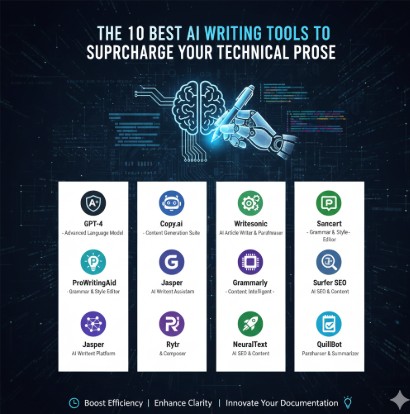
Terraform Your SAP Infrastructure on AWS: A Comprehensive Guide

Deploying and managing SAP landscapes on Amazon Web Services (AWS) can be complex. Traditional methods often involve manual configurations, increasing the risk of errors and slowing down deployment times. Enter Terraform, a powerful Infrastructure as Code (IaC) tool that automates the provisioning, configuration, and management of your infrastructure. This guide will walk you through leveraging Terraform to streamline your SAP infrastructure on AWS, leading to greater efficiency, scalability, and reliability.

Understanding the Benefits of Terraform for SAP on AWS

Utilizing Terraform to manage your SAP infrastructure on AWS offers several significant advantages:

Increased Efficiency and Automation

  • Automate the entire provisioning process, from setting up virtual machines to configuring networks and databases.
  • Reduce manual errors associated with manual configuration.
  • Accelerate deployment times, enabling faster time-to-market for new applications and services.

Improved Consistency and Repeatability

  • Ensure consistent infrastructure deployments across different environments (development, testing, production).
  • Easily replicate your infrastructure in different AWS regions or accounts.
  • Simplify the process of updating and modifying your infrastructure.

Enhanced Scalability and Flexibility

  • Easily scale your SAP infrastructure up or down based on your needs.
  • Adapt to changing business requirements quickly and efficiently.
  • Benefit from the scalability and flexibility of the AWS cloud platform.

Improved Collaboration and Version Control

  • Enable collaboration among team members through version control systems (like Git).
  • Track changes to your infrastructure over time.
  • Maintain a clear audit trail of all infrastructure modifications.

Setting up Your Terraform Environment for SAP on AWS

Before you begin, ensure you have the following prerequisites:

1. AWS Account and Credentials

You’ll need an active AWS account with appropriate permissions to create and manage resources.

2. Terraform Installation

Download and install Terraform from the official HashiCorp website: https://www.terraform.io/downloads.html

3. AWS Provider Configuration

Configure the AWS provider in your Terraform configuration file (typically `main.tf`) using your AWS access key ID and secret access key. Important: Store your credentials securely, ideally using AWS IAM roles or environment variables. Do not hardcode them directly into your configuration files.


terraform {
  required_providers {
    aws = {
      source  = "hashicorp/aws"
      version = "~> 4.0"
    }
  }
}

provider "aws" {
  region = "us-east-1" # Replace with your desired region
}

4. Understanding Terraform Modules for SAP

Leveraging pre-built Terraform modules can significantly simplify the deployment process. Several community-contributed and commercial modules are available for various SAP components. Always carefully review the source and security implications of any module before integrating it into your infrastructure.

Terraform Examples: Deploying SAP Components on AWS

Here are examples demonstrating how to deploy various SAP components using Terraform on AWS. These examples are simplified for clarity; real-world implementations require more detailed configuration.

Example 1: Deploying an EC2 Instance for SAP Application Server


resource "aws_instance" "sap_app_server" {
  ami                    = "ami-0c55b31ad2299a701" # Replace with appropriate AMI
  instance_type          = "t3.medium"
  key_name               = "your_key_pair_name"
  vpc_security_group_ids = [aws_security_group.sap_app_server.id]
  # ... other configurations ...
}

resource "aws_security_group" "sap_app_server" {
  name        = "sap_app_server_sg"
  description = "Security group for SAP application server"

  ingress {
    from_port   = 22
    to_port     = 22
    protocol    = "tcp"
    cidr_blocks = ["0.0.0.0/0"] #Restrict this in production!
  }
  # ... other rules ...
}

Example 2: Creating an Amazon RDS Instance for SAP HANA


resource "aws_db_instance" "sap_hana" {
  allocated_storage    = 200
  engine                = "sap-hana"
  engine_version        = "2.0"
  instance_class        = "db.m5.large"
  db_name               = "saphana"
  username              = "sapuser"
  password              = "strong_password" # Never hardcode passwords in production! Use secrets management
  skip_final_snapshot = true
  # ... other configurations ...
}

Example 3: Deploying a Network Infrastructure with VPC and Subnets


resource "aws_vpc" "main" {
  cidr_block = "10.0.0.0/16"
}

resource "aws_subnet" "public" {
  vpc_id            = aws_vpc.main.id
  cidr_block        = "10.0.1.0/24"
  availability_zone = "us-east-1a"
}
# ... more subnets and network configurations ...

Advanced Scenarios: High Availability and Disaster Recovery

Terraform excels in setting up complex, highly available SAP landscapes. This involves deploying multiple instances across different availability zones, implementing load balancing, and configuring disaster recovery mechanisms. These scenarios often require sophisticated configurations and might utilize external modules or custom scripts to automate more intricate tasks, including SAP specific configuration settings.

Frequently Asked Questions (FAQ)

Q1: What are the best practices for managing Terraform state files for SAP infrastructure?

Use a remote backend like AWS S3 or Terraform Cloud to manage your state files. This ensures that multiple team members can collaborate effectively and prevents data loss. Always encrypt your state files for security.

Q2: How can I handle sensitive information like database passwords within my Terraform code?

Avoid hardcoding sensitive data directly in your Terraform configurations. Utilize AWS Secrets Manager or other secrets management solutions to store and retrieve sensitive information during deployment. Refer to these secrets within your Terraform code using environment variables or dedicated data sources.

Q3: How do I integrate Terraform with existing SAP monitoring tools?

Use Terraform’s output values to integrate with your monitoring tools. For example, Terraform can output the IP addresses and instance IDs of your SAP components, which can then be fed into your monitoring system’s configuration.

Q4: Can I use Terraform to migrate an existing on-premise SAP system to AWS?

While Terraform isn’t directly involved in the data migration process, it can automate the infrastructure provisioning on AWS to receive the migrated data. Tools like AWS Database Migration Service (DMS) are commonly used for the actual data migration, and Terraform can manage the target infrastructure to receive this data efficiently.

Q5: What are some common challenges when using Terraform for SAP on AWS?

Some common challenges include managing complex dependencies between SAP components, handling large-scale deployments, ensuring proper security configurations, and understanding the nuances of SAP-specific parameters and configurations within your Terraform code. Careful planning and testing are crucial to mitigate these challenges.

Conclusion

Terraform significantly simplifies and streamlines the deployment and management of SAP infrastructure on AWS. By automating the provisioning, configuration, and management of your SAP landscape, you can significantly improve efficiency, consistency, and scalability. While there’s a learning curve involved, the long-term benefits of using Terraform for your SAP systems on AWS far outweigh the initial investment. Remember to embrace best practices for state management, security, and error handling to maximize the value of this powerful IaC tool. By following the guidance and examples in this guide, you can confidently begin your journey towards automating and optimizing your SAP infrastructure on AWS using Terraform.Thank you for reading the DevopsRoles page!

How to Write Better AI Image Prompts in 2025 [Examples + Tips]

Introduction: Unleashing the Power of AI Image Generation

Artificial intelligence (AI) image generation has revolutionized the creative landscape. Tools like Midjourney, Stable Diffusion, and Dall-E 2 empower users to create breathtaking visuals from simple text descriptions – prompts. But the quality of the output directly correlates with the quality of the prompt. In 2025, understanding how to write better AI image prompts isn’t just advantageous; it’s essential for unlocking the full potential of these powerful tools. This comprehensive guide provides you with the knowledge and techniques to craft compelling prompts, transforming your ideas into stunning reality.

Understanding the Anatomy of an Effective AI Image Prompt

A strong AI image prompt isn’t just a random collection of words. It’s a carefully constructed instruction set guiding the AI to generate the desired image. Key components include:

1. Subject Matter: The Core of Your Image

Clearly define the central subject of your image. Be specific! Instead of “a cat,” try “a fluffy Persian cat with emerald eyes, sitting on a windowsill.” The more detail you provide, the better the AI can understand your vision.

2. Style and Artistic Movement: Setting the Tone

Specify the desired artistic style. Do you want photorealism, impressionism, cubism, or something else entirely? Examples include: “in the style of Van Gogh,” “photorealistic rendering,” “anime style,” or “low-poly art.” This drastically influences the visual outcome.

3. Composition and Lighting: Refining the Visuals

Consider the composition and lighting. Describe the camera angle (“high-angle shot,” “close-up”), lighting conditions (“dramatic lighting,” “soft morning light”), and overall mood (“dark and moody,” “bright and cheerful”).

4. Keywords and Modifiers: Enhancing Specificity

Use keywords to add further detail. For instance, to enhance a landscape, incorporate keywords like “sun-drenched meadow,” “rolling hills,” or “misty forest.” Modifiers refine these further, for example: “a sun-drenched meadow filled with wildflowers, vibrant colors.”

5. Aspect Ratio and Resolution: Technical Specifications

Some AI generators allow you to specify aspect ratio (e.g., 16:9, 4:3) and resolution. This ensures the output aligns with your intended use case, such as social media posts or print materials.

Advanced Prompt Engineering Techniques

Mastering basic prompt writing is just the beginning. To generate truly exceptional results, consider these advanced techniques:

1. Negative Prompts: Excluding Undesired Elements

Negative prompts tell the AI what *not* to include in the image. This is crucial for refining unwanted artifacts or styles. For instance, if you want a realistic image but want to avoid cartoonish features, you might add “, no cartoon, no anime” to your prompt.

2. Prompt Chaining and Iteration: Refining Your Vision

Begin with a simple prompt and gradually refine it through iterations. Experiment with different keywords, styles, and modifiers, analyzing the results with each iteration. Chaining involves using the output of one prompt as input for another, building on previously generated elements.

3. Utilizing Seed Numbers for Reproducibility: Maintaining Consistency

Many AI image generators use seed numbers. Providing a specific seed number allows you to reproduce the exact same image multiple times, useful for consistency in projects.

4. Exploring Different AI Models: Finding the Right Tool

Different AI image generators have unique strengths and weaknesses. Experimenting with multiple platforms (Midjourney, Stable Diffusion, Dall-E 2, etc.) to find the best fit for your style and needs is crucial. Each model may interpret prompts differently.

Examples: From Basic to Advanced Prompts

Basic Prompt:

“A cat sitting on a mat”

Improved Prompt:

“A fluffy ginger cat with green eyes, sitting on a woven straw mat, soft sunlight, photorealistic”

Advanced Prompt with Negative Prompt:

“A hyperrealistic portrait of a woman in a Victorian-era dress, intricate details, dramatic lighting, trending on artstation, –no blurry, –low resolution, –poorly drawn hands”

Frequently Asked Questions (FAQs)

Q1: How long should my AI image prompts be?

There’s no magic number, but aim for clarity and specificity. A concise prompt focused on key elements is usually more effective than a long, rambling one. Experiment to find the optimal length for your chosen AI model.

Q2: What are some common mistakes to avoid when writing prompts?

Avoid vague or overly general language. Be specific with your subject, style, and details. Avoid using too many keywords without careful consideration. Overly complex prompts can confuse the AI.

Q3: Can I use copyrighted material in my prompts?

Be cautious. Using specific names of copyrighted characters or artworks without permission may lead to legal issues. Focus on describing the style or visual elements rather than direct references. Check the US Copyright Office website for further information.

Q4: How do I improve my prompt writing skills over time?

Practice regularly. Experiment with different styles and techniques. Analyze the outputs of your prompts and learn from the results. Explore online communities and forums dedicated to AI image generation for feedback and inspiration.

Q5: What are some resources to learn more about AI image prompt engineering?

Numerous online communities, tutorials, and articles are available. Search for “AI image prompt engineering” on platforms like YouTube, Reddit (r/midjourney, r/stablediffusion), and various blogs dedicated to AI art. Midjourney’s website and OpenAI’s Dall-E 2 page are also valuable resources.

Conclusion: Mastering the Art of AI Image Prompts

In 2025 and beyond, the ability to write effective AI image prompts is a highly valuable skill. By understanding the core components of a successful prompt, mastering advanced techniques, and consistently practicing, you can transform your creative visions into stunning visuals. Remember to experiment, iterate, and learn from each experience to continuously improve your prompt engineering abilities. The world of AI image generation is constantly evolving, so embracing ongoing learning is key to staying ahead of the curve. Thank you for reading the DevopsRoles page!

Mastering the Terraform Registry: A Tutorial on Building and Sharing Modules

Introduction: Unlock the Power of Reusable Infrastructure with the Terraform Registry

In the dynamic world of infrastructure-as-code (IaC), efficiency and consistency are paramount. Terraform, a widely adopted IaC tool, allows you to define and manage your infrastructure in a declarative manner. However, writing the same infrastructure code repeatedly across projects can be tedious and error-prone. This is where the Terraform Registry shines. It’s a central repository for sharing and reusing pre-built Terraform modules, enabling developers to accelerate their workflows and maintain a consistent infrastructure landscape. This A Terraform Registry tutorial to build and share modules will guide you through the entire process, from creating your first module to publishing it for the community to use.

Understanding Terraform Modules

Before diving into the Registry, it’s crucial to understand Terraform modules. Modules are reusable packages of Terraform configuration. They encapsulate a specific set of resources and allow you to parameterize their behavior, making them adaptable to different environments. Think of them as functions for your infrastructure.

Benefits of Using Terraform Modules

* **Reusability:** Avoid writing repetitive code.
* **Maintainability:** Easier to update and maintain a single module than multiple instances of similar code.
* **Consistency:** Ensure consistency across different environments.
* **Collaboration:** Share modules with your team or the wider community.
* **Abstraction:** Hide implementation details and expose only necessary parameters.

Building Your First Terraform Module

Let’s start by creating a simple module for deploying a virtual machine on AWS. This A Terraform Registry tutorial to build and share modules example will use AWS EC2 instances.

Step 1: Project Structure

Create a directory for your module, for example, `aws-ec2-instance`. Inside this directory, create the following files:

* `main.tf`: This file contains the core Terraform configuration.
* `variables.tf`: This file defines the input variables for your module.
* `outputs.tf`: This file defines the output values that your module will return.

Step 2: `variables.tf`

variable "instance_type" {
  type        = string
  default     = "t2.micro"
  description = "EC2 instance type"
}

variable "ami_id" {
  type        = string
  description = "AMI ID for the instance"
}

variable "key_name" {
  type        = string
  description = "Name of the SSH key pair"
}

Step 3: `main.tf`

resource "aws_instance" "ec2" {
  ami           = var.ami_id
  instance_type = var.instance_type
  key_name      = var.key_name
}

Step 4: `outputs.tf`

output "instance_public_ip" {
  value       = aws_instance.ec2.public_ip
  description = "Public IP address of the EC2 instance"
}

Step 5: Testing Your Module

Before publishing, test your module locally. Create a test directory and use the module within a sample `main.tf` file. Make sure to provide the necessary AWS credentials.

Publishing Your Module to the Terraform Registry

Publishing your module involves creating a repository on a platform supported by the Terraform Registry, such as GitHub.

Step 1: Create a GitHub Repository

Create a new public GitHub repository for your module. This is crucial for the Terraform Registry to access your code.

Step 2: Configure the Registry

You’ll need a Terraform Cloud account (or you can link a GitHub account via Terraform Cloud) to manage and publish your module. Follow the instructions on the official Terraform documentation to connect your provider with your repository.
[Link to Terraform Cloud Documentation](https://www.terraform.io/cloud-docs/cli/workspaces/create)

Step 3: Set up a Provider in your Module

Within your Terraform module repository, you should have a `provider.tf` file. This file defines the provider for your resources. It is not strictly necessary to include a provider in a module (your main `Terraform` file could specify it), but it is common practice.

Step 4: Submit Your Module

Through Terraform Cloud you submit your module for review. You’ll be prompted to provide metadata and other relevant information. Once validated and approved, your module will be available on the Terraform Registry.

Using Published Modules

Once your module is published, others can easily integrate it into their projects. Here’s how to use a module from the Terraform Registry:

module "aws-ec2-instance" {
  source        = "your-github-username/aws-ec2-instance"  # Replace with your GitHub username and repository name
  instance_type = "t2.micro"
  ami_id        = "ami-0c55b31ad2299a701"                   # Replace with a valid AMI ID
  key_name      = "your-key-pair-name"                      # Replace with your key pair name
}

Advanced Module Techniques

Let’s explore some advanced techniques to make your modules more robust and reusable.

Using Conditional Logic

Use `count` or `for_each` to create multiple instances of resources based on variables or conditions.

Creating Nested Modules

Organize complex infrastructure deployments by nesting modules within each other for improved modularity and structure.

Using Data Sources

Integrate data sources within your modules to dynamically fetch values from external services or cloud providers.

Versioning Your Modules

Proper versioning is essential for maintainability and compatibility. Use semantic versioning (semver) to manage releases and updates.

Frequently Asked Questions (FAQ)

**Q: What are the benefits of using the Terraform Registry over storing my modules privately?**

A: The Terraform Registry offers discoverability, allowing others to benefit from your work and potentially collaborate. It also simplifies module updates and management. Private modules work well for internal organization-specific needs.

**Q: How do I update my published module?**

A: Push updates to your source code repository (GitHub). The Terraform Registry will automatically process and release new versions.

**Q: Can I publish private modules?**

A: No, the Terraform Registry is publicly accessible. For private modules, consider using a private git repository and referencing it directly in your Terraform configurations.

**Q: What happens if I delete my module from the registry?**

A: Deleting the module removes it from the Registry, making it inaccessible to others.

**Q: How do I handle dependencies between modules?**

A: Terraform’s module system handles dependencies automatically, enabling effortless integration between various modules.

Conclusion: Elevate Your Infrastructure-as-Code with the Terraform Registry

This A Terraform Registry tutorial to build and share modules demonstrates how to create, publish, and use Terraform modules effectively. By embracing the power of the Terraform Registry, you can significantly improve your workflow, enhance code reusability, and foster collaboration within your team and the wider Terraform community. Remember to follow best practices like proper versioning and thorough testing to maintain high-quality, reliable infrastructure deployments. Using modules effectively and sharing them through the registry is a fundamental step towards achieving efficient and scalable infrastructure management.Thank you for reading the DevopsRoles page!

Docker Model Runner Brings Local LLMs to Your Desktop

The rise of Large Language Models (LLMs) has revolutionized the field of artificial intelligence. However, accessing and utilizing these powerful models often requires significant computational resources and expertise. This is where Docker Model Runner steps in, offering a revolutionary solution by bringing the power of local LLMs to your desktop, regardless of your operating system.

This comprehensive guide delves into the capabilities of Docker Model Runner, providing a detailed understanding for DevOps engineers, cloud engineers, data scientists, and anyone interested in leveraging the power of LLMs without the complexities of cloud infrastructure.

Understanding Docker Model Runner and Local LLMs

Docker Model Runner is a powerful tool that simplifies the process of running LLMs locally. It leverages the efficiency and portability of Docker containers to encapsulate the model, its dependencies, and the runtime environment. This means you can run sophisticated LLMs on your personal computer, without the need for complex installations or configurations. This approach offers several key advantages, including:

  • Enhanced Privacy: Process your data locally, eliminating the need to send sensitive information to external cloud services.
  • Reduced Latency: Experience significantly faster response times compared to using cloud-based LLMs, especially beneficial for interactive applications.
  • Cost-Effectiveness: Avoid the recurring costs associated with cloud computing resources.
  • Improved Control: Maintain complete control over your environment and the models you utilize.
  • Portability: Run your LLM on different machines with ease, thanks to the containerized nature of Docker Model Runner.

Setting Up Docker Model Runner

Prerequisites

Before you begin, ensure you have the following prerequisites installed on your system:

  • Docker: Download and install the latest version of Docker Desktop for your operating system from the official Docker website. https://www.docker.com/
  • Docker Compose (Optional but Recommended): Docker Compose simplifies the management of multi-container Docker applications. Install it using your system’s package manager (e.g., apt-get install docker-compose on Debian/Ubuntu).

Installing and Running a Sample Model

The process of running an LLM using Docker Model Runner typically involves pulling a pre-built Docker image from a repository (like Docker Hub) or building your own. Let’s illustrate with a simple example using a hypothetical LLM image:

1. Pull the Image:

docker pull example-llm:latest

2. Run the Container: (Replace /path/to/your/data with the actual path)

docker run -it -v /path/to/your/data:/data example-llm:latest

This command pulls the example-llm image and runs it in interactive mode (-it). The -v flag mounts a local directory as a volume within the container, enabling data exchange between your host machine and the LLM.

Note: Replace example-llm:latest with the actual name and tag of the LLM image you want to run. Many pre-built images are available on Docker Hub, often optimized for specific LLMs. Always consult the documentation for the specific LLM and its Docker image for detailed instructions.

Advanced Usage of Docker Model Runner

Utilizing Docker Compose for Orchestration

For more complex scenarios involving multiple containers or services (e.g., a database for storing LLM data), Docker Compose provides a streamlined approach. A docker-compose.yml file can define the services and their dependencies, making setup and management much easier.

Example docker-compose.yml:

version: "3.9"
services:
  llm:
    image: example-llm:latest
    volumes:
      - ./data:/data
  database:
    image: postgres:14
    ports:
      - "5432:5432"
    environment:
      - POSTGRES_USER=myuser
      - POSTGRES_PASSWORD=mypassword

To run this setup, execute:

docker-compose up -d

Customizing Docker Images for Specific LLMs

You can tailor Docker images to optimize performance for specific LLMs. This might involve:

  • Optimizing base images: Choosing a lightweight base image to reduce container size and improve startup time.
  • Installing necessary libraries: Including any required Python packages, CUDA drivers (for GPU acceleration), or other dependencies.
  • Configuring environment variables: Setting environment variables to control the LLM’s behavior.

Use Cases & Examples

Basic Use Case: Running a Sentiment Analysis Model

Suppose you have a sentiment analysis LLM. Using Docker Model Runner, you can run this model locally to analyze text data from a file without sending it to a cloud service. This ensures privacy and reduces latency.

Advanced Use Case: Building a Real-time Chatbot

Integrate an LLM within a custom chatbot application. Docker Model Runner can run the LLM efficiently, handling user queries and generating responses in real-time. This allows for faster response times and improved user experience compared to cloud-based solutions.

Frequently Asked Questions (FAQ)

Q1: What are the hardware requirements for running LLMs locally with Docker Model Runner?

The hardware requirements vary significantly depending on the size and complexity of the LLM. Smaller models might run on modest hardware, but larger LLMs often demand powerful CPUs, substantial RAM (e.g., 16GB or more), and possibly a dedicated GPU for optimal performance. Always check the LLM’s documentation for its recommended specifications.

Q2: Can I use Docker Model Runner with different operating systems?

Yes, Docker’s cross-platform compatibility means you can use Docker Model Runner on Linux, Windows, and macOS, provided you have Docker Desktop installed.

Q3: How do I ensure the security of my data when running LLMs locally with Docker?

Security practices remain crucial even with local deployments. Utilize Docker’s security features, regularly update your Docker images, and ensure your host operating system is patched against vulnerabilities. Consider using Docker security scanning tools to detect potential vulnerabilities in your images.

Q4: What happens if my Docker container crashes?

Docker offers various mechanisms to handle container failures, such as restart policies. You can configure your Docker containers to automatically restart if they crash, ensuring continuous operation. You can specify the restart policy in your docker run command or in your docker-compose.yml file.

Q5: Are there any limitations to using Docker Model Runner for LLMs?

While Docker Model Runner offers many advantages, there are limitations. Very large LLMs might exceed the resources of a typical desktop computer. Also, managing updates and maintaining the model’s performance might require technical expertise.

Conclusion

Docker Model Runner significantly simplifies the process of deploying and running LLMs locally, offering several benefits over cloud-based alternatives. Its ease of use, coupled with the security and performance advantages of local processing, makes it an attractive option for a wide range of users. By following the guidelines and best practices outlined in this guide, you can effectively leverage the power of LLMs on your desktop, unlocking new possibilities for your projects and workflows. Remember to always consult the documentation for the specific LLM and its Docker image for the most accurate and up-to-date information. Thank you for reading the DevopsRoles page!


Devops Tutorial

Exit mobile version