Category Archives: AWS

Explore Amazon Web Services (AWS) at DevOpsRoles.com. Access in-depth tutorials and guides to master AWS for cloud computing and DevOps automation.

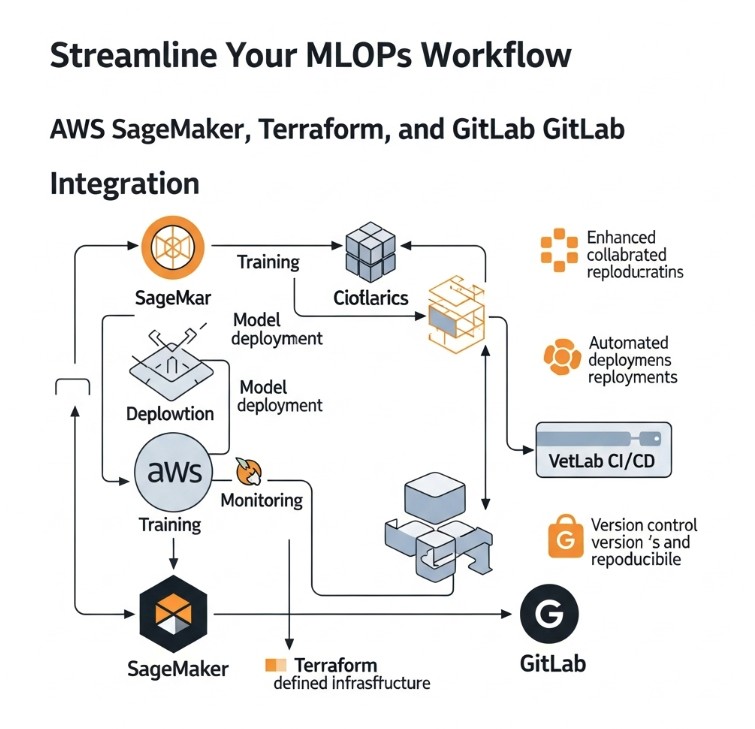
Streamline Your MLOps Workflow: AWS SageMaker, Terraform, and GitLab Integration

Deploying and managing machine learning (ML) models in production is a complex undertaking. The challenges of reproducibility, scalability, and monitoring often lead to bottlenecks and delays. This is where MLOps comes in, providing a framework for streamlining the entire ML lifecycle. This article dives deep into building a robust MLOps pipeline leveraging the power of MLOps AWS SageMaker Terraform GitLab. We’ll explore how to integrate these powerful tools to automate your model deployment, infrastructure management, and version control, significantly improving efficiency and reducing operational overhead.

Understanding the Components: AWS SageMaker, Terraform, and GitLab

Before delving into the integration, let’s briefly understand the individual components of our MLOps solution:

AWS SageMaker: Your ML Platform

Amazon SageMaker is a fully managed service that provides every tool needed for each step of the machine learning workflow. From data preparation and model training to deployment and monitoring, SageMaker simplifies the complexities of ML deployment. Its capabilities include:

  • Built-in algorithms: Access pre-trained algorithms or bring your own.
  • Scalable training environments: Train models efficiently on large datasets.
  • Model deployment and hosting: Easily deploy models for real-time or batch predictions.
  • Model monitoring and management: Track model performance and manage model versions.

Terraform: Infrastructure as Code (IaC)

Terraform is a popular Infrastructure as Code (IaC) tool that allows you to define and manage your infrastructure in a declarative manner. Using Terraform, you can automate the provisioning and configuration of AWS resources, including those required for your SageMaker deployments. This ensures consistency, repeatability, and simplifies infrastructure management.

GitLab: Version Control and CI/CD

GitLab serves as the central repository for your code, configuration files (including your Terraform code), and model artifacts. Its integrated CI/CD capabilities automate the build, testing, and deployment processes, further enhancing your MLOps workflow.

Building Your MLOps Pipeline with MLOps AWS SageMaker Terraform GitLab

Now, let’s outline the steps to create a comprehensive MLOps pipeline using these tools.

1. Setting up the Infrastructure with Terraform

Begin by defining your AWS infrastructure using Terraform. This will include:

  • SageMaker Endpoint Configuration: Define the instance type and configuration for your SageMaker endpoint.
  • IAM Roles: Create IAM roles with appropriate permissions for SageMaker to access other AWS services.
  • S3 Buckets: Create S3 buckets to store your model artifacts, training data, and other relevant files.

Here’s a simplified example of a Terraform configuration for creating an S3 bucket:


resource "aws_s3_bucket" "sagemaker_bucket" {
bucket = "your-sagemaker-bucket-name"
acl = "private"
}

2. Model Training and Packaging

Train your ML model using SageMaker. You can utilize SageMaker’s built-in algorithms or bring your own custom algorithms. Once trained, package your model into a format suitable for deployment (e.g., a Docker container).

3. GitLab CI/CD for Automated Deployment

Configure your GitLab CI/CD pipeline to automate the deployment process. This pipeline will trigger upon code commits or merge requests.

  • Build Stage: Build your Docker image containing the trained model.
  • Test Stage: Run unit tests and integration tests to ensure model functionality.
  • Deploy Stage: Use the AWS CLI or the SageMaker SDK to deploy your model to a SageMaker endpoint using the infrastructure defined by Terraform.

A simplified GitLab CI/CD configuration (`.gitlab-ci.yml`) might look like this:

stages:
- build
- test
- deploy
build_image:
  stage: build
  image: docker:latest
  script:
    - docker build -t my-model-image .

test_model:
  stage: test
  script:
    - python -m unittest test_model.py
deploy_model:
  stage: deploy
  script:
    - aws sagemaker create-model ...

4. Monitoring and Model Management

Continuously monitor your deployed model’s performance using SageMaker Model Monitor. This helps identify issues and ensures the model remains accurate and effective.

MLOps AWS SageMaker Terraform GitLab: A Comprehensive Approach

This integrated approach using MLOps AWS SageMaker Terraform GitLab offers significant advantages:

  • Automation: Automates every stage of the ML lifecycle, reducing manual effort and potential for errors.
  • Reproducibility: Ensures consistent and repeatable deployments.
  • Scalability: Easily scale your model deployments to meet growing demands.
  • Version Control: Tracks changes to your code, infrastructure, and models.
  • Collaboration: Facilitates collaboration among data scientists, engineers, and DevOps teams.

Frequently Asked Questions

Q1: What are the prerequisites for using this MLOps pipeline?

You’ll need an AWS account, a GitLab account, and familiarity with Docker, Terraform, and the AWS CLI or SageMaker SDK. Basic knowledge of Python and machine learning is also essential.

Q2: How can I handle model versioning within this setup?

GitLab’s version control capabilities track changes to your model code and configuration. SageMaker allows for managing multiple model versions, allowing rollback to previous versions if necessary. You can tag your models in GitLab and correlate them with the specific versions in SageMaker.

Q3: How do I integrate security best practices into this pipeline?

Implement robust security measures throughout the pipeline, including using secure IAM roles, encrypting data at rest and in transit, and regularly scanning for vulnerabilities. GitLab’s security features and AWS security best practices should be followed.

Q4: What are the costs associated with this MLOps setup?

Costs vary depending on your AWS usage, instance types chosen for SageMaker endpoints, and the storage used in S3. Refer to the AWS pricing calculator for detailed cost estimations. GitLab pricing also depends on your chosen plan.

Conclusion

Implementing a robust MLOps pipeline is crucial for successful ML deployment. By integrating MLOps AWS SageMaker Terraform GitLab, you gain a powerful and efficient solution that streamlines your workflow, enhances reproducibility, and improves scalability. Remember to carefully plan your infrastructure, implement comprehensive testing, and monitor your models continuously to ensure optimal performance. Mastering this integrated approach will significantly improve your team’s productivity and enable faster innovation in your machine learning projects. Effective use of MLOps AWS SageMaker Terraform GitLab sets you up for long-term success in the ever-evolving landscape of machine learning.

For more detailed information on SageMaker, refer to the official documentation: https://aws.amazon.com/sagemaker/ and for Terraform: https://www.terraform.io/. Thank you for reading the DevopsRoles page!

Accelerate Your EKS Deployments with EKS Blueprints Clusters

Managing and deploying Kubernetes clusters can be a complex and time-consuming task. Ensuring security, scalability, and operational efficiency requires significant expertise and careful planning. This is where Amazon EKS Blueprints comes in, providing a streamlined approach to bootstrapping robust and secure EKS Blueprints clusters. This comprehensive guide will walk you through the process of creating and managing EKS Blueprints clusters, empowering you to focus on your applications instead of infrastructure complexities.

Understanding EKS Blueprints and Their Benefits

Amazon EKS Blueprints offers pre-built configurations for deploying Kubernetes clusters on Amazon EKS. These blueprints provide a foundation for building secure and highly available clusters, incorporating best practices for networking, security, and logging. By leveraging EKS Blueprints clusters, you can significantly reduce the time and effort required to set up a production-ready Kubernetes environment.

Key Advantages of Using EKS Blueprints Clusters:

  • Reduced Deployment Time: Quickly deploy clusters with pre-configured settings.
  • Enhanced Security: Benefit from built-in security best practices and configurations.
  • Improved Reliability: Establish highly available and resilient clusters.
  • Simplified Management: Streamline cluster management with standardized configurations.
  • Cost Optimization: Optimize resource utilization and minimize operational costs.

Creating Your First EKS Blueprints Cluster

The process of creating an EKS Blueprints cluster involves several key steps. This section will guide you through a basic deployment, highlighting important considerations along the way. Remember to consult the official AWS documentation for the most up-to-date instructions and best practices.

Prerequisites:

  • An AWS account with appropriate permissions.
  • The AWS CLI installed and configured.
  • Familiarity with basic Kubernetes concepts.

Step-by-Step Deployment:

  1. Choose a Blueprint: Select a blueprint that aligns with your requirements. EKS Blueprints offers various options, each tailored to specific needs (e.g., production, development).
  2. Customize the Blueprint (Optional): Modify parameters like node group configurations, instance types, and Kubernetes version to meet your specific needs. This allows for granular control over your cluster’s resources.
  3. Deploy the Blueprint: Use the AWS CLI or other deployment tools to initiate the deployment process. This involves specifying the blueprint name and any necessary customizations.
  4. Monitor Deployment Progress: Track the progress of your cluster deployment using the AWS Management Console or the AWS CLI. This ensures you are aware of any potential issues.
  5. Verify Cluster Functionality: Once the deployment completes, verify that your cluster is running correctly. This typically includes checking the status of nodes, pods, and services.

Example using the AWS CLI:

The exact command will vary depending on the chosen blueprint and customizations. A simplified example (replace placeholders with your values) might look like this:

aws eks create-cluster \
  --name my-eks-blueprint-cluster \
  --role-arn arn:aws:iam::123456789012:role/eks-cluster-role \
  --resources-vpc-config subnetIds=subnet-1,subnet-2,subnet-3

Remember to consult the official AWS documentation for the most accurate and up-to-date command structures.

Advanced EKS Blueprints Clusters Configurations

Beyond basic deployment, EKS Blueprints offer advanced configuration options to tailor your clusters to demanding environments. This section explores some of these advanced capabilities.

Customizing Networking:

Fine-tune networking aspects, such as VPC configurations, security groups, and pod networking, to optimize performance and security. Consider using Calico or other advanced CNI plugins for enhanced network policies.

Integrating with other AWS Services:

Seamlessly integrate your EKS Blueprints clusters with other AWS services like IAM, CloudWatch, and KMS. This enhances security, monitoring, and management.

Implementing Robust Security Measures:

Implement comprehensive security measures, including Network Policies, Pod Security Policies (or their equivalents in newer Kubernetes versions), and IAM roles for enhanced protection.

Scaling and High Availability:

Design your EKS Blueprints clusters for scalability and high availability. Utilize autoscaling groups and multiple availability zones to ensure resilience and fault tolerance.

EKS Blueprints Clusters: Best Practices

Implementing best practices is crucial for successfully deploying and managing EKS Blueprints clusters. This section outlines key recommendations to enhance your deployments.

Utilizing Version Control:

Employ Git or another version control system to manage your blueprint configurations, enabling easy tracking of changes and collaboration.

Implementing Infrastructure as Code (IaC):

Use tools like Terraform or CloudFormation to automate the deployment and management of your EKS Blueprints clusters. This promotes consistency, repeatability, and reduces manual intervention.

Continuous Integration/Continuous Delivery (CI/CD):

Integrate EKS Blueprints deployments into your CI/CD pipeline for streamlined and automated deployments. This enables faster iterations and easier updates.

Regular Monitoring and Logging:

Monitor your EKS Blueprints clusters actively using CloudWatch or other monitoring solutions to proactively identify and address any potential issues.

Frequently Asked Questions

This section addresses some frequently asked questions about EKS Blueprints clusters.

Q1: What is the cost of using EKS Blueprints?

The cost of using EKS Blueprints depends on the resources consumed by your cluster, including compute instances, storage, and network traffic. You pay for the underlying AWS services used by your cluster, not for the blueprints themselves.

Q2: Can I use EKS Blueprints with existing infrastructure?

While EKS Blueprints create new clusters, you can adapt parameters and settings to integrate with some aspects of your existing infrastructure, like VPCs and subnets. Complete integration requires careful planning and potentially customization of the chosen blueprint.

Q3: How do I update an existing EKS Blueprints cluster?

Updating an existing EKS Blueprints cluster often involves creating a new cluster with the desired updates and then migrating your workloads. Direct in-place upgrades might be possible depending on the changes, but careful testing is essential before any upgrade.

Q4: What level of Kubernetes expertise is required to use EKS Blueprints?

While EKS Blueprints simplify cluster management, a basic understanding of Kubernetes concepts is beneficial. You’ll need to know how to manage deployments, services, and pods, and troubleshoot common Kubernetes issues. Advanced features might require a deeper understanding.

Conclusion

Utilizing EKS Blueprints clusters simplifies the process of bootstrapping secure and efficient EKS environments. By leveraging pre-configured blueprints and best practices, you can significantly accelerate your Kubernetes deployments and reduce operational overhead. Remember to start with a well-defined strategy, leverage IaC for automation, and diligently monitor your EKS Blueprints clusters to ensure optimal performance and security.

Mastering EKS Blueprints clusters allows you to focus on building and deploying applications instead of wrestling with complex infrastructure management. Remember that staying updated with the latest AWS documentation is critical for utilizing the full potential of EKS Blueprints clusters and best practices.

For more detailed information, refer to the official AWS EKS Blueprints documentation and the Kubernetes documentation. A useful community resource can also be found at Kubernetes.io. Thank you for reading the DevopsRoles page!

Unlocking the Power of Amazon EKS Observability

Managing the complexity of a Kubernetes cluster, especially one running on Amazon Elastic Kubernetes Service (EKS), can feel like navigating a labyrinth. Ensuring the health, performance, and security of your applications deployed on EKS requires robust monitoring and observability. This is where Amazon EKS Observability comes into play. This comprehensive guide will demystify the intricacies of EKS observability, providing you with the tools and knowledge to effectively monitor and troubleshoot your EKS deployments, ultimately improving application performance and reducing downtime.

Understanding the Importance of Amazon EKS Observability

Effective Amazon EKS Observability is paramount for any organization running applications on EKS. Without it, identifying performance bottlenecks, debugging application errors, and ensuring security becomes significantly challenging. A lack of observability can lead to increased downtime, frustrated users, and ultimately, financial losses. By implementing a comprehensive observability strategy, you gain valuable insights into the health and performance of your EKS cluster and its deployed applications. This proactive approach allows for faster identification and resolution of issues, preventing major incidents before they impact your users.

Key Components of Amazon EKS Observability

Building a robust Amazon EKS Observability strategy involves integrating several key components. These components work in synergy to provide a holistic view of your EKS environment.

1. Metrics Monitoring

Metrics provide quantitative data about your EKS cluster and application performance. Key metrics to monitor include:

  • CPU utilization
  • Memory usage
  • Network traffic
  • Pod restarts
  • Deployment status

Tools like Amazon CloudWatch, Prometheus, and Grafana are commonly used for collecting and visualizing these metrics. CloudWatch integrates seamlessly with EKS, providing readily available metrics out of the box.

2. Logging

Logs offer crucial contextual information about events occurring within your EKS cluster and applications. Effective log management enables faster debugging and incident response.

  • Application logs: Track application-specific events and errors.
  • System logs: Monitor the health and status of Kubernetes components.
  • Audit logs: Record security-relevant events for compliance and security analysis.

Popular logging solutions for EKS include the Amazon CloudWatch Logs, Fluentd, and Elasticsearch.

3. Tracing

Distributed tracing provides a detailed view of requests as they flow through your microservices architecture. This is crucial for understanding the performance of complex applications deployed across multiple pods and namespaces.

Tools like Jaeger, Zipkin, and AWS X-Ray offer powerful distributed tracing capabilities. Integrating tracing into your applications helps identify performance bottlenecks and pinpoint the root cause of slow requests.

4. Amazon EKS Observability with CloudWatch

Amazon CloudWatch is a fully managed monitoring and observability service deeply integrated with EKS. It offers a comprehensive solution for collecting, analyzing, and visualizing metrics, logs, and events from your EKS cluster. CloudWatch provides a unified dashboard for monitoring the health and performance of your EKS deployments, offering invaluable insights for operational efficiency. Setting up CloudWatch integration with your EKS cluster is typically straightforward, leveraging built-in integrations and requiring minimal configuration.

Advanced Amazon EKS Observability Techniques

Beyond the foundational components, implementing advanced techniques further enhances your observability strategy.

1. Implementing Custom Metrics

While built-in metrics provide a solid foundation, custom metrics allow you to gather specific data relevant to your applications and workflows. This provides a highly tailored view of your environment’s performance.

2. Alerting and Notifications

Configure alerts based on predefined thresholds for critical metrics. This enables proactive identification of potential problems before they impact your users. Integrate alerts with communication channels like Slack, PagerDuty, or email for timely notifications.

3. Using a Centralized Logging and Monitoring Platform

Centralizing your logs and metrics simplifies analysis and reduces the complexity of managing multiple tools. This consolidated view improves your ability to diagnose issues and resolve problems quickly. Tools like Grafana and Kibana provide dashboards that can aggregate data from various sources, providing a single pane of glass view.

Amazon EKS Observability Best Practices

Implementing effective Amazon EKS Observability requires adherence to best practices:

  • Establish clear monitoring objectives: Define specific metrics and events to monitor based on your application’s needs.
  • Automate monitoring and alerting: Leverage infrastructure-as-code (IaC) to automate the setup and management of your monitoring tools.
  • Use a layered approach: Combine multiple monitoring tools to capture a holistic view of your EKS environment.
  • Regularly review and refine your monitoring strategy: Your observability strategy should evolve as your applications and infrastructure change.

Frequently Asked Questions

1. What is the cost of implementing Amazon EKS Observability?

The cost depends on the specific tools and services you use. Amazon CloudWatch, for example, offers a free tier, but costs increase with usage. Other tools may have their own pricing models. Careful planning and consideration of your needs will help manage costs effectively.

2. How do I integrate Prometheus with my EKS cluster?

You can deploy a Prometheus server within your EKS cluster and configure it to scrape metrics from your pods using service discovery. There are various community-maintained Helm charts available to simplify this process. Properly configuring service discovery is key to successful Prometheus integration.

3. What are some common challenges in setting up Amazon EKS Observability?

Common challenges include configuring appropriate security rules for access to monitoring tools, dealing with the complexity of multi-tenant environments, and managing the volume of data generated by a large EKS cluster. Careful planning and the use of appropriate tools can mitigate these challenges.

4. How do I ensure security within my Amazon EKS Observability setup?

Security is paramount. Employ strong authentication and authorization mechanisms for all monitoring tools. Restrict access to sensitive data, use encryption for data in transit and at rest, and regularly review security configurations to identify and address vulnerabilities. Following AWS best practices for security is highly recommended.

Conclusion

Achieving comprehensive Amazon EKS Observability is crucial for the successful operation of your applications on EKS. By integrating metrics monitoring, logging, tracing, and leveraging powerful tools like Amazon CloudWatch, you gain the insights necessary to proactively identify and address issues. Remember to adopt best practices, choose tools that align with your needs, and continuously refine your observability strategy to ensure the long-term health and performance of your EKS deployments. Investing in a robust Amazon EKS Observability strategy ultimately translates to improved application performance, reduced downtime, and a more efficient operational workflow. Don’t underestimate the value of proactive monitoring – it’s an investment in the stability and success of your cloud-native applications. Thank you for reading the DevopsRoles page!

Further Reading:

Amazon EKS Documentation
Amazon CloudWatch Documentation
Kubernetes Documentation

Terraform Amazon RDS Oracle: A Comprehensive Guide

Managing and scaling database infrastructure is a critical aspect of modern application development. For organizations relying on Oracle databases, integrating this crucial component into a robust and automated infrastructure-as-code (IaC) workflow is paramount. This guide provides a comprehensive walkthrough on leveraging Amazon RDS Oracle Terraform to seamlessly provision, manage, and scale your Oracle databases within the AWS ecosystem. We’ll cover everything from basic setup to advanced configurations, ensuring you have a firm grasp of this powerful combination. By the end, you’ll be equipped to confidently automate your Oracle database deployments using Amazon RDS Oracle Terraform.

Understanding the Power of Amazon RDS Oracle and Terraform

Amazon Relational Database Service (RDS) simplifies the setup, operation, and scaling of relational databases in the cloud. For Oracle deployments, RDS offers managed instances that abstract away much of the underlying infrastructure management, allowing you to focus on your application. This eliminates the need for manual patching, backups, and other administrative tasks.

Terraform, on the other hand, is a powerful IaC tool that allows you to define and manage your entire infrastructure as code. This enables automation, version control, and reproducible deployments. By combining Terraform with Amazon RDS Oracle, you gain the ability to define your database infrastructure declaratively, ensuring consistency and repeatability.

Key Benefits of Using Amazon RDS Oracle Terraform

  • Automation: Automate the entire lifecycle of your Oracle databases, from creation to deletion.
  • Reproducibility: Ensure consistent deployments across different environments.
  • Version Control: Track changes to your infrastructure using Git or other version control systems.
  • Scalability: Easily scale your databases up or down based on demand.
  • Collaboration: Enable teams to collaborate on infrastructure management.

Setting up Your Environment for Amazon RDS Oracle Terraform

Before diving into the code, ensure you have the following prerequisites in place:

  • AWS Account: An active AWS account with appropriate permissions.
  • Terraform Installation: Download and install Terraform from the official website: https://www.terraform.io/downloads.html
  • AWS Credentials: Configure your AWS credentials using the AWS CLI or environment variables. Ensure your IAM user has the necessary permissions to create and manage RDS instances.
  • Oracle License: You’ll need a valid Oracle license to use Amazon RDS for Oracle.

Creating Your First Amazon RDS Oracle Instance with Terraform

Let’s create a simple Terraform configuration to provision an Amazon RDS Oracle instance. This example uses a basic configuration; you can customize it further based on your requirements.

Basic Terraform Configuration (main.tf)


terraform {
  required_providers {
    aws = {
      source  = "hashicorp/aws"
      version = "~> 4.0"
    }
  }
}

provider "aws" {
  region = "us-west-2" # Replace with your desired region
}

resource "aws_db_instance" "default" {
  allocated_storage       = 20
  engine                  = "oracle-se2"
  engine_version          = "19.3"
  identifier              = "my-oracle-db"
  instance_class          = "db.t3.medium"
  name                    = "my-oracle-db"
  password                = "MyStrongPassword123!" # Replace with a strong password
  skip_final_snapshot     = true
  username                = "admin"
  db_subnet_group_name    = "default" # Optional, create a subnet group if needed
  # ... other configurations as needed ...
}

Explanation:

  • allocated_storage: Specifies the storage size in GB.
  • engine and engine_version: Define the Oracle engine and version.
  • identifier and name: Unique identifiers for the instance.
  • instance_class: Specifies the instance type.
  • password and username: Credentials for the database administrator.

Deploying the Infrastructure

  1. Save the code above as main.tf.
  2. Open your terminal and navigate to the directory containing main.tf.
  3. Run terraform init to initialize the Terraform providers.
  4. Run terraform plan to see a preview of the changes.
  5. Run terraform apply to create the RDS instance.

Advanced Amazon RDS Oracle Terraform Configurations

The basic example provides a foundation. Let’s explore more advanced features for enhanced control and management.

Implementing High Availability with Multi-AZ Deployments

For high availability, configure your RDS instance as a Multi-AZ deployment:


resource "aws_db_instance" "default" {
  # ... other configurations ...
  multi_az = true
}

Managing Security with Security Groups

Control network access to your RDS instance using security groups:


resource "aws_security_group" "default" {
  name        = "my-rds-sg"
  description = "Security group for RDS instance"
}

resource "aws_db_instance" "default" {
  # ... other configurations ...
  vpc_security_group_ids = [aws_security_group.default.id]
}

Automated Backups with Terraform

Configure automated backups to protect your data:


resource "aws_db_instance" "default" {
  # ... other configurations ...
  backup_retention_period = 7 # Retain backups for 7 days
  skip_final_snapshot     = false # Take a final snapshot on deletion
}

Amazon RDS Oracle Terraform: Best Practices and Considerations

Implementing Amazon RDS Oracle Terraform effectively involves following best practices for security, scalability, and maintainability:

  • Use strong passwords: Employ strong and unique passwords for your database users.
  • Implement proper security groups: Restrict network access to your RDS instance to only authorized sources.
  • Monitor your RDS instance: Regularly monitor your instance’s performance and resource usage.
  • Regularly back up your data: Implement a robust backup and recovery strategy.
  • Use version control for your Terraform code: This ensures that you can track changes, revert to previous versions, and collaborate effectively with your team.

Frequently Asked Questions

Q1: Can I use Terraform to manage existing Amazon RDS Oracle instances?

Yes, Terraform’s aws_db_instance resource can be used to manage existing instances. You’ll need to import the existing resource into your Terraform state. Refer to the official Terraform documentation for the terraform import command.

Q2: How do I handle updates to my Amazon RDS Oracle instance using Terraform?

Modify your main.tf file with the desired changes. Then run terraform plan to preview the changes and terraform apply to apply them. Terraform will intelligently update only the necessary configurations.

Q3: What are the costs associated with using Amazon RDS Oracle?

The cost depends on several factors, including the instance type, storage size, and usage. Refer to the AWS Pricing Calculator for a detailed cost estimate: https://calculator.aws/

Q4: How do I handle different environments (dev, test, prod) with Terraform and Amazon RDS Oracle?

Use Terraform workspaces or separate Terraform configurations for each environment. This allows you to manage different configurations independently. You can also use environment variables to manage configuration differences across environments.

Conclusion

Provisioning and managing Amazon RDS Oracle instances using Terraform provides significant advantages in terms of automation, reproducibility, and scalability. This comprehensive guide has walked you through the process, from basic setup to advanced configurations. By mastering Amazon RDS Oracle Terraform, you’ll streamline your database deployments, enhance your infrastructure’s reliability, and free up. Thank you for reading the DevopsRoles page!
Using AWS Lambda SnapStart with infrastructure as code and CI/CD pipelines

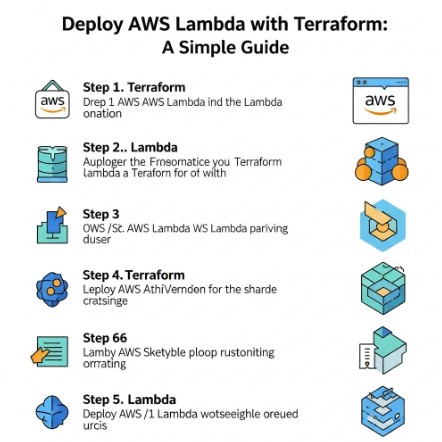
AWS Lambda has become a cornerstone of serverless computing, offering incredible scalability and cost-effectiveness. However, cold starts – the delay experienced when invoking a Lambda function for the first time – can significantly impact application performance and user experience. This is where AWS Lambda SnapStart emerges as a game-changer. This in-depth guide will explore how to leverage AWS Lambda SnapStart, integrating it seamlessly with Infrastructure as Code (IaC) and Continuous Integration/Continuous Delivery (CI/CD) pipelines for optimal performance and streamlined deployments. We’ll cover everything from basic setup to advanced optimization strategies, ensuring your serverless applications run smoothly and efficiently.

Understanding AWS Lambda SnapStart

AWS Lambda SnapStart is a powerful feature that dramatically reduces Lambda function cold start times. Instead of starting from scratch each time, SnapStart creates a pre-warmed execution environment, significantly shortening the invocation latency. This translates to faster response times, improved user experience, and more consistent performance, particularly crucial for latency-sensitive applications.

How SnapStart Works

SnapStart works by creating a snapshot of the function’s execution environment. When a function is invoked, instead of initializing the environment from scratch, AWS Lambda uses this snapshot to quickly bring the function online. This dramatically minimizes the time it takes for the function to start processing requests.

Benefits of Using SnapStart

  • Reduced Cold Start Latency: Experience drastically shorter invocation times.
  • Improved User Experience: Faster responses lead to happier users.
  • Enhanced Application Performance: Consistent performance under load.
  • Cost Optimization (Potentially): While SnapStart itself doesn’t directly reduce costs, the improved performance can lead to more efficient resource utilization in some cases.

Integrating AWS Lambda SnapStart with Infrastructure as Code

Managing your AWS infrastructure manually is inefficient and error-prone. Infrastructure as Code (IaC) tools like Terraform or CloudFormation provide a robust and repeatable way to define and manage your infrastructure. Integrating AWS Lambda SnapStart with IaC ensures consistency and automation across environments.

Implementing SnapStart with Terraform

Here’s a basic example of how to enable AWS Lambda SnapStart using Terraform:

resource "aws_lambda_function" "example" {
  filename        = "function.zip"
  function_name   = "my-lambda-function"
  role            = aws_iam_role.lambda_role.arn
  handler         = "main.handler"
  runtime         = "nodejs16.x"
  environment {
    variables = {
      MY_VARIABLE = "some_value"
    }
  }
  # Enable SnapStart
  snap_start {
    enabled = true
  }
}

This Terraform configuration creates a Lambda function and explicitly enables SnapStart. Remember to replace placeholders like `”function.zip”`, `”my-lambda-function”`, etc., with your actual values. You’ll also need to define the IAM role (`aws_iam_role.lambda_role`) separately.

Implementing SnapStart with AWS CloudFormation

Similar to Terraform, you can enable AWS Lambda SnapStart within your CloudFormation templates. The relevant property is usually within the Lambda function resource definition. For example:

Resources:
  MyLambdaFunction:
    Type: AWS::Serverless::Function
    Properties:
      Handler: index.handler
      Runtime: nodejs16.x
      CodeUri: s3://my-bucket/my-lambda.zip
      Role: arn:aws:iam::YOUR_ACCOUNT_ID:role/lambda_execution_role
      SnapStart:
        Enabled: true

CI/CD Pipelines and AWS Lambda SnapStart

Integrating AWS Lambda SnapStart into your CI/CD pipeline ensures that every deployment includes this performance enhancement. This automation prevents manual configuration and guarantees consistent deployment of SnapStart across all environments (development, staging, production).

CI/CD Best Practices with SnapStart

  • Automated Deployment: Use your CI/CD tools (e.g., Jenkins, GitHub Actions, AWS CodePipeline) to automatically deploy Lambda functions with SnapStart enabled.
  • Version Control: Store your IaC templates (Terraform or CloudFormation) in version control (e.g., Git) for traceability and rollback capabilities.
  • Testing: Thoroughly test your Lambda functions with SnapStart enabled to ensure functionality and performance.
  • Monitoring: Monitor your Lambda function invocations and cold start times to track the effectiveness of SnapStart.

Advanced Considerations for AWS Lambda SnapStart

While AWS Lambda SnapStart offers significant benefits, it’s important to understand some advanced considerations:

Memory Allocation and SnapStart

The amount of memory allocated to your Lambda function impacts SnapStart performance. Larger memory allocations can lead to slightly larger snapshots and, potentially, marginally longer startup times. Experiment to find the optimal balance between memory and startup time for your specific function.

Function Size and SnapStart

Extremely large Lambda functions may experience limitations with SnapStart. Consider refactoring large functions into smaller, more manageable units to optimize SnapStart effectiveness. The size of the function’s deployment package directly influences the size of the SnapStart snapshot. Larger packages may lead to longer snapshot creation times.

Layers and SnapStart

Using Lambda Layers is generally compatible with SnapStart. However, changes to the layers will trigger a new snapshot creation. Ensure your layer updates are thoroughly tested to avoid unintended consequences.

Debugging SnapStart Issues

If you encounter problems with SnapStart, AWS CloudWatch logs are a crucial resource. They provide insights into function execution, including details about SnapStart initialization. Check CloudWatch for any errors or unusual behavior.

Frequently Asked Questions

Q1: Does SnapStart work with all Lambda runtimes?

A1: SnapStart compatibility varies based on the Lambda runtime. Check the AWS documentation for the most up-to-date list of supported runtimes. Support is constantly expanding, so stay informed about the latest additions.

Q2: How much does SnapStart cost?

A2: There’s no additional charge for using AWS Lambda SnapStart. The cost remains the same as standard Lambda function invocations.

Q3: Can I disable SnapStart after enabling it?

A3: Yes, you can easily disable SnapStart at any time by modifying your Lambda function configuration through the AWS console, CLI, or IaC tools. This gives you flexibility to manage SnapStart usage based on your application’s needs.

Q4: What metrics should I monitor to assess SnapStart effectiveness?

A4: Monitor both cold start and warm start latencies in CloudWatch. You should observe a substantial reduction in cold start times after implementing AWS Lambda SnapStart. Pay close attention to p99 latencies as well, to see the impact of SnapStart on tail latency performance.

Conclusion

Optimizing the performance of your AWS Lambda functions is crucial for building responsive and efficient serverless applications. AWS Lambda SnapStart offers a significant performance boost by reducing cold start times. By integrating AWS Lambda SnapStart with your IaC and CI/CD pipelines, you can ensure consistent performance across all environments and streamline your deployment process.

Remember to monitor your function’s performance metrics and adjust your configuration as needed to maximize the benefits of AWS Lambda SnapStart. Investing in understanding and implementing SnapStart will undoubtedly enhance the speed and reliability of your serverless applications. For more information, consult the official AWS Lambda SnapStart documentation and consider exploring the possibilities with Terraform and AWS CloudFormation for streamlined infrastructure management.Thank you for reading the DevopsRoles page!

Manage Amazon Redshift Provisioned Clusters with Terraform

In today’s data-driven world, efficiently managing your data warehouse is paramount. Amazon Redshift, a fully managed, petabyte-scale data warehouse service in the cloud, offers a powerful solution. However, managing Redshift clusters manually can be time-consuming and error-prone. This is where Terraform steps in. This comprehensive guide will delve into how to effectively manage Amazon Redshift provisioned clusters with Terraform, providing you with the knowledge and practical examples to streamline your data warehouse infrastructure management.

Why Terraform for Amazon Redshift?

Terraform, a popular Infrastructure as Code (IaC) tool, allows you to define and manage your infrastructure in a declarative manner. Using Terraform to manage your Amazon Redshift clusters offers several key advantages:

  • Automation: Automate the entire lifecycle of your Redshift clusters – from creation and configuration to updates and deletion.
  • Version Control: Store your infrastructure configurations in version control systems like Git, enabling collaboration, auditing, and rollback capabilities.
  • Consistency and Repeatability: Ensure consistent deployments across different environments (development, testing, production).
  • Reduced Errors: Minimize human error by automating the provisioning and management process.
  • Improved Collaboration: Facilitate collaboration among team members through a shared, standardized approach to infrastructure management.
  • Scalability: Easily scale your Redshift clusters up or down based on your needs.

Setting up Your Environment

Before you begin, ensure you have the following:

  • An AWS account with appropriate permissions.
  • Terraform installed on your system. You can download it from the official Terraform website.
  • The AWS CLI configured and authenticated.
  • Basic understanding of Terraform concepts like providers, resources, and state files.

Basic Redshift Cluster Provisioning with Terraform

Let’s start with a simple example of creating a Redshift cluster using Terraform. This example uses the AWS provider and defines a basic Redshift cluster with a single node.

Terraform Configuration File (main.tf)


terraform {
  required_providers {
    aws = {
      source  = "hashicorp/aws"
      version = "~> 4.0"
    }
  }
}

provider "aws" {
  region = "us-west-2" // Replace with your desired region
}

resource "aws_redshift_cluster" "default" {
  cluster_identifier = "my-redshift-cluster"
  database_name      = "mydatabase"
  master_username    = "myusername"
  master_user_password = "mypassword" # **Important: Securely manage passwords!**
  node_type          = "dc2.large"
  number_of_nodes    = 1
}

Deploying the Infrastructure

  1. Save the code above as main.tf.
  2. Navigate to the directory containing main.tf in your terminal.
  3. Run terraform init to initialize the Terraform providers.
  4. Run terraform plan to preview the changes.
  5. Run terraform apply to create the Redshift cluster.

Advanced Configurations and Features

The basic example above provides a foundation. Let’s explore more advanced scenarios for managing Amazon Redshift provisioned clusters with Terraform.

Managing Cluster Parameters

Terraform allows fine-grained control over various Redshift cluster parameters. You can configure parameters like:

  • Cluster type: Single-node or multi-node.
  • Node type: Choose from various node types based on your performance requirements.
  • Automated snapshots: Enable automated backups for data protection.
  • Encryption: Configure encryption at rest and in transit.
  • IAM roles: Grant specific permissions to your Redshift cluster.
  • Maintenance window: Schedule maintenance operations during off-peak hours.

Managing IAM Roles and Policies

It’s crucial to manage IAM roles and policies effectively. This ensures that your Redshift cluster has only the necessary permissions to access other AWS services.


resource "aws_iam_role" "redshift_role" {
  name = "RedshiftRole"
  assume_role_policy = jsonencode({
    Version = "2012-10-17"
    Statement = [
      {
        Action = "sts:AssumeRole"
        Effect = "Allow"
        Principal = {
          Service = "redshift.amazonaws.com"
        }
      }
    ]
  })
}

resource "aws_iam_role_policy_attachment" "redshift_policy_attachment" {
  role       = aws_iam_role.redshift_role.name
  policy_arn = "arn:aws:iam::aws:policy/AmazonS3ReadOnlyAccess" // Replace with appropriate policy
}

resource "aws_redshift_cluster" "default" {
  # ... other configurations ...
  iam_roles = [aws_iam_role.redshift_role.arn]
}

Managing Security Groups

Control network access to your Redshift cluster by managing security groups. This enhances the security posture of your data warehouse.


resource "aws_security_group" "redshift_sg" {
  name        = "redshift-sg"
  description = "Security group for Redshift cluster"

  ingress {
    from_port   = 5439  // Redshift port
    to_port     = 5439
    protocol    = "tcp"
    cidr_blocks = ["0.0.0.0/0"] // Replace with appropriate CIDR blocks
  }

  egress {
    from_port   = 0
    to_port     = 0
    protocol    = "-1"
    cidr_blocks = ["0.0.0.0/0"]
  }
}

resource "aws_redshift_cluster" "default" {
  # ... other configurations ...
  vpc_security_group_ids = [aws_security_group.redshift_sg.id]
}

Scaling Your Redshift Cluster

Terraform simplifies scaling your Redshift cluster. You can modify the number_of_nodes parameter in your Terraform configuration and re-apply the configuration to adjust the cluster size.

Real-World Use Cases

  • DevOps Automation: Automate the deployment of Redshift clusters in different environments, ensuring consistency and reducing manual effort.
  • Disaster Recovery: Create a secondary Redshift cluster in a different region for disaster recovery purposes, leveraging Terraform’s automation capabilities.
  • Data Migration: Use Terraform to manage the creation and configuration of Redshift clusters for large-scale data migration projects.
  • Continuous Integration/Continuous Deployment (CI/CD): Integrate Terraform into your CI/CD pipeline to automate the entire infrastructure lifecycle.

Frequently Asked Questions (FAQ)

Q1: How do I manage passwords securely when using Terraform for Redshift?

A1: Avoid hardcoding passwords directly in your Terraform configuration files. Use environment variables, AWS Secrets Manager, or other secure secret management solutions to store and retrieve passwords.

Q2: Can I use Terraform to manage existing Redshift clusters?

A2: Yes, Terraform can manage existing clusters. You’ll need to import the existing resources into your Terraform state using the terraform import command. Then, you can manage the cluster’s configurations through Terraform.

Q3: How do I handle updates to my Redshift cluster configuration?

A3: Make changes to your Terraform configuration file, run terraform plan to review the changes, and then run terraform apply to update the Redshift cluster. Terraform will intelligently determine the necessary changes and apply them efficiently.

Conclusion Manage Amazon Redshift Provisioned Clusters with Terraform

Managing Amazon Redshift Provisioned Clusters with Terraform offers a modern, efficient, and highly scalable solution for organizations deploying data infrastructure on AWS. By leveraging Infrastructure as Code (IaC), Terraform automates the entire lifecycle of Redshift clusters — from provisioning and scaling to updating and decommissioning – ensuring consistency and reducing manual errors. Thank you for reading the DevopsRoles page!
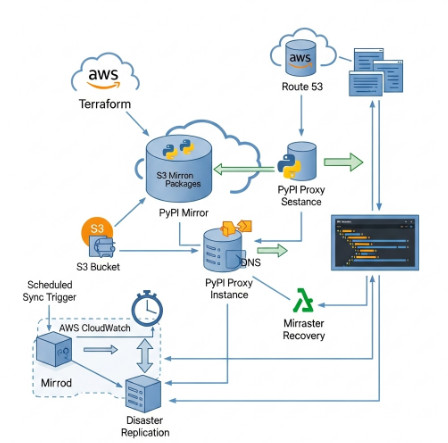
With Terraform, DevOps and Data Engineering teams can:

  • Reuse and standardize infrastructure configurations with clarity;
  • Track changes and manage versions through Git integration;
  • Optimize costs and resource allocation via automated provisioning workflows;
  • Accelerate the deployment and scaling of big data environments in production.

AWS MCP Servers for AI to Revolutionize AI-Assisted Cloud Development

Introduction: Revolutionizing Cloud Development with AWS MCP Servers for AI

The landscape of cloud development is evolving rapidly, with AI-driven technologies playing a central role in this transformation. Among the cutting-edge innovations leading this change is the AWS MCP Servers for AI, a breakthrough tool that helps developers harness the power of AI while simplifying cloud-based development. AWS has long been a leader in the cloud space, and their new MCP Servers are set to revolutionize how AI is integrated into cloud environments, making it easier, faster, and more secure for developers to deploy AI-assisted solutions.

In this article, we’ll explore how AWS MCP Servers for AI are changing the way developers approach cloud development, offering a blend of powerful features designed to streamline AI integration, enhance security, and optimize workflows.

What Are AWS MCP Servers for AI?

AWS MCP: An Overview

AWS MCP (Model Context Protocol) Servers are part of AWS’s push to simplify AI-assisted development. The MCP protocol is an open-source, flexible, and robust tool designed to allow large language models (LLMs) to connect seamlessly with AWS services. This development provides developers with AI tools that understand AWS-specific best practices, such as security configurations, cost optimization, and cloud infrastructure management.

By leveraging the power of AWS MCP Servers, developers can integrate AI assistants into their workflows more efficiently. This tool acts as a bridge, enhancing AI’s capability to provide context-driven insights tailored to AWS’s cloud architecture. In essence, MCP Servers help AI models understand the intricacies of AWS services, offering smarter recommendations and automating complex tasks.

Key Features of AWS MCP Servers for AI

  • Integration with AWS Services: MCP Servers connect AI models to the vast array of AWS services, including EC2, S3, Lambda, and more. This seamless integration allows developers to use AI to automate tasks like setting up cloud infrastructure, managing security configurations, and optimizing resources.
  • AI-Powered Recommendations: AWS MCP Servers enable AI models to provide context-specific recommendations. These recommendations are not generic but are based on AWS best practices, helping developers make better decisions when deploying applications on the cloud.
  • Secure AI Deployment: Security is a major concern in cloud development, and AWS MCP Servers take this into account. The protocol helps AI models to follow AWS’s security practices, including encryption, access control, and identity management, ensuring that data and cloud environments are kept safe.

How AWS MCP Servers for AI Transform Cloud Development

Automating Development Processes

AWS MCP Servers for AI can significantly speed up development cycles by automating repetitive tasks. For example, AI assistants can help developers configure cloud services, set up virtual machines, or even deploy entire application stacks based on predefined templates. This eliminates the need for manual intervention, allowing developers to focus on more strategic aspects of their projects.

AI-Driven Security and Compliance

Security and compliance are essential aspects of cloud development, especially when working with sensitive data. AWS MCP Servers leverage the AWS security framework to ensure that AI models adhere to security standards such as encryption, identity access management (IAM), and compliance with industry regulations like GDPR and HIPAA. This enables AI-driven solutions to automatically recommend secure configurations, minimizing the risk of human error.

Cost Optimization in Cloud Development

Cost management is another area where AWS MCP Servers for AI can provide significant value. AI assistants can analyze cloud resource usage and recommend cost-saving strategies. For example, AI can suggest optimizing resource allocation, using reserved instances, or scaling services based on demand, which can help reduce unnecessary costs.

Practical Applications of AWS MCP Servers for AI

Scenario 1: Basic Cloud Infrastructure Setup

Let’s say a developer is setting up a simple web application using AWS services. With AWS MCP Servers for AI, the developer can use an AI-powered assistant to walk them through the process of creating an EC2 instance, configuring an S3 bucket for storage, and deploying the web application. The AI will automatically suggest optimal configurations based on the developer’s requirements and AWS best practices.

Scenario 2: Managing Security and Compliance

In a more advanced use case, a company might need to ensure that its cloud infrastructure complies with industry standards such as GDPR or SOC 2. With AWS MCP Servers for AI, an AI assistant can scan the current configurations, identify potential security gaps, and automatically suggest fixes—such as enabling encryption for sensitive data or adjusting IAM roles to minimize risk.

Scenario 3: Cost Optimization for a Large-Scale Application

For larger applications with multiple services and complex infrastructure, cost optimization is crucial. AWS MCP Servers for AI can analyze cloud usage patterns and recommend strategies to optimize spending. For instance, the AI assistant might suggest switching to reserved instances for certain services or adjusting auto-scaling settings to ensure that resources are only used when necessary, helping to avoid over-provisioning and reducing costs.

Frequently Asked Questions (FAQs)

1. What is the main advantage of using AWS MCP Servers for AI?

AWS MCP Servers for AI offer a seamless connection between AI models and AWS services, enabling smarter recommendations, faster development cycles, enhanced security, and optimized cost management.

2. How do AWS MCP Servers enhance cloud security?

AWS MCP Servers help ensure that AI models follow AWS’s security best practices by automating security configurations and ensuring compliance with industry standards.

3. Can AWS MCP Servers handle large-scale applications?

Yes, AWS MCP Servers are designed to handle complex, large-scale applications, optimizing performance and ensuring security across multi-service cloud environments.

4. How does AI assist in cost optimization on AWS?

AI-powered assistants can analyze cloud resource usage and recommend cost-saving measures, such as adjusting scaling configurations or switching to reserved instances.

5. Is AWS MCP open-source?

Yes, AWS MCP is an open-source protocol that enables AI models to interact with AWS services in a more intelligent and context-aware manner.

External Links for Further Reading

Conclusion: Key Takeaways

AWS MCP Servers for AI are poised to transform how developers interact with cloud infrastructure. By integrating AI directly into the AWS ecosystem, developers can automate tasks, improve security, optimize costs, and make smarter, data-driven decisions. Whether you’re a small startup or a large enterprise, AWS MCP Servers for AI can streamline your cloud development process and ensure that your applications are built efficiently, securely, and cost-effectively.

As AI continues to evolve, tools like AWS MCP Servers will play a pivotal role in shaping the future of cloud development, making it more accessible and effective for developers worldwide. Thank you for reading the DevopsRoles page!

The Difference Between DevOps Engineer, SRE, and Cloud Engineer Explained

Introduction

In today’s fast-paced technology landscape, roles like DevOps Engineer, Site Reliability Engineer (SRE), and Cloud Engineer have become vital in the world of software development, deployment, and system reliability. Although these roles often overlap, they each serve distinct functions within an organization. Understanding the difference between DevOps Engineers, SREs, and Cloud Engineers is essential for anyone looking to advance their career in tech or make informed hiring decisions.

In this article, we’ll dive deep into each of these roles, explore their responsibilities, compare them, and help you understand which career path might be right for you.

What Is the Role of a DevOps Engineer?

DevOps Engineer: Overview

A DevOps Engineer is primarily focused on streamlining the software development lifecycle (SDLC) by bringing together development and operations teams. This role emphasizes automation, continuous integration, and deployment (CI/CD), with a primary goal of reducing friction between development and operations to improve overall software delivery speed and quality.

Key Responsibilities:

  • Continuous Integration/Continuous Deployment (CI/CD): DevOps Engineers set up automated pipelines that allow code to be continuously tested, built, and deployed into production.
  • Infrastructure as Code (IaC): Using tools like Terraform and Ansible, DevOps Engineers define and manage infrastructure through code, enabling version control, consistency, and repeatability.
  • Monitoring and Logging: DevOps Engineers implement monitoring tools to track system health, identify issues, and ensure uptime.
  • Collaboration: They act as a bridge between the development and operations teams, ensuring effective communication and collaboration.

Skills Required:

  • Automation tools (Jenkins, GitLab CI)
  • Infrastructure as Code (IaC) tools (Terraform, Ansible)
  • Scripting (Bash, Python)
  • Monitoring tools (Prometheus, Grafana)

What Is the Role of a Site Reliability Engineer (SRE)?

Site Reliability Engineer (SRE): Overview

The role of an SRE is primarily focused on maintaining the reliability, scalability, and performance of large-scale systems. While SREs share some similarities with DevOps Engineers, they are more focused on system reliability and uptime. SREs typically work with engineering teams to ensure that services are reliable and can handle traffic spikes or other disruptions.

Key Responsibilities:

  • System Reliability: SREs ensure that the systems are reliable and meet Service Level Objectives (SLOs), which are predefined metrics like uptime and performance.
  • Incident Management: They develop and implement strategies to minimize system downtime and reduce the time to recovery when outages occur.
  • Capacity Planning: SREs ensure that systems can handle future growth by predicting traffic spikes and planning accordingly.
  • Automation and Scaling: Similar to DevOps Engineers, SREs automate processes, but their focus is more on reliability and scaling.

Skills Required:

  • Deep knowledge of cloud infrastructure (AWS, GCP, Azure)
  • Expertise in monitoring tools (Nagios, Prometheus)
  • Incident response and root cause analysis
  • Scripting and automation (Python, Go)

What Is the Role of a Cloud Engineer?

Cloud Engineer: Overview

A Cloud Engineer specializes in the design, deployment, and management of cloud-based infrastructure and services. They work closely with both development and operations teams to ensure that cloud resources are utilized effectively and efficiently.

Key Responsibilities:

  • Cloud Infrastructure Management: Cloud Engineers design, deploy, and manage the cloud infrastructure that supports an organization’s applications.
  • Security and Compliance: They ensure that the cloud infrastructure is secure and compliant with industry regulations and standards.
  • Cost Optimization: Cloud Engineers work to minimize cloud resource costs by optimizing resource utilization.
  • Automation and Monitoring: Like DevOps Engineers, Cloud Engineers implement automation, but their focus is on managing cloud resources specifically.

Skills Required:

  • Expertise in cloud platforms (AWS, Google Cloud, Microsoft Azure)
  • Cloud networking and security best practices
  • Knowledge of containerization (Docker, Kubernetes)
  • Automation and Infrastructure as Code (IaC) tools

The Difference Between DevOps Engineer, SRE, and Cloud Engineer

While all three roles—DevOps Engineer, Site Reliability Engineer, and Cloud Engineer—are vital to the smooth functioning of tech operations, they differ in their scope, responsibilities, and focus areas.

Key Differences in Focus:

  • DevOps Engineer: Primarily focused on bridging the gap between development and operations, with an emphasis on automation and continuous deployment.
  • SRE: Focuses on the reliability, uptime, and performance of systems, typically dealing with large-scale infrastructure and high availability.
  • Cloud Engineer: Specializes in managing and optimizing cloud infrastructure, ensuring efficient resource use and securing cloud services.

Similarities:

  • All three roles emphasize automation, collaboration, and efficiency.
  • They each use tools that facilitate CI/CD, monitoring, and scaling.
  • A solid understanding of cloud platforms is crucial for all three roles, although the extent of involvement may vary.

Career Path Comparison:

  • DevOps Engineers often move into roles like Cloud Architects or SREs.
  • SREs may specialize in site reliability or move into more advanced infrastructure management roles.
  • Cloud Engineers often transition into Cloud Architects or DevOps Engineers, given the overlap between cloud management and deployment practices.

FAQs

  • What is the difference between a DevOps Engineer and a Cloud Engineer?
    A DevOps Engineer focuses on automating the SDLC, while a Cloud Engineer focuses on managing cloud resources and infrastructure.
  • What are the key responsibilities of a Site Reliability Engineer (SRE)?
    SREs focus on maintaining system reliability, performance, and uptime. They also handle incident management and capacity planning.
  • Can a Cloud Engineer transition into a DevOps Engineer role?
    Yes, with a strong understanding of automation and CI/CD, Cloud Engineers can transition into DevOps roles.
  • What skills are essential for a DevOps Engineer, SRE, or Cloud Engineer?
    Skills in automation tools, cloud platforms, monitoring systems, and scripting are essential for all three roles.
  • How do DevOps Engineers and SREs collaborate in a tech team?
    While DevOps Engineers focus on automation and CI/CD, SREs work on ensuring reliability, which often involves collaborating on scaling and incident response.
  • What is the career growth potential for DevOps Engineers, SREs, and Cloud Engineers?
    All three roles have significant career growth potential, with opportunities to move into leadership roles like Cloud Architect, Engineering Manager, or Site Reliability Manager.

External Links

  1. What is DevOps? – Amazon Web Services (AWS)
  2. Site Reliability Engineering: Measuring and Managing Reliability
  3. Cloud Engineering: Best Practices for Cloud Infrastructure
  4. DevOps vs SRE: What’s the Difference? – Atlassian
  5. Cloud Engineering vs DevOps – IBM

Conclusion

Understanding the difference between DevOps Engineer, SRE, and Cloud Engineer is crucial for professionals looking to specialize in one of these roles or for businesses building their tech teams. Each role offers distinct responsibilities and skill sets, but they also share some common themes, such as automation, collaboration, and system reliability. Whether you are seeking a career in one of these areas or are hiring talent for your organization, knowing the unique aspects of these roles will help you make informed decisions.

As technology continues to evolve, these positions will remain pivotal in ensuring that systems are scalable, reliable, and secure. Choose the role that best aligns with your skills and interests to contribute effectively to modern tech teams. Thank you for reading the DevopsRoles page!
AWS Toolkit for Azure DevOps: Streamlining Multi-Cloud CI/CD Workflows

Introduction

In today’s cloud-centric world, businesses often operate in multi-cloud environments, leveraging both Amazon Web Services (AWS) and Microsoft Azure. The AWS Toolkit for Azure DevOps provides a seamless way to integrate AWS services into Azure DevOps workflows, enabling DevOps teams to automate deployments, manage AWS infrastructure, and streamline CI/CD processes efficiently.

This article explores how to set up and use the AWS Toolkit for Azure DevOps, practical use cases, and best practices for optimal performance.

What is AWS Toolkit for Azure DevOps?

The AWS Toolkit for Azure DevOps is an extension provided by AWS that enables developers to integrate AWS services into their Azure DevOps pipelines. This toolkit allows teams to deploy applications to AWS, configure AWS infrastructure, and manage resources within Azure DevOps.

Key Features

  • AWS CodeDeploy Integration: Automate deployments of applications to Amazon EC2, AWS Lambda, or on-premises instances.
  • AWS Elastic Beanstalk Support: Deploy applications seamlessly to AWS Elastic Beanstalk environments.
  • S3 and CloudFormation Integration: Upload assets to Amazon S3 and automate infrastructure provisioning using AWS CloudFormation.
  • IAM Role Management: Securely authenticate Azure DevOps pipelines with AWS Identity and Access Management (IAM).
  • Multi-Account Support: Manage multiple AWS accounts directly from Azure DevOps.

How to Set Up AWS Toolkit for Azure DevOps

Step 1: Install the AWS Toolkit Extension

  1. Navigate to the Azure DevOps Marketplace.
  2. Search for AWS Toolkit for Azure DevOps.
  3. Click Get it free and install it into your Azure DevOps organization.

Step 2: Configure AWS Credentials

To enable Azure DevOps to access AWS resources, configure AWS credentials using an IAM User or IAM Role.

Creating an IAM User

  1. Go to the AWS IAM Console.
  2. Create a new IAM user with programmatic access.
  3. Attach necessary permissions (e.g., AdministratorAccess or a custom policy).
  4. Generate an access key and secret key.
  5. Store credentials securely in Azure DevOps Service Connections.

Using an IAM Role (Recommended for Security)

  1. Create an IAM Role with required permissions.
  2. Attach the role to an EC2 instance or configure AWS Systems Manager for secure access.
  3. Configure Azure DevOps to assume the role using AWS STS (Security Token Service).

Step 3: Set Up AWS Service Connection in Azure DevOps

  1. Go to Project Settings > Service Connections.
  2. Click New service connection and select AWS.
  3. Enter the Access Key, Secret Key, or Assume Role ARN.
  4. Test and save the connection.

Using AWS Toolkit in Azure DevOps Pipelines

Once the AWS Toolkit is configured, you can start integrating AWS services into your Azure DevOps pipelines.

Example 1: Deploying an Application to AWS Elastic Beanstalk

YAML Pipeline Definition

trigger:
- main

pool:
  vmImage: 'ubuntu-latest'

steps:
- task: AWSElasticBeanstalkDeployApplication@1
  inputs:
    awsCredentials: 'AWS_Service_Connection'
    regionName: 'us-east-1'
    applicationName: 'MyApp'
    environmentName: 'MyApp-env'
    applicationPackage: '$(Build.ArtifactStagingDirectory)/app.zip'

Example 2: Deploying a CloudFormation Stack

steps:
- task: AWSCloudFormationCreateOrUpdateStack@1
  inputs:
    awsCredentials: 'AWS_Service_Connection'
    regionName: 'us-east-1'
    stackName: 'MyStack'
    templatePath: 'infrastructure/template.yaml'
    capabilities: 'CAPABILITY_NAMED_IAM'

Best Practices for Using AWS Toolkit for Azure DevOps

  • Use IAM Roles Instead of Access Keys: Minimize security risks by using AWS STS for temporary credentials.
  • Enable Logging and Monitoring: Use AWS CloudWatch and Azure Monitor for enhanced visibility.
  • Automate Infrastructure as Code: Utilize AWS CloudFormation or Terraform for consistent deployments.
  • Implement Least Privilege Access: Restrict permissions to necessary AWS services only.
  • Leverage AWS CodeBuild for Efficient CI/CD: Offload build tasks to AWS CodeBuild for better scalability.

Frequently Asked Questions (FAQ)

1. Is AWS Toolkit for Azure DevOps free to use?

Yes, the AWS Toolkit extension for Azure DevOps is free to install and use. However, standard AWS service charges apply when deploying resources.

2. Can I deploy to AWS Lambda using Azure DevOps?

Yes, the AWS Toolkit supports deployments to AWS Lambda using AWS CodeDeploy or direct Lambda function deployment.

3. How secure is AWS Toolkit for Azure DevOps?

The toolkit follows AWS security best practices. It is recommended to use IAM roles with minimal permissions and enable MFA for added security.

4. Does AWS Toolkit support multi-region deployments?

Yes, you can configure multiple AWS service connections and deploy resources across different regions.

5. Can I integrate AWS CodePipeline with Azure DevOps?

Yes, you can trigger AWS CodePipeline workflows using Azure DevOps pipelines through AWS CLI or SDK integrations.

External Links for Reference

Conclusion

The AWS Toolkit for Azure DevOps empowers organizations to leverage the strengths of both AWS and Azure, enabling a seamless multi-cloud CI/CD experience. By following best practices, securing credentials, and leveraging automation, teams can efficiently deploy and manage applications across both cloud platforms. Start integrating AWS services into your Azure DevOps pipelines today and streamline your cloud deployment workflows! Thank you for reading the DevopsRoles page!

DeepSeek-R1 Models Now Available on AWS: A Comprehensive Guide

Introduction

The advent of DeepSeek-R1 models on AWS has opened new frontiers in artificial intelligence (AI), making it easier for businesses and developers to harness the power of deep learning with high performance and scalability. Whether you’re a data scientist, AI researcher, or enterprise seeking AI-driven solutions, AWS provides a robust and scalable infrastructure to deploy DeepSeek-R1 models efficiently.

This article explores DeepSeek-R1 models now available on AWS, their applications, setup processes, and practical use cases. We will also address frequently asked questions (FAQs) to ensure a smooth deployment experience.

What Are DeepSeek-R1 Models?

It is a state-of-the-art AI model designed for deep learning applications, excelling in tasks such as:

  • Natural Language Processing (NLP) – Chatbots, language translation, and text summarization.
  • Computer Vision – Image recognition, object detection, and automated image captioning.
  • Generative AI – AI-powered content generation and creative applications.
  • Predictive Analytics – AI-driven forecasting in finance, healthcare, and more.

With AWS, users can deploy these models seamlessly, benefiting from optimized compute power, managed AI services, and cost-efficient infrastructure.

Benefits of Deploying DeepSeek-R1 on AWS

1. Scalability & Performance

AWS offers scalable EC2 instances, Amazon SageMaker, and AWS Inferentia-powered instances, enabling users to run AI workloads efficiently.

2. Managed AI Services

AWS integrates with services like Amazon S3, AWS Lambda, and AWS Fargate to streamline data storage, model inference, and automation.

3. Cost-Optimization

Pay-as-you-go pricing with options like AWS Spot Instances and AWS Graviton processors reduces operational costs.

4. Security & Compliance

AWS provides end-to-end encryption, IAM (Identity and Access Management), and compliance with industry standards like HIPAA and GDPR.

Setting Up DeepSeek-R1 Models on AWS

1. Choosing the Right AWS Service

To deploy DeepSeek-R1, select an AWS service based on your requirements:

  • Amazon SageMaker – For fully managed model training and deployment.
  • EC2 Instances (GPU-powered) – For custom deployments.
  • AWS Lambda + API Gateway – For serverless AI inference.

2. Setting Up an AWS Environment

Follow these steps to configure your AWS environment:

  1. Create an AWS Account
  2. Set Up IAM Roles
    • Grant necessary permissions for EC2/SageMaker.
  3. Provision an EC2 Instance
    • Select an appropriate GPU instance (e.g., g4dn.xlarge).
  4. Install Dependencies
    • Set up TensorFlow/PyTorch with the following command:
      • pip install torch torchvision transformers boto3
  5. Download the DeepSeek-R1 Model
    • Fetch pre-trained models from an AI repository:
from transformers import AutoModel
model = AutoModel.from_pretrained("deepseek-r1")

6. Deploy on SageMaker – Use the SageMaker SDK to deploy models.

import sagemaker
from sagemaker.pytorch import PyTorchModel

model = PyTorchModel(model_data="s3://your-model-bucket/model.tar.gz", 
                     role="your-iam-role", framework_version="1.8.1")
predictor = model.deploy(instance_type="ml.g4dn.xlarge")

Use Cases and Examples

1. Text Summarization with DeepSeek-R1 on AWS Lambda

Deploying DeepSeek-R1 for text summarization using AWS Lambda:

import json
import boto3

def lambda_handler(event, context):
    input_text = event["text"]
    summary = deepseek_r1_summarize(input_text)  # Custom function
    return {
        "statusCode": 200,
        "body": json.dumps({"summary": summary})
    }

2. Image Classification with Amazon SageMaker

Using DeepSeek-R1 for image classification with SageMaker:

from sagemaker import get_execution_role
from sagemaker.tensorflow import TensorFlow

role = get_execution_role()
model = TensorFlow(entry_point="train.py", 
                   role=role, 
                   train_instance_type="ml.p2.xlarge")
model.fit({"train": "s3://your-bucket/train-data"})

FAQ Section

1. What are the hardware requirements for DeepSeek-R1 on AWS?

DeepSeek-R1 requires high-performance GPUs like NVIDIA A100/T4 or AWS Inferentia-based instances.

2. Can I deploy DeepSeek-R1 using AWS Lambda?

Yes, AWS Lambda supports lightweight AI inference tasks. However, for deep learning workloads, EC2 or SageMaker is recommended.

3. How do I optimize costs when deploying DeepSeek-R1?

  • Use Spot Instances for cost savings.
  • Leverage AWS Savings Plans for predictable workloads.
  • Choose AWS Inferentia-based instances for efficient AI inference.

4. Is there a free tier option for DeepSeek-R1 on AWS?

AWS Free Tier provides limited compute credits for SageMaker, but GPU-based workloads typically require a paid plan.

5. How do I scale DeepSeek-R1 workloads on AWS?

AWS provides Auto Scaling, Elastic Load Balancing, and Batch Processing via AWS Batch to handle high-demand AI applications.

External Resources

Conclusion

Deploying DeepSeek-R1 models on AWS provides unparalleled advantages in AI development, offering scalability, efficiency, and cost-effectiveness. With AWS’s extensive AI infrastructure, businesses can integrate AI capabilities seamlessly into their workflows. By leveraging Amazon SageMaker, EC2 GPU instances, and AWS Lambda, users can optimize model training and inference for various applications.

By following the guidelines in this article, you can successfully deploy and manage DeepSeek-R1 models on AWS, unlocking new AI possibilities for your organization. Thank you for reading the DevopsRoles page!