Table of Contents
- 1 Securing the AI Pipeline: Mitigating Critical Gemini CLI flaws and RCE Vulnerabilities
- 2 Phase 1: Understanding the Threat Landscape and Core Architecture
- 3 Phase 2: Practical Implementation – Building Secure AI Workflows
- 4 Phase 3: Senior-Level Best Practices and Hardening
- 5 Conclusion: The Future of Secure AI Development
Securing the AI Pipeline: Mitigating Critical Gemini CLI flaws and RCE Vulnerabilities
The rapid integration of Large Language Models (LLMs) into core development workflows has revolutionized productivity. Tools like the Gemini CLI promise to democratize complex tasks, allowing engineers to interact with AI directly from their terminal. However, this convenience comes with profound security implications.
Recent reports detailing severe vulnerabilities, including CVSS 10 rated Remote Code Execution (RCE) flaws, underscore a critical reality: the attack surface of AI tools is expanding faster than our security paradigms. These flaws, particularly those affecting the Gemini CLI flaws, demonstrate that even seemingly benign command-line interactions can be exploited to compromise entire CI/CD pipelines.
This deep-dive guide is designed for Senior DevOps, MLOps, and SecOps engineers. We will dissect the architectural weaknesses exploited by these vulnerabilities and provide actionable, senior-level strategies to build truly secure, AI-augmented development environments.
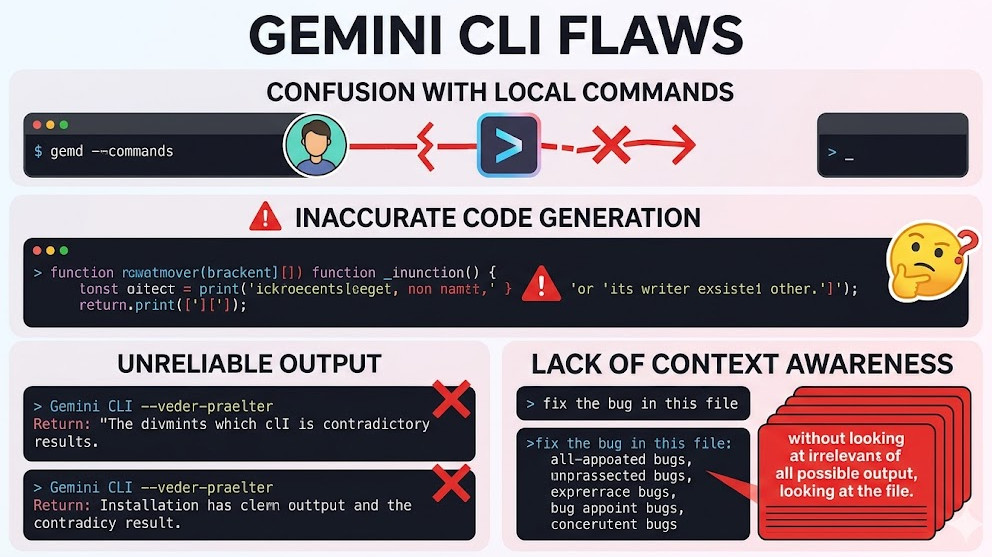
Phase 1: Understanding the Threat Landscape and Core Architecture
Before we can secure the system, we must understand the mechanism of the threat. The vulnerabilities reported are not simple API key leaks; they are deep flaws in how the CLI handles input, context, and execution permissions.
The Nature of the Vulnerability
The core issue stems from the over-trust placed in the input provided by the AI model or the user through the CLI. When an LLM is tasked with generating or executing code snippets—especially within a CI/CD context—it can introduce vulnerabilities like command injection or deserialization flaws.
The CVSS 10 rating signifies maximum severity, meaning an attacker could achieve complete system compromise with minimal effort. These Gemini CLI flaws essentially allow an attacker to trick the tool into executing arbitrary shell commands on the host machine, bypassing standard network segmentation controls.
Architectural Deep Dive: The Attack Vector
In a typical setup, the AI tool acts as a mediator:
- Input: User provides a prompt (e.g., “Write a script to deploy this service”).
- Processing: The Gemini CLI interacts with the model API.
- Output: The model returns code or a command string.
- Execution: The CLI, if improperly configured, executes this output directly in the shell environment.
The critical failure point is Step 4. If the execution context is too privileged, or if the input sanitization is insufficient, the attacker can inject malicious payloads. For instance, instead of generating echo "hello", the attacker might manipulate the prompt to generate echo "hello" ; rm -rf /.
Key Concepts to Master:
- Contextual Blindness: The AI tool treats all generated code as trustworthy, failing to distinguish between intended output and malicious payload.
- Privilege Escalation: The CLI often runs with elevated permissions within the CI runner, making the impact of a successful RCE catastrophic.
- Input Sanitization Failure: The lack of rigorous validation on all inputs, especially those originating from an LLM, is the root cause of the Gemini CLI flaws.
💡 Pro Tip: When evaluating any AI-integrated tool, always model the execution environment as if the LLM output is hostile. Assume that any generated code snippet is a potential payload, requiring immediate sandboxing.
Phase 2: Practical Implementation – Building Secure AI Workflows
Mitigating these flaws requires moving beyond simple patches and implementing architectural controls. We must enforce a “least privilege” model for AI execution.
Strategy 1: Strict Sandboxing and Containerization
The most immediate and effective mitigation is to never allow the AI tool to execute code directly on the host OS. All code generation and execution must occur within isolated, ephemeral containers.
When integrating the Gemini CLI into a CI/CD pipeline (e.g., GitLab CI or GitHub Actions), the execution step must be wrapped in a secure container runtime. This prevents the malicious code from accessing the underlying build machine or network resources outside the container’s defined scope.
Example: Securing the Build Step with Docker/Podman
Instead of allowing the CLI to run directly, you mandate that the execution happens inside a minimal, read-only container image.
# .gitlab-ci.yml snippet for secure execution
stages:
  - ai_generate
  - secure_execute

ai_generate:
  image: google/gemini-cli:latest # Use the patched version
  script:
    - gemini generate --prompt "Write a basic Python script for file processing." > generated_code.py

secure_execute:
  image: alpine/minimal-runtime:latest # Use a minimal, restricted base image
  script:
    # The code is copied into the container, never executed directly on the runner
    - cp /workspace/generated_code.py /app/
    # Run the code within a restricted environment (e.g., using seccomp profiles)
    - /usr/bin/restricted_python /app/generated_code.py
Strategy 2: Policy-as-Code (PaC) Validation
Before any AI-generated code is allowed to run, it must pass through a rigorous validation gate defined by Policy-as-Code (PaC). Tools like Open Policy Agent (OPA) are essential here.
The PaC layer must enforce rules such as:
- Forbidden Commands: Blocking calls to system utilities like
rm,curl, or network-related commands unless explicitly whitelisted. - Dependency Whitelisting: Ensuring the generated code only uses approved libraries and versions.
- Input/Output Schema Validation: Verifying that the generated code adheres to the expected function signatures and data structures.
Example: OPA Policy Enforcement Snippet
This policy dictates that any shell command must not contain specific dangerous keywords.
package devops.security

# Rule to deny execution if dangerous commands are detected
deny[msg] {
    input.command[_]
    contains(input.command[_], "rm -rf")
    msg := "Forbidden command detected: rm -rf. Policy violation."
}

# Rule to enforce required file extensions
allow[msg] {
    input.file_extension[_]
    is_regex(input.file_extension[_], "\\.(py|go|js)$")
    msg := "File extension is valid."
}
This approach transforms the security check from a reactive patch to a proactive, architectural gate, fundamentally mitigating the risk associated with Gemini CLI flaws.
Phase 3: Senior-Level Best Practices and Hardening
For teams operating at the highest level of security maturity, mere patching is insufficient. We must adopt a holistic, defense-in-depth strategy that assumes compromise is inevitable.
1. Principle of Least Privilege (PoLP) Enforcement
The single most important architectural shift is minimizing the permissions of the CI/CD runner itself. The service account used by the CI pipeline should only possess the minimum permissions required for the specific task.
If the AI tool only needs to compile code, it should only have read/write access to the source code directory and no network access, preventing exfiltration. This limits the blast radius of any successful RCE exploit, even if the Gemini CLI flaws are exploited.
2. Runtime Monitoring and Behavioral Analysis
Relying solely on static analysis (like OPA) is insufficient. You must implement runtime security tools (e.g., Falco, Aqua Security) that monitor syscalls.
These tools detect anomalous behavior during execution. For example, if a Python script, which normally only performs file I/O, suddenly attempts to open a raw socket or execute a shell command, the runtime monitor should immediately terminate the process and alert the SecOps team.
3. Dependency Management and Supply Chain Integrity
Given that the flaws often reside in third-party libraries or the CLI itself, robust dependency management is non-negotiable.
- Vulnerability Scanning: Integrate tools like Snyk or Trivy into the build process to scan all dependencies, including the AI tool’s dependencies, for known CVEs.
- Immutable Artifacts: Treat all build artifacts as immutable. Once built and scanned, they should not be modified until they reach production.
For a comprehensive understanding of how these vulnerabilities affect the broader development ecosystem, reviewing Google’s security fixes details is highly recommended.
💡 Pro Tip: The Dual-Layer Validation Approach
Do not rely on a single security gate. Implement a dual-layer validation:
- Pre-Execution (Static): Use OPA to validate the syntax and allowed functions of the generated code.
- Runtime (Dynamic): Use container security profiles (like Seccomp or AppArmor) to validate the behavior of the code during execution, blocking syscalls that violate the defined security policy.
💡 Pro Tip: Managing AI Context and Memory
When using the CLI, be hyper-aware of the context window and memory handling. Attackers can sometimes use prompt injection techniques to “forget” previous security instructions or overload the context, leading the model to generate insecure code. Always prepend security guardrails to your system prompts, explicitly stating: “DO NOT generate code that uses system calls or network requests unless explicitly requested and approved by a separate security module.”
Conclusion: The Future of Secure AI Development
The discovery and patching of severe Gemini CLI flaws serve as a critical wake-up call for the entire DevOps and MLOps community. AI tools are not just productivity enhancers; they are integral parts of the execution pipeline, making their security paramount.
Securing AI-augmented development is no longer a feature; it is a fundamental architectural requirement. By adopting strict sandboxing, implementing Policy-as-Code validation, and adhering rigorously to the Principle of Least Privilege, organizations can harness the immense power of LLMs while effectively neutralizing the risk of catastrophic RCE exploits.
For those looking to deepen their expertise in secure automation and modern DevOps roles, exploring resources like https://www.devopsroles.com/ can provide valuable insights into the evolving skill set required for this new era of AI-driven engineering.

