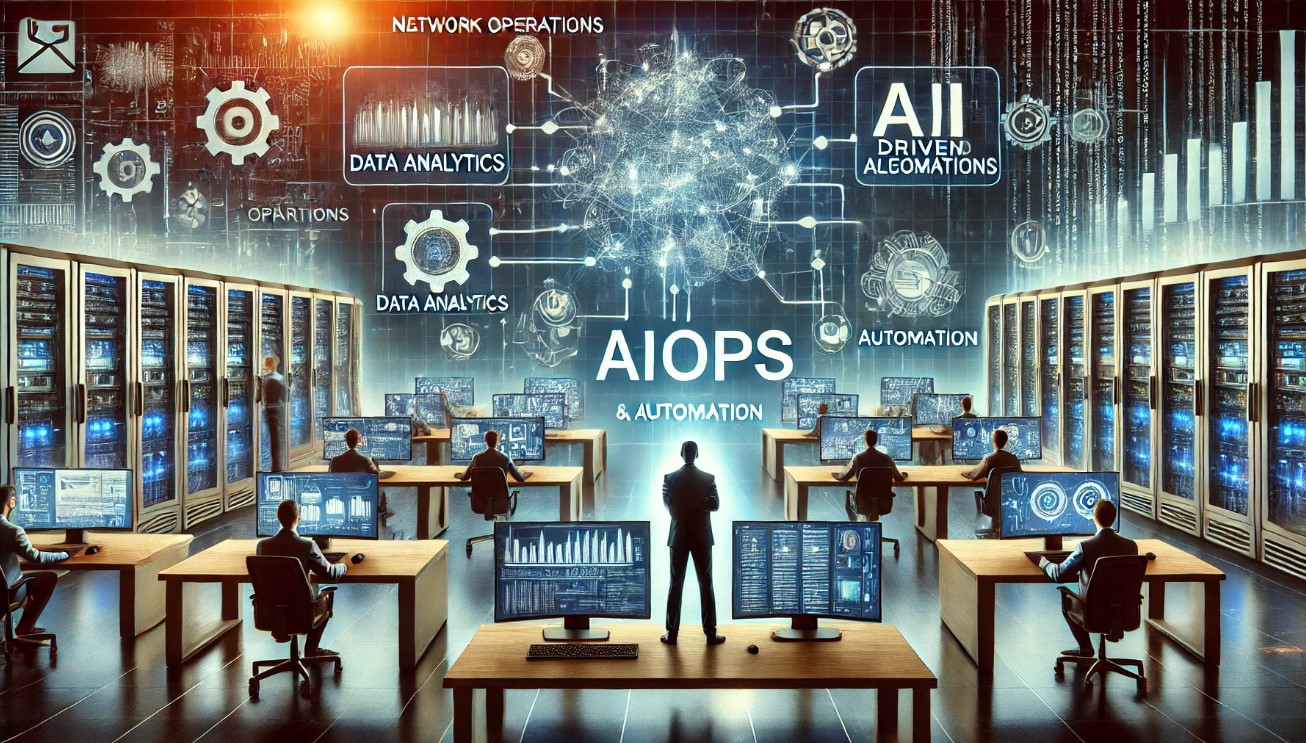
AIOps vs Traditional IT Ops: Why You Need to Make the Switch Now

Introduction

The world of IT operations is evolving at an unprecedented pace. As businesses increasingly rely on technology, the need for efficient and effective IT operations becomes paramount. Traditional IT operations (IT Ops) have served businesses well for decades, but with the advent of artificial intelligence (AI) and machine learning (ML), a new paradigm has emerged: AIOps.

This article, AIOps vs Traditional IT Ops: Why You Need to Make the Switch Now, delves into the distinctions between AIOps and traditional IT Ops and explains why making the switch is essential for modern businesses.

What is Traditional IT Operations?

Understanding Traditional IT Ops

Traditional IT operations involve the management of an organization’s IT infrastructure, including hardware, software, networks, and data centers. IT teams perform tasks such as monitoring system performance, managing incidents, troubleshooting issues, and ensuring system security.

Key Challenges in Traditional IT Ops

  • Manual Processes: Many tasks are performed manually, which can be time-consuming and prone to human error.
  • Reactive Approach: Traditional IT Ops often respond to issues after they occur, leading to downtime and disruptions.
  • Data Overload: With the increasing volume of data, it becomes challenging to analyze and derive actionable insights.
  • Scalability Issues: Managing large-scale IT environments can be difficult and resource-intensive.

What is AIOps?

Defining AIOps

AIOps (Artificial Intelligence for IT Operations) leverages AI and ML to automate and enhance IT operations. It integrates big data, analytics, and machine learning to monitor, analyze, and optimize IT infrastructure and applications in real-time.

Benefits of AIOps

  • Automation: Reduces manual effort by automating routine tasks and processes.
  • Proactive Issue Resolution: Identifies and addresses potential issues before they impact the business.
  • Enhanced Insights: Provides deep insights and analytics, enabling better decision-making.
  • Scalability: Easily scales to manage large and complex IT environments.

AIOps vs Traditional IT Ops: Key Differences

Automation and Efficiency

Traditional IT Ops

  • Manual Processes: Reliant on manual intervention for most tasks.
  • Time-Consuming: Routine tasks take up a significant amount of time.

AIOps

  • Automated Processes: Uses AI and ML to automate tasks, reducing the need for manual intervention.
  • Increased Efficiency: Frees up IT staff to focus on strategic initiatives.

Proactive vs Reactive Approach

Traditional IT Ops

  • Reactive Management: Issues are often addressed after they occur, leading to downtime.
  • Incident Response: Focuses on resolving incidents rather than preventing them.

AIOps

  • Proactive Management: Predicts and resolves issues before they impact the business.
  • Preventive Measures: Utilizes AI to identify potential problems and implement preventive measures.

Data Analysis and Insights

Traditional IT Ops

  • Limited Analysis: Manual data analysis can be slow and prone to errors.
  • Reactive Insights: Insights are often derived after an issue has occurred.

AIOps

  • Advanced Analytics: Uses big data and ML to analyze vast amounts of data in real-time.
  • Actionable Insights: Provides real-time insights that help in making informed decisions.

Scalability

Traditional IT Ops

  • Resource Intensive: Managing large-scale environments requires significant resources and effort.
  • Scalability Issues: Struggles to scale efficiently with growing IT infrastructure.

AIOps

  • Easily Scalable: Can manage large and complex environments with ease.
  • Cost-Effective: Reduces the need for additional resources by optimizing existing infrastructure.

Why You Need to Make the Switch Now

Competitive Advantage

In today’s fast-paced digital landscape, staying ahead of the competition requires agility and efficiency. AIOps provides a competitive edge by ensuring that IT operations are optimized, reducing downtime, and improving overall performance.

Cost Savings

Implementing AIOps can lead to significant cost savings. By automating routine tasks and optimizing resource usage, businesses can reduce operational costs and allocate resources more effectively.

Improved Customer Experience

Downtime and performance issues can negatively impact customer experience. AIOps helps in maintaining high availability and performance, ensuring that customers have a seamless experience.

Future-Proofing Your Business

As technology continues to evolve, the complexity of IT environments will only increase. AIOps equips businesses with the tools they need to manage this complexity, ensuring that they are prepared for future challenges.

FAQs about AIOps vs Traditional IT Ops

What is the main difference between AIOps and traditional IT Ops?

The main difference is that AIOps leverages AI and ML to automate and enhance IT operations, while traditional IT Ops rely on manual processes and reactive management.

How can AIOps improve IT operations?

AIOps improves IT operations by automating routine tasks, providing real-time insights, predicting and preventing issues, and optimizing resource usage.

Is it difficult to switch from traditional IT Ops to AIOps?

The switch can be complex, but with a well-planned strategy and the right tools, it can be managed effectively. It’s important to assess your current IT environment, define clear goals, and choose an AIOps platform that meets your needs.

Can small businesses benefit from AIOps?

Yes, AIOps is beneficial for businesses of all sizes. Small businesses can particularly benefit from the automation and efficiency gains, allowing them to compete more effectively.

What are some of the top AIOps platforms available?

Some of the top AIOps platforms include Splunk, Moogsoft, Dynatrace, AppDynamics, and BigPanda.

Conclusion

The transition from traditional IT operations to AIOps is not just a trend; it’s a necessity for modern businesses aiming to stay competitive and efficient. As we have explored in AIOps vs Traditional IT Ops: Why You Need to Make the Switch Now, AIOps offers numerous advantages, including automation, proactive issue resolution, enhanced insights, and scalability. By making the switch to AIOps, businesses can achieve significant cost savings, improve customer experience, and future-proof their operations.

Embrace the future of IT operations with AIOps and transform the way your business manages its IT infrastructure. The time to make the switch is now! Thank you for reading the DevopsRoles page!

The Ultimate Guide to Choosing the Best AIOps Platform

Introduction

In today’s digital age, IT operations are becoming increasingly complex. The sheer volume of data, coupled with the need for real-time analysis and action, makes traditional IT management tools inadequate. Enter AIOps – Artificial Intelligence for IT Operations. These platforms leverage AI and machine learning to automate and enhance IT operations, providing insights and efficiencies that were previously unattainable.

This article is The Ultimate Guide to Choosing the Best AIOps Platform for your business, offering you the insights you need to make an informed decision.

What is AIOps?

Understanding AIOps

AIOps platforms utilize big data, analytics, and machine learning to improve and automate IT operations. By collecting and analyzing data from various IT infrastructure components, AIOps can identify patterns, detect anomalies, and automate responses to potential issues.

Benefits of AIOps

  • Enhanced Efficiency: Automates routine tasks, allowing IT staff to focus on strategic initiatives.
  • Proactive Issue Resolution: Identifies and addresses problems before they impact users.
  • Improved Decision-Making: Provides actionable insights derived from data analysis.
  • Cost Reduction: Optimizes resource usage, reducing operational costs.

The Ultimate Guide to Choosing the Best AIOps Platform

Step 1: Identify Your Business Needs

Understanding Your IT Environment

Before choosing an AIOps platform, it’s crucial to understand your current IT environment and the specific challenges you face. This involves evaluating your infrastructure, applications, and services to determine where an AIOps platform can add the most value.

Key Questions to Ask

  • What are the main pain points in your IT operations?
  • Which processes are currently manual and time-consuming?
  • What kind of data do you need to analyze, and what insights are you hoping to gain?

Step 2: Define Your Goals and Objectives

Setting Clear Goals

Your goals should align with your overall business strategy. Whether you aim to reduce downtime, improve system reliability, or optimize resource usage, having clear objectives will guide your selection process.

Examples of Goals

  • Reduce mean time to resolution (MTTR).
  • Enhance system uptime and reliability.
  • Automate routine IT tasks to free up staff for more strategic work.
  • Gain deeper insights into system performance and user behavior.

Step 3: Evaluate Key Features

Essential AIOps Features

When evaluating AIOps platforms, consider the following key features:

  • Data Collection and Integration: Ability to collect and integrate data from various sources.
  • Real-Time Monitoring and Alerts: Provides real-time insights and alerts for potential issues.
  • Machine Learning Capabilities: Uses machine learning to detect patterns and predict issues.
  • Automation: Automates routine tasks and incident responses.
  • User-Friendly Interface: Easy-to-use interface that doesn’t require extensive training.

Step 4: Consider Scalability and Flexibility

Scalability

As your business grows, so will your IT infrastructure. Choose an AIOps platform that can scale with your needs, handling increasing volumes of data and more complex environments.

Flexibility

The platform should be flexible enough to adapt to your specific requirements and integrate seamlessly with your existing tools and systems.

Step 5: Research and Compare Top AIOps Platforms

Top AIOps Platforms

Here are some of the leading AIOps platforms to consider:

  1. Splunk
    • Key Features: Real-time monitoring, advanced analytics, custom dashboards, seamless integration.
    • Why Choose Splunk? Offers comprehensive insights and operational intelligence, ideal for large-scale environments.
  2. Moogsoft
    • Key Features: Noise reduction, event correlation, automated remediation, collaboration tools.
    • Why Choose Moogsoft? Excels in incident management and alert reduction, improving operational efficiency.
  3. Dynatrace
    • Key Features: Full-stack monitoring, AI-powered insights, automatic discovery, scalability.
    • Why Choose Dynatrace? Provides deep visibility across the entire IT stack, making it suitable for complex environments.
  4. AppDynamics
    • Key Features: End-to-end visibility, business insights, machine learning, customizable alerts.
    • Why Choose AppDynamics? Connects IT performance with business outcomes, enhancing both operational and strategic decision-making.
  5. BigPanda
    • Key Features: Alert correlation, root cause analysis, automated workflows, integration capabilities.
    • Why Choose BigPanda? Effective in reducing alert noise and providing actionable insights for faster incident resolution.

Step 6: Request Demos and Trials

Hands-On Evaluation

Request demos and trials from the AIOps vendors you are considering. This hands-on evaluation will help you understand how the platform works in your specific environment and whether it meets your needs.

Step 7: Assess Total Cost of Ownership

Cost Considerations

Evaluate the total cost of ownership, including licensing fees, implementation costs, training, and ongoing support. Ensure that the platform offers good value for the investment.

Step 8: Plan for Implementation and Integration

Implementation Strategy

Develop a detailed implementation plan that includes timelines, resource allocation, and risk management. Ensure that you have a clear integration strategy to minimize disruptions.

Step 9: Train Your Team

Training and Support

Provide comprehensive training for your IT staff to ensure they are proficient in using the new AIOps platform. Utilize vendor support and resources to facilitate this process.

Step 10: Monitor and Optimize

Continuous Improvement

Once the AIOps platform is implemented, continuously monitor its performance and impact on your IT operations. Regularly review and optimize its use to ensure you are maximizing ROI.

FAQs about Choosing the Best AIOps Platform

What are the most important features to look for in an AIOps platform?

Key features to look for include data collection and integration capabilities, real-time monitoring and alerts, machine learning, automation, and a user-friendly interface.

How can AIOps platforms improve IT operations?

AIOps platforms enhance IT operations by automating routine tasks, providing real-time insights, detecting anomalies, predicting issues, and enabling proactive issue resolution.

What is the typical cost of an AIOps platform?

The cost of an AIOps platform can vary widely depending on the features, scalability, and the vendor. It’s important to evaluate the total cost of ownership, including licensing, implementation, training, and support.

Can AIOps platforms integrate with existing IT tools?

Yes, most AIOps platforms are designed to integrate seamlessly with existing IT tools and systems. This ensures a smooth transition and maximizes the platform’s effectiveness.

Conclusion

Choosing the best AIOps platform is a critical decision that can significantly impact your IT operations and overall business performance. By following The Ultimate Guide to Choosing the Best AIOps Platform, you can make an informed decision that aligns with your business needs and goals. Remember to assess your current IT environment, define clear objectives, evaluate key features, and consider scalability and flexibility. With the right AIOps platform, you can enhance efficiency, improve decision-making, and achieve maximum ROI.

Embrace the power of AIOps today and transform your IT operations for a more efficient and reliable future! Thank you for reading the DevopsRoles page!

How to Implement AIOps in Your Business for Maximum ROI

Introduction

In the era of digital transformation, businesses are constantly seeking ways to optimize their operations and enhance their return on investment (ROI). One of the most effective solutions to achieve these goals is through the implementation of Artificial Intelligence for IT Operations (AIOps). By leveraging AI and machine learning, AIOps can significantly improve the efficiency, reliability, and cost-effectiveness of IT operations.

In this comprehensive guide, we will explore How to Implement AIOps in Your Business for Maximum ROI, covering the essential steps, best practices, and key considerations.

What is AIOps?

Defining AIOps

AIOps, or Artificial Intelligence for IT Operations, refers to the use of AI technologies to enhance and automate IT operations. AIOps integrates big data, machine learning, and advanced analytics to monitor, analyze, and optimize IT infrastructure and services.

Benefits of AIOps

  • Enhanced Efficiency: Automates repetitive tasks and streamlines processes.
  • Proactive Issue Resolution: Identifies and addresses issues before they impact business operations.
  • Improved Accuracy: Reduces human error through AI-driven analysis and decision-making.
  • Cost Savings: Optimizes resource usage, reducing operational costs.
  • Scalability: Easily adapts to growing IT environments and increasing data volumes.

How to Implement AIOps in Your Business for Maximum ROI

Step 1: Assess Your Current IT Operations

Understanding Your IT Landscape

Before implementing AIOps, it is crucial to have a thorough understanding of your current IT operations. This includes assessing your infrastructure, applications, and services, as well as identifying pain points and areas for improvement.

Key Questions to Ask

  • What are the main challenges and bottlenecks in your current IT operations?
  • Which processes are repetitive and time-consuming?
  • What are the most common causes of downtime and performance issues?

Step 2: Define Your Objectives and Goals

Setting Clear Objectives

To achieve maximum ROI, it is essential to define clear objectives and goals for your AIOps implementation. These objectives should align with your overall business strategy and address the specific challenges identified in the assessment phase.

Examples of Objectives

  • Reduce downtime and improve system reliability.
  • Automate routine tasks to free up IT staff for strategic activities.
  • Enhance incident detection and response times.
  • Optimize resource usage and reduce operational costs.

Step 3: Choose the Right AIOps Tools

Evaluating AIOps Solutions

There are numerous AIOps tools available, each with its own set of features and capabilities. When choosing the right tool for your business, consider factors such as ease of integration, scalability, user-friendliness, and the level of AI-driven automation.

Top AIOps Tools to Consider

  • Splunk: Real-time insights and operational intelligence.
  • Moogsoft: Comprehensive IT incident management.
  • Dynatrace: Unified platform for monitoring and optimizing IT operations.
  • AppDynamics: Application performance management and AIOps solutions.
  • BigPanda: Machine learning-driven incident management.

Step 4: Develop a Implementation Plan

Creating a Roadmap

Developing a detailed implementation plan is crucial for the successful integration of AIOps into your business. This plan should outline the key steps, timelines, and resources required for the implementation process.

Key Components of the Plan

  • Scope and Objectives: Define the scope and specific objectives of the implementation.
  • Stakeholder Involvement: Identify key stakeholders and ensure their involvement and support.
  • Resource Allocation: Allocate necessary resources, including budget, personnel, and technology.
  • Timeline: Establish a realistic timeline with milestones and deadlines.
  • Risk Management: Identify potential risks and develop mitigation strategies.

Step 5: Implement and Integrate AIOps

Phased Implementation

Implementing AIOps in a phased manner can help minimize disruptions and ensure a smooth transition. Start with a pilot project to test the AIOps tools and processes, and gradually scale up to full implementation.

Integration with Existing Systems

Ensure that the AIOps tools seamlessly integrate with your existing IT systems and workflows. This may involve custom configurations and adjustments to ensure compatibility and optimal performance.

Step 6: Monitor and Optimize

Continuous Monitoring

Once AIOps is implemented, continuous monitoring is essential to ensure it is delivering the desired outcomes. Use the AIOps tools to track key performance indicators (KPIs) and monitor the effectiveness of the AI-driven operations.

Optimization and Improvement

Regularly review and analyze the performance data to identify areas for improvement. Fine-tune the AIOps processes and algorithms to enhance efficiency, accuracy, and ROI over time.

Best Practices for Implementing AIOps

Foster a Culture of Innovation

Encourage a culture of innovation and continuous improvement within your IT team. Promote the adoption of new technologies and practices that can enhance operational efficiency and performance.

Invest in Training and Development

Provide training and development opportunities for your IT staff to ensure they have the necessary skills and knowledge to work with AIOps tools. This can include formal training programs, workshops, and hands-on experience.

Collaborate with Stakeholders

Engage with key stakeholders, including IT staff, business leaders, and external partners, to ensure a collaborative approach to AIOps implementation. Regular communication and feedback can help address any challenges and ensure alignment with business goals.

FAQs about Implementing AIOps

What are the main challenges of implementing AIOps?

Implementing AIOps can present several challenges, including integration with existing systems, data quality and availability, and the need for skilled personnel. Addressing these challenges requires careful planning, resource allocation, and stakeholder involvement.

How long does it take to implement AIOps?

The time required to implement AIOps can vary depending on the complexity of your IT environment and the scope of the implementation. A phased approach, starting with a pilot project, can help manage the timeline and ensure a smooth transition.

Can AIOps be customized to suit specific business needs?

Yes, AIOps solutions can be customized to suit the specific needs of your business. This may involve configuring the tools to integrate with existing systems, developing custom algorithms, and tailoring the processes to address unique challenges and objectives.

How can businesses measure the ROI of AIOps?

Measuring the ROI of AIOps involves tracking key performance indicators (KPIs) such as reduced downtime, improved system reliability, cost savings, and enhanced efficiency. Regular monitoring and analysis of these metrics can help quantify the benefits and demonstrate the value of AIOps.

Conclusion

Implementing AIOps in your business can significantly enhance IT operations, improve efficiency, and maximize ROI. By following the steps outlined in this guide, you can effectively integrate AIOps into your IT environment and achieve the desired outcomes. The How to Implement AIOps in Your Business for Maximum ROI involves careful planning, the right tools, and continuous optimization. Embrace the power of AI-driven IT operations and transform your business today!

Embrace the future of IT operations with AIOps and unlock maximum ROI for your business! Thank you for reading the DevopsRoles page!

Top 10 AIOps Tools to Boost Your IT Operations Efficiency

Introduction

In today’s rapidly evolving digital landscape, businesses are increasingly relying on artificial intelligence for IT operations, commonly known as AIOps. These tools leverage machine learning and big data to automate and enhance IT operations, significantly improving efficiency and reducing downtime.

In this article, we will explore the Top 10 AIOps Tools to Boost Your IT Operations Efficiency. These tools are designed to help you manage and optimize your IT infrastructure, ensuring smooth and effective operations.

What is AIOps?

Understanding AIOps

AIOps, or Artificial Intelligence for IT Operations, is a modern approach that uses AI technologies to automate and enhance IT operations. It integrates big data, machine learning, and other advanced analytics to monitor, analyze, and optimize IT systems. The primary goal of AIOps is to automate repetitive tasks, identify issues before they cause significant problems, and provide actionable insights for IT teams.

Benefits of AIOps

  • Enhanced Efficiency: Automates routine tasks, freeing up IT staff for more strategic activities.
  • Improved Accuracy: Reduces human error by leveraging machine learning and analytics.
  • Proactive Issue Resolution: Identifies and resolves issues before they impact business operations.
  • Cost Savings: Optimizes resource usage, reducing operational costs.
  • Scalability: Easily adapts to growing IT infrastructure and increasing data volumes.

Top 10 AIOps Tools to Boost Your IT Operations Efficiency

1. Splunk

Why Splunk?

Splunk is a powerful AIOps tool that provides real-time insights and operational intelligence. It helps IT teams monitor, search, analyze, and visualize machine-generated data.

Key Features

  • Real-time Monitoring: Provides instant visibility into IT operations.
  • Advanced Analytics: Utilizes machine learning to detect anomalies and predict issues.
  • Custom Dashboards: Allows users to create personalized dashboards for specific needs.
  • Integration: Seamlessly integrates with various IT systems and applications.

2. Moogsoft

Why Moogsoft?

Moogsoft uses AI and machine learning to provide comprehensive IT incident management. It helps reduce noise, correlate alerts, and automate incident responses.

Key Features

  • Noise Reduction: Filters out irrelevant alerts, focusing on critical issues.
  • Event Correlation: Connects related alerts to provide a holistic view of incidents.
  • Automated Remediation: Suggests and implements solutions for common issues.
  • Collaboration: Facilitates communication and collaboration among IT teams.

3. Dynatrace

Why Dynatrace?

Dynatrace offers a unified platform for monitoring and optimizing IT operations. It uses AI to deliver precise answers and actionable insights for performance improvement.

Key Features

  • Full-stack Monitoring: Covers applications, infrastructure, and user experience.
  • AI-powered Insights: Provides root cause analysis and anomaly detection.
  • Automatic Discovery: Identifies and maps IT components automatically.
  • Scalability: Supports large-scale IT environments.

4. AppDynamics

Why AppDynamics?

AppDynamics, a part of Cisco, offers application performance management and AIOps solutions. It helps businesses ensure optimal performance and user experience.

Key Features

  • End-to-end Visibility: Monitors the entire application lifecycle.
  • Business Insights: Connects IT performance with business outcomes.
  • Machine Learning: Predicts and prevents performance issues.
  • Customizable Alerts: Configures alerts based on specific thresholds and conditions.

5. BigPanda

Why BigPanda?

BigPanda uses machine learning to automate incident management and improve IT operations. It consolidates alerts and provides actionable insights for faster resolution.

Key Features

  • Alert Correlation: Groups related alerts to reduce noise.
  • Root Cause Analysis: Identifies the underlying causes of issues.
  • Automated Workflows: Streamlines incident response processes.
  • Integration: Works with a wide range of IT tools and platforms.

6. IBM Watson AIOps

Why IBM Watson AIOps?

IBM Watson AIOps leverages AI to provide intelligent automation and insights for IT operations. It helps organizations manage complex environments and ensure high availability.

Key Features

  • AI-driven Insights: Uses advanced analytics to detect and resolve issues.
  • Automation: Automates routine tasks and incident responses.
  • Predictive Maintenance: Anticipates and prevents potential problems.
  • Scalability: Supports large, distributed IT environments.

7. BMC Helix

Why BMC Helix?

BMC Helix offers an AI-powered ITSM (IT Service Management) and AIOps platform. It enhances service delivery and operational efficiency through intelligent automation.

Key Features

  • Cognitive Automation: Uses AI to automate IT service management tasks.
  • Proactive Monitoring: Identifies and addresses issues before they impact users.
  • Unified Platform: Combines ITSM and AIOps capabilities in a single solution.
  • Integration: Integrates with various IT tools and systems.

8. OpsRamp

Why OpsRamp?

OpsRamp provides a comprehensive IT operations management platform with AIOps capabilities. It helps businesses manage hybrid IT environments and optimize performance.

Key Features

  • Unified Monitoring: Covers infrastructure, applications, and services.
  • AI-driven Insights: Detects anomalies and predicts issues.
  • Automated Remediation: Implements solutions automatically based on predefined policies.
  • Hybrid IT Support: Manages on-premises and cloud environments.

9. PagerDuty

Why PagerDuty?

PagerDuty offers a real-time operations platform that uses AIOps to enhance incident response and resolution. It helps IT teams minimize downtime and improve service reliability.

Key Features

  • Real-time Alerts: Provides instant notifications for critical incidents.
  • Intelligent Triage: Prioritizes alerts based on severity and impact.
  • Automated Resolution: Suggests and executes remediation steps.
  • Collaboration: Facilitates communication and coordination among team members.

10. ScienceLogic

Why ScienceLogic?

ScienceLogic delivers a comprehensive AIOps platform for monitoring and managing IT operations. It provides deep visibility and actionable insights to improve efficiency.

Key Features

  • Full-stack Visibility: Monitors the entire IT infrastructure.
  • AI-powered Analytics: Identifies patterns and predicts issues.
  • Automated Workflows: Streamlines IT operations with intelligent automation.
  • Integration: Works with various IT systems and applications.

FAQs about AIOps Tools

What are AIOps tools?

AIOps tools are software solutions that use artificial intelligence and machine learning to automate and enhance IT operations. They help in monitoring, analyzing, and optimizing IT infrastructure to improve efficiency and reduce downtime.

How do AIOps tools improve IT operations?

AIOps tools improve IT operations by automating routine tasks, providing real-time insights, detecting anomalies, predicting issues, and suggesting or implementing remediation steps. This reduces human error, enhances efficiency, and ensures smooth IT operations.

Can small businesses benefit from AIOps tools?

Yes, small businesses can benefit from AIOps tools. These tools help small businesses manage their IT infrastructure more efficiently, reduce operational costs, and ensure high availability and performance, allowing them to compete more effectively.

What factors should be considered when choosing an AIOps tool?

When choosing an AIOps tool, consider factors such as the specific needs of your IT environment, ease of integration with existing systems, scalability, user-friendliness, and the level of automation and intelligence offered by the tool.

Conclusion

Incorporating AIOps tools into your IT operations can significantly enhance efficiency, reduce downtime, and ensure seamless business processes. The Top 10 AIOps Tools to Boost Your IT Operations Efficiency highlighted in this article offer a range of features and capabilities to meet diverse IT needs. By leveraging these tools, businesses can achieve higher operational efficiency, improved accuracy, and proactive issue resolution, ultimately leading to better performance and customer satisfaction.

Embrace the power of AIOps and transform your IT operations today! Thank you for reading the DevopsRoles page!
TLS in Kubernetes with cert-manager: A Comprehensive Guide

Introduction

This article will guide you through using TLS in Kubernetes with cert-manager, highlighting its benefits, setup, and best practices. TLS (Transport Layer Security) is essential for securing communication between clients and services in Kubernetes. Managing TLS certificates can be complex, but cert-manager simplifies the process by automating the issuance and renewal of certificates.

What is cert-manager?

cert-manager is an open-source Kubernetes add-on that automates the management and issuance of TLS certificates from various certificate authorities (CAs). It ensures certificates are up-to-date and helps maintain secure communication within your Kubernetes cluster.

Benefits of Using cert-manager

  • Automation: Automatically issues and renews TLS certificates.
  • Integration: Supports various CAs, including Let’s Encrypt.
  • Security: Ensures secure communication between services.
  • Ease of Use: Simplifies certificate management in Kubernetes.

Setting Up cert-manager

To use cert-manager in your Kubernetes cluster, you need to install cert-manager and configure it to issue certificates.

Installing cert-manager

Add the Jetstack Helm Repository:

helm repo add jetstack https://charts.jetstack.io helm repo update

Install cert-manager using Helm:

kubectl create namespace cert-manager

helm install cert-manager jetstack/cert-manager --namespace cert-manager --version v1.6.1 --set installCRDs=true

Verify the Installation:

kubectl get pods -n cert-manager

Configuring cert-manager

Once cert-manager is installed, you can configure it to issue certificates. Here’s how:

Create an Issuer or ClusterIssuer: An Issuer defines the CA for obtaining certificates. A ClusterIssuer is a cluster-wide version of Issuer. Example ClusterIssuer for Let’s Encrypt:

apiVersion: cert-manager.io/v1
kind: ClusterIssuer
metadata:
  name: letsencrypt-prod
spec:
  acme:
    server: https://acme-v02.api.letsencrypt.org/directory
    email: your-email@example.com
    privateKeySecretRef:
      name: letsencrypt-prod
    solvers:
    - http01:
        ingress:
          class: nginx

Apply the ClusterIssuer: kubectl apply -f clusterissuer.yaml

Create a Certificate Resource: Define a Certificate resource to request a TLS certificate. Example Certificate Resource:

apiVersion: cert-manager.io/v1
kind: Certificate
metadata:
  name: my-app-tls
  namespace: default
spec:
  secretName: my-app-tls
  issuerRef:
    name: letsencrypt-prod
    kind: ClusterIssuer
  commonName: my-app.example.com
  dnsNames:
  - my-app.example.com

Apply the Certificate resource: kubectl apply -f certificate.yaml

Using TLS in Kubernetes

Once cert-manager is configured, you can use the issued TLS certificates in your Kubernetes Ingress resources to secure your applications.

Securing Ingress with TLS

Example Ingress Resource with TLS:

apiVersion: networking.k8s.io/v1
kind: Ingress
metadata:
  name: my-app-ingress
  annotations:
    cert-manager.io/cluster-issuer: "letsencrypt-prod"
spec:
  tls:
  - hosts:
    - my-app.example.com
    secretName: my-app-tls
  rules:
  - host: my-app.example.com
    http:
      paths:
      - path: /
        pathType: Prefix
        backend:
          service:
            name: my-app
            port:
              number: 80

Apply the Ingress resource: kubectl apply -f ingress.yaml

Verify the TLS Certificate: Ensure that the TLS certificate is correctly issued and attached to your Ingress resource by checking the status of the Ingress and Certificate resources:

kubectl describe ingress my-app-ingress kubectl describe certificate my-app-tls

Best Practices for Using cert-manager

  • Monitor Certificates: Regularly monitor the status of certificates to ensure they are valid and not close to expiration.
  • Use ClusterIssuers: Prefer ClusterIssuers for cluster-wide certificate management.
  • Secure Email: Use a secure and monitored email address for ACME account notifications.
  • Leverage Annotations: Use cert-manager annotations to customize certificate requests and management.

Conclusion

Using TLS in Kubernetes with a cert-manager simplifies the process of managing and securing certificates. By automating certificate issuance and renewal, cert-manager ensures that your services maintain secure communication.

Follow the best practices outlined in this guide to efficiently manage TLS certificates and enhance the security of your Kubernetes deployments. Thank you for reading the DevopsRoles page!

Exploring Generative AI in AIOps Use Cases: Revolutionizing IT Operations

Introduction

In today’s rapidly evolving technological landscape, IT operations must keep pace with increasing demands for efficiency, speed, and reliability. One transformative approach to achieving these goals is through the integration of Generative AI in AIOps. By leveraging the power of artificial intelligence, organizations can streamline processes, reduce downtime, and enhance overall performance.

This article delves into Generative AI in AIOps use cases, exploring its various applications, benefits, and future potential.

Understanding Generative AI in AIOps

What is Generative AI?

Generative AI refers to algorithms that can create new content, such as text, images, or even code, by learning from existing data. Unlike traditional AI, which follows predefined rules, generative AI models can generate novel outputs, making them highly versatile and valuable in various domains.

What is AIOps?

AIOps, or Artificial Intelligence for IT Operations, is a set of tools and practices that apply AI and machine learning to automate and enhance IT operations. AIOps platforms analyze large volumes of data to identify patterns, predict issues, and provide actionable insights, ultimately improving efficiency and reducing manual intervention.

How Does Generative AI Enhance AIOps?

By integrating generative AI with AIOps, organizations can achieve unprecedented levels of automation and innovation. Generative AI can create scripts, generate reports, and even develop new algorithms, all of which contribute to more efficient and effective IT operations.

Key Generative AI in AIOps Use Cases

Automating Incident Response

One of the most significant Generative AI in AIOps use cases is automating incident response. Generative AI can analyze historical incident data to predict potential issues and generate automated responses, significantly reducing the time and effort required to resolve problems.

Benefits of Automated Incident Response

  • Faster Resolution Times: Automated responses lead to quicker issue resolution.
  • Reduced Manual Effort: IT teams can focus on more strategic tasks.
  • Improved Reliability: Consistent and accurate responses enhance system stability.

Enhancing Predictive Maintenance

Predictive maintenance is another critical Generative AI in AIOps use cases. By analyzing equipment data, generative AI can predict when maintenance is needed, preventing unexpected downtime and extending the lifespan of IT assets.

How Predictive Maintenance Works

  1. Data Collection: Sensors and monitoring tools gather data on equipment performance.
  2. Data Analysis: Generative AI models analyze the data to identify patterns and predict failures.
  3. Maintenance Scheduling: The system schedules maintenance activities based on predictions.

Optimizing Resource Allocation

Generative AI can optimize resource allocation by analyzing usage patterns and predicting future demands. This capability ensures that resources are allocated efficiently, reducing costs and improving performance.

Key Areas of Resource Optimization

  • Server Utilization: Predicting server load and adjusting capacity accordingly.
  • Storage Management: Allocating storage resources based on usage trends.
  • Network Bandwidth: Ensuring optimal bandwidth allocation to prevent bottlenecks.

Improving Security Posture

Security is a paramount concern for IT operations. Generative AI can enhance security by identifying vulnerabilities, generating security patches, and simulating potential attack scenarios.

Security Applications of Generative AI

  • Vulnerability Detection: Identifying and addressing security gaps.
  • Patch Generation: Automatically creating and deploying security patches.
  • Attack Simulation: Testing systems against potential threats to improve defenses.

Future Trends in Generative AI in AIOps Use Cases

Integrating with IoT

The Internet of Things (IoT) is expanding rapidly, and integrating generative AI with IoT devices can lead to more intelligent and responsive systems. For instance, generative AI can analyze IoT data to optimize operations in real time.

Advancements in AI Models

As AI models become more advanced, their applications in AIOps will continue to grow. Future generative AI models will be more accurate, efficient, and capable of handling complex tasks.

Increasing Adoption Across Industries

The adoption of generative AI in AIOps is not limited to the tech industry. Sectors such as healthcare, finance, and manufacturing are also beginning to leverage AI to enhance their operations.

FAQs

  • What are the main benefits of using Generative AI in AIOps? The main benefits include faster incident resolution, predictive maintenance, optimized resource allocation, and improved security.
  • How does Generative AI predict maintenance needs? Generative AI analyzes equipment data to identify patterns and predict potential failures, allowing for proactive maintenance scheduling.
  • Can Generative AI improve IT security? Yes, Generative AI can identify vulnerabilities, generate security patches, and simulate attacks to improve security defenses.
  • What future trends can we expect in Generative AI for AIOps? Future trends include integration with IoT, advancements in AI models, and increased adoption across various industries.

Conclusion

The integration of Generative AI in AIOps is revolutionizing IT operations, offering numerous benefits such as automated incident response, predictive maintenance, optimized resource allocation, and enhanced security.

As AI technology continues to advance, its applications in AIOps will only grow, leading to more efficient, reliable, and innovative IT systems. By embracing Generative AI in AIOps use cases, organizations can stay ahead of the curve and ensure their IT operations are equipped to meet future challenges. Thank you for reading the DevopsRoles page!

Using Traefik Ingress in Kubernetes: A Comprehensive Guide

Introduction

Traefik is a popular open-source reverse proxy and load balancer that simplifies the deployment and management of microservices. In Kubernetes, Traefik can be used as an Ingress Controller to manage external access to services.

This article will guide you through the basics of using Traefik Ingress, its benefits, setup, and best practices for deployment.

What is Traefik Ingress in Kubernetes?

Traefik Ingress is an Ingress Controller for Kubernetes that routes traffic to your services based on rules defined in Ingress resources. Traefik offers dynamic routing, SSL termination, load balancing, and monitoring capabilities, making it an ideal choice for managing Kubernetes traffic.

Benefits of Using Traefik Ingress

  • Dynamic Configuration: Automatically detects changes in your infrastructure and updates its configuration.
  • SSL Termination: Supports Let’s Encrypt for automatic SSL certificate management.
  • Load Balancing: Efficiently distributes traffic across multiple services.
  • Advanced Routing: Supports path-based and host-based routing.
  • Monitoring: Provides integrated metrics and a dashboard for monitoring traffic.

Setting Up Traefik Ingress

To use Traefik Ingress in your Kubernetes cluster, you need to install the Traefik Ingress Controller and create Ingress resources to define the routing rules.

Installing Traefik Ingress Controller

Add the Traefik Helm Repository:

helm repo add traefik https://helm.traefik.io/traefik

helm repo update

Install the Traefik Ingress Controller using Helm:

helm install traefik traefik/traefik

Verify the Installation:

kubectl get pods -n default -l app.kubernetes.io/name=traefik

Creating Ingress Resources

Once the Traefik Ingress Controller is installed, you can create Ingress resources to define how traffic should be routed to your services.

Example Deployment and Service:

Deployment

---
apiVersion: apps/v1
kind: Deployment
metadata:
  name: my-app
spec:
  replicas: 2
  selector:
    matchLabels:
      app: my-app
  template:
    metadata:
      labels:
        app: my-app
    spec:
      containers:
        - name: my-app
          image: my-app:latest
          ports:
            - containerPort: 80

Service
---
apiVersion: v1
kind: Service
metadata:
  name: my-app
spec:
  selector:
    app: my-app
  ports:
    - protocol: TCP
      port: 80
      targetPort: 80
  type: ClusterIP

Example Ingress Resource:

apiVersion: networking.k8s.io/v1
kind: Ingress
metadata:
  name: my-app-ingress
  annotations:
    traefik.ingress.kubernetes.io/router.entrypoints: web
spec:
  rules:
    - host: my-app.example.com
      http:
        paths:
          - path: /
            pathType: Prefix
            backend:
              service:
                name: my-app
                port:
                  number: 80

Apply the YAML Files:

kubectl apply -f deployment.yaml 
kubectl apply -f service.yaml 
kubectl apply -f ingress.yaml

Configuring SSL with Traefik Ingress

To secure your applications, you can configure SSL/TLS termination using Traefik Ingress.

Create a TLS Secret:

kubectl create secret tls my-app-tls --cert=/path/to/tls.crt --key=/path/to/tls.key

Update the Ingress Resource:

apiVersion: networking.k8s.io/v1
kind: Ingress
metadata:
  name: my-app-ingress
  annotations:
    traefik.ingress.kubernetes.io/router.entrypoints: websecure
spec:
  tls:
    - hosts:
        - my-app.example.com
      secretName: my-app-tls
  rules:
    - host: my-app.example.com
      http:
        paths:
          - path: /
            pathType: Prefix
            backend:
              service:
                name: my-app
                port:
                  number: 80

Apply the Updated Ingress Resource: kubectl apply -f ingress.yaml

Best Practices for Using Traefik Ingress

  • Use Annotations: Leverage Traefik annotations to customize routing, security, and performance.
  • Monitor Performance: Regularly monitor Traefik Ingress performance using its built-in dashboard and metrics.
  • Implement Security: Use SSL/TLS termination and enforce security policies to protect your applications.
  • Optimize Configuration: Adjust Traefik configuration settings to optimize load balancing and resource usage.

Conclusion

Using Traefik Ingress in Kubernetes provides a robust and flexible solution for managing external access to your services. By setting up Traefik Ingress, you can efficiently route traffic, secure your applications, and optimize performance. Follow the best practices outlined in this guide to ensure a reliable and scalable Kubernetes deployment. Thank you for reading the DevopsRoles page!

Getting Started with Kubernetes A Comprehensive Beginner’s Guide

Getting Started with Kubernetes: If you’re exploring Kubernetes (K8s) and feel overwhelmed by technical jargon, this article will help you understand this powerful container management platform in a simple and useful way.

What is Kubernetes?

Kubernetes is an open-source system designed to automate deploying, scaling, and managing containerized applications. Containers are a technology that allows you to package software with all its dependencies (like libraries, configurations, etc.) so it runs consistently across any environment.

Why is Kubernetes Important?

  1. Automation: Kubernetes automates many complex tasks like deployment, management, and scaling of applications, saving you time and reducing errors.
  2. Scalability: As demand increases, Kubernetes can automatically scale your applications to meet this demand without manual intervention.
  3. Flexibility: Kubernetes can run on various platforms, from personal computers and on-premises servers to public clouds like Google Cloud, AWS, and Azure.

Key Components of Kubernetes

  1. Node: These are the physical or virtual servers that run containerized applications. A Kubernetes cluster usually has one or more nodes.
  2. Pod: The smallest deployable units in Kubernetes, containing one or more containers that run together.
  3. Cluster: A collection of nodes and pods, forming a complete container management system.
  4. Service: An abstraction that defines how to access pods, often used for load balancing and ensuring application availability.

Getting Started with Kubernetes

  1. Install Minikube: Minikube is a tool that allows you to run Kubernetes on your local machine. It’s the best way to start learning and experimenting with Kubernetes.
   curl -LO https://storage.googleapis.com/minikube/releases/latest/minikube-linux-amd64
   sudo install minikube-linux-amd64 /usr/local/bin/minikube
   minikube start
  1. Deploy Your First Application: After installing Minikube, you can deploy a sample application to see how Kubernetes works.
   kubectl create deployment hello-node --image=k8s.gcr.io/echoserver:1.4
   kubectl expose deployment hello-node --type=LoadBalancer --port=8080
   minikube service hello-node
  1. Monitor and Manage: Use kubectl commands to check the status of pods, services, and other components.
   kubectl get pods
   kubectl get services

Real-World Example: Managing a Web Application

Imagine you have a web application written in Python and Flask. You can create a Dockerfile to package this application and deploy it with Kubernetes.

Dockerfile:

FROM python:3.8-slim
WORKDIR /app
COPY . /app
RUN pip install -r requirements.txt
CMD ["python", "app.py"]

Deploying on Kubernetes:

  1. Create a deployment.yaml configuration file:
   apiVersion: apps/v1
   kind: Deployment
   metadata:
     name: flask-app
   spec:
     replicas: 3
     selector:
       matchLabels:
         app: flask-app
     template:
       metadata:
         labels:
           app: flask-app
       spec:
         containers:
         - name: flask-app
           image: your-docker-repo/flask-app:latest
           ports:
           - containerPort: 5000
  1. Create and deploy the application:
   kubectl apply -f deployment.yaml
   kubectl expose deployment flask-app --type=LoadBalancer --port=80 --target-port=5000
  1. Access the application:
   minikube service flask-app

Conclusion

Kubernetes provides flexibility and power for managing containerized applications. Getting started with Kubernetes can help you save time, increase efficiency, and ensure your applications are always available and scalable.

We hope this article has given you a clear and simple overview of Kubernetes, making you more confident as you begin your journey to learn and apply this technology. Thank you for reading the DevopsRoles page!
Kubernetes: The Future of Container Orchestration

In recent years, Kubernetes (often abbreviated as K8s) has emerged as the go-to solution for container orchestration. As more organizations embrace cloud-native technologies, understanding Kubernetes has become essential.

This article explores why Kubernetes is gaining popularity, its core components, and how it can revolutionize your DevOps practices.

What is Kubernetes?

Kubernetes is an open-source platform designed to automate deploying, scaling, and operating containerized applications. Developed by Google and now maintained by the Cloud Native Computing Foundation (CNCF), Kubernetes simplifies complex container management tasks, making it easier to manage and scale applications.

Why Kubernetes Container Orchestration is Trending

  1. Scalability: Kubernetes can effortlessly scale applications horizontally. As demand increases, K8s can deploy more container instances across nodes, ensuring high availability and performance.
  2. Portability: One of Kubernetes’ strengths is its ability to run on various environments, from on-premises to public and private clouds. This flexibility allows organizations to avoid vendor lock-in.
  3. Automated Rollouts and Rollbacks: Kubernetes can automatically roll out changes to your application or its configuration and roll back changes if something goes wrong. This capability is crucial for maintaining application stability during updates.
  4. Self-Healing: Kubernetes automatically monitors the health of nodes and containers. If a container fails, K8s replaces it, ensuring minimal downtime.
  5. Resource Optimization: Kubernetes schedules containers to run on nodes with the best resource utilization, helping to optimize costs and performance.

Core Components of Kubernetes

  1. Master Node: The control plane responsible for managing the Kubernetes cluster. It consists of several components like the API Server, Controller Manager, Scheduler, and etcd.
  2. Worker Nodes: These nodes run the containerized applications. Each worker node includes components like kubelet, kube-proxy, and a container runtime.
  3. Pods: The smallest deployable units in Kubernetes. A pod can contain one or more containers that share storage, network, and a specification for how to run them.
  4. Services: An abstraction that defines a logical set of pods and a policy by which to access them, often used to expose applications running on a set of pods.
  5. ConfigMaps and Secrets: Used to store configuration information and sensitive data, respectively. These resources help manage application configurations separately from the container images.

Kubernetes Use Cases

  1. Microservices Architecture: Kubernetes is ideal for managing microservices applications due to its ability to handle multiple containerized services efficiently.
  2. Continuous Deployment (CD): Kubernetes supports CI/CD pipelines by enabling automated deployment and rollback, which is essential for continuous integration and delivery practices.
  3. Big Data and Machine Learning: Kubernetes can manage and scale big data workloads, making it suitable for data-intensive applications and machine learning models.
  4. Edge Computing: With its lightweight architecture, Kubernetes can be deployed at the edge, enabling real-time data processing closer to the source.

Getting Started with Kubernetes

  1. Installation: You can set up a Kubernetes cluster using tools like Minikube for local testing or Kubeadm for more complex setups.
  2. Kubernetes Distributions: Several cloud providers offer managed Kubernetes services, such as Google Kubernetes Engine (GKE), Amazon EKS, and Azure Kubernetes Service (AKS). These services simplify the process of running Kubernetes clusters.
  3. Learning Resources: The CNCF and Kubernetes community provide extensive documentation, tutorials, and courses to help you get started and master Kubernetes.

Conclusion

Kubernetes is transforming the way organizations deploy, manage, and scale applications. Its robust feature set and flexibility make it an indispensable tool for modern DevOps practices.

As Kubernetes continues to evolve, staying updated with the latest trends and best practices will ensure your applications are resilient, scalable, and ready for the future.

By embracing Kubernetes, you position your organization at the forefront of technological innovation, capable of meeting the dynamic demands of today’s digital landscape. Thank you for reading the DevopsRoles page!

Using Nginx Ingress in Kubernetes: A Comprehensive Guide

Introduction

This article will guide you through the basics of using Nginx Ingress in Kubernetes, its benefits, setup, and best practices for deployment.

In Kubernetes, managing external access to services is crucial for deploying applications. Nginx Ingress is a popular and powerful solution for controlling and routing traffic to your Kubernetes services.

What is Nginx Ingress?

Nginx Ingress is a type of Kubernetes Ingress Controller that uses Nginx as a reverse proxy and load balancer.

It manages external access to services in a Kubernetes cluster by providing routing rules based on URLs, hostnames, and other criteria.

Benefits of Using Nginx Ingress

  • Load Balancing: Efficiently distribute traffic across multiple services.
  • SSL Termination: Offload SSL/TLS encryption to Nginx Ingress.
  • Path-Based Routing: Route traffic based on URL paths.
  • Host-Based Routing: Route traffic based on domain names.
  • Custom Annotations: Fine-tune behavior using Nginx annotations.

Setting Up Nginx Ingress

To use Nginx Ingress in your Kubernetes cluster, you need to install the Nginx Ingress Controller and create Ingress resources that define the routing rules.

Installing Nginx Ingress Controller

  1. Add the Nginx Ingress Helm Repository:
    • helm repo add ingress-nginx https://kubernetes.github.io/ingress-nginx
    • helm repo update
  2. Install the Nginx Ingress Controller using Helm:
    • helm install nginx-ingress ingress-nginx/ingress-nginx
  3. Verify the Installation:
    • kubectl get pods -n default -l app.kubernetes.io/name=ingress-nginx

Creating Ingress Resources

Once the Nginx Ingress Controller is installed, you can create Ingress resources to define how traffic should be routed to your services.

Example Deployment and Service:

apiVersion: apps/v1
kind: Deployment
metadata:
  name: my-app
spec:
  replicas: 2
  selector:
    matchLabels:
      app: my-app
  template:
    metadata:
      labels:
        app: my-app
    spec:
      containers:
        - name: my-app
          image: my-app:latest
          ports:
            - containerPort: 80
---
apiVersion: v1
kind: Service
metadata:
  name: my-app
spec:
  selector:
    app: my-app
  ports:
    - protocol: TCP
      port: 80
      targetPort: 80
  type: ClusterIP

Example Ingress Resource:

apiVersion: networking.k8s.io/v1
kind: Ingress
metadata:
  name: my-app-ingress
  annotations:
    nginx.ingress.kubernetes.io/rewrite-target: /
spec:
  rules:
    - host: my-app.example.com
      http:
        paths:
          - path: /
            pathType: Prefix
            backend:
              service:
                name: my-app
                port:
                  number: 80

Apply the YAML Files:

kubectl apply -f deployment.yaml 
kubectl apply -f service.yaml 
kubectl apply -f ingress.yaml

Configuring SSL with Nginx Ingress

To secure your applications, you can configure SSL/TLS termination using Nginx Ingress.

Create a TLS Secret:

kubectl create secret tls my-app-tls --cert=/path/to/tls.crt --key=/path/to/tls.key

Update the Ingress Resource:

apiVersion: networking.k8s.io/v1
kind: Ingress
metadata:
  name: my-app-ingress
  annotations:
    nginx.ingress.kubernetes.io/rewrite-target: /
spec:
  tls:
    - hosts:
        - my-app.example.com
      secretName: my-app-tls
  rules:
    - host: my-app.example.com
      http:
        paths:
          - path: /
            pathType: Prefix
            backend:
              service:
                name: my-app
                port:
                  number: 80

Apply the Updated Ingress Resource:

kubectl apply -f ingress.yaml

Best Practices for Using Nginx Ingress

  • Use Annotations: Leverage Nginx annotations to fine-tune performance and behavior.
  • Monitor Performance: Regularly monitor Nginx Ingress performance using tools like Prometheus and Grafana.
  • Implement Security: Use SSL/TLS termination and enforce security policies to protect your applications.
  • Optimize Configuration: Adjust Nginx configuration settings to optimize load balancing and resource usage.

Conclusion

Using Nginx Ingress in Kubernetes provides a robust solution for managing external access to your services. By setting up Nginx Ingress, you can efficiently route traffic, secure your applications, and optimize performance. Follow the best practices outlined in this guide to ensure a reliable and scalable Kubernetes deployment. Thank you for reading the DevopsRoles page!

Devops Tutorial

Exit mobile version