

Table of Contents
Introduction
In this tutorial, How to deploy multiple servers using Vagrant. I will deploy LAMP multiple servers. I create more VMs, each VM can have its own and different configuration.
My Environment
- Host OS: Window 11
- Vagrant version: 2.2.18
- Vagrant provider: VirtualBox
- Boxes Vagrant: rockylinux/8
- Terminal/PowerShell
LAMP server architecture

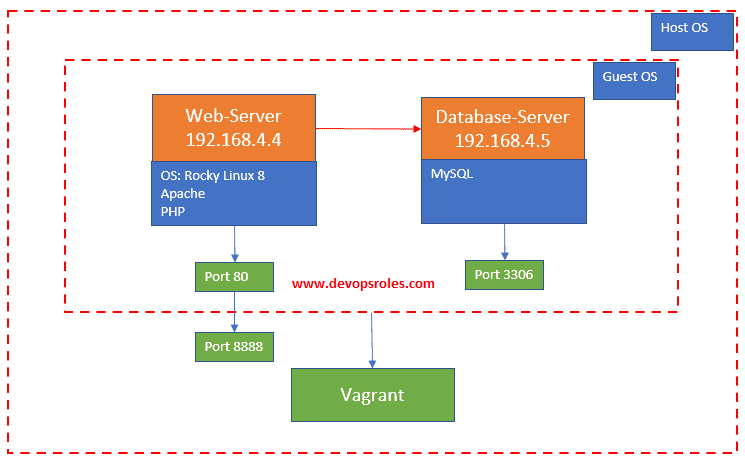
Vagrant directory and files will look like as below:
C:\MYDATA\VAGRANT_VMS\PROJECTS\VAGRANT\VM-MULTI-SERVER
│   Vagrantfile

│
└───shell
        common-rocky.sh
        database-rocky.sh
        web-rocky.sh
I created common-rocky.sh script to deploy the common packages as below
#!/bin/bash

#Update OS
# sudo yum update -y --exclude=kernel

#Tools
sudo yum install -y git unzip nc telnet
web-rocky.sh script to install the package Apache, PHP as below
#!/bin/bash

#Apache
sudo dnf install -y httpd httpd-devel httpd-tools

#chkconfig --add httpd
sudo systemctl enable httpd.service
sudo systemctl stop httpd

sudo systemctl start httpd

#PHP
sudo dnf install -y php php-cli php-gd php-curl php-zip php-mbstring php-opcache php-intl php-mysqlnd
database-rocky.sh script to install MySQL server as below
#!/bin/bash

#MySQL
sudo yum install -y mysql mysql-server mysql-devel
sudo systemctl enable mysqld.service
sudo systemctl start mysqld

mysql -u root -e "SHOW DATABASES";
Create a Virtual Machine
Navigate to my working directory
cd Rocky-LAMP
vagrant init rockylinux/8
Configure the Virtual Machine
Edit the Vagrantfile and paste the content below
# -*- mode: ruby -*-
# vi: set ft=ruby :

Vagrant.configure("2") do |config|

  config.vm.box = "rockylinux/8"
  config.ssh.insert_key = false
  config.vm.provision "shell",
   path: "C:\\MyData\\Vagrant_VMS\\Projects\\Vagrant\\VM-multi-server\\shell\\common-rocky.sh"

  config.vbguest.auto_update = false

  config.vm.define "webserver" do |webserver|
    webserver.vm.hostname = "devopsroles.com"
    webserver.vm.network "private_network", ip: "192.168.4.4"
    webserver.vm.network "forwarded_port", guest: 80, host: 8888
    webserver.vm.provision "shell",
     path: "C:\\MyData\\Vagrant_VMS\\Projects\\Vagrant\\VM-multi-server\\shell\\web-rocky.sh"

  end

  config.vm.define "databases" do |databases|
    databases.vm.hostname = "database-server"
    databases.vm.network "private_network", ip: "192.168.4.5"
    databases.vm.provision "shell",
     path: "C:\\MyData\\Vagrant_VMS\\Projects\\Vagrant\\VM-multi-server\\shell\\database-rocky.sh"

  end

end
Deploy LAMP on Rocky Linux
vagrant upTo connect to Web Server.
vagrant ssh webserver
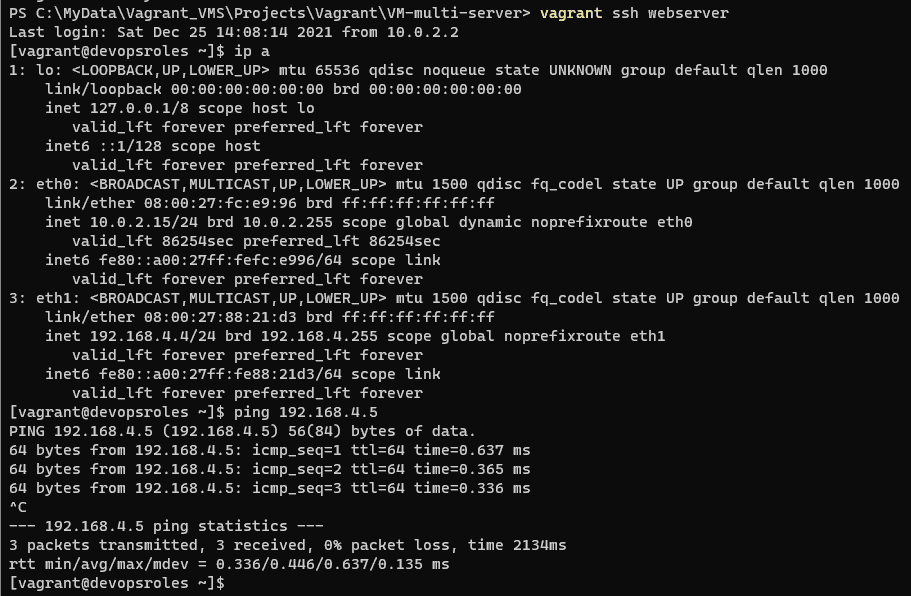
To connect to the database server.
vagrant ssh databases
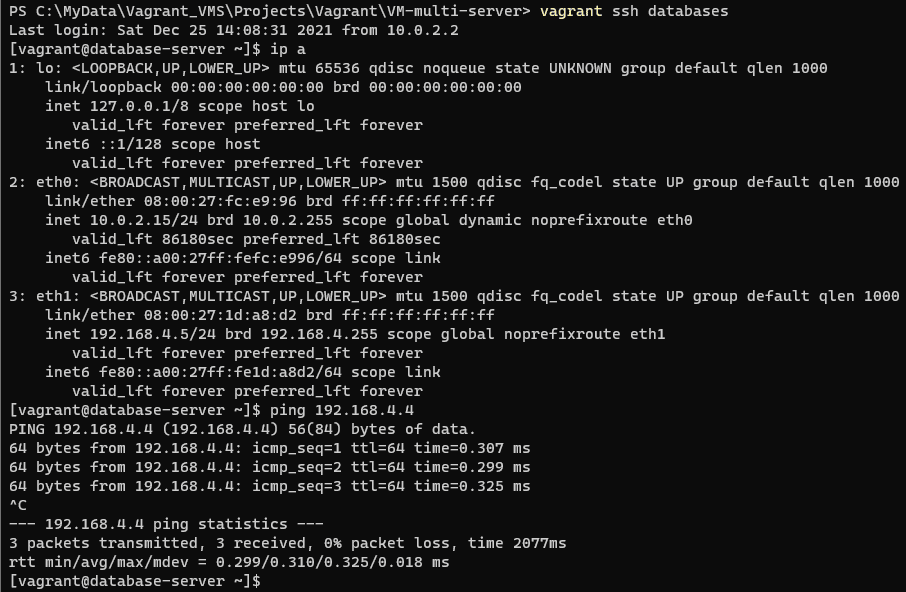
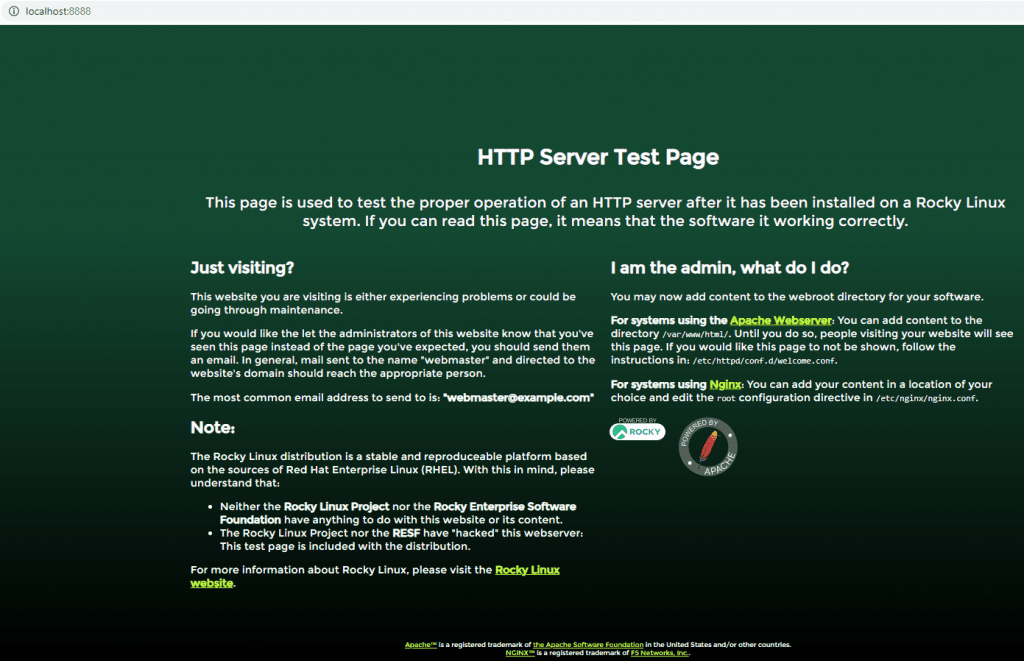
Opens a browser that can access your Server’s IP address

Conclusion
You have to use Vagrant to install LAMP for multiple servers. I hope will this your helpful. Thank you for reading the DevopsRoles page!