
Table of Contents
#Introduction
In this tutorial, How to deploy an in-house password manager server.
Bitwarden is an integrated open source password management solution for individuals, teams, and business organizations.
Install Docker on Ubuntu
sudo apt install apt-transport-https ca-certificates curl gnupg-agent software-properties-common -y
curl -fsSL https://download.docker.com/linux/ubuntu/gpg | sudo apt-key add -
sudo add-apt-repository "deb [arch=amd64] https://download.docker.com/linux/ubuntu $(lsb_release -cs) stable"
sudo apt update
sudo apt install docker-ce docker-compose
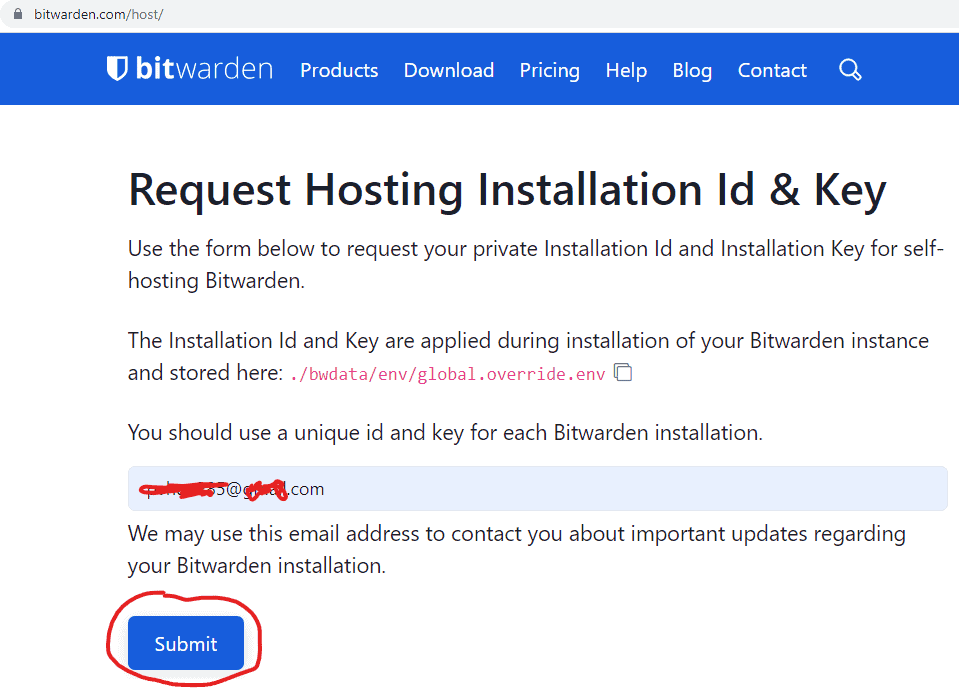
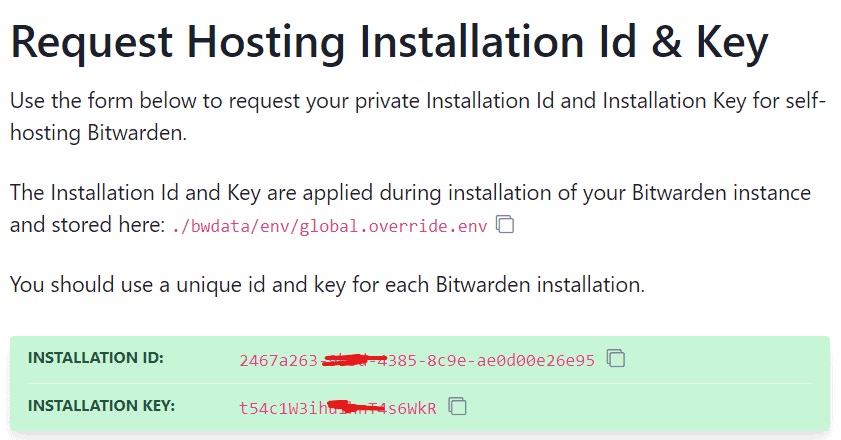
Obtain Bitwarden’s Installation key and ID
you via Bitwarden page get key and ID as the picture below
The display picture as below as below


Create the Bitwarden user
sudo mkdir /opt/bituser
sudo adduser bituser
sudo chmod -R 700 /opt/bituser
sudo chown -R bituser:bituser /opt/bituser
sudo usermod -aG docker bituser
Change to the Bitwarden user with the command below
su bituser
cd
pwd
Download the script and deploy Bitwarden
Download the script with the command below
curl -Lso bitwarden.sh https://go.btwrdn.co/bw-sh && chmod 700 bitwarden.shBitwarden use on port 80, If you start apache/Nginx then stop it.
sudo systemctl stop apache2
# Redhat
sudo systemctl stop httpd
# Stop Nginx
sudo systemctl stop nginx
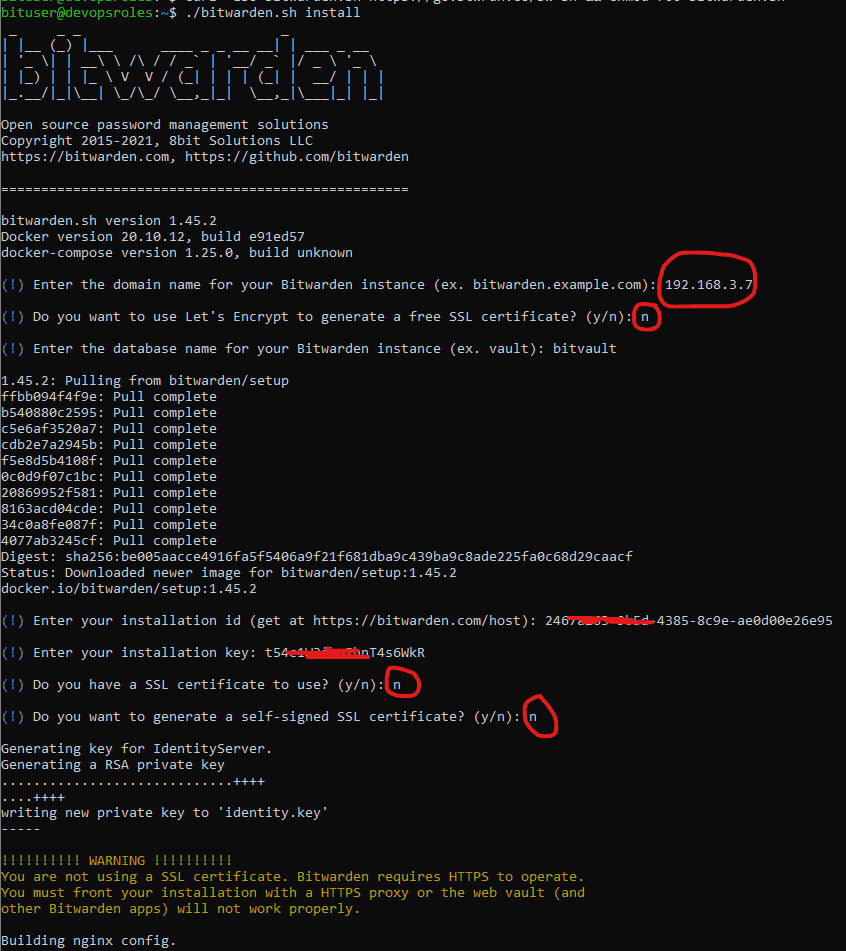
Installer Bitwarden
./bitwarden.sh installThe output terminal as below

Finally, we need to configure the SMTP server that Bitwarden will use it.
After installing Bitwarden, open the configuration file with:
nano /home/bituser/bwdata/env/global.override.envYou will replace every REPLACE with your SMTP Server.
globalSettings__mail__smtp__host=REPLACE
globalSettings__mail__smtp__port=REPLACE
globalSettings__mail__smtp__ssl=REPLACE
globalSettings__mail__smtp__username=REPLACE
globalSettings__mail__smtp__password=REPLACE
adminSettings__admins= ADMIN_EMAIL
Start the Bitwarden server.
./bitwarden.sh startAccess your Bitwarden server
Open a web browser and point it to https://SERVER
The display picture as below as below

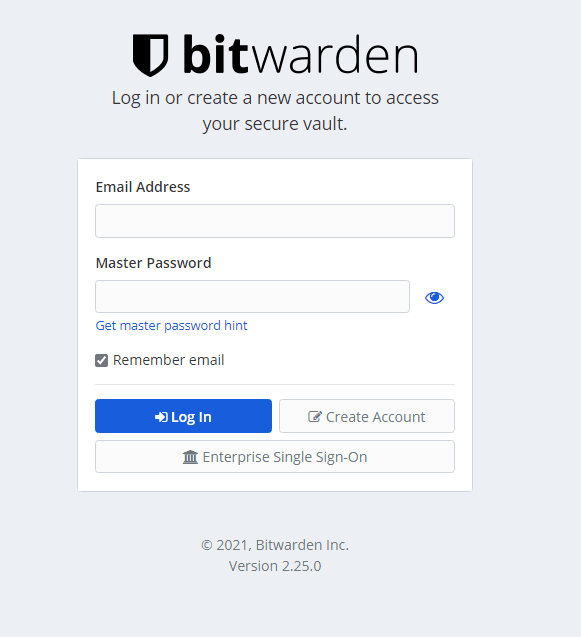
Note: Create a new account to login into Bitwarden
Conclusion
You have to deploy a Bitwarden server. I hope will this your helpful. Thank you for reading the DevopsRoles page!