Tag Archives: CentOS

Remove orphaned packages on CentOS

Introduction

Discover how to remove orphaned packages on CentOS Linux in this detailed tutorial. Orphaned packages, which are remnants not needed for package dependencies, can clutter your system.

Learn the step-by-step process to clean up these unnecessary files effectively, enhancing your CentOS system’s performance and reliability. Orphaned packages are all packages that no longer serve the purpose of package dependencies.


List of Orphaned Packages

Use the package-cleanup command below

[root@centos7 ~]# package-cleanup --leaves
Loaded plugins: fastestmirror
cryptsetup-libs-1.7.4-3.el7_4.1.x86_64
libicu-50.2-4.el7_7.x86_64
libicu62-62.2-1.el7.remi.x86_64
libmemcached-1.0.16-5.el7.x86_64
libsysfs-2.1.0-16.el7.x86_64
libtool-ltdl-2.4.2-22.el7_3.x86_64
libunwind-1.2-2.el7.x86_64
libuv-1.40.0-1.el7.x86_64
libwebp-0.3.0-7.el7.x86_64

Remove Orphaned Packages

Now, we remove Orphaned packages using the yum remove command to remove the entire list:

yum remove `package-cleanup --leaves`

The output terminal is as below:

[root@centos7 ~]# yum remove `package-cleanup --leaves`
Loaded plugins: fastestmirror
No Match for argument: Loaded
No Match for argument: plugins:
No Match for argument: fastestmirror
Resolving Dependencies
--> Running transaction check
---> Package cryptsetup-libs.x86_64 0:1.7.4-3.el7_4.1 will be erased
---> Package libicu.x86_64 0:50.2-4.el7_7 will be erased
---> Package libicu62.x86_64 0:62.2-1.el7.remi will be erased
---> Package libmemcached.x86_64 0:1.0.16-5.el7 will be erased
---> Package libsysfs.x86_64 0:2.1.0-16.el7 will be erased
---> Package libtool-ltdl.x86_64 0:2.4.2-22.el7_3 will be erased
---> Package libunwind.x86_64 2:1.2-2.el7 will be erased
---> Package libuv.x86_64 1:1.40.0-1.el7 will be erased
---> Package libwebp.x86_64 0:0.3.0-7.el7 will be erased
--> Finished Dependency Resolution

Dependencies Resolved

==============================================================================================================================================================================================================
 Package                                              Arch                                        Version                                                Repository                                      Size
==============================================================================================================================================================================================================
Removing:
 cryptsetup-libs                                      x86_64                                      1.7.4-3.el7_4.1                                        @updates                                       947 k
 libicu                                               x86_64                                      50.2-4.el7_7                                           @updates                                        24 M
 libicu62                                             x86_64                                      62.2-1.el7.remi                                        installed                                       31 M
 libmemcached                                         x86_64                                      1.0.16-5.el7                                           @base                                          677 k
 libsysfs                                             x86_64                                      2.1.0-16.el7                                           @anaconda                                      146 k
 libtool-ltdl                                         x86_64                                      2.4.2-22.el7_3                                         @base                                           66 k
 libunwind                                            x86_64                                      2:1.2-2.el7                                            @base                                          150 k
 libuv                                                x86_64                                      1:1.40.0-1.el7                                         @epel                                          378 k
 libwebp                                              x86_64                                      0.3.0-7.el7                                            @base                                          371 k

Transaction Summary
==============================================================================================================================================================================================================
Remove  9 Packages

Installed size: 57 M
Is this ok [y/N]: y
Downloading packages:
Running transaction check
Running transaction test
Transaction test succeeded
Running transaction
  Erasing    : libmemcached-1.0.16-5.el7.x86_64                                                                                                                                                           1/9
  Erasing    : 2:libunwind-1.2-2.el7.x86_64                                                                                                                                                               2/9
  Erasing    : 1:libuv-1.40.0-1.el7.x86_64                                                                                                                                                                3/9
  Erasing    : libicu-50.2-4.el7_7.x86_64                                                                                                                                                                 4/9
  Erasing    : libtool-ltdl-2.4.2-22.el7_3.x86_64                                                                                                                                                         5/9
  Erasing    : libicu62-62.2-1.el7.remi.x86_64                                                                                                                                                            6/9
  Erasing    : libsysfs-2.1.0-16.el7.x86_64                                                                                                                                                               7/9
  Erasing    : cryptsetup-libs-1.7.4-3.el7_4.1.x86_64                                                                                                                                                     8/9
  Erasing    : libwebp-0.3.0-7.el7.x86_64                                                                                                                                                                 9/9
  Verifying  : libwebp-0.3.0-7.el7.x86_64                                                                                                                                                                 1/9
  Verifying  : cryptsetup-libs-1.7.4-3.el7_4.1.x86_64                                                                                                                                                     2/9
  Verifying  : libsysfs-2.1.0-16.el7.x86_64                                                                                                                                                               3/9
  Verifying  : libicu62-62.2-1.el7.remi.x86_64                                                                                                                                                            4/9
  Verifying  : libtool-ltdl-2.4.2-22.el7_3.x86_64                                                                                                                                                         5/9
  Verifying  : libicu-50.2-4.el7_7.x86_64                                                                                                                                                                 6/9
  Verifying  : 1:libuv-1.40.0-1.el7.x86_64                                                                                                                                                                7/9
  Verifying  : 2:libunwind-1.2-2.el7.x86_64                                                                                                                                                               8/9
  Verifying  : libmemcached-1.0.16-5.el7.x86_64                                                                                                                                                           9/9

Removed:
  cryptsetup-libs.x86_64 0:1.7.4-3.el7_4.1        libicu.x86_64 0:50.2-4.el7_7        libicu62.x86_64 0:62.2-1.el7.remi        libmemcached.x86_64 0:1.0.16-5.el7        libsysfs.x86_64 0:2.1.0-16.el7
  libtool-ltdl.x86_64 0:2.4.2-22.el7_3            libunwind.x86_64 2:1.2-2.el7        libuv.x86_64 1:1.40.0-1.el7              libwebp.x86_64 0:0.3.0-7.el7

Complete!
[root@centos7 ~]#

Conclusion

Remove orphaned packages from CentOS systems is an essential step in maintaining the efficiency and stability of your server. Orphaned packages are remnants left behind after uninstalling software that no longer serve any functional purpose. By eliminating these unnecessary files, you can optimize system performance and prevent potential conflicts. This guide on DevopsRoles aims to assist you in cleaning up your CentOS installation effectively. We hope you find these instructions beneficial. Thank you for choosing DevopsRoles for your technological needs and for trusting us with your system optimization tasks. Your continued support inspires us to provide helpful and practical content.

JIRA installing and configure on CentOS

Introduction

How to install and configure jira on Centos. Installing and configuring JIRA on CentOS involves a series of systematic steps to set up this popular project management tool effectively. Begin by preparing your CentOS system with the necessary prerequisites, including Java. Then, download and install the JIRA software from Atlassian’s official site. Configuration involves setting up a database, typically PostgreSQL or MySQL, and adjusting the JIRA setup wizard to connect to your newly prepared database. This process ensures that JIRA runs smoothly on CentOS, providing a robust platform for managing your projects. Now, let’s proceed with the JIRA installation and configuration on CentOS.

JIRA installing

Install Java

[vagrant@DevopsRoles ~]$ sudo yum install java-1.8.0-openjdk*

Install MySQL on Centos 7

Link refers to installing MySQL here.

Create a user for installation jira.

[vagrant@DevopsRoles ~]$ sudo useradd jira
[vagrant@DevopsRoles ~]$ sudo passwd jira
[vagrant@DevopsRoles ~]$ echo "jira ALL=(ALL) NOPASSWD:ALL" | sudo tee -a /etc/sudoers
[vagrant@DevopsRoles ~]$ su -l jira
Password:
[jira@DevopsRoles ~]$

Create a temporary install directory:

[jira@DevopsRoles ~]$ mkdir jira && cd jira

Download jira

Link download here:

[jira@DevopsRoles jira]$ wget https://product-downloads.atlassian.com/software/jira/downloads/atlassian-jira-software-8.13.4-x64.bin
[jira@DevopsRoles jira]$ ls -l
total 399948
-rw-rw-r--. 1 jira jira 409545222 Feb 15 11:02 atlassian-jira-software-8.13.4-x64.bin
[jira@DevopsRoles jira]$ chmod u+x atlassian-jira-software-8.13.4-x64.bin
[jira@DevopsRoles jira]$ ./atlassian-jira-software-8.13.4-x64.bin

The result is as follows:

[jira@DevopsRoles jira]$ ./atlassian-jira-software-8.13.4-x64.bin
Unpacking JRE ...
Starting Installer ...
You do not have administrator rights to this machine and as such, some installation options will not be available. Are you sure you want to continue?
Yes [y, Enter], No [n]
y

This will install Jira Software 8.13.4 on your computer.
OK [o, Enter], Cancel [c]
o
Click Next to continue, or Cancel to exit Setup.

Choose the appropriate installation or upgrade option.
Please choose one of the following:
Express Install (use default settings) [1], Custom Install (recommended for advanced users) [2, Enter], Upgrade an existing Jira installation [3]
1

Details on where Jira Software will be installed and the settings that will be used.
Installation Directory: /home/jira/atlassian/jira
Home Directory: /home/jira/atlassian/application-data/jira
HTTP Port: 8080
RMI Port: 8005
Install as service: No
Install [i, Enter], Exit [e]
i

Extracting files ...


Please wait a few moments while Jira Software is configured.

Installation of Jira Software 8.13.4 is complete
Start Jira Software 8.13.4 now?
Yes [y, Enter], No [n]
y

Please wait a few moments while Jira Software starts up.
Launching Jira Software ...

Installation of Jira Software 8.13.4 is complete
Your installation of Jira Software 8.13.4 is now ready and can be accessed
via your browser.
Jira Software 8.13.4 can be accessed at http://localhost:8080
Finishing installation ...
[jira@DevopsRoles jira]$

JIRA’s directory structure looks like this:

[jira@DevopsRoles jira]$ cd ../
[jira@DevopsRoles ~]$ ls -l
total 0
drwxrwxr-x. 4 jira jira 42 Feb 22 14:19 atlassian
drwxrwxr-x. 2 jira jira 52 Feb 22 14:20 jira
[jira@DevopsRoles ~]$ tree -d -L 3 atlassian/
atlassian/
├── application-data
│   └── jira
│       ├── caches
│       ├── data
│       ├── export
│       ├── import
│       ├── log
│       ├── plugins
│       └── tmp
└── jira
    ├── atlassian-jira
    │   ├── aui-examples
    │   ├── decorators
    │   ├── func
    │   ├── images
    │   ├── includes
    │   ├── META-INF
    │   ├── portlets
    │   ├── secure
    │   ├── static
    │   ├── static-assets
    │   ├── styles
    │   ├── template
    │   ├── templates
    │   ├── ui
    │   ├── views
    │   └── WEB-INF
    ├── bin
    ├── conf
    │   └── Catalina
    ├── external-source
    ├── jre
    │   ├── bin
    │   ├── lib
    │   └── man
    ├── lib
    ├── licenses
    ├── logs
    ├── temp
    ├── tomcat-docs
    ├── webapps
    └── work
        └── Catalina

43 directories
[jira@DevopsRoles ~]$

Go to JIRA Installation Directory:

[jira@DevopsRoles ~]$ cd ~/atlassian/jira/
[jira@DevopsRoles jira]$ sudo ./bin/start-jira.sh

start-jira.sh and stop-jira.sh in folder bin

Check JIRA should already be running.

[jira@DevopsRoles jira]$ ps ux | grep jira | grep java | grep -v grep
jira      3184 10.8 24.0 4971344 358732 pts/0  Sl   14:20   0:29 /home/jira/atlassian/jira/jre//bin/java -Djava.util.logging.config.file=/home/jira/atlassian/jira/conf/logging.properties -Djava.util.logging.manager=org.apache.juli.ClassLoaderLogManager -Xms384m -Xmx2048m -XX:InitialCodeCacheSize=32m -XX:ReservedCodeCacheSize=512m -Djava.awt.headless=true -Datlassian.standalone=JIRA -Dorg.apache.jasper.runtime.BodyContentImpl.LIMIT_BUFFER=true -Dmail.mime.decodeparameters=true -Dorg.dom4j.factory=com.atlassian.core.xml.InterningDocumentFactory -XX:-OmitStackTraceInFastThrow -Djava.locale.providers=COMPAT -Datlassian.plugins.startup.options= -Djdk.tls.ephemeralDHKeySize=2048 -Djava.protocol.handler.pkgs=org.apache.catalina.webresources -Dorg.apache.catalina.security.SecurityListener.UMASK=0027 -Xloggc:/home/jira/atlassian/jira/logs/atlassian-jira-gc-%t.log -XX:+UseGCLogFileRotation -XX:NumberOfGCLogFiles=5 -XX:GCLogFileSize=20M -XX:+PrintGCDetails -XX:+PrintGCDateStamps -XX:+PrintGCTimeStamps -XX:+PrintGCCause -XX:+ExplicitGCInvokesConcurrent -Dignore.endorsed.dirs= -classpath /home/jira/atlassian/jira/bin/bootstrap.jar:/home/jira/atlassian/jira/bin/tomcat-juli.jar -Dcatalina.base=/home/jira/atlassian/jira -Dcatalina.home=/home/jira/atlassian/jira -Djava.io.tmpdir=/home/jira/atlassian/jira/temp org.apache.catalina.startup.Bootstrap start

[vagrant@DevopsRoles ~]$ sudo netstat -nplt | grep 8080
tcp6       0      0 :::8080                 :::*                    LISTEN      3184/java

Create user MySQL

mysql -u root -p 
mysql> CREATE DATABASE jiradb CHARACTER SET utf8 COLLATE utf8_bin;
mysql> CREATE USER 'jiradb'@'localhost' IDENTIFIED BY 'Abc123!@#';
mysql> GRANT ALL PRIVILEGES ON jiradb.* TO 'jiradb'@'localhost' WITH GRANT OPTION;

we need a JDBC connector driver for MySQL

[jira@DevopsRoles ~]$ cd && mkdir tmp
[jira@DevopsRoles ~]$ cd tmp/
[jira@DevopsRoles tmp]$ wget http://dev.mysql.com/get/Downloads/Connector-J/mysql-connector-java-5.1.29.tar.gz
[jira@DevopsRoles tmp]$ tar xfp mysql-connector-java-5.1.29.tar.gz
[jira@DevopsRoles tmp]$ find mysql-connector-java-5.1.29 -name "mysql-connector-java-*-bin.jar"
mysql-connector-java-5.1.29/mysql-connector-java-5.1.29-bin.jar
[jira@DevopsRoles tmp]$ cp mysql-connector-java-5.1.29/mysql-connector-java-5.1.29-bin.jar ~/atlassian/jira/lib/
[jira@DevopsRoles tmp]$ cd

Restart JIRA

$ sudo ./atlassian/jira/bin/stop-jira.sh
$ sudo ./atlassian/jira/bin/start-jira.sh

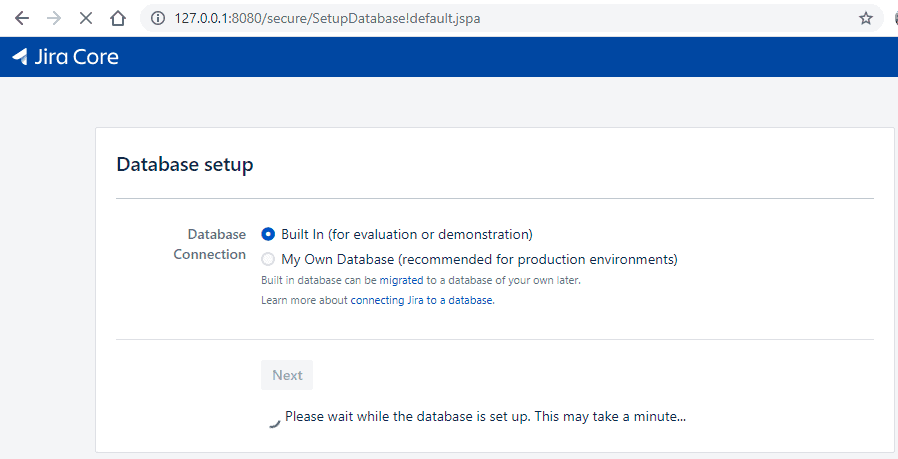
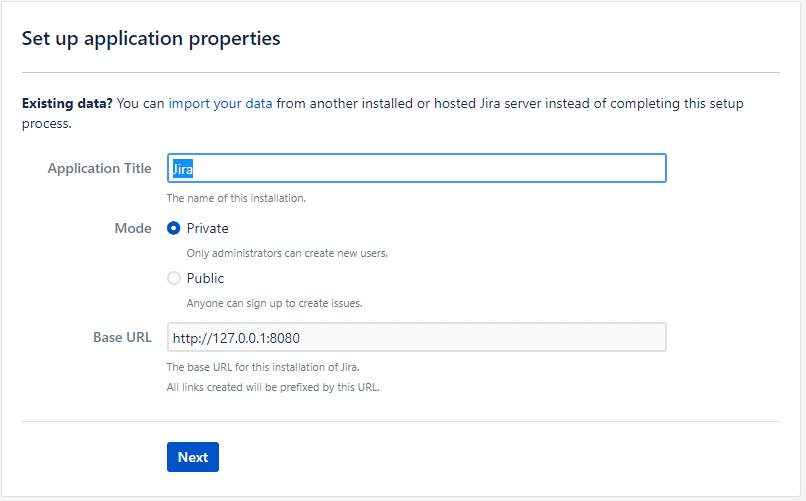
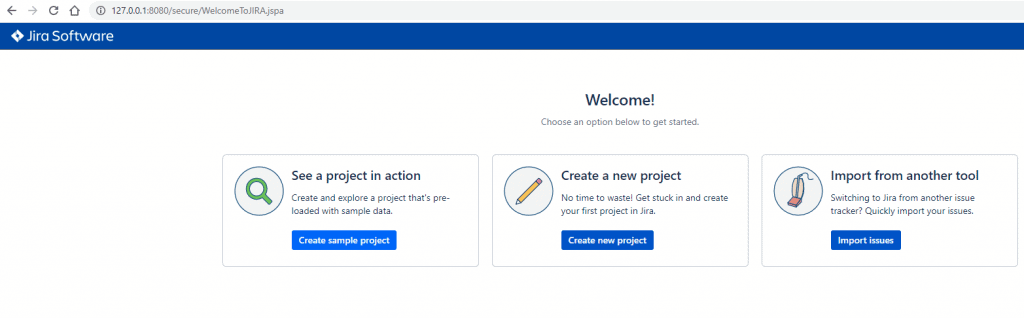
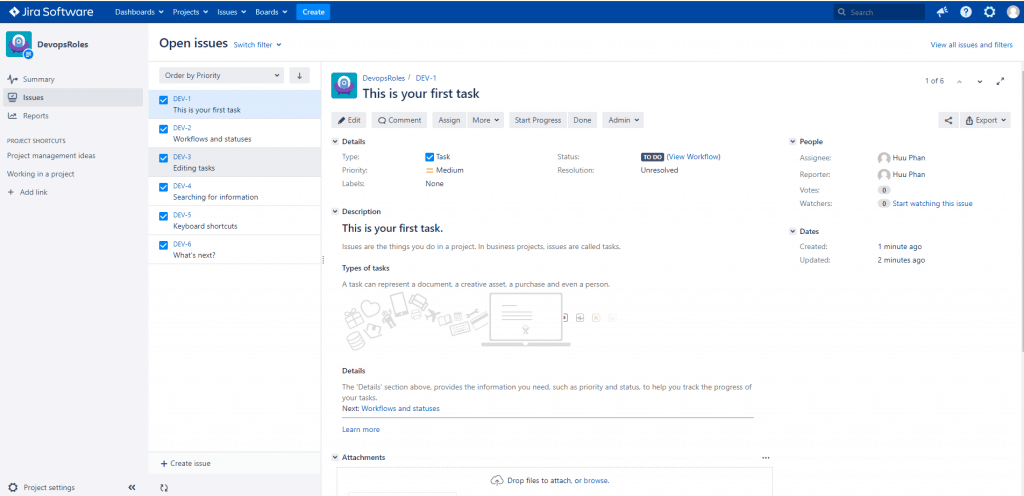
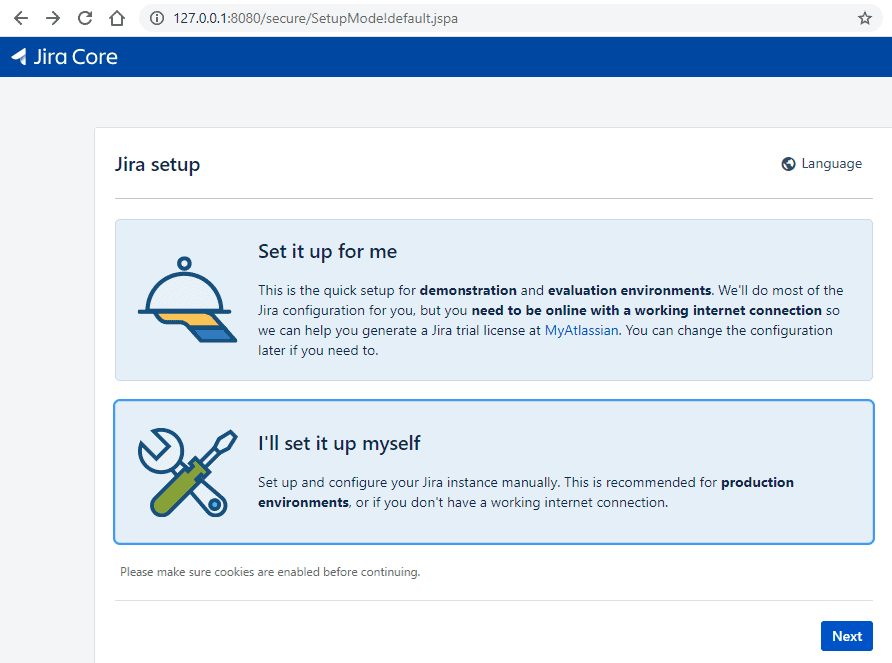
Access Browser Jira

Conclusion

JIRA installing and configuring on CentOS. I hope will this your helpful. Thank you for reading the DevopsRoles page!

Fixing ansible python broken pipe for RHEL Centos 5

Introduction

In this tutorial, How to fix run ansible “[Errno 32] Broken pipe\r\n”. I have enabled the EPEL repositories and installed the required dependencies for Python. Running Ansible on RHEL/CentOS 5 can sometimes lead to a broken pipe error. This guide provides a detailed solution to this issue, ensuring your automation processes run smoothly fix ansible python broken pipe.

The Problem

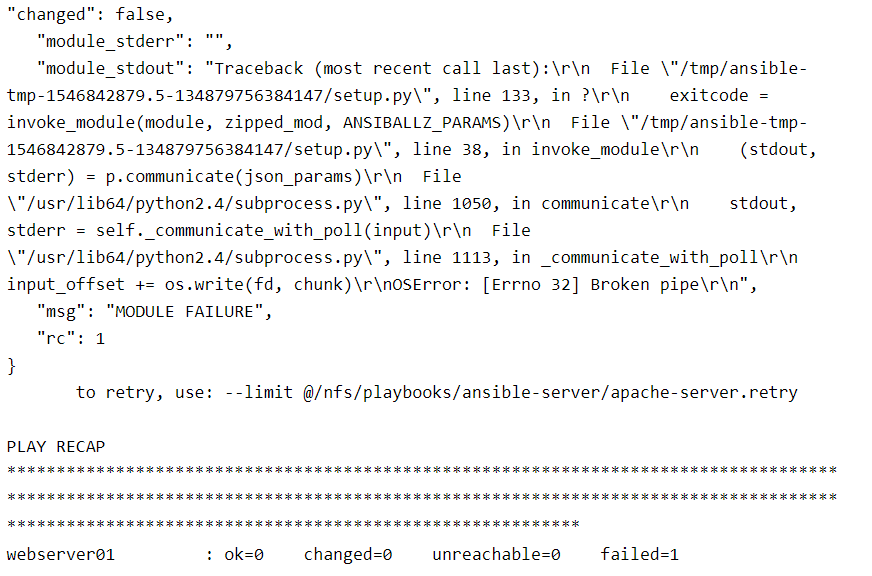
When using Ansible with Python on RHEL/CentOS 5, you might encounter a broken pipe error. This occurs due to compatibility issues between the versions of Python and Ansible. The error message typically looks like this:

Ansible python broken pipe running error

"changed": false,
   "module_stderr": "",
   "module_stdout": "Traceback (most recent call last):\r\n  File \"/tmp/ansible-tmp-1546842879.5-134879756384147/setup.py\", line 133, in ?\r\n    exitcode = invoke_module(module, zipped_mod, ANSIBALLZ_PARAMS)\r\n  File \"/tmp/ansible-tmp-1546842879.5-134879756384147/setup.py\", line 38, in invoke_module\r\n    (stdout, stderr) = p.communicate(json_params)\r\n  File \"/usr/lib64/python2.4/subprocess.py\", line 1050, in communicate\r\n    stdout, stderr = self._communicate_with_poll(input)\r\n  File \"/usr/lib64/python2.4/subprocess.py\", line 1113, in _communicate_with_poll\r\n    input_offset += os.write(fd, chunk)\r\nOSError: [Errno 32] Broken pipe\r\n",
   "msg": "MODULE FAILURE",
   "rc": 1
}
       to retry, use: --limit @/nfs/playbooks/ansible-server/apache-server.retry

PLAY RECAP **********************************************************************************************************************************************************************************************************************************
webserver01         : ok=0    changed=0    unreachable=0    failed=1

My Ansible uses Python 2.6 and a remote server is a Virtual Machine OS Centos 5 use Python 2.4

After you install Python 2.6 on the remote server ( Centos 5). Then configure in the PATH for Python 2.6

For example, In my configuration in PATH as below

$ echo $PATH
/usr/local/bin:/bin:/usr/bin
$ which python
/usr/bin/python

Configure symbolic link for Python 2.6 on the remote server Centos 5

$ ll /usr/bin/ | grep python
$ ln -sf  /usr/bin/python26 /usr/local/bin/python

With that:

  • python 2.6 is in “//local/bin” *which is before “//bin” in the PATH
  • python 2.4 is in “//bin

And both are in the PATH

And you running the ansible-playbook command again.

FAQs

Q: Why do I need to update Python? A: The default Python version on RHEL/CentOS 5 is outdated and incompatible with newer Ansible versions, causing the broken pipe error.

Q: Can I use a different Python version? A: Yes, you can use any compatible Python version, but Python 2.7 is recommended for compatibility.

Q: What if I still encounter issues? A: Ensure all steps are followed correctly. Check the Ansible and Python versions, and verify the ANSIBLE_PYTHON_INTERPRETER path.

Conclusion

Fixing the Ansible Python broken pipe issue on RHEL/CentOS 5 involves updating Python, creating a virtual environment, installing Ansible in that environment, and configuring Ansible to use the correct Python interpreter. By following these steps, you can ensure the smooth operation of your Ansible automation tasks on older systems.

Through the article, you can use Fixing Ansible Python broken pipe for RHEL Centos 5. I hope this will be helpful for you. For more details, refer to the Ansible tutorial.

Complete Guide to Install Development Tools on CentOS

Introduction

This guide provides a comprehensive overview of installing essential development tools on CentOS. By using the yum groupinstall command, users can efficiently manage and install packages required for development, such as GNU GCC C/C++ compilers. This process is crucial for developers working in CentOS environments, aiming to streamline their setup and increase productivity.

In this tutorial, I used Centos “install development tools”.  The Ubuntu distribution install method is equivalent to “apt-get build-essential, while the Centos called groupinstall with yum command. How do I install all developer tools such as GNU GCC C/C++ compilers and others? You need to “install Development Tools“.

  • Development Tools for CentOS: Overview of tools and installation via Yum.
  • Development Tools for RHEL 7: Recommended tools and installation tips for Red Hat Enterprise Linux.
  • Development Tools for Ubuntu: Effective tools for Ubuntu and installation using apt-get.
  • Comparing Toolsets Across OS: Differences and similarities in toolkits across CentOS, RHEL 7, and Ubuntu.

How to Install Development Tools on Centos

For Centos, RHEL, and Fedora

Installing groupinstall use the yum command on Centos, RHEL, and Fedora.

[huupv@huupv devopsroles]$ sudo yum groupinstall "Development Tools"

The related with the subcommand  Group list

A list of groups uses “grouplist” command on Centos, RHEL, and Fedora.

[huupv@huupv devopsroles]$ sudo yum grouplist

To install a unit of a group name.

[huupv@huupv devopsroles]$ sudo yum groupinstall "Group name"

To remove a unit of a group using “groupremove” command on Centos, RHEL, and Fedora.

[huupv@huupv devopsroles]$ sudo yum groupremove "Group name"

Updating a unit of a group by “groupupdate” command on Centos, RHEL, and Fedora.

[huupv@huupv devopsroles]$ sudo yum groupupdate "Group name"

Conclusion

By following the steps outlined in this tutorial, users can successfully install all necessary development tools on CentOS, ensuring a robust environment for programming and development tasks.

This guide simplifies the process, making it accessible even for those new to Linux systems, ultimately enhancing their capabilities in handling various software development requirements. I hope will this your helpful. Thank you for reading the DevopsRoles page!