

In the complex landscape of modern software development – especially within MLOps, SecOps, and high-scale DevOps environments—the single most common point of failure is often not the algorithm, but the configuration itself. Hardcoding secrets, relying on brittle YAML files, or mixing environment-specific logic into core application code leads to deployments that are fragile, insecure, and impossible to scale.
As systems grow in complexity, the need for a robust, predictable, and auditable Python Configuration Architecture becomes paramount. This architecture must seamlessly handle configuration sources ranging from local development files to highly secure, dynamic secrets vaults.
This guide dives deep into the industry-standard solution: leveraging Environment Variables for runtime flexibility and Pydantic Settings for schema enforcement and type safety. By the end of this article, you will not only understand how to implement this pattern but why it represents a critical shift in operational maturity.

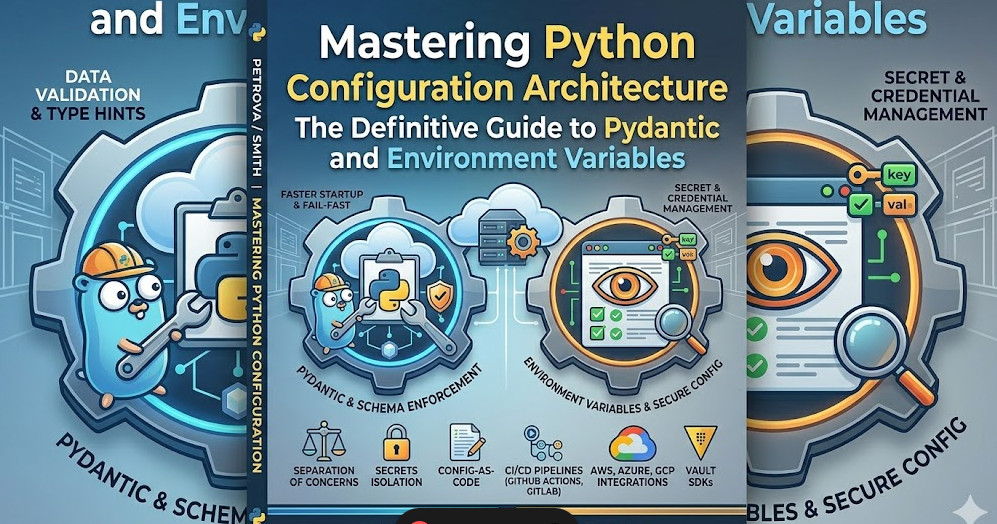
Table of Contents
Phase 1: Core Concepts and Architectural Principles
Before writing a single line of code, we must establish the architectural principles governing modern configuration management. The goal is to adhere strictly to the principles outlined in the 12-Factor App methodology.
The Hierarchy of Configuration Sources
A robust Python Configuration Architecture must define a clear, prioritized hierarchy for configuration loading. This ensures that the most specific, runtime-critical value always overrides the general default.
- Defaults (Lowest Priority): Hardcoded defaults within the application code (e.g.,
DEBUG = False). These are only used for local development and should rarely be relied upon in production. - File-Based Configuration (Medium Priority): Local files (e.g.,
.env,config.yaml). These are excellent for development parity but must be explicitly excluded from source control (.gitignore). - Environment Variables (Highest Priority): Variables set by the operating system or the container orchestrator (Kubernetes, Docker). This is the gold standard for production, as it separates configuration from code.
Why Pydantic is the Architectural Linchpin
While simply reading os.environ['API_KEY'] seems sufficient, it is fundamentally flawed. It provides no type checking, no validation, and no structure.
Pydantic solves this by providing a declarative way to define the expected structure and types of your configuration. It acts as a powerful schema validator, ensuring that if the environment variable MAX_RETRIES is expected to be an integer, and instead receives a string like "three", the application fails early and loudly, preventing runtime failures that are notoriously difficult to debug in production.
This combination—Environment Variables providing the source of truth, and Pydantic providing the validation layer—forms the backbone of a resilient Python Configuration Architecture.
💡 Pro Tip: Never use a single configuration source for everything. Design your system to explicitly load configuration in layers (e.g., load defaults -> overlay .env -> overlay OS environment variables). This layered approach is key to maintaining auditability.
Phase 2: Practical Implementation with Pydantic Settings
We will implement a complete, type-safe configuration loader using pydantic.BaseSettings. This approach automatically handles loading from environment variables and optionally from .env files, while enforcing strict type validation.
Setting up the Environment
First, ensure you have the necessary libraries installed:
pip install pydantic pydantic-settings python-dotenv
Step 1: Defining the Schema
We define our expected configuration structure. Notice how Pydantic automatically maps environment variables (e.g., DATABASE_URL) to class attributes.
# config.py
from pydantic_settings import BaseSettings, SettingsConfigDict

class Settings(BaseSettings):
    # Model configuration: allows loading from .env file
    model_config = SettingsConfigDict(env_file='.env', env_file_encoding='utf-8')

    # Basic API settings
    API_KEY: str
    SERVICE_NAME: str = "DefaultService"

    # Type-validated setting (must be an integer)
    MAX_WORKERS: int = 4

    # Optional setting with a default value
    DEBUG_MODE: bool = False

    # Example of a complex, type-validated connection string
    DATABASE_URL: str

# Usage example:
# settings = Settings()
# print(settings.SERVICE_NAME)
Step 2: Creating the Local .env File
For local development, we create a .env file. Note that DATABASE_URL is set here, but we will override it later.
# .env
API_KEY="local_dev_secret_key"
DATABASE_URL="sqlite:///./local_db.sqlite"
MAX_WORKERS=2
Step 3: Running the Application and Overriding Secrets
Now, let’s simulate running the application in a CI/CD pipeline or container environment. We will set a critical variable (API_KEY) directly in the OS environment, which will override the value in the .env file.
# Simulate running in a container where the API key is injected securely
export API_KEY="production_vault_secret_xyz123"
export DATABASE_URL="postgresql://prod_user:secure_pass@dbhost:5432/prod_db"

# Run the Python script
python main_app.py
In main_app.py, we instantiate the settings:
# main_app.py
from config import Settings

try:
    settings = Settings()
    print("--- Configuration Loaded Successfully ---")
    print(f"Service Name: {settings.SERVICE_NAME}")
    print(f"API Key (OVERRIDDEN): {settings.API_KEY[:10]}...") # Should show the production key
    print(f"DB Connection: {settings.DATABASE_URL.split('@')[-1]}")
    print(f"Max Workers: {settings.MAX_WORKERS}")

except Exception as e:
    print(f"FATAL CONFIGURATION ERROR: {e}")
Expected Output Analysis: The API_KEY and DATABASE_URL will reflect the values set by export, demonstrating the correct priority hierarchy. The MAX_WORKERS will use the value from .env because it was not overridden.
This pattern is the definitive best practice for Python Configuration Architecture. For a deeper dive into the history and theory, you can review this comprehensive Python configuration guide.
Phase 3: Senior-Level Best Practices and Advanced Security
For senior DevOps and SecOps engineers, the goal is not just to load configuration, but to manage it securely, validate it dynamically, and ensure it remains immutable during runtime.
1. Integrating Secret Management Systems (The Vault Pattern)
Relying solely on OS environment variables, while better than hardcoding, is insufficient for highly sensitive secrets (e.g., root credentials, private keys). The gold standard is integration with dedicated Secret Management Systems (SMS) like HashiCorp Vault, AWS Secrets Manager, or Azure Key Vault.
The advanced Python Configuration Architecture pattern involves an abstraction layer:
- The application attempts to load the secret from the OS environment (for testing).
- If the environment variable points to a Vault path (e.g.,
VAULT_SECRET_PATH), the application uses a dedicated SDK (e.g.,hvacfor Vault) to authenticate and fetch the secret dynamically at startup. - The retrieved secret is then passed to Pydantic, which validates and stores it in memory.
This minimizes the attack surface because the secret never resides in the container image or the deployment manifest.
2. Runtime Validation and Schema Enforcement
Pydantic allows for custom validators, which is crucial for ensuring configuration values meet business logic requirements. For instance, if a service endpoint must be a valid URL, you can enforce that validation.
# Advanced validation example
from pydantic import field_validator, ValidationError

class AdvancedSettings(BaseSettings):
    # ... other fields ...
    ENDPOINT_URL: str

    @field_validator('ENDPOINT_URL')
    @classmethod
    def check_valid_url(cls, v: str) -> str:
        import re
        # Simple regex check for demonstration
        if not re.match(r'https?://[^\s/$.?#]+\.[^\s]{2,}', v):
            raise ValueError('ENDPOINT_URL must be a valid HTTPS or HTTP URL.')
        return v
3. Handling Multi-Environment Overrides (CI/CD Focus)
In a real CI/CD pipeline, you must ensure that the configuration used for testing (test) cannot accidentally leak into staging (staging).
A robust approach involves using environment-specific configuration files that are only loaded when the environment variable APP_ENV is set.
Code Snippet 2: CI/CD Deployment Simulation
# 1. CI/CD Pipeline Step: Build and Test
export APP_ENV=test
export API_KEY="test_dummy_key"
python main_app.py # Uses test credentials

# 2. CI/CD Pipeline Step: Deploy to Staging
export APP_ENV=staging
export API_KEY="staging_vault_key_xyz"
python main_app.py # Uses staging credentials
By strictly controlling the APP_ENV variable, you can write conditional logic in your application startup routine to load the correct set of default parameters or connection pools, ensuring environment isolation.
💡 Pro Tip: When building container images, use multi-stage builds. The final production image should only contain the necessary runtime code and libraries, never the development .env files or testing dependencies. This drastically reduces the attack surface.
Summary of Best Practices
| Practice | Why It Matters | Tool/Technique |
| Separation | Prevents sensitive data (API keys, DB passwords) from being committed to Git, reducing the risk of a breach. | Use Secret Managers (AWS Secrets Manager, HashiCorp Vault) and inject them via Environment Variables. |
| Validation | Catches errors (like an integer where a string is expected) at startup rather than mid-execution. | Use Pydantic in Python or Zod in TypeScript to enforce strict schema types. |
| Immutability | Eliminates “configuration drift” where the app state changes unpredictably during its lifecycle. | Store config in Frozen Objects or Classes that cannot be modified after initialization. |
| Isolation | Ensures a “Dev” environment can’t accidentally wipe a “Prod” database due to overlapping config. | Use Namespacing or APP_ENV flags to load distinct config profiles (e.g., config.dev.yaml vs config.prod.yaml). |
Mastering this layered, validated approach to Python Configuration Architecture is not merely a coding task; it is a foundational requirement for building enterprise-grade, resilient, and secure AI/ML platforms. If your current system relies on simple dictionary lookups or global variables for configuration, it is time to refactor toward this Pydantic-driven model.
For further reading on architectural roles and responsibilities in modern development, check out the detailed guide on DevOps roles and responsibilities.