

Table of Contents
Introduction
In this tutorial, How to Deploy MongoDB as a Docker container. MongoDB is a source-available cross-platform document-oriented database program. Classified as a NoSQL database program, MongoDB uses JSON-like documents with optional schemas.
In today’s world of modern application development, containerization has become a popular approach for deploying and managing applications.
Install Docker
You need to install Docker on Ubuntu.
How to Deploy MongoDB as a Docker Container
First, We will pull version MongoDB as command below:
docker pull mongo:3.4.4
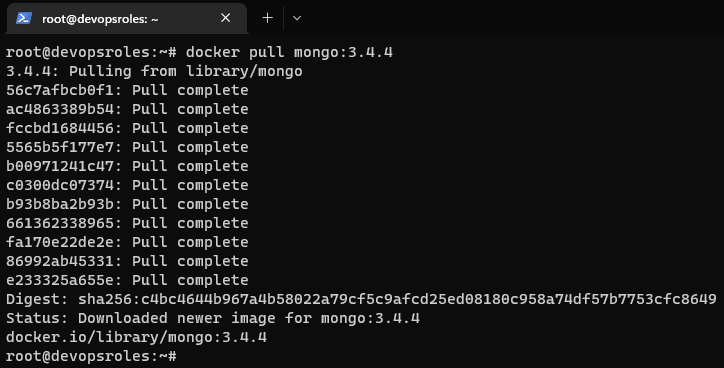
To create a volume for the database and retain data. The command line creates the volume as below:
docker volume create mongo_dataWe will deploy it
docker run -d -v mongo_data:/data/db --name mymongoDB --net=host mongo:3.4.4 --bind_ip 127.0.0.1 --port 27000You need to verify the deployment as command below:
docker ps -a

The container is running, How to access it?
docker exec -it mymongoDB mongo localhost:27000
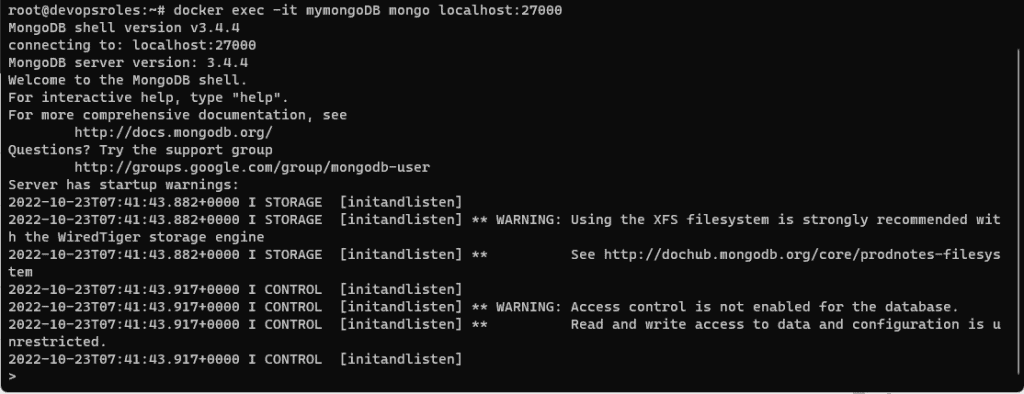
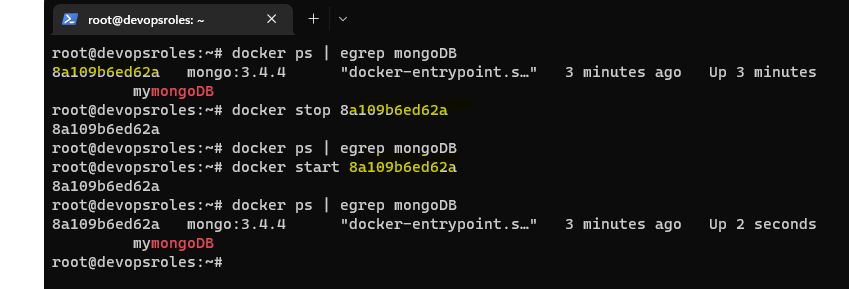
If you need to stop the MongoDB container.
docker stop IDIf you need to start the MongoDB container.
docker start ID
Conclusion
You have successfully deployed MongoDB as a Docker container. This approach offers flexibility, scalability, and portability for your MongoDB deployments. With containerization, you can easily manage your database infrastructure and ensure consistency across different environments. I hope this will be helpful. Thank you for reading the DevopsRoles page!