For expert DevOps engineers and SREs, managing Identity and Access Management (IAM) at scale is rarely about clicking buttons in the AWS Console. It is about architectural purity, auditability, and the Principle of Least Privilege. When implemented correctly, Terraform AWS IAM management transforms a potential security swamp into a precise, version-controlled fortress.
However, as infrastructure grows, so does the complexity of JSON policy documents, cross-account trust relationships, and conditional logic. This guide moves beyond the basics of resource "aws_iam_user" and dives into advanced patterns for constructing scalable, maintainable, and secure IAM hierarchies using HashiCorp Terraform.
Table of Contents
The Evolution from Raw JSON to HCL Data Sources
In the early days of Terraform, engineers often embedded raw JSON strings into their aws_iam_policy resources using Heredoc syntax. While functional, this approach is brittle. It lacks syntax validation during the terraform plan phase and makes dynamic interpolation painful.
The expert standard today relies heavily on the aws_iam_policy_document data source. This allows you to write policies in HCL (HashiCorp Configuration Language), enabling leveraging Terraform’s native logic capabilities like dynamic blocks and conditionals.
Why aws_iam_policy_document is Superior
- Validation: Terraform validates HCL syntax before the API call is made.
- Composability: You can merge multiple data sources using the
source_policy_documentsoroverride_policy_documentsarguments, allowing for modular policy construction. - Readability: It abstracts the JSON formatting, letting you focus on the logic.
Advanced Example: Dynamic Conditions and Merging
data "aws_iam_policy_document" "base_deny" {
  statement {
    sid       = "DenyNonSecureTransport"
    effect    = "Deny"
    actions   = ["s3:*"]
    resources = ["arn:aws:s3:::*"]

    condition {
      test     = "Bool"
      variable = "aws:SecureTransport"
      values   = ["false"]
    }

    principals {
      type        = "AWS"
      identifiers = ["*"]
    }
  }
}

data "aws_iam_policy_document" "s3_read_only" {
  # Merge the base deny policy into this specific policy
  source_policy_documents = [data.aws_iam_policy_document.base_deny.json]

  statement {
    sid       = "AllowS3List"
    effect    = "Allow"
    actions   = ["s3:ListBucket", "s3:GetObject"]
    resources = [
      var.s3_bucket_arn,
      "${var.s3_bucket_arn}/*"
    ]
  }
}

resource "aws_iam_policy" "secure_read_only" {
  name   = "secure-s3-read-only"
  policy = data.aws_iam_policy_document.s3_read_only.json
}
Pro-Tip: Use
override_policy_documentssparingly. While powerful for hot-fixing policies in downstream modules, it can obscure the final policy outcome, making debugging permissions difficult. Prefersource_policy_documentsfor additive composition.
Mastering Trust Policies (Assume Role)
One of the most common friction points in Terraform AWS IAM is the “Assume Role Policy” (or Trust Policy). Unlike standard permission policies, this defines who can assume the role.
Hardcoding principals in JSON is a mistake when working with dynamic environments (e.g., ephemeral EKS clusters). Instead, leverage the aws_iam_policy_document for trust relationships as well.
Pattern: IRSA (IAM Roles for Service Accounts)
When working with Kubernetes (EKS), you often need to construct OIDC trust relationships. This requires precise string manipulation to match the OIDC provider URL and the specific Service Account namespace/name.
data "aws_iam_policy_document" "eks_oidc_assume" {
  statement {
    actions = ["sts:AssumeRoleWithWebIdentity"]

    principals {
      type        = "Federated"
      identifiers = [var.oidc_provider_arn]
    }

    condition {
      test     = "StringEquals"
      variable = "${replace(var.oidc_provider_url, "https://", "")}:sub"
      values   = ["system:serviceaccount:${var.namespace}:${var.service_account_name}"]
    }
  }
}

resource "aws_iam_role" "app_role" {
  name               = "eks-app-role"
  assume_role_policy = data.aws_iam_policy_document.eks_oidc_assume.json
}
Handling Circular Dependencies
A classic deadlock occurs when you try to create an IAM Role that needs to be referenced in a Policy, which is then attached to that Role. Terraform’s graph dependency engine usually handles this well, but edge cases exist, particularly with S3 Bucket Policies referencing specific Roles.
To resolve this, rely on aws_iam_role.name or aws_iam_role.arn strictly where needed. If a circular dependency arises (e.g., KMS Key Policy referencing a Role that needs the Key ARN), you may need to break the cycle by using a separate aws_iam_role_policy_attachment resource rather than inline policies, or by using data sources to look up ARNs if the resources are loosely coupled.
Scaling with Modules: The “Terraform AWS IAM” Ecosystem
Writing every policy from scratch violates DRY (Don’t Repeat Yourself). For enterprise-grade implementations, the Community AWS IAM Module is the gold standard.
It abstracts complex logic for creating IAM users, groups, and assumable roles. However, for highly specific internal platforms, building a custom internal module is often better.
When to Build vs. Buy (Use Community Module)
| Scenario | Recommendation | Reasoning |
|---|---|---|
| Standard Roles (EC2, Lambda) | Community Module | Handles standard trust policies and common attachments instantly. |
| Complex IAM Users | Community Module | Simplifies PGP key encryption for secret keys and login profiles. |
| Strict Compliance (PCI/HIPAA) | Custom Module | Allows strict enforcement of Permission Boundaries and naming conventions hardcoded into the module logic. |
Best Practices for Security & Compliance
1. Enforce Permission Boundaries
Delegating IAM creation to developer teams is risky. Using Permission Boundaries is the only safe way to allow teams to create roles. In Terraform, ensure your module accepts a permissions_boundary_arn variable and applies it to every role created.
2. Lock Down with terraform-compliance or OPA
Before your Terraform applies, your CI/CD pipeline should scan the plan. Tools like Open Policy Agent (OPA) or Sentinel can block Effect: Allow on Action: "*".
# Example Rego policy (OPA) to deny wildcard actions
deny[msg] {
  resource := input.resource_changes[_]
  resource.type == "aws_iam_policy"
  statement := json.unmarshal(resource.change.after.policy).Statement[_]
  statement.Effect == "Allow"
  statement.Action == "*"
  msg = sprintf("Wildcard action not allowed in policy: %v", [resource.name])
}
Frequently Asked Questions (FAQ)
Can I manage IAM resources across multiple AWS accounts with one Terraform apply?
Technically yes, using multiple provider aliases. However, this is generally an anti-pattern due to the “blast radius” risk. It is better to separate state files by account or environment and use a pipeline to orchestrate updates.
How do I import existing IAM roles into Terraform?
Use the import block (available in Terraform 1.5+) or the CLI command: terraform import aws_iam_role.example role_name. Be careful with attached policies; you must identify if they are inline policies or managed policy attachments and import those separately to avoid state drift.
Inline Policies vs. Managed Policies: Which is better?
Managed Policies (standalone aws_iam_policy resources) are superior. They are reusable, versioned by AWS (allowing rollback), and easier to audit. Inline policies die with the role and can bloat the state file significantly.
Conclusion
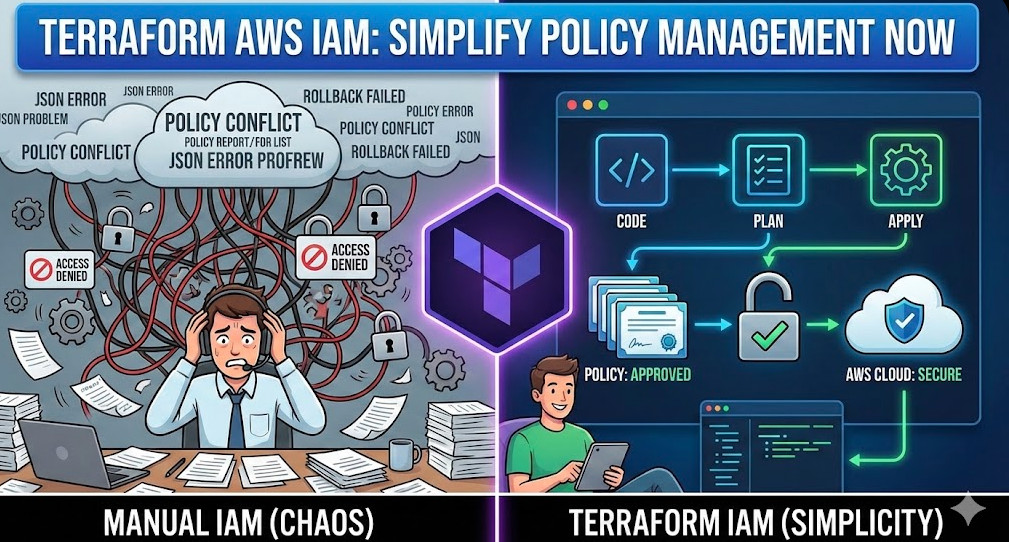
Mastering Terraform AWS IAM is about shifting from “making it work” to “making it governable.” By utilizing aws_iam_policy_document for robust HCL definitions, understanding the nuances of OIDC trust relationships, and leveraging modular architectures, you ensure your cloud security scales as fast as your infrastructure.
Start refactoring your legacy JSON Heredoc strings into data sources today to improve readability and future-proof your IAM strategy. Thank you for reading the DevopsRoles page!


