
Table of Contents
Introduction
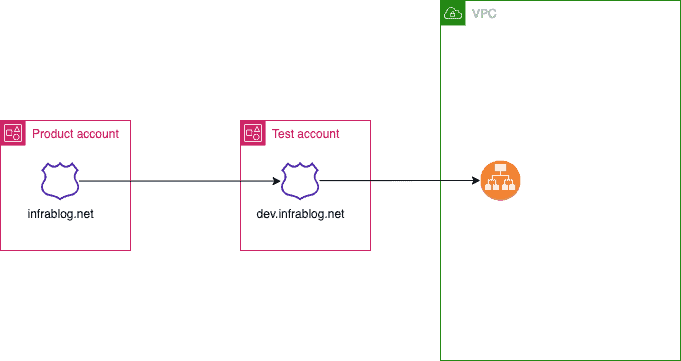
How to share your Route 53 Domains across AWS accounts via Route 53 hosted zone. What I will do here is that I already have a Production account with the domain, so I want to use this domain on the Test account to conduct my other activities.
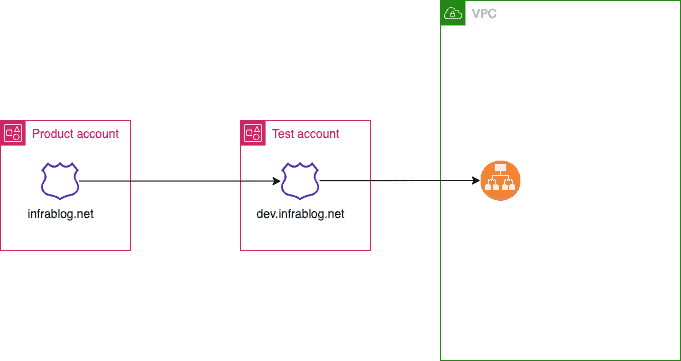
To share your Route 53 Domains across AWS accounts, you can follow these general steps
- Create a Public Hosted Zone in the Test account: In the Test create a public hosted zone in Route 53 for the domain you want to use
- Create a record in the Product account: In the account that owns the domain, create a record in Route 53 Hosted Zone for the domain you want to share.
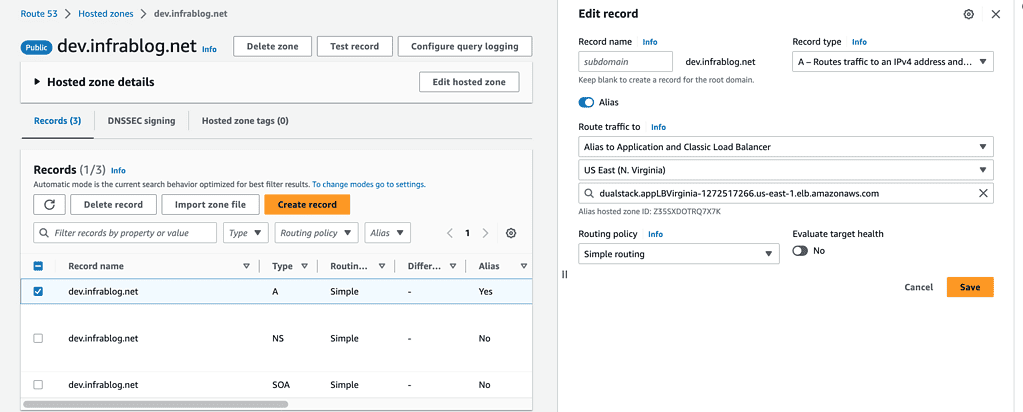
- Create a record in the Test account: in the Test account, create a record to route traffic to ALB
- Create a Public Hosted Zone in the Test account

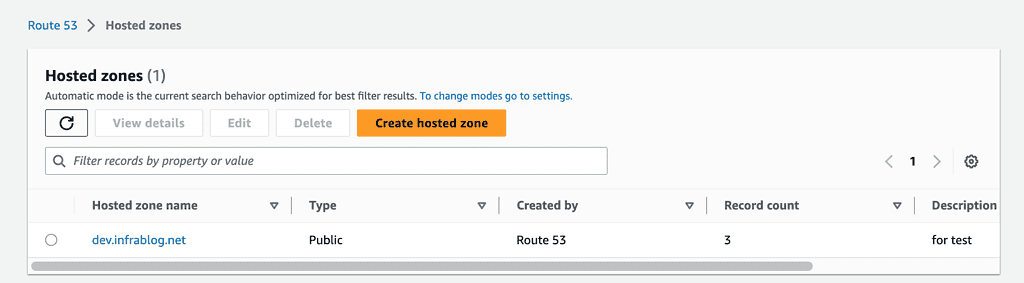
When you have to fill out the information and return to your Route 53 hosted zone, you need to copy the 4 lines inside the value box, which contains the nameserver information you need to use in the next step.

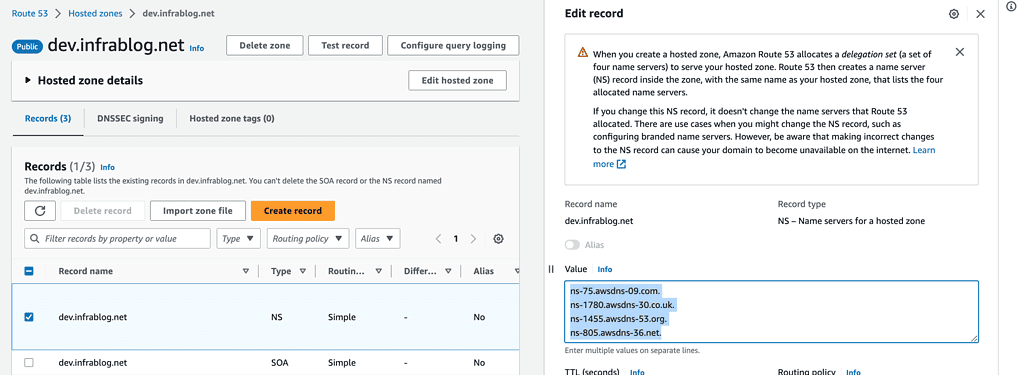
- Create a record in the Product account
Paste the 4 nameservers from your Test account Route 53 Hosted Zone into the value list.

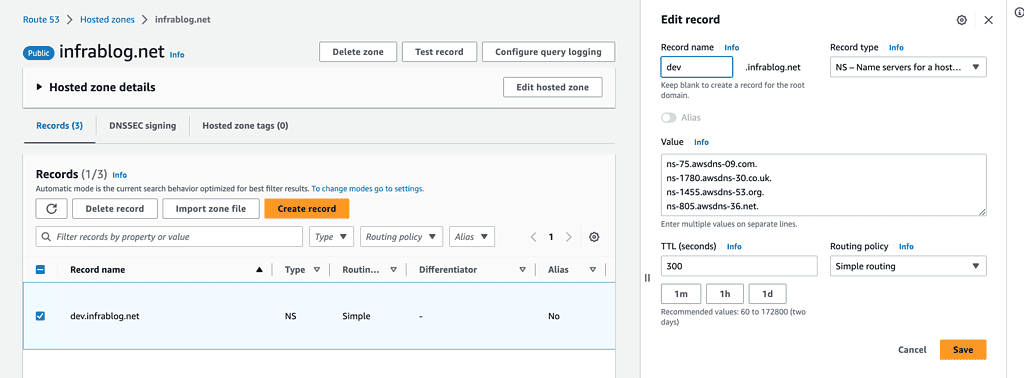
- Create a record in the Test account
In the Test account, create a record to route traffic to ALB

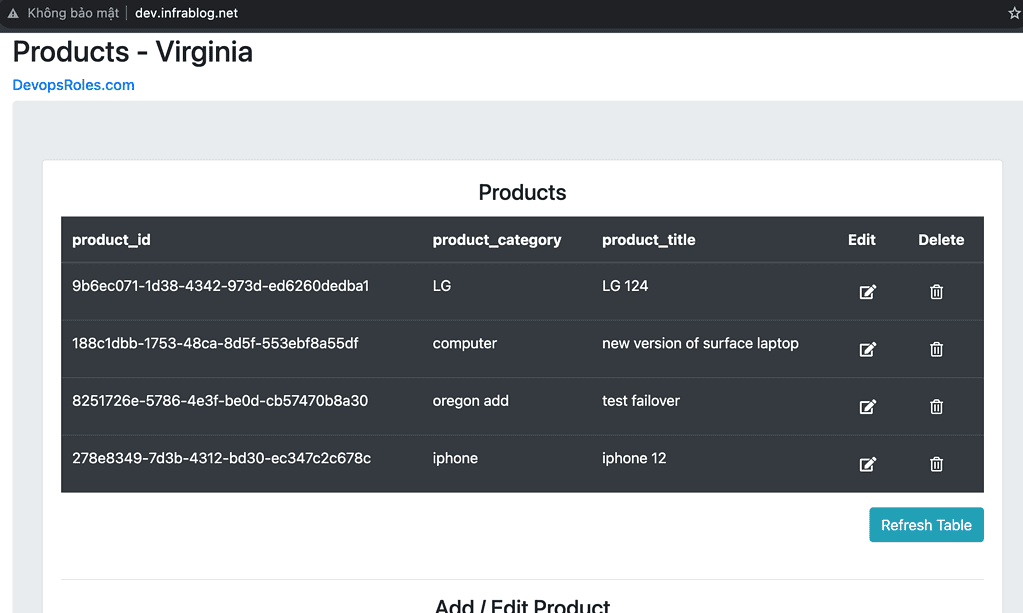
- Test page

Conclusion
These steps provide a general overview of the process. The specific configuration details may vary depending on your environment and setup. It’s recommended to consult the relevant documentation from AWS for detailed instructions on setting up. I hope will this be helpful. Thank you for reading the DevopsRoles page!
Refer to: This lab html uses the template of ChandraLingam