For the uninitiated, Factorio is a game about automation. For the Senior DevOps Engineer, it is a spiritual mirror of our daily lives. You start by manually crafting plates (manual provisioning), move to burner drills (shell scripts), and eventually build a mega-base capable of launching rockets per minute (fully automated Kubernetes clusters).
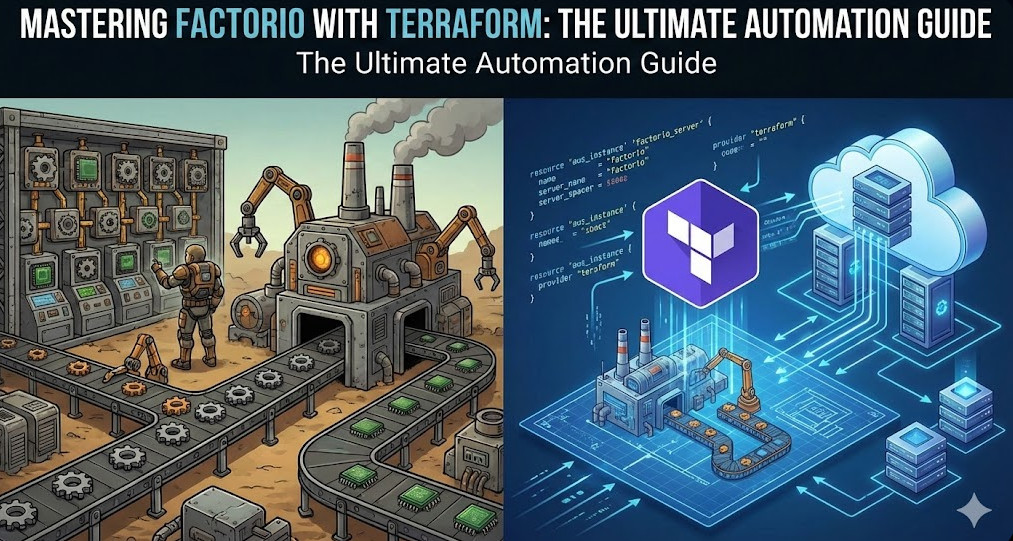
But why stop at automating the gameplay? As infrastructure experts, we know that the factory must grow, and the server hosting it should be as resilient and reproducible as the factory itself. In this guide, we will bridge the gap between gaming and professional Infrastructure as Code (IaC). We are going to deploy a high-performance, cost-optimized, and fully persistent Factorio dedicated server using Factorio with Terraform.
Table of Contents
Why Terraform for a Game Server?
If you are reading this, you likely already know Terraform’s value proposition. However, applying it to stateful workloads like game servers presents unique challenges that test your architectural patterns.
- Immutable Infrastructure: Treat the game server binary and OS as ephemeral. Only the
/savesdirectory matters. - Cost Control: Factorio servers don’t need to run 24/7 if no one is playing. Terraform allows you to spin up the infrastructure for a weekend session and
destroyit Sunday night, while preserving state. - Disaster Recovery: If your server crashes or the instance degrades, a simple
terraform applybrings the factory back online in minutes.
Pro-Tip: Factorio is heavily single-threaded. When choosing your compute instance (e.g., AWS EC2), prioritize high clock speeds (GHz) over core count. An AWS
c5.largeorc6i.largeis often superior to general-purpose instances for maintaining 60 UPS (Updates Per Second) on large mega-bases.
Architecture Overview
We will design a modular architecture on AWS, though the concepts apply to GCP, Azure, or DigitalOcean. Our stack includes:
- Compute: EC2 Instance (optimized for compute).
- Storage: Separate EBS volume for game saves (preventing data loss on instance termination) or an S3-sync strategy.
- Network: VPC, Subnet, and Security Groups allowing UDP/34197.
- Provisioning: Cloud-Init (`user_data`) to bootstrap Docker and the headless Factorio container.
Step 1: The Network & Security Layer
Factorio uses UDP port 34197 by default. Unlike HTTP services, we don’t need a complex Load Balancer; a direct public IP attachment is sufficient and reduces latency.
resource "aws_security_group" "factorio_sg" {
  name        = "factorio-allow-udp"
  description = "Allow Factorio UDP traffic"
  vpc_id      = module.vpc.vpc_id

  ingress {
    description = "Factorio Game Port"
    from_port   = 34197
    to_port     = 34197
    protocol    = "udp"
    cidr_blocks = ["0.0.0.0/0"]
  }

  ingress {
    description = "SSH Access (Strict)"
    from_port   = 22
    to_port     = 22
    protocol    = "tcp"
    cidr_blocks = [var.admin_ip] # Always restrict SSH!
  }

  egress {
    from_port   = 0
    to_port     = 0
    protocol    = "-1"
    cidr_blocks = ["0.0.0.0/0"]
  }
}
Step 2: Persistent Storage Strategy
This is the most critical section. In a “Factorio with Terraform” setup, if you run terraform destroy, you must not lose the factory. We have two primary patterns:
- EBS Volume Attachment: A dedicated EBS volume that exists outside the lifecycle of the EC2 instance.
- S3 Sync (The Cloud-Native Way): The instance pulls the latest save from S3 on boot and pushes it back on shutdown (or via cron).
For experts, I recommend the S3 Sync pattern for true immutability. It avoids the headaches of EBS volume attachment states and availability zone constraints.
resource "aws_iam_role_policy" "factorio_s3_access" {
  name = "factorio_s3_policy"
  role = aws_iam_role.factorio_role.id

  policy = jsonencode({
    Version = "2012-10-17"
    Statement = [
      {
        Action = [
          "s3:GetObject",
          "s3:PutObject",
          "s3:ListBucket"
        ]
        Effect   = "Allow"
        Resource = [
          aws_s3_bucket.factorio_saves.arn,
          "${aws_s3_bucket.factorio_saves.arn}/*"
        ]
      },
    ]
  })
}
Step 3: The Compute Instance & Cloud-Init
We use the user_data field to bootstrap the environment. We will utilize the community-standard factoriotools/factorio Docker image. This image is robust and handles updates automatically.
data "template_file" "user_data" {
  template = file("${path.module}/scripts/setup.sh.tpl")

  vars = {
    bucket_name = aws_s3_bucket.factorio_saves.id
    save_file   = "my-megabase.zip"
  }
}

resource "aws_instance" "server" {
  ami           = data.aws_ami.ubuntu.id
  instance_type = "c5.large" # High single-core performance

  subnet_id                   = module.vpc.public_subnets[0]
  vpc_security_group_ids      = [aws_security_group.factorio_sg.id]
  iam_instance_profile        = aws_iam_instance_profile.factorio_profile.name
  user_data                   = data.template_file.user_data.rendered

  # Spot instances can save you 70% cost, but ensure you handle interruption!
  instance_market_options {
    market_type = "spot"
  }

  tags = {
    Name = "Factorio-Server"
  }
}
The Cloud-Init Script (setup.sh.tpl)
The bash script below handles the “hydrate” phase (downloading save) and the “run” phase.
#!/bin/bash
# Install Docker and AWS CLI
apt-get update && apt-get install -y docker.io awscli

# 1. Hydrate: Download latest save from S3
mkdir -p /opt/factorio/saves
aws s3 cp s3://${bucket_name}/${save_file} /opt/factorio/saves/save.zip || echo "No save found, starting fresh"

# 2. Permissions
chown -R 845:845 /opt/factorio

# 3. Run Factorio Container
docker run -d \
  -p 34197:34197/udp \
  -v /opt/factorio:/factorio \
  --name factorio \
  --restart always \
  factoriotools/factorio

# 4. Setup Auto-Save Sync (Crontab)
echo "*/5 * * * * aws s3 sync /opt/factorio/saves s3://${bucket_name}/ --delete" > /tmp/cronjob
crontab /tmp/cronjob
Advanced Concept: To prevent data loss on Spot Instance termination, listen for the EC2 Instance Termination Warning (via metadata service) and trigger a force-save and S3 upload immediately.
Managing State and Updates
One of the benefits of using Factorio with Terraform is update management. When Wube Software releases a new version of Factorio:
- Update the Docker tag in your Terraform variable or Cloud-Init script.
- Run
terraform apply(or taint the instance). - Terraform replaces the instance.
- Cloud-Init pulls the save from S3 and the new binary version.
- The server is back online in 2 minutes with the latest patch.
Cost Optimization: The Weekend Warrior Pattern
Running a c5.large 24/7 can cost roughly $60-$70/month. If you only play on weekends, this is wasteful.
By wrapping your Terraform configuration in a CI/CD pipeline (like GitHub Actions), you can create a “ChatOps” workflow (e.g., via Discord slash commands). A command like /start-server triggers terraform apply, and /stop-server triggers terraform destroy. Because your state is safely in S3 (both Terraform state and Game save state), you pay $0 for compute during the week.
Frequently Asked Questions (FAQ)
Can I use Terraform to manage in-game mods?
Yes. The factoriotools/factorio image supports a mods/ directory. You can upload your mod-list.json and zip files to S3, and have the Cloud-Init script pull them alongside the save file. Alternatively, you can define the mod list as an environment variable passed into the container.
How do I handle the initial world generation?
If no save file exists in S3 (the first run), the Docker container will generate a new map based on the server-settings.json. Once generated, your cron job will upload this new save to S3, establishing the persistence loop.
Is Terraform overkill for a single server?
For a “click-ops” manual setup, maybe. But as an expert, you know that “manual” means “unmaintainable.” Terraform documents your configuration, allows for version control of your server settings, and enables effortless migration between cloud providers or regions.
Conclusion
Deploying Factorio with Terraform is more than just a fun project; it is an exercise in designing stateful, resilient applications on ephemeral infrastructure. By decoupling storage (S3) from compute (EC2) and automating the configuration via Cloud-Init, you achieve a server setup that is robust, cheap to run, and easy to upgrade.
The factory must grow, and now, your infrastructure can grow with it. Thank you for reading the DevopsRoles page!


