

Table of Contents
Introduction
Ansible is a well-known structure management tool. Ansible displays the message in JSON format, explaining the structure of the system with YAML. Now, let’s go Jenkins install Plug-in Ansible.
Refer to install Ansible and Jenkins as the link below
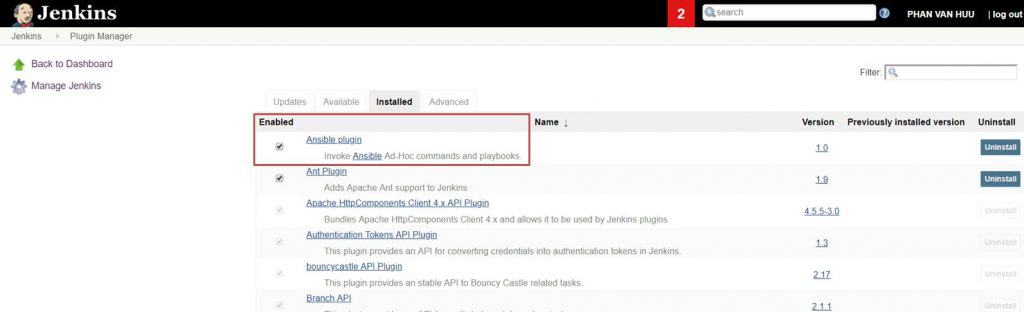
Jenkins install Plug-in Ansible

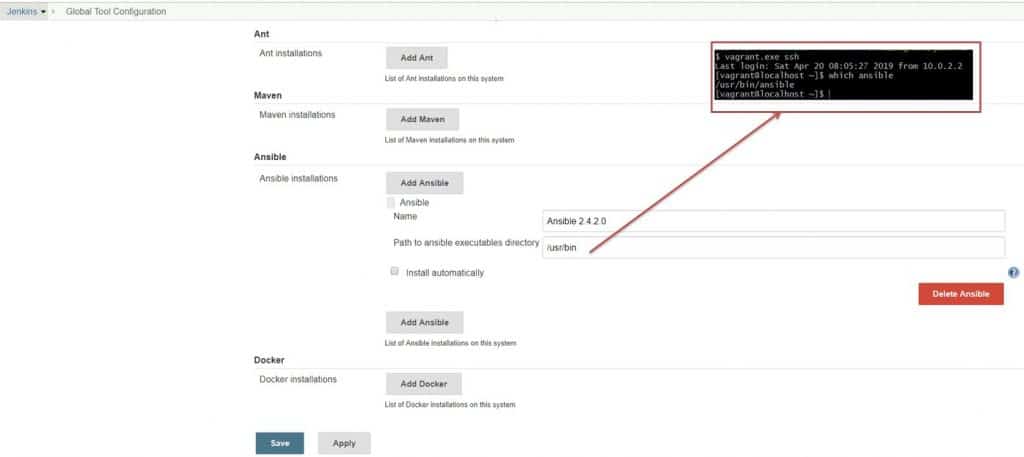
Global setting
Specify the Ansible implementation directory. Manage Jenkins -> Global Tool Configuration as the picture below

Configure job run Ansible Playbook
Create job –> configure job –> Add build step as the picture below

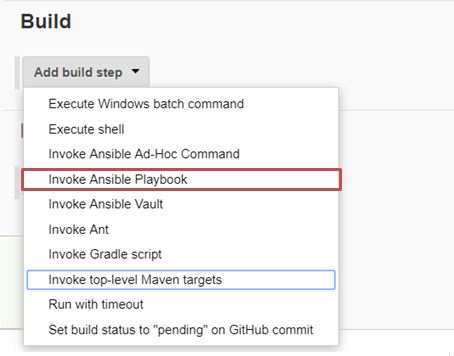
My example
Invoke Ansible Playbook as in the picture below

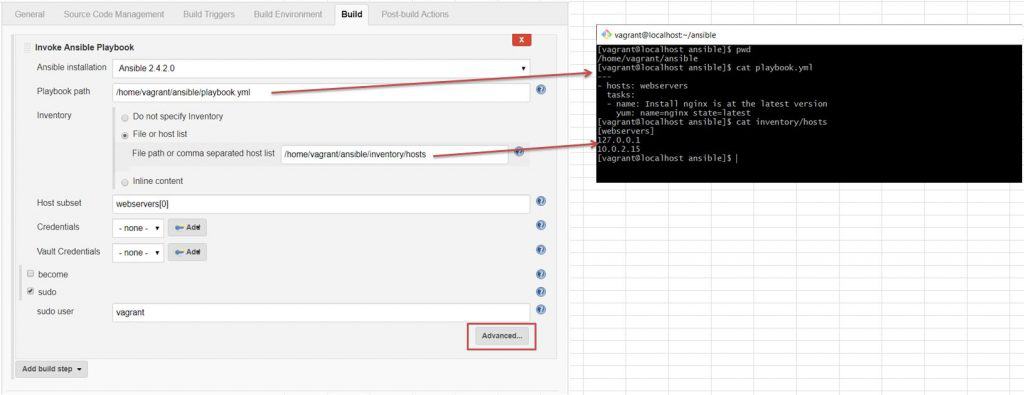
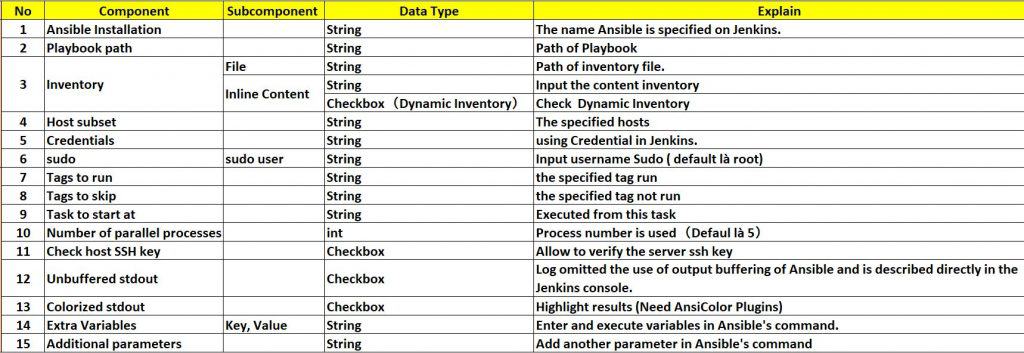
The explained component in Invoke Ansible Playbook as the picture below

Conclusion
Integrating Jenkins and Ansible not only automates the deployment process but also enhances the performance and reliability of your system. Through this detailed guide on installing the Ansible plugin on Jenkins, you can clearly see the benefits this integration brings. By automating configuration management and deployment tasks, you can focus more on developing and improving your products, minimizing risks and errors during deployment. Start integrating Jenkins and Ansible today to experience a significant difference in your DevOps processes.