

In this tutorial, How to use Jenkins checkout Pipeline Multibranch. For example with Git, the reference a GitSCM Object. It is the same git pull command.
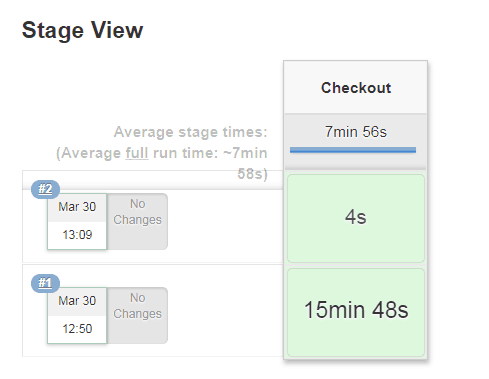
For example below, When you running job Jenkins then checkout source code from git takes 15 minutes. You running job Jenkins again then checkout the source code from git takes 4s. It is faster, as the picture below

Jenkins checkout Pipeline Multibranch code as below
stage('Checkout') {
      checkout([$class: 'GitSCM', branches: [[name: "${BRANCH}"]],
           doGenerateSubmoduleConfigurations: false,
            extensions: [[$class: 'CloneOption', depth: 0, noTags: false, reference: '', shallow: true, timeout: 30],
[$class: 'LocalBranch', localBranch: '$BRANCH'],
[$class: 'RelativeTargetDirectory', relativeTargetDir: 'devopsroles'], [$class: 'CleanBeforeCheckout'],
[$class: 'CloneOption', depth: 0, honorRefspec: true, noTags: true, reference: '', shallow: false, timeout: 90]],
            submoduleCfg: [],
            userRemoteConfigs: [[credentialsId: '755f8df9-0g83-4b80-96d8-917eeb6b2fgg', url: 'https://gitlab.com/devopsroles.git']]
     ])
   }
Conclusion
You have use Jenkins checkout Pipeline Multibranch. I hope will this your helpful. Thank you for reading the DevopsRoles page!