As experienced DevOps engineers, we often treat Docker image cleanup as a routine garbage collection task. However, the Docker daemon occasionally halts this process with a specific conflict error that prevents the removal of an image ID. If you have attempted to remove a base image and encountered the error conflict: unable to delete [IMAGE_ID] (cannot be forced) - image has dependent child images, you are dealing with Docker’s layered filesystem architecture in action.
This guide dives into the mechanics of UnionFS layers to explain why this happens and provides production-ready strategies to delete docker image with dependent child images safely and effectively.
Table of Contents
Understanding the “Dependent Child Images” Error
To fix the problem, we must first respect the underlying architecture. Docker images are not monolithic files; they are a stack of read-only layers. When you build Image B using FROM Image A, Image B becomes a “child” of Image A. Docker uses storage drivers (like overlay2) to reference the layers of the parent image rather than duplicating them.
The error occurs because deleting the parent image (Image A) would render the child image (Image B) corrupt, as its base layers would vanish from the filesystem.
Technical Context: Unlike a running container conflict—which blocks deletion because a read-write layer is active—a dependent child conflict is purely about filesystem integrity. The Docker daemon protects the Directed Acyclic Graph (DAG) of your image layers.
Today, I can’t delete docker images with dependent child images. How to delete docker image with dependent child images.
I want to delete image e16184e8dd39
[vagrant@localhost docker-flask-app]$ docker images
REPOSITORY             TAG       IMAGE ID       CREATED        SIZE
python                 3.6       e16184e8dd39   9 days ago     902MB
mysql                  5.7       938b57d64674   2 weeks ago    448MB
docker-flask-app_app   latest    44ae2f35ec29   3 weeks ago    915MB
<none>                 <none>    0e0359a5ec25   3 weeks ago    908MB
<none>                 <none>    3a59efe32b9c   3 weeks ago    908MB
postgres               latest    6ce504119cc8   5 weeks ago    374MB
odoo                   14        4f53998176ca   5 weeks ago    1.41GB
postgres               <none>    346c7820a8fb   2 months ago   315MB
I am trying with command as below
sudo docker rmi e16184e8dd39Error delete docker image with dependent child images
[vagrant@localhost docker-flask-app]$ sudo docker rmi e16184e8dd39
Error response from daemon: conflict: unable to delete e16184e8dd39 (cannot be forced) - image has dependent child images
[vagrant@localhost docker-flask-app]$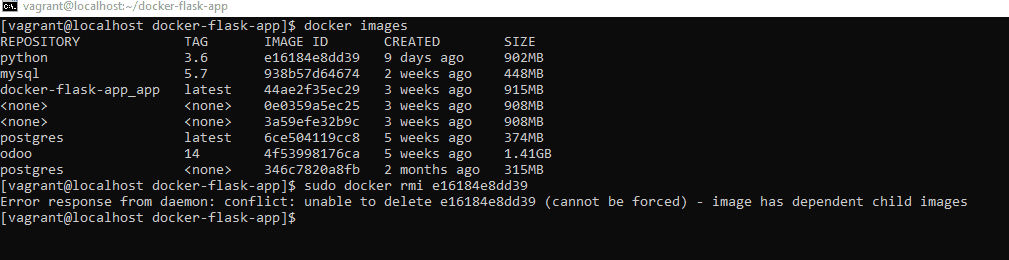
I can not delete an image with the -f flag.
How to Fixed it
You should try to remove unnecessary images before removing the image:
[vagrant@localhost docker-flask-app]$ docker rmi $(docker images -q) -fThe output terminal as below
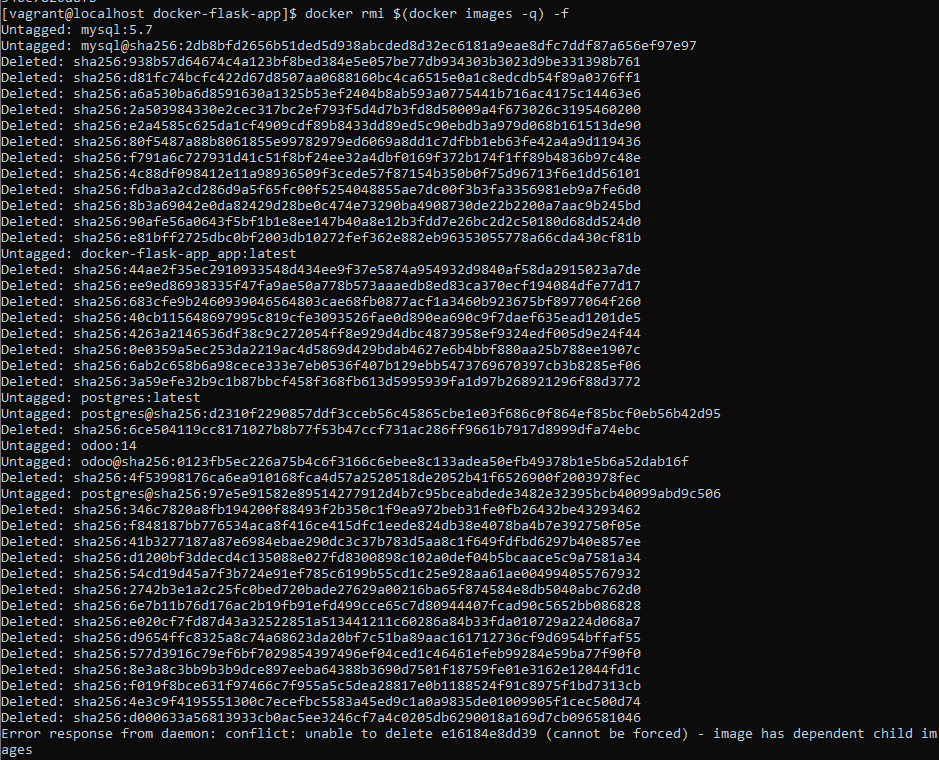
Note: This command above will remove images all.
After you remove the image.
docker rmi -f e16184e8dd39Expert Troubleshooting: Why `docker rmi` Still Fails
Sometimes, even after following the steps above to delete docker image with dependent child images, the daemon persists with errors. Here are the edge cases:
- Stopped Containers: A stopped container still holds a reference to the image. Ensure you run
docker ps -ato catch exited containers. - Build Cache: Modern Docker BuildKit uses a separate cache. If you are seeing space usage issues not resolved by
rmi, you may need to prune the build cache specifically.
docker builder pruneFor a deeper understanding of how Docker manages storage and references, consult the official Docker Storage Driver documentation.
Frequently Asked Questions (FAQ)
What is the difference between a dependent child image and a container?
A container is a runtime instance of an image (a read-write layer on top). A dependent child image is a separate static image that was built FROM the parent image. docker rm handles containers, while docker rmi handles images.
Why do I see so many <none> images?
These are usually dangling images (layers that have no relationship to any tagged images) or intermediate layers. They frequently cause dependency errors when you try to delete their parents. Using docker image prune is the standard maintenance procedure for this.
Is it safe to delete the /var/lib/docker folder directly?
This is the “nuclear option” and should be avoided unless the daemon is completely corrupted. Manually deleting files in /var/lib/docker bypasses the Docker daemon’s database, which can lead to inconsistent states and require a full reinstall of the Docker engine.
Conclusion
Managing the lifecycle of container artifacts is a core competency for any DevOps engineer. The error regarding dependent child images is a safety mechanism, ensuring that the shared layers required by your ecosystem remain intact.
To successfully delete docker image with dependent child images, prioritize identifying the child image using docker inspect. Use force flags judiciously, and lean on docker system prune for maintaining hygiene in your build environments. By understanding the parent-child relationship in UnionFS, you can keep your registry clean without breaking production dependencies . Thank you for reading the DevopsRoles page!

The title was “how to delete docker image with dependent child images”, but actually you delete all images. That’s not a solution to the problem in the title
Dear Yordan,
You have stopped the Docker containers, after removing it