

Table of Contents
Introduction
Pandas, a popular Python library for data manipulation and analysis, provides powerful tools for filtering data within a Pandas DataFrame. Filtering is a fundamental operation when working with large datasets, as it allows you to focus on specific subsets of your data that meet certain criteria. In this guide, we’ll explore various techniques for filtering data in Pandas DataFrame.
Prerequisites
Before starting, you should have the following prerequisites configured
- Visual Studio Code with Jupyter extension to run the notebook
- Python 3.9, pandas library
- CSV data file sample
Using tool to create a sample CSV file at page https://extendsclass.com/csv-generator.html
Basic Filtering
- Read CSV file into a Pandas DataFrame object
- Using the
queryMethod - Filtering with
isin - Filtering Null (NaN) Values
Read CSV file into a Pandas DataFrame object
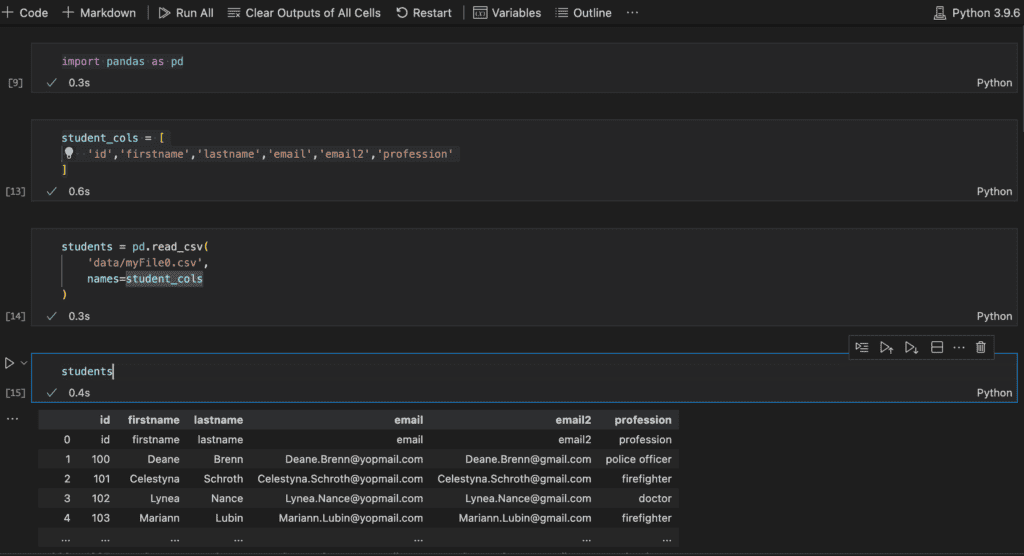
use read_csv() function to read data from CSV file and setting header for the dataframe
import pandas as pd
student_cols = [
    'id','firstname','lastname','email','email2','profession'
]
students = pd.read_csv(
    'data/myFile0.csv',
    names=student_cols
)
Using the query Method
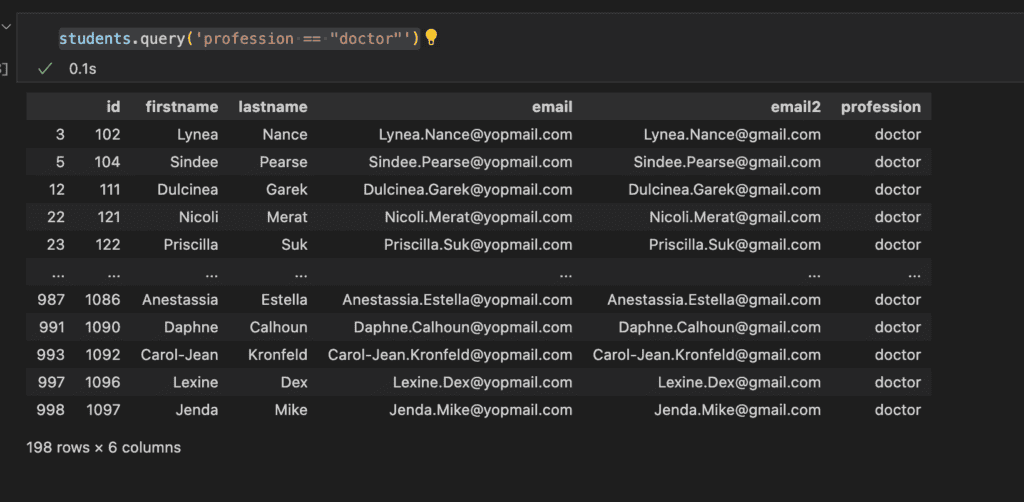
The query method allows you to express conditions as strings, providing a more concise and readable syntax:
students.query('profession == "doctor"')
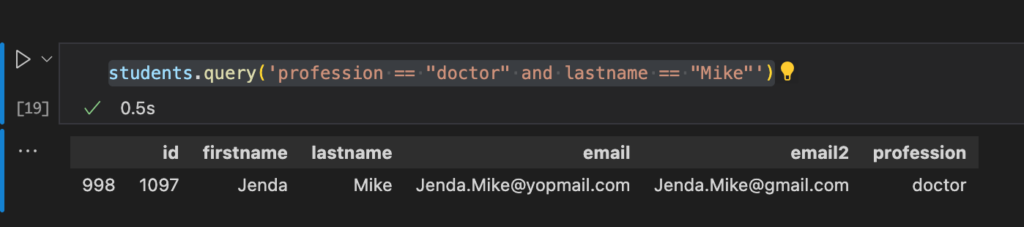
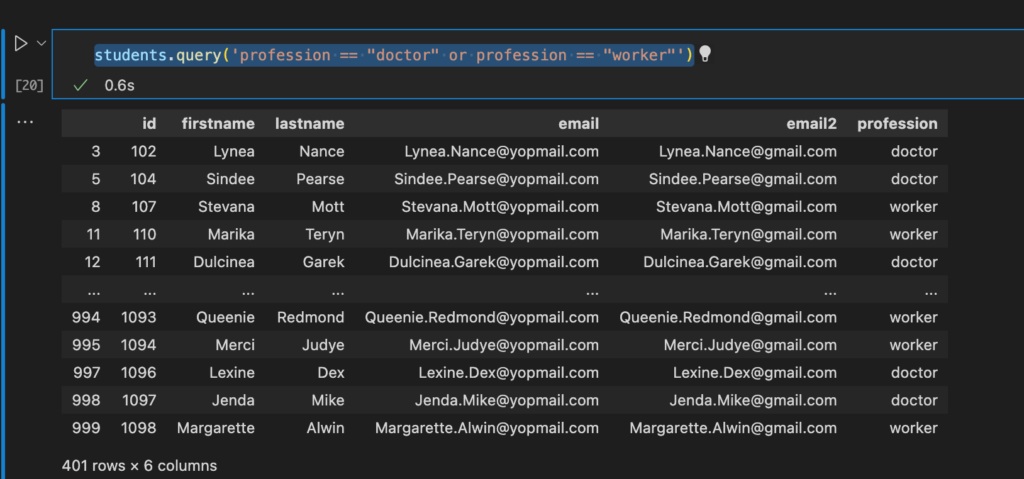
You can use logical operators (& for AND, | for OR) to combine multiple conditions:
students.query('profession == "doctor" and lastname == "Mike"')
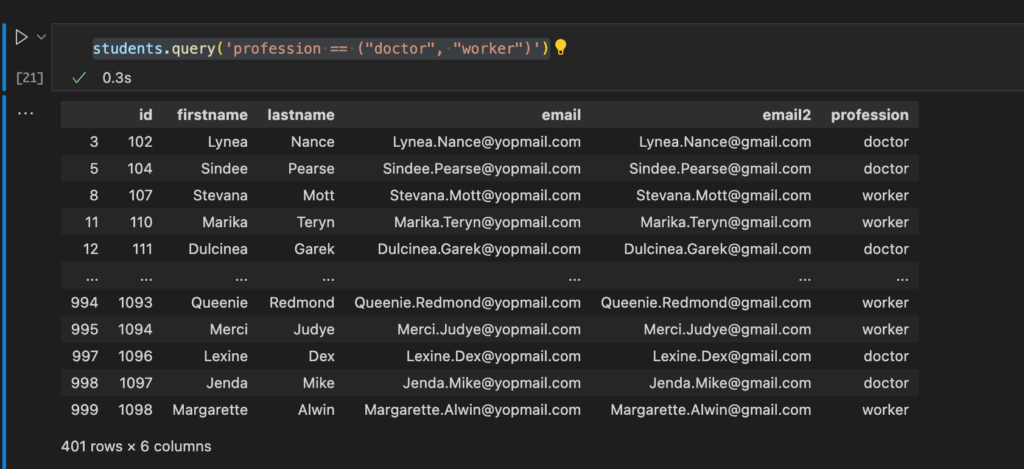
students.query('profession == "doctor" or profession == "worker"')
students.query('profession == ("doctor", "worker")')
Filtering with isin
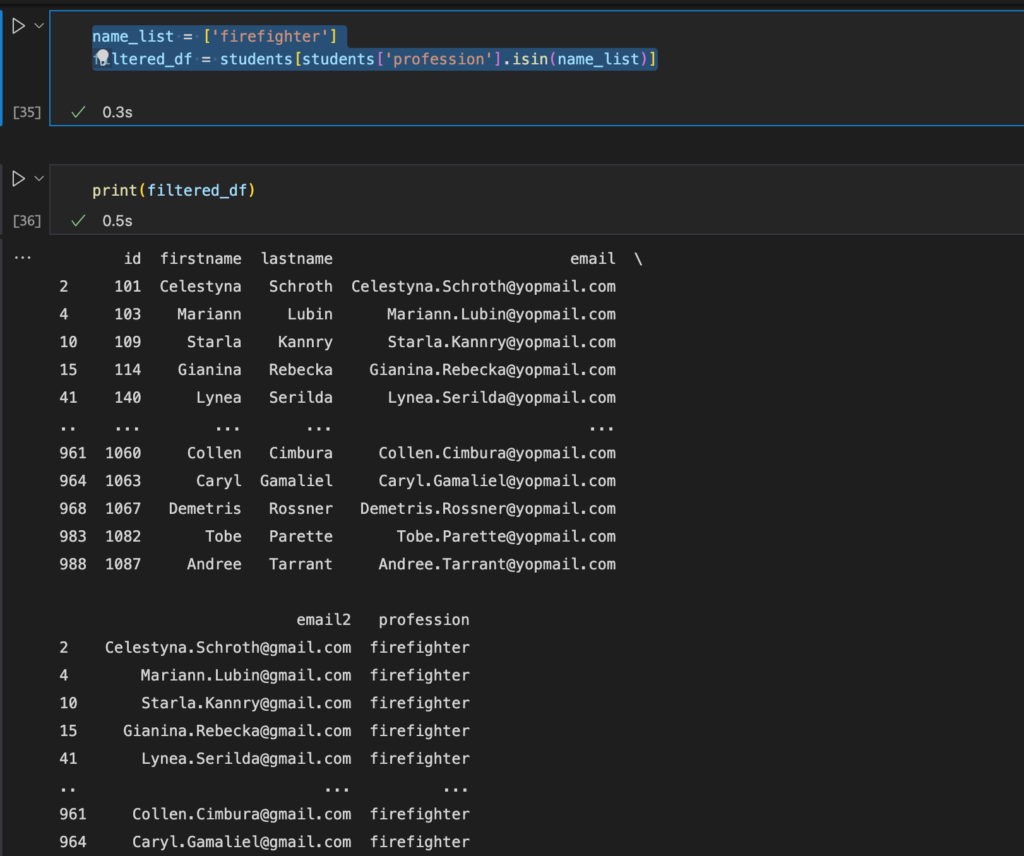
The isin method is useful when you want to filter rows based on a list of values:
name_list = ['firefighter']
filtered_df = students[students['profession'].isin(name_list)]
print(filtered_df)
Filtering Null (NaN) Values
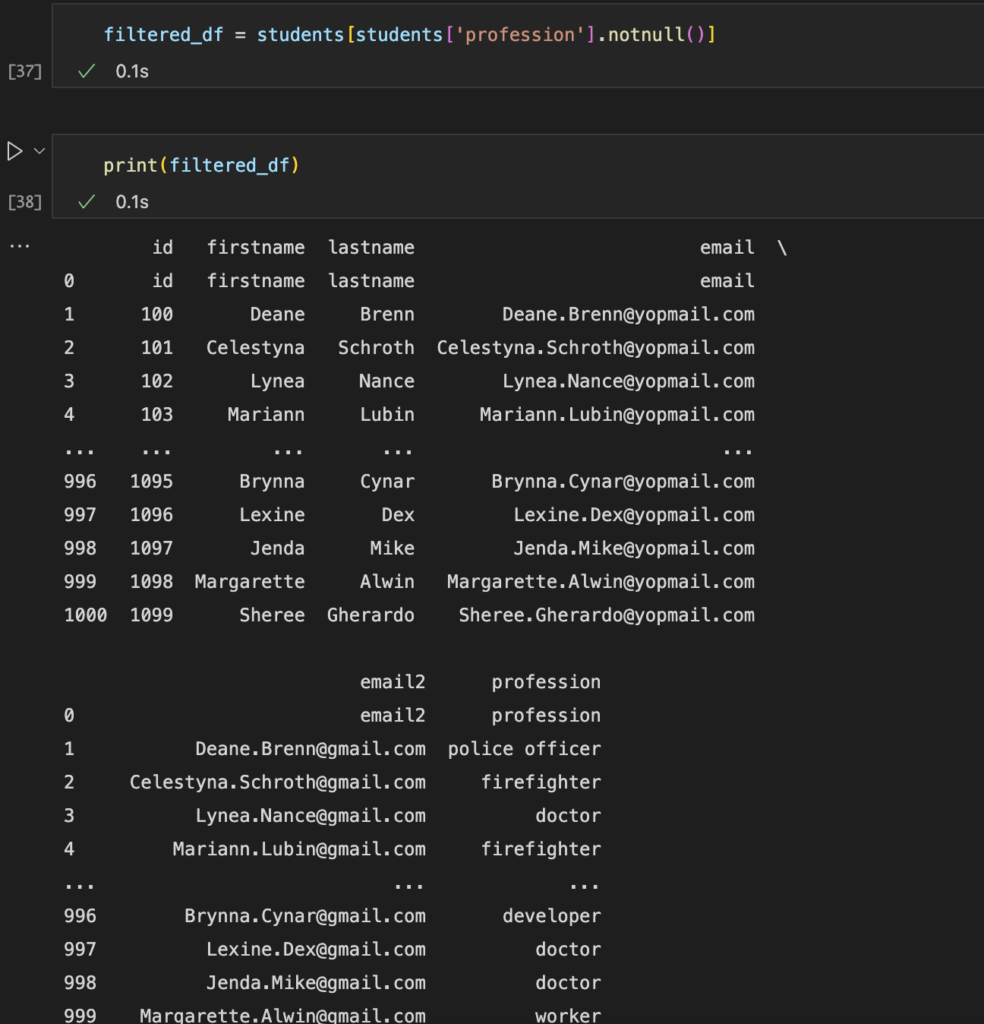
You can use the isnull() or notnull() methods to filter rows with missing data:
filtered_df = students[students[‘profession’].notnull()]
print(filtered_df)

Conclusion
Filtering data is a crucial skill when working with Pandas DataFrames. Whether you need to select rows based on simple conditions or complex queries, Pandas provides a versatile set of tools to handle your data effectively.
Experiment with these techniques on your own datasets to gain a deeper understanding of how to filter data in Pandas DataFrames. As you become more comfortable with these methods, you’ll be better equipped to extract valuable insights from your data. Thank you for reading the DevopsRoles page!