

Table of Contents
Introduction
In this tutorial, How to Encrypt Files in Linux with Tomb. It’s a simple shell script to allow you to encrypt folders and files in Linux.
- The Tomb is a powerful encryption tool for Linux that allows users to create encrypted directories and files, providing an extra layer of security for sensitive data.
- Tomb uses both GNU Privacy Guard to handle its encryption and dd to wipe and format its virtual partitions.
Installing Tomb in Ubuntu
sudo apt install -y tombHow to encrypt Files in Linux with Tomb
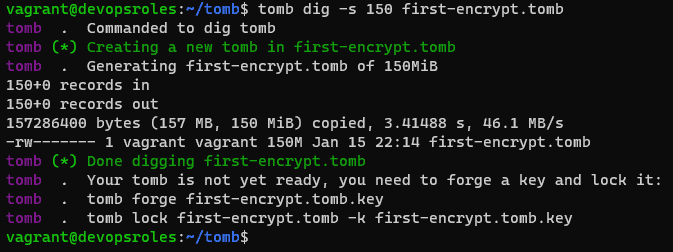
First, you must use the dig subcommand to create a 150M Tomb file with “first-encrypt.tomb“
tomb dig -s 150 first-encrypt.tomb
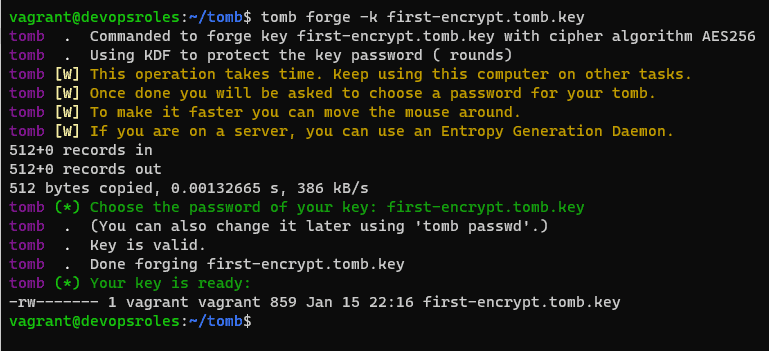
Next, You create a new key for the tomb file:
tomb forge -k first-encrypt.tomb.key
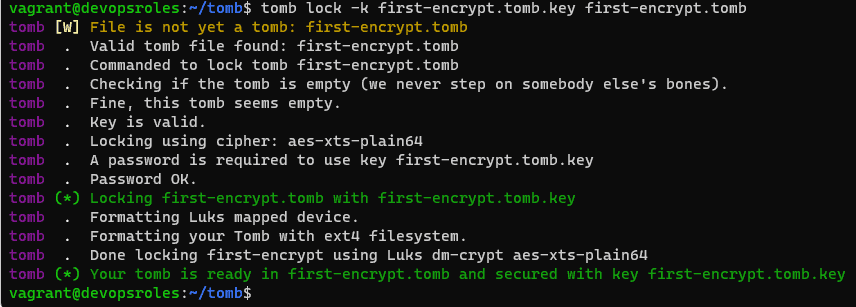
Second, You need to link the new key to your new tomb file as command below:
tomb lock -k first-encrypt.tomb.key first-encrypt.tomb
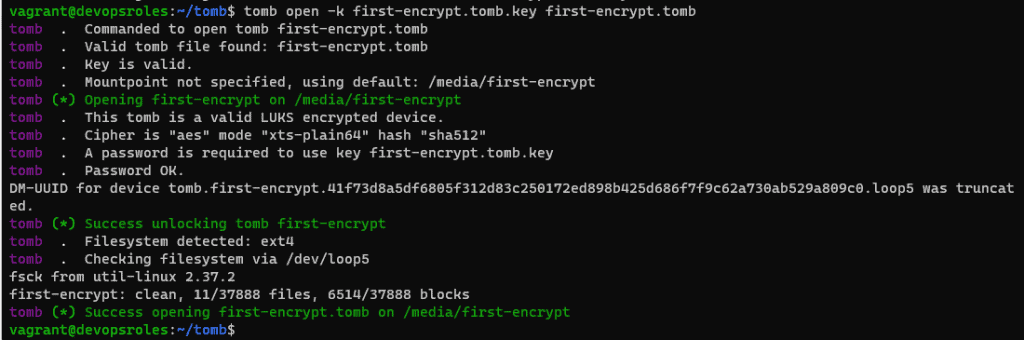
The final, You can open a new locked tomb with the open subcommand below:
tomb open -k first-encrypt.tomb.key first-encrypt.tomb
Create an image key to Encrypt files
Use the bury subcommand the combine my “first-encrypt.tomb.key” with the image.jpg

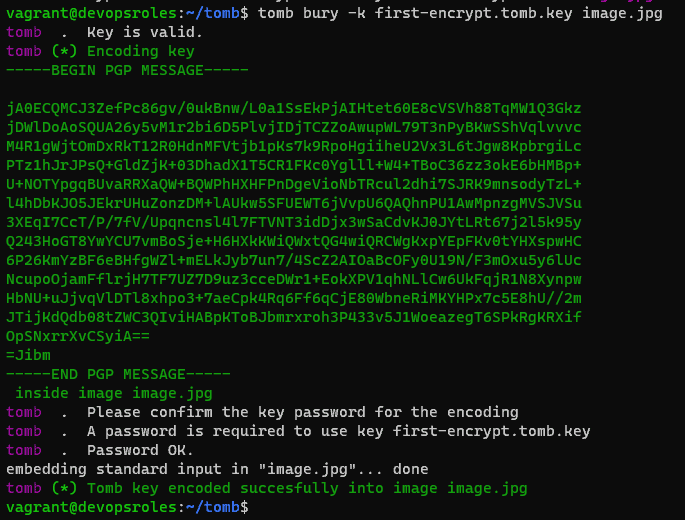
Now, You can open the tomb file using my new image key.
tomb open -k image.jpg first-encrypt.tombClose a tomb (fails if the tomb is being used by a process)
tomb closeForcefully close all open tombs, killing any applications using them
tomb slam allList all open tombs
tomb list

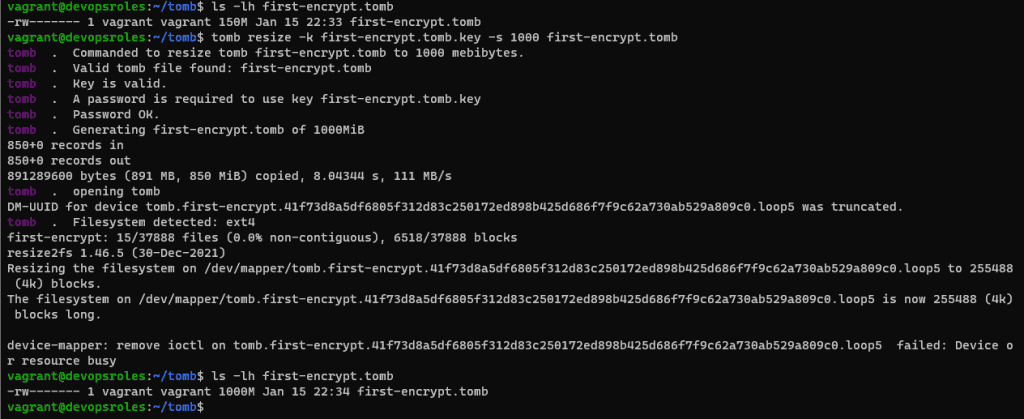
How do expand the size of my first-encrypt.tomb file from 150MB to 1GB:
tomb resize -k first-encrypt.tomb.key -s 1000 first-encrypt.tomb
Search your tomb
tomb index # The first, In order to search through your tomb files.
tomb search test # after search your want to
Conclusion
With Tomb, you can easily encrypt sensitive files and keep them secure on your Linux system. You know How to Encrypt Files in Linux with Tomb. I hope this will be helpful. Thank you for reading the DevopsRoles page!