Category Archives: AIOps

AIOps, or Artificial Intelligence for IT Operations, is a transformative approach that leverages machine learning, big data, and advanced analytics to enhance and automate IT operations. By analyzing vast amounts of data in real time, AIOps enables proactive problem-solving, anomaly detection, and performance optimization, helping organizations maintain high availability and reliability of their IT infrastructure. AIOps is essential for modern DevOps practices, ensuring systems run smoothly and efficiently in increasingly complex and dynamic environments.

AI and Education: Transforming Learning in the Digital Age

Introduction

Artificial Intelligence (AI) is reshaping the educational landscape by providing personalized learning experiences, automating administrative tasks, and fostering innovation in teaching methods. From AI-powered tutors to smart content recommendations, the integration of AI in education is enhancing the efficiency and accessibility of learning. This article delves into the applications, benefits, challenges, and future prospects of AI and Education.

How AI is Transforming Education

1. Personalized Learning

AI enables adaptive learning experiences by analyzing students’ performance and customizing content accordingly.

  • Smart tutoring systems: AI-driven tutors provide real-time feedback and guidance.
  • Adaptive assessments: Tailored quizzes and exams adjust to a student’s knowledge level.
  • Learning analytics: AI tracks progress and suggests areas for improvement.

2. AI-Powered Administrative Efficiency

AI automates time-consuming tasks, allowing educators to focus on teaching.

  • Automated grading: AI-powered tools assess assignments and quizzes efficiently.
  • Smart scheduling: AI optimizes class schedules based on resource availability.
  • Chatbots for student queries: AI assistants provide instant answers to common questions.

3. Enhancing Student Engagement

AI fosters interactive and immersive learning experiences through:

  • Gamification: AI-powered educational games increase motivation.
  • Augmented and Virtual Reality (AR/VR): AI enhances immersive learning simulations.
  • Intelligent content creation: AI generates interactive lessons and multimedia content.

4. Bridging Educational Gaps

AI provides solutions to global educational challenges:

  • Language translation: AI-powered tools break language barriers in learning.
  • Accessibility features: AI assists students with disabilities through speech-to-text and text-to-speech tools.
  • Remote learning support: AI-driven platforms ensure quality education access worldwide.

Real-World Applications of AI in Education

Case Study 1: AI Tutoring in K-12 Education

Platforms like Khan Academy and Squirrel AI use AI-driven tutors to provide customized learning experiences, improving student outcomes.

Case Study 2: AI in Higher Education

Universities use AI for plagiarism detection, intelligent grading, and personalized course recommendations.

Case Study 3: AI in Corporate Training

Companies leverage AI-powered platforms for employee training, ensuring personalized and effective learning.

Challenges and Ethical Considerations

1. Data Privacy and Security

Educational institutions must safeguard student data and ensure compliance with privacy regulations.

2. AI Bias and Fairness

AI algorithms must be designed to provide fair and unbiased learning experiences.

3. Teacher-Student Relationship

While AI enhances education, it cannot replace the human touch crucial in teaching and mentorship.

Future of AI in Education

1. AI-Driven Virtual Classrooms

Future classrooms will integrate AI-powered holograms and virtual reality simulations for immersive learning.

2. AI-Powered Career Guidance

AI tools will assist students in career planning by analyzing their strengths and recommending suitable paths.

3. Blockchain for Educational Records

AI and blockchain will enhance transparency and security in credential verification and academic records.

FAQ: Common Questions About AI and Education

Q1: How does AI personalize learning?

AI analyzes student performance, identifies strengths and weaknesses, and adjusts content accordingly.

Q2: Can AI replace teachers?

No, AI complements teachers by automating administrative tasks and providing personalized support.

Q3: Is AI in education expensive?

While initial implementation may be costly, AI-driven education solutions can be cost-effective in the long run.

Q4: How does AI help students with disabilities?

AI-powered tools, such as speech recognition and text-to-speech, assist students with special needs.

Q5: What are the risks of using AI in education?

Data privacy, algorithmic bias, and ethical concerns need to be addressed when implementing AI in education.

External Resources

Conclusion

AI is revolutionizing education by enhancing personalization, improving efficiency, and making learning more accessible. While challenges exist, ethical implementation and innovation can ensure that AI positively transforms education for students and educators alike. As AI technology evolves, its role in education will continue to expand, paving the way for a more intelligent and inclusive learning environment.Thank you for reading the DevopsRoles page!

AI for Automation: Revolutionizing Efficiency in the Digital Age

Introduction

Artificial Intelligence (AI) is reshaping industries through automation, reducing manual efforts, and enhancing efficiency. AI-driven automation leverages machine learning, natural language processing (NLP), and robotics to handle repetitive tasks, allowing businesses to focus on innovation. This article explores AI for automation, its applications, benefits, and how businesses can harness its potential effectively.

What is AI for Automation?

AI for automation refers to the use of artificial intelligence technologies to perform tasks with minimal human intervention. It involves:

  • Machine Learning (ML): Enables systems to learn from data and improve decision-making.
  • Natural Language Processing (NLP): Allows machines to understand and generate human language.
  • Robotic Process Automation (RPA): Automates rule-based tasks through software robots.
  • Computer Vision: Enables AI to interpret and analyze visual information.

Benefits of AI for Automation

Implementing AI for automation provides numerous advantages:

1. Increased Productivity

AI accelerates workflows by automating repetitive tasks, allowing employees to focus on higher-value activities.

2. Cost Reduction

Businesses save costs by minimizing human errors and reducing labor expenses.

3. Improved Accuracy

AI-driven automation ensures precision in data processing, reducing human errors.

4. Enhanced Customer Experience

Chatbots and AI-powered support systems offer instant responses, improving customer satisfaction.

5. Scalability

Automation allows businesses to scale operations efficiently without significantly increasing costs.

Applications of AI for Automation

1. Business Process Automation (BPA)

AI automates routine business tasks such as:

  • Invoice processing
  • Data entry and validation
  • Email sorting and responses

2. AI in Customer Service

  • AI chatbots provide 24/7 support.
  • Sentiment analysis enhances customer interactions.
  • Virtual assistants streamline inquiries.

3. AI in Marketing Automation

  • Personalized recommendations based on user behavior.
  • Automated email campaigns.
  • Social media scheduling and monitoring.

4. AI in Healthcare

  • AI-powered diagnostics enhance medical imaging analysis.
  • Predictive analytics for patient care.
  • Virtual health assistants for patient inquiries.

5. AI in Manufacturing

  • Predictive maintenance reduces equipment downtime.
  • Quality control through computer vision.
  • Autonomous robots streamline production lines.

6. AI in Finance

  • Fraud detection using machine learning algorithms.
  • Automated financial reporting and forecasting.
  • AI-driven risk assessments for investments.

Real-World Examples of AI for Automation

Example 1: AI-Powered Chatbots

Companies like Amazon, Google, and IBM use AI chatbots to handle customer inquiries, reducing response times and improving efficiency.

Example 2: Tesla’s Autonomous Vehicles

Tesla leverages AI for self-driving capabilities, demonstrating advanced automation in transportation.

Example 3: AI in E-commerce

Amazon and Shopify use AI-powered recommendation engines to personalize shopping experiences, boosting sales.

Example 4: AI in Cybersecurity

AI-driven threat detection systems automatically identify and mitigate cyber threats in real-time.

Frequently Asked Questions (FAQs)

1. How does AI differ from automation?

AI involves learning and decision-making capabilities, while automation follows predefined rules without adaptation.

2. Is AI automation replacing jobs?

AI automates repetitive tasks but also creates new job opportunities in AI management and oversight.

3. What industries benefit most from AI for automation?

Industries like healthcare, finance, retail, manufacturing, and customer service benefit significantly.

4. How can small businesses use AI automation?

Small businesses can leverage AI for marketing, customer support, and financial management without large investments.

5. What are the risks of AI automation?

Potential risks include bias in AI models, data privacy concerns, and job displacement.

External Resources

Conclusion

AI for automation is transforming businesses by enhancing efficiency, reducing costs, and improving decision-making. By leveraging AI technologies, companies can streamline operations, boost productivity, and stay competitive in the digital era. Investing in AI-driven automation is no longer a luxury but a necessity for sustainable growth.

Embrace AI automation today to future-proof your business! Thank you for reading the DevopsRoles page!
AI in 2025: The Future of Artificial Intelligence and Its Impact

Introduction

Artificial Intelligence (AI) has evolved at an unprecedented pace, and as we step into 2025, its impact on society, businesses, and technology is more profound than ever. From machine learning breakthroughs to ethical AI deployment, this article delves into the state of AI in 2025, highlighting its applications, challenges, and future trends.

The Evolution of AI in 2025

1. AI-Powered Automation

AI has revolutionized automation, making processes faster, smarter, and more efficient across industries.

1.1 Business & Workforce Transformation

  • AI-driven chatbots providing 24/7 customer service.
  • AI in recruitment for unbiased candidate screening.
  • Intelligent automation reducing repetitive tasks.

1.2 Healthcare Innovations

  • AI-powered diagnostics improving accuracy.
  • Personalized treatment plans using machine learning.
  • Robotic surgeries enhancing precision and safety.

2. AI in Everyday Life

AI is no longer just for tech giants; it has seamlessly integrated into daily routines.

2.1 Smart Homes & Assistants

  • AI-driven virtual assistants optimizing daily tasks.
  • Smart home automation for energy efficiency.
  • AI-powered security systems with facial recognition.

2.2 AI in Education

  • Personalized learning through AI-driven tutors.
  • Automated grading and feedback for students.
  • AI-generated educational content tailored to individual needs.

3. Ethical and Regulatory Considerations

As AI becomes more powerful, ethical challenges and regulations are critical in shaping its responsible use.

3.1 AI Ethics and Bias

  • Addressing biases in AI decision-making.
  • Ensuring fairness in AI-driven recruitment and lending.
  • Transparent AI models for accountability.

3.2 AI Regulations & Policies

  • Government initiatives for AI governance.
  • Stricter data privacy laws protecting user information.
  • Ethical AI frameworks for businesses and developers.

4. The Future of AI: Predictions for 2030 and Beyond

Looking ahead, AI will continue to evolve with emerging technologies.

4.1 AI and Quantum Computing

  • Quantum AI accelerating problem-solving capabilities.
  • New breakthroughs in deep learning and neural networks.

4.2 AI in Space Exploration

  • AI-powered robotics assisting in deep space missions.
  • Autonomous systems for planetary exploration.

4.3 AI in Climate Change Solutions

  • AI-driven climate modeling for better predictions.
  • AI optimizing renewable energy usage.

AI in 2025: Real-World Examples

  1. Tesla’s AI-Powered Autopilot – Improved real-time decision-making for autonomous vehicles.
  2. Google’s AI Search Algorithm – Enhanced search results with AI-driven intent recognition.
  3. IBM Watson in Healthcare – AI diagnosing diseases with high precision.
  4. OpenAI’s ChatGPT-5 – More human-like conversations and real-time adaptability.
  5. Amazon’s AI-Powered Warehouses – AI-driven logistics optimizing supply chain management.

Frequently Asked Questions (FAQ)

1. How will AI impact jobs in 2025?

AI will automate repetitive tasks but also create new job opportunities in AI ethics, development, and maintenance.

2. What are the biggest AI trends in 2025?

Key trends include AI in automation, healthcare advancements, ethical AI development, and AI-human collaboration.

3. Will AI surpass human intelligence?

While AI continues to improve, human intelligence remains unique in creativity, emotions, and decision-making.

4. How can businesses leverage AI in 2025?

Businesses can use AI for data analytics, customer service, predictive modeling, and operational efficiency.

5. Is AI safe and ethical in 2025?

With proper regulations and ethical frameworks, AI can be designed to minimize risks and biases.

External References

Conclusion

AI in 2025 is reshaping the world through automation, intelligence, and efficiency. From business transformations to daily life enhancements, AI continues to push the boundaries of innovation. While challenges like ethics and regulation remain crucial, responsible AI development will ensure its benefits outweigh the risks. The future of AI is promising, and its role in shaping humanity’s progress cannot be overstated. Thank you for reading the DevopsRoles page!

AI Image: The Ultimate Guide to AI-Generated Images

Introduction

Artificial Intelligence (AI) has revolutionized the way we generate images, making it easier than ever to create stunning visuals without the need for advanced design skills. The term “AI image” refers to images generated using artificial intelligence algorithms, such as deep learning and generative adversarial networks (GANs). These images can be used in various fields, including digital marketing, content creation, and e-commerce.

In this comprehensive guide, we will explore how AI-generated images work, their applications, ethical considerations, and best practices for using them effectively while adhering to SEO and Google Adsense policies.

What is an AI Image?

An AI image is a visual representation created using artificial intelligence models. These models are trained on large datasets of images to understand patterns, textures, colors, and compositions, enabling them to generate new images that resemble real-world visuals.

How AI Image Generation Works

AI image generation typically involves the following technologies:

  • Generative Adversarial Networks (GANs) – Two neural networks, a generator and a discriminator, work together to create high-quality images.
  • Stable Diffusion Models – AI models that use textual descriptions (prompts) to generate unique images.
  • Neural Style Transfer (NST) – AI applies the artistic style of one image to another.
  • Deep Learning Algorithms – These models analyze patterns and generate visuals based on learned data.

Applications of AI Images

AI-generated images have found use across multiple industries, enhancing creativity and efficiency. Some of the most common applications include:

1. Digital Marketing & Advertising

  • Creating high-quality ad visuals without hiring graphic designers.
  • Enhancing social media campaigns with unique AI-generated imagery.

2. Content Creation

  • Generating illustrations for blog posts, websites, and articles.
  • Creating unique book covers and digital artwork.

3. E-commerce & Product Design

  • Visualizing products in different styles and backgrounds.
  • Enhancing online store images to attract customers.

4. Game Development & Virtual Reality

  • Creating realistic environments and characters for video games.
  • Enhancing virtual reality experiences with AI-generated assets.

5. AI-Powered Personalization

  • Customizing user experiences based on AI-generated graphics.
  • Creating unique avatars and profile images.

Best Practices for Using AI Images

To ensure AI-generated images comply with Google Adsense policies and SEO guidelines, consider the following best practices:

1. Ensure Originality

  • Avoid generating images that replicate copyrighted materials.
  • Use unique AI-generated visuals instead of stock images.

2. Adhere to Ethical Guidelines

  • Avoid deepfakes or misleading visuals.
  • Disclose when AI-generated content is used in a transparent manner.

3. Optimize for SEO

  • Use descriptive file names and alt text (e.g., “ai-image-generated-landscape.jpg”).
  • Compress images to improve page speed and SEO performance.

4. Maintain Image Quality

  • Choose high-resolution images for a professional appearance.
  • Use AI upscaling tools to enhance image clarity.

5. Respect Privacy & Data Ethics

  • Do not generate or share AI images that could violate personal privacy laws.
  • Follow Google’s image policies to avoid issues with Adsense approval.

Examples of AI Image Generation

Example 1: Creating a Basic AI Image

To generate an AI image using a text-to-image model, follow these steps:

  1. Visit an AI image-generation tool like DALL·E, Deep Dream Generator, or Stable Diffusion.
  2. Enter a descriptive text prompt, such as:
    • “A futuristic city skyline at sunset, cyberpunk style.”
  3. Adjust parameters like resolution, style, and aspect ratio.
  4. Click Generate and download the AI-created image.

Example 2: Using AI for Product Visualization

A clothing brand wants to showcase new designs before production. By using AI image generation:

  1. Upload existing designs or describe the desired apparel style.
  2. AI generates realistic models wearing the new designs.
  3. The brand uses these images in promotional materials and social media.

Example 3: AI-Powered Illustrations for a Blog Post

A content creator needs unique visuals for a blog about space exploration. Instead of hiring an illustrator, they:

  1. Use AI to generate space-themed images with text prompts.
  2. Select the most relevant images and optimize them for web use.
  3. Integrate the images into their blog post for a visually appealing experience.

FAQs About AI Image Generation

1. Are AI-generated images copyright-free?

It depends on the AI platform used. Some tools provide commercial licenses, while others restrict usage. Always check terms before using AI images commercially.

2. Can AI-generated images be used for Google Adsense?

Yes, as long as they follow Google’s image policies. Avoid misleading, harmful, or inappropriate AI-generated visuals.

3. Which AI tools are best for generating images?

Popular AI image generators include:

  • DALL·E (by OpenAI)
  • MidJourney
  • Stable Diffusion
  • Runway ML

4. Do AI-generated images affect website SEO?

Yes, AI images can improve engagement and rankings if properly optimized with:

  • Relevant alt text and captions.
  • Compressed file sizes for faster loading times.
  • Mobile-friendly formatting.

5. Are AI-generated images ethical?

Ethical concerns arise when AI images are used to mislead or impersonate real individuals. Always ensure transparency and avoid deceptive practices.

External Links

For further reading on AI image generation:

Conclusion

AI-generated images have opened new possibilities for creativity and efficiency in digital content creation. Whether you are a marketer, designer, or content creator, leveraging AI for image generation can significantly enhance your workflow. However, it is crucial to follow best practices, ensure originality, and comply with ethical and legal guidelines. Thank you for reading the DevopsRoles page!
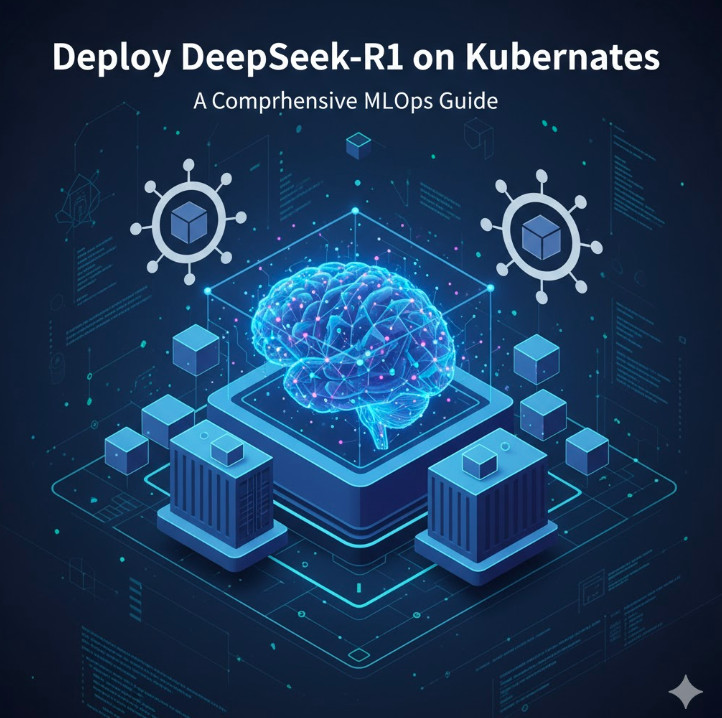
AI Art Generator: Unleashing Creativity with Artificial Intelligence

Introduction

The rise of artificial intelligence has revolutionized the way we create art. AI art generators have made it possible for anyone, regardless of artistic skills, to produce stunning digital artworks with just a few clicks. These tools use machine learning algorithms to analyze existing artwork and generate unique, high-quality images based on user input. Whether you’re a digital artist, marketer, or someone who loves exploring creative possibilities, AI art generators offer endless opportunities.

This guide explores how AI art generators work, their applications, the best tools available, and how to get the most out of them.

How AI Art Generators Work

AI art generators utilize deep learning and neural networks to create art. Here’s a breakdown of how they function:

  1. Data Training: AI models are trained using vast datasets of existing artwork, including paintings, sketches, and digital illustrations.
  2. Pattern Recognition: The AI identifies styles, colors, and artistic elements to understand different genres of art.
  3. Image Generation: Using algorithms like GANs (Generative Adversarial Networks) or Stable Diffusion, the AI generates new, unique artwork based on user-provided inputs.
  4. Customization Options: Many AI art tools allow users to refine their artwork by adjusting parameters like color schemes, textures, and artistic styles.

Best AI Art Generators in 2025

There are several AI-powered tools available for creating digital art. Here are some of the best AI art generators:

1. DALL·E 3

  • Developed by OpenAI, DALL·E 3 can generate realistic and imaginative images from text prompts.
  • Features: High-resolution output, diverse artistic styles, and prompt refinement.

2. MidJourney

  • Known for its high-quality and surrealistic artwork.
  • Best for concept artists and designers who need visually stunning pieces.

3. Stable Diffusion

  • Open-source AI art generator that runs locally on a computer.
  • Allows for greater customization and fine-tuning.

4. Deep Dream Generator

  • Developed by Google, this tool enhances images with a dreamlike effect.
  • Ideal for abstract and psychedelic artwork.

5. Artbreeder

  • Uses genetic algorithms to blend and modify artwork collaboratively.
  • Great for creating character portraits and landscapes.

How to Use an AI Art Generator

Creating AI-generated art is simple, even for beginners. Follow these steps:

Step 1: Choose the Right AI Art Generator

Select a tool based on your needs. For example, DALL·E 3 is best for high-resolution images, while Stable Diffusion offers customization.

Step 2: Input Your Text Prompt

Most AI art generators allow users to create art using text descriptions. Example:

  • “A futuristic cityscape at sunset, cyberpunk style.”
  • “A dreamy forest with glowing mushrooms and a waterfall.”

Step 3: Adjust Parameters

Some tools let you fine-tune aspects like:

  • Artistic Style: Realistic, abstract, anime, etc.
  • Color Palette: Warm, cool, pastel tones.
  • Image Size: 1024×1024, 1920×1080, etc.

Step 4: Generate and Refine

Once the AI creates an image, you can refine the output by adjusting settings or regenerating with a modified prompt.

Step 5: Download and Use

After finalizing your artwork, download it in high resolution for personal or commercial use.

Applications of AI Art Generators

AI-generated art has numerous applications across industries:

1. Digital Marketing

  • Create eye-catching visuals for social media and ads.
  • Generate unique graphics for blog posts and websites.

2. Graphic Design

  • Assist designers with concept art.
  • Enhance projects with AI-generated textures and backgrounds.

3. NFTs and Crypto Art

  • Generate unique digital assets for NFT collections.

4. Interior Design

  • Visualize home decor concepts using AI-generated artwork.

5. Entertainment Industry

  • Concept artists and game developers use AI-generated art for character design and environments.

Examples of AI Art in Action

Example 1: Creating an Anime Character

  • Prompt: “A young warrior with silver hair, wearing a futuristic samurai suit, anime style.”
  • AI Output: Generates a stunning anime-styled character ready for use in digital art projects.

Example 2: Fantasy Landscape Design

  • Prompt: “A mystical castle on a floating island, surrounded by glowing clouds.”
  • AI Output: A breathtaking fantasy scene, perfect for book covers or wallpapers.

Example 3: Abstract Art

  • Prompt: “Vibrant swirls of color blending in a psychedelic pattern.”
  • AI Output: Unique abstract artwork ideal for digital prints and merchandise.

FAQs About AI Art Generators

1. Are AI art generators free to use?

Some AI art tools offer free versions with limited features, while premium versions provide advanced options.

2. Can I sell AI-generated artwork?

Yes, but check the terms of service for each AI tool, as some require commercial licenses.

3. Do AI-generated images have copyright issues?

Since AI art is based on trained datasets, the copyright status depends on the tool’s policy and jurisdiction.

4. What is the best AI art generator for beginners?

DALL·E 3 and Deep Dream Generator are beginner-friendly with intuitive interfaces.

5. Can AI art replace human artists?

No, AI is a tool that enhances creativity but cannot replace the originality and emotional depth of human artists.

External Resources

For further reading on AI art and digital creativity:

Conclusion

AI art generators are transforming digital creativity, making artistic expression more accessible than ever. Whether you’re looking to design unique illustrations, create stunning concept art, or generate images for marketing, these tools provide endless possibilities. By understanding how to use them effectively, you can enhance your creative projects and push the boundaries of AI-assisted artistry.

Embrace the future of digital art with AI, and let your imagination run wild! Thank you for reading the DevopsRoles page!

AI Detector: The Ultimate Guide to Identifying AI-Generated Content

Introduction

In the digital era, artificial intelligence (AI) is revolutionizing content creation. AI-generated text is becoming increasingly sophisticated, making it challenging to distinguish between human and machine-generated content. Whether you’re a teacher, researcher, content creator, or business owner, an AI detector can be an essential tool for ensuring authenticity and originality.

This article explores AI detectors, their functionality, and how to use them effectively while maintaining compliance with Google Adsense and AI detection standards.

What is an AI Detector?

An AI detector is a tool that analyzes text to determine whether it was generated by artificial intelligence. These tools utilize machine learning algorithms to assess linguistic patterns, sentence structures, and word choices.

How AI Detectors Work

AI detectors leverage natural language processing (NLP) and machine learning techniques to:

  • Analyze text for patterns typical of AI-generated content.
  • Compare writing styles against known AI models (e.g., ChatGPT, GPT-4, Bard, Claude).
  • Calculate a probability score indicating AI involvement.
  • Highlight potential AI-generated segments within the text.

Why AI Detection Matters

AI detection tools play a crucial role in:

  • Academic Integrity: Preventing AI-assisted plagiarism.
  • SEO Compliance: Ensuring high-quality, human-like content.
  • Brand Credibility: Maintaining trust by verifying content authenticity.
  • Fact-Checking: Detecting potential misinformation from AI-generated text.

Best AI Detectors in 2025

Several AI detection tools are available, each offering unique features. Below are some of the top AI detectors currently on the market:

1. Originality.ai

  • Best for: Content creators, educators, and SEO professionals.
  • Features:
    • High accuracy in detecting AI-generated content.
    • Supports plagiarism detection.
    • Integrates with major writing platforms.

2. GPTZero

  • Best for: Educators and researchers.
  • Features:
    • Designed to detect GPT-generated content.
    • Provides confidence scores.
    • Free version available for basic use.

3. Copyleaks AI Content Detector

  • Best for: Enterprises and journalists.
  • Features:
    • Supports multiple AI models.
    • API integration available.
    • Multi-language support.

4. Writer AI Content Detector

  • Best for: Businesses and marketers.
  • Features:
    • Quick analysis and user-friendly interface.
    • Free and paid versions available.
    • Detects GPT-based AI content.

5. Hugging Face AI Detector

  • Best for: Developers and AI enthusiasts.
  • Features:
    • Open-source model.
    • Customizable detection algorithms.
    • API available for integration.

How to Use an AI Detector Effectively

Follow these steps to ensure accurate AI content detection:

Step 1: Choose a Reliable AI Detector

Select a reputable AI detection tool based on your specific needs.

Step 2: Input the Text

Copy and paste the content you want to analyze into the tool’s text box.

Step 3: Run the Analysis

Click the “Analyze” or “Detect AI” button to process the text.

Step 4: Review the Results

Most AI detectors provide:

  • AI Probability Score: Percentage likelihood of AI-generated content.
  • Highlighted AI Content: Sections flagged as AI-generated.
  • Confidence Level: Indicating the tool’s accuracy in detection.

Step 5: Take Action

  • If AI-generated content is detected in an academic setting, report it accordingly.
  • If using AI-assisted content for SEO, consider editing for originality.
  • Ensure that content meets compliance and originality standards before publishing.

Examples of AI Detector in Action

Example 1: Academic Use Case

A teacher suspects that a student’s essay was generated using AI. Using GPTZero, they analyze the text and find a high AI probability score. The student is then advised to rewrite the essay authentically.

Example 2: SEO and Content Marketing

A blog owner wants to ensure their articles comply with Google Adsense policies. By using Originality.ai, they detect AI-generated segments and make necessary human edits to enhance originality.

Example 3: Journalism and Fact-Checking

A journalist receives an article submission that appears suspiciously automated. Running the content through Copyleaks AI Content Detector helps confirm whether it’s human-written or AI-assisted.

Frequently Asked Questions (FAQs)

1. Can AI detectors always accurately identify AI-generated content?

While AI detectors are highly effective, they are not 100% foolproof. Some AI-generated text can bypass detection, especially if heavily edited.

2. Is AI-generated content allowed by Google Adsense?

Google prioritizes high-quality, user-first content. If AI-generated content is original, valuable, and not used deceptively, it may comply with Adsense policies.

3. Can I use AI to generate content and still pass AI detection?

Yes, but you should significantly edit AI-generated content to make it more human-like and engaging.

4. Are AI detectors free to use?

Some AI detectors offer free versions with limited capabilities, while others require a subscription for advanced features.

5. How do AI detectors handle multi-language content?

Some AI detectors support multiple languages, but accuracy may vary based on the AI model and training data.

External Resources

For further reading, check out these authoritative sources:

Conclusion

AI detectors are powerful tools for ensuring content originality, academic integrity, and SEO compliance. As AI continues to evolve, staying informed about detection methods is essential for content creators, educators, and businesses alike.

Have you used an AI detector? Share your experience in the comments! Thank you for reading the DevopsRoles page!
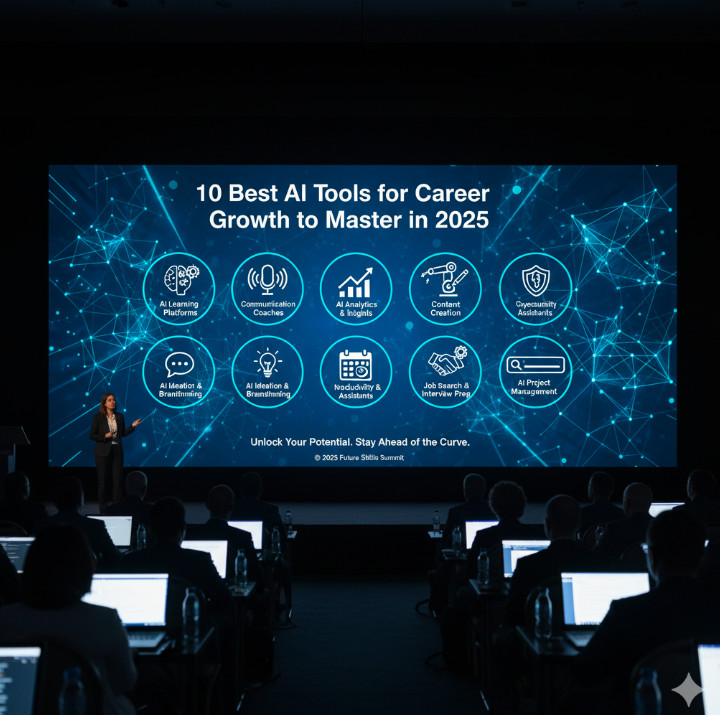
The Ultimate DevOps Roadmap for 2025: A Complete Guide for Success

Introduction: Understanding the DevOps Roadmap

In today’s rapidly evolving tech landscape, organizations are increasingly adopting DevOps practices to streamline their software development and operational workflows. A DevOps roadmap serves as a step-by-step guide for professionals seeking to integrate development and operations seamlessly. It outlines the necessary skills, tools, and methodologies required to successfully implement DevOps across the lifecycle of an application.

Whether you’re an aspiring DevOps engineer, software developer, or system administrator, understanding and following the DevOps roadmap can significantly boost your career. This guide will break down the key stages, tools, and best practices that will enable you to master DevOps, from the basics to more advanced strategies.

What Is DevOps and Why Does It Matter?

DevOps is a cultural and technical movement that combines development (Dev) and operations (Ops) to improve collaboration and productivity. It emphasizes automation, continuous integration (CI), continuous deployment (CD), and the use of feedback loops to iterate faster and improve software quality.

By aligning development and operations teams, DevOps enables:

  • Faster delivery of high-quality software
  • Enhanced collaboration between teams
  • Reduced costs through automation
  • Higher customer satisfaction due to improved uptime and quicker feature releases

The DevOps roadmap is a structured guide that outlines how individuals and teams can move from novice to expert by acquiring the necessary skills and tools.

Stages of the DevOps Roadmap

1. Understanding the Basics of DevOps

To start your DevOps journey, you must first understand the fundamental principles and concepts. Here’s what you should focus on:

Core Concepts:

  • Version Control: Tools like Git and SVN are crucial for tracking changes in code and collaborating effectively with your team.
  • Automation: Automation tools such as Jenkins and Ansible help streamline repetitive tasks, improving efficiency.
  • Continuous Integration and Continuous Delivery (CI/CD): Learn how to automate testing, building, and deployment processes to release code more frequently and reliably.

Essential Skills:

  • Collaboration: A DevOps culture thrives on open communication and shared responsibilities across the development and operations teams.
  • Basic Scripting Knowledge: Start by learning basic scripting languages like Bash or Python for automation tasks.

2. Gaining Hands-on Experience with DevOps Tools

Once you’re comfortable with the basics, it’s time to get hands-on experience with the tools that power DevOps practices. Here are some of the most commonly used tools in the DevOps pipeline:

Key Tools for Developers and Operations Teams:

  • Git: A version control system that allows teams to collaborate on code changes.
  • Jenkins: A popular CI/CD tool for automating the process of building, testing, and deploying software.
  • Docker: A platform for creating, deploying, and managing containers, ensuring consistent environments across all stages of development.
  • Kubernetes: A container orchestration tool that helps manage the deployment and scaling of containerized applications.
  • Terraform: A tool for automating infrastructure provisioning, enabling the infrastructure-as-code (IaC) approach.

Setting Up a Basic CI/CD Pipeline:

  1. Install Jenkins or another CI tool.
  2. Create a simple pipeline that pulls code from Git.
  3. Set up automated unit tests and code quality checks.
  4. Configure the pipeline to deploy the application to a development server.

3. Mastering Continuous Integration and Continuous Delivery (CI/CD)

CI/CD is at the heart of DevOps. By automating code integration and delivery, you ensure that code changes are continuously tested and deployed. Here’s what you need to know to master CI/CD:

Key Concepts:

  • Continuous Integration (CI): The practice of merging all developers’ working copies to a shared mainline multiple times a day.
  • Continuous Delivery (CD): Extending CI by automating the deployment of code to production, making it possible to release software at any time.

Tools to Learn:

  • GitLab CI/CD: An integrated DevOps platform for version control and CI/CD.
  • CircleCI: A cloud-native CI/CD tool that integrates well with many different version control systems.
  • Travis CI: A hosted CI/CD service that automatically builds and tests code changes in GitHub repositories.

4. Managing Containers and Orchestration

As DevOps moves forward, managing applications through containers is essential. Here’s what you need to do:

Learn About Containers:

  • Docker: The foundational technology for creating, deploying, and running applications in containers.
  • Kubernetes: An orchestration tool that automates the deployment, scaling, and management of containerized applications.

Best Practices:

  • Containerize your applications for easier deployment across different environments.
  • Use Docker Compose to manage multi-container applications.
  • Learn to use Helm for managing Kubernetes deployments.

5. Implementing Infrastructure as Code (IaC)

Infrastructure as Code is a key principle of DevOps. It allows teams to provision and manage infrastructure using code rather than manual configuration. Here are the key tools and practices:

Popular IaC Tools:

  • Terraform: For provisioning infrastructure and services on multiple cloud providers.
  • Ansible: A configuration management tool that automates server setup and management.
  • Puppet and Chef: Other popular tools for automating infrastructure management.

Best Practices:

  • Write declarative code to define the desired state of your infrastructure.
  • Use version control for your IaC configurations to track changes over time.
  • Implement automated testing for your infrastructure code to ensure it is error-free.

6. Monitoring and Logging

Monitoring and logging are critical for ensuring that applications perform well and remain reliable. By monitoring application performance and collecting logs, DevOps teams can proactively resolve issues before they affect users.

Key Tools:

  • Prometheus and Grafana: Open-source tools for monitoring and visualizing system metrics.
  • ELK Stack (Elasticsearch, Logstash, Kibana): A set of tools for searching, analyzing, and visualizing log data in real time.

7. Security in DevOps (DevSecOps)

DevSecOps integrates security into the DevOps pipeline, ensuring that security is not an afterthought. Here are the steps to implement a secure DevOps process:

  • Automate security testing within your CI/CD pipelines.
  • Use static code analysis tools like SonarQube to detect vulnerabilities in the code early.
  • Implement security policies and guidelines for your DevOps teams.

Advanced DevOps Concepts

Once you’ve mastered the basics and gained some hands-on experience, consider diving into advanced concepts such as:

1. Microservices Architecture

  • The microservices approach breaks down large applications into smaller, independent services. This enables faster development, testing, and scaling.

2. Serverless Computing

  • With serverless, developers can focus on writing code without worrying about managing infrastructure. AWS Lambda, Google Cloud Functions, and Azure Functions are key platforms in this space.

3. Cloud-Native Technologies

  • Learn how to design, build, and manage applications specifically for the cloud, leveraging cloud services like AWS, Azure, and GCP.

FAQ: Common Questions About the DevOps Roadmap

What is the first step in the DevOps roadmap?

The first step is understanding the core principles of DevOps, such as continuous integration, continuous delivery, version control, and automation.

How long does it take to master DevOps?

Becoming proficient in DevOps can take anywhere from 6 months to a few years, depending on your experience level, the tools you learn, and the depth of your practice.

Do I need to learn coding for DevOps?

Yes, basic scripting knowledge (e.g., Python, Bash) is essential for automating tasks, creating pipelines, and managing infrastructure.

What tools should I start learning first in DevOps?

Start with tools like Git (for version control), Jenkins (for CI/CD), Docker (for containerization), and Kubernetes (for orchestration).

Conclusion: Mastering the DevOps Roadmap

The DevOps roadmap is a comprehensive guide to mastering the principles, tools, and techniques that drive modern software development and operations. By following this roadmap, you can acquire the necessary skills to help organizations build faster, more reliable applications, and improve collaboration between development and operations teams.

By mastering the tools and concepts from version control to infrastructure automation, you’ll be well on your way to becoming a successful DevOps engineer. Stay committed to learning, experimenting, and evolving with the latest technologies, and you’ll be equipped to succeed in this rapidly growing field.

For further reading, check out these resources:

With the right roadmap, your journey into DevOps will be smooth and rewarding. Thank you for reading the DevopsRoles page!

Is DeepSeek AI Better Than Google? A Comprehensive Analysis

Introduction

Artificial Intelligence (AI) is revolutionizing the way we interact with information. Google, a giant in the search industry, has dominated the space for decades. However, emerging AI-driven alternatives like DeepSeek AI are challenging the status quo. But is DeepSeek AI better than Google?

This article dives into a comprehensive analysis of both platforms, comparing their capabilities, accuracy, efficiency, and relevance in modern AI-powered search and information retrieval.

Understanding DeepSeek AI and Google

What is DeepSeek AI?

DeepSeek AI is an advanced artificial intelligence system designed for natural language processing (NLP), data retrieval, and AI-driven decision-making. It utilizes deep learning models to process vast amounts of data, enabling it to generate precise, contextual, and conversational responses.

What is Google?

Google, on the other hand, is the world’s largest search engine, leveraging algorithms like PageRank, BERT, and MUM to index and rank web pages based on relevance, authority, and user intent. Google’s AI-driven features include Google Assistant, Bard, and AI-powered search refinements.

DeepSeek AI vs Google: Feature-by-Feature Comparison

1. Search Accuracy and Relevance

DeepSeek AI

  • Uses AI-driven models to analyze context, semantics, and user intent.
  • Provides direct answers rather than a list of search results.
  • Excels in complex queries requiring interpretation and summarization.

Google

  • Uses web crawling, indexing, and ranking to provide results.
  • Prioritizes authoritative sources but sometimes includes outdated or less relevant content.
  • Offers Featured Snippets for quick answers but is still list-based.

Winner: DeepSeek AI for contextual accuracy, Google for breadth of results.

2. AI-Powered Content Generation

DeepSeek AI

  • Specializes in long-form content generation, summaries, and conversational interactions.
  • Can generate coherent and well-structured responses tailored to queries.
  • Suitable for research, coding, and data analysis.

Google

  • Uses AI for summarization (Google Search Generative Experience, or SGE).
  • Does not provide full-text generation within search results.
  • Leverages AI primarily for ranking rather than direct content creation.

Winner: DeepSeek AI for AI-powered content generation.

3. User Experience and Interface

DeepSeek AI

  • Provides a chatbot-like interface for interactive conversations.
  • Focuses on deep learning-based personalized responses.
  • Lacks a traditional search engine layout.

Google

  • Uses a search bar with predictive suggestions.
  • Provides web page links, images, videos, and shopping results.
  • Integrates AI into products like Google Lens, Maps, and Assistant.

Winner: Google for a familiar and versatile user experience.

4. Speed and Efficiency

DeepSeek AI

  • Processes complex queries quickly.
  • Uses AI-driven conversational flow for in-depth discussions.
  • May have longer response times for large datasets.

Google

  • Delivers instant search results.
  • Optimized for quick retrieval from indexed sources.
  • Prioritizes speed over deep contextual analysis.

Winner: Google for fast results; DeepSeek AI for detailed responses.

5. Data Privacy and Security

DeepSeek AI

  • Less data-driven than Google.
  • Focuses on direct interactions rather than tracking user behavior.

Google

  • Collects extensive user data for personalized ads and services.
  • Implements privacy controls, but data collection remains a concern.

Winner: DeepSeek AI for privacy-conscious users.

Examples: DeepSeek AI vs Google in Action

Example 1: Researching Scientific Papers

  • DeepSeek AI: Summarizes research papers, extracts key findings, and suggests related studies.
  • Google: Lists web pages with research papers, requiring manual filtering.

Example 2: Learning a New Programming Language

  • DeepSeek AI: Provides interactive coding help and explanations.
  • Google: Links to tutorials and forums like Stack Overflow.

Example 3: Travel Planning

  • DeepSeek AI: Suggests personalized itineraries based on preferences.
  • Google: Provides flight details, hotel suggestions, and user-generated reviews.

FAQ Section

1. Is DeepSeek AI more accurate than Google?

DeepSeek AI excels in contextual and conversational accuracy, while Google is superior for broad and fast information retrieval.

2. Can DeepSeek AI replace Google?

Not entirely. DeepSeek AI is powerful for deep learning-based tasks, but Google remains essential for general web search and discovery.

3. Is DeepSeek AI safer than Google?

DeepSeek AI collects less user data, making it a better choice for privacy-conscious users.

4. Does DeepSeek AI support real-time search updates?

Google frequently updates search results with real-time indexing, whereas DeepSeek AI relies on pre-trained models and databases.

5. Which AI is better for businesses?

Google offers SEO, advertising, and analytics, while DeepSeek AI is ideal for automation, data analysis, and AI-driven insights.

External References

Conclusion

Both DeepSeek AI and Google bring powerful AI-driven capabilities to the table. DeepSeek AI excels in deep learning, natural language processing, and contextual responses, making it a strong contender for research and automation. Google, however, remains the dominant force in search, offering unmatched speed, accuracy, and real-time indexing.

Ultimately, the choice between DeepSeek AI and Google depends on your specific needs. If you seek quick, broad searches, Google is unbeatable. If you need AI-driven insights and content generation, DeepSeek AI might be the better option.

Which one do you prefer? Let us know in the comments! Thank you for reading the DevopsRoles page!
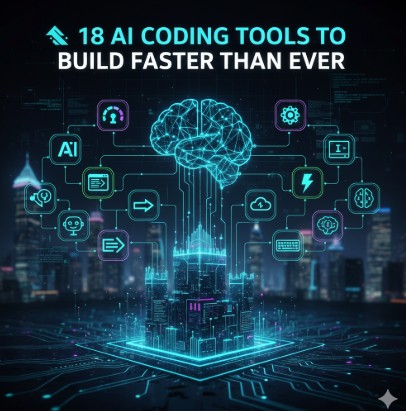
Deepseek v3: The Ultimate Guide to Mastering AI-Powered Search

Introduction

In the rapidly evolving landscape of artificial intelligence, Deepseek v3 has emerged as a powerful tool for conducting AI-enhanced searches. Whether you are a researcher, developer, or business professional, mastering Deepseek v3 can significantly improve your ability to retrieve accurate and relevant information from large datasets.

This article delves into the core functionalities, applications, and advanced techniques of Deepseek v3, ensuring that you can maximize its potential effectively.

What is Deepseek v3?

Deepseek v3 is an advanced AI-powered search engine that leverages natural language processing (NLP) and machine learning (ML) to deliver precise and context-aware search results. It is designed to:

  • Process large datasets efficiently
  • Provide intelligent and contextually relevant search results
  • Enhance data retrieval in research, business, and development domains

Key Features

  • AI-Driven Search: Deep learning algorithms improve result relevance
  • Contextual Understanding: Enhanced NLP ensures semantic comprehension
  • Data Indexing: Rapidly organizes and categorizes data for better retrieval
  • Customizable Queries: Supports advanced search filters and modifiers
  • Scalability: Handles extensive datasets with minimal latency

How to Use Deepseek v3

1. Getting Started

Before using Deepseek v3, ensure you have access to its platform. Depending on the implementation, you may need to:

  • Sign up for an account on the Deepseek v3 portal
  • Obtain an API key if using programmatic access
  • Familiarize yourself with the dashboard and search query syntax

2. Running Basic Queries

Deepseek v3 supports intuitive search queries. You can start with simple commands:

search: "latest AI trends in 2025"

Expected Output: A curated list of articles, reports, and blogs relevant to AI trends in 2025.

3. Advanced Search Techniques

For precise results, Deepseek v3 supports advanced filters:

search: "machine learning applications" filter: {"date": "2023", "source": "peer-reviewed"}

This query will return academic papers on machine learning applications published in 2023.

Boolean Operators

Combine keywords using:

  • AND – Includes both terms
  • OR – Includes either term
  • NOT – Excludes a term

Example:

search: "deep learning AND computer vision NOT medical"

Wildcards

Use wildcards (* and ?) for broader searches:

search: "AI innov*"  

This will return results containing AI innovation, AI innovative, etc.

4. API Integration

For developers, Deepseek v3 offers an API for seamless integration.

import requests

api_url = "https://api.deepseekv3.com/search"
params = {
    "query": "deep learning applications",
    "filter": {"date": "2023"}
}
headers = {"Authorization": "Bearer YOUR_API_KEY"}
response = requests.get(api_url, params=params, headers=headers)
print(response.json())

Expected Output: A structured JSON response with search results.

Real-World Applications

1. Academic Research

Researchers can leverage Deepseek v3 to:

  • Retrieve peer-reviewed articles quickly
  • Analyze trends in scientific publications
  • Cross-reference multiple sources efficiently

2. Business Intelligence

Companies use Deepseek v3 for:

  • Market analysis
  • Competitive research
  • Real-time data monitoring

3. AI Model Training

Deepseek v3 can help data scientists:

  • Gather training datasets
  • Verify data authenticity
  • Enhance machine learning model accuracy

Frequently Asked Questions (FAQs)

1. How does Deepseek v3 differ from traditional search engines?

Deepseek v3 uses AI-powered NLP and ML to provide more contextually relevant results compared to keyword-based traditional search engines.

2. Is Deepseek v3 free to use?

There may be a free version with limited queries, but advanced features typically require a subscription.

3. Can I integrate Deepseek v3 with third-party applications?

Yes, Deepseek v3 provides an API that allows seamless integration with various platforms.

4. What are the best practices for refining search results?

Use Boolean operators, filters, and wildcards to narrow down search results effectively.

5. How secure is Deepseek v3?

Deepseek v3 prioritizes data security with encryption, authentication, and compliance measures.

External Resources

For further learning, check out these authoritative sources:

Conclusion

Deepseek v3 is a game-changer in AI-powered search, offering robust features for researchers, businesses, and developers alike. By leveraging its advanced search capabilities, you can enhance data retrieval efficiency and accuracy. Start exploring Deepseek v3 today and unlock its full potential! Thank you for reading the DevopsRoles page!

DeepSeek vs ChatGPT Comparison: Which AI Model is Better in 2025?

Introduction

Artificial Intelligence (AI) has revolutionized natural language processing (NLP), powering everything from chatbots to content generation. Two major players in the AI field, DeepSeek and ChatGPT, stand out for their ability to generate human-like text, automate tasks, and enhance user experiences. But which one is better? In this comprehensive DeepSeek vs ChatGPT comparison, we analyze their features, performance, accuracy, and practical applications to help you make an informed choice.

DeepSeek vs ChatGPT: Overview

What is DeepSeek?

DeepSeek is a cutting-edge AI model designed to offer accurate, data-driven responses. It is known for its deep contextual understanding, making it ideal for tasks such as:

  • Scientific research and data analysis
  • Fact-checking and logical reasoning
  • Code generation and debugging

What is ChatGPT?

ChatGPT, developed by OpenAI, is a versatile conversational AI designed for engaging interactions, content creation, and automation. It excels in:

  • Conversational AI for chatbots and virtual assistants
  • Creative writing and storytelling
  • General knowledge and user-friendly interactions

Both models leverage deep learning and natural language processing (NLP) but differ in their approach, performance, and ideal use cases.

Pricing and Availability

Both models offer free and premium versions. ChatGPT’s GPT-4 version is accessible through OpenAI’s subscription model, while DeepSeek’s pricing depends on enterprise integration and data usage.

DeepSeek: Strengths & Weaknesses

StrengthsWeaknesses
High Mathematical Accuracy: DeepSeek excels in solving complex mathematical problems and technical calculations.Limited Creativity: DeepSeek may struggle with highly creative writing tasks, making it less ideal for storytelling or content generation.
Multilingual Capabilities: Strong support for multiple languages enhances global usability.API Limitations: Currently, its API ecosystem is not as robust as ChatGPT’s.
Efficient for Research: Well-suited for academic and research-based applications.User-Friendliness: May require more effort to get optimal responses compared to ChatGPT.
Open-Source Community Support: Some versions allow open-source development, fostering innovation.

ChatGPT: Strengths & Weaknesses

StrengthsWeaknesses
High Creativity & Natural Conversation Flow: Excellent for generating engaging, human-like text, including stories, articles, and dialogues.Mathematical Accuracy Can Be Inconsistent: While improved, its math and logic-based responses can still be flawed.
Advanced Coding Support: ChatGPT is a favorite among developers for debugging and generating programming scripts.Expensive Premium Plan: The most advanced version (GPT-4 Turbo) requires a subscription.
Extensive Fine-Tuning: Users can customize outputs based on needs, making it versatile for multiple applications.Potential Bias in Responses: Trained on a broad dataset, it can occasionally produce biased or filtered responses.
Robust API Integration: Widely adopted across various industries for chatbot development, automation, and content creation.

Real-World Use Cases: DeepSeek vs ChatGPT

1. Content Generation

  • DeepSeek: Suitable for fact-based, structured reports and research papers.
  • ChatGPT: Ideal for blogs, marketing copy, and storytelling due to its creative edge.

2. Mathematics & Engineering

  • DeepSeek: More precise in solving equations and technical problems.
  • ChatGPT: Good but can sometimes make calculation errors.

3. Coding & Debugging

  • DeepSeek: Performs well in code explanations but lacks ChatGPT’s interactive debugging capability.
  • ChatGPT: Preferred by developers for real-time coding assistance and debugging.

4. Business & Customer Support

  • DeepSeek: Useful for structured knowledge-based answers.
  • ChatGPT: Provides natural, human-like conversations for customer interactions.

5. Language Translation

  • DeepSeek: Strong in technical and academic translations.
  • ChatGPT: Provides more natural, context-aware translations.

FAQ: DeepSeek vs ChatGPT

1. Which AI model is better for students?

  • If you need precise mathematical or technical answers, DeepSeek is better.
  • For essay writing and brainstorming, ChatGPT is superior.

2. Can DeepSeek and ChatGPT be used together?

  • Yes! Some users integrate both for specific tasks—DeepSeek for accuracy and ChatGPT for creativity.

3. Which AI model is more affordable?

  • DeepSeek has competitive free plans, but ChatGPT’s GPT-4 Turbo provides superior value for premium users.

4. Which model is better for developers?

  • ChatGPT is more interactive and widely used for debugging and software development.
  • DeepSeek provides structured code explanations but lacks dynamic debugging.

5. Is DeepSeek as good as ChatGPT for creative writing?

  • No, ChatGPT is better for storytelling, poetry, and marketing content.

External Links & References

For more detailed insights on these AI models, visit:

Conclusion

Both DeepSeek and ChatGPT offer unique advantages depending on your use case. If you need high mathematical accuracy or research-based answers, DeepSeek is a strong contender. On the other hand, ChatGPT excels in creativity, coding, and conversational AI, making it the preferred choice for businesses and content creators.

Ultimately, choosing between DeepSeek vs ChatGPT depends on your specific needs. If you require a balance, leveraging both for different applications may be the best approach!Thank you for reading the DevopsRoles page!
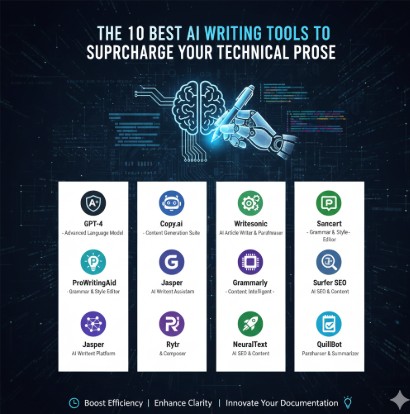
What are your thoughts on DeepSeek vs ChatGPT? Let us know in the comments!