

Introduction
In this tutorial, How to commit and push an empty Git folder or directory to the Git repository. Git cannot add a completely empty directory. Git doesn’t like empty folders. Using .gitkeep to commit or push an empty directory to GitHub or GitLab.
What is .gitkeep?
It solves the problem of Git not pushing empty folders to remote DVCS Repos like GitHub or GitLab. To get Git to recognize an empty directory, the unwritten rule is to put a file named .gitkeep in it.
What are the differences between .gitignore and .gitkeep?
- .gitkeep to track empty directories.
- .gitignore file is used to list files that should be ignored by the git when looking for untracked files.
How to commit and push an empty git folder
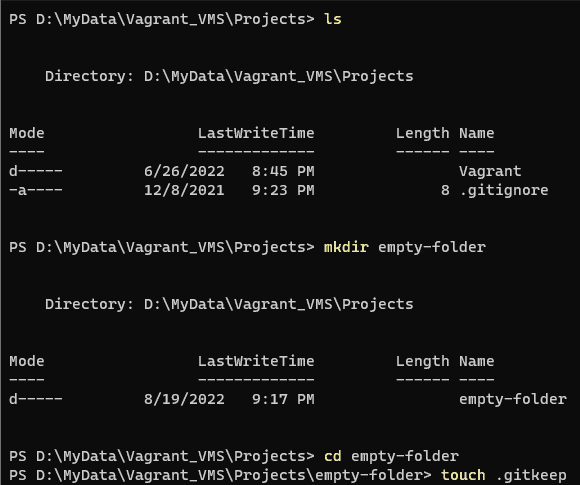
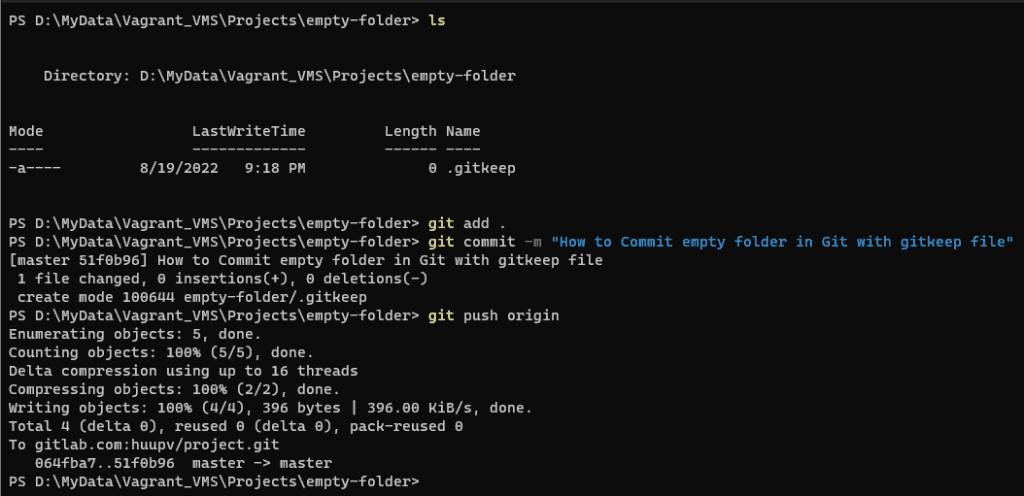
Follow these steps to use the .gitkeep file.
$ mkdir empty-folder
$ cd empty-folder
$ touch .gitkeep
$ git add .
$ git commit -m "How to Commit empty folder in Git with gitkeep file"
$ git push origin

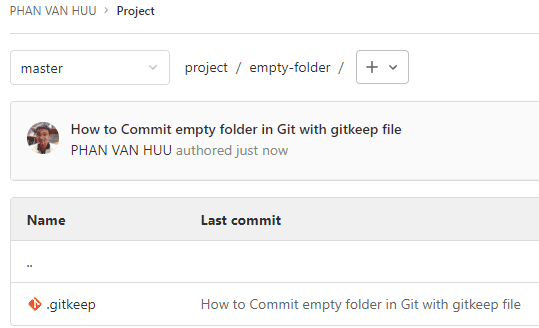
The result of GitLab

Conclusion
You have committed and pushed an empty folder or directory to the Git repository. I hope will this your helpful. Thank you for reading the DevopsRoles page!