

In the era of Large Language Models (LLMs) and trillion-parameter architectures, compute is rarely the sole bottleneck. The true limiting factor often lies in the fabric connecting those GPUs. Networking for AI is fundamentally different from traditional data center networking. It is not about connecting microservices with HTTP requests; it is about synchronizing massive state across thousands of chips where a single microsecond of tail latency can stall an entire training run.
For expert infrastructure engineers, the challenge is shifting from standard TCP-based leaf-spine topologies to lossless, high-bandwidth fabrics capable of sustaining the unique traffic patterns of distributed training, such as AllReduce. This guide moves beyond the basics to explore the architectural decisions, protocols, and configurations required for production-grade AI clusters.
Table of Contents
The Physics of AI Traffic: Why TCP Fails
Before optimizing, we must understand the workload. Unlike web traffic (short flows, random access), AI training traffic is characterized by heavy, synchronized bursts. During the gradient exchange phase of distributed training, all GPUs attempt to communicate simultaneously.
Standard TCP/IP stacks introduce too much CPU overhead and latency jitter (OS kernel context switching) for these synchronous operations. This is why Remote Direct Memory Access (RDMA) is non-negotiable for high-performance AI networking.
Pro-Tip: In a synchronous AllReduce operation, the speed of the entire cluster is dictated by the slowest link. If one packet is dropped and retransmitted via TCP, hundreds of expensive H100s sit idle waiting for that gradient update. Zero packet loss is the goal.
The Great Debate: InfiniBand vs. RoCEv2 (Ethernet)
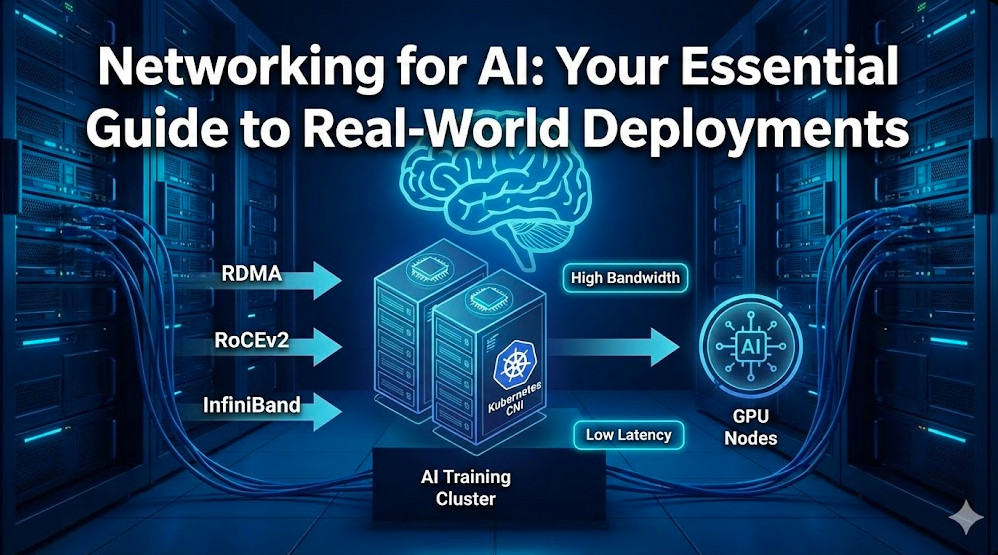
The industry is currently bifurcated between two dominant technologies for the AI backend fabric: native InfiniBand (IB) and RDMA over Converged Ethernet v2 (RoCEv2). Both support GPUDirect RDMA, but they handle congestion differently.
| Feature | InfiniBand (IB) | RoCEv2 (Ethernet) |
|---|---|---|
| Flow Control | Credit-based (Hardware level). Native lossless. | Priority Flow Control (PFC) & ECN (software/switch config required). |
| Latency | Lowest ( ~130ns switch latency). | Low, but slightly higher than IB (~400ns+). |
| Management | Requires Subnet Manager (SM). Centralized control. | Distributed control (BGP, etc.). Easier for NetOps teams. |
| Cost | High (Proprietary cables/switches). | Moderate (Commodity switches, standard optics). |
While InfiniBand has historically been the gold standard for HPC, many hyperscalers are moving toward RoCEv2 to leverage existing Ethernet operational knowledge and supply chains. However, RoCEv2 requires rigorous tuning of PFC (Priority Flow Control) to prevent head-of-line blocking and congestion spreading.
Configuring RoCEv2 for Lossless Behavior
To make Ethernet behave like InfiniBand, you must configure ECN (Explicit Congestion Notification) and DCQCN (Data Center Quantized Congestion Notification). Below is a conceptual configuration snippet for a SONiC-based switch to enable lossless queues:
{
    "BUFFER_POOL": {
        "ingress_lossless_pool": {
            "size": "14MB",
            "type": "ingress",
            "mode": "dynamic"
        }
    },
    "PORT_QOS_MAP": {
        "Ethernet0": {
            "pfc_enable": "3,4",
            "pfc_watchdog_status": "enable"
        }
    }
}
Note: Enabling the PFC watchdog is critical. It detects “PFC storms” where a malfunctioning NIC halts the entire network, automatically ignoring the pause frames to recover the link.
Optimizing the Data Plane: NCCL and GPU Direct
NVIDIA’s NCCL (NVIDIA Collective Communication Library) is the de facto standard for inter-GPU communication. It automatically detects the topology and selects the optimal path (NVLink inside the node, InfiniBand/RoCE between nodes).
However, default settings are rarely optimal for custom clusters. You must ensure that GPUDirect RDMA is active, allowing the NIC to read/write directly to GPU memory, bypassing the CPU and system memory entirely.
Validating GPUDirect
You can verify if GPUDirect is working by inspecting the topology and running the NCCL tests. A common pitfall is the PCI switch configuration or IOMMU settings blocking P2P traffic.
# Check NVLink and PCIe topology
nvidia-smi topo -m

# Run NCCL performance test (AllReduce)
./build/all_reduce_perf -b 8 -e 128M -f 2 -g 8
Advanced Tuning: If you see bandwidth drops, try forcing specific NCCL algorithms or protocols via environment variables. For example, `NCCL_ALGO=RING` might stabilize performance on networks with high jitter compared to `TREE`.
Network Architectures: Rail-Optimized Designs
In traditional data centers, servers are connected to a Top-of-Rack (ToR) switch. In high-performance networking for AI, we often use a “Rail-Optimized” topology.
In a rail-optimized design, if you have nodes with 8 GPUs each, you create 8 distinct network fabrics (rails).
- Rail 1: Connects GPU 0 of Node A to GPU 0 of Node B, C, D…
- Rail 2: Connects GPU 1 of Node A to GPU 1 of Node B, C, D…
This maximizes the utilization of available bandwidth for collective operations like AllReduce, as traffic flows in parallel across independent planes without contending for the same switch buffers.
Kubernetes Integration: Multus and SR-IOV
Most AI training happens on Kubernetes. However, the standard K8s networking model (one IP per pod) is insufficient for high-performance fabrics. To expose the high-speed InfiniBand or RoCE interfaces to the pod, we utilize the Multus CNI.
Multus allows a Pod to have multiple network interfaces: a primary `eth0` for Kubernetes control plane traffic (managed by Calico/Cilium) and secondary interfaces (net1, net2…) dedicated to MPI/NCCL traffic.
Manifest Example: SR-IOV with Multus
Below is an example of a `NetworkAttachmentDefinition` to inject a high-speed interface into a training pod.
apiVersion: "k8s.cni.cncf.io/v1"
kind: NetworkAttachmentDefinition
metadata:
  name: ib0-sriov
  namespace: ai-training
spec:
  config: '{
      "cniVersion": "0.3.1",
      "type": "sriov",
      "master": "ib0",
      "vlan": 100,
      "ipam": {
        "type": "static"
      }
    }'
When deploying your training job (e.g., using Kubeflow or PyTorchOperator), you annotate the pod to request this interface:
metadata:
  annotations:
    k8s.v1.cni.cncf.io/networks: ai-training/ib0-sriov
Frequently Asked Questions (FAQ)
1. Can I use standard 10GbE for distributed AI training?
Technically yes, but it will be a severe bottleneck. Modern GPUs (H100/A100) have massive compute throughput. A 10GbE link will leave these expensive GPUs idle for most of the training time. For serious work, 400Gbps (NDR InfiniBand or 400GbE) is the standard recommendation.
2. What is the impact of “Tail Latency” on AI?
In synchronous training, the gradient update step cannot proceed until every node has reported in. If 99 packets arrive in 1ms, but the 100th packet takes 50ms due to congestion, the effective latency of the cluster is 50ms. AI networking requires optimizing the P99 or P99.9 latency, not just the average.
3. How do I debug NCCL hangs?
NCCL hangs are notoriously difficult to debug. Start by setting `NCCL_DEBUG=INFO` to see the initialization logs. If it hangs during training, use `NCCL_DEBUG_SUBSYS=COLL` to trace collective operations. Often, firewall rules or mismatched MTU sizes (Jumbo Frames are mandatory) are the culprits.

Conclusion
Networking for AI is a discipline of extremes: extreme bandwidth, extreme synchronization, and extreme cost per port. Whether you choose the vertically integrated path of InfiniBand or the flexible, hyperscale-friendly route of RoCEv2, the goal remains the same: keep the GPUs fed.
As models grow, the network is becoming the computer. By implementing rail-optimized topologies, leveraging GPUDirect RDMA, and mastering the nuances of Kubernetes CNI plugins like Multus, you can build an infrastructure that enables the next generation of AI breakthroughs rather than holding them back. Thank you for reading the DevopsRoles page!