

In this tutorial, How do I modifying individual text fields in bash script? Bash Script the essential for DevOps Roles. I run the script on a Linux server.
- Input: string is “HHHHHHHH“
- Output: AHHHHHHH, BHHHHHHH, CHHHHHHH, DHHHHHHH, XHHHHHHH, ZHHHHHHH
Modifying individual text fields in Bash Script
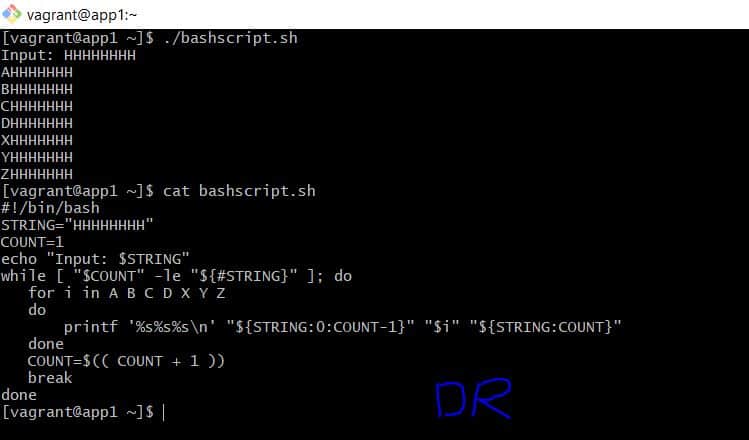
#!/bin/bash
STRING="HHHHHHHH"
COUNT=1
echo "Input: $STRING"
while [ "$COUNT" -le "${#STRING}" ]; do
   for i in A B C D X Y Z
   do
       printf '%s%s%s\n' "${STRING:0:COUNT-1}" "$i" "${STRING:COUNT}"
   done
   COUNT=$(( COUNT + 1 ))
   break
done
The screen output terminal as below
[vagrant@app1 ~]$ ./bashscript.sh
Input: HHHHHHHH
AHHHHHHH
BHHHHHHH
CHHHHHHH
DHHHHHHH
XHHHHHHH
YHHHHHHH
ZHHHHHHH
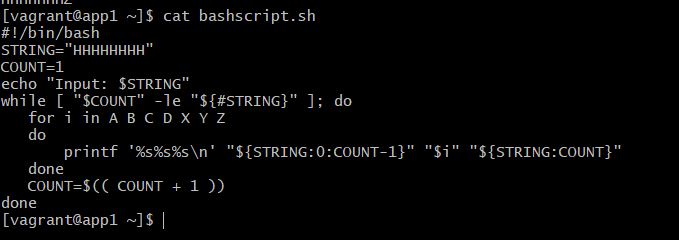
For example, You delete break line in the loop while 🙂

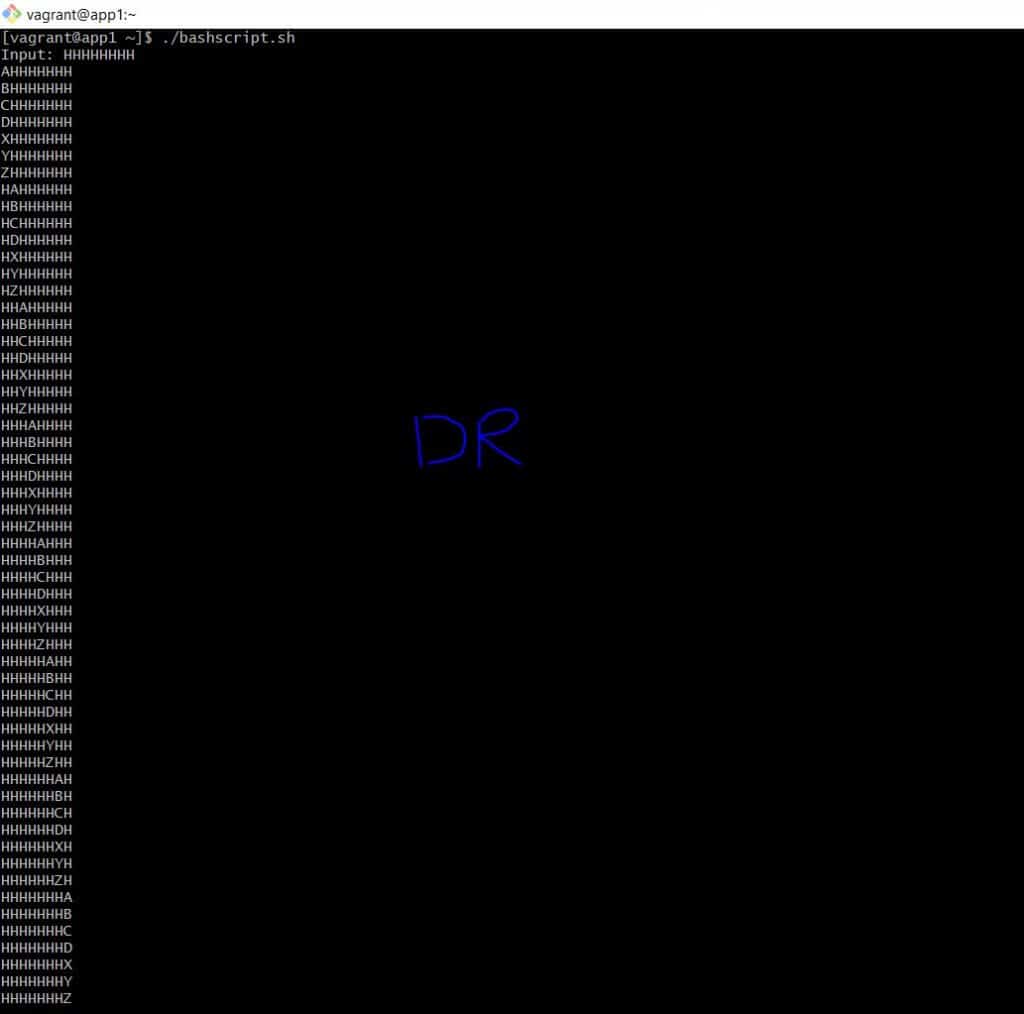
The result, delete break line in the loop while as below

Conclusion
Through the article, You can “Modifying individual text fields in Bash Script“ as above. I hope will this your helpful.