
In this tutorial, I use a bash script to create a new file. Trick and tips create folder and file with arguments in the bash script. Bash script the essential for DevOps Roles.
Bash script create new file
If “no such folder” then create folder and file.
My bash script
#!/bin/bash
function create-touch() {
  local FILE
  local FOLDER
  FILE=${@:$#}
  FOLDER="$(dirname "$FILE")"
  mkdir -p "$FOLDER" && \touch "$@"
}
create-touch $1 # Call Function in bash script
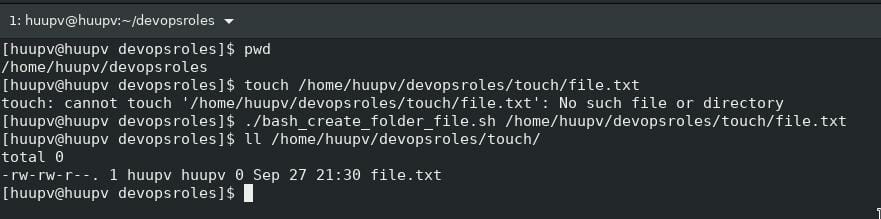
The screen output terminal:

Conclusion
Thought the article, you can use a Bash script to create a new file as above. I hope will this your helpful. More details refer to Bash script.